

Dell’s newest PC messaging isn’t subtle: put AI at the center of the machine, pair it with modern silicon and bigger batteries, and you get devices that promise speed, smarts, and staying power—from everyday Copilot+ laptops to deskside AI workstations aimed at developers and researchers. The coverage that accompanied Dell’s recent product push frames the story as both a hardware and services play: new Copilot+ notebooks and “Plus” series laptops for mainstream users, modular and repair-friendly business models, and heavy-duty Pro Max systems that bring NVIDIA’s Blackwell architecture to the desktop. This article unpacks what Dell is selling, verifies the headline technical claims, evaluates where these machines genuinely advance productivity, and flags practical limits and risks IT teams and enthusiasts must weigh before upgrading.
Dell’s messaging over the last 12–18 months has two consistent threads: total system-level engineering for on-device AI, and an enterprise-oriented ecosystem that ties client devices to cloud and storage solutions. On the client side, Dell’s “Plus” family (14/16-inch models) and Copilot+ branding emphasize Windows 11’s AI features and integrated NPUs (neural processing units). On the heavier end, Dell’s Pro Max desktops (with the NVIDIA GB10 Grace Blackwell Superchip) are positioned as deskside AI nodes that let developers prototype and run large-language-model (LLM) workloads locally. On the services side, Dell APEX file storage for Microsoft Azure and APEX Protection Services aim to simplify multicloud AI pipelines and offer ransomware-resilient storage for enterprises. These announcements are presented as complementary: powerful local endpoints plus managed storage and services for production AI workloads.
Yet the most important caveat is this: numbers don’t equal outcomes. The practical benefits hinge on software stack maturity, thermal and power management, and intelligent IT integration. For organizations that need low-latency, private AI capability, Dell’s Pro Max systems may be transformative. For knowledge workers, Copilot+ machines can accelerate daily tasks and reduce cloud reliance. For everyone else, the decision should be based not on headline specs alone but on measured pilot outcomes, costs, and governance readiness.
Dell’s move is notable because it matches product breadth to enterprise needs: from single-seat deskside models capable of handling hundreds of billions of parameters (in specific precisions and configurations) to everyday AI-boosted laptops and accompanying cloud‑grade services. The strategy recognizes that AI won’t be solved by silicon alone; successful deployments need hardware, optimized software, and operational services working together.
Conclusion: Dell has placed AI at the hardware and services core of its PC strategy, and the specifications and product choices back up the claim. The net benefit will depend on measured adoption, toolchain maturity, and the pragmatic integration of devices with storage and security services—an ecosystem play, not a single-chip magic trick.
Source: Indiatimes AI at the Core: Dell PCs That Combine Speed, Smarts, and Staying Power
 Background / Overview
Dell’s messaging over the last 12–18 months has two consistent threads: total system-level engineering for on-device AI, and an enterprise-oriented ecosystem that ties client devices to cloud and storage solutions. On the client side, Dell’s “Plus” family (14/16-inch models) and Copilot+ branding emphasize Windows 11’s AI features and integrated NPUs (neural processing units). On the heavier end, Dell’s Pro Max desktops (with the NVIDIA GB10 Grace Blackwell Superchip) are positioned as deskside AI nodes that let developers prototype and run large-language-model (LLM) workloads locally. On the services side, Dell APEX file storage for Microsoft Azure and APEX Protection Services aim to simplify multicloud AI pipelines and offer ransomware-resilient storage for enterprises. These announcements are presented as complementary: powerful local endpoints plus managed storage and services for production AI workloads. What Dell Is Actually Shipping (and Selling)
Copilot+ PCs and the “Plus” series: hardware plus Windows AI
Dell’s Plus laptops—especially the Dell 16 Plus—arrive as Copilot+ PCs: Windows 11 devices certified to run deeper Copilot features and on-device AI acceleration. Typical configurations advertised include Intel Core Ultra processors with integrated NPUs (Intel AI Boost), Intel Arc graphics, LPDDR5X memory, and optional higher‑resolution displays and Wi‑Fi 7. Dell’s product pages and retail listings commonly state NPU peak figures in the mid‑40 TOPS range for certain Core Ultra SKUs—figures echoed in retailer spec sheets. These machines are targeted at creators and professionals who want responsive AI-assisted features (summaries, background processing, transcription, fast content-aware edits) without offloading everything to the cloud. Key marketed attributes:- Built-in Copilot+ integration and a physical Copilot key on many models.
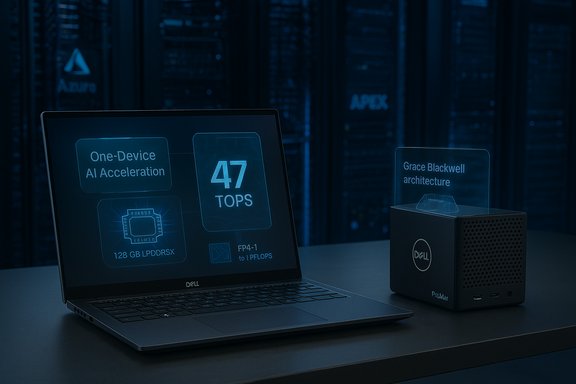
- Neural Processing Units (NPUs) advertised in the tens of TOPS (e.g., “up to 47 TOPS” on certain Core Ultra 7 SKUs).
- Battery capacities and power profiles tuned to extend unplugged work—marketing claims sometimes state very long runtimes for web browsing and video playback, depending on configuration and lab test conditions.
Dell Pro Max with NVIDIA GB10: a deskside AI workstation
Dell’s Pro Max family jumps into a different category: a compact, deskside system using NVIDIA’s Grace Blackwell architecture. The GB10 variant pairs an Arm-based CPU cluster with Blackwell GPU tiles, providing:- 128 GB LPDDR5x unified memory (coherent across CPU/GPU domains).
- Up to 1 petaflop of FP4 compute (advertised as 1000 TFLOPS of FP4 throughput).
- Explicit support for models up to ~200 billion parameters on a single GB10 node, with clustering options to scale beyond that.
Dell’s own product listings and regional retailer pages show configurations, pricing cues, and support/service options for GB10 Pro Max systems. The product is explicitly targeted at AI developers, researchers, and regulated enterprises who need low-latency, on‑premise model work without immediate cloud dependency.
Dell APEX, Protection Services, and Accelerator Services
Recognizing that AI is more than local compute, Dell is pitching cloud- and enterprise-level services:- APEX File Storage for Microsoft Azure (Dell‑managed)—designed to handle AI workloads with PowerScale technology and a managed operations model, intended to reduce storage complexity for AI pipelines.
- APEX Protection Services—ransomware resilience, immutable storage, and cyber-resiliency tooling that Dell says reduces recovery times drastically through AI-enabled detection.
- Accelerator Services for Copilot+ PCs—consulting and integration services to help enterprises onboard Copilot+ endpoints into workflows and secure deployments.
These services underline Dell’s hybrid message: local AI endpoint power, linked to cloud-ready storage and enterprise security.
Verifying the Numbers: What’s Real and What Needs Context
When OEM marketing uses impressive numeric metrics—TOPS, petaflops, hours of battery life—those numbers need decoding. Independent verification and manufacturer documentation show the following:- NPUs and TOPS
- The Intel Core Ultra series integrates on‑die NPUs (often labeled “Intel AI Boost”) with peak TOPS numbers published for specific SKUs; Dell lists “up to 47 TOPS” for certain Core Ultra 7 configurations in product listings. Retailers echo that figure in storefront specs. TOPS are a synthetic peak spec that measures theoretical integer throughput and does not map directly to every real‑world AI task.
- For the Pro Max GB10, Dell and NVIDIA materials state the GB10 chip’s FP4 throughput in the petaflop range (1 petaflop for GB10) and 128 GB unified memory—numbers consistent across Dell product pages and platform announcements. These represent a clear uplift compared with typical laptop GPUs and are meaningful for local inference and smaller-scale fine-tuning workflows.
- Memory and model scale
- The unified 128 GB LPDDR5x in GB10 systems is a genuine architectural advantage: coherent system memory shared across CPU and GPU reduces host‑device transfer bottlenecks. Dell’s marketing states hope to support ~200B parameter models on a single GB10 system; third‑party coverage and other OEMs using GB10 repeat similar model-size guidance, but the practical upper limit will depend on precision (FP4 vs FP16), model sparsity, framework memory optimizations, and toolchain support. Two independent Dell pages and trade reporting corroborate the 128 GB figure and the ~200B parameter class.
- Battery life claims
- Dell and Microsoft marketing often use “up to” battery numbers based on controlled local media playback or standardized web-browsing tests. Independent analysis and vendor documentation demonstrate that real-world mixed-use battery life is typically significantly lower—often in the 8–15 hour range for high-performance 16‑inch AI laptops under standard workloads, and lower still with high‑resolution or high‑refresh displays. Lab numbers are useful for apples‑to‑apples comparisons, but they are not a one-size-fits-all real‑life guarantee.
- Pricing and availability
- Dell’s US storefront lists a sub-$4,000 entry price for certain Pro Max GB10 SKUs, while market coverage and regional listings show higher street pricing in some territories (e.g., India). Some desktop GB10 configurations had delayed availability at launch; alternative vendors (e.g., third-party OEMs) brought GB10 systems to market earlier in some regions, underscoring supply and channel variability. These are verifiable in Dell pages and regional news coverage.
Strengths: Where Dell’s Strategy Delivers Real Value
1. On-device AI performance where it matters
Dell’s acceptance of integrated NPUs (via Intel Core Ultra, AMD Ryzen AI, and Qualcomm Snapdragon X-class silicon) and the GB10 deskside nodes creates two complementary upgrade paths:- Laptops with sizeable NPUs accelerate everyday AI features—transcription, image editing, meeting summarization—with lower latency and less cloud dependence.
- Pro Max deskside systems provide real model development power for teams that need to do low‑latency inference or early-stage fine‑tuning on sensitive data.
2. Unified memory architecture for model work
The GB10’s and GB300’s emphasis on coherent unified LPDDR5x memory is technically meaningful. For developers iterating on large models, avoiding host/GPU copy bottlenecks improves experimentation cycle time and reduces complexity when moving models between desktop and datacenter environments. This is a structural advantage versus discrete GPU + host DRAM architectures that require separate memory pools and expensive data movement.3. Services + security: a pragmatic enterprise play
APEX managed file storage on Azure and APEX Protection Services target real operational pain points—multicloud complexity and ransomware resilience. For enterprises, combining modern endpoints with managed storage and recovery tooling can reduce operational overhead and improve compliance posture. Dell’s Accelerator Services for Copilot+ PCs are aligned with an enterprise adoption curve: toolchains, security, and user training matter as much as raw performance.4. Repairability and sustainability signals
Dell’s announcements about modular ports and repair-friendly designs on higher-end commercial models address longstanding user concerns: upgradeability, longer useful life, and reduced e-waste. For enterprise asset managers and sustainability-minded buyers, these traits lower total cost of ownership and improve lifecycle management.Risks, Limitations, and Technical Caveats
1. TOPS and petaflops: headline numbers need translation
TOPS and FP4 petaflop figures are attractive marketing metrics but are not synonymous with real-world throughput for arbitrary workloads. TOPS measure peak low‑precision integer operations; framework, precision, memory bandwidth, driver optimization, and scheduler support are what produce actual application speedups. A multiply‑accumulate metric in a data sheet does not automatically mean your inference pipeline will run 10× faster. Until software stacks (ONNX Runtime, DirectML, vendor runtimes) mature around these NPUs, real gains will be workload-specific and often lower than peak numbers imply.2. Thermals and sustained performance
Laptops advertise high turbo clocks and big NPU numbers, but chassis thermals and power budgets determine sustained throughput. Thin-and-light 16‑inch machines must balance display power, CPU/GPU/NPU thermal headroom, and battery constraints; when pushed, they may throttle and slide back toward more modest real‑world performance levels. For prolonged AI workloads, desktops (like Pro Max) are more suitable than notebooks.3. Software and driver maturity
On-device AI relies on mature software tooling. Framework compatibility (PyTorch, TensorFlow, ONNX), vendor‑supplied kernels, and optimized runtimes for NPUs and unified-memory architectures need to be robust to deliver the promised developer experience. Early adopters can expect friction—platform-specific bugs, incomplete tooling, or absent high-level operators—that delays time to productivity. Paradoxically, the most compelling hardware can underdeliver if the software stack is immature.4. Cost, upgrade cycles, and environmental impact
High-performance Pro Max systems and premium Copilot+ laptops are expensive; enterprises must budget for device refreshes and consider whether replacing still-serviceable devices for new AI features is justified. There’s a sustainability tension: extended support for older devices would reduce waste, but older hardware lacks NPUs and cannot run modern on-device AI efficiently—pushing refresh cycles. Dell’s modularity and repair features mitigate this, but only partially.5. Data governance and regulatory boundaries
On-premise AI desktops are attractive for sensitive workloads, but they don’t remove compliance responsibilities. Running regulated workloads locally still requires controls: access policies, logging, model provenance, and audit trails. Enterprises that deploy deskside model training or fine-tuning should integrate device-level security with broader governance and certification processes. Dell’s APEX Protection Services aims to help here, but customers must still architect for governance.Practical Buying Guidance: Who Should Upgrade and How
- AI developers and research teams
- Buy: Dell Pro Max with GB10 (or similar GB10 systems) if you need local prototyping, low-latency inference on large models (~70B–200B parameters in practice), or regulatory constraints that rule out cloud usage. Verify tooling support for your frameworks before committing.
- Creative professionals and knowledge workers who rely on AI features
- Buy selectively: Copilot+ Plus laptops with Core Ultra or Ryzen AI if you frequently use on-device features—transcription, context-aware writing, or real-time media editing. For long battery life, favor FHD panels and conservative refresh rates; for color-critical work, accept shorter battery runtimes in exchange for higher-resolution panels.
- IT decision-makers at enterprises
- Plan: Combine endpoint refresh cycles with Dell’s APEX storage and protection options. Pilot Copilot+ devices with Accelerator Services to define personas and governance, and validate patching, management, and security requirements before broad rollouts. Consider cost of training, updated MDM profiles, and data handling procedures.
- Buyers on a budget or with long-lived hardware
- Wait or test: If the goal is basic productivity rather than AI-heavy tasks, older devices will remain usable for routine Office and browsing tasks. But beware Windows 10 support end dates and security consequences—planning a phased refresh with ESD/ESU options is prudent.
The Bottom Line: Where Dell's AI-First PCs Fit in the Market
Dell’s portfolio approach—Copilot+ notebooks for everyday productivity, powerful Pro Max deskside systems for local AI development, and APEX managed services for secure storage and recovery—represents a mature answer to the hybrid, regulated, and AI‑driven future many organizations describe. The hardware claims (NPUs with tens of TOPS, 128 GB unified memory in GB10, petaflop FP4 figures) are real and corroborated across vendor documentation and trade reporting; they reflect genuine generational improvements in what endpoints can do.Yet the most important caveat is this: numbers don’t equal outcomes. The practical benefits hinge on software stack maturity, thermal and power management, and intelligent IT integration. For organizations that need low-latency, private AI capability, Dell’s Pro Max systems may be transformative. For knowledge workers, Copilot+ machines can accelerate daily tasks and reduce cloud reliance. For everyone else, the decision should be based not on headline specs alone but on measured pilot outcomes, costs, and governance readiness.
Dell’s move is notable because it matches product breadth to enterprise needs: from single-seat deskside models capable of handling hundreds of billions of parameters (in specific precisions and configurations) to everyday AI-boosted laptops and accompanying cloud‑grade services. The strategy recognizes that AI won’t be solved by silicon alone; successful deployments need hardware, optimized software, and operational services working together.
Final Recommendations for IT Leaders and Power Users
- Run a short pilot: Select a representative workload (inference, fine-tuning, or real‑time collaboration) and test it on a GB10 Pro Max and a Copilot+ laptop variant. Measure real-time throughput, latency, and power consumption under your software stack.
- Validate toolchain support: Confirm that your frameworks and libraries fully leverage the NPU or unified-memory architecture you plan to buy. Check vendor runtimes and community reports for the specific models you’ll run.
- Consider hybrid deployment: Use deskside Pro Max systems for heavy experimentation and APEX-managed storage for production model hosting and backups, thereby reducing costly cloud egress and improving data governance.
- Budget for lifecycle: Factor in training, security, lifecycle management, and potential driver/software updates in total cost of ownership calculations.
- Read the fine print: “Up to” battery and TOPS claims are marketing anchors—seek independent hands-on tests and vendor documentation that match your configuration.
Conclusion: Dell has placed AI at the hardware and services core of its PC strategy, and the specifications and product choices back up the claim. The net benefit will depend on measured adoption, toolchain maturity, and the pragmatic integration of devices with storage and security services—an ecosystem play, not a single-chip magic trick.
Source: Indiatimes AI at the Core: Dell PCs That Combine Speed, Smarts, and Staying Power
