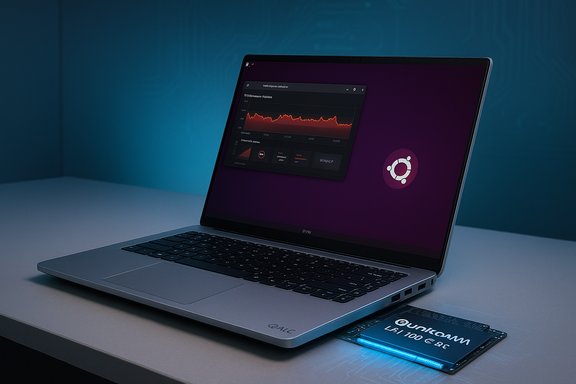
Dell's first mobile workstation to ship with a discrete Qualcomm NPU is arriving in the hands of Linux users today—November 20, 2025—while the Windows 11 factory preload is being pushed to early 2026, creating an unusual reversal in which the Linux SKU with the Qualcomm AI 100 accelerator is available before a Windows configuration that includes the same NPU.
Dell's Pro Max 16 Plus is now offered in a configuration that includes the Qualcomm AI 100 PC inference accelerator—a discrete Neural Processing Unit (NPU) derived from Qualcomm's Cloud AI 100 family. This is notable on two fronts: Dell positions the Pro Max 16 Plus as the first mobile workstation to ship with an enterprise-grade discrete NPU, and the initial shipping SKU targets Ubuntu Linux (Ubuntu 24.04 LTS as the validated OS) rather than Windows. Dell's Windows preload option for the NPU model is slated for early 2026, while current Windows listings for the Pro Max 16 Plus on retail pages are for configurations that include NVIDIA discrete GPUs but not the Qualcomm card.
The Qualcomm AI 100 card in Dell's configuration is presented as a dual‑SoC module with a combined memory pool and a hardware design focused squarely on inference workloads—large language models (LLMs), vision inference, real‑time analytics and other local AI tasks that traditionally relied on cloud servers. Dell and multiple press outlets advertise numbers such as ≈450 TOPS of 8‑bit AI compute, 32 AI cores (across the dual SoCs), and 64 GB of onboard LPDDR4x memory, enabling models of significant size—Dell demos reference running models with on the order of 100+ billion parameters entirely on the device.
This article summarizes the technical facts, validates the key claims against available upstream software and firmware work, explains what shipping the Linux SKU first means for buyers and developers, and analyzes both the opportunity and the practical risks of buying into a discrete NPU workstation today.
Key implications:
At the same time, this is not a plug‑and‑play replacement for GPU workflows. The buyer must accept software maturity caveats, manage firmware and kernel versions, and perform real‑world thermal/power testing. Marketing metrics like TOPS are useful for comparison but require careful interpretation against real model benchmarks and precision modes.
For buyers who can tolerate the tradeoffs, the Dell Pro Max 16 Plus with the Qualcomm AI 100 is a powerful prototype platform for the next wave of on‑device AI—one that pushes the workstation category toward hardware expressly built for inference, not just raw floating‑point pipelines. For enterprises and developers, the immediate availability on Linux means the time to experiment and to migrate some inference workloads back to local, private hardware has arrived.
Source: Phoronix Dell Now Shipping Laptop With Qualcomm NPU On Linux Ahead Of Windows 11 - Phoronix
 Background / Overview
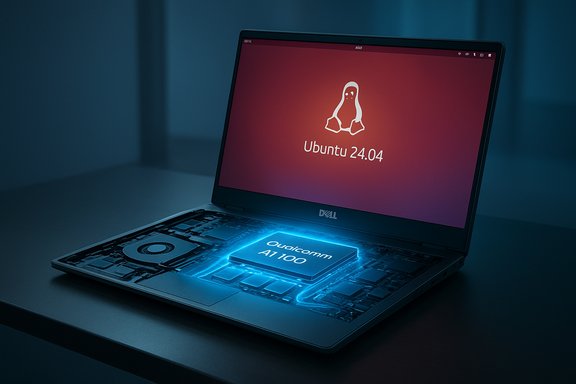
Dell's Pro Max 16 Plus is now offered in a configuration that includes the Qualcomm AI 100 PC inference accelerator—a discrete Neural Processing Unit (NPU) derived from Qualcomm's Cloud AI 100 family. This is notable on two fronts: Dell positions the Pro Max 16 Plus as the first mobile workstation to ship with an enterprise-grade discrete NPU, and the initial shipping SKU targets Ubuntu Linux (Ubuntu 24.04 LTS as the validated OS) rather than Windows. Dell's Windows preload option for the NPU model is slated for early 2026, while current Windows listings for the Pro Max 16 Plus on retail pages are for configurations that include NVIDIA discrete GPUs but not the Qualcomm card.The Qualcomm AI 100 card in Dell's configuration is presented as a dual‑SoC module with a combined memory pool and a hardware design focused squarely on inference workloads—large language models (LLMs), vision inference, real‑time analytics and other local AI tasks that traditionally relied on cloud servers. Dell and multiple press outlets advertise numbers such as ≈450 TOPS of 8‑bit AI compute, 32 AI cores (across the dual SoCs), and 64 GB of onboard LPDDR4x memory, enabling models of significant size—Dell demos reference running models with on the order of 100+ billion parameters entirely on the device.
This article summarizes the technical facts, validates the key claims against available upstream software and firmware work, explains what shipping the Linux SKU first means for buyers and developers, and analyzes both the opportunity and the practical risks of buying into a discrete NPU workstation today.
Why this matters: discrete NPUs arrive in the mobile workstation market
The PC industry has spent the last several years integrating on‑die NPUs into CPUs and SoCs—integrated NPUs targeting lightweight inference, UI accelerations, and Copilot‑style features. The Dell Pro Max 16 Plus takes a different tack: a discrete, enterprise‑grade NPU module inside a laptop chassis, akin to adding a discrete GPU module but purpose‑built for inference.Key implications:
- On‑device capability for large models. The AI 100's large local memory pool and many inference cores let developers and enterprises run much larger models locally than typical integrated NPUs permit, improving privacy and latency by avoiding cloud round trips.
- New tradeoffs in system design. To accommodate the card, some configurations omit a discrete GPU—prioritizing inference throughput over graphics workloads. That makes the Pro Max 16 Plus a very targeted tool: excellent for AI engineers and data scientists, less so for creatives who rely on GPU rendering pipelines.
- Software and driver stacks matter more than ever. NPUs are only as useful as the drivers, compilers, and framework integrations that enable real model workflows. The state of kernel drivers, firmware, and user‑space toolchains will determine adoption speed.
Technical deep dive: what’s inside the Qualcomm AI 100 integration
Qualcomm AI 100 architecture (what Dell is shipping)
- The AI 100 offering in Dell's Pro Max 16 Plus is a dual‑SoC module derived from Qualcomm's Cloud AI 100/AIC100 design family. Each SoC contains multiple dedicated AI processing engines (often referenced as NSPs/Hexagon DSP‑derived neural engines).
- The combined module in the laptop is advertised as having 32 AI cores across the dual chips and 64 GB of LPDDR4x onboard memory presented as a single memory pool to workloads.
- Dell and third‑party coverage quote roughly 450 TOPS of 8‑bit inference throughput for the full module. That number is a peak, format‑dependent figure that helps position the device relative to integrated NPUs (dozens of TOPS) but should be interpreted against actual model runtimes and precision/batching differences.
How the hardware is exposed to the host (Linux side)
- On Linux, Qualcomm's Cloud AI cards are supported by the qaic / accel QAIC kernel driver in the accelerator subsystem. The Linux kernel docs for the QAIC/AIC100 family describe the device as a PCIe endpoint with MHI (Modem Host Interface), a QAIC Service Manager (QSM) on‑card CPU, a DMA bridge, and NSPs that run compiled workloads.
- The host interacts with the card through a kernel accelerator driver and user‑space SDK/toolchain that compiles models into device‑runnable binaries, loads them into the card's DDR, and coordinates DMA transfers for inputs and outputs.
Firmware and power/performance fixes
- Qualcomm's AIC100 firmware images have been upstreamed into the linux‑firmware repository, and distributions are rolling them into linux‑firmware packages. Recent upstream firmware updates include a fix that addresses excessive power draw under certain workloads, which Dell specifically calls out for Pro Max 16 Plus owners to install (a firmware update that improves power/performance characteristics for the card).
- Practical point: installing updated linux‑firmware (or vendor firmware files distributed by Dell) is an essential step to avoid throttling and to get stable performance. If you acquire a system with the AIC100 card, confirm the firmware installed on the host matches the vendor‑recommended version.
Software ecosystem: kernel, toolchain, and frameworks
Kernel and drivers
- The QAIC kernel driver has been worked on and accepted into recent mainline Linux kernels (the accel/qaic driver is present and documented in kernel trees). That means modern distributions with up‑to‑date kernels can see and enumerate the card.
- The driver landscape now includes support for SSR (subsystem recovery) to mitigate the impact of on‑device crashes and to isolate workload failures from the whole device—an important robustness feature for production deployments.
User‑space toolchain and frameworks
- Qualcomm has published a Cloud AI SDK (QAIC SDK) with a user‑mode driver, a compiler, sample tools, and guides. The SDK includes:
- A model preparator tool to optimize and adapt ONNX or TensorFlow exports to the card.
- A compiler/runtime to produce and run AIC100 binaries.
- An ONNX Runtime Execution Provider integration (a QAIC EP) that enables onnxruntime to offload supported models directly to the AIC100.
- There is real integration with common toolchains: ONNX Runtime support exists and is documented, and vendors and third‑party platforms (including commercial inference runtimes) have published workflow guides showing how to compile models and run them on QAIC.
- PyTorch integration is possible via conversion to ONNX or through specific Qualcomm‑provided workflows; some PyTorch workflows require graph freezing/export steps and then compilation via QAIC tools.
State of mainstream adoption
- The core pieces—kernel driver, firmware, SDK, and ONNX Runtime EP—are present and upstreamed or published. That eliminates the single biggest barrier to hardware utility (lack of drivers).
- However, the breadth of turnkey support across frameworks, model formats, and higher‑level tooling is still maturing. Expect the most reliable path to be: export your model to ONNX (or to a format the SDK supports), run the QAIC model preparator, compile with the QAIC compiler, and run with the ONNX Runtime QAIC provider.
- Several inference platforms and cloud‑to‑edge vendors have announced or documented QAIC support, signaling early commercial adoption for enterprise LLM deployments.
The immediate buyer’s picture: Linux ships now, Windows follows
- Dell has validated Ubuntu 24.04 LTS as the OS for the Pro Max 16 Plus with Qualcomm NPU and is shipping that configuration on November 20, 2025. For customers who want immediate NPU access out of the box, the Ubuntu SKU is the one to buy.
- The Windows 11 preload with the Qualcomm NPU is expected in early 2026. Until that time, Dell’s Windows SKUs on storefronts that do ship immediately are the ones with NVIDIA discrete GPUs but without the AI 100 card.
- Practical implication: organizations that require a factory‑installed Windows 11 image with vendor‑supported drivers and firmware for the AIC100 will need to wait for Dell’s Windows SKU or plan to install Windows themselves and add vendor drivers after purchase (which may complicate support/warranty interactions).
How to get models running on the Pro Max 16 Plus today (Linux workflow)
If you have—or plan to buy—the Ubuntu 24.04 LTS Pro Max 16 Plus with the AI 100 card, a typical onboarding workflow looks like this:- Install or verify the host kernel is recent enough to include the accel/qaic driver (a current mainline or a distribution kernel from 2024–2025 should include it).
- Update linux‑firmware to the vendor‑recommended release that contains the AIC100 firmware blobs (this includes the recent power/performance fix).
- Install the Qualcomm Cloud AI SDK / QAIC user‑space tools and dependencies on Ubuntu.
- Export your model to ONNX (recommended) or use a supported TF export path.
- Run the QAIC Model Preparator to optimize and validate the model for the hardware.
- Use the QAIC compiler to generate a deployable binary for the card.
- Run the model with the QAIC runtime or via ONNX Runtime using the QAIC Execution Provider; use the sample tests and perf tools in the SDK to validate correctness and benchmark throughput/latency.
Strengths — what this approach gets right
- Unmatched local inference scale for a laptop. The dual‑SoC AIC100 module and its 64 GB of local LPDDR4x mean models that previously required server instances can be run locally, improving privacy, latency, and offline capability.
- Open upstream Linux support. Kernel driver inclusion, a published user-space SDK, and firmware upstreaming significantly reduce the engineering friction typically associated with new accelerator hardware.
- Enterprise focus. Dell positions the Pro Max 16 Plus with AIC100 for regulated workloads—medical imaging, financial analytics, government—where local inference and data sovereignty matter.
- Ecosystem momentum. ONNX Runtime integration plus vendor and third‑party platform support indicates that, even if not universal yet, practical frameworks for deploying LLMs and vision models on the card already exist.
- Firmware fixes and upstream maintenance. The presence of a promptly updated firmware bundle (including a fix addressing high power draw) shows active engineering and responsiveness from Qualcomm and the Linux firmware maintainers—critical for stability.
Risks and limitations — what to watch out for
- Software maturity and portability. While ONNX Runtime EP and the QAIC SDK provide a solid path, seamless integration across the entire model ecosystem is not yet universal. Some PyTorch workflows may require conversion or additional steps; certain custom ops or bleeding‑edge model features might need adaptation.
- Real‑world performance vs. marketing numbers. Topline metrics like “450 TOPS” are peak theoretical figures measured in narrow quantization modes and do not translate directly into single‑threaded model throughput for complex LLM decoding tasks. Expect model‑specific tuning, attention to quantization, and careful benchmarking.
- Thermal and power envelope constraints. Discrete inference silicon in a laptop chassis introduces tradeoffs: sustained performance depends on thermal headroom and system power limits. Recent firmware patches address power draw behavior, but buyers should plan for real‑world thermal management and testing for their target workloads.
- Loss of discrete GPU in some SKUs. Some AIC100 configurations replace the space normally occupied by a discrete GPU—this is a deliberate tradeoff. If your workflows require GPU acceleration for rendering, CUDA‑accelerated model training, or graphics work, a GPU‑less NPU configuration may be a poor fit.
- Windows availability timing and driver certification. Windows preload for the NPU model lags the Linux release into early 2026. Enterprises that require vendor‑preloaded Windows images for compliance or IT provisioning will need to wait or perform custom imaging.
- Opaque binary firmware and supply chain concerns. Although firmware has been upstreamed into linux‑firmware, the device still relies on vendor firmware blobs. Organizations with strict supply‑chain or firmware audit requirements should evaluate firmware provenance and update policies.
Who should consider the Pro Max 16 Plus with the Qualcomm AI 100 today?
- AI engineers and LLM researchers who need local, portable inference capability for medium‑to‑large models and who are comfortable working with Linux and the ONNX toolchain.
- Enterprises with strict data sovereignty requirements that prefer local inference for regulated datasets in healthcare, finance, or government.
- DevOps and edge deployment teams that want to prototype on mobile hardware before scaling to larger, server‑based QAIC deployments.
- Those who are ready to accept the tradeoff of less GPU for more NPU and who can validate that their model workloads map efficiently to the QAIC toolchain.
Practical recommendations for buyers and IT managers
- If you need immediate AIC100 access and vendor validation: buy the Ubuntu 24.04 LTS Pro Max 16 Plus and plan an in‑house validation regimen (firmware update, kernel verification, sample model runs).
- If you require Windows preload with full Dell support and certification for the NPU SKU: schedule procurement for early 2026 or plan to accept vendor caveats around imaging and support if installing Windows yourself.
- Always install the latest linux‑firmware package that contains the AIC100 images to get the power/performance fix and avoid throttling scenarios.
- Prototype models using the recommended ONNX export + QAIC Model Preparator + ONNX Runtime QAIC EP workflow to understand conversion edge cases and performance behavior before committing to a fleet rollout.
- Evaluate thermal testing in your target workloads and measure sustained throughput over realistic session lengths (not just peak TOPS figures).
Broader implications: what Dell’s decision signals for the PC industry
Dell's move to ship a discrete enterprise NPU inside a laptop chassis is a signal that the PC ecosystem expects a new class of workload to be local: inference of multi‑billion‑parameter models. A few larger trends are visible:- Vendors will offer purpose‑built hardware variants (GPU, NPU, hybrid) tailored to distinct user personas—creators, AI developers, enterprise fleets.
- Software integration and open upstream drivers will determine which hardware wins in practice. Qualcomm’s decision to open the SDK and upstream firmware greatly increases the odds that QAIC will be practically useful on Linux.
- The hardware tradeoffs (power, thermal, and form factor) will force clearer conversations with customers about what local AI is for—instant summarization and secure RAG inference, or real‑time video processing and complex model serving.
- For Microsoft and Windows OEMs, the delay of a Windows‑preload option highlights the coordination burden between new hardware vendors and the Windows driver/certification ecosystem. Windows‑preload delays are common when new accelerator classes require more driver vetting, or when vendors prefer to ship Linux first while completing Windows certification.
Final judgment: a cautious, but significant step forward
Dell shipping the Pro Max 16 Plus with Qualcomm's AI 100 NPU on Ubuntu 24.04 LTS today is a milestone: the first mainstream mobile workstation configuration to include an enterprise‑grade discrete NPU and to make upstream Linux support a priority. For organizations and developers comfortable with Linux and the requisite model workflows, this machine delivers unprecedented local inference scale in a laptop form factor.At the same time, this is not a plug‑and‑play replacement for GPU workflows. The buyer must accept software maturity caveats, manage firmware and kernel versions, and perform real‑world thermal/power testing. Marketing metrics like TOPS are useful for comparison but require careful interpretation against real model benchmarks and precision modes.
For buyers who can tolerate the tradeoffs, the Dell Pro Max 16 Plus with the Qualcomm AI 100 is a powerful prototype platform for the next wave of on‑device AI—one that pushes the workstation category toward hardware expressly built for inference, not just raw floating‑point pipelines. For enterprises and developers, the immediate availability on Linux means the time to experiment and to migrate some inference workloads back to local, private hardware has arrived.
Source: Phoronix Dell Now Shipping Laptop With Qualcomm NPU On Linux Ahead Of Windows 11 - Phoronix