

DirectStorage is less marketing buzzword and more a realignment of how modern PCs move game data from fast storage into the GPU — but its impact depends on the whole stack lining up correctly.
DirectStorage began as an Xbox Velocity architecture feature and later migrated to PC platforms to address a simple problem: games are getting bigger, textures are higher resolution, and streaming assets on demand is putting predictable pressure on the CPU and system memory. Traditionally, compressed assets are read from disk, copied into system RAM, decompressed by the CPU, then uploaded to GPU VRAM. That chain creates bottlenecks, CPU overhead, and extra memory copies that slow load times and produce stuttering during streaming-heavy scenarios.
Microsoft redesigned the data path with DirectStorage so I/O can be issued in large, highly parallel queues and — importantly — so decompression can be delegated to the GPU when hardware and drivers support it. The result is a shorter, more efficient pipeline for large game assets and streamed textures. Microsoft’s developer documentation and DirectX team posts lay out the same architecture and the versioned progression (1.0 → 1.1 → 1.2) that added GPU decompression and buffered IO refinements.
Expect incremental improvements in tooling, wider adoption in major engines, and more game launches that explicitly list DirectStorage/GDeflate among supported features. However, adoption will be gradual because studios must rework pipelines, test exhaustively, and coordinate driver dependencies.
Source: Paris Select Book Gaming under Windows 11: what does DirectStorage really do?
 Background / Overview
DirectStorage began as an Xbox Velocity architecture feature and later migrated to PC platforms to address a simple problem: games are getting bigger, textures are higher resolution, and streaming assets on demand is putting predictable pressure on the CPU and system memory. Traditionally, compressed assets are read from disk, copied into system RAM, decompressed by the CPU, then uploaded to GPU VRAM. That chain creates bottlenecks, CPU overhead, and extra memory copies that slow load times and produce stuttering during streaming-heavy scenarios.Microsoft redesigned the data path with DirectStorage so I/O can be issued in large, highly parallel queues and — importantly — so decompression can be delegated to the GPU when hardware and drivers support it. The result is a shorter, more efficient pipeline for large game assets and streamed textures. Microsoft’s developer documentation and DirectX team posts lay out the same architecture and the versioned progression (1.0 → 1.1 → 1.2) that added GPU decompression and buffered IO refinements.
What DirectStorage actually changes
The old path vs. the new path
- Old path: storage → system RAM → CPU decompress → RAM → GPU VRAM (multiple copies, CPU-bound decompress).
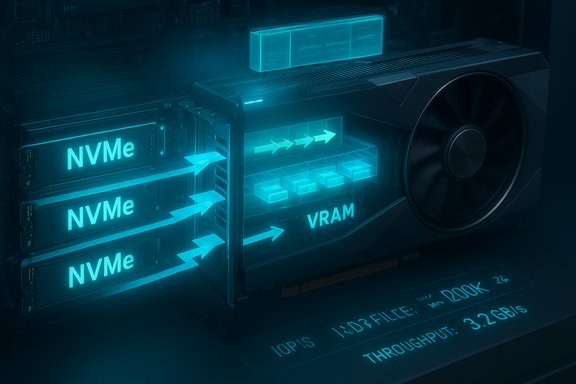
- DirectStorage path: storage → mapped destination buffers → GPU decompress (GDeflate) → VRAM (fewer copies, less CPU time).
Queuing, batching, and lock-free submission
DirectStorage gives developers lock-free, queue-based IO primitives so titles can submit all outstanding requests without micro-managing queue depth. This reduces CPU overhead per request and allows storage hardware (especially NVMe drives) and the GPU to operate closer to peak throughput. The net effect is less per-request CPU overhead and higher effective bandwidth for many small asset loads.GPU decompression and GDeflate — the real technical advance
The biggest practical difference introduced by DirectStorage 1.1 is GPU-based decompression and the associated compression format, GDeflate. Instead of the CPU decompressing assets, GDeflate was designed to be highly parallel and GPU-friendly, allowing decompression work to be executed as a GPU compute task. Microsoft’s DirectX team made GDeflate available as part of DirectStorage 1.1, and GPU vendors implemented driver-level optimizations (metacommands) to accelerate the process on modern hardware. Key technical points:- GDeflate splits streams into tiles that each decompress to 64 KiB of data. That tile size drives how titles pack assets and how the GPU workgroups are dispatched. When the GPU runs the decompression, each wavefront or work item typically handles one tile, enabling high parallelism.
- DirectStorage sets up a compute queue plus two copy queues: one to copy compressed streams to the GPU, another to copy decompressed data into final resources. The decompression itself runs on the compute queue via either a vendor metacommand or a DirectCompute fallback implementation. If neither is available, DirectStorage will fall back to CPU decompression.
- The API allows games to control whether to use GPU decompression globally. Titles can disable GPU decompression if a particular hardware configuration benefits more from CPU decompression. This flexibility is important because the performance delta depends on relative CPU/GPU capability.
DirectStorage versions and what changed
- DirectStorage 1.0: Introduced the queued, low-overhead IO model for PC, porting Xbox Velocity concepts.
- DirectStorage 1.1: Added GPU decompression and GDeflate support. Also introduced API conveniences for working with GPU queues and guidance for developers to integrate GPU decompress. Microsoft and GPU vendors released drivers and samples alongside this change.
- DirectStorage 1.2: Added features like buffered IO (for slower HDDs) and a GetCompressionSupport API so titles can query whether GPU-optimized decompression will be used or whether the runtime will fall back to CPU-based paths. This helps games make dynamic decisions about asset resolution and streaming behavior on machines where GPU decompression isn’t available.
What you need to see the benefits (hardware and software checklist)
DirectStorage is an end-to-end chain improvement; missing links reduce the gains. For meaningful improvement you generally need:- An NVMe SSD (PCIe NVMe recommended; the biggest wins are on high-throughput NVMe drives). Buffered IO features can help slower drives, but major gains come from NVMe bandwidth.
- A DirectX 12-compatible GPU with Shader Model 6.0 or later and driver support for GPU decompression/metacommands (NVIDIA, AMD, Intel have added support through driver updates).
- A game that is explicitly built to use DirectStorage and, if you want GPU decompression, that uses GDeflate-compressed assets. Until a title integrates the API and uses GDeflate streams, merely having the hardware won’t produce the feature-level gains.
- Up-to-date Windows. Windows 11 includes storage stack improvements that make DirectStorage more effective; the most consistent experience and OS-level optimizations are on Windows 11. Games can use DirectStorage on Windows 10 in some cases, but Windows 11 tends to show the best overall integration.
- Updated GPU drivers: because vendor drivers implement metacommands and optimizations, driver updates are essential to get GPU decompression working correctly and efficiently.
What DirectStorage actually delivers to players
DirectStorage is not a frame-rate booster. Its principal benefits are:- Reduced load times: Faster asset transfer and GPU-side decompression mean shorter initial loads and quicker area transitions.
- Smoother streaming: Less stutter when the game streams textures and geometry during movement through large worlds.
- Lower CPU overhead: Frees CPU cycles for game logic (AI, physics) or background tasks, which can indirectly improve responsiveness.
- Enabler for higher-resolution assets: Developers can stream higher-resolution textures without the same penalties for memory copies and CPU decompression.
Adoption, developer trade-offs, and workflow changes
DirectStorage requires developers to adapt their content pipelines:- Asset compression: Studios must compress assets into GDeflate (or other supported formats) and adopt a streaming layout tuned to 64 KiB tiles where GPU decompression is expected.
- Engine integration: Game engines need DirectStorage-aware IO and queuing systems, plus fallbacks for hardware that lacks GPU decompression.
- Testing matrix: Developers have to test across combinations of storage types, CPU/GPU balance, driver versions, and OS versions to ensure stable behavior and to offer sensible quality/performance defaults.
- Potential for complexity: Some studios reported integration headaches and mixed results early on; when DirectStorage was first adopted in a limited set of games, driver scheduling issues and edge cases surfaced that required iterative fixes with GPU vendors.
Evidence and benchmarks — what the numbers say
Vendor and Microsoft samples show significant reductions in load time for compatible workloads:- Microsoft’s DirectStorage examples and samples show dramatic reductions in IO-to-GPU timing when using GPU decompression with GDeflate versus classic CPU/Zlib decompression. Those samples emphasize that exact gains vary by hardware and workload.
- Intel published an Arc demo showing up to ~2.7x faster asset loading on an Arc A770 in their DirectStorage GPU decompression test case versus a CPU-only path. This demonstrates the potential but also shows vendor-specific optimizations and test tuning have a role.
- Independent coverage at the time of the 1.1 rollout highlighted both promising load time reductions and teething issues — for example, some games initially saw mixed results due to driver scheduling and implementation details. That underlines that real-world gains depend on the whole stack: game code, drivers, OS, and storage.
Practical advice for players (step-by-step)
- Verify OS and updates: Keep Windows 11 fully updated and install the latest DirectStorage redistributables if a game requires them. Windows 11 includes several storage stack improvements that make DirectStorage more effective.
- Use an NVMe SSD: Install streaming-heavy games on a high-performance NVMe SSD to maximize throughput. SATA SSDs and HDDs may see smaller benefits.
- Update GPU drivers: Always install the latest GPU drivers from NVIDIA, AMD, or Intel — they often include DirectStorage optimizations (metacommands) necessary for GPU decompression.
- Check game support: Look at release notes or dev posts to confirm whether a particular title uses DirectStorage and/or GDeflate GPU decompression. If a title doesn’t implement DirectStorage, the hardware alone won’t produce those streaming improvements.
- Be prepared to toggle: If a game offers DirectStorage or GPU decompression toggles, test both settings. In systems where CPU decompression is faster (rare but possible), forcing CPU paths can be beneficial; developers can provide options for this scenario.
Risks, limitations, and realistic expectations
- Not a universal FPS boost: DirectStorage targets load and streaming behavior — it doesn’t directly increase rendering frames per second. Expect better responsiveness and fewer hitches, not higher raw FPS.
- Dependent on the full chain: Weak links (slow storage, ancient GPU drivers, missing game integration) reduce or eliminate the benefit. It’s a chain — upgrade one item and the rest must also keep pace.
- Early adopter bugs: When new APIs and driver features roll out, there can be driver scheduling edge cases, compatibility quirks, and the occasional regression. History shows some titles experienced mixed results on day-one DirectStorage launches, and vendors iterated driver fixes.
- Developer work: Studios have to change asset pipelines and build tools. That takes time and testing; it’s not an overnight switch for large teams or old codebases.
- Expect variance: Benchmarks and demos are workload-specific. Your mileage will vary based on the game’s streaming patterns, compression choices, and the balance of CPU vs GPU resources.
The near future and where DirectStorage fits in the PC ecosystem
DirectStorage represents an important shift in PC game I/O design, aligned with the direction consoles took and with broader industry trends toward offloading specialized tasks to accelerators. As engines and tools add built-in DirectStorage primitives and as more titles adopt GPU-side decompression pipelines, players with NVMe-equipped rigs and updated drivers will see the smoothest streaming experiences.Expect incremental improvements in tooling, wider adoption in major engines, and more game launches that explicitly list DirectStorage/GDeflate among supported features. However, adoption will be gradual because studios must rework pipelines, test exhaustively, and coordinate driver dependencies.
Quick practical checklist (summary)
- Install Windows 11 and keep it updated.
- Use a modern NVMe SSD for streaming-heavy games.
- Keep GPU drivers current (NVIDIA / AMD / Intel).
- Confirm DirectStorage support in the specific game’s release notes.
- If you troubleshoot odd behavior, test the game with DirectStorage/GPU decompression toggled off to isolate issues — some early driver/title combinations required this.
Conclusion
DirectStorage is a meaningful modernization of game I/O on PC — not because it tweaks a single parameter, but because it rethinks the entire data path from storage to GPU. When the hardware, OS, drivers, and game pipeline all align, players get shorter load times, smoother streaming, and freed CPU headroom that can improve the overall feel of a game. However, the technology’s benefits are not automatic on every machine; they require a chain of compatible components and active adoption by developers. Expect steady, practical improvements over the next several years as engines and studios adopt DirectStorage workflows and GPU vendors continue to refine driver-side metacommands and optimizations.Source: Paris Select Book Gaming under Windows 11: what does DirectStorage really do?
