

DNS over HTTPS is the small-but-powerful change to how your PC asks the internet “where is this website?” — and it’s the reason privacy advocates, network admins, schools, and governments keep arguing about who should be allowed to see that answer.
Every time you type a website name into a browser, your device performs a Domain Name System (DNS) lookup to turn that human-readable name into a numeric IP address that routers and servers understand. DNS is effectively the internet’s address book; without it, the web would be unusable. Traditionally, those DNS lookups were sent in plaintext, meaning anyone who can observe your network traffic — your ISP, a network operator, a school network, or someone on the same public Wi‑Fi — can see every domain you request. That exposure can reveal your browsing habits even when the site itself uses HTTPS.
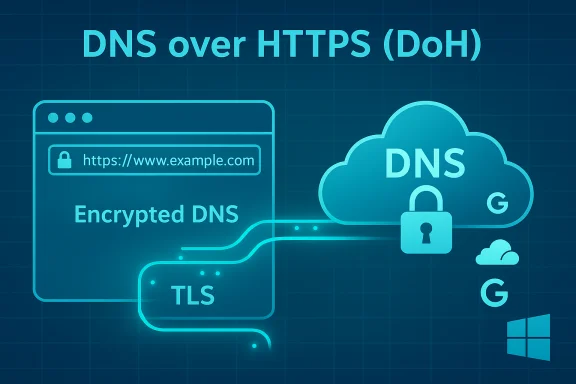
For decades the community accepted plaintext DNS as “good enough,” but DNS over HTTPS (DoH) changes the game by wrapping those lookups inside standard HTTPS connections so the lookups are encrypted and much harder for on‑path observers to read or tamper with. The effect is subtle for end users (websites still load the same) but meaningful for privacy and security.
DoH is one of several encrypted DNS transports. DNS over TLS (DoT) uses a dedicated TLS session on port 853 to encrypt queries, while Oblivious DoH (ODoH) adds an extra privacy layer by separating who sent the query from the content of the query using a relay. Each has different operational tradeoffs.
Performance differences between plaintext DNS and DoH are situational. In many cases, modern public resolvers built on global anycast networks are as fast or faster than ISP DNS. But claimed “speed gains” vary by geography, routing, and caching; they should be measured, not assumed. Some DoH clients and resolvers are optimized for HTTP/2 or HTTP/3 and can actually improve resolution latency for repeated queries, while other deployments add a small TLS handshake cost. Flag: any blanket claim that DoH universally speeds up browsing is situational and should be treated with caution.
Network administrators who need visibility have several options:
For individual Windows and home users, enabling DoH is a high‑impact, low‑effort privacy upgrade — especially when you pick a trustworthy resolver or run a local proxy that forwards securely upstream. For managed networks, DoH must be approached as a controlled policy change with pilot testing, a plan for internal resolution and monitoring, and clear fallback options.
DoH won’t solve every privacy or security problem, but used thoughtfully it protects an important part of the connection lifecycle — the DNS lookup — with very little downside for most users. Enable it where appropriate, plan where it’s constrained, and measure the real effects in your network before you declare a winner.
Enable DNS over HTTPS to harden your DNS privacy, but do it with a plan: choose your resolver intentionally, test for incompatibilities, and remember that DoH is one valuable layer in a broader defense‑in‑depth strategy.
Source: MakeUseOf What the heck is DNS over HTTPS and why does everyone keep arguing about it?
 Background: why DNS matters (and why you should care)
Every time you type a website name into a browser, your device performs a Domain Name System (DNS) lookup to turn that human-readable name into a numeric IP address that routers and servers understand. DNS is effectively the internet’s address book; without it, the web would be unusable. Traditionally, those DNS lookups were sent in plaintext, meaning anyone who can observe your network traffic — your ISP, a network operator, a school network, or someone on the same public Wi‑Fi — can see every domain you request. That exposure can reveal your browsing habits even when the site itself uses HTTPS.For decades the community accepted plaintext DNS as “good enough,” but DNS over HTTPS (DoH) changes the game by wrapping those lookups inside standard HTTPS connections so the lookups are encrypted and much harder for on‑path observers to read or tamper with. The effect is subtle for end users (websites still load the same) but meaningful for privacy and security.
What is DNS over HTTPS (DoH) — a concise technical overview
At a technical level, DoH sends DNS queries as HTTPS (HTTP/2 or HTTP/3) requests to a DNS resolver that supports the protocol. Instead of using the traditional UDP/TCP port 53 with plaintext DNS messages, DoH uses the standard HTTPS ports and TLS encryption. That means DNS traffic looks and behaves like regular encrypted web traffic to anyone monitoring the wire. The protocol does not change the DNS semantics — it only changes the transport and protects the integrity and confidentiality of the queries in transit.DoH is one of several encrypted DNS transports. DNS over TLS (DoT) uses a dedicated TLS session on port 853 to encrypt queries, while Oblivious DoH (ODoH) adds an extra privacy layer by separating who sent the query from the content of the query using a relay. Each has different operational tradeoffs.
Why DoH matters: the benefits everyone cites
- Privacy from local observers. DoH prevents passive eavesdroppers (ISPs, coffee‑shop Wi‑Fi snoops, enterprise‑edge monitors) from seeing which domains your device asks for. This is the headline benefit and the root of the privacy case for DoH.
- Reduces DNS manipulation and hijacking. Encrypting DNS traffic raises the bar for attackers and misconfigured middleboxes that attempt to spoof or redirect DNS responses (a common technique used in ad injection and some man‑in‑the‑middle phishing attacks).
- System‑wide protection when implemented in the OS. When DoH is enabled at the operating system level, not just the browser, every application that uses the system resolver benefits — not just web browsers. Windows 11 added a system-level DoH option that makes this easier for users.
- Resistance to simple DNS-based censorship. Because DoH queries blend with regular HTTPS traffic, blocking or filtering domains at the DNS level becomes harder for ISPs or governments that rely solely on plain DNS blocking.
- Easier adoption and automatic setup. Major browsers and many public DNS providers now support DoH. Many browsers can enable DoH automatically or let users pick a secure resolver from a list.
Why people (and organizations) are upset — real concerns and tradeoffs
DoH is not a blank‑check improvement. It shifts power and changes how networks are administered, which generates legitimate concerns.- Trust shifts to resolver operators. DoH hides DNS from your local network and ISP, but your queries still have to go somewhere. Enabling DoH usually means you now trust a third‑party resolver (Cloudflare, Google, Quad9, etc. with your query metadata — the what and often the when of your lookups. That centralization moves visibility from many ISPs to a handful of resolvers. This is a key privacy trade‑off to understand.
- Centralization and single‑point-of-visibility risks. When many clients default to a small set of public resolvers, that concentration creates new risks: single outages can affect many users, and a resolver’s legal jurisdiction or policy changes can affect large populations. Historic incidents show that resolvers can and do experience outages and require resilient configuration.
- Breaks local filtering and parental controls. Home routers, school networks, and enterprise appliances that rely on intercepting or filtering DNS lookups are frequently bypassed by DoH. That means parental controls, content filters, and local malware‑blocking appliances can stop working unless the organization adopts filtering at the resolver or network layer. This is often the primary practical complaint from schools and employers.
- Troubleshooting and security monitoring becomes harder for admins. Network admins commonly rely on visible DNS queries to diagnose faults or investigate compromises. DoH hampers that visibility unless suitable monitoring solutions are adopted. For managed environments, Microsoft and others warn that forcing DoH without planning can break internal name resolution and Active Directory services.
- Not a silver bullet for anonymity. DoH hides DNS in transit but does not anonymize you: the resolver sees queries and the destination IP addresses still appear in network flows once connections are established. In short, DoH is privacy‑enhancing, not anonymity‑granting.
How DoH affects everyday browsing: what changes and what doesn’t
Turn on DoH and websites will still load the same way. The difference is who can see the DNS step: local observers lose visibility, while your chosen resolver gains it (unless you run your own). Because DoH reuses HTTPS infrastructure, it also helps DNS traffic blend in with normal encrypted web traffic — in practice this makes simple DNS blocking and tampering more expensive and less reliable.Performance differences between plaintext DNS and DoH are situational. In many cases, modern public resolvers built on global anycast networks are as fast or faster than ISP DNS. But claimed “speed gains” vary by geography, routing, and caching; they should be measured, not assumed. Some DoH clients and resolvers are optimized for HTTP/2 or HTTP/3 and can actually improve resolution latency for repeated queries, while other deployments add a small TLS handshake cost. Flag: any blanket claim that DoH universally speeds up browsing is situational and should be treated with caution.
Turning on DoH: browser-level vs system-level (practical how‑to)
There are two practical places to enable DoH: in individual browsers (protects browser traffic only) or at the operating‑system/network level (protects every app on the device). The choices matter.Browser-level DoH (quick, per‑app privacy)
Most major browsers expose a DoH or “Secure DNS” toggle:- Firefox calls it DNS over HTTPS and offers a provider list or a custom URL template.
- Chrome and Edge expose it as “Secure DNS” with provider choices and an option to use your current service provider if it supports DoH.
- Opera and Vivaldi also include DoH toggles in their privacy settings.
- Safari — historically Safari did not expose a browser-level DoH toggle, though macOS has system-level options that can achieve the same end for all apps. Confirm current browser versions for the latest behavior on Apple platforms.
System-level DoH in Windows 11 (protects the whole device)
Windows 11 exposes a GUI flow to set DNS server addresses and choose encryption behavior for each adapter. The steps (high-level) are:- Open Settings → Network & internet.
- Select your active adapter (Wi‑Fi or Ethernet) and click Edit under DNS server assignment.
- Change from Automatic (DHCP) to Manual, enter preferred and alternate DNS addresses.
- Under Encryption choose “Encrypted only (DNS over HTTPS)” or “Encrypted, if available” and save. The UI annotates configured encrypted servers with “(Encrypted)”.
macOS, Linux and routers
- macOS: Recent macOS releases include system DNS controls that can use encrypted transports; the availability of a browser-level toggle in Safari is limited, so system settings are the usual path on Apple hardware. Check the current macOS network settings UI for DoH/DoT options. (Verify in your macOS build before changing configurations in production.
- Linux: Methods vary by distribution and resolver. GNOME, KDE, NetworkManager, and systemd-resolved have their own configuration models. Power‑users commonly configure system resolvers or run a local DNS proxy (e.g., a Pi‑hole or dnscrypt-proxy) that forwards securely upstream. Detailed steps differ across distros.
- Routers: Changing DNS on the router applies the resolver choice to the whole LAN; however, not all consumer routers support DoH/DoT. If you want household-wide coverage and parental controls, configuring DoH-compatible resolver(s) at the router is often the recommended route when supported.
Which public resolvers are commonly used (copy‑paste addresses)
Many guides recommend a small set of public resolvers. These are widely used, but remember: picking one moves trust to that operator.- Cloudflare: IPv4 1.1.1.1 and 1.0.0.1; IPv6 2606:4700:4700::1111 and 2606:4700:4700::1001. Use the DoH template endpoint cloudflare-dns.com for template-based clients.
- Google Public DNS: IPv4 8.8.8.8 and 8.8.4.4; IPv6 2001:4860:4860::8888 and 2001:4860:4860::8844. Google provides a dns.google/dns-query DoH endpoint.
- Quad9: IPv4 9.9.9.9 and 149.112.112.112; Quad9 also publishes DoH/DoT endpoints and offers filtering options.
Enterprise and managed‑network guidance (don’t break Active Directory)
Organizations must treat DoH as a policy decision. Microsoft’s guidance and real‑world admin experience show that requiring DoH on all domain‑joined machines without testing can break Active Directory name resolution and other AD‑dependent services. Group Policy provides modes to Allow, Prohibit, or Require DoH — and these settings should be piloted first. For domain controllers and critical services, don’t apply “Require DoH” until you’ve validated all internal name resolution and service behaviors.Network administrators who need visibility have several options:
- Use resolvers that offer enterprise features (logging, filtering) under contract.
- Deploy internal resolvers that perform encrypted upstream forwarding so internal visibility and controls remain intact.
- Use network appliances and endpoint agents that can inspect and report on encrypted DNS flows in ways that meet privacy and compliance requirements.
Advanced topics: ODoH, DNSSEC and complementary protections
- Oblivious DoH (ODoH): Separates the client’s identity (IP) from the content of the DNS query by introducing a relay. Adoption is still limited, but it reduces the single‑operator trust problem inherent in normal DoH. Some large providers have experimental or partial support.
- DNSSEC: Protects the integrity of DNS responses by using cryptographic signatures; DoH secures the transport, while DNSSEC secures the data. Using both gives stronger protection against tampering and spoofing.
- Local DNS proxies / Pi‑hole: Running a local resolver gives you the flexibility to filter, audit, and then forward queries securely to upstream DoH/DoT resolvers. That model preserves local control while keeping upstream traffic encrypted.
Practical recommendations and a checklist before you flip the switch
- Decide scope: browser‑only, per‑device, or whole‑network. Browser DoH is the fastest way to get privacy for web browsing; system/ router changes protect all apps and devices.
- Pick resolvers with transparent policies. Read privacy and logging policies of chosen resolvers before you commit.
- Test for compatibility. On managed or AD‑joined devices, test in a small pilot to spot issues with internal name resolution, group policy, or local appliances.
- Add redundancy. Use a primary and secondary resolver and consider mixing providers to reduce single‑operator dependence.
- If you manage households with parental controls, choose resolvers that offer family filtering or configure filtering at the router or via a local DNS proxy.
- Verify after change: flush DNS cache, check adapter properties for “(Encrypted)” annotations in Windows, and use DNS leak test tools to confirm which resolver answers your queries.
What’s verifiable — and what to treat cautiously
- Verifiable: DoH encrypts DNS queries by carrying them over HTTPS; major browsers and modern OS builds support DoH; Cloudflare/Google/Quad9 publish the resolver addresses and DoH endpoints noted above. These are documented behaviors in multiple vendor docs and community guides.
- Caution: Claims that DoH always improves browsing speed or that it “fixes all privacy issues” are over‑simplifications. Speed, reliability, and privacy outcomes are dependent on routing, resolver choice, and the broader network setup; measure and validate in your environment. Any assertion that DoH makes you “anonymous” is false — the resolver still sees your queries. Flag these as situational or misleading when encountered.
The bottom line: why the argument continues — and what to do next
DNS over HTTPS is a clear improvement in protecting the privacy of DNS lookups in transit, but it also forces a hard trade: you reduce local visibility (good for personal privacy) while increasing reliance on chosen resolvers (new concentration of trust). That trade-off is the reason privacy advocates cheer DoH while some schools, enterprises, and governments warn about losing control.For individual Windows and home users, enabling DoH is a high‑impact, low‑effort privacy upgrade — especially when you pick a trustworthy resolver or run a local proxy that forwards securely upstream. For managed networks, DoH must be approached as a controlled policy change with pilot testing, a plan for internal resolution and monitoring, and clear fallback options.
DoH won’t solve every privacy or security problem, but used thoughtfully it protects an important part of the connection lifecycle — the DNS lookup — with very little downside for most users. Enable it where appropriate, plan where it’s constrained, and measure the real effects in your network before you declare a winner.
Enable DNS over HTTPS to harden your DNS privacy, but do it with a plan: choose your resolver intentionally, test for incompatibilities, and remember that DoH is one valuable layer in a broader defense‑in‑depth strategy.
Source: MakeUseOf What the heck is DNS over HTTPS and why does everyone keep arguing about it?
