

Microsoft’s latest guidance on Windows 11 security settles a question that has lingered for years: for most people, Microsoft Defender is enough. In a new Microsoft Windows article published in April 2026, the company says Windows 11 includes built-in antivirus protection that is active by default, integrated into the operating system, and continuously updated, with Defender covering everyday risk for many users without additional software. That stance aligns with Microsoft’s broader security messaging, but it also comes with important nuance: power users, families, and businesses may still benefit from third-party tools with specialized controls, identity monitoring, or centralized management. years, the answer to “Do I need antivirus on Windows?” was essentially automatic. In the Windows XP and Windows 7 eras, Microsoft’s own protections were limited enough that third-party security suites from Norton, McAfee, and others became part of the default PC experience. Many machines shipped with trialware, and many users treated a paid antivirus subscription as the price of admission for safer computing. That was not just marketing; it reflected a real gap in platform-level defense.
Windows 10 marked the turning point, and Windows 11 has pushed that shift much further. Microsoft spent years turning Windows Security from a basic scanner into a layered system that includes Microsoft Defender Antivirus, SmartScreen, ransomware mitigation, cloud-backed intelligence, and tight operating-system integration. The company’s current guidance makes that evolution explicit: the built-in stack is no longer a weak fallback but a credible baseline for most home users.
That’s why the latnmerely saying Defender improved; it is saying the old instinct to install a separate antivirus suite by default is increasingly outdated. Microsoft’s own Windows article says built-in protection is active by default, updated continuously, and designed to protect credentials, files, and browsing activity from the moment a PC is turned on. The company also frames third-party antivirus as optional, not mandatory, depending on how someone uses the device and what additional features they value.
The change is also cultural. Security advice used to be framse, assume you are safer. Microsoft is now recasting protection as a platform property rather than a separate product category. That matters because modern threats have also changed. The most common risks are often phishing, malicious links, scam downloads, and credential theft, not just an obvious infected executable waiting in a folder. A layered defense stack is better matched to those threats than a single signature scanner ever was.
For WindowsForum readers, the practical question is no longer whether Microsoft Defender exists. It is or a given threat model, and where the remaining gaps live. The answer, in 2026, is more favorable to Microsoft than it would have been even five years ago. But the market has not become simple; it has become more contextual.
Microsoft’s wording is more careful than the headline suggests. The company is not claiming every third-party security product is obsolete. It is saying that for most Windows 11 users, Defender and the rest of the built-in protection stack are enough for everyday risk, especially when the device stays updated and the user avoids obviously risky downloads or links. That is a narrower claim than “best antivirus ever,” but it is also a stronger one because it is operational rather than rhetorical.
The distinction matters. Microsoft is effectively drawing a line between the typical home user and everyone else. A person checking email, browsi video, and occasionally installing mainstream apps does not need the same security posture as a shared family PC, a machine used for sensitive work, or an endpoint managed by IT. Microsoft is narrowing the use case for third-party tools rather than erasing them.
That nuance is important because it reflects how antivirus has evolved into a broader security category. Many paid products now sell identity monitoring, parental codshboard features more than pure malware detection. Microsoft’s position is basically: if you only need baseline protection, Windows already gives it to you. If you need extra services, you should buy those for the services, not because the OS is missing a core shield.
It also helps Microsoft avoid overpromising. If the company had declared that no one ever needs anything beyond Defender, critics would instantly point to enterprise management needs, identity protection, and family features. By keeping the message conditional, Microsoft gives itself room to support a default strategy without pretending all users are identical.
Defender’s real value is integration. Because it is part of Windows, it can update through Windows Update, respond to policy changes, and avoid the friction that often comes with third-party suites. Microsoft’s own documentation notes that if anothereally steps aside into passive mode to avoid conflicts. That design choice reinforces Microsoft’s argument that one strong integrated engine is better than multiple real-time scanners competing with each other.
Another important layer is SmartScreen. This is where Microsoft’s security story moves beyond classic malware scanning. SmartScreen helps block suspicious downloads and warns users about sites with a malicious reputation. That matters because many attacks now begin with a link or a downln a file that can be caught after the fact. Microsoft is betting that interruption at the web and reputation level is just as important as endpoint scanning.
That also changes the economics. If the OS already covers the major attack paths, third-party vendors need to justify themselves with features that go beyond raw detection. That is why so many suites now lean on parental controls, identity monitoring, and bundle value. The center of gravity has shifted.
A practical read of the Windows 11 stack looks like this:
This confidence is also partly supported by the broader state of the security market. Independent testing and public guidance have increasingly shown that Microsoft Defender is not a weak free option. It is competitive with many consumer products, particularly for mainstream use cases. That does not make it perfect, but it does make the old assumption thamr to defend.
Microsoft also benefits from a changing threat landscape. Modern attacks are frequently social-engineering problems, not pure malware problems. A user can be tricked into approving a prompt, entering credentials into a fake page, or installing something that looks legitimate. Antivirus alone was never enough to stop that, which is why Microsoft keeps emphasizing the broader security stack. The coming detection; it is selling interruption.
It also reduces the psychological pull of trialware. If Windows itself is enough, then the users should accept more subscriptions, more background tasks, and more complexity. That is not a trivial strategic loss for them.
That simplicity has a second benefit: it can actually improve performance and reduce friction. Multiple real-time security products can conflict, slow the system, or produce confusing warning behavior. Microsoft’s documentation explicitly notes that when another antivirus registers itself, Defender switches to passive mode to prevent those conflicts. That is a good thing technically, but it is also an argument for not layering on extra software unless there is a clear reason to do sbuilt in” with “infallible.” Defender is strong, but it does not replace safe habits. People still need to avoid suspicious attachments, think before clicking, and keep their accounts protected with multi-factor authentication. Microsoft’s own guidance repeatedly implies that behavior remains a core part of security. No tool can fully compensate for reckless clicking.
Consumers who still want a paid product should ask a simple question: what exactly am I buying beyond malware detection? If the answer is identity monitoring, family controls, or a bundled service you truly use, that may be reasonable. If the answer is just “peace of mind,” MicroDies most of that.
Managed environments may still need controls that go beyond what a consumer stack provides. That can include granular policy, endpoint response workflows, identity monitoring, data governance, and support for specific compliance frameworks. Microsoft Defender is strong, but many organizations are not buying “an antivirus.” They are buying a security operating model.
The enterprise implication is subtle but important: Microsoft’s message is strongest where the PC is personal and least controversial where the PC is institutional. A home user can rely on a secure default. An IT departag, and integration across Microsoft 365, Defender for Endpoint, and other services. That does not contradict Microsoft’s consumer claim; it simply recognizes a different threat surface.
It is also why Microsoft’s own Defender brand stretches beyond the consumer product. The same company can say “you do not need extra antivirus” to a home user while still selling serious endpoint security to a business. The overlap is real, but the buying criteria are different.
As a result, the paid antivirus market has shifted toward bundles and lifestyle features. Identity monitoring, VPNs, parental controls, password management, and cleanup tools have become part of the sales pitch. That is not accidental. It is a recognition that raw malware detection is now table stakes rather than a premium differentiator.
This also creates a reputational challenge. If Microsoft’s own platform is good enough for most users, vendors need to avoid sounding defensive or outdated. The strongest players will probably move further into bundled consumer security and enterprise policy management. The weaker ones will keep trying to sell unnecessary fear. The market will likely reward the former and p#l sell
There is still a real market for security products, but the market is changing shape. The best value will come from tools that solve problems Defender does not fully solve, or that package multiple services in ways users genuinely appreciate. That may include family dashboards, cross-platform identity monitoring, or premium support.
ir engine catches more malware than Microsoft” pitch. For mainstream Windows 11 users, that argument is harder to convert into a purchasing decision. Convenience, trust, and extra features matter more.
It also strengthens Windows 11’s product story. If the operating system itself is safe by default, then Microsoft can sell simplicity as a feature, not just performance or design. That is a useful competitive advantage in a market where people are tired of subscriptions and security clutter.
There is also a risk that the market responds by overcomplicating itself. If third-party vendors try too hard to differentiate, they may stuff their products with features users do not need, which can make the overall experience noisier and less trustworthy. Security tools should reduce anxiety, not manufacture it.
What remains to watch is how users, OEMs, and third-party vendors respond. If Microsoft keeps improving the default experience, the paid consumer antivirus market will increasingly have to justify itself with services beyond malware detection. That may be the real future of the category: less scanner, more security ecosystem. The default answer is already changing.
Source: Latest news from Azerbaijan Is Microsoft defender enough to protect Windows? | News.az
Source: bgr.com Microsoft Says You Don't Need A Third-Party Antivirus App Anymore - BGR
Windows 10 marked the turning point, and Windows 11 has pushed that shift much further. Microsoft spent years turning Windows Security from a basic scanner into a layered system that includes Microsoft Defender Antivirus, SmartScreen, ransomware mitigation, cloud-backed intelligence, and tight operating-system integration. The company’s current guidance makes that evolution explicit: the built-in stack is no longer a weak fallback but a credible baseline for most home users.
That’s why the latnmerely saying Defender improved; it is saying the old instinct to install a separate antivirus suite by default is increasingly outdated. Microsoft’s own Windows article says built-in protection is active by default, updated continuously, and designed to protect credentials, files, and browsing activity from the moment a PC is turned on. The company also frames third-party antivirus as optional, not mandatory, depending on how someone uses the device and what additional features they value.
The change is also cultural. Security advice used to be framse, assume you are safer. Microsoft is now recasting protection as a platform property rather than a separate product category. That matters because modern threats have also changed. The most common risks are often phishing, malicious links, scam downloads, and credential theft, not just an obvious infected executable waiting in a folder. A layered defense stack is better matched to those threats than a single signature scanner ever was.
For WindowsForum readers, the practical question is no longer whether Microsoft Defender exists. It is or a given threat model, and where the remaining gaps live. The answer, in 2026, is more favorable to Microsoft than it would have been even five years ago. But the market has not become simple; it has become more contextual.
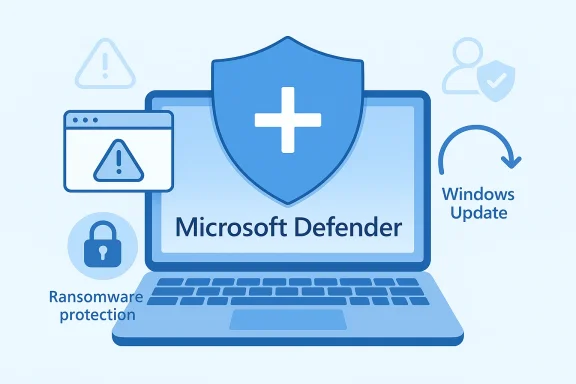 What Microsoft Is Actually Saying
Microsoft’s wording is more careful than the headline suggests. The company is not claiming every third-party security product is obsolete. It is saying that for most Windows 11 users, Defender and the rest of the built-in protection stack are enough for everyday risk, especially when the device stays updated and the user avoids obviously risky downloads or links. That is a narrower claim than “best antivirus ever,” but it is also a stronger one because it is operational rather than rhetorical.The distinction matters. Microsoft is effectively drawing a line between the typical home user and everyone else. A person checking email, browsi video, and occasionally installing mainstream apps does not need the same security posture as a shared family PC, a machine used for sensitive work, or an endpoint managed by IT. Microsoft is narrowing the use case for third-party tools rather than erasing them.
That nuance is important because it reflects how antivirus has evolved into a broader security category. Many paid products now sell identity monitoring, parental codshboard features more than pure malware detection. Microsoft’s position is basically: if you only need baseline protection, Windows already gives it to you. If you need extra services, you should buy those for the services, not because the OS is missing a core shield.
Why the wording matters
The language Microsoft uses is designed to reduce confusion as much as it is to persuade. A lot of users still assume “real security” requires a subscription, a tray icon, and a mtushes back on that reflex and makes built-in security sound normal, not second-rate. That is a meaningful behavioral shift.It also helps Microsoft avoid overpromising. If the company had declared that no one ever needs anything beyond Defender, critics would instantly point to enterprise management needs, identity protection, and family features. By keeping the message conditional, Microsoft gives itself room to support a default strategy without pretending all users are identical.
- Defender is the baseline, not a niche utility.
- Third-party antivirus is optional for most home users.
- Extra tools may still make sense for special needs.
- Security is contextual, not universal.
- Feature bundles matter as much as malware detection.
How Windows 11 Security Works Today
Windows 11’s biggest advantage is not just Defender itself. It is the fact that Defender exists inside a broader security architecture. Microsoft’s guidance emphasizes that built-in antivirus works alongside SmartScreen, ransomware protections, and other system-level controls. In practical terms, that means protection starts before a file lands and continues after it is already on the machine.Defender’s real value is integration. Because it is part of Windows, it can update through Windows Update, respond to policy changes, and avoid the friction that often comes with third-party suites. Microsoft’s own documentation notes that if anothereally steps aside into passive mode to avoid conflicts. That design choice reinforces Microsoft’s argument that one strong integrated engine is better than multiple real-time scanners competing with each other.
Another important layer is SmartScreen. This is where Microsoft’s security story moves beyond classic malware scanning. SmartScreen helps block suspicious downloads and warns users about sites with a malicious reputation. That matters because many attacks now begin with a link or a downln a file that can be caught after the fact. Microsoft is betting that interruption at the web and reputation level is just as important as endpoint scanning.
The layered model
The layered model is the real reason Microsoft can sound so confident. Antivirus handles files and behavior. SmartScreen handles downloads and phishing destinations. Windows Update keeps the engine and threat intelligence current. Other protections help reduce the damage if something slips through. Together, thatt is much harder to compare with the old “scanner only” notion of antivirus.That also changes the economics. If the OS already covers the major attack paths, third-party vendors need to justify themselves with features that go beyond raw detection. That is why so many suites now lean on parental controls, identity monitoring, and bundle value. The center of gravity has shifted.
A practical read of the Windows 11 stack looks like this:
- Defender provides real-time malware defense.
- SmartScreen adds reputation-based filtering.
- Updates arrive through Microsoft’s built-in channels.
- Conflicts are reduced when only one real-time engine runs.
- Extra software is only worth it if it solves a specific problem.
- One platform, multiple layers
- Fewer conflicts with other software
- Automatic intelligence updates
- Better phishing interception
- Less user maintenance
Why Microsoft Feels Confident Now
Microsoft did not arrive at this position overnight. It spent years hardening Windows 11 into a platform where security is part of the default experience rather than a paid add-on. That long-term investment is what makes the company’s current claim believable. The built-in stack is no longer presented as a compromise; it is presented as the expected state of a modern Windows PC.This confidence is also partly supported by the broader state of the security market. Independent testing and public guidance have increasingly shown that Microsoft Defender is not a weak free option. It is competitive with many consumer products, particularly for mainstream use cases. That does not make it perfect, but it does make the old assumption thamr to defend.
Microsoft also benefits from a changing threat landscape. Modern attacks are frequently social-engineering problems, not pure malware problems. A user can be tricked into approving a prompt, entering credentials into a fake page, or installing something that looks legitimate. Antivirus alone was never enough to stop that, which is why Microsoft keeps emphasizing the broader security stack. The coming detection; it is selling interruption.
Defender is now the default story
The most important shift is rhetorical. Microsoft is no longer quietly tolerating Defender as the thing that ships before the user installs something else. It is actively promoting Defender as the right answer for most people. That may seem subtle, but it changes how users think about the platform from day one.It also reduces the psychological pull of trialware. If Windows itself is enough, then the users should accept more subscriptions, more background tasks, and more complexity. That is not a trivial strategic loss for them.
- Built-in protection is mature
- Independent testing has improved confidence
- Threats are more behavioral than file-based
- Microsoft controls the update pipeline
- The default answer is now “keep Defender”
Consumer Impact
For consumers, the biggest win is simplicity. Most people do not want to manage license renewals, background scans, or duplicate security prompts. Microsoft’s current guidance says they do not have to. Windows 11 already ships with antivirus protection that is active by default, and for a typical home user that means less money spent and fewer moving parts to troubleshoot.That simplicity has a second benefit: it can actually improve performance and reduce friction. Multiple real-time security products can conflict, slow the system, or produce confusing warning behavior. Microsoft’s documentation explicitly notes that when another antivirus registers itself, Defender switches to passive mode to prevent those conflicts. That is a good thing technically, but it is also an argument for not layering on extra software unless there is a clear reason to do sbuilt in” with “infallible.” Defender is strong, but it does not replace safe habits. People still need to avoid suspicious attachments, think before clicking, and keep their accounts protected with multi-factor authentication. Microsoft’s own guidance repeatedly implies that behavior remains a core part of security. No tool can fully compensate for reckless clicking.
What this means in practice
For most home PCs, the right move is to keep Windows Security enabled, keep Windowsdding a second real-time scanner unless you need specific features. A security suite should solve a problem, not create a new one.Consumers who still want a paid product should ask a simple question: what exactly am I buying beyond malware detection? If the answer is identity monitoring, family controls, or a bundled service you truly use, that may be reasonable. If the answer is just “peace of mind,” MicroDies most of that.
- Lower cost for casual users
- Less subscription fatigue
- Fewer performance conflicts
- Better out-of-box protection
- Still dependent on user behavior
Enterprise and Managed Devices
The enterprise story is different, and Microsoft knows it. Businesses rarely choose security tools based only on scan quality. They care about policy enforcement, centralized management, compliance, reporting, and integration with broader identity and endpoint programs. Microsoft’s own guidance leaves room for that reality by emphasizing that the need for additional software depends on how the PC is used.Managed environments may still need controls that go beyond what a consumer stack provides. That can include granular policy, endpoint response workflows, identity monitoring, data governance, and support for specific compliance frameworks. Microsoft Defender is strong, but many organizations are not buying “an antivirus.” They are buying a security operating model.
The enterprise implication is subtle but important: Microsoft’s message is strongest where the PC is personal and least controversial where the PC is institutional. A home user can rely on a secure default. An IT departag, and integration across Microsoft 365, Defender for Endpoint, and other services. That does not contradict Microsoft’s consumer claim; it simply recognizes a different threat surface.
Consumer versus enterprise needs
The difference comes down to control. Consumers need protection that quietly works. Enterprises need protection that can be audited, enforced, a of devices. That is why third-party vendors still have room to compete in business markets even when the consumer case is much weaker.It is also why Microsoft’s own Defender brand stretches beyond the consumer product. The same company can say “you do not need extra antivirus” to a home user while still selling serious endpoint security to a business. The overlap is real, but the buying criteria are different.
- Consumer users want simplicitteeds reporting and policy control
- Compliance can require additional layers
- Endpoint tools often serve broader goals than AV
The Competitive Pressure on Third-Party Antivirus
Microsoft’s message is bad news for vendors that still rely on the old fear-based pitch: install our suite or you are exposed. That argument is much weaker in 2026 than it used to be because Windows itself now offers a credible baseline. If consumers already have built-in protection that is active by default, vendors must offer something visibly better, not just more software.As a result, the paid antivirus market has shifted toward bundles and lifestyle features. Identity monitoring, VPNs, parental controls, password management, and cleanup tools have become part of the sales pitch. That is not accidental. It is a recognition that raw malware detection is now table stakes rather than a premium differentiator.
This also creates a reputational challenge. If Microsoft’s own platform is good enough for most users, vendors need to avoid sounding defensive or outdated. The strongest players will probably move further into bundled consumer security and enterprise policy management. The weaker ones will keep trying to sell unnecessary fear. The market will likely reward the former and p#l sell
There is still a real market for security products, but the market is changing shape. The best value will come from tools that solve problems Defender does not fully solve, or that package multiple services in ways users genuinely appreciate. That may include family dashboards, cross-platform identity monitoring, or premium support.
ir engine catches more malware than Microsoft” pitch. For mainstream Windows 11 users, that argument is harder to convert into a purchasing decision. Convenience, trust, and extra features matter more.
- Raw detection is no longer enough
- Feature bundles drive sales
- Identity protection is a growth area
- Enterprise management still matters
- Fear-based marketing is weaker than before
Strengths and Opportunities
Microsoft’s current position is strong because it lines up with both technical reality and consumer behavior. Most users want strong security with minimal hassle, and Defender now fits that brief far better than it once did. The bigger opportunity is that Microsoft can keep improving protection without forcing users into a maze of add-ons.It also strengthens Windows 11’s product story. If the operating system itself is safe by default, then Microsoft can sell simplicity as a feature, not just performance or design. That is a useful competitive advantage in a market where people are tired of subscriptions and security clutter.
- Defender is free and built in
- Security updates arrive automatically
- Windows 11 integration is deeper than standalone AV
- Consumers face fewer subscriptions
- Families can still add extra controls when needed
- Microsoft can keep security coherent across the OS
- Third parties must justify themselves with clear value
Risks and Concerns
The biggest risk is complacency. Some users will hear “Defender is enough” and assume security no longer requires effort. That would l but it does not protect against careless behavior, reused passwords, or phishing that convinces a person to hand over access willingly.There is also a risk that the market responds by overcomplicating itself. If third-party vendors try too hard to differentiate, they may stuff their products with features users do not need, which can make the overall experience noisier and less trustworthy. Security tools should reduce anxiety, not manufacture it.
- User complacency could rise
- Phishing remains a major threat
- Feature bloat may confuse buyers
- False positives can erode trust
- Bundled subscriptions may outlive their usefulness
- Enterprise complexity is still not solved by Defender alone
- Attackers will keep adapting
Looking Ahead
The next phase of Windows security is likely to be less about whether Defender exists and more about how Microsoft continues to integrate security into the operating system itself. The company has vl antivirus” to “use the security stack that ships with Windows 11.” That is a major strategic victory, and it will probably deepen rather than reverse.What remains to watch is how users, OEMs, and third-party vendors respond. If Microsoft keeps improving the default experience, the paid consumer antivirus market will increasingly have to justify itself with services beyond malware detection. That may be the real future of the category: less scanner, more security ecosystem. The default answer is already changing.
- Whether Microsoft expands more advanced protections
- How independent testing treats Defender over time
- Whether OEMs reduce bundled trial offers
- How third-party vendors reposition around services
- Whether consumers better understand built-in Windows security
Source: Latest news from Azerbaijan Is Microsoft defender enough to protect Windows? | News.az
Source: bgr.com Microsoft Says You Don't Need A Third-Party Antivirus App Anymore - BGR
