

Microsoft’s new Security Copilot Dynamic Threat Detection Agent has moved out of the keynote and into customers’ consoles: the agent is now available in public preview and is positioned as a zero‑touch, AI‑driven layer that hunts for false negatives and coverage gaps across Microsoft Defender and Microsoft Sentinel, surfacing contextual, action‑ready alerts directly into existing SOC workflows.
Microsoft introduced a sweeping expansion of Security Copilot at Ignite 2025, turning the product from a conversational assistant into a platform of specialized agents that operate across Defender, Entra, Purview, Intune and Sentinel. The Dynamic Threat Detection Agent (DTDA) is one of those agents — a continuously running backend service designed to find threats that static, rule‑based detections miss by correlating telemetry, alerts, anomalies and threat intelligence into dynamic alerts enriched with natural‑language explanations, mapped MITRE ATT&CK techniques and suggested remediation. Microsoft’s product documentation explicitly states the agent runs in the Defender backend with no onboarding or manual tuning required, and that alerts generated by the DTDA appear in the standard incident queue with “Security Copilot” as the detection source. The preview is free to use; Microsoft confirms the feature will start consuming Security Compute Units (SCUs) when it reaches general availability. This article unpacks what the DTDA does, why it matters for enterprise SOCs, how it integrates into Defender and Sentinel, and the operational and security implications — including practical pilot steps, governance controls, and caveats security teams must weigh before enabling agentic detection at scale. The reporting from independent outlets and Microsoft’s own technical docs were cross‑checked to validate the core claims and surface areas that remain previewed or partially specified.
Independent coverage of Microsoft’s Ignite announcements and product briefings confirms the broad agent roadmap and the decision to include Security Copilot capabilities in Microsoft 365 E5 distributions. Analysts and vendors have highlighted both the productivity gains and the governance trade‑offs that accompany agentic security tooling.
However, adoption should be cautious and measured:
The rollout of the Dynamic Threat Detection Agent is another sign that security toolchains are moving from static rule sets to continuous, model‑informed detection — but the human element remains essential: human judgment, governance, and careful validation are the controls that will determine whether the agent becomes a force multiplier or an avoidable risk in enterprise security operations.
Source: Petri IT Knowledgebase Microsoft Security Copilot Dynamic Threat Detection Agent Now in Preview
 Background / Overview
Microsoft introduced a sweeping expansion of Security Copilot at Ignite 2025, turning the product from a conversational assistant into a platform of specialized agents that operate across Defender, Entra, Purview, Intune and Sentinel. The Dynamic Threat Detection Agent (DTDA) is one of those agents — a continuously running backend service designed to find threats that static, rule‑based detections miss by correlating telemetry, alerts, anomalies and threat intelligence into dynamic alerts enriched with natural‑language explanations, mapped MITRE ATT&CK techniques and suggested remediation. Microsoft’s product documentation explicitly states the agent runs in the Defender backend with no onboarding or manual tuning required, and that alerts generated by the DTDA appear in the standard incident queue with “Security Copilot” as the detection source. The preview is free to use; Microsoft confirms the feature will start consuming Security Compute Units (SCUs) when it reaches general availability. This article unpacks what the DTDA does, why it matters for enterprise SOCs, how it integrates into Defender and Sentinel, and the operational and security implications — including practical pilot steps, governance controls, and caveats security teams must weigh before enabling agentic detection at scale. The reporting from independent outlets and Microsoft’s own technical docs were cross‑checked to validate the core claims and surface areas that remain previewed or partially specified. What the Dynamic Threat Detection Agent actually does
Core capabilities
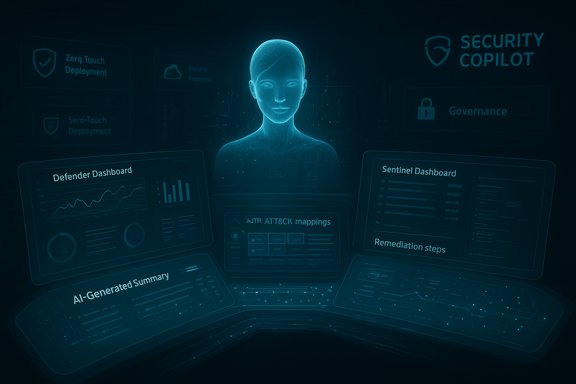
The DTDA is built to complement existing detection rules by proactively hunting for signals that indicate a threat escaped detection. Its stated functions include:- Continuous correlation of alerts, events, and anomalies across Defender and Microsoft Sentinel.
- Identification of false negatives and coverage gaps that static rules miss.
- Automatic generation of dynamic alerts with:
- AI‑generated summaries in plain language.
- Mapped MITRE ATT&CK techniques to classify attacker behavior.
- Tailored remediation steps and operational next steps for analysts.
- Zero‑touch operation: runs in the Defender backend without tenant onboarding or tuning.
- Integration into existing workflows: alerts appear in the Defender incidents and alerts queue labeled as coming from Security Copilot.
How it complements XDR/SIEM workflows
Unlike a signature or rule update, the DTDA uses model‑based correlation and contextual reasoning to join disparate signals (for example, a low‑fidelity alert on one host plus anomalous cloud authentication activity) and escalate when the combined pattern indicates higher risk. This model‑driven approach aims to reduce missed detections while enriching alerts so analysts can act faster and with more confidence. Microsoft positions the agent as a background augmentation to existing XDR/SIEM processes rather than a replacement for human-driven triage.Why this matters: Security operations benefits
Reduce blind spots and missed detections
Many SOCs struggle with false negatives — incidents that slip past detection rules. By correlating across telemetry surfaces and adding threat intelligence signals, the DTDA can surface events that would otherwise remain invisible. For organizations with sprawling cloud hybrid estates, this capability promises to shorten dwell time and improve detection coverage without addition of manual rules.Faster analyst time to value
The agent’s AI‑summaries and actionable steps are designed to lower cognitive load and reduce context switching. Rather than manually compiling threat context from multiple consoles, analysts see a synthesized narrative, mapped techniques, and suggested playbook steps directly in the alert details. This can accelerate triage and reduce time‑to‑containment.Zero‑touch deployment and low friction
Because the DTDA runs in the Defender backend with no tenant tuning required, teams can trial it without heavy configuration. For organizations short on SOC resources, the low friction trial model is appealing: preview customers can experience the agent’s outputs quickly and evaluate its relevance before investing in change management. Microsoft’s own guidance emphasizes validating AI‑generated recommendations before automatic remediation.Verification: what’s confirmed and where questions remain
To keep reporting accurate, the main product claims were cross‑checked against Microsoft documentation and independent reporting.- The agent is in public preview and is available via Microsoft Defender XDR/Sentinel experiences. This is confirmed in Microsoft Learn’s DTDA documentation and in Microsoft’s security blog about Security Copilot agents.
- The DTDA runs in the Defender backend and requires no setup or tuning; alerts are labeled with “Security Copilot” in the incident queue. This is explicitly stated in Microsoft Learn documentation.
- The agent provides AI‑generated summaries, MITRE mappings and remediation suggestions; those are called out in Microsoft’s product pages and Ignite materials.
- Pricing and licensing: the preview is free; Microsoft will meter usage via Security Compute Units (SCUs) when the feature becomes generally available. This billing model is described in the DTDA documentation.
- The precise internal model mechanics, detection thresholds and training data are not fully disclosed; Microsoft describes behavior and integration but not the model architectures or tuning parameters.
- How the DTDA correlates third‑party signals in mixed vendor environments — while Microsoft says it can correlate native and third‑party signals, specifics of required connectors and telemetry mapping are operational details that will vary by tenant and were not exhaustively documented at preview.
- The operational cost profile at GA will depend on SCU pricing and how frequently the agent generates detection runs or sandbox/compute‑heavy enrichments; Microsoft’s preview documentation notes SCU consumption will apply at GA but does not publish per‑unit pricing in equal detail.
Technical integration and operator experience
Where alerts appear and what they contain
When the DTDA generates a dynamic alert, it surfaces in the Defender incidents and alerts queue and carries a detection source tag of Security Copilot. Clicking the alert opens a details pane containing the AI summary, mapped ATT&CK techniques, indicators of compromise, and recommended remediation steps. That alert payload is designed to plug into existing workflows: ticketing, playbooks, and manual investigation steps.Correlation surfaces
The agent correlates signals across:- Endpoint telemetry from Microsoft Defender for Endpoint.
- Cloud/authentication signals from Entra and cloud providers (where connectors exist).
- SIEM events ingested via Microsoft Sentinel.
- Threat intelligence feeds and Microsoft Threat Intelligence telemetry.
Human-in-the-loop and governance
Microsoft emphasizes human verification of AI recommendations and retains a conservative posture on automatic high‑impact remediation. The preview experience is read/suggestive by default; operators are advised to validate AI‑generated remediation steps before execution. For enterprises, this means mapping the DTDA outputs into existing approval workflows and SOAR playbooks rather than auto‑trusting suggestions.Strengths — what DTDA gets right
- Contextual detection across telemetry silos. The agent’s core strength is combining signals across Defender and Sentinel to detect behavior patterns that single‑pane detections miss.
- Operational efficiency. AI‑summaries and mapped ATT&CK techniques reduce analyst research time and provide a standardized way to document incident rationale.
- Low adoption barrier. Zero‑touch preview deployment lets organizations trial the agent with minimal configuration overhead.
- Integration with Microsoft’s telemetry advantage. Microsoft’s broad telemetry footprint (Defender, Entra, Sentinel) provides the agent with rich context for higher‑value correlations.
- Designed for SOC workflows. Alerts land in existing queues and are labeled to enable filtering, routing and SOAR integration without major console changes.
Risks, limitations and attack surface considerations
- AI hallucination and incorrect remediation. AI‑generated remediation steps are useful but not infallible; following them blindly risks unintended disruption (for example, overbroad blocks or premature account disables). Microsoft explicitly warns customers to review and verify recommendations.
- Automation blast radius. If future phases allow autonomous remediation at scale, misconfigurations or compromised agent identities could cause wide‑reaching outages. Conservative defaults and multi‑person approvals should be enforced for high‑impact actions.
- Visibility and provenance. The DTDA’s internal decisioning and model provenance are not fully transparent in preview; organizations needing complete forensics-ready provenance may need extra logging or evidence capture to justify trust in AI decisions.
- Data residency and third‑party enrichments. Correlation often involves telemetry and threat intelligence that may cross geographic or contractual boundaries. Organizations with strict data residency or regulatory constraints must validate how agent enrichments handle tenant data and whether artifacts are uploaded to third‑party sandboxes.
- Cost uncertainty at GA. While preview access is free, the SCU‑based billing model means operational costs could increase with frequent detections, heavy enrichment, or sandbox analysis. FinOps planning is necessary.
- Supply chain and agent governance. As Microsoft builds a Security Store and Agent 365 control plane for agent discovery/governance, third‑party agents could introduce supply‑chain risk unless publishers are vetted and tenant governance tightens access and privileges.
Practical pilot and rollout checklist
Teams that want to evaluate the DTDA safely should follow a structured pilot to measure value and mitigate risk.- Inventory: Map existing Defender, Sentinel and Entra telemetry coverage and define critical assets and identity boundaries.
- Enable in a test tenant: Activate DTDA in a non‑production or pilot tenancy where the alert noise can be observed without production impact.
- Start in monitor‑only mode: Route DTDA alerts to a review queue and disable any automatic remediation. Evaluate AI summaries for accuracy and practicality before integration with SOAR actions.
- Validate recommendations: For each DTDA alert, use a checklist to confirm (a) the mapped ATT&CK technique is plausible, (b) the IOCs are reproducible, and (c) suggested remediation is safe.
- Adjust playbooks: Map DTDA outputs into existing incident playbooks. Where the agent suggests actions, create an approval gate and SOP for human sign‑off.
- Monitor costs: Track SCU consumption metrics and review projected GA costs against the measured efficacy and analyst time saved.
- Governance and least privilege: Treat agent identities as service principals: apply short‑lived credentials, conditional access policies, and role‑based controls via Entra.
- Document data flows: Ensure any artifact uploads, sandbox detonation or third‑party calls are documented for compliance and incident response.
Role of auditors, compliance and legal teams
Security teams should include compliance and legal stakeholders early. AI‑driven detection that surfaces sensitive data or suggests cross‑tenant actions may have regulatory implications. Documenting how DTDA derives its conclusions, what telemetry was used, and how remediation actions were authorized will be essential for post‑incident analysis and audit posture. The preview‑to‑GA transition (and the SCU billing model) should be evaluated in procurement and legal reviews.How to measure success
Define and track concrete KPIs during the pilot:- Reduction in mean time to detect (MTTD) for incidents surfaced by DTDA.
- Reduction in mean time to respond (MTTR) when DTDA suggestions are followed.
- Percentage of DTDA alerts that are true positives after human validation.
- Analyst time saved per incident (hours) attributable to AI‑summaries and MITRE mappings.
- SCU consumption vs. projected GA costs to evaluate cost effectiveness.
The strategic picture: where DTDA fits in the agentic future of security
Microsoft’s agent strategy — Agent 365 governance, a Security Store for agents, and Copilot Studio for agent creation — points to a future where security tooling will be increasingly agentic, identity‑bound and tenant‑scoped. The DTDA is a pragmatic first step: it applies AI to an urgent SOC problem (missed detections) while keeping outputs inside established alerting and playbook paradigms. For defenders, the promise is meaningful: better coverage, less analyst toil, and richer context. The challenge will be governance — ensuring agents operate as auditable, least‑privilege principals and not as runaway automation engines.Independent coverage of Microsoft’s Ignite announcements and product briefings confirms the broad agent roadmap and the decision to include Security Copilot capabilities in Microsoft 365 E5 distributions. Analysts and vendors have highlighted both the productivity gains and the governance trade‑offs that accompany agentic security tooling.
Final assessment and recommendations
The Security Copilot Dynamic Threat Detection Agent is a consequential addition to Microsoft’s XDR/XSIEM stack. Its primary strengths are context‑rich detection, minimal friction for initial trials, and tight integration into Defender and Sentinel workflows. For SOCs struggling with visibility gaps and analyst overload, the DTDA promises measurable operational benefits.However, adoption should be cautious and measured:
- Treat AI suggestions as assists, not final actions; require human verification for high‑impact remediation.
- Pilot in non‑production, measure efficacy and false‑positive rates, and only then scale to production.
- Design governance to treat agents as service principals with strict RBAC, logging and revocation procedures.
- Budget for SCU consumption and evaluate FinOps impact before GA.
- Validate third‑party integration and data flows against your compliance and data residency policies.
The rollout of the Dynamic Threat Detection Agent is another sign that security toolchains are moving from static rule sets to continuous, model‑informed detection — but the human element remains essential: human judgment, governance, and careful validation are the controls that will determine whether the agent becomes a force multiplier or an avoidable risk in enterprise security operations.
Source: Petri IT Knowledgebase Microsoft Security Copilot Dynamic Threat Detection Agent Now in Preview
