

DuckDuckGo’s new “No AI” shortcut is a small change with outsized symbolic weight: it hands users a one‑click route to the company’s traditional, link‑forward search interface while explicitly filtering out AI assistance, Duck.ai chat, and AI‑generated images. The move is both a pragmatic toggle for people who prefer old‑style search and a clear signal that, in a year where every major search product is folding generative models into the results, choice is now a competitive feature. This matters for privacy‑minded users, publishers worried about referral economics, and anyone uneasy about conversational summaries replacing link lists. The technical details behind the feature, the market context that makes it relevant, and the practical implications for Windows and web users are worth unpacking — because opting out of AI in search is no longer theoretical; it’s a product decision you can make in seconds.
DuckDuckGo’s broader approach has been to offer AI as optional, not as a forced default — a contrast to the direction many incumbents have taken. At the same time, DuckDuckGo still relies on multiple data sources for results (including its own crawler, Instant Answers, and traditional links largely sourced from Bing). That hybrid sourcing matters because the absence of on‑page AI responses does not magically make the underlying web or upstream search index AI‑free.
At the same time, incumbents are iterating quickly: Microsoft’s Bing and Google’s Search are both deepening AI integrations, and browser makers are surfacing assistants more visibly. Microsoft recently added the ability to hide the Copilot icon in Edge after persistent feedback, which echoes the same user demand for less intrusive AI UI elements. The industry is in a tug‑of‑war between embedding AI everywhere and respecting users who want a quieter web.
Why is optionality sensible? It widens the product’s appeal: some users want AI assistance for productivity, while others want a straightforward list of links and sources. Making AI opt‑in reduces friction for both audiences and is a practical way to avoid alienating either cohort — especially given DuckDuckGo’s small market share and need to capture users dissatisfied with dominant defaults.
But keep these practical points in mind:
However, the feature is constrained by structural realities:
For Windows users navigating an ecosystem that now surfaces assistants at the OS and browser level, the combination of Edge’s Copilot visibility controls and DuckDuckGo’s No AI page represents a credible path to a less AI‑noisy computing experience. Whether that path grows into a major migration away from AI‑first defaults depends on broader user behavior, platform defaults, and how accurate and useful AI summaries prove to be in real daily use.
If you want an immediate test: start on noai.duckduckgo.com, run a complex search you often need to verify, then repeat the same search on DuckDuckGo’s regular page, Bing, and Google. Compare results, note where each engine surfaces sources or hides them, and decide which model — answer‑first or link‑forward — suits the task. That small experiment will tell you more about what you value in search than any headline about AI can.
Source: Windows Central Finally, a search engine that doesn't talk back with AI
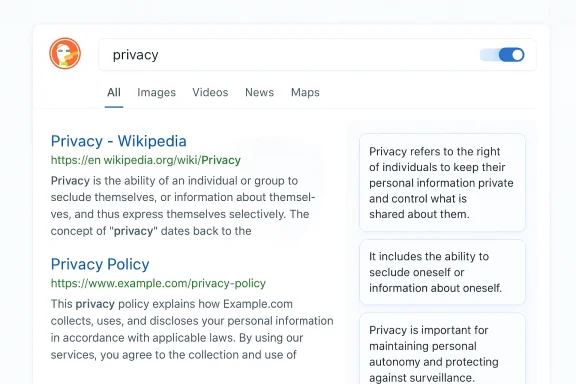 Background / Overview
What DuckDuckGo changed — the facts
DuckDuckGo published a dedicated “No AI” landing path that turns off the search engine’s AI features and filters AI‑generated images by default. Searching from noai.duckduckgo.com behaves like ordinary DuckDuckGo search except that three specific features are disabled: Search Assist (its on‑page AI/instant answer summaries), Duck.ai (the conversational AI/chat interface), and AI‑generated images. DuckDuckGo describes the landing page as a way to get a privacy‑preserving, AI‑free search experience without wading into settings.DuckDuckGo’s broader approach has been to offer AI as optional, not as a forced default — a contrast to the direction many incumbents have taken. At the same time, DuckDuckGo still relies on multiple data sources for results (including its own crawler, Instant Answers, and traditional links largely sourced from Bing). That hybrid sourcing matters because the absence of on‑page AI responses does not magically make the underlying web or upstream search index AI‑free.
Why this matters now: market share and momentum
Search remains a heavily concentrated market. StatCounter’s December 2025 figures show Google holding over 90% of global search share, with Bing and DuckDuckGo each representing small single‑digit slices (Bing roughly 4% and DuckDuckGo under 1% globally). Those numbers explain why a privacy‑first engine has incentives to differentiate on feature choices: most users stick with defaults, so meaningful growth for alternatives comes from distinct value propositions. DuckDuckGo’s “No AI” option is explicitly marketed as one of those differentiators.At the same time, incumbents are iterating quickly: Microsoft’s Bing and Google’s Search are both deepening AI integrations, and browser makers are surfacing assistants more visibly. Microsoft recently added the ability to hide the Copilot icon in Edge after persistent feedback, which echoes the same user demand for less intrusive AI UI elements. The industry is in a tug‑of‑war between embedding AI everywhere and respecting users who want a quieter web.
How DuckDuckGo’s “No AI” actually works
The feature list — what is blocked
DuckDuckGo’s documentation lists the specific features blocked when you start at noai.duckduckgo.com:- Search Assist (its AI/instant answer layer),
- Duck.ai (the conversational chat interface),
- AI‑generated images (filtered out of image results by default).
What it doesn’t do — important caveats
- It does not disconnect DuckDuckGo from Bing or other indexing partners for standard links; DuckDuckGo still synthesizes results using multiple sources and continues to use Bing for many traditional links and images. The “No AI” page primarily controls presentation and the presence of Duck’s own AI features, not the underlying supply chain of indexed content.
- Filtering AI‑generated images is imperfect. DuckDuckGo uses curated blocklists and heuristics to remove flagged images, but detection is inherently fallible; new image‑generation pipelines and obfuscation techniques can slip through blocklists. In short: you’ll reduce exposure to AI images, but you should not assume the filter is omnipotent.
- Hiding AI summaries doesn’t eliminate the social and economic consequences of AI‑driven search. If users across the web shift to answer‑first interfaces — where fewer clicks go to publishers — that trend affects referral traffic regardless of whether you personally use an AI‑free mode. DuckDuckGo’s control is user‑private, not global policy for how other engines present results.
The strategic context: DuckDuckGo’s balancing act
Dual strategy: offer AI, but make it optional
DuckDuckGo has been building AI features (the Duck.ai chat interface is out of beta and surfaced models from Anthropic, OpenAI, Meta, and others), while simultaneously adding controls for users who prefer no AI at all. This “both/and” strategy positions DuckDuckGo as flexible rather than ideologically anti‑AI — a contrast with some privacy purists and with companies that treat AI as a default upgrade. The Verge and TechCrunch both documented DuckDuckGo’s AI moves and the company’s stated privacy commitments around optionality.Why is optionality sensible? It widens the product’s appeal: some users want AI assistance for productivity, while others want a straightforward list of links and sources. Making AI opt‑in reduces friction for both audiences and is a practical way to avoid alienating either cohort — especially given DuckDuckGo’s small market share and need to capture users dissatisfied with dominant defaults.
Commercial limits: the reality of referral economics
Search engines are not neutral pipes for content: the presentation of results shapes whether users click through to publishers. Answer‑first interfaces can reduce referral traffic to sites that historically monetized via ad impressions and subscriptions. That shift has concrete financial consequences for publishers and reshapes the web’s economics, which is why many journalists and content creators have been vocally skeptical of AI‑first search designs. DuckDuckGo’s choice to preserve a traditional, click‑forward experience with No AI protects that referral path for users who care.Strengths: who benefits from No AI
- Privacy‑minded users — DuckDuckGo continues to emphasize non‑tracking defaults and local storage of AI chat history, so opting out of AI features aligns with its privacy promise. Users who fear that AI interactions feed models or leak data find reassurance in the No AI option.
- Researchers and verifiers — Professionals who require provenance and citations often prefer link lists and source‑forward workflows. The No AI setting reduces the temptation to accept a synthesized answer at face value and nudges users back to original sources.
- Publishers and SEO specialists — If a user base shifts toward No AI modes, publishers’ pages still receive referrals and ad revenue from those users. Even as AI grows, maintaining a path that preserves clicks is an immediate win for content creators.
- Skeptical mainstream users — Many people like the convenience of search summaries, but an equally large minority dislikes AI assistants that “talk back.” A one‑click opt‑out removes a pain point and can reduce churn among users who would otherwise switch engines or adopt blockers.
Risks and limitations: what No AI won’t fix
1) Upstream dependence on Bing and third‑party sources
DuckDuckGo’s classic search experience still uses Bing for a large portion of traditional links and images, supplemented by DuckDuckBot and specialty sources. That means some of the indexing decisions and ranking signals are determined upstream, and many of Bing’s own AI integrations may affect what pages are discoverable or how quickly new content is indexed. In short: presentation changes don’t fully decouple you from the broader AI ecosystem.2) Detection limits for AI content
Filtering AI‑generated images and blocking in‑page AI answers depends on heuristics, blocklists, and model flags. These systems can reduce exposure but cannot guarantee absolute removal. New generative models and blended content formats (e.g., human‑edited AI drafts) will challenge detection and filtering efforts. Users should not assume that “No AI” equals zero AI content; it reduces AI‑surfacing layers in the DuckDuckGo UI.3) Verification and hallucination risk shifts, not eliminations
Even without on‑page AI summaries, users still face the same verification task when they read an article: determining accuracy, bias, and timeliness. AI summaries have a distinct risk profile (hallucinations, concision that omits nuance), but removing the layer simply reverts attention to original content — which can still be biased, paywalled, or wrong. The verification burden doesn’t vanish; it shifts.4) It won’t move the needle on market dominance overnight
DuckDuckGo’s market share is small in the global numbers; opt‑outs and niche positioning can attract engaged users but shifting the default behavior of billions of searches requires ecosystem leverage — preinstallation, platform partnerships, and network effects that DuckDuckGo lacks compared with Google and Microsoft. The No AI toggle is a product advantage, but it’s incremental in the context of global market dynamics.What this means for Windows users and the browser landscape
Microsoft and browser makers are already giving users more control over AI UI elements: Edge now allows hiding the Copilot icon from the toolbar, and admins can control visibility via enterprise policies. That change mirrors DuckDuckGo’s No AI offering: both are responses to sustained user feedback that not every user wants AI shoved into every interface. For Windows users who prefer a quieter desktop and browser environment, combining Edge’s Copilot hide option with a privacy‑first, No AI search path gives a measurable reduction in AI surface area.But keep these practical points in mind:
- Hiding a Copilot icon is not the same as disabling Copilot entirely; many integrations persist elsewhere in the OS and apps.
- Choosing No AI search reduces in‑page generated summaries, but it doesn’t affect how other apps or websites incorporate AI.
Practical guide: how to try No AI and compare results
- Open a browser and go to noai.duckduckgo.com to start a search session with AI features disabled. This is the quickest way to test the experience.
- Run the same complex query on DuckDuckGo (regular), Bing, and Google. Note differences in:
- Presence of AI summaries or chat snippets,
- Prominence of clickable links and source details,
- Presence of AI‑labeled images in image search results.
- For Edge users: right‑click the Copilot icon and choose “Hide Copilot” (or use Settings) to reduce Copilot’s visual presence while testing search modes. Administrators can use policy controls in enterprise environments.
- If you’re a publisher or SEO professional, measure referral traffic changes over a two‑ to four‑week window when sharing the No AI path versus regular links to quantify click‑through differences. The metrics will vary by query and vertical, but collecting real data is the only way to evaluate impact.
Editorial analysis: is “No AI” a genuine alternative or a marketing checkbox?
DuckDuckGo’s No AI path is both product and positioning. It solves a real user problem — the desire to avoid AI‑generated answers — and does so in a way that’s transparent and reversible. That’s a design win: simplicity, clarity, and the preservation of privacy defaults are consistent with DuckDuckGo’s brand.However, the feature is constrained by structural realities:
- DuckDuckGo’s heavy reliance on external indexes (notably Bing) means it cannot fully control how upstream AI or indexing decisions affect discoverability. The No AI path is mainly a UI/feature toggle, not a deep rewrite of search infrastructure.
- The broader industry trend is toward integrated AI. Even as some users demand opt‑outs, many others adopt AI because it saves time. DuckDuckGo’s optional approach is strategically rational — it widens appeal — but it may not alter the macro trend toward answer‑first search in the long term.
- The No AI page risks being a cosmetic fix if detection and filtering remain imperfect. Users who assume strict immunity from AI signals may be surprised when AI‑derived content still appears in indirect ways. DuckDuckGo is clear about limits, but public expectations may overshoot technical reality.
Recommendations for users, admins, and publishers
- For privacy‑focused individuals: try noai.duckduckgo.com for a few weeks alongside your regular search habits to see whether the absence of AI summaries changes your workflow. Measure time‑to‑answer and satisfaction subjectively and with basic metrics (clicks saved, sources read).
- For IT administrators: educate users about the difference between hiding UI elements (like Edge’s Copilot button) and disabling services entirely. Use enterprise policies to control Copilot visibility if your deployment requires consistency.
- For publishers and SEO pros: monitor referral traffic closely across engine types and look for changes in behavior tied to answer‑first modes. Diversify traffic sources and emphasize structured data and authoritative content to remain discoverable regardless of how summaries are presented.
- For product teams and UX designers: recognize that forcing AI on every surface creates backlash. Building controls — clearly labeled, easily reversible — is good UX and may preserve longer‑term trust even as you ship AI features. DuckDuckGo’s No AI landing page is a useful case study in how to make choice visible and simple.
Conclusion
DuckDuckGo’s No AI shortcut is a timely, user‑centric response to a polarized market: people love the productivity AI can offer, but many also want an escape hatch. The feature doesn’t rewrite the economics of search or the technical realities of indexing, and it isn’t a perfect filter. Still, it does something increasingly rare: it gives users a clear, accessible choice about the level of AI they encounter when they search.For Windows users navigating an ecosystem that now surfaces assistants at the OS and browser level, the combination of Edge’s Copilot visibility controls and DuckDuckGo’s No AI page represents a credible path to a less AI‑noisy computing experience. Whether that path grows into a major migration away from AI‑first defaults depends on broader user behavior, platform defaults, and how accurate and useful AI summaries prove to be in real daily use.
If you want an immediate test: start on noai.duckduckgo.com, run a complex search you often need to verify, then repeat the same search on DuckDuckGo’s regular page, Bing, and Google. Compare results, note where each engine surfaces sources or hides them, and decide which model — answer‑first or link‑forward — suits the task. That small experiment will tell you more about what you value in search than any headline about AI can.
Source: Windows Central Finally, a search engine that doesn't talk back with AI
