
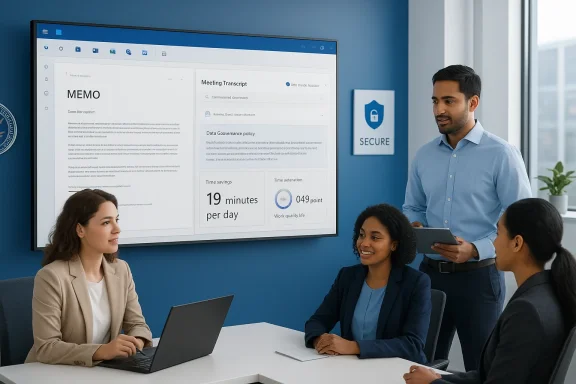
The Department for Work and Pensions’ controlled trial of Microsoft 365 Copilot delivers a clear — if carefully qualified — signal: when a generative AI assistant is embedded into familiar office apps and introduced with minimal friction, central‑office knowledge workers report measurable time savings, higher job satisfaction and modest improvements in perceived work quality. The DWP’s evaluation of 3,549 licensed users estimates an average saving of 19 minutes per user per day, finds a 0.56‑point increase in job satisfaction and a 0.49‑point lift in perceived work quality (on seven‑point scales), and reports widespread use of Copilot for summarisation, drafting and internal search. These headline findings come directly from DWP’s published evaluation and sit alongside broader cross‑government experiments that returned similar, if slightly larger, estimates of time saved.
Microsoft 365 Copilot places a conversational, model‑powered assistant inside Word, Excel, PowerPoint, Outlook and Teams. In the DWP trial, which ran from October 2024 to March 2025, 3,549 central‑office staff received licences for the licensed version of Copilot (the evaluation excludes the later free rollout to all staff). The evaluation used mixed methods: two large surveys (1,716 Copilot‑user respondents, 2,535 non‑user respondents), regression/econometric analysis, and 19 in‑depth interviews to surface qualitative context. The primary questions were straightforward: does Copilot save staff time, does it change job satisfaction, and does it affect perceived work quality?
Those questions mirror the priorities in the Government Digital Service’s earlier cross‑government experiment (20,000 employees, September–December 2024), which found average self‑reported savings of ~26 minutes per day and broad enthusiasm for retaining the tool. Taken together, the DWP and cross‑government evaluations form a small but growing public‑sector evidence base suggesting consistent, repeatable benefits where Copilot is implemented in governed environments.
That said, the granularity matters. The DWP report is explicit about the limits: results are drawn from non‑random licence allocation, rely on self‑reported time measures, and show that human oversight remains essential. Organisations contemplating scale‑up must therefore treat Copilot as a collaborative assistant—a tool that reshapes the workload mix and demands stronger data hygiene, training and auditability, rather than as a turnkey productivity multiplier whose headline minutes translate directly into budget savings.
In short: Microsoft 365 Copilot is a powerful augmentation to modern office workflows — promising time savings, better‑structured output and happier staff — but its benefits depend on disciplined governance, solid training, and careful measurement to ensure those minutes translate into better public service outcomes.
Source: Technology Record UK government trial finds Microsoft 365 Copilot boosts job satisfaction and work quality
 Background / Overview
Microsoft 365 Copilot places a conversational, model‑powered assistant inside Word, Excel, PowerPoint, Outlook and Teams. In the DWP trial, which ran from October 2024 to March 2025, 3,549 central‑office staff received licences for the licensed version of Copilot (the evaluation excludes the later free rollout to all staff). The evaluation used mixed methods: two large surveys (1,716 Copilot‑user respondents, 2,535 non‑user respondents), regression/econometric analysis, and 19 in‑depth interviews to surface qualitative context. The primary questions were straightforward: does Copilot save staff time, does it change job satisfaction, and does it affect perceived work quality? Those questions mirror the priorities in the Government Digital Service’s earlier cross‑government experiment (20,000 employees, September–December 2024), which found average self‑reported savings of ~26 minutes per day and broad enthusiasm for retaining the tool. Taken together, the DWP and cross‑government evaluations form a small but growing public‑sector evidence base suggesting consistent, repeatable benefits where Copilot is implemented in governed environments.
What the DWP trial actually measured
Methodology and limitations
The DWP evaluation is notable for its mixed‑method design and the use of a non‑user comparison group — an improvement over many early pilots that relied solely on self‑selected user surveys. Key methodological points:- Two surveys: the treatment survey (all licensed users invited; 1,716 responses, 48% response rate) and a stratified random comparison group of non‑users (2,535 responses).
- Econometric approach: regressions (including Seemingly Unrelated Regression, SUR) controlled for demographics, job grade, directorate and “AI‑keenness” to estimate net effects on efficiency, job satisfaction and quality.
- Qualitative depth: 19 hour‑long interviews provided practical examples of use and adoption dynamics.
- Licence allocation was non‑random (a mixture of volunteers and peer nominations), which raises the risk of selection bias — early adopters are often more digitally capable or positively disposed toward AI.
- Measures of time saved are self‑reported and converted from ordinal categories into minutes; perceived savings can overstate net gains absent instrumented time‑and‑motion validation.
- There was no pre‑trial baseline measurement in the same cohort for many outcomes, which reduces the ability to measure change at the individual level.
What tasks Copilot helped with
Survey and interview data converge on a clear usage pattern:- Summarising documents and meeting transcripts
- Drafting and polishing emails
- Searching internal data (SharePoint, OneDrive, Exchange) for relevant documents or facts
- Producing structured written outputs (briefs, reports) and initial drafts for review
Key findings — numbers that matter
Below are the DWP’s most consequential, load‑bearing findings and how they should be read:- Average time saved: 19 minutes per day across eight routine tasks (statistically estimated using regression controls). The largest task‑level reductions were in searching for information (≈26 minutes) and email drafting (≈25 minutes). Users reported reinvesting time into project work, strategic planning and review.
- Job satisfaction: 65% of users reported increased job fulfilment; econometric estimates put the average increase at 0.56 points on a seven‑point scale versus non‑users. Qualitative feedback tied this to lowered cognitive load and a sense of being freed from repetitive drafting.
- Perceived work quality: 73% of users reported improvements, and regression estimates indicate a 0.49‑point uplift on the same seven‑point quality scale. Improvements were most visible in clarity, structure and tone of written outputs; users nevertheless emphasised the need for editorial judgment.
- Adoption and sentiment: Most licensed users adopted Copilot regularly; the Government Digital Service’s larger trial produced a similar pattern, with ~26 minutes per day reported and strong desire to retain the tool after the pilot. Independent press coverage corroborated the cross‑government finding.
What makes these results plausible — the practical mechanics
Three technical and organisational features of Copilot explain why measured benefits are reproducible across pilots:- Integration with the Microsoft Graph (tenant context): Copilot can retrieve and reason over documents, emails and calendar context that a user already has permission to access, producing grounded summaries and drafts that are immediately relevant. This reduces search friction.
- Low‑friction UI: Because Copilot lives inside familiar apps (Word/Outlook/Teams), there is minimal context switching — a big factor in rapid adoption and quick, cumulative time savings.
- Retrieval‑augmented generation (RAG): Copilot uses retrieval to pull internal information and then generates responses, which reduces hallucination risk when documents are available and indexed, but depends on the quality and governance of the underlying data estate.
Strengths: why IT leaders should pay attention
- Tangible, measurable wins on repetitive tasks. The DWP and GDS studies consistently show the largest gains where tasks are bounded and repetitive — email, meeting notes, and initial drafting. These are also tasks that many organisations want to deprioritise or redesign.
- Improved employee experience: Evidence points to reduced cognitive load and higher job satisfaction — real HR outcomes that can affect retention and morale. The DWP study specifically notes accessibility benefits for neurodivergent staff.
- Fast adoption curve: When Copilot is integrated in existing productivity apps, adoption rises quickly with lightweight enablement and peer championing; this reduces time‑to‑value.
- Scalable architecture: Copilot’s tenant‑aware model and Microsoft’s enterprise controls (Purview, Defender, admin settings) make it feasible to deploy in regulated public‑sector contexts — provided governance is disciplined.
Risks, caveats and governance imperatives
The positive headlines mask real operational and ethical risks that must be managed deliberately:- Selection and self‑report bias. Non‑random licence allocation and self‑reported time savings create upward bias in estimates. DWP’s econometric controls reduce but do not eliminate this risk. Any projection to organisation‑wide savings must therefore be cautious.
- Verification costs and hallucinations. Copilot outputs require human oversight. Time saved drafting may be partially offset by verification and correction, especially for high‑stakes or technical content. Organisations must measure net time saved, not just perceived savings.
- Data‑governance and privacy vulnerabilities. RAG and Graph grounding mean Copilot will surface internal documents; misconfigured permissions or stale access rights can surface inappropriate documents. DWP and GDS both emphasise that governance, access controls and training are prerequisites for realising benefits safely.
- Audit trails and retention. Organisations must decide how Copilot prompts and outputs are logged, who can access logs, and how long records are retained — important for FOI, compliance and incident response. These are non‑trivial procurement and policy decisions.
- Equity and role mismatch. Early pilots often prioritise white‑collar, central teams. If frontline or claimant‑facing staff are left out of pilots — or if gains are concentrated in a narrow set of roles — benefits will not evenly accrue across an organisation. DWP’s own trial excluded Jobcentre frontline staff from the licensed pilot.
- Security surface area and phishing risk. AI‑generated content can be weaponised in targeted phishing attacks. Organisations must assume the attacker will use the same tools and ensure email authentication, training and monitoring are enhanced.
Practical recommendations for IT and transformation leaders
Based on DWP’s findings and lessons from the larger cross‑government experiment, here’s a pragmatic playbook for responsible, effective Copilot adoption.1. Treat Copilot as a workflow enabler — not a headcount lever
- Frame pilots around work redesign (which tasks to shift) rather than immediate layoffs.
- Expect time reclaimed to be redeployed toward higher‑value tasks — measure what staff do with saved time.
2. Start with high‑value, low‑risk use cases
- Prioritise summarisation, email drafting and internal knowledge triage.
- Avoid high‑stakes decision areas (benefit determinations, legal judgments) until governance is mature.
3. Harden data governance first
- Perform an access audit: ensure users only have folders and files they should see.
- Apply Purview sensitivity labels and DLP before enabling broad Copilot access.
- Consider disabling web grounding for sensitive groups; rely on internal RAG.
4. Design a short, role‑specific training stack
- Compact, scenario‑based sessions (20–30 minutes) with templates and sample prompts.
- Peer champions and just‑in‑time tip sheets were effective in DWP and GDS pilots.
5. Instrument measurement from day one
- Add objective telemetry where possible: task completion times, meeting lengths, email turnaround.
- Complement telemetry with periodic satisfaction and quality surveys; triangulate with audits.
6. Build an audit and remediation process
- Log prompts and outputs appropriately (privacy constraints permitting).
- Implement incident escalation paths for hallucinations, sensitive disclosures or misuse.
Where the evidence still needs strengthening
DWP’s evaluation is an important step, but it highlights research gaps decision‑makers should close before scaling:- Instrumented time‑motion studies. Self‑reports must be complemented with stopwatch or telemetry‑based measures to estimate net time saved after verification overhead.
- Longitudinal studies. Do benefits persist after the novelty phase? Will time saved continue to be reinvested into high‑value tasks, or will workload expand to fill the freed time?
- Frontline and services research. Trials that include claimant‑facing and frontline staff are necessary to test Copilot’s impact where caseloads and risk profiles differ materially. DWP’s trial excluded Jobcentre frontline staff from the licensed rollout, leaving questions about generalisability.
- Third‑party audits. External review of governance, data handling, and estimation methods would strengthen confidence in headline savings and help surface hidden costs.
A balanced verdict
The DWP trial adds a careful, methodologically sound public‑sector datapoint to the emerging story about Microsoft 365 Copilot: when deployed cautiously, with governance and enablement, Copilot delivers measurable employee‑facing benefits — time savings in routine tasks, modest lifts in job satisfaction, and perceived improvements in the quality of written outputs. These effects echo the larger Government Digital Service cross‑government experiment and independent press coverage that found similar magnitude effects (roughly 25–26 minutes per day in larger samples).That said, the granularity matters. The DWP report is explicit about the limits: results are drawn from non‑random licence allocation, rely on self‑reported time measures, and show that human oversight remains essential. Organisations contemplating scale‑up must therefore treat Copilot as a collaborative assistant—a tool that reshapes the workload mix and demands stronger data hygiene, training and auditability, rather than as a turnkey productivity multiplier whose headline minutes translate directly into budget savings.
What to watch next
- Will the DWP publish follow‑up studies that instrument objective time measures or extend tests to frontline Jobcentre staff?
- How will procurement and contracts codify logging, retention and the non‑training assurances that enterprises require?
- Can organisations convert per‑user minute gains into sustainable service redesign (rather than simply higher throughput)?
In short: Microsoft 365 Copilot is a powerful augmentation to modern office workflows — promising time savings, better‑structured output and happier staff — but its benefits depend on disciplined governance, solid training, and careful measurement to ensure those minutes translate into better public service outcomes.
Source: Technology Record UK government trial finds Microsoft 365 Copilot boosts job satisfaction and work quality
