

Assassin’s Creed Black Flag Resynced players on Windows 10 and Windows 11 are reportedly encountering crashes marked by the DirectX 12 error 0x887A0006, alongside severe stuttering that can persist even on high-end PCs meeting the game’s published hardware requirements. The error looks like a graphics-card failure, but Microsoft’s own definition points toward a more complicated breakdown between the application, its DirectX renderer, cached shaders, and the display driver. The useful response is therefore not to reinstall Windows or begin replacing hardware, but to troubleshoot the rendering stack in a disciplined order. The error code identifies where the failure surfaced, not which component is guilty.
That distinction matters because the first wave of troubleshooting advice mixes sensible repairs with speculative workarounds and a commercial driver-updater pitch. Driver Easy’s guide offers a workable starting sequence—clear shader caches, update the graphics driver, verify game files, review permissions, and test CPU affinity—but each step carries a different level of evidence, risk, and diagnostic value. Windows users need to know not merely what to click, but what each intervention proves.
Black Flag Resynced revisits Edward Kenway’s 2013 adventure, but its Windows requirements describe a thoroughly modern PC game rather than a lightly polished rerelease. DirectX 12 is mandatory, an SSD is required, 16 GB of RAM is listed at both tiers, and even the minimum graphics options begin with relatively capable discrete GPUs carrying at least 6 GB of video memory.
That makes nostalgia a poor guide to expected performance. A PC that ran the original game comfortably may be nowhere near the floor for Resynced, while a machine that meets the new requirements can still fail because the remake stresses a different software path: modern shader compilation, current graphics drivers, larger assets, and a DirectX 12 workload with considerably less tolerance for stale caches or unstable configurations.
Ubisoft describes Resynced as a remake built around updated graphics, upgraded gameplay systems, and new content rather than a direct reuse of the 2013 codebase. Its official material emphasizes a modern engine environment and more sophisticated rendering features. That context helps explain why an old name can produce distinctly contemporary PC problems.
The published requirements also create an important diagnostic boundary. Falling below them does not prove that inadequate hardware caused a crash, but it makes software-only troubleshooting less conclusive; meeting them does not guarantee stability, but it shifts attention toward drivers, caches, installation integrity, permissions, and game defects.
The unusual similarity between the two tiers deserves attention. RAM, storage, DirectX, the AMD processor, and supported Windows versions do not change between minimum and recommended. The principal jump is on the graphics side, which suggests that GPU capability and memory pressure are central to scaling the experience even if they are not necessarily the root cause of 0x887A0006.
A system below the graphics floor should therefore be treated differently from a recommended-class machine crashing at the desktop. The former may be failing under an unsupported workload; the latter is more likely exposing a bad interaction among the game, a driver, cached rendering data, overlays, permissions, or the current game build.
The wording can be misleading to ordinary users. “Device hung” sounds as though the graphics card has physically failed, overheated, or disconnected, yet Microsoft’s definition associates the condition with malformed or invalid commands sent through the application’s graphics pipeline. That places the game and its renderer firmly inside the diagnostic frame, even though the driver, GPU stability, cached shaders, or system configuration can influence whether those commands complete successfully.
A single Black Flag Resynced crash therefore does not justify declaring a graphics card defective. If other demanding DirectX 12 games remain stable, the system does not blue-screen, and the display driver does not repeatedly reset outside Resynced, the evidence points more strongly toward a title-specific problem. Conversely, crashes across several games, visual corruption, driver resets on the desktop, or instability during unrelated GPU workloads would broaden the investigation beyond Ubisoft’s game.
This is why indiscriminately reinstalling DirectX is unlikely to be the best opening move. DirectX 12 is integrated into supported Windows installations, and the displayed code does not mean that a standalone DirectX component has simply gone missing. The failure sits at the boundary between application commands and the graphics device, where multiple layers can be involved.
Driver Easy characterizes old, fragmented, or corrupted shader data as a primary trigger and makes shader-cache removal its first repair. That is plausible because cached shader data is both disposable and tightly connected to the rendering pipeline. It is not, however, proof that every 0x887A0006 report has the same cause.
The correct interpretation is more restrained: clearing caches is a low-cost way to eliminate one common source of renderer inconsistency. If it works, the most defensible conclusion is that regenerated data avoided the prior failure—not that the guide has established a universal cause for every affected PC.
The trade-off is that cached data can become stale after a game update, graphics-driver change, altered graphics settings, or interrupted write. A modern renderer may then attempt to reuse data created under conditions that no longer match the active executable or driver. Clearing the cache forces the relevant layers to rebuild it against the current configuration.
Driver Easy’s instructions identify a game-specific
Users should still inspect the folder before deleting anything. The instruction names
NVIDIA systems have a second layer to consider. The guide tells users to disable Shader Cache temporarily in NVIDIA’s controls, open
The disable-delete-enable sequence matters because active applications or the driver can keep cache files open. It also prevents the cache from being repopulated midway through the cleanup. Some files may remain locked if other GPU-accelerated software is running, which is a reason to close browsers, launchers, recording tools, and games rather than forcing deletion through increasingly aggressive methods.
AMD Software: Adrenalin Edition exposes the corresponding operation through
A reboot after cleanup is more than ritual. It closes remaining processes, resets the graphics stack, and ensures that the next launch begins without old handles or partially active cache state. The first launch may take longer and can stutter temporarily while shaders are reconstructed; that behavior is expected and should not immediately be misread as evidence that the repair failed.
The meaningful test comes after the rebuild. Users should return to the same location, mission, or action that reliably caused the crash and observe whether the failure recurs. Randomly sailing for five minutes after changing several settings at once produces far weaker evidence than repeating a known crash scenario after one controlled intervention.
NVIDIA, AMD, and Intel distribute drivers directly. Those first-party packages should be the default source because they preserve the clearest chain of origin and make it easier to identify exactly what was installed. Laptop owners may also need to consider whether their manufacturer provides customized graphics packages, particularly on systems with switchable graphics or power-management features.
Driver Easy’s article moves from that conventional advice into promotion of its own Driver Easy product. It says Driver Easy can scan for missing or outdated drivers, while Driver Easy Pro automates installation and is offered with a 7-day free trial. That commercial interest does not invalidate the article’s troubleshooting sequence, but readers should separate the repair principle—install a suitable current graphics driver—from the advertised mechanism for obtaining it.
A third-party updater also expands the scope of change. The article promotes updating more than the graphics card and offers an
Change the smallest relevant component first. If the graphics driver is the suspected layer, update only that driver, reboot, and retest the same crash condition. A successful result is then attributable with reasonable confidence; an “update everything” operation leaves no clear explanation and can complicate rollback.
The newest driver is not automatically the best driver for every machine, either. If the crashes began immediately after a graphics-driver update, reinstalling the current package cleanly or returning to the previously stable release may be a more rational experiment than repeatedly searching for something newer. The source guide emphasizes updating, but the broader diagnostic rule is compatibility, not chronology.
Users should also remove overclocks and unusual GPU tuning while testing. A workload can be the first application to expose marginal settings without being the sole cause of the instability. Stock clocks provide a baseline from which game-specific behavior can be distinguished from a system already operating close to its stability limit.
On Steam, the route described by Driver Easy begins with the game’s Properties window, followed by the Installed Files section and
This operation is particularly relevant after interrupted downloads or patches. A game can launch successfully while still containing one damaged asset or binary that is accessed only in a particular scene. That produces crashes that appear random until the player repeatedly reaches the same mission, city, effect, or transition.
Verification is not a universal reset. It will not necessarily remove generated caches, repair an incompatible display driver, undo external tuning, or correct every file stored outside the launcher-managed installation directory. That is why verification complements shader cleanup rather than replacing it.
It is nevertheless a high-value early test because it uses the launcher’s own knowledge of the installation. Compared with downloading all 65 GB again, verification is less disruptive and more directly answers the question of whether the managed game files differ from what Steam or Ubisoft Connect expects.
If verification repeatedly finds files to repair after every launch, that is itself diagnostic. Security software, storage errors, synchronization utilities, or a malfunctioning update process may be altering the installation after the launcher fixes it. Reinstalling the game without investigating that pattern can simply recreate the same cycle.
That can be a useful test when the crash occurs before the main menu, when settings cannot be saved, or when logs point toward denied file access. Running both game and launcher at the same privilege level may also prevent conflicts that arise when one process is elevated and the other is not.
But elevation is not a general performance optimization. Administrator rights grant an application more authority over the machine, increase the consequences of a compromised executable, and can create awkward interactions with overlays, launchers, file drag-and-drop, or other processes running at standard privilege.
The best use of this step is therefore temporary and diagnostic. If elevation changes nothing, remove the compatibility setting. If it resolves the launch failure, investigate which directory or resource was inaccessible rather than accepting permanent elevation as the only possible configuration.
The game executable named by the guide is
This matters because crash-heavy releases quickly attract “fixed” executables, repacks, registry scripts, and optimization utilities. A legitimate permissions problem can become a security problem if the proposed cure replaces signed launcher or game files with untrusted binaries.
That distinction should not be lost. A frame-time spike is not the same failure as a renderer device hang, even if one machine exhibits both. Cache rebuilding, driver behavior, background activity, thread scheduling, and asset streaming can all produce uneven frames without ever generating 0x887A0006.
The proposed Process Lasso test is unusually aggressive: clear all CPU selections and enable only CPUs carrying the
Reports from players have described stuttering improvements from such affinity changes, particularly in dense areas. Those accounts make the workaround worth documenting, but not promoting as a default configuration. Community success on one processor topology does not establish a universal scheduling defect, and restricting a modern game to a subset of the CPU can reduce maximum performance even when it improves consistency.
Affinity changes also require a proper before-and-after comparison. Users should test the same area for several minutes, watch for frame-time stability rather than only average frame rate, and restore the default if the result worsens. A subjective impression immediately after a restart is not enough to justify permanently constraining the process.
Process Lasso is a third-party utility, adding another process and another persistent configuration layer to the system. Experienced users may find it convenient for repeatable affinity rules, but the workaround should remain isolated to the game executable. There is no justification in the supplied evidence for globally disabling cores, changing firmware settings, or applying broad scheduling modifications to Windows.
The counterintuitive suggestion to try E-cores alone also illustrates why this is a workaround rather than a solution. It does not repair the game’s scheduling logic; it constrains the environment until the problematic behavior is avoided. A future game or driver update could make the workaround unnecessary—or even harmful.
For IT professionals supporting gaming PCs, esports rooms, demonstration systems, or shared workstations, that difference has operational consequences. Temporary affinity rules should be documented, easily reversible, and tested after every relevant game update. Hidden performance tweaks become technical debt when nobody remembers why half the processor was excluded.
Black Flag Resynced is better handled as a controlled fault-isolation exercise. Begin by documenting the exact symptom: whether the game exits immediately, freezes during loading, stutters in specific locations, or produces the reported DX12 0x887A0006 message. Then identify whether the problem is repeatable.
The next step is to establish scope. If only this game fails, start with game-specific data and files. If multiple DirectX 12 games fail, the graphics driver and system stability become stronger suspects. If Windows itself crashes or the display resets outside games, the investigation should expand beyond Ubisoft’s executable.
Hardware eligibility should be checked before intrusive software work. The system should have a supported 64-bit Windows installation, 16 GB of RAM, an SSD with at least 65 GB available, DirectX 12 capability, and a processor and GPU at or above the specified tier. Meeting those values does not close the case, but failing them changes the interpretation of every later result.
Shader cleanup should come next because it is targeted, reversible through automatic rebuilding, and directly connected to the rendering path. File verification follows because it tests the launchers’ managed content. The graphics driver can then be updated or cleanly reinstalled as a single controlled change.
Administrator mode should be reserved for evidence of a launch or file-access problem, not applied reflexively. CPU affinity should come later still and only for reproducible stuttering, not as an attempted cure for every crash dialog.
The goal is not merely to make the game run once. It is to identify a stable configuration that survives restarts, repeated launches, and the scenario that previously triggered the failure.
A useful support report should state the Windows version family, processor, graphics card, memory, launcher, and whether the game is stored on an SSD. It should include the exact 0x887A0006 text, the point at which the crash occurs, whether file verification found problems, and whether clearing shaders changed the behavior.
Users should also distinguish between a one-time crash and a reproducible failure. “The game crashes” offers little engineering value; “the game reaches the same location, freezes, and returns DX12 0x887A0006 after a clean cache rebuild and file verification” is actionable.
The same discipline applies to stuttering reports. Include the affected area, the default CPU affinity, the tested affinity change, and whether the result improved frame-time consistency at the cost of peak performance. That information can help determine whether the problem follows a particular scheduling pattern.
Official support and game patches ultimately matter because some application-side failures cannot be corrected from Windows. Microsoft’s definition of
This is also where reporting can become distorted. Troubleshooting sites naturally publish fixes quickly because players are searching for immediate relief, while official investigations move more slowly. The absence of a confirmed developer diagnosis should not be filled with unwarranted certainty about shader files, drivers, or CPUs.
The most responsible position is provisional: these steps isolate plausible local causes and may restore stability, but they do not establish a single root cause for every report. The dividing line is repeatability across machines and configurations, evidence that only Ubisoft can fully evaluate.
That distinction matters because the first wave of troubleshooting advice mixes sensible repairs with speculative workarounds and a commercial driver-updater pitch. Driver Easy’s guide offers a workable starting sequence—clear shader caches, update the graphics driver, verify game files, review permissions, and test CPU affinity—but each step carries a different level of evidence, risk, and diagnostic value. Windows users need to know not merely what to click, but what each intervention proves.
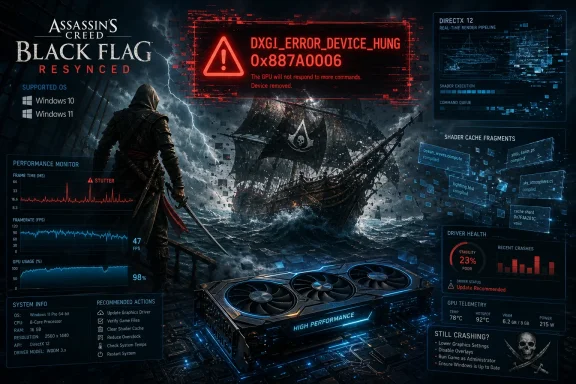 A Modern Renderer Has Replaced a Familiar Game’s Old Assumptions
Black Flag Resynced revisits Edward Kenway’s 2013 adventure, but its Windows requirements describe a thoroughly modern PC game rather than a lightly polished rerelease. DirectX 12 is mandatory, an SSD is required, 16 GB of RAM is listed at both tiers, and even the minimum graphics options begin with relatively capable discrete GPUs carrying at least 6 GB of video memory.That makes nostalgia a poor guide to expected performance. A PC that ran the original game comfortably may be nowhere near the floor for Resynced, while a machine that meets the new requirements can still fail because the remake stresses a different software path: modern shader compilation, current graphics drivers, larger assets, and a DirectX 12 workload with considerably less tolerance for stale caches or unstable configurations.
Ubisoft describes Resynced as a remake built around updated graphics, upgraded gameplay systems, and new content rather than a direct reuse of the 2013 codebase. Its official material emphasizes a modern engine environment and more sophisticated rendering features. That context helps explain why an old name can produce distinctly contemporary PC problems.
The published requirements also create an important diagnostic boundary. Falling below them does not prove that inadequate hardware caused a crash, but it makes software-only troubleshooting less conclusive; meeting them does not guarantee stability, but it shifts attention toward drivers, caches, installation integrity, permissions, and game defects.
| Component | Minimum | Recommended |
|---|---|---|
| Operating system | Windows 10 64-bit or Windows 11 | Windows 10 64-bit or Windows 11 |
| Processor | AMD Ryzen 5 3600 at 3.6 GHz, Intel Core i7-8700K at 3.7 GHz, or better | AMD Ryzen 5 3600 at 3.6 GHz, Intel Core i5-10600K at 4.1 GHz, or better |
| Memory | 16 GB RAM | 16 GB RAM |
| AMD graphics | Radeon RX 5500 XT with 8 GB, or better | Radeon RX 6600 XT with 8 GB, or better |
| Intel graphics | Arc A580 with 8 GB, or better | Arc B580 with 12 GB, or better |
| NVIDIA graphics | GeForce GTX 1660 with 6 GB, or better | GeForce RTX 3060 with 12 GB, or better |
| Storage | 65 GB available, SSD required | 65 GB available, SSD required |
| Graphics API | DirectX 12 | DirectX 12 |
A system below the graphics floor should therefore be treated differently from a recommended-class machine crashing at the desktop. The former may be failing under an unsupported workload; the latter is more likely exposing a bad interaction among the game, a driver, cached rendering data, overlays, permissions, or the current game build.
0x887A0006 Is a Renderer Failure, Not a Hardware Verdict
Microsoft documents 0x887A0006 asDXGI_ERROR_DEVICE_HUNG. In practical terms, the graphics device stopped responding to commands from the application, causing DirectX to terminate the affected rendering context rather than allow the game to continue in an invalid state.The wording can be misleading to ordinary users. “Device hung” sounds as though the graphics card has physically failed, overheated, or disconnected, yet Microsoft’s definition associates the condition with malformed or invalid commands sent through the application’s graphics pipeline. That places the game and its renderer firmly inside the diagnostic frame, even though the driver, GPU stability, cached shaders, or system configuration can influence whether those commands complete successfully.
A single Black Flag Resynced crash therefore does not justify declaring a graphics card defective. If other demanding DirectX 12 games remain stable, the system does not blue-screen, and the display driver does not repeatedly reset outside Resynced, the evidence points more strongly toward a title-specific problem. Conversely, crashes across several games, visual corruption, driver resets on the desktop, or instability during unrelated GPU workloads would broaden the investigation beyond Ubisoft’s game.
This is why indiscriminately reinstalling DirectX is unlikely to be the best opening move. DirectX 12 is integrated into supported Windows installations, and the displayed code does not mean that a standalone DirectX component has simply gone missing. The failure sits at the boundary between application commands and the graphics device, where multiple layers can be involved.
Driver Easy characterizes old, fragmented, or corrupted shader data as a primary trigger and makes shader-cache removal its first repair. That is plausible because cached shader data is both disposable and tightly connected to the rendering pipeline. It is not, however, proof that every 0x887A0006 report has the same cause.
The correct interpretation is more restrained: clearing caches is a low-cost way to eliminate one common source of renderer inconsistency. If it works, the most defensible conclusion is that regenerated data avoided the prior failure—not that the guide has established a universal cause for every affected PC.
Shader Caches Are the Least Destructive Place to Start
Shader caches exist to reduce repeated compilation work. Instead of rebuilding every required shader from scratch whenever a game starts or encounters an effect, the game and graphics driver can reuse prepared data stored on disk. That generally reduces loading time and traversal stutter.The trade-off is that cached data can become stale after a game update, graphics-driver change, altered graphics settings, or interrupted write. A modern renderer may then attempt to reuse data created under conditions that no longer match the active executable or driver. Clearing the cache forces the relevant layers to rebuild it against the current configuration.
Driver Easy’s instructions identify a game-specific
cache folder beneath the Black Flag Resynced directory in %userprofile%\Documents. Removing that folder is narrowly targeted: it discards generated game data without deleting the full installation or the user’s entire Windows profile.Users should still inspect the folder before deleting anything. The instruction names
cache, not the whole Assassin’s Creed Black Flag Resynced directory. Deleting an entire Documents-based game folder can remove settings or other locally stored data that the repair never required users to touch.NVIDIA systems have a second layer to consider. The guide tells users to disable Shader Cache temporarily in NVIDIA’s controls, open
%localappdata%, enter the NVIDIA directory, and remove files inside DXCache and GLCache where present. Shader caching should then be restored to Driver Default or On.The disable-delete-enable sequence matters because active applications or the driver can keep cache files open. It also prevents the cache from being repopulated midway through the cleanup. Some files may remain locked if other GPU-accelerated software is running, which is a reason to close browsers, launchers, recording tools, and games rather than forcing deletion through increasingly aggressive methods.
AMD Software: Adrenalin Edition exposes the corresponding operation through
Gaming > Graphics, where the reset control can clear the relevant shader cache. The interface is different, but the principle is the same: discard generated rendering data and allow the current driver to create a clean set.A reboot after cleanup is more than ritual. It closes remaining processes, resets the graphics stack, and ensures that the next launch begins without old handles or partially active cache state. The first launch may take longer and can stutter temporarily while shaders are reconstructed; that behavior is expected and should not immediately be misread as evidence that the repair failed.
The meaningful test comes after the rebuild. Users should return to the same location, mission, or action that reliably caused the crash and observe whether the failure recurs. Randomly sailing for five minutes after changing several settings at once produces far weaker evidence than repeating a known crash scenario after one controlled intervention.
Driver Updates Help, but the Sales Pitch Should Not Replace Diagnosis
Updating the graphics driver is the next obvious step because the driver translates work between the DirectX application and the GPU. A game built around a contemporary rendering pipeline can expose defects or incompatibilities that older games never reach, even when the installed driver appears stable during ordinary desktop use.NVIDIA, AMD, and Intel distribute drivers directly. Those first-party packages should be the default source because they preserve the clearest chain of origin and make it easier to identify exactly what was installed. Laptop owners may also need to consider whether their manufacturer provides customized graphics packages, particularly on systems with switchable graphics or power-management features.
Driver Easy’s article moves from that conventional advice into promotion of its own Driver Easy product. It says Driver Easy can scan for missing or outdated drivers, while Driver Easy Pro automates installation and is offered with a 7-day free trial. That commercial interest does not invalidate the article’s troubleshooting sequence, but readers should separate the repair principle—install a suitable current graphics driver—from the advertised mechanism for obtaining it.
A third-party updater also expands the scope of change. The article promotes updating more than the graphics card and offers an
Update All path, yet broad driver replacement is exactly what disciplined troubleshooting tries to avoid. Updating unrelated network, audio, chipset, storage, or peripheral drivers at the same time can create new variables without improving a DirectX crash.Change the smallest relevant component first. If the graphics driver is the suspected layer, update only that driver, reboot, and retest the same crash condition. A successful result is then attributable with reasonable confidence; an “update everything” operation leaves no clear explanation and can complicate rollback.
The newest driver is not automatically the best driver for every machine, either. If the crashes began immediately after a graphics-driver update, reinstalling the current package cleanly or returning to the previously stable release may be a more rational experiment than repeatedly searching for something newer. The source guide emphasizes updating, but the broader diagnostic rule is compatibility, not chronology.
Users should also remove overclocks and unusual GPU tuning while testing. A workload can be the first application to expose marginal settings without being the sole cause of the instability. Stock clocks provide a baseline from which game-specific behavior can be distinguished from a system already operating close to its stability limit.
File Verification Tests the Installation Without Starting Over
Steam and Ubisoft Connect both provide built-in file verification, making a complete reinstall unnecessary as an early step. Verification compares the installed files against the launcher’s expected manifest and reacquires content that is missing or fails its integrity check.On Steam, the route described by Driver Easy begins with the game’s Properties window, followed by the Installed Files section and
Verify integrity of game files. On Ubisoft Connect, the game’s Properties page includes Verify files under Local files, with a repair option where needed.This operation is particularly relevant after interrupted downloads or patches. A game can launch successfully while still containing one damaged asset or binary that is accessed only in a particular scene. That produces crashes that appear random until the player repeatedly reaches the same mission, city, effect, or transition.
Verification is not a universal reset. It will not necessarily remove generated caches, repair an incompatible display driver, undo external tuning, or correct every file stored outside the launcher-managed installation directory. That is why verification complements shader cleanup rather than replacing it.
It is nevertheless a high-value early test because it uses the launcher’s own knowledge of the installation. Compared with downloading all 65 GB again, verification is less disruptive and more directly answers the question of whether the managed game files differ from what Steam or Ubisoft Connect expects.
If verification repeatedly finds files to repair after every launch, that is itself diagnostic. Security software, storage errors, synchronization utilities, or a malfunctioning update process may be altering the installation after the launcher fixes it. Reinstalling the game without investigating that pattern can simply recreate the same cycle.
Administrator Mode Is a Targeted Test, Not a Permanent Default
Driver Easy advises setting bothACBlackFlagResynced.exe and the relevant launcher executable—such as UbisoftConnect.exe or Steam.exe—to run as administrator. The reasoning is that Windows permissions may be blocking access to a required file or directory during startup.That can be a useful test when the crash occurs before the main menu, when settings cannot be saved, or when logs point toward denied file access. Running both game and launcher at the same privilege level may also prevent conflicts that arise when one process is elevated and the other is not.
But elevation is not a general performance optimization. Administrator rights grant an application more authority over the machine, increase the consequences of a compromised executable, and can create awkward interactions with overlays, launchers, file drag-and-drop, or other processes running at standard privilege.
The best use of this step is therefore temporary and diagnostic. If elevation changes nothing, remove the compatibility setting. If it resolves the launch failure, investigate which directory or resource was inaccessible rather than accepting permanent elevation as the only possible configuration.
The game executable named by the guide is
ACBlackFlagResynced.exe. Users should modify the actual executable in the verified installation folder, not a similarly named file downloaded from a forum, file-sharing service, or unofficial repair package. The same caution applies to UbisoftConnect.exe and Steam.exe.This matters because crash-heavy releases quickly attract “fixed” executables, repacks, registry scripts, and optimization utilities. A legitimate permissions problem can become a security problem if the proposed cure replaces signed launcher or game files with untrusted binaries.
Crashing and Stuttering Need Separate Investigations
The final workaround in Driver Easy’s sequence addresses stuttering rather than the DX12 crash itself. It recommends Process Lasso to alter CPU affinity and experiment with the game’s behavior on hybrid processors, using labels such asCPU 16E and CPU 17E to identify efficiency cores.That distinction should not be lost. A frame-time spike is not the same failure as a renderer device hang, even if one machine exhibits both. Cache rebuilding, driver behavior, background activity, thread scheduling, and asset streaming can all produce uneven frames without ever generating 0x887A0006.
The proposed Process Lasso test is unusually aggressive: clear all CPU selections and enable only CPUs carrying the
E suffix, then reverse the experiment if performance does not improve by selecting only CPUs without that suffix. The guide is effectively testing whether the game’s workload behaves better when Windows is prevented from scheduling it across a mixed set of core types.Reports from players have described stuttering improvements from such affinity changes, particularly in dense areas. Those accounts make the workaround worth documenting, but not promoting as a default configuration. Community success on one processor topology does not establish a universal scheduling defect, and restricting a modern game to a subset of the CPU can reduce maximum performance even when it improves consistency.
Affinity changes also require a proper before-and-after comparison. Users should test the same area for several minutes, watch for frame-time stability rather than only average frame rate, and restore the default if the result worsens. A subjective impression immediately after a restart is not enough to justify permanently constraining the process.
Process Lasso is a third-party utility, adding another process and another persistent configuration layer to the system. Experienced users may find it convenient for repeatable affinity rules, but the workaround should remain isolated to the game executable. There is no justification in the supplied evidence for globally disabling cores, changing firmware settings, or applying broad scheduling modifications to Windows.
The counterintuitive suggestion to try E-cores alone also illustrates why this is a workaround rather than a solution. It does not repair the game’s scheduling logic; it constrains the environment until the problematic behavior is avoided. A future game or driver update could make the workaround unnecessary—or even harmful.
For IT professionals supporting gaming PCs, esports rooms, demonstration systems, or shared workstations, that difference has operational consequences. Temporary affinity rules should be documented, easily reversible, and tested after every relevant game update. Hidden performance tweaks become technical debt when nobody remembers why half the processor was excluded.
The Troubleshooting Order Determines What You Learn
A common response to game instability is to apply every internet fix at once: update all drivers, delete multiple directories, run everything as administrator, change affinity, disable security controls, and reinstall the game. That approach may produce a working system, but it destroys most of the evidence needed to understand what went wrong.Black Flag Resynced is better handled as a controlled fault-isolation exercise. Begin by documenting the exact symptom: whether the game exits immediately, freezes during loading, stutters in specific locations, or produces the reported DX12 0x887A0006 message. Then identify whether the problem is repeatable.
The next step is to establish scope. If only this game fails, start with game-specific data and files. If multiple DirectX 12 games fail, the graphics driver and system stability become stronger suspects. If Windows itself crashes or the display resets outside games, the investigation should expand beyond Ubisoft’s executable.
Hardware eligibility should be checked before intrusive software work. The system should have a supported 64-bit Windows installation, 16 GB of RAM, an SSD with at least 65 GB available, DirectX 12 capability, and a processor and GPU at or above the specified tier. Meeting those values does not close the case, but failing them changes the interpretation of every later result.
Shader cleanup should come next because it is targeted, reversible through automatic rebuilding, and directly connected to the rendering path. File verification follows because it tests the launchers’ managed content. The graphics driver can then be updated or cleanly reinstalled as a single controlled change.
Administrator mode should be reserved for evidence of a launch or file-access problem, not applied reflexively. CPU affinity should come later still and only for reproducible stuttering, not as an attempted cure for every crash dialog.
The goal is not merely to make the game run once. It is to identify a stable configuration that survives restarts, repeated launches, and the scenario that previously triggered the failure.
Action checklist for admins
- Record whether the symptom is a crash, freeze, stutter, or the DX12 0x887A0006 error.
- Confirm Windows, CPU, GPU, RAM, SSD space, and DirectX 12 support against the published requirements.
- Back up relevant settings, then delete only the named game
cachefolder. - Clear the NVIDIA
DXCacheandGLCachecontents or use AMD Software: Adrenalin Edition’s shader reset. - Reboot and reproduce the original failure before making another change.
- Verify game files through Steam or Ubisoft Connect.
- Install the appropriate graphics driver from NVIDIA, AMD, Intel, or the PC manufacturer.
- Test administrator mode only for suspected permission or startup failures.
- Use Process Lasso affinity changes only for measurable stuttering and document how to reverse them.
- Escalate persistent title-specific crashes to official support with the exact error and reproduction steps.
A Good Support Report Is More Valuable Than Another Random Tweak
If the sequence fails, the remaining possibility is not automatically defective hardware. Driver Easy correctly acknowledges that the problem may sit in the current game version and may require an official patch rather than another local intervention.A useful support report should state the Windows version family, processor, graphics card, memory, launcher, and whether the game is stored on an SSD. It should include the exact 0x887A0006 text, the point at which the crash occurs, whether file verification found problems, and whether clearing shaders changed the behavior.
Users should also distinguish between a one-time crash and a reproducible failure. “The game crashes” offers little engineering value; “the game reaches the same location, freezes, and returns DX12 0x887A0006 after a clean cache rebuild and file verification” is actionable.
The same discipline applies to stuttering reports. Include the affected area, the default CPU affinity, the tested affinity change, and whether the result improved frame-time consistency at the cost of peak performance. That information can help determine whether the problem follows a particular scheduling pattern.
Official support and game patches ultimately matter because some application-side failures cannot be corrected from Windows. Microsoft’s definition of
DXGI_ERROR_DEVICE_HUNG explicitly keeps malformed application commands in view. If many otherwise stable PCs encounter the same sequence, blaming each user’s driver installation becomes less credible.This is also where reporting can become distorted. Troubleshooting sites naturally publish fixes quickly because players are searching for immediate relief, while official investigations move more slowly. The absence of a confirmed developer diagnosis should not be filled with unwarranted certainty about shader files, drivers, or CPUs.
The most responsible position is provisional: these steps isolate plausible local causes and may restore stability, but they do not establish a single root cause for every report. The dividing line is repeatability across machines and configurations, evidence that only Ubisoft can fully evaluate.
What Windows Players Should Carry Into the Next Patch
The practical lesson is not that Black Flag Resynced is universally broken, nor that every 0x887A0006 error can be cured by deleting a folder. It is that the reported crash sits in a layered Windows graphics path, and useful troubleshooting proceeds from low-risk, title-specific repairs toward broader system changes.- The published floor is Windows 10 64-bit or Windows 11, 16 GB of RAM, DirectX 12, and 65 GB of available SSD storage.
- Error 0x887A0006 means the DirectX graphics device stopped accepting application commands; it does not by itself prove GPU failure.
- Clearing the game and driver shader caches is the least destructive first repair.
- Steam and Ubisoft Connect verification should precede a full 65 GB reinstall.
- Graphics drivers should preferably come from the GPU or system manufacturer, with unrelated drivers left unchanged.
- CPU-affinity experiments are stutter workarounds, not confirmed fixes for the DirectX crash.
References
- Primary source: Driver Easy
Published: 2026-07-11T15:10:08.044987
How to Fix Assassin’s Creed Black Flag Resynced Crashing (DX12 Error) - Driver Easy
Assassin's Creed Black Flag Resynced keeps crashing on PC? Fix game crashing, DX12 error, and stuttering with 5 proven solutions.www.drivereasy.com - Related coverage: tomsguide.com
Assassin’s Creed Black Flag Resynced review: The best pirate game gets even better | Tom's Guide
Black Flag Resynced gives the fan-favorite 2013 Assassin’s Creed game a complete overhaul. From the incredible visuals to some essential gameplay upgrades, stepping into the shoes of Edward Kenway has never looked or played this good.www.tomsguide.com - Related coverage: windowscentral.com
Assassin's Creed Black Flag Resynced review | Windows Central
Black Flag reclaims the title as the best single-player pirate experience in a remake that's better than you ever expected it to be.www.windowscentral.com - Related coverage: pcgamer.com
How to get all 28 Black Flag Resynced outfits | PC Gamer
Want some fresh fits? Here's how to get all the Assassin's Creed Black Flag Resynced outfits, as some of the locations have changed in the remake.www.pcgamer.com - Related coverage: creativebloq.com
Assassin's Creed Black Flag Resynced review: prettier, smoother, but still feels like it's 2013 at heart | Creative Bloq
A remake that brings back the swashbuckling charm, but is it the reset the series needs?www.creativebloq.com - Related coverage: tomshardware.com
Cracked version of Assassin’s Creed Black Flag Resynced leaked days prior to official release despite Denuvo DRM protection — Denuvo unable to stop crackers, with some finding ways to completely remove it from other titles | Tom's Hardwar
Crackers are now beating game studios and releasing pre-release copies of games before their official launch date.www.tomshardware.com
- Related coverage: news.ubisoft.com
Assassin's Creed Black Flag Resynced Launches With 2 Million Copies Sold
Assassin's Creed Black Flag Resynced makes a strong start, supported by positive reviewsnews.ubisoft.com - Related coverage: store.steampowered.com
Assassin's Creed Black Flag Resynced on Steam
The iconic solo pirate adventure returns. Sail the Caribbean as Edward Kenway during the Golden Age of Piracy in this faithfully enhanced remake featuring stunning visuals, upgraded gameplay, and new content.store.steampowered.com
- Related coverage: store.ubisoft.com
- Related coverage: ubisoft.com
Assassin's Creed Black Flag Resynced | Ubisoft (US)
Official site. Sail the Caribbean as Edward Kenway during the Golden Age of Piracy in this faithfully enhanced remake! Available now on PlayStation®5 and Xbox Series X|S, as well as on PC on Ubisoft Store, Steam, Steam Deck and Epic Games Store.www.ubisoft.com
- Related coverage: news.xbox.com
Assassin's Creed Black Flag Resynced Returns Us to the Golden Age of Piracy - XBOX Wire
I have an appreciation and familiarly of this “classic” version of the franchise and Assassin’s Creed: Black Flag Resynced feels like a return to form.news.xbox.com - Related coverage: playstation.com
Assassin’s Creed Black Flag Resynced – PS5 Games | PlayStation (US)
Discover Assassin’s Creed Black Flag Resynced for PS5 on the official PlayStation website. The iconic solo pirate adventure returns in this faithfully enhanced remake featuring stunning visuals, upgraded gameplay, and new content.www.playstation.com
- Related coverage: assassinscreed.fandom.com
Assassin's Creed: Black Flag Resynced | Assassin's Creed Wiki | Fandom
Assassin's Creed: Black Flag Resynced is an upcoming 2026 action-adventure video game in the Assassin's Creed series. A remake of Assassin's Creed IV: Black Flag, it is being developed by Ubisoft Singapore and is set to be released on 9 July 2026 for Microsoft Windows, Xbox Series...assassinscreed.fandom.com
- Related coverage: ubistatic-a.ubisoft.com
- Related coverage: techradar.com
'It's kind of humbling to come back to a project after all these years, to know that the fans love the game and they love the character so much' — Edward Kenway's actor speaks about revisiting the character for Assassin's Creed Black Flag Resyn
Matt Ryan, the actor behind Assassin's Creed Black Flag's Edward Kenway, has discussed revisiting the character 13 years later in the upcoming remake.www.techradar.com - Related coverage: as.com
Ubisoft Barcelona sufre despidos tras Assassin’s Creed Black Flag: “No imaginé que terminaría así” - Meristation
Ubisoft despide a 51 empleados en Barcelona tras el éxito de Assassin’s Creed Black Flag Resynced, uno de los mejor valorados de la saga.as.com - Official source: learn.microsoft.com
DXGI_ERROR (Winerror.h) - Win32 apps | Microsoft Learn
Error codes that can be returned by a DXGI function.learn.microsoft.com - Related coverage: gamesradar.com
Assassin's Creed Black Flag Resynced launches to "Mixed" Steam reviews amid complaints about microtransactions and $80 DLC, Ubisoft fires back that they're "never a requirement" | GamesRadar+
The additional packs are entirely optional extraswww.gamesradar.com - Related coverage: lagofast.com
How to Fix Assassin’s Creed Black Flag Resynced Crash and Freeze Fast?
Discover how to fix Assassin’s Creed Black Flag Resynced crashes and freezes with our expert guide. Get back to gaming smoothly!www.lagofast.com - Related coverage: tech.sportskeeda.com
All known issues and errors in Assassin's Creed Black Flag Resynced
Assassin's Creed Black Flag Resynced has its fair share of issues and other errors, right from the get-go.tech.sportskeeda.com - Related coverage: overclock3d.net
Assassin's Creed Black Flag Resynced PC Performance Review - OC3D
We've tested Assassin's Creed Black Flag Resynced. Does it run well on PC. Is ray tracing worth it? Let's find out!overclock3d.net - Related coverage: xmodhub.com
Unlock All Outfits Black Flag Resynced: 2 Safe Methods
Instantly unlock all outfits in Black Flag Resynced. Bypass broken server checks using hex edits or a safe PC trainer. Full offline setup guide inside.www.xmodhub.com
