

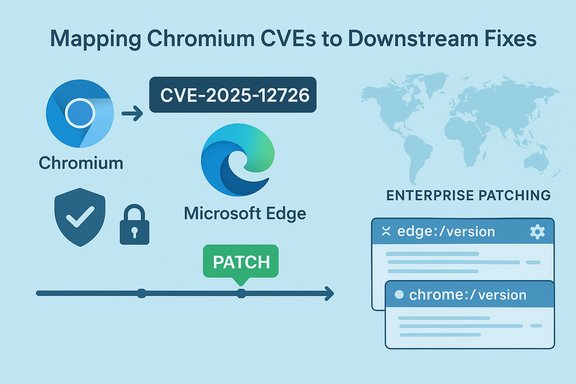
Chromium’s CVE-2025-12726 — labelled “Inappropriate implementation in Views” — appears in Microsoft’s Security Update Guide because Microsoft Edge (Chromium‑based) consumes upstream Chromium code, and the Security Update Guide entry is the downstream, vendor‑specific signal that Edge builds have ingested the upstream fix and are no longer vulnerable.
Chromium is an open‑source browser engine that many vendors consume to produce finished browsers and embedded runtimes. When the Chromium project assigns a CVE and ships an upstream patch, downstream vendors such as Microsoft must incorporate those upstream changes into their own build pipelines, validate behavior against vendor‑specific features, and then publish their patched releases. Microsoft records Chromium‑origin CVEs in the Microsoft Security Update Guide (SUG) to communicate the remediation status of Microsoft Edge for enterprise and operational audiences. This practice makes the SUG the authoritative downstream statement about whether a given Edge build is still affected or has been fixed.
In plain terms: the existence of a Chromium CVE in Microsoft’s guide is not an admission that Microsoft authored the defect; it is a practical, operational declaration that Microsoft has tracked the upstream fix and will indicate which Edge release contains the ingestion. That downstream mapping is critical for compliance, patch orchestration, and inventory work in managed environments.
Source: MSRC Security Update Guide - Microsoft Security Response Center
 Background / Overview
Chromium is an open‑source browser engine that many vendors consume to produce finished browsers and embedded runtimes. When the Chromium project assigns a CVE and ships an upstream patch, downstream vendors such as Microsoft must incorporate those upstream changes into their own build pipelines, validate behavior against vendor‑specific features, and then publish their patched releases. Microsoft records Chromium‑origin CVEs in the Microsoft Security Update Guide (SUG) to communicate the remediation status of Microsoft Edge for enterprise and operational audiences. This practice makes the SUG the authoritative downstream statement about whether a given Edge build is still affected or has been fixed.In plain terms: the existence of a Chromium CVE in Microsoft’s guide is not an admission that Microsoft authored the defect; it is a practical, operational declaration that Microsoft has tracked the upstream fix and will indicate which Edge release contains the ingestion. That downstream mapping is critical for compliance, patch orchestration, and inventory work in managed environments.
What “Inappropriate implementation in Views” likely means
The class of the bug
The short phrase “inappropriate implementation” is commonly used to describe logic, validation, or policy‑enforcement mistakes rather than raw memory‑safety defects such as use‑after‑free or type confusion. In a UI subsystem such as Views, this tag typically signals that some interaction or state machine in the UI was implemented incorrectly — for example, failing to validate user‑supplied inputs, improperly coordinating state transitions, or exposing a UI surface to untrusted content in a way that can be abused. Such flaws can enable UI spoofing, privilege/boundary bypasses, or information leakage depending on component context.Why Views bugs matter
The Views component is responsible for rendering and managing UI widgets. UI bugs can be dangerous even when they are not memory corruption. Attackers can weaponize subtle UI inconsistencies to misrepresent origins, trick users into entering credentials, or bridge privilege gaps between web content and chrome (browser UI). Because the attacker’s success often depends on social engineering and subtle presentation differences, user perception plays a large role — and remediation must be handled quickly.Why the CVE is in Microsoft’s Security Update Guide (SUG)
- Microsoft Edge is built on Chromium. When Chromium issues a security fix and assigns a CVE, Edge teams ingest those commits and publish their own updated builds after testing and integration. The SUG entry records that mapping and the Edge build(s) that contain the remediation.
- Enterprises and auditors rely on vendor‑specific records for compliance. The SUG provides a vendor‑centric statement: “this Microsoft product build is now not vulnerable,” which is operationally far more useful for IT teams than a generic upstream advisory.
- The SUG entry therefore functions as an operational confirmation — not as blame assignment. It tells Edge customers which Edge builds they need to run (or exceed) to be considered protected.
How Edge/Chrome versioning and Chromium ingestion work (practical explanation)
Understanding how product version strings relate to upstream Chromium fixes is essential for verifying a remediation.- Chrome version numbers reflect the Chromium release cycle (for example, Chrome 140.x, 141.x, etc.. When Google publishes a Chrome stable build that includes a fix, that upstream build number is the canonical immediate patch point for Chrome users.
- Edge has its own product version but also embeds the underlying Chromium revision. The Edge “About” and internal version pages will show both the Edge product version and the Chromium backend version string, allowing administrators to map Edge builds to the Chromium revision that contains the upstream fix.
How to see your browser version — step‑by‑step (desktop and mobile)
Below are exact, reliable ways to check whether your installation is on a patched build. These are the quickest approaches for both end users and administrators.Microsoft Edge (desktop)
- Open Microsoft Edge.
- Type edge://settings/help into the address bar and press Enter. The About page will display the installed Microsoft Edge version and will trigger an update check if a newer Edge build is available.
- Alternatively, visit edge://version to see more internal details, including the embedded Chromium revision and command‑line flags. These internal pages are the authoritative source for what the browser reports locally.
Google Chrome (desktop)
- Open Google Chrome.
- Type chrome://settings/help into the address bar and press Enter. Chrome’s About page shows the full product version and checks for updates.
- chrome://version provides extended information, including the executable path and other internals. Use the build string here to map to upstream Chromium advisories.
Mobile (iOS / Android)
- Open the mobile app, go to Settings → About (or Help → About), and read the version string. Mobile builds sometimes omit the exact Chromium revision in the UI, so mobile administrators should cross‑check vendor release notes for precise ingestion details.
How to interpret version strings and confirm protection
When you have the version string from edge://settings/help or chrome://settings/help, do the following:- Compare the local version to the patched build number listed in vendor advisories or the Microsoft Security Update Guide entry for the CVE.
- If the local version is equal to or newer than the fixed build, the browser should include the remediation.
- If you run Chrome and your Chrome build is at or above the Chromium fixed build but Edge lags, Edge may still be vulnerable until Microsoft ships the ingestion build; use the SUG entry to determine Edge’s status.
Enterprise considerations: inventory, mapping, and validation
Large organizations must treat Chromium‑origin CVEs as ecosystem events — not simply a Chrome patch day. Key operational steps:- Inventory all Chromium runtimes: desktop browsers, mobile browsers, embedded Chromium (Electron‑based apps), WebView2 hosts, kiosks, and appliance images. Embedded or packaged Chromium instances can remain vulnerable even after desktop browsers are patched.
- Consult the Microsoft Security Update Guide entry for the CVE to determine which Edge builds contain the ingestion; do not assume immediate parity with Chrome. The SUG entry provides the precise downstream build numbers administrators must target.
- Use centralized update mechanisms where possible: managed update services, WSUS/Update Catalog entries for Edge, endpoint management tools, and telemetry that reports installed browser builds. Cross‑verify at least a sample of endpoints using edge://version output or the equivalent to confirm the embedded Chromium revision.
- Prioritize high‑exposure groups for expedited rollout: privileged users, admins, and public‑facing kiosks. Where in‑place updates are not possible, use compensating controls (network whitelisting, remote browser isolation, or reduced privileges) until remediation is complete.
Quick checklist: Verify and remediate
- Check your local browser version in Edge (edge://settings/help or edge://version) or Chrome (chrome://settings/help or chrome://version).
- Consult the Microsoft Security Update Guide entry for CVE‑2025‑12726 to see the Edge build number that contains the ingestion.
- If your version is older than the fixed build, update immediately and relaunch the browser. Enterprise teams should deploy the validated Edge update via their normal patch channels.
- Inventory embedded Chromium runtimes (Electron apps, kiosks, WebView2 hosts) — these often require separate updates.
Risks, timelines, and disclosure practices — what to watch for
- Upstream fixes may ship quickly, but downstream ingestion takes time. Microsoft and other vendors typically perform their own integration, regression testing, and release validation before pushing updates. The SUG exists to remove ambiguity about whether an Edge build is safe.
- Chromium’s disclosure practice often withholds exploit details until a majority of users are patched. That conservative stance reduces the immediate risk of mass exploitation — but defenders should not wait for exploit reports to patch. Assume urgency based on the nature of the bug and the upstream severity.
- Some CVE descriptions are intentionally terse (“inappropriate implementation”) to avoid revealing exploit mechanics. When public PoCs or detailed technical write‑ups are absent, treat unverified technical narratives with caution and act on authoritative patch guidance.
Mapping CVEs to Chromium/Edge builds — practical tips for accuracy
- Use the internal version pages (edge://version, chrome://version) to capture the exact build string; these pages expose both the product version and the underlying Chromium revision.
- Cross‑reference that build string with the Microsoft Security Update Guide (for Edge) and with Chromium release notes or the Chrome Release Blog (for Chrome) to determine whether a given build is in the vulnerable range or is already fixed.
- When in doubt, rely on the SUG for Edge remediation status and on Chrome’s official release notes for upstream patch numbers; combine those two data points to determine overall exposure.
Practical examples (scenarios)
Home user on Edge desktop
Open Edge → edge://settings/help → check the version. If the version is older than the SUG‑listed fixed build, use the About page to trigger an update and relaunch. If the browser reports it’s up to date but the SUG indicates a newer fixed build, update via the normal Microsoft Edge update channel or reinstall from official Microsoft distribution channels.Enterprise fleet manager
Query endpoint telemetry for the installed Edge build strings, match those against the SUG ingestion string for CVE‑2025‑12726, and schedule a staged deployment for endpoints that remain below the fixed build. Prioritize servers, admin workstations, and shared devices. Inventory nonstandard Chromium binaries separately and coordinate with application owners for Electron or kiosk updates.What we still don’t know and how to handle uncertainty
Certain public disclosures deliberately omit deep exploit mechanics; that is normal for browser vendors. When precise exploitation details are not published, do not treat the absence of details as an absence of risk. Instead:- Assume the worst reasonable impact based on the component involved and the upstream severity rating.
- Patch quickly using vendor guidance and verify via the SUG for downstream products like Edge.
Final analysis — strengths and potential risks
- Strengths: Microsoft’s inclusion of Chromium CVEs in the Security Update Guide provides a clear downstream signal for enterprise patching — it reduces ambiguity, helps compliance reporting, and gives administrators the product‑specific build numbers they need to make informed decisions. The practice supports coordinated remediation across heterogeneous fleets where vendors ingest upstream fixes at different cadences.
- Risks: The downstream ingestion window introduces a period where Chrome users may already be updated upstream while Edge (or other Chromium derivatives) remain vulnerable. Embedded Chromium instances (Electron apps, kiosks, container images) are a lingering risk because they often do not auto‑update and are easily overlooked. Finally, terse CVE summaries can obscure exploit mechanics and lead some teams to misprioritize — the correct operational posture is to assume urgency until the vendor states otherwise.
Closing practical guidance
- For immediate reassurance: check edge://settings/help (Edge) or chrome://settings/help (Chrome), compare the version against the fixed build stated in vendor advisories (Microsoft SUG for Edge; Chromium/Chrome release notes for Chrome), and update any endpoints that are behind.
- For enterprise programs: inventory all Chromium‑based runtimes, prioritize remediation for high‑exposure endpoints, and use the SUG entry as your authoritative downstream confirmation that Edge builds are no longer vulnerable.
- Treat “inappropriate implementation” bugs as potentially serious logic/validation failures that merit prompt action even when they are not memory‑safety flaws.
Source: MSRC Security Update Guide - Microsoft Security Response Center
