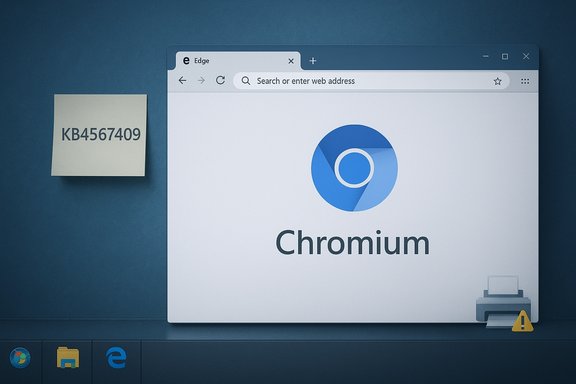
Microsoft has quietly pushed its Chromium-based Edge browser onto older Windows systems, delivering a modern browsing engine to Windows 7 SP1 and Windows 8.1 machines through an automatic Windows Update package (KB4567409) while leaving Internet Explorer intact and excluding domain-joined enterprise devices from the automatic rollout.
Microsoft’s long‑planned migration of Edge from its proprietary EdgeHTML engine to a Chromium core was intended to bring better standards compatibility, faster rendering, and broader extension support to its browser on all major desktop platforms. The Chromium‑based Edge first emerged in preview builds and then reached general availability in early 2020; Microsoft designed it to run across Windows and non‑Windows platforms and to update independently of the OS. The June 17, 2020 update—published as KB4567409—automatically installs the new Microsoft Edge on eligible Windows 7 SP1 and Windows 8.1 consumer editions via Windows Update. That update is explicitly targeted at non‑enterprise consumer SKUs (Home, Professional, Ultimate, Starter, and Core editions) and deliberately excludes devices that are joined to Active Directory or Azure Active Directory domains. Microsoft’s support bulletin also stresses that the new Edge will not replace Internet Explorer on those older operating systems; instead, the new Edge will be installed and pinned, leaving IE available for legacy compatibility needs.
That said, the underlying policy remains unchanged—a modern browser is not a substitute for a supported operating system. Edge mitigates browser exploitation vectors, but kernel and driver vulnerabilities on unsupported OS builds remain a real risk. Organizations and users who continue to operate Windows 7 should treat Edge as a short‑term improvement, not a long‑term security fix. Microsoft’s exclusion of domain‑joined devices from the automatic rollout was appropriate; administrators must choose managed deployment methods if they want consistent, tested behavior across fleets. Finally, the June 2020 patching episode that produced printing issues underscores one persistent truth in systems administration: wide‑reaching updates can introduce regressions. The correct response is not to avoid updates entirely but to adopt disciplined testing, phased rollouts, and recovery plans—practices that will remain essential as browsers and operating systems evolve together.
Microsoft’s decision to deliver a modern Chromium engine to older Windows users is a practical win for compatibility and browser security, but it is not a cure for the foundational risk of running an out‑of‑support operating system—upgrade paths and managed deployment remain the responsible options for long‑term safety and stability.
Source: BOL News Microsoft rolls out New Edge Browser for Windows 8.1 & 7 – BOL News
 Background
Microsoft’s long‑planned migration of Edge from its proprietary EdgeHTML engine to a Chromium core was intended to bring better standards compatibility, faster rendering, and broader extension support to its browser on all major desktop platforms. The Chromium‑based Edge first emerged in preview builds and then reached general availability in early 2020; Microsoft designed it to run across Windows and non‑Windows platforms and to update independently of the OS. The June 17, 2020 update—published as KB4567409—automatically installs the new Microsoft Edge on eligible Windows 7 SP1 and Windows 8.1 consumer editions via Windows Update. That update is explicitly targeted at non‑enterprise consumer SKUs (Home, Professional, Ultimate, Starter, and Core editions) and deliberately excludes devices that are joined to Active Directory or Azure Active Directory domains. Microsoft’s support bulletin also stresses that the new Edge will not replace Internet Explorer on those older operating systems; instead, the new Edge will be installed and pinned, leaving IE available for legacy compatibility needs. What Microsoft shipped (technical details)
The update: KB4567409
- KB4567409 is the Windows Update package used to deliver the new Chromium‑based Edge to Windows 7 SP1 and Windows 8.1 consumer machines. The Microsoft bulletin lists file versions and hashes for both x86 and x64 installers and specifies how the update is delivered (Windows Update).
- For Windows 8.1 devices there are no prerequisites to apply the KB4567409 package via Windows Update; on Windows 7 SP1 the update requires two existing platform fixes: a SHA‑2 code signing support update (KB4474419, dated September 23, 2019 or later) and a servicing stack update (SSU, KB4490628, dated March 12, 2019 or later). If those prerequisite updates are missing, Windows Update should offer them automatically before delivering KB4567409.
How the new Edge behaves after install
- The new Edge will be pinned to the taskbar and a desktop shortcut will be created (or replaced if one already existed). It will not change the system’s default browser setting. Internet Explorer remains installed and usable after the update; the new Edge is a separate installed application.
- On systems running modern Windows 10 releases, installing the Chromium build of Edge replaces the legacy Edge (the EdgeHTML build) that shipped with earlier Windows 10 versions. On Windows 7 and 8.1 that replacement step is not applicable because those systems never shipped the EdgeHTML “legacy” app; instead, they gain the Chromium Edge alongside Internet Explorer.
Platforms and distribution model
- Microsoft’s Chromium Edge is cross‑platform: Microsoft officially supports Edge builds on Windows (including older consumer editions), macOS, iOS, and Android, and publishes separate business/enterprise packages for mass deployment. The consumer rollout for older Windows was handled through Windows Update to ensure broad coverage, while enterprise customers are expected to use managed channels and MSI/MSIX installers or the “Edge for Business” downloads and deployment guidance.
Why this matters: user and enterprise implications
For consumer Windows 7 / 8.1 users
Microsoft’s delivery of a modern, Chromium‑based browser to aging Windows releases provides immediate, practical benefits:- Better web compatibility. Chromium’s dominance means many modern web apps and extensions are optimized for that engine; Edge’s migration reduces rendering and extension compatibility issues that older browsers faced.
- Faster security and feature updates. Because Microsoft updates Edge on its own cadence (frequently and independently of major OS servicing), users on older OSes can still receive browser security patches and capabilities improvements without waiting for OS servicing.
For enterprises and managed environments
Microsoft intentionally excluded domain‑joined devices from the automatic Windows Update deployment. That policy preserves control for IT departments while offering managed deployment options for organizations:- Admin deployment paths. IT teams can use the Microsoft Edge enterprise MSI packages, Intune, Configuration Manager (SCCM), or other software distribution tooling to deploy and control Edge versions, update cadence, and policies across fleets. Microsoft publishes a “Download and deploy Microsoft Edge for Business” portal and deployment planning docs for administrators.
- Policy and compatibility tools. Edge includes enterprise features such as Group Policy templates, an Internet Explorer mode for legacy web apps, and management templates for extension control—useful when organizations need to modernize gradually without breaking old line‑of‑business systems.
Rollout mechanics and prerequisites — a practical checklist
IT‑savvy readers and advanced users should note these concrete steps and checks when evaluating or troubleshooting the KB4567409 rollout:- Confirm your Windows edition:
- Eligible consumer SKUs: Windows 7 SP1 and Windows 8.1 Home/Pro/Ultimate/Starter/Core.
- Domain‑joined or Azure AD‑joined devices are excluded from the automatic Windows Update roll‑out.
- For Windows 7 SP1 only — ensure prerequisites are present:
- SHA‑2 code signing support update: KB4474419 (or later).
- Servicing stack update (SSU): KB4490628 (or later).
- Reboot after applying prerequisite updates prior to installing KB4567409.
- Check Windows Update or the Microsoft Update Catalog (if you prefer manual control) to obtain the KB package; note that Microsoft’s bulletin stated the consumer rollout was delivered via Windows Update and not always as a standalone package in the catalog for automatic installation.
- If you manage machines in bulk, acquire the Enterprise/MSI packages from the Microsoft Edge for Business portal and use your standard software distribution system (Intune, SCCM, Group Policy, or other) to deploy with the configuration you require.
Security and stability: the good, the bad, and the caveats
The good: modern browser security on old OSes
Edge’s Chromium base brings mature sandboxing, frequent security updates, and a modern feature set that reduces browser‑exploitable surface area relative to older, unpatched browsers. As a result, installing a modern Edge on an old OS can proactively reduce browser‑related risk for web browsing tasks.The bad: OS‑level exposure remains
A modern browser cannot fully compensate for an end‑of‑life OS. System components, drivers, and kernel‑level services on Windows 7 no longer receive security fixes, so attackers with local or kernel‑level vectors could still compromise affected machines. Microsoft’s guidance is explicit: Edge helps but does not make an unsupported OS secure.The caveats: update side effects and past patch problems
The rollout arrived against the backdrop of June 2020 Windows update turbulence—Microsoft shipped cumulative updates (including KB4557957 and KB4560960) that introduced a printing regression where the print spooler could crash or apps might close when attempting to print. Microsoft acknowledged the issue and later published fixes; this episode is a reminder that broad, vendor‑level updates can occasionally produce regressions affecting common workflows. While unrelated directly to Edge’s installer, it illustrates the risk that automatic updates bring: convenient delivery, but occasional instability.How to approach the update: recommended workflows
Home / consumer users (Windows 7 / 8.1)
- If you currently browse on Windows 7 or 8.1, install the new Edge either via Windows Update or by downloading the installer from Microsoft’s Edge site. The updated browser will be more compatible and receive regular security updates. However, prioritize migrating to a supported Windows version as the long‑term solution.
- Back up important data before major updates and ensure you have recent system restore points. While KB4567409 was intended to be non‑intrusive (it does not change default browser settings), system variability means prudent backups reduce risk.
IT administrators and enterprises
- Do not rely on the automatic consumer Windows Update path for managed fleets; instead, use the Microsoft Edge for Business download channel and your chosen deployment tooling (Intune, SCCM, Group Policy) so you control which machines get which Edge channel and when. This prevents surprise installs on production endpoints and preserves testing windows.
- Use group policies and the Edge ADMX templates to configure browser defaults, extension whitelists/blacklists, update behavior, and IE mode if you have legacy web apps. Pilot broadly before mass deployment and maintain a rollback plan or version pinning strategy for critical systems.
Real‑world impact: what we observed and reported
Independent technology outlets and community reporting tracked the rollout and its practical effects:- Security and tech news sites noted Microsoft’s decision to target consumer SKUs and leave domain‑joined devices out of the automated update. The coverage clarified that Microsoft would not forcibly replace IE and that Edge would be installed but not set as default.
- Community threads and Microsoft’s own blog posts explained how the company planned staged rollouts for consumer devices while offering enterprise packages and documentation for managed deployments. Those original Microsoft communications became the basis for the automatic Windows Update path.
- Separately, the June 2020 Windows update cycle produced printing regressions affecting many users after certain cumulative updates; Microsoft acknowledged the problem and later issued fixes. This is a concrete reminder that large‑scale OS and app updates can sometimes interact with third‑party drivers or legacy components in unexpected ways.
Strengths, weaknesses, and long‑term outlook
Strengths
- Cross‑platform consistency and modern web compatibility. Adopting Chromium allows Microsoft to deliver a browser that closely aligns with how the modern web is developed today, reducing site breakage and improving extension availability.
- Faster, independent updates. Edge’s evergreen model means security fixes and feature updates reach users faster than legacy OS servicing cycles. That helps keep browser attack surfaces current even on older OSes.
- Enterprise management features. Group Policy support, IE mode for legacy apps, and enterprise MSI packages provide the controls IT teams need to standardize and manage Edge across heterogeneous environments.
Weaknesses / risks
- Operating system fragility. Delivering a modern browser to an unsupported OS is useful, but users may develop a false sense of security. Edge cannot patch kernel or driver vulnerabilities in end‑of‑life systems. Microsoft’s guidance to migrate to supported Windows versions remains the only comprehensive security fix.
- Update‑induced regressions. Large‑scale automated updates have occasionally caused regressions (for example, the June 2020 print spooler issue). Organizations must maintain robust update testing and rollback plans to avoid productivity disruptions.
- Fragmentation for admins. Consumer Windows Update pushes versus enterprise MSI distribution create two diverging paths to get Edge onto machines. While this separation protects managed fleets from surprise changes, it also requires IT to actively adopt the enterprise deployment tooling if they want consistent behavior.
Practical recommendations (short checklist)
- For consumers on Windows 7/8.1:
- Install the new Edge for safer, more compatible browsing, but plan an OS upgrade within a short timeframe.
- Ensure Windows 7 machines have KB4474419 and KB4490628 installed before expecting KB4567409 to apply automatically.
- For IT teams:
- Use the Microsoft Edge for Business download site and enterprise MSI packages rather than relying on consumer Windows Update.
- Pilot Edge in your environment with your default policies and IE mode settings.
- Maintain update testing rings and a documented rollback/mitigation plan for broad deployments.
- For security-conscious environments:
- Treat Edge as one layer in a defense‑in‑depth strategy. Continue to prioritize OS upgrades and maintain endpoint protections, EDR/AV, and patch management at the system level.
Final analysis: a pragmatic view
The Chromium‑based Microsoft Edge rollout to Windows 7 SP1 and Windows 8.1 via KB4567409 represents a sensible engineering trade‑off: it brings a modern, actively maintained browser to older consumer systems while preserving administrative control for enterprises. The move reduces friction for web developers and end users by aligning Microsoft’s browser with the dominant web engine and its ecosystem.That said, the underlying policy remains unchanged—a modern browser is not a substitute for a supported operating system. Edge mitigates browser exploitation vectors, but kernel and driver vulnerabilities on unsupported OS builds remain a real risk. Organizations and users who continue to operate Windows 7 should treat Edge as a short‑term improvement, not a long‑term security fix. Microsoft’s exclusion of domain‑joined devices from the automatic rollout was appropriate; administrators must choose managed deployment methods if they want consistent, tested behavior across fleets. Finally, the June 2020 patching episode that produced printing issues underscores one persistent truth in systems administration: wide‑reaching updates can introduce regressions. The correct response is not to avoid updates entirely but to adopt disciplined testing, phased rollouts, and recovery plans—practices that will remain essential as browsers and operating systems evolve together.
Microsoft’s decision to deliver a modern Chromium engine to older Windows users is a practical win for compatibility and browser security, but it is not a cure for the foundational risk of running an out‑of‑support operating system—upgrade paths and managed deployment remain the responsible options for long‑term safety and stability.
Source: BOL News Microsoft rolls out New Edge Browser for Windows 8.1 & 7 – BOL News