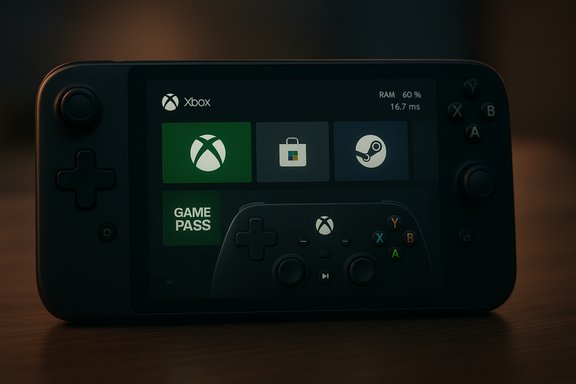
Microsoft’s Xbox Full Screen Experience (FSE) has moved beyond the ROG Xbox Ally debut and is now rolling out to all compatible Windows 11 handhelds while entering a staged preview for laptops, desktops, and tablets via the Xbox and Windows Insider programs.
Microsoft introduced the Full Screen Experience as a session posture layered on top of Windows 11 rather than a separate operating system. On handhelds such as the ASUS ROG Xbox Ally and Ally X, FSE functions as a console-like home environment that boots directly into the Xbox PC app, presents a controller-first launcher, and reduces desktop noise by deferring or suppressing non-essential user-mode processes. This lets the Xbox app act as the session shell while preserving Windows kernel-level systems—drivers, anti-cheat, and DRM—so that compatibility with PC games and services remains intact. Microsoft confirmed the hand-held general availability and the wider PC preview in an official announcement, specifying that the feature is available for Windows 11 handhelds in-market and is now accessible in preview to Insiders on supported Dev and Beta channel builds. Practical entry points include Settings → Gaming → Full screen experience, the Game Bar, Task View, and a keyboard shortcut (Win + F11) once your device is eligible.
For gamers who value immediate, controller-first access and consolidated libraries (including Game Pass), FSE is a welcome refinement of the Windows gaming story. For anyone who needs full desktop reliability or depends on niche software and overlays, exercise caution and prefer official OEM-validated builds. As Microsoft and partners iterate, the Full Screen Experience could rewrite expectations for what "PC handheld" means in 2026 and beyond—but for now it is best treated as a powerful, evolving option rather than a finished replacement for the Windows desktop.
Source: TweakTown Xbox Full Screen Experience is now available for all Windows 11 PCs
 Background / Overview
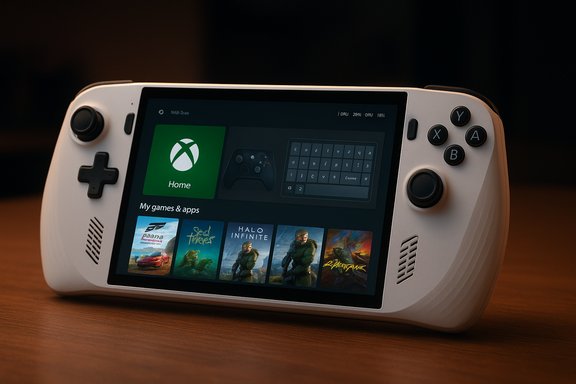
Microsoft introduced the Full Screen Experience as a session posture layered on top of Windows 11 rather than a separate operating system. On handhelds such as the ASUS ROG Xbox Ally and Ally X, FSE functions as a console-like home environment that boots directly into the Xbox PC app, presents a controller-first launcher, and reduces desktop noise by deferring or suppressing non-essential user-mode processes. This lets the Xbox app act as the session shell while preserving Windows kernel-level systems—drivers, anti-cheat, and DRM—so that compatibility with PC games and services remains intact. Microsoft confirmed the hand-held general availability and the wider PC preview in an official announcement, specifying that the feature is available for Windows 11 handhelds in-market and is now accessible in preview to Insiders on supported Dev and Beta channel builds. Practical entry points include Settings → Gaming → Full screen experience, the Game Bar, Task View, and a keyboard shortcut (Win + F11) once your device is eligible. What FSE actually changes — the technical essentials
A session shell, not a kernel rewrite
FSE replaces the visible desktop shell for the active session with a chosen “home app” (the Xbox PC app by default) and applies session-level policies designed for controller-first play. Critical low-level subsystems—GPU drivers, kernel scheduling, DRM frameworks, and kernel-mode anti-cheat—continue to operate under Windows 11 exactly as before. The result is a focused UX that looks and behaves like a console front end without fragmenting the OS platform.Performance posture and resource trimming
When configured to boot into the Full Screen Experience, Windows defers a number of Explorer shell ornaments and non-essential startup apps and background user-mode services. Microsoft and early hands-on coverage emphasize that this trimming is intended to free memory and reduce idle CPU wakeups, producing steadier frame rates and better battery life on constrained hardware like handhelds. Independent reporting has suggested measurable runtime wins on some devices, though the exact savings vary by hardware, installed software, and which apps are whitelisted. Readers should treat headline numbers as directional and verify on their own hardware.Controller-first navigation and Task Switcher
FSE is designed around gamepad input: large, scannable tiles, a controller-focused Task Switcher, an on-screen controller keyboard for thumb-typing, and Xbox-button shortcuts that mimic console behaviors (short press vs. long press). These conveniences are intended to let users launch and switch games without touching the full desktop environment. The experience also aggregates games across storefronts so your installed Steam, Epic Games Store, GOG, and Battle.net titles can be discovered inside the Xbox-led home hub.How to get it now: requirements and setup
Microsoft and Xbox have placed the PC preview of FSE behind the Insider programs to gather feedback and manage the staged rollout. The broad steps to access FSE on a Windows 11 PC or handheld are:- Join the Xbox Insider Program and install the Xbox Insider Hub; opt into the PC Gaming Preview inside that app.
- Join the Windows Insider Program and choose the Beta or Dev channel (the preview is surfaced on specific 25H2 preview builds such as the 26220.x family referenced in preview notes).
- Make sure your Xbox PC app is up to date (installed from the Microsoft Store) and check Settings → Gaming → Full screen experience for the toggle and home app selection.
Verified claims and cross-checks
The most important claims about FSE and their verification status:- Claim: FSE boots directly into the Xbox app and can be set to start on sign-in. Verified — Microsoft’s Xbox Wire announcement and Windows Insider documentation confirm boot-to-Xbox behavior and the Settings control.
- Claim: FSE defers or suppresses non-essential Windows processes to free memory and reduce background CPU wakeups. Corroborated by Microsoft documentation and multiple hands-on reports, but exact memory/CPU savings vary by device and configuration. Treat specific numeric claims as device-dependent and validate on your hardware.
- Claim: FSE aggregates titles from multiple PC storefronts (Steam, Epic, etc.. Confirmed by Microsoft messaging and independent coverage describing an aggregated library inside the Xbox home launcher. This is implemented as discovery/launch integration rather than a change to how third-party stores operate on Windows.
- Claim: The rollout is gated and staged, requiring specific Insider builds and OEM enablement. Verified—Microsoft and reporting clearly state that the binaries are in preview builds but device visibility is controlled.
Real-world experience: benefits that matter
- Faster time-to-play: Boot-to-Xbox reduces startup friction on handhelds and controller-first PCs, delivering an immediate game-centric landing experience. Many testers describe fewer obtrusive desktop interactions and a shorter path from power-on to playing.
- Lower friction for controller users: The controller-focused UX (large tiles, controller keyboard, Xbox-button task switching) reduces the need for mouse or touch interaction and is a clear quality-of-life improvement on small-screen handhelds.
- Potential runtime gains: By deferring non-essential user-mode processes, FSE can free user-space RAM and reduce wakeups that hurt battery and frame stability on low-power devices; reviewers have observed measurable wins on some hardware. However, real-world improvements will vary and vendors must validate drivers and power profiles to capture full benefits.
- Unified discoverability: Aggregating Game Pass, Xbox Store, and discovered installs from third-party storefronts makes it easier to browse and launch your whole library from a single front end. That consolidation is likely to benefit subscribers and those with mixed storefront libraries.
Risks, unknowns, and practical caveats
Compatibility and anti-cheat integration
While FSE does not change kernel-mode anti-cheat systems, real-world edge cases remain. Third-party anti-cheat, overlays, and launcher integrations can behave differently under a modified session posture. Early reports and Microsoft’s notes recommend validating critical games and anti-cheat titles before adopting FSE as a daily driver. If a game’s anti-cheat or launcher misbehaves, expect troubleshooting and driver/OEM updates to be necessary.Fragmentation and gating confusion
Because exposure is OEM- and entitlement-gated, near-identical devices may or may not surface FSE at the same time. Community threads show users confused when an ostensibly similar device lacks the toggle, or when FSE disappears after a reboot—issues tied to rollouts, server flags, or incomplete OEM enablement. For stable use, wait for official OEM guidance or validated firmware updates.App and overlay quirks
Not every app or overlay is optimized for the controller-first Task Switcher and full-screen launcher. Some users on early builds reported input focus or overlay issues that required toggling back to desktop mode to resolve. Microsoft’s staged Insider testing is meant to catch these behaviors before a broad rollout, but expect early adopters to encounter oddities.Performance claims need device-level verification
Multiple outlets circulated summary numbers (for example, claims of around 2 GB RAM saved or a percentage reduction in background tasks). Those figures are useful as a ballpark but cannot be generalized across the enormous range of Windows 11 hardware configurations. Benchmarks on a single device do not guarantee identical results elsewhere; test on your device before making hardware decisions based on claimed savings.Practical guidance: should you enable FSE?
- If you own a supported handheld (ROG Ally, MSI Claw, Lenovo Legion Go, AYANEO, etc. and want a console-like handheld experience, FSE is a meaningful, supported path to a simpler, controller-centred UX. OEM-validated enablement is the recommended route for stability and battery/thermal tuning.
- If you use a desktop or laptop as your primary work machine and rely on a large suite of background tools, wait: FSE is preview-only for many PCs and can disrupt workflows expecting the full desktop at sign-in. Use the toggle temporarily for gaming sessions rather than booting into FSE by default.
- If you’re an enthusiast willing to test and provide Feedback Hub reports, join both the Xbox Insider and Windows Insider programs and keep backups. Insider previews are for experimentation and telemetry collection—expect iteration and occasional regressions.
What OEMs, developers, and Microsoft still need to deliver
- Smooth, consistent OEM enablement so similar SKUs don’t diverge in behavior or visibility. Users and reviewers found the gating uneven; clearer OEM communication and firmware updates will reduce confusion.
- Anti-cheat and overlay validation across major game vendors to reduce launch-time surprises. The session posture preserves kernel systems in theory, but practice requires broad testing and vendor support.
- Robust on-screen input and accessibility parity for non-touch, controller-first desktops. Some devices show gaps in the controller text input experience; addressing that will broaden FSE’s appeal beyond handhelds.
- Transparent telemetry and performance baselines for consumers and reviewers — Microsoft documenting representative benchmarks and conditions would help consumers set realistic expectations for battery and memory improvements. Until then, treat published numbers as illustrative.
The strategic picture: why this matters for Windows gaming
FSE marks a deliberate step by Microsoft to reduce the UX gap between dedicated gaming consoles and Windows handhelds or controller-first PCs. It acknowledges that form factor matters: small screens and thumbsticks need a different shell than a multitasking desktop. By providing a session posture rather than a forked OS, Microsoft attempts to preserve Windows’ openness while offering a more immediate, console-like experience for gaming. That has implications for OEM hardware design, battery and thermal tuning, and how publishers think about UI and controller support on PC. If Microsoft, OEMs, and third-party vendors converge on quality and compatibility, FSE could become a standard option for many players who want “turn on and play” convenience without sacrificing Windows compatibility.Quick checklist for testers (summary)
- Confirm device model is listed by your OEM as supported or that you see the toggle in Settings → Gaming → Full screen experience.
- Join Xbox Insider (PC Gaming Preview) and Windows Insider (Dev or Beta) if you want early access.
- Update the Xbox PC app from the Microsoft Store and create a restore point before flipping boot-to-FSE on devices you rely on daily.
- Test key games (especially those using kernel-level anti-cheat) and overlays to ensure compatibility. Submit Feedback Hub reports for any regressions.
Closing analysis: a pragmatic, staged evolution
The Xbox Full Screen Experience is a pragmatic attempt to marry console-like ergonomics with Windows’ open PC ecosystem. It delivers obvious UX wins for handheld and controller-centric users and promises real runtime benefits on constrained hardware when properly tuned. At the same time, early testing exposes expected edge cases—anti-cheat behavior, overlay compatibility, OEM gating, and uneven visibility among Insiders—that make the staged Insider rollout appropriate.For gamers who value immediate, controller-first access and consolidated libraries (including Game Pass), FSE is a welcome refinement of the Windows gaming story. For anyone who needs full desktop reliability or depends on niche software and overlays, exercise caution and prefer official OEM-validated builds. As Microsoft and partners iterate, the Full Screen Experience could rewrite expectations for what "PC handheld" means in 2026 and beyond—but for now it is best treated as a powerful, evolving option rather than a finished replacement for the Windows desktop.
Source: TweakTown Xbox Full Screen Experience is now available for all Windows 11 PCs