

Microsoft’s most recent Edge experiment — automatically opening the Copilot side pane when you click links from Outlook — is a small UI change with outsized implications for privacy, user control, and how Microsoft positions AI inside everyday workflows. The feature is being tested on the Edge side and listed on the Microsoft 365 roadmap as a way to surface contextual summaries and “next-action” suggestion chips when users follow links from Outlook, but the reaction from many users has been immediate and negative: what looks like a productivity shortcut to Microsoft reads like an aggressive nudge to many people who already distrust Copilot’s ubiquity.
Microsoft has been steadily folding Copilot across its products: from the Copilot Chat sidebar in Word, Excel and Outlook to new agentic features inside Edge that treat the browser as an “AI-first” surface rather than a neutral window to the web. That strategy explains why Edge now contains multiple Copilot entry points — and why the browser team is experimenting with ways to make Copilot the default contextual assistant while users browse. This shift is part of a larger, company-wide push to make generative AI a built-in productivity layer rather than an optional add-on.
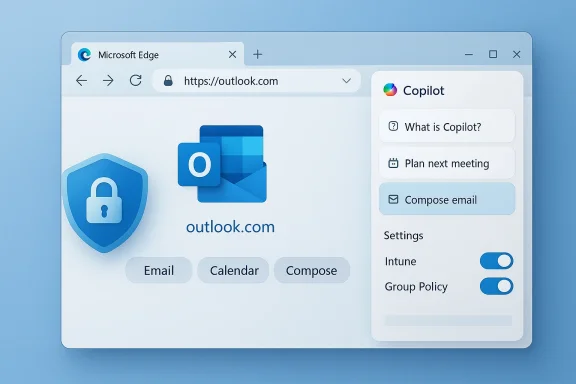
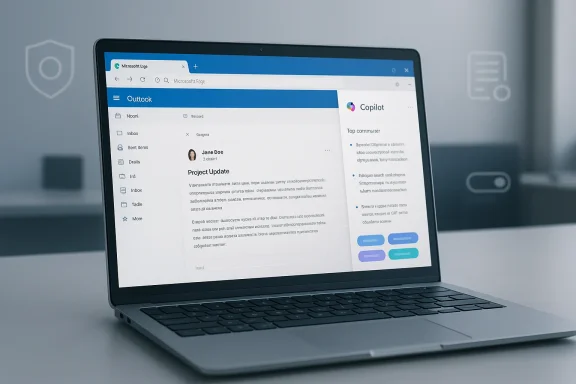
The specific change under test is straightforward in concept: when a user opens a link that originated in Outlook, Edge would automatically open the Copilot side pane and surface contextual insights derived from the originating email and the destination webpage — highlighting key points and offering recommended actions without forcing the user to interrupt their browsing to summon Copilot. Microsoft’s roadmap entry frames this as a time-saver that “helps users quickly understand content, take action with fewer steps, and get more value from Copilot while extending productive browsing time in Edge.”
But a roadmap blurb and a real-world rollout are different animals. Microsoft’s experiments with Copilot integration have included many UI nudges and automatic behaviors — from Copilot prompts on the New Tab page to hints in the address bar — and user response has repeatedly skewed towards resistance when those nudges feel defaulted or unavoidable.
Practical advice for IT teams (high level):
If Microsoft wants this feature to be seen as helpful rather than paternalistic, it needs to err on the side of explicit consent, clear provenance for AI outputs, and robust admin controls. The technical promise is real: contextual summaries and action chips could save time. The political and privacy risk is also real: automatic cross-app assistance raises legitimate questions for individuals and enterprises alike, particularly after documented incidents where Copilot processed content it should not have.
For now, users and IT teams should expect experimentation and change. Treat roadmap timelines and feature summaries as indicators rather than guarantees, validate behavior in controlled environments, and demand clear settings and policies before accepting automatic behaviors that reach across email and browsing. Microsoft still has time to choose restraint — making this feature opt-in, transparent, and manageable would turn an intrusive test into a genuinely useful productivity capability. Until then, skepticism from privacy-minded users and administrators is not only understandable, it’s prudent.
Source: Windows Central Microsoft can’t help itself — Edge may soon auto-open Copilot
 Background
Microsoft has been steadily folding Copilot across its products: from the Copilot Chat sidebar in Word, Excel and Outlook to new agentic features inside Edge that treat the browser as an “AI-first” surface rather than a neutral window to the web. That strategy explains why Edge now contains multiple Copilot entry points — and why the browser team is experimenting with ways to make Copilot the default contextual assistant while users browse. This shift is part of a larger, company-wide push to make generative AI a built-in productivity layer rather than an optional add-on.The specific change under test is straightforward in concept: when a user opens a link that originated in Outlook, Edge would automatically open the Copilot side pane and surface contextual insights derived from the originating email and the destination webpage — highlighting key points and offering recommended actions without forcing the user to interrupt their browsing to summon Copilot. Microsoft’s roadmap entry frames this as a time-saver that “helps users quickly understand content, take action with fewer steps, and get more value from Copilot while extending productive browsing time in Edge.”
But a roadmap blurb and a real-world rollout are different animals. Microsoft’s experiments with Copilot integration have included many UI nudges and automatic behaviors — from Copilot prompts on the New Tab page to hints in the address bar — and user response has repeatedly skewed towards resistance when those nudges feel defaulted or unavoidable.
What Microsoft says the feature will do
- When a user opens links from Outlook, Edge will optionally open the Copilot side pane automatically.
- Copilot will analyze the email context and the destination page to produce short summaries, highlight important points, and suggest "next actions" via suggestion chips.
- Microsoft pitches this as non-disruptive: the feature is meant to “provide contextual insights … without disrupting the browsing flow.”
Why this matters: UX, defaults, and the slippery slope
- Defaults shape product adoption. Repeatedly, Microsoft has shown that when AI functionality is enabled by default, it becomes the path of least resistance for users — even for those who prefer other tools or want no AI assistance at all. The Copilot push in Edge is part of a broad strategy to make the assistant visible and useful across many surfaces; the auto-open-on-Outlook-link test is another step in that direction.
- Attention and workflow disruption. Even if Copilot opens in a side pane, the visual and attention costs are non-trivial: users expect a link click to change the central content area, not to also trigger an assistant UI. Some users will find the pane helpful; many will find it distracting — particularly when links are opened rapidly during triage of email or when a user’s mental model is “click link, read page.” The feature’s benefit hinges on a subtle balance: enough contextual value to justify the window dressing, but not so intrusive that it becomes a performance or attention burden.
- The path from suggestions to action. Suggestion chips — quick actions that prompt further Copilot behavior — can reduce friction for users who want the assistant’s help. But they also prime users to accept Copilot-curated actions rather than exercise independent judgment. That trade-off has real consequences in workplace contexts where actions may involve sharing, filing, or acting on sensitive content.
Privacy and security concerns
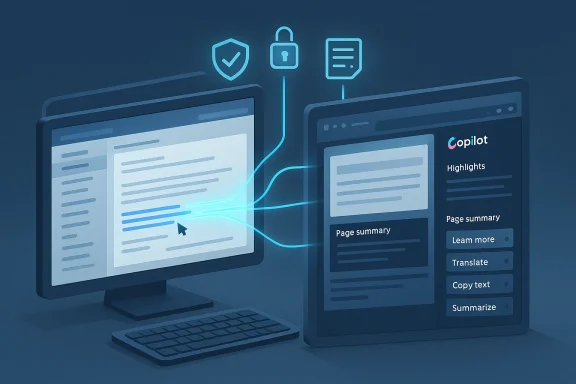
The auto-open feature raises a set of privacy and governance questions that deserve explicit scrutiny.- Data flow and inference: To give useful insights, Copilot needs context from both the email (subject, body, sender, potentially attachments) and the destination page. That means metadata and possibly content are being correlated across apps. For privacy-conscious users and enterprises, that cross-surface inference is non-trivial. Microsoft’s Copilot updates have already expanded the assistant’s ability to read inbox content when permitted, which heightens sensitivity around any automatic cross-app behavior.
- Proven bugs and lapses. The recent history of Copilot includes at least one serious operational bug in which the assistant processed emails labeled as “Confidential” or otherwise governed by sensitivity labels, bypassing Data Loss Prevention protections — a behavior Microsoft attributed to a server-side logic error and which it patched after discovery. That incident underscores the stakes of automating assistants that ingest email content to provide summaries. Any new auto-open behavior will inevitably raise questions: what safeguards are in place to prevent Copilot from acting on, caching, or summarizing content that should remain protected?
- User control and the “zombie toggle” perception. Community reports and discussions have surfaced cases in which users perceived Copilot as re-enabling or appearing even after they tried to disable it, generating a “zombie” feeling around the assistant. Whether those reports represent bugs, confusing settings, or simply miscommunication, they have eroded trust — and they make any new automatic behavior feel riskier to the broader user base.
Enterprise governance and admin controls
Enterprises will want clarity and controls before accepting a behavior that automatically surfaces AI summaries in a browser context. The big questions for IT organizations include:- Will the feature be controllable via Group Policy, MDM, or an Edge administrative template?
- Will behavior vary depending on whether the user is signed in to a corporate Azure AD account?
- Are there tenant-level settings in Microsoft 365 that affect whether Copilot in Edge can access message context or cross-application metadata?
Practical advice for IT teams (high level):
- Inventory Copilot surfaces in your environment — Windows Copilot, Edge Copilot, and in-app Copilot sidebars for Office apps.
- Validate which Copilot features are enabled by default for your tenant and whether any staged rollouts are scheduled.
- Test the Outlook→Edge link workflow in a controlled environment to understand what metadata and content are sent to Copilot.
- Push policies that disable the feature by default in production if you have concerns, using MDM or Group Policy until the behavior and controls are fully documented by Microsoft.
Product analysis: why Microsoft is doing this, and whether it makes sense
From Microsoft’s product strategy perspective, the feature is logical.- Microsoft wants Copilot to add value where users already work. Turning a link click — the most common form of context transfer in email workflows — into an opportunity for helpful summarization seems like a straightforward place to start. If Copilot can quickly tell you why a linked article matters or which parts of an email are critical, users might save time and avoid unnecessary steps.
- The company is also competing in an AI arms race where visibility matters. Edge and Copilot together form a platform play: making the assistant visible in more places builds habitual usage and funnels more interactions into Microsoft’s models and services. Other products are pursuing similar “AI-first” strategies, and Microsoft appears determined not to cede default-in-browser attention to competitors.
- The product assumes users want unsolicited assistance. That assumption is fragile. Many users prefer predictable, minimal UIs and will reject features that interrupt established mental models — especially if toggles are buried or defaults are aggressive.
- It centralizes AI decisions without clear provenance. When Copilot highlights “key points” or recommends actions, users need to know where those suggestions came from, whether they are reliable, and whether the assistant accessed private material to produce them. Without clear provenance and easy ways to audit or opt out, the suggestions risk being treated as authoritative even when they’re not.
- It increases the surface area for compliance failures. As the DLP bug showed, even well-tested systems can have logic errors that bypass protections. Automatically invoking Copilot on content that originated in email broadens the attack and failure surface, which matters for legal, regulated, and security-conscious enterprises.
How this could be implemented responsibly
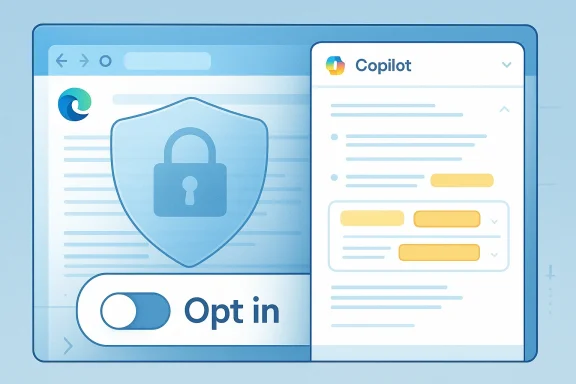
Microsoft could mitigate many concerns by designing the feature with three non-negotiable guardrails:- Opt-in by default for consumers and enterprises, with a clearly visible and persistent toggle. If the goal is to increase helpfulness, Microsoft should first win consent rather than rely on inertia.
- Transparent data handling. Any time Copilot uses email context, the UI should explicitly show what content was read, what was used to form the summary, and whether sensitive items were excluded. A compact provenance header (e.g., “Summary generated from: message subject, first paragraph, linked page”) would reduce confusion.
- Enterprise-level policy and telemetry controls. IT admins need the ability to disable or tune the feature centrally and to control whether Copilot may access message bodies or attachments for automatic summaries. Logs and audit trails should show when the assistant read inbox content and what actions were suggested or taken.
What users should do now
Below are practical, conservative steps readers can take to prepare for or mitigate the impact of an auto-open Copilot pane in Edge:- Audit your Edge and Outlook settings. Look for Copilot-related toggles in Edge’s settings and in Outlook, and note whether Copilot features are enabled by default for your account or tenant. If documentation is sparse, test behavior with a non-critical email account in a controlled environment.
- Review organization policies. If you manage IT for an organization, check MDM and Group Policy templates for new Copilot-related settings and consider staging the rollout until policies are verified.
- Prepare to opt out. If you prefer not to use Copilot, identify the quickest way to disable it in your Edge profile (settings, privacy, or Copilot sections) and teach your team how to do the same. Expect these paths to change as Microsoft refines the feature, so keep a short internal how-to up to date.
- Filter sensitive content. For enterprises, ensure that sensitivity labels and DLP policies are properly configured and validated against Copilot behaviors in test tenants. The previous incident in which Copilot processed sensitivity-labeled emails shows why this step is essential.
- Monitor the roadmap and changelogs. Microsoft has a history of updating roadmap entries and rolling features in stages; stay alert to official changelogs and admin center notices that announce policy and behavior changes. Treat roadmap timelines as tentative until confirmed by product documentation.
Strengths of the feature (why some will like it)
- Efficiency: For users who trust Copilot and want faster orientation when clicking links from mail, the auto-open pane can offer immediate summaries and action suggestions without extra clicks. That reduces context switching and could speed decision-making in many workflows.
- Context-aware assistance: If implemented with careful privacy boundaries, Copilot can provide context that static searches can’t, such as correlating the sender’s note with the linked article to prioritize what to read.
- Accessibility: A consistent Copilot pane could help users with cognitive load issues by distilling long articles or extracting action items from messages and web pages.
Risks and the potential downside
- Perceived coercion: Repeated default nudges across products create the sense that Microsoft is steering users toward its assistant whether they want it or not, eroding trust.
- Privacy and compliance hazards: Automatic cross-app analysis of email and web content increases the chance of sensitive information being processed inadvertently, as company incidents have shown.
- UI clutter and cognitive load: Even a side pane is still interface real estate; users who open dozens of links a day could find a persistent Copilot pane a significant distraction.
- Vendor entrenchment: The more Microsoft makes Copilot the path of least resistance, the greater the lock-in effect for users and organizations that might prefer alternatives.
Conclusion
The Edge auto-open Copilot feature is emblematic of Microsoft’s broader product thesis: integrate AI everywhere users work, then optimize for convenience and habit. That thesis makes sense as a growth strategy — Copilot is only useful if users encounter and rely on it — but it rests on a fragile social contract of consent, transparency, and control.If Microsoft wants this feature to be seen as helpful rather than paternalistic, it needs to err on the side of explicit consent, clear provenance for AI outputs, and robust admin controls. The technical promise is real: contextual summaries and action chips could save time. The political and privacy risk is also real: automatic cross-app assistance raises legitimate questions for individuals and enterprises alike, particularly after documented incidents where Copilot processed content it should not have.
For now, users and IT teams should expect experimentation and change. Treat roadmap timelines and feature summaries as indicators rather than guarantees, validate behavior in controlled environments, and demand clear settings and policies before accepting automatic behaviors that reach across email and browsing. Microsoft still has time to choose restraint — making this feature opt-in, transparent, and manageable would turn an intrusive test into a genuinely useful productivity capability. Until then, skepticism from privacy-minded users and administrators is not only understandable, it’s prudent.
Source: Windows Central Microsoft can’t help itself — Edge may soon auto-open Copilot

 isableCopilotAutoOpenFromOutlook = true/false).