Edge Copilot Auto-Open from Outlook Links: Privacy, UX, and Admin Risks

  • Thread Author
Microsoft’s most recent Edge experiment — automatically opening the Copilot side pane when you click links from Outlook — is a small UI change with outsized implications for privacy, user control, and how Microsoft positions AI inside everyday workflows. The feature is being tested on the Edge side and listed on the Microsoft 365 roadmap as a way to surface contextual summaries and “next-action” suggestion chips when users follow links from Outlook, but the reaction from many users has been immediate and negative: what looks like a productivity shortcut to Microsoft reads like an aggressive nudge to many people who already distrust Copilot’s ubiquity.

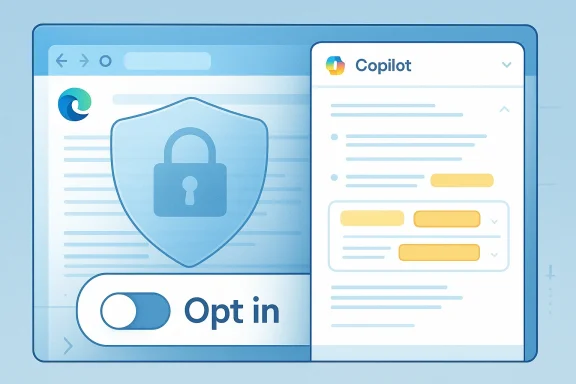
Blue digital interface featuring a shield lock and an opt-in toggle.Background​

Microsoft has been steadily folding Copilot across its products: from the Copilot Chat sidebar in Word, Excel and Outlook to new agentic features inside Edge that treat the browser as an “AI-first” surface rather than a neutral window to the web. That strategy explains why Edge now contains multiple Copilot entry points — and why the browser team is experimenting with ways to make Copilot the default contextual assistant while users browse. This shift is part of a larger, company-wide push to make generative AI a built-in productivity layer rather than an optional add-on.
The specific change under test is straightforward in concept: when a user opens a link that originated in Outlook, Edge would automatically open the Copilot side pane and surface contextual insights derived from the originating email and the destination webpage — highlighting key points and offering recommended actions without forcing the user to interrupt their browsing to summon Copilot. Microsoft’s roadmap entry frames this as a time-saver that “helps users quickly understand content, take action with fewer steps, and get more value from Copilot while extending productive browsing time in Edge.”
But a roadmap blurb and a real-world rollout are different animals. Microsoft’s experiments with Copilot integration have included many UI nudges and automatic behaviors — from Copilot prompts on the New Tab page to hints in the address bar — and user response has repeatedly skewed towards resistance when those nudges feel defaulted or unavoidable.

What Microsoft says the feature will do​

  • When a user opens links from Outlook, Edge will optionally open the Copilot side pane automatically.
  • Copilot will analyze the email context and the destination page to produce short summaries, highlight important points, and suggest "next actions" via suggestion chips.
  • Microsoft pitches this as non-disruptive: the feature is meant to “provide contextual insights … without disrupting the browsing flow.”
These bullet points come from the Microsoft 365 roadmap description of the test. The roadmap entry does not — at least in its public summary — make clear whether the behavior will be on by default, or how exactly the browser will behave for signed-in versus non-signed-in users. That omission matters: defaults shape behavior, and defaults that favor Microsoft’s assistant over user preference are what trigger the strongest backlash.

Why this matters: UX, defaults, and the slippery slope​

  • Defaults shape product adoption. Repeatedly, Microsoft has shown that when AI functionality is enabled by default, it becomes the path of least resistance for users — even for those who prefer other tools or want no AI assistance at all. The Copilot push in Edge is part of a broad strategy to make the assistant visible and useful across many surfaces; the auto-open-on-Outlook-link test is another step in that direction.
  • Attention and workflow disruption. Even if Copilot opens in a side pane, the visual and attention costs are non-trivial: users expect a link click to change the central content area, not to also trigger an assistant UI. Some users will find the pane helpful; many will find it distracting — particularly when links are opened rapidly during triage of email or when a user’s mental model is “click link, read page.” The feature’s benefit hinges on a subtle balance: enough contextual value to justify the window dressing, but not so intrusive that it becomes a performance or attention burden.
  • The path from suggestions to action. Suggestion chips — quick actions that prompt further Copilot behavior — can reduce friction for users who want the assistant’s help. But they also prime users to accept Copilot-curated actions rather than exercise independent judgment. That trade-off has real consequences in workplace contexts where actions may involve sharing, filing, or acting on sensitive content.

Privacy and security concerns​

The auto-open feature raises a set of privacy and governance questions that deserve explicit scrutiny.
  • Data flow and inference: To give useful insights, Copilot needs context from both the email (subject, body, sender, potentially attachments) and the destination page. That means metadata and possibly content are being correlated across apps. For privacy-conscious users and enterprises, that cross-surface inference is non-trivial. Microsoft’s Copilot updates have already expanded the assistant’s ability to read inbox content when permitted, which heightens sensitivity around any automatic cross-app behavior.
  • Proven bugs and lapses. The recent history of Copilot includes at least one serious operational bug in which the assistant processed emails labeled as “Confidential” or otherwise governed by sensitivity labels, bypassing Data Loss Prevention protections — a behavior Microsoft attributed to a server-side logic error and which it patched after discovery. That incident underscores the stakes of automating assistants that ingest email content to provide summaries. Any new auto-open behavior will inevitably raise questions: what safeguards are in place to prevent Copilot from acting on, caching, or summarizing content that should remain protected?
  • User control and the “zombie toggle” perception. Community reports and discussions have surfaced cases in which users perceived Copilot as re-enabling or appearing even after they tried to disable it, generating a “zombie” feeling around the assistant. Whether those reports represent bugs, confusing settings, or simply miscommunication, they have eroded trust — and they make any new automatic behavior feel riskier to the broader user base.
Taken together, these points mean that even a well-intentioned UX feature can create significant privacy and governance tension, particularly for enterprise administrators who must enforce compliance and for individuals who rely on predictable, auditable application behavior.

Enterprise governance and admin controls​

Enterprises will want clarity and controls before accepting a behavior that automatically surfaces AI summaries in a browser context. The big questions for IT organizations include:
  • Will the feature be controllable via Group Policy, MDM, or an Edge administrative template?
  • Will behavior vary depending on whether the user is signed in to a corporate Azure AD account?
  • Are there tenant-level settings in Microsoft 365 that affect whether Copilot in Edge can access message context or cross-application metadata?
Microsoft’s broader Copilot rollouts have indicated that admin controls and staged opt-ins are part of the enterprise story — but implementation details matter. Administrators should expect to see policies and controls tied to Copilot features across Windows, Edge, and Microsoft 365; but they should also prepare for a period of rapid change in which policies are added, modified, or clarified as Microsoft collects feedback and telemetry.
Practical advice for IT teams (high level):
  • Inventory Copilot surfaces in your environment — Windows Copilot, Edge Copilot, and in-app Copilot sidebars for Office apps.
  • Validate which Copilot features are enabled by default for your tenant and whether any staged rollouts are scheduled.
  • Test the Outlook→Edge link workflow in a controlled environment to understand what metadata and content are sent to Copilot.
  • Push policies that disable the feature by default in production if you have concerns, using MDM or Group Policy until the behavior and controls are fully documented by Microsoft.
Because Microsoft’s rollout plans and administrative controls have changed before, admins should treat roadmap dates and initial defaults as tentative until Microsoft publishes formal documentation and policy settings.

Product analysis: why Microsoft is doing this, and whether it makes sense​

From Microsoft’s product strategy perspective, the feature is logical.
  • Microsoft wants Copilot to add value where users already work. Turning a link click — the most common form of context transfer in email workflows — into an opportunity for helpful summarization seems like a straightforward place to start. If Copilot can quickly tell you why a linked article matters or which parts of an email are critical, users might save time and avoid unnecessary steps.
  • The company is also competing in an AI arms race where visibility matters. Edge and Copilot together form a platform play: making the assistant visible in more places builds habitual usage and funnels more interactions into Microsoft’s models and services. Other products are pursuing similar “AI-first” strategies, and Microsoft appears determined not to cede default-in-browser attention to competitors.
But the feature has notable UX and trust risks.
  • The product assumes users want unsolicited assistance. That assumption is fragile. Many users prefer predictable, minimal UIs and will reject features that interrupt established mental models — especially if toggles are buried or defaults are aggressive.
  • It centralizes AI decisions without clear provenance. When Copilot highlights “key points” or recommends actions, users need to know where those suggestions came from, whether they are reliable, and whether the assistant accessed private material to produce them. Without clear provenance and easy ways to audit or opt out, the suggestions risk being treated as authoritative even when they’re not.
  • It increases the surface area for compliance failures. As the DLP bug showed, even well-tested systems can have logic errors that bypass protections. Automatically invoking Copilot on content that originated in email broadens the attack and failure surface, which matters for legal, regulated, and security-conscious enterprises.

How this could be implemented responsibly​

Microsoft could mitigate many concerns by designing the feature with three non-negotiable guardrails:
  • Opt-in by default for consumers and enterprises, with a clearly visible and persistent toggle. If the goal is to increase helpfulness, Microsoft should first win consent rather than rely on inertia.
  • Transparent data handling. Any time Copilot uses email context, the UI should explicitly show what content was read, what was used to form the summary, and whether sensitive items were excluded. A compact provenance header (e.g., “Summary generated from: message subject, first paragraph, linked page”) would reduce confusion.
  • Enterprise-level policy and telemetry controls. IT admins need the ability to disable or tune the feature centrally and to control whether Copilot may access message bodies or attachments for automatic summaries. Logs and audit trails should show when the assistant read inbox content and what actions were suggested or taken.
If Microsoft commits to those design principles and ships the necessary admin tooling, the feature could be a helpful time-saver. Without them, it looks like another example of aggressive default behavior that invites pushback. Several recent Copilot moves — from in-app chatsidebars to auto-install plans — show Microsoft pursuing ubiquity, but ubiquity without control breeds resentment.

What users should do now​

Below are practical, conservative steps readers can take to prepare for or mitigate the impact of an auto-open Copilot pane in Edge:
  • Audit your Edge and Outlook settings. Look for Copilot-related toggles in Edge’s settings and in Outlook, and note whether Copilot features are enabled by default for your account or tenant. If documentation is sparse, test behavior with a non-critical email account in a controlled environment.
  • Review organization policies. If you manage IT for an organization, check MDM and Group Policy templates for new Copilot-related settings and consider staging the rollout until policies are verified.
  • Prepare to opt out. If you prefer not to use Copilot, identify the quickest way to disable it in your Edge profile (settings, privacy, or Copilot sections) and teach your team how to do the same. Expect these paths to change as Microsoft refines the feature, so keep a short internal how-to up to date.
  • Filter sensitive content. For enterprises, ensure that sensitivity labels and DLP policies are properly configured and validated against Copilot behaviors in test tenants. The previous incident in which Copilot processed sensitivity-labeled emails shows why this step is essential.
  • Monitor the roadmap and changelogs. Microsoft has a history of updating roadmap entries and rolling features in stages; stay alert to official changelogs and admin center notices that announce policy and behavior changes. Treat roadmap timelines as tentative until confirmed by product documentation.

Strengths of the feature (why some will like it)​

  • Efficiency: For users who trust Copilot and want faster orientation when clicking links from mail, the auto-open pane can offer immediate summaries and action suggestions without extra clicks. That reduces context switching and could speed decision-making in many workflows.
  • Context-aware assistance: If implemented with careful privacy boundaries, Copilot can provide context that static searches can’t, such as correlating the sender’s note with the linked article to prioritize what to read.
  • Accessibility: A consistent Copilot pane could help users with cognitive load issues by distilling long articles or extracting action items from messages and web pages.

Risks and the potential downside​

  • Perceived coercion: Repeated default nudges across products create the sense that Microsoft is steering users toward its assistant whether they want it or not, eroding trust.
  • Privacy and compliance hazards: Automatic cross-app analysis of email and web content increases the chance of sensitive information being processed inadvertently, as company incidents have shown.
  • UI clutter and cognitive load: Even a side pane is still interface real estate; users who open dozens of links a day could find a persistent Copilot pane a significant distraction.
  • Vendor entrenchment: The more Microsoft makes Copilot the path of least resistance, the greater the lock-in effect for users and organizations that might prefer alternatives.

Conclusion​

The Edge auto-open Copilot feature is emblematic of Microsoft’s broader product thesis: integrate AI everywhere users work, then optimize for convenience and habit. That thesis makes sense as a growth strategy — Copilot is only useful if users encounter and rely on it — but it rests on a fragile social contract of consent, transparency, and control.
If Microsoft wants this feature to be seen as helpful rather than paternalistic, it needs to err on the side of explicit consent, clear provenance for AI outputs, and robust admin controls. The technical promise is real: contextual summaries and action chips could save time. The political and privacy risk is also real: automatic cross-app assistance raises legitimate questions for individuals and enterprises alike, particularly after documented incidents where Copilot processed content it should not have.
For now, users and IT teams should expect experimentation and change. Treat roadmap timelines and feature summaries as indicators rather than guarantees, validate behavior in controlled environments, and demand clear settings and policies before accepting automatic behaviors that reach across email and browsing. Microsoft still has time to choose restraint — making this feature opt-in, transparent, and manageable would turn an intrusive test into a genuinely useful productivity capability. Until then, skepticism from privacy-minded users and administrators is not only understandable, it’s prudent.

Source: Windows Central Microsoft can’t help itself — Edge may soon auto-open Copilot
 

Microsoft’s plan to have Microsoft Edge automatically open the Copilot side pane when a user clicks links from Outlook is small in code and big in consequence — it’s a feature that promises faster context and suggested actions, but it also raises clear questions about defaults, privacy, administrative control, and user trust that Microsoft will need to solve before this ships broadly.

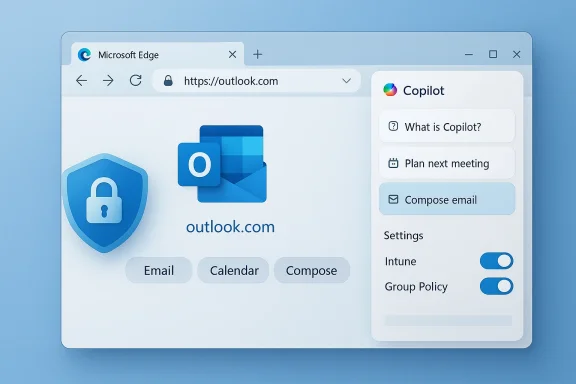
Microsoft Edge shows Outlook.com with a Copilot panel and a security shield.Background​

Microsoft has been steadily folding Copilot — its generative AI assistant — into browsers, Office apps, and Windows itself as a core productivity layer rather than an optional add‑on. The specific roadmap entry shows Edge can “automatically open the Copilot side pane” when a link is launched from Outlook, so Copilot can surface “contextual insights and actionable suggestion chips” drawn from the email and the destination page. That roadmap entry lists the feature as in development with a rollout timeline starting in May 2026.
This is not a theoretical conversation: Microsoft has been experimenting with tighter handoffs between Outlook/Teams and Edge for some time — shared links views, profile-aware external link handling, and sidebar context have appeared in Microsoft’s documentation and experimental channels. Those earlier integrations explain the technical affordances that make this Copilot auto‑open possible.

What Microsoft says this will do​

Microsoft’s public description frames the feature as a productivity shortcut: when a user follows a link from an Outlook message, Edge will open the target page and the Copilot side pane will optionally appear on the right. From that workspace Copilot can:
  • Highlight key points on the page and in the originating email.
  • Produce a compact summary of the destination content.
  • Surface “suggestion chips” — short, actionable prompts such as drafting a reply, extracting action items, or calling out important dates or contacts.
The vendor pitches this as “helping users quickly understand content, take action with fewer steps, and get more value from Copilot while extending productive browsing time in Edge.” That framing appears verbatim in the roadmap summary.
Important verification notes:
  • The roadmap text uses permissive language — “can” and “can provide” — which suggests the capability is being introduced but does not make explicit whether it will be enabled by default for all users. This is a critical distinction for privacy and UX.
  • Microsoft’s public blog and roadmap entries confirm the feature is in development and tied to the broader agenda of Edge + Microsoft 365 integration; they do not include full rollout details such as default state, tenant policy controls, or telemetry behaviours. Those specifics remain to be published.

Wa debate​

The reaction across informed communities has been swift and skeptical. The reason is simple: a small UI behavior change becomes contentious when it is perceived as an automatic, persistent nudge to an always‑on assistant. There are three overlapping user concerns:
  • Defaults matter. When convenience features are enabled by default they become de facto experience choices that are hard to opt out of in practice. Many users and admins view default enabling of AI features as a form of behavioral nudging rather than neutral software design.
  • Privacy and data flow. Opening Copilot automatically implies the assistant will immediately access both the email context and the destination page to generate suggestions. Where that processing happens (locally vs. cloud), what metadata is sent, and how long it’s stored are top‑line questions for privacy‑sensitive users and enterprises.
  • UX interruptions and accessibility. Even when helpful, uninvited side‑panes are disruptive. Users who juggle multiple accounts, who rely on minimal screen real estate, or who use assistive technologies can find sudden pane openings disorienting or outright blocking.
The forum and community reaction — from power users to enterprise admins — has echoed these concerns and called for clarity around opt‑out controls, policy enforcement, and telemetry transparency.

Technical and governance implications​

Data flow and processing model​

From a technical governance standpoint, two core questions must be answered before admins and privacy teams will accept this feature:
  • What content is accessed? Does Copilot ingest the full email body, attachments, or only a short snippet and the link metadata when forming suggestions? The roadmap language suggests both “email and destination content” are used, but it is unclear whether attachments or sensitivity‑labelled content are excluded by default.
  • Where is processing performed? Is the contextual analysis done purely on‑device, or is data transmitted to Microsoft’s cloud services (and possibly routed through model providers) to generate suggestions? The enterprise risk profile differs dramatically between local inference and cloud‑based model calls.
Both of these vectors are central for compliance and DLP (Data Loss Prevention) controls. Microsoft has already had to adapt its Purview DLP and Copilot processing policies to handle sensitive content, which indicates that the company understands the risks but has not yet fully mitigated them for every integration. Enterprise admins will expect clear policy knobs exposing whether Copilot may process emails or pages that carry sensitivity labels.

Tenant and admin controls​

Effective enterprise rollout will require:
  • Group Policy / Intune configuration that can disable the Copilot auto‑open behavior for managed devices.
  • Purview DLP rules that prevent Copilot from processing content labelled as sensitive or restricted.
  • Audit trails showing when Copilot processed email or page content and whether any external model endpoints were invoked.
Without those capabilities, large organizations will treat the feature as an unacceptable risk. Early signals from Microsoft’s enterprise messaging on previous Edge/Outlook cross‑integration suggest admins can manage some link‑handoff behaviors, but explicit Copilot controls must be documented and enforced.

Privacy, compliance, and DLP: what to watch for​

There are five specific privacy items every IT and security team should demand from Microsoft before approving a broad rollout:
  • Explicit opt‑out at device and tenant level. Users and admins must be able to ensure the Copilot pane does not auto‑open under any policy that blocks it.
  • Sensitivity‑aware processing. Copilot should automatically respect sensitivity labels and encryption states, and should be prevented from processing or summarizing content that classification marks as “confidential,” “restricted,” or similar.
  • Transparent telemetry. Records of what content Copilot used and which model endpoints were invoked must be logged in a tamper‑resistant way for compliance checks.
  • On‑device option or guaranteed minimization. Where feasible, allow customers to perform analysis locally or reduce metadata shared with cloud models to the minimum required for the suggestion.
  • Retention and deletion guarantees. Microsoft must publish how long contextual snippets and suggestions are stored and provide mechanisms to delete those traces on demand.
Microsoft has previously shipped DLP guardrails for Copilot in reaction to real product issues, which shows the company is capable of addressing such requirements — but it also demonstrates this work often happens after feedback and incidents, not before. Enterprises should insist on pre‑release governance documentation.

User experience and accessibility​

From a human‑centered design perspective, Copilot auto‑open is a classic trade‑off between convenience and control.
  • Benefits for targeted workflows:
  • Rapid summarization of links from newsletters, tickets, or support emails.
  • One‑click generation of reply drafts or follow‑up tasks, reducing friction in triage workflows.
  • Quick extraction of dates, amounts, or action items from landing pages without switching context.
  • Downsides for everyday browsing:
  • Unexpected UI changes (a side pane unexpectedly opening) break visual flow and keyboard navigation.
  • Multi‑account users may see incorrect content if Edge opens the wrong profile and Copilot pulls data from a different account context.
  • Users with reduced screen real estate (small laptops, tablets) lose critical page space.
Design mitigations Microsoft should consider:
  • Non‑intrusive hinting: show a subtle banner or small icon offering to open Copilot, rather than opening it immediately.
  • “Don’t ask again” and persistent opt‑outs: both per‑device and per‑tenant.
  • Accessible transitions: ensure keyboard focus, screen reader announcements, and predictable pane opening behaviors.
Communities already report confusion and annoyance from earlier sidebar behaviors, where users struggled to find persistent toggles to disable similar features. Those past UX missteps increase skepticism about any new auto‑open behaviour.

Enterprise scenarios: acceptance vs. rejection​

Enterprises will split into three practical groups when this feature arrives:
  • Group A — Early adopters: Teams that prioritize productivity and have robust DLP and compliance tooling will test the feature in controlled pilots. They will accept the feature if Microsoft supplies granular admin controls and strict sensitivity handling.
  • Group B — Conditional adopters: Organizations that require privacy assurances will only enable the feature if Microsoft demonstrates on‑prem or EU‑regional processing options, or provides an on‑device mode.
  • Group C — Blockers: Regulated industries (healthcare, financial, government) are likely to block Copilot auto‑open by policy until they can audit and control all data flows and retention behavior.
IT administrators should be prepared for three immediate actions once this rolls into preview or production:
  • Audit the default state of the feature on corporate images.
  • Validate policy controls in Intune / Group Policy and test Purview interactions with sensitivity labels.
  • Communicate to end users what Copilot will and will not do, and provide a straightforward method to opt out.

Practical recommendations for users and admins today​

Whether you are a power user worried about pop‑ups, a privacy officer, or an administrator planning deployment, here are pragmatic steps to prepare:
  • For individual users:
  • Look for the Edge setting that controls Outlook/Teams context in the side pane (Edge Settings → Sidebar → Outlook/Teams) and set it to off if you prefer manual control. If you are seeing unexpected behavior, review the Outlook option for opening links in a specific browser or profile.
  • If you use multiple Microsoft accounts, ensure the profile mapping settings for external links are correct; mismatches can cause Copilot to appear with the wrong context.
  • For IT admins:
  • Inventory which business groups will benefit from Copilot‑powered link triage and which will not.
  • Prepare an Intune/Group Policy test plan that explicitly toggles the Copilot auto‑open behavior.
  • Update Purview DLP policies to explicitly deny Copilot processing of labelled content until Microsoft documents safe defaults.
  • Author internal guidance and a visible “how we use Copilot” FAQ for employees to reduce surprise and mistrust.
  • Monitor Microsoft 365 Message Center and the 365 roadmap updates for any changes to default behavior or new admin policies.

Risks Microsoft must mitigate before broad rollout​

If Microsoft hopes to avoid the backlash predicted by commentators and community members, it must address at least the following five risks before enabling the feature widely:
  • Default activation risk: Ship opt‑in or disabled‑by‑default experiences for consumer and managed enterprise channels to avoid surprise.
  • Cross‑profile leakage: Guarantee the correct work profile is used when opening links to prevent mixing personal and corporate contexts.
  • DLP circumvention: Ensure Copilot honors sensitivity labels automatically and refuses to process encrypted or restricted content.
  • Telemetry opacity: Provide admins with logs and the ability to audit Copilot’s content processing actions.
  • Accessibility disruption: Offer smooth, predictable pane transitions and keyboard/screen reader compatibility.
Failure to mitigate these could not only annoy users but create regulatory and legal headaches for Microsoft and its customers. Past incidents where Copilot processed sensitive corporate content led to rapid changes in Microsoft’s DLP posture — a pattern that underscores the stakes.

How Microsoft could ship a responsible rollout​

A responsible, phased approach would look like this:
  • Preview release limited to Edge Insider or a controlled tenant program, with explicit documentation of what is processed and where processing occurs.
  • Admin policy controls published and enforced via Intune and Group Policy before consumer rollout.
  • Default state: disabled for unmanaged consumer peers and disabled for managed enterprise images until policy is configured.
  • Privacy‑preserving options such as on‑device summarization or a low‑bandwidth metadata mode.
  • Clear UI affordances for users: small non‑modal prompts offering the Copilot pane with a “Do not sa visible always‑on/off toggle.
Such an approach reduces risk and builds trust; it trades short‑term adoption numbers for long‑term credibility. Community feedback will be far more positive if Microsoft demonstrates restraint and gives people real control over the assistant’s presence.

Wider industry context: why this matters beyond Microsoft​

The Copilot auto‑open debate is emblematic of a broader crossroads in HCI and platform governance: whether AI assistants become ambient assistants that interject proactively, or remain explicit, user‑driven tools. Both models have valid use cases — but they imply different norms for consent, transparency, and control.
  • Ambient assistants can increase productivity for coordinated workflows, but they also centralize power and data in platform vendors.
  • Explicit assistants require an intentional user action, which preserves agency at the cost of friction.
Regulators and enterprise customers are watching this tension closely. The EU AI Act and other emerging frameworks emphasize transparency, human oversight, and risk‑based controls for high‑impact AI systems. That regulatory backdrop will shape how vendors like Microsoft deliver features such as automatic Copilot panes.

Conclusion​

Microsoft’s roadmap entry for Edge to auto‑open Copilot from Outlook links is a logical extension of the company’s strategy to weave AI across apps — and it will be useful in many scenarios. But usefulness alone does not neutralize legitimate concerns about defaults, data handling, and control. To ship responsibly, Microsoft must be explicit about what data Copilot will see and where it will be processed, provide strong tenant and device controls, and default to less intrusive behavior for the majority of users.
If Microsoft gets those controls and communications right — previewed to insiders, managed by admins, and opt‑in for most users — the feature can be a genuine productivity win. If Microsoft treats it as a silent default nudge without the required governance, it risks repeating old mistakes and deepening user distrust in AI features across Windows and Microsoft 365. The difference between a welcome assistant and an intrusive billboard is not how clever the AI is; it’s how well users and admins control when and how it appears.

Source: TechRadar https://www.techradar.com/computing...-email-links-and-i-can-feel-the-hate-already/
 

Microsoft is preparing to make its Copilot assistant an almost automatic companion to the email-to-web workflow: according to a Microsoft 365 roadmap entry rolling out in May 2026, clicking a link in Outlook that opens in Microsoft Edge can also open the Copilot side pane automatically and present AI-crafted summaries, highlights, and “suggestion chips” based on both the email and the destination page. What looks like a productivity shortcut on the surface raises immediate questions about defaults, consent, data flow, and administrative controls — and may force organizations and cautious users to act before the feature reaches broad deployment.

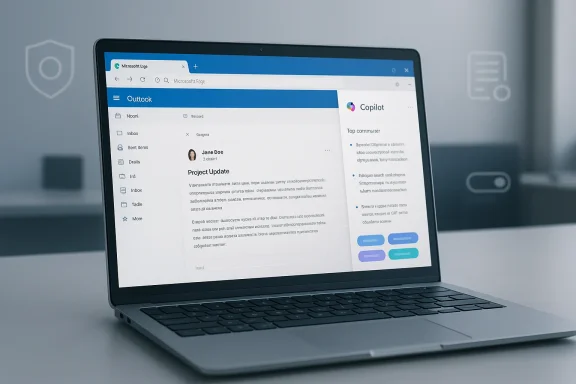
Laptop displaying the Outlook web app with a Copilot panel on the side.Background​

Microsoft has steadily baked Copilot into Windows, Office, Edge, and the Microsoft 365 ecosystem over the past two years. The company’s strategy has been explicit: make Copilot a first-class, ever-present productivity layer so users adopt it organically as they interact with everyday apps. Copilot appears in taskbars, the Windows shell, Office ribbons, Teams, and the Edge sidebar — and now the integration appears poised to extend to the basic act of opening links from Outlook.
The new roadmap entry describes an experience where Edge “can automatically open the Copilot side pane to provide contextual insights and actionable suggestion chips based on email and destination content” — functions designed to highlight key points and recommend next actions without interrupting browsing flow. Microsoft frames this as time-saving: fewer app switches, quicker understanding of content, and a smoother path from reading an email to taking action on a page.
But the devil is in the defaults. When an AI assistant appears unbidden — and potentially by default — questions about control, transparency, telemetry, and data residency move from academic to practical.

What the feature will do (and how it works)​

The user experience Microsoft describes​

  • When a user clicks a link in an Outlook email, Edge opens the linked page as usual.
  • Simultaneously, the Copilot side pane in Edge can open automatically and analyze both the email context and the destination page.
  • Copilot can then:
  • Summarize the destination page in a few bullet points.
  • Highlight important data or action items pulled from email + webpage.
  • Offer suggestion chips (next actions) such as drafting a reply, scheduling a meeting, or extracting key dates/figures.
Microsoft’s messaging positions this as non-disruptive: Copilot sits in the sidebar, does the heavy-lifting, and gives users shortcuts for common follow-ups.

The technical affordances that make it possible​

This behavior is enabled by two technical facts:
  • Copilot in Edge can access the page content in the browser context (when allowed), which lets it summarize or extract structured elements from the loaded page.
  • Microsoft has already implemented contextual handoffs between Outlook and Edge (link-opening behavior, profile-aware browsing), so launching Copilot alongside a page is a relatively small product engineering step.
The feature leverages existing Copilot Chat integration in the Edge sidebar and the email-to-browser bridging Microsoft has been iterating on, which is why it can be rolled out as a single, coordinated change on the Microsoft 365 roadmap.

Why many users and administrators are worried​

Defaults matter — and defaults are sticky​

One key concern is whether the feature will be enabled by default. History shows that when a major vendor enables a capability by default — especially an AI feature that “helps” users — adoption spikes even among people who would otherwise keep it off. If Copilot auto-open is enabled by default, users may find the sidebar popping up unexpectedly, and many will not know how to reliably suppress it.
Defaults also affect enterprise configuration: if the browser or Microsoft 365 tenant ships with a Copilot-first default, IT teams must proactively apply policies or teach users how to opt out.

Privacy and data flow: what is actually sent to Copilot?​

Automatic summarization implies the browser (and the Copilot backend) can read page content and correlate it with email text. That raises two immediate questions:
  • Where does Copilot process the content — locally, in the browser, or in Microsoft’s cloud?
  • What telemetry or page snippets are logged, stored, or used to improve models?
Microsoft’s enterprise documentation shows that Copilot can run with enterprise protections (enterprise data protection, Entra ID context) and that there are admin controls over whether Copilot can use page content. But an automatic, seamless feature still creates friction points: users may not see consent prompts; sensitive information contained in emails or internal web pages (PHI, PCI, confidential IP) could be summarized by an AI that’s backed by the cloud.

UX clutter and distraction​

From a pure usability perspective, an assistant that appears on every Outlook link can be annoying. Users who don’t want assistance will still have to dismiss the pane repeatedly unless there’s a global off switch. This is a legitimate productivity risk: repeatedly dismissing an unwanted UI element interrupts workflow and breeds resentment.

Security risks: auto-processing malicious or sensitive links​

Automatically opening and summarizing pages that are linked from email introduces extreme focus on an email threat vector:
  • If an email contains a link to a malicious or credential-harvesting page, Copilot’s automatic fetch and analysis could unintentionally trigger further requests or reveal context to the AI backend.
  • Any automated agent that preloads or analyzes external content creates a side channel for data leakage if not tightly controlled.
  • Attackers may attempt to craft pages that elicit Copilot disclosure of summary content, or otherwise manipulate suggestion chips.
In short: the automation that promises convenience could also accelerate or expose adversarial paths.

What control admins and power users actually have today​

Before panic sets in, it’s important to map what Microsoft already offers to manage Copilot and the Edge sidebar. Organizations are not entirely at the mercy of a one-size-fits-all rollout.

Policy knobs and admin controls​

Microsoft provides group policy and admin-center controls for Copilot and Edge. Notable controls include:
  • EdgeCopilotEnabled — a browser policy that can enable or disable Copilot in Edge. When disabled, users cannot use Copilot in Edge.
  • HubsSidebarEnabled — controls whether the Edge sidebar (the container for Copilot) is shown; disabling the sidebar prevents the Copilot UI from appearing.
  • Microsoft365CopilotChatIconEnabled — policy to control the Copilot Chat icon visibility and sidebar behavior in managed environments.
  • EdgeEntraCopilotPageContext (and related page-context policies) — these controls determine whether Copilot can use browsing context (page content/PDFs) when generating responses; they let admins block Copilot from reading web pages even when the UI is available.
There are also tenant-level Copilot controls in Microsoft 365 admin experiences that govern who can install or access the Copilot integrated app and whether Copilot can use organizational data.
These controls let enterprises choose between full enablement, limited consent, or outright blocking — provided IT teams apply the policies before the feature reaches users.

Consent dialogs and enterprise vs. consumer profiles​

Microsoft’s support notes indicate that when Copilot is enabled, users may see a consent dialog prompting whether Copilot may access page content, especially in personal account contexts. For Entra ID (work/school) profiles, admin decisions may preempt that dialog: admins can centrally allow or deny page access. That means enterprises with conservative compliance policies can block Copilot’s page access tenant-wide.

Hardening guidance already exists​

Security hardening and compliance guidance — including STIG-like recommendations in some environments — has advised disabling or tightly controlling sidebar/Copilot features for high-assurance systems. These recommendations give security teams a predictable path to mitigate risk.

Practical steps for users and admins (what to do now)​

If you’re concerned about Copilot auto-opening from Outlook links, here are concrete, prioritized steps — short, actionable, and separated for end users and IT administrators.

For end users (non-admins)​

  • Hide or disable the Copilot button in Edge — use Edge’s sidebar or toolbar settings to hide Copilot UI elements so manual activation is required.
  • Change your default browser — if you want to avoid Edge-specific behavior entirely, set another browser as your system default so Outlook links open elsewhere.
  • Use a different mail client — if you use Outlook desktop or Outlook web and want to avoid this integration, consider a different client (depending on organizational constraints).
  • Watch for consent prompts — if a consent dialog appears asking permission for Copilot to access page content, read it carefully before accepting.
  • Report persistent UI behaviour — if Copilot continues to appear despite toggles, check for enterprise-managed policies (edge://policy) or contact IT.

For IT administrators and security teams​

  • Review the roadmap and test in a pilot group — spin up a controlled pilot to observe behavior, telemetry, and consent flows before broad rollout.
  • Decide a tenant policy stance — choose one of the following and implement via Group Policy / Intune / ADMX:
  • Disable Copilot in Edge entirely (EdgeCopilotEnabled = false).
  • Keep Copilot enabled but disable page-context access (EdgeEntraCopilotPageContext set to block), which prevents Copilot from reading page content while permitting manual use.
  • Hide Copilot UI elements using Microsoft365CopilotChatIconEnabled or HubsSidebarEnabled policies.
  • Document and communicate — if you allow Copilot selectively, inform users and outline acceptable use, data handling, and what to do if Copilot displays or summarizes confidential content.
  • Audit and monitor — verify applied policies via edge://policy on representative devices, and monitor tenant telemetry for unexpected Copilot usage.
  • Update compliance inventories — evaluate whether Copilot page access conflicts with regulatory controls (e.g., HIPAA, PCI DSS, or export-control regimes) and document mitigations.
  • Plan for incident response — define steps to follow if Copilot reveals or caches sensitive data or if a malicious page is summarized automatically.

Risk matrix: where Copilot auto-open helps and where it hurts​

Where it adds clear value​

  • Routine business links: Product pages, vendor portals, and public knowledge-base articles can benefit from quick summaries and action chips.
  • Time-saving for triage: Sales reps and support staff who open many links from emails could appreciate instant highlights and suggested responses.
  • Onboarding and knowledge workers: People learning a new process can get a condensed view of lengthy policy pages or documentation.

Where it introduces risk​

  • Confidential internal pages (intranets, HR systems, contract portals) — automatic summarization can surface sensitive facts outside intended boundaries.
  • Regulated data (healthcare, finance) — automatic page reading may contravene data protection or audit requirements unless blocked.
  • Phishing or exploit-laced pages — immediate page fetches for summarization could increase exposure or inadvertently trigger malicious content fetches.

The politics of product defaults and user autonomy​

This rollout sits at the intersection of product design, user autonomy, and corporate strategy. Microsoft clearly bets that integration + convenience drives adoption; critics argue that this pushes users toward an AI-first path without giving them clear choice.
Two competing philosophies are at work:
  • Vendors optimizing for activation: ship convenient AI assists enabled by default to boost engagement metrics.
  • Users and enterprises prioritizing control: insist on explicit opt-in, clear consent, and easy off-ramps for features that access private data.
The balance between those philosophies will determine whether the feature succeeds as a helpful shortcut or becomes a source of user frustration and regulatory scrutiny.

What to watch for as the rollout approaches​

  • Default setting: Will Microsoft enable the auto-open behavior by default for personal and work accounts, or will it be opt-in? The difference determines outreach work for IT teams.
  • Consent mechanics: Does a consent dialog reliably appear for consumer accounts, and how does it behave for Entra ID profiles where admins may pre-approve or pre-block page access?
  • Policy coverage completeness: Are the Edge and Microsoft 365 admin controls sufficient to block auto-open behavior outright, or will admins need layered policies to suppress both the UI and page-context access?
  • Telemetry transparency: Will Microsoft publish clear documentation about what Copilot logs when it summarizes page content opened via Outlook links?
  • Enterprise rollout cadence: Is this controlled via feature flags/controlled rollouts, or will it blanket large installations quickly? The pace affects the window IT teams have to prepare.

Bottom line​

The Copilot auto-open-from-Outlook-links feature is a classic example of an efficiency-first design that collides with real-world privacy, security, and administrative realities. It will undeniably save time for users who welcome AI help. But the very same automation can force sensitive data into an assisted workflow, alter user interfaces without explicit consent, and complicate compliance postures.
If you are an IT administrator, do not assume “it won’t affect us” — plan, test, and apply policies now so you control how quickly Copilot becomes present in your environment. If you are an individual user who prefers the status quo, consider hiding the Copilot UI in Edge or changing your default browser before the May 2026 rollout window. In either case, treat this change as a governance and risk-management problem as much as a product update: the convenience AI promises should not come at the expense of control, clarity, or compliance.
Ultimately, the feature will be useful for many — but its acceptability hinges on defaults, transparent consent, and robust admin controls. Prepare accordingly.

Source: XDA Copilot may soon automatically summarise your Outlook links, whether you want it to or not
 

Microsoft’s roadmap entry making Copilot an automatic companion to the email‑to‑web workflow is straightforward in intent and complicated in consequence: starting in May 2026, Microsoft plans for Microsoft Edge to auto‑open the Copilot side pane whenever a user clicks a link from Outlook, surfacing AI‑generated highlights, summaries and “suggestion chips” drawn from both the email and the destination page.

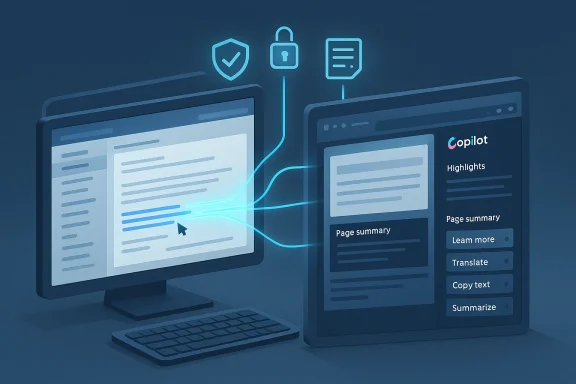
Two monitors connected by glowing lines, illustrating secure data transfer with Copilot.Background​

Microsoft has been steadily embedding Copilot across Windows, Microsoft 365 and Edge for more than two years, moving the assistant from an optional helper to a persistent productivity layer. The February 25, 2026 roadmap entry (Feature ID 557561) is another step in that trajectory: the company frames the change as an efficiency improvement — “helping users quickly understand content, take action with fewer steps, and get more value from Copilot while extending productive browsing time in Edge.”
That framing matters because it reveals the product logic: anchor Copilot’s activation to the moment of highest intent — a user following through from mail to the web — and make the assistant appear at the point of action, not only when a user remembers to summon it. Industry reporting picked up the roadmap entry within days, and reaction has been fast and polarized: some security and privacy observers flagged the change as an unwelcome, potentially default‑on expansion of Copilot into content the assistant will now automatically read.

What Microsoft says the feature will do​

  • When an Outlook message contains a link and a recipient clicks that link, Edge will open the target page in a tab and open the Copilot side pane alongside it.
  • Copilot will supposedly analyze both the email that contained the link and the content of the destination page to surface contextual insights: highlights of important details, an on‑demand summary of the page, and suggestion chips that propose next actions (draft a reply, set a follow‑up, schedule a meeting, etc.).
  • The roadmap entry lists the release phase as General Availability, with a target rollout beginning May 2026 and a worldwide scope for standard multi‑tenant cloud instances. Third‑party and media coverage confirm the date and the roadmap ID.
Those are precise user‑facing claims. What remains less precise — and where most of the debate concentrates — is the behavior model (opt‑in vs. opt‑out), the admin control surface (Group Policy/Intune toggles), and the technical boundary for content processing (where, exactly, email and page content will be processed by Copilot).

Why this matters: control, consent and context​

At a product level, automatically opening an assistant is a user‑experience decision with real tradeoffs. The potential gains are obvious: faster triage, fewer steps to act, and a way to keep attention inside one app ecosystem. But the costs are also immediate: UI clutter, attention fragmentation, added CPU and memory use, and — most importantly — a change in who or what has access to sensitive context.
Privacy and security criticisms aren’t hypothetical. The core concern is that corporate email content — often carrying customer data, project status, legal information, and privileged discussions — would be read and summarized by a large language model whenever links are followed. That raises questions about:
  • Default behavior: Will this be on by default or off by default? The roadmap language uses “can automatically open,” which leaves room for interpretation, but it does not explicitly promise a user‑opt‑in model. Media coverage and outside observers point out the lack of clarity in the rollout documentation.
  • Administrative controls: Will IT administrators be able to disable the feature tenant‑wide through Group Policy, Intune, or the Microsoft 365 admin center? Microsoft has not published a clear admin control map for this specific roadmap item, and Microsoft’s public responses to queries about admin controls have been limited so far.
  • Processing location and data residency: Will the analysis happen only inside tenant‑aware Microsoft 365 Copilot (with tenant data protections and regional processing), or will it use general Copilot backends that could route data through different cloud regions or model providers? Public documentation does not yet enumerate the processing model for this exact feature; that absence is central to the privacy anxiety.
Those factors combine to create both operational and compliance risk for organizations that must keep sensitive data inside strict boundaries.

The privacy and security critique — what critics are saying​

Security researchers, browser makers and privacy advocates have been blunt. The CEO of Vivaldi described automatic analysis of corporate email by an LLM — hosted “who knows where” — as “highly problematic” for corporate security and privacy, and phishing or manipulation. That quote, amplified in news coverage, crystallizes a broader worry: an automatic assistant that consumes both the message that pointed to a site and the site itself could be manipulated by an attacker to produce misleading or malicious guidance.
Technically, several concrete attack patterns are plausible:
  • Prompt‑injection or reprompt style chained attacks, where a crafted landing page includes content that biases Copilot’s summary or suggestion chips in an attacker’s favor (for example, instructing the assistant to highlight a fake payment instruction). Security researchers have already demonstrated ways that assistant integrations can be abused as quiet exfiltration or manipulation channels; those techniques become more powerful when the assistant has automatic access to long email context plus the linked page.
  • Phishing escalation: an attacker who can craft an email with a link that triggers Copilot may be able to exploit what the assistant reads from the email itself — for instance, using a deceptive phrasing in the message to prime Copilot towards validating malicious instructions.
  • Data‑residency and regulatory violations: organizations operating under strict data residency rules (finance, healthcare, government) may face exposure if Copilot’s processing for these interactions happens in a location or a model context that doesn’t meet contractual or regulatory requirements.
Those are not speculative once an assistant has broad contextual read privileges; they are practical threat vectors that security teams must evaluate now.

The opt‑out question and administrative controls​

A core operational question for IT teams is this: Will the feature default to on, and if so, will admins be able to turn it off across a tenant? The roadmap language — and subsequent press coverage — leaves that ambiguous. Microsoft’s public note uses permissive, product‑focused language (“can automatically open”) rather than administration or governance language (“admin control,” “policy,” or “tenant opt‑out”). Several independent commentators and reporters have asked Microsoft for specifics on defaulting and administrative controls; public responses have been limited at the time of reporting.
What we do know from other, recent Microsoft governance updates is instructive: Microsoft has been adding Edge and Copilot‑related ADMX/Intune policies and has introduced DLP features aimed at preventing Copilot from processing content tagged as sensitive. The Intune “what’s new” notes show that new ADMX‑backed Edge policies were added in recent months — for example, settings that allow or disallow pages from using built‑in AI APIs. Admins should expect new policies for Edge’s Copilot behaviors to appear in either the Edge administrative templates or in the Microsoft 365 admin center as this feature moves through development and into rollout. Still, until Microsoft publishes the specific policy names and administrative guidance for 557561, we must treat the availability and scope of admin controls as uncertain.

Enterprise impact: compliance, DLP, and governance​

For regulated organizations the implications are immediate:
  • Data Loss Prevention (DLP) and Purview: Microsoft has been working to add DLP guardrails for AI features — including mechanisms that restrict Copilot from processing content tagged with sensitivity labels — but DLP policies vary by tenant and by how features are enabled. Roadmap items in Purview and DLP indicate Microsoft’s awareness of the privacy surface, but the practical coverage — which content is blocked, which content triggers tenant‑level exceptions, and whether policy enforcement extends to transient contexts like a Copilot pane launched from Edge — must be validated in each tenant’s test environment.
  • Data residency: if Copilot’s analysis of email and web content uses Microsoft 365 Copilot backends that are tenant‑aware, many enterprises will be comfortable. If it defaults to consumer Copilot backends or to external model providers for some steps, that may violate contractual or legal restrictions. Microsoft has in the past made a distinction between tenant‑aware M365 Copilot and consumer Copilot; organizations should insist on a clear statement about which backend(s) will be used for this Edge feature and whether processing can be constrained to tenant‑approved regions.
  • Auditability and logging: enterprises will need to know whether Copilot’s accesses are logged in audit trails — which emails were read by Copilot in service of page summaries, when and by which user — and whether those audit logs are exportable for compliance review. Microsoft’s product documentation for Copilot and Microsoft 365 has been adding telemetry and compliance guidance, but the specifics must be validated once the feature ships or before it’s enabled tenant‑wide.

Attack surface and practical exploitation scenarios​

To turn the theoretical into the concrete, here are realistic attacker models that security teams should test against in their red‑team exercises:
  • Phishing amplification: send a specially crafted Outlook message linking to a malicious landing page; the landing page contains instructions that will cause Copilot to surface a summary that replicates the attacker’s malicious instruction as a legitimate next step.
  • Stealth exfiltration via suggestion chips: create a landing page that, when read by Copilot, causes the assistant to generate a suggestion chip that, if clicked, causes further Copilot interaction that includes sensitive content from the original email thread.
  • Social engineering escalation: an attacker sends an email that primes Copilot to recommend actions (for example, “pay invoice X”) that seem validated by the assistant’s summary because the assistant also read contextual material (an attached but benign invoice) — thereby reducing user suspicion.
These attack patterns are practical because the assistant is being granted two rich sources of context — the originating email and the destination web page — at the exact moment a user is engaging with the content.

Recommended actions for IT administrators (practical checklist)​

Administrators should treat the May 2026 rollout target as an operational deadline: whether or not Microsoft leaves the feature default‑on, anything that propagates Copilot triggers from Outlook to Edge requires pre‑release planning.
  • Inventory and baseline
  • Identify which users have Copilot access and which mailboxes are cloud‑hosted vs. on‑premises. Copilot functionality differs between cloud and hybrid setups.
  • Baseline current Edge and Outlook behavior in a controlled test tenant.
  • Validate roadmaps and policy availability
  • Monitor Microsoft 365 Roadmap entries (Feature ID 557561) and the Microsoft 365 admin center for policy rollout notes and ADMX/Intune templates. Expect new Edge administrative template updates to include AI control flags.
  • Pre‑define tenant policy
  • Draft a temporary tenant policy stating the organization’s position (e.g., “Copilot auto‑open for Outlook links is disabled pending security and privacy review”).
  • Prepare an Intune configuration profile or an Edge Group Policy (if available) to disable side‑pane behaviors centrally.
  • Test DLP coverage
  • Validate that existing Purview / DLP rules prevent Copilot from processing labeled or sensitive content. If necessary, create explicit rules that block Copilot processing for messages or attachments with specific sensitivity labels.
  • Update incident response and phishing simulations
  • Incorporate Copilot‑triggered scenarios into phishing simulations and IR playbooks. Treat the Copilot pane as a potential amplification vector.
  • Communicate to users
  • Prepare an internal guidance note explaining expected behavior, how users can dismiss or disable Copilot panes (if client settings allow), and whom to contact for exceptions.
  • Audit and logging
  • Work with Microsoft support to verify available audit logs that show when Copilot accessed or summarized email or page content. Decide retention and export policies.
  • Pilot in a controlled group
  • Run a tight pilot with security, compliance, and representative business users to measure usefulness vs. risk before any tenant‑wide enablement.
These steps are practical and should be executed now; waiting until May 2026 risks a scramble to contain a feature after it appears in production.

Recommended actions for end users and security teams​

  • Assume Copilot could surface summaries of your email content in the Edge pane. Treat any Copilot‑generated suggested action with the same skepticism you’d apply to a human‑provided instruction in an email.
  • If you receive unexpected suggestion chips that ask for confirmation of payments or supply sensitive instructions, do not act on them until you verify via an out‑of‑band channel (phone call, internal system).
  • Report odd Copilot behaviors or summaries to security immediately; keep the browser tab and the original message for IR analysis.

Technical and legal caveats — what Microsoft has not yet clarified​

Microsoft’s roadmap description is explicit about UI behavior and intent but silent on several critical technical and legal questions:
  • Where exactly is the analysis performed (tenant‑aware M365 Copilot backends or consumer Copilot)? The absence of a published processing location for this route of contextual grounding is notable and should be considered unverified until Microsoft specifies it.
  • Will Copilot actions triggered from Edge be subject to the same tenant governance controls as in‑app Copilot experiences (for example, strict tenant boundary checks that prevent external model routing)? That is an implementation detail Microsoft needs to publish; without it, risk assessment is incomplete.
  • Audit trails: Microsoft’s general Copilot release notes show an increasing focus on governance and auditability, but there is no public promise yet that every Edge‑launched Copilot access will be logged in a tenant‑accessible audit stream. Organizations should require that auditability be demonstrable before enabling the feature.
Flag anything Microsoft does not explicitly publish as an open risk in your compliance impact assessment.

Policy options Microsoft could (and should) offer​

Given the clear risks, responsible product rollout would include immediate, clearly documented controls:
  • Tenant policy to disable “Auto‑open Copilot side pane for links from Outlook” globally.
  • Per‑user preference exposed in Outlook and Edge UIs for users to permanently disable the behavior.
  • Intune / Group Policy ADMX settings with clear names and descriptions (for example, EdgePolicy:DisableCopilotAutoOpenFromOutlook = true/false).
  • A documented processing model specifying whether content is sent to tenant‑aware M365 Copilot or consumer Copilot models, and the physical regions where processing occurs.
  • Audit logs that record which emails and which URLs were consumed by Copilot when the pane opened.
Some of these controls exist elsewhere in Microsoft’s policy fabric for Copilot; applying them to this feature is the right governance move. Administrators should demand these options before enabling the feature broadly.

A measured conclusion: product value vs. governance obligations​

From a strictly product perspective, the feature is a logical attempt to reduce friction: users often move from mail to web and lose context; a clipped assistant that summarizes the page and offers next steps is a clear productivity play. In controlled environments and for users who already trust Copilot and accept Copilot’s data flows, the feature could be a useful time‑saver.
But the product decision to automatically surface a model that has access to both email and page content raises governance and security implications that Microsoft must answer clearly and concretely before enterprises should allow this capability at scale. The most important transparency points are the processiniate availability of tenant‑level controls and auditability. Without those, organizations face real compliance and risk exposure — and users face a confusing change in expectation: a click that used to open a page now also invites an assistant into their private or corporate communications.

Practical next steps — a short executive checklist​

  • Treat May 2026 as a hard date for readiness checks: confirm whether your tenant will receive the update and whether the feature will be enabled by default.
  • Immediately add “Edge Copilot auto‑open” to your security and privacy backlog; schedule a pilot and governance review.
  • Verify DLP/Purview rules block Copilot processing for labeled data and test the behavior end‑to‑end.
  • Prepare Intune or ADMX policies to disable the feature if Microsoft publishes them; if no policies are available, prepare manual mitigation steps and an internal change control to block or remove Edge where needed.
  • Communicate to executives the tradeoffs — short‑term productivity gains versus medium‑term compliance risk — and set clear criteria for an enablement decision.

Microsoft’s Edge roadmap item may ship in May 2026 — or it may be delayed, changed, or adjusted in response to customer feedback and regulatory scrutiny. Either way, the coming weeks are an opportunity for IT leaders to set policy guardrails, for security teams to test attack models that leverage assistant context, and for product teams to press Microsoft for the missing governance details that make responsible AI integration possible. The feature’s promise is real; the missing operational and compliance detail is not.

Source: WinBuzzer Microsoft Edge Will Auto-Launch Copilot on Outlook Links
 

Back
Top