

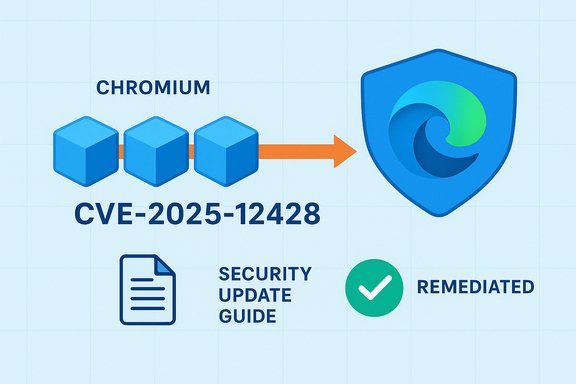
Chromium’s V8 type‑confusion entry for CVE‑2025‑12428 appears in Microsoft’s Security Update Guide because Edge is built on Chromium — the entry tells customers whether Microsoft Edge (Chromium‑based) has ingested the upstream fix and is therefore no longer vulnerable.
Chromium is an open‑source browser project whose core components (Blink, V8 and other libraries) are consumed by multiple commercial browsers, including Google Chrome and Microsoft Edge. When a security issue is discovered in Chromium (for example, a type‑confusion bug in the V8 JavaScript engine), Google publishes a Chromium/Chrome release that contains the fix. Downstream vendors — Microsoft among them — then “ingest” that change into their own product builds, test it, and ship a patched release for their customers. Microsoft records the upstream CVE in the Security Update Guide (SUG) to declare the status of Microsoft Edge: whether a shipped Edge build is still vulnerable or has been remediated.
V8 type‑confusion bugs are a high‑risk class of vulnerability because they can corrupt memory, produce out‑of‑bounds reads/writes, and be leveraged to achieve arbitrary code execution within the browser process. Historically, V8 memory‑safety bugs have been weaponized by attackers via malicious web pages, which is why browser vendors treat them as high priority. Independent security trackers and mainstream outlets routinely advise immediate updates when these issues are patched upstream.
Chromium V8 vulnerabilities remain among the most consequential classes of browser bugs because of their remote attack surface and capability to produce powerful memory‑corruption primitives. Microsoft’s Security Update Guide entries for Chromium CVEs are not a statement of authorship; they are an operational signal telling Edge customers when Microsoft has shipped a build that contains the upstream remediation. The practical defense is straightforward: verify your local browser build (use
Source: MSRC Security Update Guide - Microsoft Security Response Center
 Background / Overview
Chromium is an open‑source browser project whose core components (Blink, V8 and other libraries) are consumed by multiple commercial browsers, including Google Chrome and Microsoft Edge. When a security issue is discovered in Chromium (for example, a type‑confusion bug in the V8 JavaScript engine), Google publishes a Chromium/Chrome release that contains the fix. Downstream vendors — Microsoft among them — then “ingest” that change into their own product builds, test it, and ship a patched release for their customers. Microsoft records the upstream CVE in the Security Update Guide (SUG) to declare the status of Microsoft Edge: whether a shipped Edge build is still vulnerable or has been remediated.V8 type‑confusion bugs are a high‑risk class of vulnerability because they can corrupt memory, produce out‑of‑bounds reads/writes, and be leveraged to achieve arbitrary code execution within the browser process. Historically, V8 memory‑safety bugs have been weaponized by attackers via malicious web pages, which is why browser vendors treat them as high priority. Independent security trackers and mainstream outlets routinely advise immediate updates when these issues are patched upstream.
What the SUG entry actually means (plain language)
- Microsoft’s SUG entry for a Chromium CVE is a downstream status report — it does not mean Microsoft introduced the bug.
- The entry answers a single operational question: Has Microsoft shipped an Edge build that contains the Chromium fix? If yes, SUG will mark the Microsoft product as mitigated for that CVE.
- For enterprises, that single line of truth is valuable: it confirms whether the vendor‑supplied Edge build in your environment is expected to be safe from that specific upstream bug.
Why Microsoft does this
Microsoft maintains the SUG as a centralized, product‑specific mapping of CVEs to Microsoft‑shipped builds. Because Chromium is upstream open‑source code consumed by Edge, a Chromium CVE can affect Edge until Microsoft ingests and ships the change. Publishing that mapping reduces ambiguity for admins who otherwise would have to correlate Chrome build numbers with Edge release notes and internal test timelines.The technical risk: why V8 type confusion matters
Type confusion in V8 is dangerous for several reasons:- Remote attack surface: an attacker can often trigger the bug simply by convincing a user to visit a malicious or compromised web page.
- Memory‑safety primitives: type confusion can lead to memory corruption primitives (arbitrary read/write), which attackers chain into sandbox escapes or native code execution.
- High‑impact outcomes: successful exploitation can produce arbitrary code execution in the context of the logged‑on user, credential theft, or privilege escalation when combined with other vulnerabilities.
Why your CVE appears in Microsoft’s Security Update Guide (step‑by‑step)
- A vulnerability is reported in Chromium (or a Chromium component like V8).
- Chromium/Google assigns a CVE and releases a Chrome stable update that contains the fix.
- Microsoft pulls (ingests) the Chromium change into Edge, runs product compatibility and security tests, and then ships a Microsoft Edge build that includes the ingestion.
- Microsoft records the upstream CVE in the Security Update Guide and lists which Microsoft products / Edge builds have the ingestion and are considered remediated. This provides an authoritative downstream status for Edge customers.
How to see the browser version (exact, copy‑and‑paste steps)
The quickest, most reliable way to confirm whether your browser is patched is to check the browser’s About page or the version page and compare the build string to the patched baseline. Here are exact steps for desktop platforms.Microsoft Edge (desktop)
- Open Microsoft Edge.
- Go to Help and feedback → About Microsoft Edge, or type edge://settings/help in the address bar and press Enter.
- The About page displays the exact version string and automatically checks for updates. If an update is available, it will download and prompt you to Restart to apply it.
edge://version in the address bar — that page shows the full version string, the Chromium base version Edge was built from, and the V8 version. Use that full string when cross‑checking with vendor release notes.Google Chrome (desktop)
- Open Chrome.
- Go to Menu → Help → About Google Chrome, or type chrome://settings/help and press Enter.
- The page shows the installed Chrome version and triggers an update check; relaunch when prompted. For a full readout, use
chrome://version.
Linux / command line
- Many distros expose package versioning:
google-chrome --versionorchromium --version, or check the package manager (apt/dnf/zypper) for the installed package version. For packaged Chromium on Linux, consult your distribution’s security advisory for the exact patched package.
Enterprise and managed environments
If devices are managed via Intune (Endpoint Manager), SCCM/ConfigMgr, WSUS, or other EMM tools, updates may be centrally controlled. The About page still reports the local version, but if updates are blocked or deferred you must coordinate with your IT team to verify when the patched Edge build will be deployed.How to interpret version numbers and decide if you’re protected
- Chromium patches are referenced against Chromium/Chrome build numbers (for example, “fixed in Chromium 140.0.7339.185”). Microsoft’s SUG / Edge release notes will indicate which Edge build incorporates that Chromium ingestion. Compare your local
edge://versionorchrome://versionstring to the fixed baseline shown by the vendor. If your build is equal to or newer than the patched build, the CVE is considered addressed in your browser build. - Important nuance: Edge’s version numbering and Chromium’s base version are related but not always identical. The authoritative mapping for Edge is Microsoft’s own release notes / SUG entry. Always rely on the Edge SUG listing or Microsoft release notes to determine the exact Edge build that contains the upstream Chromium fix.
Cross‑verification: what independent sources show
Two independent corroborations that illustrate the typical lifecycle and severity of V8 type‑confusion CVEs:- Security trackers and vendors (Snyk, CVE aggregators) list V8 type‑confusion bugs as high severity and point to the specific Chrome builds where fixes were applied. These trackers recommend updating Chromium/Chrome to the fixed build or higher.
- Tech press and security news outlets repeatedly report Google emergency Chrome releases for V8 zero‑days and urge users to update because the bugs are actively exploited in the wild. These reports mirror the urgency communicated in vendor advisories and the SUG model.
Practical checks and a short operational checklist
- Open Edge and go to
edge://settings/help. If it reports “Microsoft Edge is up to date” and the version is at or above the Edge build listed in the SUG entry for CVE‑2025‑12428, your installed Edge is not vulnerable to that specific CVE. - For a machine‑readable check, extract the version string from
edge://versionorchrome://versionand script a registry/agent report to collect the value across endpoints. Use your endpoint manager (Intune, SCCM) to query and assert all hosts are at or above the remediated Edge build. - Inventory embedded Chromium/CEF/Electron instances in third‑party apps and vendor appliances. Those copies may not auto‑update and may remain vulnerable even when browser bundles are patched.
- If you cannot patch immediately in an enterprise environment, apply compensating controls (isolate affected endpoints, reduce attack surface, block risky domains until you can update). Note that these measures reduce exposure but do not eliminate the underlying vulnerability.
Critical analysis — strengths and limitations of the SUG approach
Notable strengths
- Single, vendor‑trusted mapping: SUG gives administrators a Microsoft‑specific answer about Edge builds and CVEs, which is far easier to operationalize than correlating raw Chromium build numbers with Edge releases.
- Compliance utility: For regulated environments, the SUG entry helps evidence remediation status and supports compliance reporting workflows.
Potential risks and limitations
- Upstream/downstream lag: Chrome’s upstream emergency patch often ships faster than downstream ingestion, which creates a window of exposure for Edge users until Microsoft ships the Edge ingestion build. Operators who assume immediate parity between Chrome and Edge risk underestimating exposure.
- Embedded Chromium blind spots: SUG covers Microsoft’s products, not every third‑party app embedding Chromium. Those packages can remain vulnerable long after mainstream browsers are patched. Inventories are essential.
- Restricted technical details: For high‑impact V8 bugs, vendors commonly withhold deep technical detail until a majority of users are patched. That’s good for reducing exploit publication risk, but it leaves defenders with limited telemetry‑level indicators to detect exploitation before full patching completes.
Flagging unverifiable claims and open questions
- The Security Update Guide entry is authoritative about Edge’s status, but it references an upstream CVE identifier that should be cross‑checked in Chromium/Chrome release notes and independent CVE trackers. If a specific CVE number (for example, CVE‑2025‑12428) does not appear in Google’s Chrome release notes or in the NVD/CVE database at the time of your check, treat the CVE metadata as not fully verifiable until authoritative publisher pages are available. In that case, rely on the SUG entry for Edge status and monitor upstream Chromium/Chrome advisories for technical details.
- If exploit evidence is uncertain (no public PoC or confirmed in‑the‑wild reporting), classify the issue as high priority based on impact potential (V8 memory bug) but document the absence of public exploit proof when you brief stakeholders. The lack of a public PoC is not the same as “no exploit exists.”
Incident response and detection pointers
- Monitor browser crash telemetry and EDR alerts for renderer crashes, unexplained child process launches, or repeated browser process instability — spikes can be an early sign of memory‑corruption exploitation attempts.
- Collect and centralize
edge://version/chrome://versionoutputs via endpoint management to prove patch state across your fleet. For Windows fleets, use PowerShell to read installed Edge/Chrome registries or query Intune/SCCM for the installed package versions. - For high‑value targets, consider short‑term mitigations such as disabling webviews or restricting external web content rendering until you confirm remediation, while you accelerate patch deployment. These are stopgaps and must be weighed against business impact.
Final recommendations — immediate and operational
- Individual users: open Edge → About (or
edge://settings/help), update to the latest version and relaunch the browser. If you use Chrome, perform the equivalentchrome://settings/helpcheck. These About pages both display the precise build and trigger an update. - System administrators:
- Inventory all Chromium runtimes (Edge, Chrome, Electron/CEF apps, kiosks).
- Use centralized management to push the Edge build that Microsoft lists as remediated in the Security Update Guide.
- If you can’t patch immediately, apply compensating controls and monitor telemetry for signs of exploitation.
- Security teams: treat V8 type‑confusion vulnerabilities as high‑priority remediation events even when exploit details are limited. Cross‑check SUG entries with upstream Chromium / Chrome release notes and independent trackers to validate the fixed baseline and the presence of any in‑the‑wild exploitation reports.
Chromium V8 vulnerabilities remain among the most consequential classes of browser bugs because of their remote attack surface and capability to produce powerful memory‑corruption primitives. Microsoft’s Security Update Guide entries for Chromium CVEs are not a statement of authorship; they are an operational signal telling Edge customers when Microsoft has shipped a build that contains the upstream remediation. The practical defense is straightforward: verify your local browser build (use
edge://version or the About page), compare it to the patched baseline documented by Microsoft and Chromium, and deploy the validated Edge/Chromium release across managed endpoints without delay. Source: MSRC Security Update Guide - Microsoft Security Response Center
