

Microsoft’s Edge for Business is moving from a traditional browser to an active, permissioned assistant that can read and reason across your work—including Office documents and dozens of open tabs—bringing powerful summarization and automation to enterprise workflows while forcing IT teams to rethink governance, data loss prevention, and privacy controls.
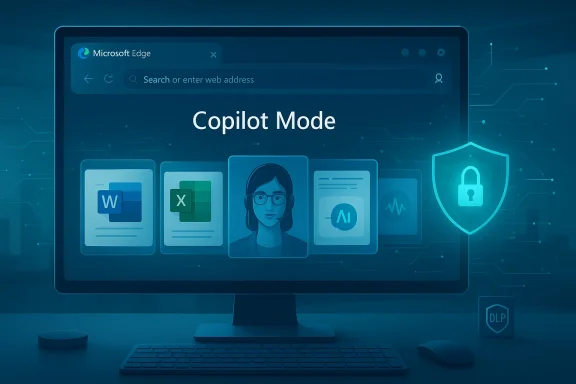
Microsoft has been steadily folding its Copilot technology into Windows, Microsoft 365, and now the browser itself. The most consequential move is the Enterprise‑focused expansion of Copilot Mode inside Microsoft Edge for Business, which gives the browser the ability to analyze content from multiple open tabs and from Microsoft files (Word, Excel, PowerPoint) in context to deliver synthesized answers, summaries, and agentic actions. This capability is described by Microsoft as multi‑tab reasoning and is presented as part of an "enterprise AI browser" lineup intended to shorten research cycles and accelerate decision making.
At a technical and product level, a few attributes are already clear from Microsoft’s announcements and product documentation:
Separately, Windows File Explorer experiments and Microsoft’s Windows 11 feature notes show that right‑click “AI actions” can summarize or extract content from Office files stored in OneDrive or SharePoint—functionality that will appear in Edge’s Work feed and in the browser’s integrated view for Microsoft 365 documents. These capabilities are positioned behind commercial Microsoft 365 Copilot licensing in many cases.
That upside is matched by real and technical risks: data leakage, session abuse, prompt injection, and governance gaps. The right approach is neither reflexive rejection nor blind adoption. Instead, IT organizations should:
Source: Windows Report https://windowsreport.com/microsoft...e-able-to-analyze-office-files-and-open-tabs/
 Background and overview
Microsoft has been steadily folding its Copilot technology into Windows, Microsoft 365, and now the browser itself. The most consequential move is the Enterprise‑focused expansion of Copilot Mode inside Microsoft Edge for Business, which gives the browser the ability to analyze content from multiple open tabs and from Microsoft files (Word, Excel, PowerPoint) in context to deliver synthesized answers, summaries, and agentic actions. This capability is described by Microsoft as multi‑tab reasoning and is presented as part of an "enterprise AI browser" lineup intended to shorten research cycles and accelerate decision making.At a technical and product level, a few attributes are already clear from Microsoft’s announcements and product documentation:
- Multi‑tab reasoning: Copilot can reason across multiple open tabs (Microsoft has published limits and behavior), enabling aggregated summaries and cross‑tab queries.
- Office file awareness: Copilot’s ability to analyze Microsoft files is surfaced both in Edge features and in Windows File Explorer AI actions, allowing summarization and extraction from Word, Excel and PowerPoint assets (subject to licensing and access policies).
- Scoped permissions and admin controls: Microsoft emphasizes that these features are opt‑in, governed by enterprise policies, and integrated with data protection tooling such as Microsoft Defender for Cloud Apps, Intune MAM, and screenshot prevention policies.
How the new capabilities actually work
Copilot Mode and Copilot Actions: two sides of the same coin
Copilot Mode replaces or augments the classic new‑tab experience with a persistent AI assistant and a unified chat/search entry. Within that mode, Copilot Actions enables agentic behaviors—explicitly authorized by the user—where the assistant can click, scroll, open tabs, extract content, and perform multi‑step web tasks (for example, comparing products across sites or pulling figures from a set of open documents). Microsoft has published guidance that outlines what data Copilot can access during Actions and what it can’t. Notably, Copilot may access screenshots of web pages it uses to act, cookies for session context, and currently open tabs in the active browser window; it does not have unrestricted access to passwords, saved wallet data, or other protected secrets without explicit permission.Multi‑tab reasoning and Office file analysis
Microsoft’s modern copy of Copilot inside Edge for Business can ingest content from multiple contexts (web pages, internal SharePoint/OneDrive documents, PDFs) and provide cross‑document synthesis. Microsoft’s blog describes multi‑tab reasoning across up to dozens of open tabs—a capability meant to replace manual tab toggling and cut down the time spent consolidating information. Early technical notes and product pages indicate that browsing history queries spanning the last several months will also be available through natural language search.Separately, Windows File Explorer experiments and Microsoft’s Windows 11 feature notes show that right‑click “AI actions” can summarize or extract content from Office files stored in OneDrive or SharePoint—functionality that will appear in Edge’s Work feed and in the browser’s integrated view for Microsoft 365 documents. These capabilities are positioned behind commercial Microsoft 365 Copilot licensing in many cases.
Data handling limits and stated protections
Microsoft’s documentation highlights several constraints and protections:- Screenshots used by Copilot are not used for model training. Microsoft states that screenshots captured while Copilot is interacting with web pages are used to complete tasks and will not be reused for training models.
- Cookie and session access: If Copilot navigates to a site where the user is logged in, Copilot will inherit the session context—meaning it can act as a logged‑in user for permitted operations. Site permissions (camera, mic, etc.) are handled as if the user navigated there personally, but some permissions are temporarily suspended during agentic interaction.
- Management controls: Enterprises can apply policies to disable Copilot Actions on certain sites, prevent screenshots, and enforce data leak prevention (DLP) across the Edge session using Microsoft’s broader security stack.
Why enterprises will want this — real use cases
Edge’s new capabilities address several recurring pain points in knowledge work:- Meeting prep and research aggregation: Instead of switching between 10–30 tabs and multiple docs, Copilot can summarize the key points and generate a short briefing or slide deck outline from an existing set of resources.
- Cross‑document analysis: Finance and legal teams can ask Copilot to reconcile figures or extract named entities across multiple Excel sheets and regulatory PDFs loaded in tabs or stored in SharePoint.
- Faster triage and discovery: Natural language search across three months of browsing history can find a previously viewed internal page or document when an exact title or URL is forgotten.
- Automated triage and repetitive tasks: With explicit permission, Copilot Actions can automate steps such as filling a web form or collecting data points from multiple vendors—streamlining repetitive workflows.
Security, privacy, and compliance: the hard tradeoffs
Edge’s shift from passive renderer to permissioned assistant amplifies both opportunity and risk. Below are the core concerns every IT team must weigh.Data exfiltration and leakage risks
Allowing an agent to read multiple tabs, capture screenshots, and access organizational files increases the attack surface for inadvertent or malicious data exposure. There are several vectors to worry about:- Prompt injection and content‑based exfiltration: Attackers could embed malicious prompts or disguised data in a web page or document (including diagrams or code) that the agent consumes and subsequently maps into outbound text—enabling covert exfiltration. Recent research and incident reports show that retrieval‑augmented systems are susceptible to cleverly crafted documents that trigger unintended behaviors. Microsoft’s connectors and DLP controls mitigate but do not eliminate this risk.
- Session inheritance and cookie abuse: Because Copilot can inherit site sessions via cookies, if an attacker controls a site or a third‑party resource, agent interactions could be leveraged to act as an authenticated user—especially in mixed trust environments. Microsoft’s documentation emphasizes caution and the ability to restrict Copilot’s actions on specified sites.
- Screenshot capture: Even if Microsoft states screenshots are not used for training, screenshots taken while Copilot is interacting with content represent a leak vector. Microsoft provides screenshot prevention policies (that render black screens for protected content) but these require correct policy application across endpoint management tooling.
Privacy, auditing, and user consent
The feature is opt‑in at the user level, but in businesses the lines between user consent and corporate policy blur. Important considerations:- Audit trails: Enterprises must ensure Copilot Actions are logged so that any automated interaction can be reviewed for compliance and forensic purposes. Microsoft’s enterprise rollout documents indicate integration points for logging via Microsoft 365 management and Defender tooling, but organizations should validate retention and access rules.
- Consent vs. policy enforcement: Admins can disable or restrict features at policy level, but end users may still expect personal Copilot features. Clear communication and training are essential to avoid policy circumvention. Community chatter in early previews reflects confusion about opt‑in behavior and how it interacts with company policy.
Model governance and third‑party backends
Microsoft’s enterprise pitch enumerates on‑premises controls and commercial licensing requirements. Still, model orchestration and which models (Microsoft’s domestic models, OpenAI backends, or external partners) process sensitive prompts matter for compliance with data residency and regulatory constraints. IT teams must verify:- Which model backends are used for which features.
- Whether prompts, extracted content, or telemetry are stored and for how long.
- Whether certain types of content (PHI, PII, regulated financial information) are automatically excluded from model calls under tenant policy.
Management and deployment checklist for IT teams
Adopting Edge for Business with Copilot capabilities requires a disciplined rollout. Below is a recommended stepwise plan.- Inventory and licensing: Confirm which teams have Microsoft 365 Copilot seats or Copilot 365 entitlements. Some features are gated by Copilot licensing.
- Policy mapping: Determine which websites, internal apps, and document classes should be blocked from agent access. Configure site‑level allowlists/denylists in Edge policies.
- DLP and screenshot prevention: Enable screenshot prevention for protected content and extend DLP policies to monitor or block Copilot calls. Validate behavior on unmanaged endpoints and BYOD.
- Audit logging and retention: Turn on detailed logs for Copilot Actions and model calls. Ensure logs are retained long enough for audits and that access is limited to security and compliance teams.
- Pilot with high‑value use cases: Start with teams that will benefit most (research, legal, finance), run controlled pilots, and measure accuracy and error rates. Collect feedback on hallucinations and mis‑syntheses.
- Train users: Provide concise guidance on when to share sensitive documents with Copilot, how to read agent outputs critically, and escalation paths for questionable behavior.
Technical limits, licensing, and rollout timing (verified claims)
Several specific product claims have been published and can be cross‑checked:- Tab limit for multi‑tab reasoning: Microsoft’s Edge for Business blog describes multi‑tab reasoning across up to dozens of open tabs; some product pages mention a concrete limit (for example, “up to 30 open tabs”) for current previews. Enterprises should confirm the exact limit for their build.
- History retrieval window: Copilot’s natural language search for browsing history is described as spanning the “last three months” in Microsoft’s promotional text; confirm retention behavior against your tenant policies.
- Licensing: Many of the advanced capabilities—particularly those that analyze Office files or tie into Microsoft 365 backend services—are tied to Microsoft’s Copilot commercial licenses. Independent reports and early coverage indicate at least some Copilot features in Edge will be gated by paid Copilot subscriptions. Confirm which workloads require Copilot seats in your tenant.
Independent reporting and community signals
This is not just marketing rhetoric—independent outlets and hands‑on previews corroborate the core capabilities and some of the risks:- Tech outlets noted that Copilot Mode is experimental, opt‑in, and capable of reading all open tabs with user permission; several outlets also flagged future monetization possibilities as Microsoft described current previews as “free for a limited time.”
- Coverage in mainstream tech press and community forums underscores that the agentic features show early promise for productivity but raise significant governance questions that enterprise security teams must address.
Practical recommendations and mitigations
No single control eliminates the risk of agentic browsing. Instead, adopt layered mitigations:- Least privilege for agent access: Default Copilot Actions to disabled; enable only for groups that need it and for specific browsing profiles. Use per‑site restrictions where possible.
- Extend DLP to agent calls: Ensure DLP policies apply to any data paths used by Edge and Copilot; block sensitive content from being captured or summarized if policy triggers.
- Isolate sensitive workflows: Keep particularly sensitive tasks outside the AI‑enabled profile or run them in segmented VMs that do not allow Copilot Actions or screenshots.
- Validate outputs and human‑in‑the‑loop: For regulatory or legal outputs, require human review of any Copilot‑generated content before it is accepted or filed.
- Ongoing red‑team testing: Use internal adversarial testing (prompt injection, manipulated docs) to evaluate whether Copilot can be tricked into data leakage. Community research has already shown avenues for creative exfiltration in RAG systems; treat your Copilot pilot as an attack surface that needs hardening.
What to watch next
There are a handful of open questions that merit attention in the coming months:- Will Microsoft require Copilot licensing for all multi‑tab or Office analysis features, or will some core summarization stay free? Early signals suggest paid gates for advanced features, but details remain subject to change. Treat pricing claims as provisional until formal licensing documents are published for your region.
- How granular will admin controls be? Enterprises need per‑site, per‑document‑type, and per‑group controls; broad on/off toggles will not be sufficient. Microsoft has described policy primitives, but real control granularity should be tested in pilots.
- Will independent model‑governance tooling (model provenance, redaction at the call boundary) become available so that tenants can keep sensitive content inside their compliance envelope? This is a key ask from compliance teams.
Conclusion: a pragmatic, cautious embrace
Edge for Business’s ability to analyze Office files and reason across open tabs marks a turning point: the browser is no longer a passive surface but a potential collaborator in knowledge work. For enterprises, the upside is clear—faster synthesis, fewer context switches, and automation that trims repetitive manual work.That upside is matched by real and technical risks: data leakage, session abuse, prompt injection, and governance gaps. The right approach is neither reflexive rejection nor blind adoption. Instead, IT organizations should:
- Pilot selectively with high‑value, low‑risk groups.
- Validate technical limits, logging, and DLP integration.
- Harden endpoints with screenshot prevention and least‑privilege access.
- Train users to treat agent outputs as assisted—not authoritative—until models and controls mature.
Source: Windows Report https://windowsreport.com/microsoft...e-able-to-analyze-office-files-and-open-tabs/
