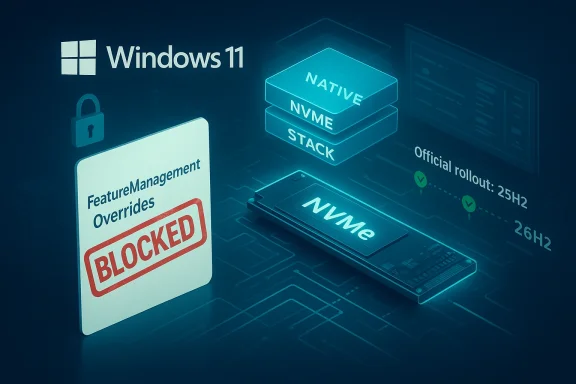
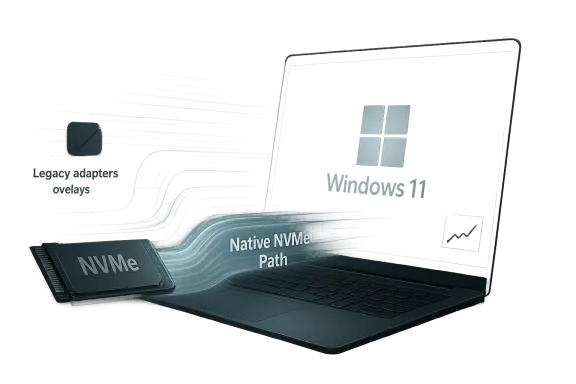
Late-breaking reports that Windows 11’s native NVMe path can still be re-enabled through hidden feature flags are a reminder that Microsoft’s storage stack is in the middle of a broader transition, not a finished product. What looks like a simple registry tweak on enthusiast forums is really a preview of a deeper architectural shift: Windows Server 2025 has publicly documented Native NVMe support with measurable gains in IOPS and CPU efficiency, while client builds of Windows 11 appear to be carrying parts of that code path in a gated form. The result is a familiar Windows story in 2026: a feature lands first in server, leaks into client, gets blocked, then resurfaces through community tooling before Microsoft decides how broadly it should ship.
The current interest in NVMe acceleration did not appear out of nowhere. Microsoft has spent years trying to modernize Windows storage behavior so the operating system can better exploit fast PCIe SSDs, lower CPU overhead, and align with increasingly parallel workloads. That matters more today than it did when SATA SSDs were the mainstream benchmark, because modern systems routinely juggle gaming asset streaming, background indexing, cloud sync, compression, telemetry, and virtualization at the same time.
The clearest official signal arrived with Windows Server 2025, where Microsoft described Native NVMe as a storage innovation intended to reduce overhead and improve performance. In Microsoft’s own testing, the company said the feature could deliver up to roughly 80% more IOPS and about 45% savings in CPU cycles per I/O on 4K random read workloads compared with Windows Server 2022. That is not a trivial tuning change; it suggests Microsoft has been working on a more direct, lower-overhead storage stack rather than merely polishing existing drivers.
The enthusiast angle emerged when users discovered that the same stack could be coerced into client Windows 11 builds, particularly 24H2 and the rumored 25H2 branch, by altering registry-based feature controls. That kind of discovery is classic Windows community behavior: if a hidden capability exists somewhere in the codebase, power users will eventually find the flag. The fact that the trick worked at all strongly implied that Microsoft had already done substantial engineering work on the client side.
Then came the block. Specialized forum users noticed that the original activation method stopped working in newer benchmark builds. The obvious conclusion was that Microsoft had intentionally shut the door, likely because the feature remained experimental, incomplete, or too risky for general consumer deployment. That does not mean the feature was bad; it means Microsoft may have judged that a promising storage path was not yet ready to be exposed to every home PC with a compatible SSD.
This is where the story becomes more interesting than a typical “hidden feature discovered” post. It suggests Microsoft is no longer simply shipping a single monolithic storage stack. Instead, it is maintaining multiple layers or modes, with the newer one guarded by feature management logic. That kind of design can be useful for staged rollouts, but it also creates opportunities for enthusiasts to force-enable code paths that Microsoft would rather keep behind a curtain.
From a technical standpoint, NVMe already offers much lower latency and higher parallelism than older storage interfaces. But the difference between a good NVMe experience and an excellent one often comes down to the software path around the device: driver model, queue handling, CPU overhead, interrupt behavior, and how many legacy layers sit between the application and the flash controller. A more native stack can reduce the amount of work the CPU must do to move data around.
That difference explains why a feature can be publicly celebrated on Windows Server and still be hidden on Windows 11 client builds. The technology may be real, but the rollout criteria are much stricter on consumer editions. In other words, a feature being technically ready and being product-ready are not the same thing.
The benchmark claims surrounding the client builds are therefore more useful as directional evidence than as final proof of universal gains. The reports say random write performance improved most noticeably, especially on weaker processors. That fits the theory that the new path reduces overhead rather than magically increasing NAND speed. If the CPU has to do less bookkeeping, the most obvious improvement should show up where overhead is highest.
Still, the practical benefit may be smaller than the headline numbers imply. Synthetic benchmarks often exaggerate the user-visible difference because they isolate a narrow I/O pattern. Real-world gaming loads are more mixed, and the operating system is simultaneously handling shader caches, telemetry, overlays, and antivirus activity. The performance story is real, but it is not guaranteed to transform every PC.
The public server documentation also matters because it gives us something firmer than forum speculation. Microsoft’s examples used disk benchmarking tools and noted improved IOPS and lower CPU cycles per I/O. That is exactly the kind of data that indicates a revised storage path rather than a cosmetic UI feature or a marginal driver update.
That said, it would be a mistake to assume the client behavior mirrors the server behavior exactly. Server and client builds can differ in defaults, policy controls, feature flags, and even integration with other subsystems. The availability of Native NVMe in Windows Server 2025 does not automatically mean Microsoft intends it to be broadly enabled on every Windows 11 desktop.
From an enterprise perspective, the equation is different. Administrators care about predictable gains, reproducibility, and supportable deployment paths. If Native NVMe is stable enough, it could matter in file services, analytics, virtualization, and content production. For home users, the same feature may arrive as an invisible under-the-hood improvement that most people never notice directly.
Registry tricks are easy to discover but also easy to revoke if the underlying feature management logic changes. If Microsoft shifted the gating mechanism from a simple registry value to a more robust feature identifier or a backend-controlled state, the old method would naturally fail. That is exactly the kind of change you would expect when a company wants to preserve internal testing while preventing casual public enablement.
Home users tend to interpret such blocks as unnecessary restrictions, but Microsoft sees a larger support matrix. A feature that works on one board, one controller, one firmware version, and one driver stack can fail elsewhere. When the failure mode involves storage, the cost of a bad rollout rises sharply.
There is also an enterprise angle. Microsoft often separates experimental code paths from officially supported ones to prevent configuration drift. If admins start forcing hidden storage features on production desktops, troubleshooting becomes harder, and Microsoft can no longer cleanly separate test results from field failures.
That is why the user reports matter so much. They suggest the feature can improve random write speed, but they do not prove it is universally safe. In modern Windows, a hidden flag is often the visible tip of a much larger compatibility iceberg.
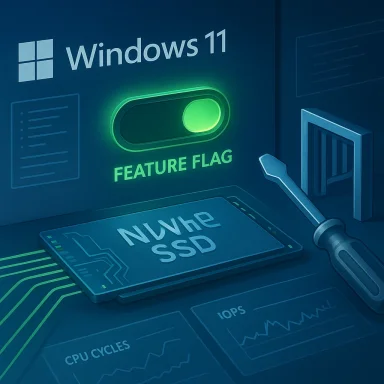
The reports around NVMe acceleration suggest that ViVeTool can force the relevant identifiers back on, which after a reboot restores the direct storage path. That is a classic example of the tug-of-war between Microsoft’s staged rollout model and the enthusiast community’s desire for immediate access.
This is where ViVeTool occupies a gray area. It is not a malware tool and it is not obviously malicious. It simply interacts with the same feature-control machinery Microsoft uses internally. But once a community learns that a hidden I/O path can be toggled on, the line between legitimate experimentation and unsupported configuration gets very thin.
That is why any such results should be treated as promising but provisional. A few benchmark passes on a forum thread do not substitute for a broad rollout across chipsets, controllers, BIOS revisions, and storage brands. The strongest takeaway is that the code path appears real and beneficial in some scenarios, not that every Windows 11 user should rush to enable it.
In practical terms, random writes matter because they reflect the messy reality of operating systems. Logs are written, caches are updated, browser data changes, game launchers rewrite manifests, and indexing services constantly touch storage. If the new path is better at handling these everyday operations, the system could feel more responsive even if headline throughput numbers do not explode.
That is why the reports emphasizing weaker processors are important. On a high-end desktop, the improvement might be visible only in benchmarks. On a modest laptop or aging workstation, the same change could feel more tangible during multitasking. This kind of optimization tends to scale with constraint.
The broader implication is that Microsoft may be redesigning parts of Windows storage not just for peak speed, but for efficiency at scale. That is especially important in an era where Windows is expected to run on everything from ultrabooks to AI workstations to enterprise VDI images.
For the client reports, the cautious reading is that performance gains are real enough to be noticed, but not yet stable or standardized enough to be officially turned on by default. That is exactly the sort of scenario where Microsoft might keep the feature hidden while it works through compatibility and quality issues.
For consumers, the impact is more uneven. Gamers, creators, and power users may care about load times, texture streaming, and cache writes, but everyday users mostly care about responsiveness and reliability. If the feature improves both, great. If it only improves synthetic I/O while introducing compatibility uncertainty, its value is much harder to sell.
If Native NVMe becomes fully supported on the client side, enterprises will want documentation, policy controls, and clear guidance on hardware prerequisites. They will also want to know whether the feature affects imaging, recovery, BitLocker, crash dumps, or storage-class driver interactions. No enterprise rollout happens in a vacuum.
That is likely why Microsoft’s rollout strategy looks conservative. Most customers do not need to think about the I/O stack. They need a stable system that works, updates cleanly, and survives driver changes. The enthusiast case is real, but it is still a niche within the larger market.
That matters because users increasingly judge operating systems by how well they exploit fast hardware. If one platform seems to leave performance on the table, enthusiasts notice quickly. Microsoft cannot afford to let the perception take hold that Windows is less efficient than it should be on modern storage.
OEMs also care because storage performance is a selling point. A laptop that loads faster, resumes quickly, and handles background I/O more efficiently looks better in demos and reviews. That makes Windows storage optimization part of the broader hardware marketing stack, whether Microsoft intends it or not.
For Microsoft, the risk is that hidden features become public expectations. Once users see a performance boost in a forum thread, they start asking why it is not the default. That pressure can be productive, but it can also force a company to justify caution in an environment that prefers immediate results.
The more interesting question is not whether the feature exists, but how Microsoft chooses to package it. If the company wants Windows 11 to feel faster on modern NVMe hardware, it will eventually need a clean, supported story for broader deployment. If it cannot provide that, the feature will stay in the familiar limbo of hidden flags, forum experiments, and partial adoption.
Source: GameGPU https://en.gamegpu.com/news/zhelezo...ws-11-snova-rabotaet-nesmotrya-na-blokirovku/
 Background
The current interest in NVMe acceleration did not appear out of nowhere. Microsoft has spent years trying to modernize Windows storage behavior so the operating system can better exploit fast PCIe SSDs, lower CPU overhead, and align with increasingly parallel workloads. That matters more today than it did when SATA SSDs were the mainstream benchmark, because modern systems routinely juggle gaming asset streaming, background indexing, cloud sync, compression, telemetry, and virtualization at the same time.The clearest official signal arrived with Windows Server 2025, where Microsoft described Native NVMe as a storage innovation intended to reduce overhead and improve performance. In Microsoft’s own testing, the company said the feature could deliver up to roughly 80% more IOPS and about 45% savings in CPU cycles per I/O on 4K random read workloads compared with Windows Server 2022. That is not a trivial tuning change; it suggests Microsoft has been working on a more direct, lower-overhead storage stack rather than merely polishing existing drivers.
Why that matters
A storage path that cuts CPU cost can be as important as raw throughput. On powerful desktops, the difference may be hard to feel in daily use, but on weaker processors, laptops, or heavily multitasking systems, the CPU savings can translate into smoother responsiveness. That is especially true for random writes, where legacy abstractions and protocol layers can become more visible under load.The enthusiast angle emerged when users discovered that the same stack could be coerced into client Windows 11 builds, particularly 24H2 and the rumored 25H2 branch, by altering registry-based feature controls. That kind of discovery is classic Windows community behavior: if a hidden capability exists somewhere in the codebase, power users will eventually find the flag. The fact that the trick worked at all strongly implied that Microsoft had already done substantial engineering work on the client side.
Then came the block. Specialized forum users noticed that the original activation method stopped working in newer benchmark builds. The obvious conclusion was that Microsoft had intentionally shut the door, likely because the feature remained experimental, incomplete, or too risky for general consumer deployment. That does not mean the feature was bad; it means Microsoft may have judged that a promising storage path was not yet ready to be exposed to every home PC with a compatible SSD.
The enthusiast response
Naturally, the community found a workaround. According to the reports circulating around the gaming and hardware forums, users turned to ViVeTool, a well-known utility used to toggle hidden Windows feature identifiers. Rather than editing a registry path directly, the tool is used to enable internal feature states and then reboot so the operating system loads the alternate code path.This is where the story becomes more interesting than a typical “hidden feature discovered” post. It suggests Microsoft is no longer simply shipping a single monolithic storage stack. Instead, it is maintaining multiple layers or modes, with the newer one guarded by feature management logic. That kind of design can be useful for staged rollouts, but it also creates opportunities for enthusiasts to force-enable code paths that Microsoft would rather keep behind a curtain.
- Microsoft has already shown the feature publicly on the server side.
- Enthusiasts found a client-side activation route.
- Microsoft appears to have blocked the easiest toggle in recent builds.
- A utility-based workaround reportedly restored access.
- The underlying code path likely remains present because it is still being tested or staged.
Overview
The reason this story resonates beyond benchmark chasing is that it sits at the intersection of storage architecture, Windows feature gating, and gaming performance culture. Windows users have a long history of treating hidden flags as unfinished promises, and the NVMe case fits that pattern perfectly. The hardware is already there. The question is whether the client operating system is using it in the most efficient way, and under what conditions Microsoft is willing to expose it.From a technical standpoint, NVMe already offers much lower latency and higher parallelism than older storage interfaces. But the difference between a good NVMe experience and an excellent one often comes down to the software path around the device: driver model, queue handling, CPU overhead, interrupt behavior, and how many legacy layers sit between the application and the flash controller. A more native stack can reduce the amount of work the CPU must do to move data around.
Client versus server priorities
Server Windows and client Windows do not share the same optimization priorities. On servers, Microsoft can justify aggressive storage tuning if it improves database throughput, virtual machine density, or transaction workloads. On consumer PCs, it has to think about compatibility, driver ecosystem stability, support burden, and the risk of introducing subtle regressions that only show up on certain chipsets or firmware versions.That difference explains why a feature can be publicly celebrated on Windows Server and still be hidden on Windows 11 client builds. The technology may be real, but the rollout criteria are much stricter on consumer editions. In other words, a feature being technically ready and being product-ready are not the same thing.
The benchmark claims surrounding the client builds are therefore more useful as directional evidence than as final proof of universal gains. The reports say random write performance improved most noticeably, especially on weaker processors. That fits the theory that the new path reduces overhead rather than magically increasing NAND speed. If the CPU has to do less bookkeeping, the most obvious improvement should show up where overhead is highest.
What this means for gamers and enthusiasts
Gamers are always drawn to features that promise lower storage latency because game engines increasingly stream textures, shaders, and world data directly from storage. That is one reason DirectStorage became such a talking point in the first place. If a newer NVMe path reduces overhead further, the impact could be meaningful in scenarios where assets are constantly being pulled in and written back out.Still, the practical benefit may be smaller than the headline numbers imply. Synthetic benchmarks often exaggerate the user-visible difference because they isolate a narrow I/O pattern. Real-world gaming loads are more mixed, and the operating system is simultaneously handling shader caches, telemetry, overlays, and antivirus activity. The performance story is real, but it is not guaranteed to transform every PC.
- Server gains are easier to quantify and justify.
- Client gains are more variable and workload-dependent.
- Gaming workloads may benefit more from latency reductions than from pure throughput.
- Random writes are the benchmark most likely to show the difference.
- Weak CPUs stand to gain the most from lower overhead.
What Microsoft Has Actually Shown
Microsoft’s own Windows Server 2025 announcement is the anchor point for the whole discussion. The company described Native NVMe as a feature that meaningfully boosts storage performance while saving CPU cycles. The way Microsoft framed the feature matters because it suggests this is not just a marketing label slapped on standard NVMe support; it is a distinct software path with measurable efficiency improvements.The public server documentation also matters because it gives us something firmer than forum speculation. Microsoft’s examples used disk benchmarking tools and noted improved IOPS and lower CPU cycles per I/O. That is exactly the kind of data that indicates a revised storage path rather than a cosmetic UI feature or a marginal driver update.
Why the server disclosure matters to client users
If Microsoft had never discussed the feature openly, claims about Windows 11 client builds would be much harder to contextualize. Because the server version is documented, we can infer that client users who found the hidden feature were not imagining things. They were likely enabling a real code path that Microsoft had already been testing internally or staging for future rollout.That said, it would be a mistake to assume the client behavior mirrors the server behavior exactly. Server and client builds can differ in defaults, policy controls, feature flags, and even integration with other subsystems. The availability of Native NVMe in Windows Server 2025 does not automatically mean Microsoft intends it to be broadly enabled on every Windows 11 desktop.
A feature in search of the right audience
This is where Microsoft’s strategy becomes more understandable. A storage optimization that helps servers, workstations, and some enthusiasts might still be too inconsistent for general release on consumer devices. If the feature improves synthetic numbers but triggers edge-case bugs on certain controller firmware, the company may be right to hold it back.From an enterprise perspective, the equation is different. Administrators care about predictable gains, reproducibility, and supportable deployment paths. If Native NVMe is stable enough, it could matter in file services, analytics, virtualization, and content production. For home users, the same feature may arrive as an invisible under-the-hood improvement that most people never notice directly.
Key takeaways from the official context
- Microsoft has publicly documented Native NVMe on Windows Server 2025.
- The feature is associated with higher IOPS and lower CPU overhead.
- The client-side interest stems from feature flags that appear to be present in Windows 11.
- Server performance claims support the idea that the client reports are not baseless.
- Microsoft’s selective rollout suggests the feature is still being evaluated for broader use.
Why the Registry Trick Stopped Working
The most important twist in the story is not that the feature existed, but that the old activation method reportedly stopped functioning in newer builds. That tells us Microsoft noticed the loophole and decided to close it. In product terms, that is a sign of control, not necessarily rejection.Registry tricks are easy to discover but also easy to revoke if the underlying feature management logic changes. If Microsoft shifted the gating mechanism from a simple registry value to a more robust feature identifier or a backend-controlled state, the old method would naturally fail. That is exactly the kind of change you would expect when a company wants to preserve internal testing while preventing casual public enablement.
Security, stability, and support
Blocking the registry path is also consistent with Microsoft’s support posture. If a feature is incomplete, hidden behind compatibility conditions, or capable of exposing edge-case bugs, the company has an incentive to keep it out of unsupported configurations. That is especially true for a storage subsystem, where failures can look catastrophic even if the underlying issue is limited.Home users tend to interpret such blocks as unnecessary restrictions, but Microsoft sees a larger support matrix. A feature that works on one board, one controller, one firmware version, and one driver stack can fail elsewhere. When the failure mode involves storage, the cost of a bad rollout rises sharply.
There is also an enterprise angle. Microsoft often separates experimental code paths from officially supported ones to prevent configuration drift. If admins start forcing hidden storage features on production desktops, troubleshooting becomes harder, and Microsoft can no longer cleanly separate test results from field failures.
The performance-versus-reliability tradeoff
The central tension here is obvious: if a hidden native stack improves random writes, why not enable it everywhere? The answer is that storage performance is only one dimension of quality. A feature can benchmark well and still have compatibility gaps, power-management quirks, or firmware interactions that make it unsuitable as a default.That is why the user reports matter so much. They suggest the feature can improve random write speed, but they do not prove it is universally safe. In modern Windows, a hidden flag is often the visible tip of a much larger compatibility iceberg.
- Registry toggles are fragile once Microsoft changes the gating logic.
- Support concerns are amplified for storage features.
- Hidden features may benchmark well but still be unstable.
- Microsoft likely wants controlled testing, not uncontrolled consumer deployment.
- The block suggests the company is managing risk, not necessarily denying progress.
How ViVeTool Changed the Conversation
ViVeTool has become one of the most recognizable utilities in the Windows enthusiast ecosystem because it allows users to enable hidden feature flags without manually editing obscure internals. That makes it a natural fit for a story like this. When Microsoft closes one path, power users often move to another tool that interacts more directly with the feature-management layer.The reports around NVMe acceleration suggest that ViVeTool can force the relevant identifiers back on, which after a reboot restores the direct storage path. That is a classic example of the tug-of-war between Microsoft’s staged rollout model and the enthusiast community’s desire for immediate access.
Why feature flags matter
Feature flags are not inherently bad. In fact, they are one of the safest ways to introduce large changes gradually. They let Microsoft collect telemetry, compare behavior across cohorts, and contain regressions if something goes wrong. The downside is that advanced users can sometimes bypass the safety net and enable features before Microsoft wants them broadly exposed.This is where ViVeTool occupies a gray area. It is not a malware tool and it is not obviously malicious. It simply interacts with the same feature-control machinery Microsoft uses internally. But once a community learns that a hidden I/O path can be toggled on, the line between legitimate experimentation and unsupported configuration gets very thin.
What enthusiasts are really testing
Enthusiasts are not just chasing bragging rights. They are performing unofficial validation of Microsoft’s engineering direction. If a feature like Native NVMe produces cleaner random-write results on consumer hardware, that is useful feedback even if the tool used to enable it is unsupported. The problem is that unofficial testing can only go so far before hardware diversity overwhelms anecdotal evidence.That is why any such results should be treated as promising but provisional. A few benchmark passes on a forum thread do not substitute for a broad rollout across chipsets, controllers, BIOS revisions, and storage brands. The strongest takeaway is that the code path appears real and beneficial in some scenarios, not that every Windows 11 user should rush to enable it.
Practical implications
- ViVeTool gives enthusiasts a way to test hidden Windows features.
- The tool reflects Microsoft’s own feature-flag architecture.
- Forced enablement can be informative but unsupported.
- Benchmark success does not guarantee broad compatibility.
- Users should expect variability across SSDs and platforms.
Benchmark Claims and What They Suggest
The most repeated claim in the discussion is that the native NVMe path improves random write performance, particularly on lower-end processors. That is exactly the kind of result you would expect if the new stack reduces CPU overhead and streamlines command handling. Sequential transfers often saturate hardware limits, so they can hide software inefficiencies more easily than small random I/O operations can.In practical terms, random writes matter because they reflect the messy reality of operating systems. Logs are written, caches are updated, browser data changes, game launchers rewrite manifests, and indexing services constantly touch storage. If the new path is better at handling these everyday operations, the system could feel more responsive even if headline throughput numbers do not explode.
Why weaker CPUs benefit more
A fast NVMe drive can outrun the CPU’s ability to manage I/O in some scenarios. When that happens, the storage device is waiting on the processor rather than the other way around. Reducing CPU cycles per I/O frees up resources for other tasks and makes the storage stack less of a bottleneck.That is why the reports emphasizing weaker processors are important. On a high-end desktop, the improvement might be visible only in benchmarks. On a modest laptop or aging workstation, the same change could feel more tangible during multitasking. This kind of optimization tends to scale with constraint.
The broader implication is that Microsoft may be redesigning parts of Windows storage not just for peak speed, but for efficiency at scale. That is especially important in an era where Windows is expected to run on everything from ultrabooks to AI workstations to enterprise VDI images.
Interpreting the numbers carefully
The headline server figure of up to 80% more IOPS should not be treated as a universal promise. That number came from a specific Microsoft test configuration with a particular workload and hardware setup. It is still useful because it demonstrates the scale of the improvement Microsoft believes is possible, but it is not a guarantee for consumer gaming PCs.For the client reports, the cautious reading is that performance gains are real enough to be noticed, but not yet stable or standardized enough to be officially turned on by default. That is exactly the sort of scenario where Microsoft might keep the feature hidden while it works through compatibility and quality issues.
- Random writes are the best indicator of overhead reduction.
- Sequential benchmarks are less revealing for this feature.
- CPU-limited systems should benefit the most.
- Server test numbers are informative but not directly transferable.
- Consumer gains may be smaller but still meaningful in daily use.
Enterprise Versus Consumer Impact
For enterprises, the possibility of native NVMe acceleration is more than a benchmark curiosity. It could influence storage-heavy workflows such as database transactions, virtualization, endpoint imaging, analytics, and remote desktop density. Anything that lowers CPU overhead per I/O can help organizations squeeze more work out of the same hardware.For consumers, the impact is more uneven. Gamers, creators, and power users may care about load times, texture streaming, and cache writes, but everyday users mostly care about responsiveness and reliability. If the feature improves both, great. If it only improves synthetic I/O while introducing compatibility uncertainty, its value is much harder to sell.
Enterprise considerations
IT departments care deeply about consistency. Even a good feature can become a support headache if it behaves differently across storage controllers or firmware versions. That is likely why Microsoft is cautious about exposing this path in Windows 11 client builds without a formal rollout plan.If Native NVMe becomes fully supported on the client side, enterprises will want documentation, policy controls, and clear guidance on hardware prerequisites. They will also want to know whether the feature affects imaging, recovery, BitLocker, crash dumps, or storage-class driver interactions. No enterprise rollout happens in a vacuum.
Consumer expectations
Consumers, on the other hand, tend to value visible gains and convenience. If a feature makes Windows feel snappier without requiring manual tuning, it earns goodwill quickly. But if it requires hidden tools, registry edits, or a cautionary forum tutorial, only enthusiasts will touch it.That is likely why Microsoft’s rollout strategy looks conservative. Most customers do not need to think about the I/O stack. They need a stable system that works, updates cleanly, and survives driver changes. The enthusiast case is real, but it is still a niche within the larger market.
Bottom-line divide
- Enterprises need supportability and policy control.
- Consumers want simplicity and visible speed gains.
- Gamers may care most about latency-sensitive loading behavior.
- Power users are the most likely to force-enable hidden features.
- Microsoft must balance all four constituencies at once.
Competitive and Market Implications
This story also has competitive implications beyond Windows itself. Microsoft is not just tuning a storage subsystem; it is shaping the performance expectations of the Windows platform at a time when SSD performance is a key part of user perception. If Windows becomes more efficient at using modern NVMe hardware, it strengthens the value proposition of the OS on high-end PCs and workstations.That matters because users increasingly judge operating systems by how well they exploit fast hardware. If one platform seems to leave performance on the table, enthusiasts notice quickly. Microsoft cannot afford to let the perception take hold that Windows is less efficient than it should be on modern storage.
Hardware vendors are watching too
SSD vendors have an obvious interest in any Windows change that improves real-world performance. If the operating system can better expose their drives’ capabilities, products may benchmark higher and feel faster under load. That said, vendor relationships can become complicated if an OS feature only benefits some controllers or only works reliably on specific firmware generations.OEMs also care because storage performance is a selling point. A laptop that loads faster, resumes quickly, and handles background I/O more efficiently looks better in demos and reviews. That makes Windows storage optimization part of the broader hardware marketing stack, whether Microsoft intends it or not.
The gaming angle
Gamers are a particularly loud audience because they care about loading times, asset streaming, and “snappiness” in ways that are easy to discuss online. Even if the effect of native NVMe support is modest in most games, the mere existence of a faster storage path becomes part of the platform narrative. That can influence buying decisions, forum debate, and benchmark culture.For Microsoft, the risk is that hidden features become public expectations. Once users see a performance boost in a forum thread, they start asking why it is not the default. That pressure can be productive, but it can also force a company to justify caution in an environment that prefers immediate results.
- Better storage efficiency strengthens Windows’ platform story.
- SSD vendors benefit when the OS makes their hardware look faster.
- OEMs gain a selling point if real-world responsiveness improves.
- Gamers amplify benchmark narratives and community pressure.
- Microsoft has to manage expectations carefully to avoid support fallout.
Strengths and Opportunities
The biggest strength of this development is that it points to a genuine engineering direction rather than a cosmetic tweak. If Microsoft can bring server-style storage efficiency to the client stack without destabilizing the platform, the payoff could extend well beyond benchmark charts. It also shows that Windows 11’s storage evolution is still active, which is encouraging for users who want the OS to better reflect modern hardware.- Lower CPU overhead could improve multitasking and background responsiveness.
- Random write gains may help real-world desktop workloads more than headline sequential tests.
- Gaming workloads could benefit where asset streaming and cache writes matter.
- Enterprise deployments may eventually gain more predictable I/O efficiency.
- Feature-flag rollout gives Microsoft a safer path to gradual adoption.
- Enthusiast testing can surface edge cases before broader release.
- Server-to-client transfer of proven technology can accelerate Windows improvement.
Risks and Concerns
The main risk is that forcing hidden storage features on consumer machines creates instability that users may attribute to Windows as a whole. Storage changes are especially sensitive because failures can be catastrophic and hard to diagnose. If a feature improves one benchmark while exposing firmware quirks on another system, the net effect in the real world may be negative.- Compatibility issues may vary by SSD controller and firmware.
- Unsupported enablement can complicate troubleshooting.
- Benchmark gains may not translate into visible everyday benefits.
- Hidden features can create false confidence among enthusiasts.
- Rollout confusion may make users think Microsoft is withholding obvious gains.
- Support burden rises if users enable features outside official channels.
- Stability tradeoffs could outweigh gains on some consumer builds.
Looking Ahead
The next phase of this story will depend on whether Microsoft decides to formalize the client-side path or keep it restricted to server and internal testing. If the company believes the feature is ready, it could surface in a future Windows 11 update with documentation and compatibility guidance. If not, the current enthusiast workaround may remain a niche trick for power users who enjoy living on the edge.The more interesting question is not whether the feature exists, but how Microsoft chooses to package it. If the company wants Windows 11 to feel faster on modern NVMe hardware, it will eventually need a clean, supported story for broader deployment. If it cannot provide that, the feature will stay in the familiar limbo of hidden flags, forum experiments, and partial adoption.
What to watch next
- Official confirmation of client-side Native NVMe support.
- Whether Microsoft expands the feature beyond server builds.
- Updated benchmark results on different SSD controllers.
- Reports of regressions or firmware-specific incompatibilities.
- Any new feature IDs or policy controls in future Windows builds.
Source: GameGPU https://en.gamegpu.com/news/zhelezo...ws-11-snova-rabotaet-nesmotrya-na-blokirovku/