

Excel for the web has seen its session count rise tenfold over the past six years, according to Microsoft Excel product chief Brian Jones, even as Google Sheets remains the browser-first spreadsheet many users instinctively associate with fast, free, collaborative work.
That is not the story the productivity-software market was supposed to tell. For the better part of a decade, the common read was that Microsoft owned the heavy-duty spreadsheet and Google owned the lightweight web habit. The new number, first highlighted by Windows Latest from Jones’s post on X, complicates that neat division: Microsoft did not beat Google Sheets by becoming more Google-like overnight, but by spending years making the web version of Excel less of a compromise.
The phrase “Excel on the web” still sounds, to many people, like a concession. It suggests the version you use when the real Excel is unavailable, when you are on someone else’s machine, or when IT has locked down desktop installs. That reputation did not come from nowhere; early Office web apps were useful but plainly subordinate to their desktop counterparts.
Jones’s claim is therefore more interesting than a normal product-growth boast. A tenfold rise in session count does not prove that ten times as many people have permanently switched to Excel in the browser. It does suggest that the web version is now absorbing real work, not merely opening stray attachments.
That distinction matters. A session is closer to a work habit than a download count. If users are opening workbooks, editing them, collaborating, and keeping the tab alive, Excel for the web has moved from emergency fallback to daily surface.
The irony is that Google taught the market to expect exactly this behavior. Sheets became popular because it felt native to the browser at a time when Office still felt like boxed software with a cloud-shaped add-on. Microsoft’s achievement is not that it invented the browser spreadsheet, but that it has dragged Excel’s institutional gravity into the same arena.
Microsoft can object, accurately, that Excel for the web is also free with a Microsoft account. It can point to the same kind of shortcut behavior, including the ability to create a new workbook from the browser. It can argue that OneDrive, Microsoft 365, Teams, and Outlook create a web-native productivity universe of their own.
But reputation lags reality. Google’s consumer web tools feel free in the way water fountains feel free. Microsoft’s free web apps often still feel like the front porch of a paid estate, even when the door is open.
That perception is not merely branding trivia. In schools, small businesses, clubs, volunteer groups, and quick personal projects, the tool people choose first is often the one they can explain in one sentence. Google’s sentence has long been simpler.
Microsoft’s sentence is getting better, but it still carries baggage. Excel means power, compatibility, finance departments, macros, corporate templates, and decades of files. Sheets means “send me the link.”
The numbers made the politics easier. Azure revenue was nearly doubling year over year in the quarter before the reorg, Office 365 was growing rapidly, and Windows commercial revenue was not the growth engine it had once been. Microsoft did not abandon Windows, but it stopped organizing the company as though Windows were the sun and everything else orbited it.
That change matters for Excel because Office had already become one of the company’s best examples of successful cloud transition. The subscription model changed the business. OneDrive and SharePoint changed the storage assumptions. Teams changed collaboration expectations. Browser-based Office stopped being a novelty and became part of the company’s enterprise control plane.
Jones’s reference to a funding shift roughly eight years ago maps neatly onto that period. Excel for the web needed the kind of long, boring investment that does not create splashy launch demos: calculation compatibility, file fidelity, collaboration performance, identity integration, rendering accuracy, and enough feature parity that users stop flinching when the workbook opens in a tab.
That is the kind of engineering Microsoft is unusually good at when it decides to care. The company can be clumsy at consumer delight, but it knows how to grind enterprise software into dependability. Excel for the web’s growth is the reward for making the boring parts less bad.
That does not make it meaningless. In productivity software, repeated sessions are the real prize. A spreadsheet app that users open once to view an attachment is not strategically important; a spreadsheet app that becomes the place where budget owners, analysts, project managers, and students keep returning is.
Still, session count leaves room for many interpretations. Growth could come from more users, more frequent use by existing users, more Teams and SharePoint links opening in the browser by default, more corporate policies steering people away from local files, or more casual usage as Microsoft accounts become more common.
Some of those explanations are less romantic than a clean “users chose Excel” narrative. If an enterprise pushes workers toward web-based Microsoft 365, sessions rise. If Outlook, Teams, and SharePoint default users into browser workbooks, sessions rise. If Excel desktop users increasingly collaborate through cloud-stored files, sessions rise.
But that is precisely the point. Microsoft’s cloud strategy was never just about winning individual app preference in a vacuum. It was about surrounding the workday so thoroughly that the browser version of Excel becomes the path of least resistance.
For many workflows, Sheets remains enough. A household budget, a classroom signup list, a lightweight project tracker, a content calendar, a startup’s first operating model, or a shared CSV cleanup job does not require the full mythology of Excel. It requires availability, simplicity, and trust that the other person can open the link.
Google’s advantage is especially strong where the organization is not already standardized on Microsoft 365. The smaller and more informal the group, the more Google’s consumer identity layer helps. Nobody wants to explain licensing before sharing a spreadsheet for a weekend event.
Microsoft’s counterweight is that Excel is the default language of serious spreadsheet work. Finance teams, operations departments, accountants, analysts, and countless shadow-IT workflows are built around Excel conventions. Even users who prefer Sheets socially may reach for Excel when the spreadsheet starts to matter.
The web version’s job is therefore not to replace desktop Excel in every advanced scenario. It is to eliminate the moment when users say, “I’d rather just put this in Sheets because Excel online is annoying.” A tenfold session increase suggests Microsoft has reduced that failure point.
For WindowsForum readers, this is familiar territory. Microsoft often gives consumers access to a thing that is strategically designed around organizations. The consumer gets the benefit, but the product’s center of mass remains elsewhere.
That can make Excel for the web feel heavier than Google Sheets even when no money changes hands. Microsoft account prompts, OneDrive storage assumptions, organizational tenants, work and personal account confusion, and feature upsells all remind users that they are inside a larger Microsoft system.
Google is hardly innocent of ecosystem lock-in, of course. Sheets is also a gateway into Drive, Workspace, Gemini, and Google’s account universe. The difference is that Google’s web productivity suite was born looking like a consumer convenience, while Microsoft’s was retrofitted from a corporate empire.
That distinction affects user psychology. Google asks you to start a sheet. Microsoft asks you to enter Excel.
Jones has been unusually explicit about this direction. In his writing about Excel as a “literate computation surface for AI,” he frames the spreadsheet not merely as rows and formulas, but as a place where human-readable reasoning, structured data, and machine assistance can meet. That is a plausible vision because spreadsheets already function as informal software in millions of organizations.
Microsoft’s June 2026 Copilot push for finance teams shows where the company thinks the money is. According to Microsoft’s own product messaging and reporting from outlets covering the announcement, the company is adding finance-focused Copilot skills, data connectors from firms such as FactSet, Morningstar, PitchBook, and others, and planning features that show what cells and formulas Copilot intends to modify before it acts.
That is a more sophisticated pitch than “AI writes your spreadsheet.” Microsoft is aiming at trust, repeatability, and auditability. Finance users do not merely need an assistant that can produce a plausible formula; they need to know where the number came from, what changed, and whether the workbook can survive review.
This is where Excel has a structural advantage. Google can put Gemini in Sheets, and it has done so visibly. But Excel sits closer to the workflows where spreadsheet errors have material consequences. If AI in spreadsheets becomes a serious enterprise budget line, Microsoft has the incumbent advantage.
That may sound minor to anyone who does not live in spreadsheets. It is not minor to people who do. A spreadsheet is a grid of intention; every visible cell can matter, and anything that floats over the grid feels like an intruder.
The episode captures Microsoft’s Copilot dilemma. The company wants engagement, and visible buttons create engagement. But productivity users often define quality by absence: no obstruction, no surprise, no unexplained behavior, no forced novelty in the middle of work.
Microsoft reportedly saw higher engagement from the floating button, which is exactly why such designs ship. Engagement, however, is not the same as satisfaction. A user clicking an AI button because it is impossible to ignore is not the same as a user trusting it to help close the books.
This contrast is stark. On one side, Jones describes deep, trust-first AI workflows for finance professionals. On the other, everyday Office users see another Copilot affordance invading screen real estate. Microsoft has to reconcile those two experiences or risk making Copilot feel less like intelligence and more like advertising.
Those numbers explain why Microsoft is spending so aggressively on AI infrastructure. The company has seen this movie before: invest heavily, absorb skepticism, integrate across the stack, and wait for enterprise demand to compound. Excel for the web’s six-year session growth gives Microsoft a smaller but cleaner example of the same strategy inside productivity software.
But the analogy has limits. Cloud computing solved obvious enterprise problems: infrastructure elasticity, global scale, managed services, disaster recovery, and the economics of not owning every server. AI assistance inside Office is more ambiguous. The value is real in some workflows and fuzzy in others.
That fuzziness matters because Microsoft is not just selling AI as a developer platform or cloud service. It is placing Copilot in front of hundreds of millions of knowledge workers, many of whom did not ask for it and are not sure what it should do. The cloud could disappear into the backend; Copilot keeps showing up in the foreground.
Excel is therefore a proving ground. If Copilot can be useful in spreadsheets, where work is structured, repetitive, and numerically testable, it has a stronger case elsewhere. If it cannot earn trust in Excel, the broader Microsoft 365 AI pitch looks weaker.
That is why Microsoft’s finance-focused Copilot features are more important than the usual AI demo fare. Planning before action, traceability after action, and connectors to licensed financial data are not decorative. They are the minimum viable conditions for AI in serious spreadsheet work.
If Copilot changes a formula, users need to see the change. If it pulls a data point, users need to know the source. If it builds a model, users need to understand the assumptions. In finance, “the AI did it” is not an explanation; it is a liability.
This is also where Google’s traditional speed advantage may be less decisive. For lightweight collaboration, loading instantly matters. For audited workflows, governance matters more. Microsoft’s enterprise machinery, often a nuisance in casual use, becomes an asset when compliance officers and finance chiefs enter the conversation.
Still, Microsoft must avoid overclaiming. AI can accelerate spreadsheet work, but it cannot magically remove spreadsheet risk. In some cases, it may increase risk by producing outputs that look polished enough to discourage scrutiny.
Google does not need to win the most complex Excel workloads to remain essential. It needs to stay the fastest way for a group of people to make a shared table and act on it. That is a narrower goal, but an enormously valuable one.
Microsoft, by contrast, has to defend both ends. It must keep the high-end Excel user who depends on advanced modeling, formulas, compatibility, and desktop performance. It must also win enough casual web usage that those same organizations do not leak everyday collaboration into Google’s ecosystem.
That dual mandate is hard. Make Excel for the web too simple, and power users dismiss it. Make it too Microsoft 365-heavy, and casual users bounce back to Sheets. Add AI too aggressively, and users complain about clutter. Add AI too cautiously, and investors wonder where the spending went.
This is why Jones’s tenfold session number is important but not definitive. It shows momentum, not victory. It says Microsoft is back in the browser spreadsheet fight, not that Google has been pushed out of it.
But it introduces its own operational questions. Browser performance, conditional access policies, tenant configuration, data-loss prevention, external sharing rules, and identity hygiene all become part of the spreadsheet experience. The spreadsheet stops being merely an app and becomes an endpoint of the cloud policy stack.
That is where Microsoft’s advantage is clearest in enterprises already committed to Microsoft 365. Excel for the web can inherit the organization’s permissions, retention policies, sensitivity labels, and collaboration controls. Google Workspace can do the same inside its own world, but mixed environments quickly become political.
The practical outcome is that many organizations will keep using both. Excel remains the system of record for complex workbooks and Microsoft-centric departments. Sheets remains common in teams, partners, schools, agencies, and informal workflows where Google accounts are already the connective tissue.
For IT, the task is not to pretend one will eliminate the other. It is to understand where each tool enters the organization, what data lands there, and whether AI features change the risk profile.
A tenfold increase in sessions suggests that apology phase is ending. Users do not need the web version to be identical to desktop Excel in every respect. They need it to be good enough often enough that opening a workbook in the browser does not feel like a mistake.
That is how web apps win. Not through one dramatic parity announcement, but through the accumulation of fewer annoyances. The file opens correctly. The formula works. The collaborator appears. The comment syncs. The chart renders. The user stays.
Microsoft’s challenge now is that AI could either accelerate that confidence or undermine it. A well-designed Copilot in Excel could make the web version feel smarter, safer, and more powerful than a local grid. A poorly placed Copilot button can remind users that Microsoft still sometimes mistakes interruption for assistance.
The spreadsheet is too intimate a workspace for that confusion. People tolerate complexity in Excel because they feel in control. The moment AI weakens that feeling, the product loses more than goodwill; it loses the central bargain that made Excel indispensable.
The concrete lessons are narrower and more useful:
That is not the story the productivity-software market was supposed to tell. For the better part of a decade, the common read was that Microsoft owned the heavy-duty spreadsheet and Google owned the lightweight web habit. The new number, first highlighted by Windows Latest from Jones’s post on X, complicates that neat division: Microsoft did not beat Google Sheets by becoming more Google-like overnight, but by spending years making the web version of Excel less of a compromise.
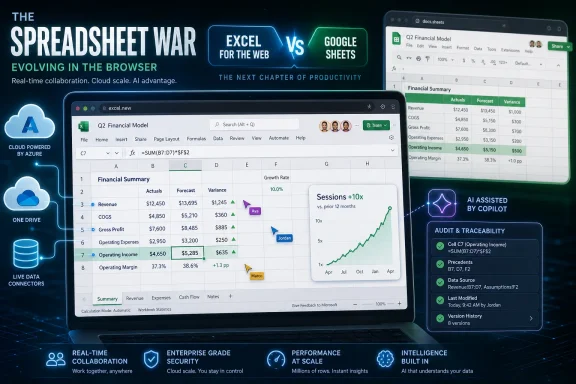 Microsoft’s Quiet Spreadsheet Comeback Was Built in the Cloud, Not the Ribbon
The phrase “Excel on the web” still sounds, to many people, like a concession. It suggests the version you use when the real Excel is unavailable, when you are on someone else’s machine, or when IT has locked down desktop installs. That reputation did not come from nowhere; early Office web apps were useful but plainly subordinate to their desktop counterparts.Jones’s claim is therefore more interesting than a normal product-growth boast. A tenfold rise in session count does not prove that ten times as many people have permanently switched to Excel in the browser. It does suggest that the web version is now absorbing real work, not merely opening stray attachments.
That distinction matters. A session is closer to a work habit than a download count. If users are opening workbooks, editing them, collaborating, and keeping the tab alive, Excel for the web has moved from emergency fallback to daily surface.
The irony is that Google taught the market to expect exactly this behavior. Sheets became popular because it felt native to the browser at a time when Office still felt like boxed software with a cloud-shaped add-on. Microsoft’s achievement is not that it invented the browser spreadsheet, but that it has dragged Excel’s institutional gravity into the same arena.
Google Still Owns the Vibe of Free, Even When Microsoft Owns the Account
Google Sheets remains powerful because it owns a cultural shortcut: if you want a free spreadsheet in a browser, you think of Google. That reputation was built over years of consumer Gmail accounts, classroom adoption, startup workflows, and the frictionless magic of typing a shortcut into the address bar and landing in a blank document.Microsoft can object, accurately, that Excel for the web is also free with a Microsoft account. It can point to the same kind of shortcut behavior, including the ability to create a new workbook from the browser. It can argue that OneDrive, Microsoft 365, Teams, and Outlook create a web-native productivity universe of their own.
But reputation lags reality. Google’s consumer web tools feel free in the way water fountains feel free. Microsoft’s free web apps often still feel like the front porch of a paid estate, even when the door is open.
That perception is not merely branding trivia. In schools, small businesses, clubs, volunteer groups, and quick personal projects, the tool people choose first is often the one they can explain in one sentence. Google’s sentence has long been simpler.
Microsoft’s sentence is getting better, but it still carries baggage. Excel means power, compatibility, finance departments, macros, corporate templates, and decades of files. Sheets means “send me the link.”
The 2018 Reorg Made Excel a Cloud Product by Force
The deeper explanation for Excel’s web growth sits in Microsoft’s 2018 reorganization, not in any one spreadsheet feature. As Fortune reported at the time, Satya Nadella dissolved the Windows and Devices Group led by Terry Myerson, moved much of the Windows platform effort under Scott Guthrie’s cloud organization, and made clear that Microsoft’s center of gravity had shifted.The numbers made the politics easier. Azure revenue was nearly doubling year over year in the quarter before the reorg, Office 365 was growing rapidly, and Windows commercial revenue was not the growth engine it had once been. Microsoft did not abandon Windows, but it stopped organizing the company as though Windows were the sun and everything else orbited it.
That change matters for Excel because Office had already become one of the company’s best examples of successful cloud transition. The subscription model changed the business. OneDrive and SharePoint changed the storage assumptions. Teams changed collaboration expectations. Browser-based Office stopped being a novelty and became part of the company’s enterprise control plane.
Jones’s reference to a funding shift roughly eight years ago maps neatly onto that period. Excel for the web needed the kind of long, boring investment that does not create splashy launch demos: calculation compatibility, file fidelity, collaboration performance, identity integration, rendering accuracy, and enough feature parity that users stop flinching when the workbook opens in a tab.
That is the kind of engineering Microsoft is unusually good at when it decides to care. The company can be clumsy at consumer delight, but it knows how to grind enterprise software into dependability. Excel for the web’s growth is the reward for making the boring parts less bad.
Session Count Is the Metric Microsoft Wants You to Notice
The choice of metric is revealing. Microsoft is not saying Excel for the web has overtaken Google Sheets in users, domains, documents, or hours. Jones cited session count, a metric that speaks to usage intensity without disclosing the competitive scoreboard.That does not make it meaningless. In productivity software, repeated sessions are the real prize. A spreadsheet app that users open once to view an attachment is not strategically important; a spreadsheet app that becomes the place where budget owners, analysts, project managers, and students keep returning is.
Still, session count leaves room for many interpretations. Growth could come from more users, more frequent use by existing users, more Teams and SharePoint links opening in the browser by default, more corporate policies steering people away from local files, or more casual usage as Microsoft accounts become more common.
Some of those explanations are less romantic than a clean “users chose Excel” narrative. If an enterprise pushes workers toward web-based Microsoft 365, sessions rise. If Outlook, Teams, and SharePoint default users into browser workbooks, sessions rise. If Excel desktop users increasingly collaborate through cloud-stored files, sessions rise.
But that is precisely the point. Microsoft’s cloud strategy was never just about winning individual app preference in a vacuum. It was about surrounding the workday so thoroughly that the browser version of Excel becomes the path of least resistance.
Sheets Won the Browser Before Excel Learned to Live There
Google Sheets still matters because it did not have to unlearn the desktop. Its constraints were part of its charm. It loaded quickly, shared cleanly, and made collaboration feel obvious years before Microsoft’s Office collaboration story became coherent for ordinary users.For many workflows, Sheets remains enough. A household budget, a classroom signup list, a lightweight project tracker, a content calendar, a startup’s first operating model, or a shared CSV cleanup job does not require the full mythology of Excel. It requires availability, simplicity, and trust that the other person can open the link.
Google’s advantage is especially strong where the organization is not already standardized on Microsoft 365. The smaller and more informal the group, the more Google’s consumer identity layer helps. Nobody wants to explain licensing before sharing a spreadsheet for a weekend event.
Microsoft’s counterweight is that Excel is the default language of serious spreadsheet work. Finance teams, operations departments, accountants, analysts, and countless shadow-IT workflows are built around Excel conventions. Even users who prefer Sheets socially may reach for Excel when the spreadsheet starts to matter.
The web version’s job is therefore not to replace desktop Excel in every advanced scenario. It is to eliminate the moment when users say, “I’d rather just put this in Sheets because Excel online is annoying.” A tenfold session increase suggests Microsoft has reduced that failure point.
The Free Product Is Still Wrapped in an Enterprise Machine
Excel for the web being free is a real fact with limited marketing power. Microsoft’s larger productivity story is still dominated by Microsoft 365 subscriptions, tenant policies, enterprise identity, compliance controls, and admin dashboards. That is where the money is, and it shapes the product.For WindowsForum readers, this is familiar territory. Microsoft often gives consumers access to a thing that is strategically designed around organizations. The consumer gets the benefit, but the product’s center of mass remains elsewhere.
That can make Excel for the web feel heavier than Google Sheets even when no money changes hands. Microsoft account prompts, OneDrive storage assumptions, organizational tenants, work and personal account confusion, and feature upsells all remind users that they are inside a larger Microsoft system.
Google is hardly innocent of ecosystem lock-in, of course. Sheets is also a gateway into Drive, Workspace, Gemini, and Google’s account universe. The difference is that Google’s web productivity suite was born looking like a consumer convenience, while Microsoft’s was retrofitted from a corporate empire.
That distinction affects user psychology. Google asks you to start a sheet. Microsoft asks you to enter Excel.
Copilot Turns the Spreadsheet War Into a Trust War
The next phase of this fight is not simply Excel versus Sheets. It is whether AI turns the spreadsheet into a conversational computing surface or just adds another layer of product clutter.Jones has been unusually explicit about this direction. In his writing about Excel as a “literate computation surface for AI,” he frames the spreadsheet not merely as rows and formulas, but as a place where human-readable reasoning, structured data, and machine assistance can meet. That is a plausible vision because spreadsheets already function as informal software in millions of organizations.
Microsoft’s June 2026 Copilot push for finance teams shows where the company thinks the money is. According to Microsoft’s own product messaging and reporting from outlets covering the announcement, the company is adding finance-focused Copilot skills, data connectors from firms such as FactSet, Morningstar, PitchBook, and others, and planning features that show what cells and formulas Copilot intends to modify before it acts.
That is a more sophisticated pitch than “AI writes your spreadsheet.” Microsoft is aiming at trust, repeatability, and auditability. Finance users do not merely need an assistant that can produce a plausible formula; they need to know where the number came from, what changed, and whether the workbook can survive review.
This is where Excel has a structural advantage. Google can put Gemini in Sheets, and it has done so visibly. But Excel sits closer to the workflows where spreadsheet errors have material consequences. If AI in spreadsheets becomes a serious enterprise budget line, Microsoft has the incumbent advantage.
The Floating Copilot Button Was a Warning From Normal Users
The problem is that Microsoft’s AI ambitions often arrive wrapped in user-interface decisions that make people suspicious before they ever test the model. Windows Latest reported recently that Microsoft had to retreat from a floating Copilot button in Word, Excel, and PowerPoint after backlash over its placement. In Excel, the criticism was especially predictable: the button could cover live cells.That may sound minor to anyone who does not live in spreadsheets. It is not minor to people who do. A spreadsheet is a grid of intention; every visible cell can matter, and anything that floats over the grid feels like an intruder.
The episode captures Microsoft’s Copilot dilemma. The company wants engagement, and visible buttons create engagement. But productivity users often define quality by absence: no obstruction, no surprise, no unexplained behavior, no forced novelty in the middle of work.
Microsoft reportedly saw higher engagement from the floating button, which is exactly why such designs ship. Engagement, however, is not the same as satisfaction. A user clicking an AI button because it is impossible to ignore is not the same as a user trusting it to help close the books.
This contrast is stark. On one side, Jones describes deep, trust-first AI workflows for finance professionals. On the other, everyday Office users see another Copilot affordance invading screen real estate. Microsoft has to reconcile those two experiences or risk making Copilot feel less like intelligence and more like advertising.
Azure Is the Precedent Microsoft Wants Copilot to Become
The reason Microsoft can ask for patience is that the cloud bet worked. Azure is now one of the central businesses in global enterprise computing, and Microsoft’s latest quarterly filings show Azure and other cloud services continuing to grow at a pace most mature companies would envy. Microsoft also reported Microsoft Cloud revenue of more than $54 billion in a single quarter and said its AI business had surpassed a $37 billion annual revenue run rate.Those numbers explain why Microsoft is spending so aggressively on AI infrastructure. The company has seen this movie before: invest heavily, absorb skepticism, integrate across the stack, and wait for enterprise demand to compound. Excel for the web’s six-year session growth gives Microsoft a smaller but cleaner example of the same strategy inside productivity software.
But the analogy has limits. Cloud computing solved obvious enterprise problems: infrastructure elasticity, global scale, managed services, disaster recovery, and the economics of not owning every server. AI assistance inside Office is more ambiguous. The value is real in some workflows and fuzzy in others.
That fuzziness matters because Microsoft is not just selling AI as a developer platform or cloud service. It is placing Copilot in front of hundreds of millions of knowledge workers, many of whom did not ask for it and are not sure what it should do. The cloud could disappear into the backend; Copilot keeps showing up in the foreground.
Excel is therefore a proving ground. If Copilot can be useful in spreadsheets, where work is structured, repetitive, and numerically testable, it has a stronger case elsewhere. If it cannot earn trust in Excel, the broader Microsoft 365 AI pitch looks weaker.
The Spreadsheet Is Where AI Hype Meets Audit Trails
Spreadsheets are uniquely unforgiving because they mix informality with consequence. A Word document can contain a weak paragraph and still be salvageable. A PowerPoint deck can survive a generic slide. A spreadsheet with one wrong assumption can quietly distort a decision.That is why Microsoft’s finance-focused Copilot features are more important than the usual AI demo fare. Planning before action, traceability after action, and connectors to licensed financial data are not decorative. They are the minimum viable conditions for AI in serious spreadsheet work.
If Copilot changes a formula, users need to see the change. If it pulls a data point, users need to know the source. If it builds a model, users need to understand the assumptions. In finance, “the AI did it” is not an explanation; it is a liability.
This is also where Google’s traditional speed advantage may be less decisive. For lightweight collaboration, loading instantly matters. For audited workflows, governance matters more. Microsoft’s enterprise machinery, often a nuisance in casual use, becomes an asset when compliance officers and finance chiefs enter the conversation.
Still, Microsoft must avoid overclaiming. AI can accelerate spreadsheet work, but it cannot magically remove spreadsheet risk. In some cases, it may increase risk by producing outputs that look polished enough to discourage scrutiny.
Google’s Strength Is That It Does Not Need to Beat Excel Everywhere
The persistence of Google Sheets is not a failure of Excel. It is evidence that the spreadsheet market is not one market. There are overlapping worlds: enterprise finance, education, personal productivity, small business operations, data cleanup, app prototyping, and collaborative planning.Google does not need to win the most complex Excel workloads to remain essential. It needs to stay the fastest way for a group of people to make a shared table and act on it. That is a narrower goal, but an enormously valuable one.
Microsoft, by contrast, has to defend both ends. It must keep the high-end Excel user who depends on advanced modeling, formulas, compatibility, and desktop performance. It must also win enough casual web usage that those same organizations do not leak everyday collaboration into Google’s ecosystem.
That dual mandate is hard. Make Excel for the web too simple, and power users dismiss it. Make it too Microsoft 365-heavy, and casual users bounce back to Sheets. Add AI too aggressively, and users complain about clutter. Add AI too cautiously, and investors wonder where the spending went.
This is why Jones’s tenfold session number is important but not definitive. It shows momentum, not victory. It says Microsoft is back in the browser spreadsheet fight, not that Google has been pushed out of it.
IT Departments Care Less About Romance Than Control
For sysadmins and IT pros, the Excel web story is less about brand preference and more about control. Browser-based Office reduces some endpoint dependencies, simplifies access on unmanaged devices, and keeps files closer to OneDrive and SharePoint governance. It can also reduce the sprawl of local copies that haunt compliance reviews and incident response.But it introduces its own operational questions. Browser performance, conditional access policies, tenant configuration, data-loss prevention, external sharing rules, and identity hygiene all become part of the spreadsheet experience. The spreadsheet stops being merely an app and becomes an endpoint of the cloud policy stack.
That is where Microsoft’s advantage is clearest in enterprises already committed to Microsoft 365. Excel for the web can inherit the organization’s permissions, retention policies, sensitivity labels, and collaboration controls. Google Workspace can do the same inside its own world, but mixed environments quickly become political.
The practical outcome is that many organizations will keep using both. Excel remains the system of record for complex workbooks and Microsoft-centric departments. Sheets remains common in teams, partners, schools, agencies, and informal workflows where Google accounts are already the connective tissue.
For IT, the task is not to pretend one will eliminate the other. It is to understand where each tool enters the organization, what data lands there, and whether AI features change the risk profile.
The Browser Version No Longer Has to Apologize
The most important shift may be psychological. For years, Excel for the web had to apologize for what it was not. It was not full desktop Excel, not as fast as users wanted, not as familiar as the installed app, and not as culturally web-native as Google Sheets.A tenfold increase in sessions suggests that apology phase is ending. Users do not need the web version to be identical to desktop Excel in every respect. They need it to be good enough often enough that opening a workbook in the browser does not feel like a mistake.
That is how web apps win. Not through one dramatic parity announcement, but through the accumulation of fewer annoyances. The file opens correctly. The formula works. The collaborator appears. The comment syncs. The chart renders. The user stays.
Microsoft’s challenge now is that AI could either accelerate that confidence or undermine it. A well-designed Copilot in Excel could make the web version feel smarter, safer, and more powerful than a local grid. A poorly placed Copilot button can remind users that Microsoft still sometimes mistakes interruption for assistance.
The spreadsheet is too intimate a workspace for that confusion. People tolerate complexity in Excel because they feel in control. The moment AI weakens that feeling, the product loses more than goodwill; it loses the central bargain that made Excel indispensable.
The Numbers Say Microsoft Earned a Second Look
Excel for the web’s rise does not mean the old assumptions were entirely wrong. Google Sheets did become the default for many browser-first users, and it remains deeply popular because it is fast, familiar, and easy to share. But Microsoft’s long cloud investment has made the competition more complicated than “Google owns the web, Microsoft owns the desktop.”The concrete lessons are narrower and more useful:
- Excel for the web’s tenfold session growth indicates a real behavioral shift, even if it does not reveal total users or market share.
- Microsoft’s 2018 cloud-first reorganization helped create the conditions for Office web apps to become serious daily tools rather than compatibility sidecars.
- Google Sheets still benefits from a stronger public association with free, instant browser productivity.
- Copilot in Excel is most credible where Microsoft emphasizes planning, traceability, data provenance, and repeatable professional workflows.
- Microsoft’s biggest AI risk in Office is not that users never click Copilot, but that they experience it as clutter before they experience it as competence.
- IT teams should treat browser spreadsheets as governed cloud surfaces, not lightweight documents outside the serious control plane.
References
- Primary source: Windows Latest
Published: 2026-07-04T12:50:31.526246
Excel on web is booming, but Google Sheets is still popular after years of Microsoft's dominance
Microsoft says Excel for the web sessions are up 10x in 6 years, crediting an 8-year-old cloud bet that is now funding its AI push too. www.windowslatest.com
- Related coverage: fortune.com
Microsoft CEO Satya Nadella Reorganizes to Focus on Cloud | Fortune
It's all about the cloudfortune.com
- Related coverage: newsroom.morningstar.com
Morningstar Expands AI Integrations with Microsoft to Bring Trusted Investment Intelligence into Enterprise Workflows | Morningstar
Morningstar, Inc. (Nasdaq: MORN), a leading provider of independent investment insights, today announced a suite of integrations with Microsoft technologies designed to bring Morningstar’s trusted investment intelligence directly into AI-powered workflows used by financial services firms. The...newsroom.morningstar.com
- Related coverage: telset.id
Microsoft Perbarui Copilot Excel: Fitur Skills untuk Tim Finansial | Telset.id
Microsoft perbarui Copilot Excel dengan fitur Skills untuk tim finansial. Otomatisasi alur kerja, data real-time, dan transparansi penuh kini tersedia.telset.id - Related coverage: axios.com
Windows boss Terry Myerson out in Microsoft reorganization
Rajesh Jha will now lead the broader business unit that includes Windows.www.axios.com
- Official source: microsoft.com
Microsoft 2018 Annual Report
www.microsoft.com
- Related coverage: techradar.com
Four decades after launch, Microsoft Excel remains the world’s most popular spreadsheet, but Google Sheets threatens its dominance | TechRadar
Four decades on, the spreadsheet which changed computing continues to adaptwww.techradar.com - Related coverage: arstechnica.com
Microsoft posts bumper Q4, with Windows, Surface, Azure all up - Ars Technica
Cloud division up a whopping 23 percent, year on year.arstechnica.com - Related coverage: engadget.com
Windows chief out as Microsoft reorganizes its business
Microsoft is reorganizing itself to be better-equipped for the future, according to an email sent to employees by CEO Satya Nadella. One casualty of the change is Terry Myerson, who has headed up the company's Windows business for the last five years. His team, the Windows and Devices Group, is...www.engadget.com - Related coverage: channelfutures.com
Welcome to Channel Dive | Channel Dive
It’s a new day for tech channel news at Industry Dive and Informa Tech Target.www.channelfutures.com
- Related coverage: folou.co
Microsoft Copilot mejora la gestión financiera en Excel: esto es lo nuevo - FOLOU
Los usuarios pueden guardar un archivo SKILL.md en OneDrive, y Copilot seguirá automáticamente los pasos, formato y estructura definidos. folou.co
- Related coverage: windowsforum.com
Microsoft 365 Copilot in Excel Gains Finance Skills, Data Connectors, and Traceability | Windows Forum
Microsoft announced on June 25, 2026, that Microsoft 365 Copilot in Excel is gaining finance-focused skills, new third-party financial data connectors...windowsforum.com - Related coverage: m.investing.com
Microsoft’s Copilot in Excel adds skills and data connectors for finance work By Investing.com
Microsoft’s Copilot in Excel adds skills and data connectors for finance workm.investing.com - Official source: blogs.microsoft.com
Introducing Microsoft Copilot for Finance – the newest Copilot offering in Microsoft 365 designed to transform modern finance - The Official Microsoft Blog
Today we’re announcing the public preview of Microsoft Copilot for Finance, the newest Copilot offering designed for business functions that extends Microsoft Copilot for Microsoft 365 and revolutionizes how finance teams approach their daily work. Copilot for Finance joins Copilot for Sales and...blogs.microsoft.com - Related coverage: constellationr.com
Microsoft Azure revenue up 40% in fiscal Q3 | Constellation Research
Microsoft said its cloud revenue in the fiscal third quarter was up 29% from a year ago and Microsoft Azure revenue surged 40%. The company reported third quarter net income of $31.8 billion, or $4.27 a share, on revenue of $82.9 billion, up 18%. Wall Street was expecting Microsoft to report...www.constellationr.com
- Related coverage: doolpa.com
Microsoft Q3 FY26: $82.9B Revenue, Azure +40%, AI Hits $37B Run-Rate | Doolpa
Microsoft posted $82.89B Q3 FY26 revenue April 29 2026: Azure +40%, AI run-rate $37B (+123% YoY), capex $31.9B. Shares slipped 3% despite the beat.doolpa.com - Related coverage: windowscentral.com
Everyone has an opinion on Microsoft’s spending, but the real story is what the numbers say about its position | Windows Central
Microsoft beat expectations again, but investors want proof that rising AI spending will deliver real profit down the road.www.windowscentral.com - Related coverage: tomshardware.com
Microsoft follows Nvidia's lead, surpasses $4 trillion market capitalization on soaring demand for cloud services, multi-front AI endeavors | Tom's Hardware
AI and Azure drive Microsoft's market cap.www.tomshardware.com - Related coverage: savest-financial.com
