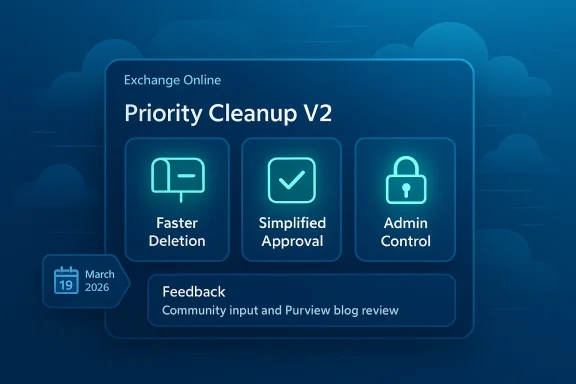
Microsoft is moving Priority Cleanup from a niche compliance escape hatch toward a more deliberate operational control, and Priority Cleanup V2 looks like the next step in that evolution. The current feature already exists to let administrators permanently delete sensitive Exchange Online content even when retention policies or eDiscovery holds would otherwise keep it in place, but Microsoft also emphasizes that the process is irreversible, audited, and gated by multiple approvals for safety (learn.microsoft.com). That combination makes it one of the more interesting—and controversial—tools in Microsoft Purview’s Data Lifecycle Management stack. Now the Purview team is asking for feedback on V2, with a focus on faster deletion, a simpler approval flow, and a cleaner admin experience.
Background — full context
Priority Cleanup was introduced to solve a very specific but very real problem: what happens when an organization needs to remove sensitive content immediately, but the content is sitting under a retention policy or hold that would normally preserve it. Microsoft’s documentation calls out scenarios like privacy requests and data spillage, where waiting for retention periods to expire is not an option (learn.microsoft.com). In other words, this is not a convenience feature; it is a controlled exception path for urgent, high-trust deletion.That exception path is intentionally narrow. Microsoft says the feature can override retention settings and even Preservation Lock, but only with multiple approvals, required roles, and auditability built in (learn.microsoft.com). The company’s own guidance also says that if an organization is uncomfortable with that level of power, it can continue using standard retention policies and labels instead (learn.microsoft.com). That framing matters, because it shows Microsoft is treating Priority Cleanup less like a normal admin tool and more like a tightly controlled governance exception.
The Exchange workflow also sits in a wider Microsoft compliance pattern. eDiscovery-based purge workflows can hard-delete messages, but Microsoft warns that those tools are limited, require the right permissions, and are not ideal when items are still on hold (learn.microsoft.com). In fact, Microsoft explicitly recommends Priority Cleanup when the goal is to remove items that are otherwise preserved by hold logic (learn.microsoft.com). That recommendation is a clue to how Microsoft wants admins to think: if the issue is “I need these items gone despite compliance protections,” Priority Cleanup is the intended route.
The current implementation is powerful, but it is also somewhat constrained in practice. Microsoft says each item needs another person to approve the deletion, approvers must be individual users, and mailbox items are audited through specific PriorityCleanupTagApplied and PriorityCleanupDelete events (learn.microsoft.com). The structure is good from a control standpoint, but it also adds friction—especially in urgent cases. That is exactly where Priority Cleanup V2 appears to be headed: preserve the control plane, but make the workflow less clunky.
Why Priority Cleanup exists in the first place
Data spillage is the classic use case
The most obvious use case is sensitive-data spill response. Microsoft’s documentation specifically cites accidental email of material related to a future acquisition as an example of a case where urgent deletion may be required even though eDiscovery holds exist (learn.microsoft.com). That is the kind of situation where conventional retention behavior is a feature until it suddenly becomes an obstacle.Privacy and regulatory requests matter too
Priority Cleanup is not only about incident response. Microsoft also gives the example of a privacy request involving personal information for a former employee, where the organization still has a two-year retention policy on mailboxes (learn.microsoft.com). This matters because it shows the feature can serve both security and privacy workflows, which are often separate in practice even though they overlap technically.The “delete now, comply later” problem
A lot of Microsoft 365 governance tooling is built around preservation, review, and later disposition. Priority Cleanup is different because it allows a controlled bypass when an organization’s policy says urgency outweighs retention. The company’s own roadmap language describes it as a “secure workflow to bypass legal holds and retention policies” for specific scenarios (techcommunity.microsoft.com).- It is meant for rare, high-trust situations.
- It is not a bulk mailbox cleanup tool.
- It is designed for permanent deletion, not temporary quarantine.
- It uses retention-label mechanics under the covers.
- It requires governance instead of simple admin action.
What Microsoft says V2 is trying to improve
Faster deletion
The headline promise of Priority Cleanup V2 is speed. That matters because the current workflow is already designed around compliance-safe removal, but urgent cases lose value if the deletion path is slow. Microsoft’s ask for feedback suggests the team wants the removal process itself to feel more immediate without weakening the audit trail or approval chain.Simpler approvals
The current model requires a second person to approve each item, and approvers must be individual users rather than mail-enabled security groups (learn.microsoft.com). That makes sense as a safeguard, but it can also become operationally annoying in a real incident. V2 appears aimed at reducing the friction in how approvals are assigned, tracked, and completed.Better admin control
Microsoft is also signaling that the admin surface needs work. The current documentation already distinguishes between a Priority Cleanup Admin and a Priority Cleanup Viewer, while also requiring Content Explorer roles for simulation and approval stages (learn.microsoft.com). In practice, that means the experience is powerful but fragmented. V2 likely needs a cleaner role story, clearer status tracking, and more obvious policy visibility.More confidence for reviewers
Because the deletion is irreversible, the review stage matters a lot. Microsoft’s guidance repeatedly stresses simulation, auditing, and the end-to-end cleanup ID as tracking mechanisms (learn.microsoft.com). Any V2 improvement that makes item review easier without loosening controls would probably be welcomed by admins.- Faster policy execution
- Fewer approval bottlenecks
- Better visibility into item status
- More intuitive admin workflows
- Less ambiguity around who can approve what
- Stronger operational transparency
How the current feature works today
Policy creation and simulation
Priority Cleanup supports simulation mode, which lets admins check returned samples before turning on the policy (learn.microsoft.com). Microsoft recommends using this for validation, even though Exchange use does not require it in the same way SharePoint and OneDrive do (learn.microsoft.com). Simulation is important because the policy is not just “search and delete”; it is “search, label, approve, and then delete.”Roles and permissions
The feature is gated by permissions. Microsoft says the Priority Cleanup Admin role is required to create and manage policies, enable or disable the feature, and approve items in the initial approval stage (learn.microsoft.com). Viewer access is also available, but it is read-only (learn.microsoft.com). That role design suggests Microsoft wants admins to treat this as a governed lifecycle, not a casual operation.Approval workflow
Each item requires at least one other approver besides the person who created the policy (learn.microsoft.com). That built-in two-person rule is a major safeguard, especially for cases where a deletion request could be politically or legally sensitive. But it is also the area most likely to feel cumbersome in urgent scenarios.Auditing and traceability
Microsoft says two specific audit events are tied to mailbox Priority Cleanup: PriorityCleanupTagApplied and PriorityCleanupDelete (learn.microsoft.com). That is useful for investigations, post-incident reviews, and internal compliance reporting. It also means the feature is designed to leave a durable trail, even when the content itself is removed.Why the feature is more than just a purge tool
It is a compliance exception framework
Priority Cleanup is not simply a “delete” button. It is a formal exception process that sits above normal retention logic. Microsoft explicitly says the under-the-covers mechanism uses retention labels with auto-apply policies, even though admins do not manage those labels directly in the usual way (learn.microsoft.com). That is a very Microsoft-style answer: make the admin experience appear simplified while preserving policy machinery underneath.It reflects a broader Purview direction
Microsoft is increasingly positioning Purview as the control plane for lifecycle decisions, not just retention and eDiscovery management. The March 2025 roadmap entry framed Priority Cleanup as a “secure workflow to bypass legal holds and retention policies” with default tenant availability, role-based access, and simulation support (techcommunity.microsoft.com). That puts it squarely in the “governance first, action second” camp.It mirrors eDiscovery purge limitations
Microsoft’s eDiscovery purge workflow is intentionally limited. For example, it caps deletions per mailbox and warns that hard-delete actions are permanent and not recoverable (learn.microsoft.com). Microsoft also says that if you want to remove items from hold, Priority Cleanup is the recommended approach (learn.microsoft.com). That makes Priority Cleanup the more structured, policy-aware answer to a problem eDiscovery can solve only partially.It handles edge cases eDiscovery can’t cleanly cover
Microsoft notes that items copied into eDiscovery review sets may not be deletable by Priority Cleanup, and some content marked as records or regulatory records is out of scope entirely (learn.microsoft.com). That limitation is important because it prevents overpromising. Even a powerful cleanup system still has boundaries.- It does not override every preservation scenario.
- It is not meant for records-management exceptions.
- It cannot magically erase copied review-set content.
- It remains constrained by governance rules.
- It is audited precisely because it is exceptional.
The admin experience challenge
The current workflow is powerful but dense
Anyone who has used Microsoft Purview at scale knows the pattern: the product is capable, but the path from intention to action can involve too many clicks, roles, and validation steps. Priority Cleanup today is no exception. The combination of simulation, policy setup, approver assignment, cleanup IDs, and audit review is defensible—but not especially lightweight (learn.microsoft.com).Approval overhead can slow urgent response
The need for a second approver on each item is sensible, but in a real incident the approver might be in another region, offline, or unclear on the policy’s scope. That creates friction right when speed is most valuable. V2’s approval redesign is likely trying to solve exactly that problem without abandoning the two-person rule.Status visibility needs to be simpler
The documentation says admins can monitor progress through auditing and the Cleanup ID (learn.microsoft.com). That is functional, but it is not necessarily intuitive. Admins benefit when a policy’s state is visible at a glance, especially when they need to brief legal, compliance, or incident-response teams.Role complexity is a real adoption barrier
The feature’s role model is precise, but precision has a cost. Priority Cleanup Admin, Viewer, Content Explorer roles, eDiscovery Administrator, and Retention Manager can all be involved depending on the stage and scenario (learn.microsoft.com). That can make adoption harder for teams that do not already have a mature Purview operating model.- Too many role dependencies
- Too much reliance on manual coordination
- Too much uncertainty for newer admins
- Too much room for misconfiguration
- Too much cognitive overhead in urgent cases
What the Microsoft docs tell us about safeguards
Irreversibility is the central design constraint
Microsoft repeatedly stresses that deletion by priority cleanup is irreversible (learn.microsoft.com). That is the right default for a feature that can override holds and retention policies, but it also explains why the workflow is intentionally slower and more controlled than ordinary deletion tools.Holds are not the whole story
Priority Cleanup can override eDiscovery holds, but not every derivative copy of the content. If content has already been copied into an eDiscovery review set, it may remain until the case is deleted by an eDiscovery admin (learn.microsoft.com). That is a subtle but important nuance, because it prevents admins from assuming a purge removes every trace everywhere.Some content is deliberately protected
Microsoft says priority cleanup cannot be used on items marked as a record or regulatory record (learn.microsoft.com). That limitation is a reminder that even “urgent deletion” tools still live inside a broader records and governance model.Minimum mailbox size matters
Microsoft also notes that a mailbox must have at least 10 MB of data to support Priority Cleanup (learn.microsoft.com). That is a small detail, but it shows the feature is tied to specific service assumptions, not just abstract policy logic.- Irreversible by design
- Not universal across all content types
- Constrained by records management
- Bound to compliance workflow mechanics
- Built for auditability, not stealth
Why V2 matters for real-world Exchange admins
Incident response is about tempo
When security teams are handling a spill, tempo matters. A cleanup workflow that takes too long can become politically difficult or operationally useless. If V2 improves speed while keeping the approval chain intact, it will materially improve the feature’s value.Legal and compliance teams need confidence
The whole point of Priority Cleanup is to reconcile contradictory obligations: retain content for compliance, but delete it now for privacy or safety reasons. Better workflow clarity in V2 could make legal sign-off smoother, because reviewers would have more trust in what exactly is being deleted and why.It could reduce reliance on workaround thinking
Microsoft’s eDiscovery guidance makes clear that some purge paths are intended for limited event-response use and are not mailbox-cleanup tools (learn.microsoft.com). A better Priority Cleanup workflow may reduce the temptation to improvise with less appropriate tools, which is a win for both security and governance.It may define how Microsoft handles “urgent deletion” going forward
Priority Cleanup sits at the intersection of retention, eDiscovery, privacy, and incident response. If V2 succeeds, Microsoft may use it as the template for other tightly governed exception workflows across Purview.- Faster execution in urgent cases
- Less admin confusion
- More consistent approvals
- Better audit readiness
- Fewer unsafe workaround attempts
- Stronger alignment with legal review
Strengths and Opportunities
What works already
Priority Cleanup is already conceptually strong because it solves a hard problem instead of pretending it does not exist. Microsoft’s own examples—privacy requests and data spillage—are the right kind of scenarios for this sort of capability (learn.microsoft.com). It is also good that the feature is audited and requires multiple approvals.Why V2 could be a meaningful upgrade
If Microsoft can keep the safeguards while reducing friction, V2 could become a much more usable operational control. The current model is clearly built for seriousness, but serious tools still need to be fast enough to matter. The opportunity is to preserve rigor while removing avoidable complexity.Where admins benefit most
The strongest use cases are likely to remain narrow but high value:- Data spillage response
- Privacy remediation
- Regulated content cleanup
- Executive incident response
- Rapid legal escalation
- Remediation of accidental disclosure
The broader product opportunity
Microsoft could use V2 to clarify the whole Priority Cleanup story in Purview. A better admin experience could make the feature feel less like an emergency workaround and more like a standard part of the Microsoft 365 governance toolkit.Risks and Concerns
Any bypass mechanism invites scrutiny
A feature that can override holds and retention policies is always going to attract caution from compliance teams. That is not a bug; it is the reason the feature exists at all. But it also means Microsoft has to keep tightening the story around control, traceability, and role separation (learn.microsoft.com).Speed versus oversight is a real tension
The more Microsoft optimizes for speed, the more carefully it must preserve review. If V2 becomes too streamlined, it could raise concern that the guardrails are getting thinner. If it remains too slow, it risks being underused in the very scenarios it was built for.Misconfiguration remains a hazard
Because the feature depends on roles, approvers, simulation, and audit IDs, there is plenty of room for admin error. That is especially true in organizations where Purview is managed by a small team that does not touch the feature often.Irreversibility is unforgiving
Once content is deleted, it is gone. Microsoft’s docs make that crystal clear for both Priority Cleanup and related purge workflows (learn.microsoft.com). That means the margin for error is tiny, which raises the stakes for any UI or workflow change in V2.- Deletion mistakes are permanent
- Approval mistakes are operationally expensive
- Ambiguous ownership can delay response
- Overconfidence in the tool is dangerous
- Training gaps can undermine the control model
What to Watch Next
Feedback from Purview customers
The most important signal will be what Microsoft hears from admins actually using the feature. If the recurring complaint is approval friction, V2 may prioritize workflow simplification. If the complaint is visibility, then tracking and status reporting may get more attention.The shape of the approval model
Watch whether Microsoft changes how approvers are selected, notified, or replaced. The current individual-user requirement is sensible, but it is also one of the most obvious sources of delay (learn.microsoft.com).Whether audit and reporting get easier
If Microsoft wants Priority Cleanup to feel enterprise-ready at scale, the audit experience will need to become less dependent on manual sleuthing. Better cleanup IDs, clearer timelines, and more obvious state transitions would all help.Whether V2 stays mailbox-focused or becomes more unified
The current docs already distinguish Exchange from SharePoint and OneDrive in terms of policy behavior and simulation needs (learn.microsoft.com). It will be worth watching whether Microsoft narrows or broadens the Exchange-specific experience in V2.Whether Microsoft frames this as a governance story, not just a purge tool
That framing matters. If Microsoft presents Priority Cleanup as a security-and-governance exception workflow rather than a deletion shortcut, customers are more likely to trust it.- Workflow simplification
- Approval chain improvements
- More intuitive admin UI
- Better reporting and traceability
- Clearer policy states
- Stronger governance messaging
Source: techcommunity.microsoft.com Give Us Feedback on Faster, Simpler Data Purging for Exchange Online | Microsoft Community Hub
Last edited: