

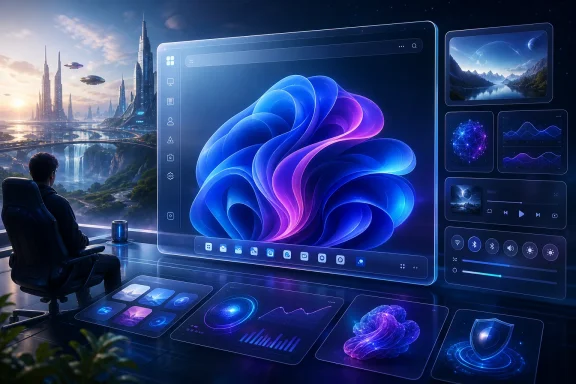
Microsoft has not announced Windows 12 as a shipping product in 2026, but a Windows Central experiment using a third-party Rainmeter skin shows how easily Windows 11 can be made to resemble the imagined next version of Microsoft’s desktop OS. The stunt works because it taps into a real frustration: many users are not merely waiting for new features, they are waiting for Windows 11 to feel less like a compromise. A mock “Windows 12” skin is not a roadmap, but it is a useful mirror. It shows that Microsoft’s biggest Windows problem is no longer whether the operating system can do enough, but whether users believe the shell is still designed for them.
The striking thing about the Windows Central piece is not that Rainmeter can make Windows look different. Rainmeter has been doing that for years, and the Windows customization community has always been able to make Microsoft’s own designers look timid. The more interesting point is that a Windows 12-themed skin feels plausible precisely because Windows 11 still feels unfinished to a vocal share of its own audience.
Windows 11 arrived in October 2021 with the usual Microsoft promise: cleaner, calmer, more modern. It also arrived with a more restrictive hardware baseline, a centered taskbar many users did not ask for, a simplified Start menu, and the removal of some habits that had survived across generations of Windows. Microsoft wanted a fresh beginning. Many users experienced it as a managed downgrade.
That is why the Rainmeter skin matters as a cultural artifact. It is not Windows 12, and it should not be treated as evidence of Microsoft’s future design language. But it captures what many people think Windows 12 should be: lighter, more expressive, more flexible, and less preoccupied with funneling users toward Microsoft’s strategic priorities.
The desktop has always carried a strange emotional weight for Windows users. It is workspace, launchpad, filing cabinet, dashboard, and personal territory. When Microsoft changes it abruptly, users do not just complain about pixels. They complain because the operating system has crossed from being infrastructure into being an editor of their habits.
But Windows is not judged like a poster. It is judged at 8:43 a.m. when someone is trying to start a shift, join a meeting, find a file, dock a window, silence a notification, or open a tool they have used since the Windows 7 era. At that moment, a missing right-click option or an unmovable taskbar is not a design debate. It is a tax.
The original Windows 11 taskbar became the symbol of this tension. Microsoft rebuilt it in a more modern framework, but in doing so dropped features power users had long treated as basic. Moving the taskbar to the top or side of the screen, resizing it, ungrouping buttons, and using dense workflows all became points of friction. Microsoft eventually restored some of what it had removed, but the damage was reputational as much as functional.
This is the pattern that third-party tools exploit. They do not need to rebuild Windows. They only need to restore agency at the layer where users feel the operating system most directly. A Start menu replacement, a taskbar modifier, a desktop widget framework, or a transparency tweak can feel more meaningful than a kernel improvement if it fixes the part of the system a user touches a hundred times a day.
Rainmeter’s “Windows 12” skin fits neatly into that history. It promises a Start menu and quick settings area with a more minimal, futuristic treatment. It offers glass-like transparency, rounded visual consistency, animated polish, and desktop widgets. In other words, it sells the feeling that Windows 11’s shell could have been more adventurous without becoming less usable.
That distinction matters. When users install Rainmeter, Start11, ExplorerPatcher, Windhawk mods, TranslucentTB, or similar utilities, they are often not chasing novelty for novelty’s sake. They are trying to get back to a desktop that feels like theirs. Sometimes that means visual flair. Sometimes it means undoing Microsoft’s decisions.
Windows 11 intensified this impulse because it landed in an era when Microsoft was also pushing Microsoft account prompts, Edge nudges, OneDrive integration, Copilot branding, recommended content, and advertising-like placements across parts of the user experience. Each individual prompt can be explained by a product manager. Together, they create a sense that Windows is less a neutral platform than a contested surface.
That is why a Rainmeter skin can feel refreshing. It does not ask the user to subscribe, sign in, sync, train, discover, redeem, or try. It simply changes the desktop. There is a purity in that, even if the underlying tool carries the usual third-party risks.
The irony is that Microsoft once understood this instinct better than almost anyone. Windows won not because it was the most elegant operating system, but because it was adaptable. It tolerated messy hardware, strange workflows, enterprise cruft, homebrew utilities, shell extensions, and a universe of little conveniences. The more Windows tries to become a curated experience, the more its most loyal users reach for tools that make it unruly again.
Microsoft’s own widget strategy has been far less convincing. Windows 11’s Widgets board has improved since launch, but it still carries the baggage of being a Microsoft-mediated experience. It is adjacent to the desktop rather than native to it. It often feels like a portal to services instead of a set of objects the user owns.
Rainmeter skins invert that relationship. They can be ugly, broken, overdesigned, or abandoned, but they are direct. The user puts something on the desktop, moves it, edits it, removes it, and decides whether it belongs. That basic loop is one of the reasons enthusiasts tolerate the fiddliness.
The Windows Central experiment highlights this gap without needing to say it explicitly. The imagined Windows 12 skin adds weather to the taskbar, restores a Live Tiles-like sense of motion, and uses transparent visual effects to make the shell feel integrated with the wallpaper. These are not revolutionary ideas. They are the sort of ambient touches that make a PC feel like a personal machine rather than a corporate endpoint.
Live Tiles are especially revealing. Microsoft spent years trying to make them a defining part of the Windows 8 and Windows 10 identity, then gradually retreated from the concept. Yet the idea behind them was not absurd: glanceable, live information attached to apps can be useful. The failure was the larger interface strategy around them, not necessarily the desire for a more dynamic launcher.
A Rainmeter skin can revive that idea without dragging the user back into the Windows 8 Start screen wars. It can borrow the good part of a discarded concept and leave behind the ideology. That is often what the customization community does best.
Microsoft has not publicly launched Windows 12, and the company has spent 2026 talking more about improving Windows 11 than replacing it. That is significant. After years of speculation about a rapid return to major-number releases, Microsoft appears to be trying to rehabilitate the current platform rather than abandon it.
There is logic in that approach. Enterprises do not want a new desktop migration crisis every few years. Developers do not want arbitrary churn. Microsoft itself has spent enormous effort trying to move Windows onto a more continuous servicing model. From that vantage point, fixing Windows 11 is more responsible than declaring it cursed and moving on.
But operating systems are not judged only by engineering logic. They are judged by stories. Windows Vista’s reputation never fully recovered, even after service packs improved it. Windows 8 never escaped the Start screen. Windows 10 benefited enormously from being perceived as the retreat from Windows 8’s overreach. The brand narrative mattered.
Windows 11 is not Vista, and it is not Windows 8. It is far more usable than either at comparable points in their lives. But it has acquired a reputation for being the version that took things away, raised hardware barriers, and inserted more Microsoft into corners of the OS where users expected less. That reputation is the opening into which “Windows 12” fantasies pour.
Rainmeter’s skin is therefore less a prediction than a pressure valve. It lets users inhabit an alternate timeline where the next Windows is not a migration event but an aesthetic and ergonomic correction. That fantasy is powerful because Microsoft has not yet convinced everyone that Windows 11 itself can play that role.
That argument is not frivolous. Hardware-backed security, virtualization-based protections, secure boot chains, and newer CPU capabilities are not marketing decorations. They matter in a world of credential theft, ransomware, firmware attacks, and increasingly sophisticated endpoint compromise. A company responsible for protecting hundreds of millions of PCs has reason to care about the floor.
But the lived reality for many users was simpler: a PC that ran Windows 10 well was told it was not welcome. That created resentment, especially among technically competent users who understood the distinction between incapable hardware and unsupported hardware. It also complicated the environmental and economic story around Windows upgrades.
Windows 10’s end of support in October 2025 shifted the pressure dramatically. For years, users could dislike Windows 11 and simply stay put. After that date, the choice became more pointed: move to Windows 11, pay for extended updates where available, replace hardware, run unsupported, or switch platforms. None of those options feels like a gift.
That deadline helped Windows 11’s market share, but forced adoption is not the same thing as affection. Microsoft can count upgraded machines; it cannot assume upgraded sentiment. A user who installs Windows 11 because Windows 10 is no longer receiving normal updates may still be eager to install tools that make Windows 11 behave less like Windows 11.
This is where the customization wave becomes strategically important. It is not merely decoration around the edges of a successful migration. It is evidence that many users have accepted the Windows 11 base while continuing to reject parts of the Windows 11 experience.
Even if one treats the codename and details with the usual caution appropriate to reporting on internal projects, the direction is clear. Microsoft is not acting like Windows 11’s critics are simply nostalgic cranks. It is acting like the operating system’s rough edges have become a business problem.
The possible return of a movable and resizable taskbar is especially telling. This is not a moonshot feature. It is not a generative AI breakthrough, a cloud service tie-in, or a developer platform revolution. It is the restoration of something Windows users reasonably believed should never have gone missing.
That kind of work is both humble and necessary. The most important Windows improvements in 2026 may be the least glamorous: reducing RAM pressure, making shell components more reliable, removing unwanted prompts, restoring customization, and making the system feel less adversarial. These changes do not demo as well as an AI assistant. They do, however, lower the daily irritation level.
Microsoft’s challenge is that rehabilitation takes longer than removal. A company can delete a beloved feature in one release and spend years earning back the trust it lost. K2, if it delivers, may make Windows 11 better. It will not instantly erase the memory of why users went looking for Rainmeter skins in the first place.
Microsoft has been under intense pressure to make AI visible across its products. Windows is one of the company’s most valuable surfaces, so it was inevitable that Copilot branding would arrive there. The problem is that Windows users are not a single audience. Some want aggressive AI assistance. Some want none of it. Many will accept it only if it is clearly optional, reliable, and respectful of context.
When AI entry points appear in core apps or system surfaces before the basic shell complaints are resolved, users read the sequence as a statement of priorities. Microsoft may see parallel engineering tracks. Users see a company that found time for Copilot while the taskbar still could not do what it used to do.
That perception feeds the appeal of third-party customization. A Rainmeter skin does not try to infer intent, summarize a file, suggest a prompt, or become an assistant. It just changes the interface. In a period of AI saturation, that simplicity feels almost defiant.
To Microsoft’s credit, recent reporting suggests the company may be moderating some AI placements and rethinking where Copilot belongs. That would be wise. The future of Windows probably does include local and cloud AI capabilities, especially on newer hardware. But Windows cannot become merely the delivery vehicle for Microsoft’s AI strategy. It has to remain a competent desktop operating system first.
The lesson is not that AI has no place in Windows. The lesson is that AI must earn its place inside a shell people trust. If users believe the operating system is already taking liberties, every new intelligent feature will be greeted as another encroachment.
Rainmeter itself is a long-running and widely used customization platform, but skins vary by author, quality, and maintenance. A 94MB theme that transforms the desktop may be perfectly fine for a hobby machine and inappropriate for a managed work laptop. Enthusiasts often understand this distinction. Less technical users may not.
Security-minded readers should be especially careful with anything that asks for elevated privileges, ships as an executable from an unfamiliar source, modifies Explorer behavior, or promises deep system changes. The Windows customization ecosystem is creative, but it is also uneven. A beautiful desktop screenshot is not a software supply-chain review.
Administrators have a different concern. Even benign customization can become a support burden when it changes expected workflows, overlays system UI, or interferes with updates. In a business environment, the question is not only “does it work?” It is “who owns it when it stops working?”
That said, dismissing all third-party customization as reckless misses the broader signal. Users reach for these tools because the platform leaves demand unmet. A healthy Windows ecosystem should allow personalization without requiring users to gamble on random downloads or unsupported modifications.
The safest version of the Rainmeter lesson for Microsoft is not “copy this skin.” It is “notice what people are trying to fix.” The skin’s popularity is feedback, even if the implementation belongs outside the supported OS.
The Windows 11 Start menu is not unusable. For many people, it is fine. But “fine” is a low bar for the most important navigation surface in a desktop OS. Its mixture of pinned apps, recommendations, search behavior, and limited layout flexibility has never fully satisfied users who want density, hierarchy, folders, live information, or stronger control.
This is why Start menu replacements and skins remain so popular. Users are not necessarily asking for nostalgia. They are asking for a launch surface that matches their mental model. Some want Windows 7-style structure. Some want Windows 10-style tiles. Some want something closer to a phone launcher. Some want almost nothing.
Microsoft’s mistake has been treating the Start menu as if one default can carry too much of the population. Windows is too broad for that. A gaming PC, a sysadmin workstation, a classroom laptop, a call-center endpoint, and a developer rig do not need the same Start experience.
Rainmeter’s Windows 12-style approach, as described by Windows Central, seems to lean into a cleaner and more futuristic launcher while reviving some of the liveliness of tiles. That combination is telling. Users do not necessarily want the old Start menu back unchanged. They want Microsoft to be as imaginative about customization as it is about visual branding.
The Start menu should be the easiest place for Microsoft to embrace plurality. Instead, it has too often become the place where the company’s distribution goals, search strategy, app promotion, and design minimalism collide.
When recommended content appears in Start, when Edge is pushed aggressively, when account prompts become harder to ignore, or when Microsoft services are woven into default flows, the shell starts to feel less neutral. Windows has always promoted Microsoft products to some degree, but the modern implementation is more visible because the desktop itself is more controlled.
The result is an erosion of goodwill. A user who trusts Microsoft may interpret integration as convenience. A user who does not may interpret the same integration as capture. Windows 11 has too often given skeptics reasons to choose the second reading.
Third-party skins offer an escape from that atmosphere. They can make Windows feel like a local environment again. The desktop becomes wallpaper, widgets, launchers, and visual rhythm rather than a place where cloud services constantly announce themselves.
For Microsoft, this is a dangerous comparison. The company can out-engineer Rainmeter in almost every technical dimension, but it cannot easily out-charm a tool that has no growth target. The independent utility has the luxury of serving the user’s immediate desire. Microsoft has to balance security, accessibility, consistency, telemetry, enterprise manageability, and revenue strategy.
That balance is real. But if the user-facing result feels like a series of nudges, Microsoft loses the emotional argument. Windows does not need to be free of Microsoft services. It needs a clearer boundary between operating system functionality and product promotion.
But enthusiasts often identify problems before the broader market has language for them. The people who obsess over taskbar behavior, Start menu layout, window management, and shell performance are not representative in volume, but they are representative in sensitivity. They notice friction early.
Microsoft has benefited from this community for decades. Power users write guides, fix family PCs, advise small businesses, test preview builds, file bugs, and normalize new versions of Windows. They are not the whole market, but they influence the market’s story.
Windows 11 strained that relationship by asking enthusiasts to accept fewer options in the name of modernity. Some did. Many did not. The customization boom is, in part, the community routing around Microsoft’s constraints.
This matters because Windows’ competition is no longer only another version of Windows. For some users it is macOS, ChromeOS, Linux, iPadOS, cloud desktops, or simply doing more work in the browser and caring less about the local OS. The Windows shell has to justify itself in a world where many workflows are portable.
If the most passionate Windows users are excited by a fake Windows 12 skin, Microsoft should not laugh it off. It should ask why the fake future feels more emotionally compelling than the real present.
The deeper need is a new settlement between Microsoft and Windows users. Microsoft needs room to modernize the platform, improve security, simplify legacy code paths, and integrate new capabilities. Users need confidence that modernization will not mean losing control over the daily interface.
That settlement would look less like a single grand redesign and more like a series of principles. Defaults can be modern, but alternatives should exist where workflows are deeply ingrained. AI can be present, but it should be opt-in where reasonable and removable where it is not essential. Promotions should be clearly distinguishable from system features. Customization should be treated as a first-class preference, not a nostalgic indulgence.
The taskbar is the perfect test case. Microsoft does not have to make every old behavior the default. It does have to acknowledge that the taskbar is prime working territory, and users with different screens, bodies, jobs, and habits may need it in different places. Restoring that flexibility says more than a hundred blog posts about listening.
The same is true of widgets, Start, File Explorer, notifications, and quick settings. Windows does not need to become a theming free-for-all to respect user agency. It simply needs to stop confusing consistency with uniformity.
Here is what the episode really says:
Windows 11 can still become a better operating system than its reputation suggests, but Microsoft has to earn that outcome through restraint as much as invention. If the company spends 2026 restoring flexibility, reducing nagging, tightening performance, and putting AI in places where it helps rather than merely advertises itself, the imagined Windows 12 may become less necessary. If it does not, the next great Windows experience will continue to appear first as a community mod, a skin, a workaround, or a screenshot of the operating system users wish Microsoft had trusted them to shape.
Source: Windows Central https://www.windowscentral.com/micr...closer-to-microsofts-future-than-youd-expect/
 The Windows 12 Fantasy Is Really a Windows 11 Protest
The striking thing about the Windows Central piece is not that Rainmeter can make Windows look different. Rainmeter has been doing that for years, and the Windows customization community has always been able to make Microsoft’s own designers look timid. The more interesting point is that a Windows 12-themed skin feels plausible precisely because Windows 11 still feels unfinished to a vocal share of its own audience.Windows 11 arrived in October 2021 with the usual Microsoft promise: cleaner, calmer, more modern. It also arrived with a more restrictive hardware baseline, a centered taskbar many users did not ask for, a simplified Start menu, and the removal of some habits that had survived across generations of Windows. Microsoft wanted a fresh beginning. Many users experienced it as a managed downgrade.
That is why the Rainmeter skin matters as a cultural artifact. It is not Windows 12, and it should not be treated as evidence of Microsoft’s future design language. But it captures what many people think Windows 12 should be: lighter, more expressive, more flexible, and less preoccupied with funneling users toward Microsoft’s strategic priorities.
The desktop has always carried a strange emotional weight for Windows users. It is workspace, launchpad, filing cabinet, dashboard, and personal territory. When Microsoft changes it abruptly, users do not just complain about pixels. They complain because the operating system has crossed from being infrastructure into being an editor of their habits.
Microsoft’s Design Reset Left Too Much Muscle Memory Behind
Windows 11’s design language has aged better than its first impression suggested. The rounded corners, updated icons, softened window chrome, and more consistent Settings app were all defensible moves. Compared with late-era Windows 10, Windows 11 looks less like a decade of overlapping committee decisions.But Windows is not judged like a poster. It is judged at 8:43 a.m. when someone is trying to start a shift, join a meeting, find a file, dock a window, silence a notification, or open a tool they have used since the Windows 7 era. At that moment, a missing right-click option or an unmovable taskbar is not a design debate. It is a tax.
The original Windows 11 taskbar became the symbol of this tension. Microsoft rebuilt it in a more modern framework, but in doing so dropped features power users had long treated as basic. Moving the taskbar to the top or side of the screen, resizing it, ungrouping buttons, and using dense workflows all became points of friction. Microsoft eventually restored some of what it had removed, but the damage was reputational as much as functional.
This is the pattern that third-party tools exploit. They do not need to rebuild Windows. They only need to restore agency at the layer where users feel the operating system most directly. A Start menu replacement, a taskbar modifier, a desktop widget framework, or a transparency tweak can feel more meaningful than a kernel improvement if it fixes the part of the system a user touches a hundred times a day.
Rainmeter’s “Windows 12” skin fits neatly into that history. It promises a Start menu and quick settings area with a more minimal, futuristic treatment. It offers glass-like transparency, rounded visual consistency, animated polish, and desktop widgets. In other words, it sells the feeling that Windows 11’s shell could have been more adventurous without becoming less usable.
The Customization Scene Is Filling a Trust Gap
Windows customization tools are not new, but their role has changed. In the Windows XP and Windows 7 eras, customization was often about personality: themes, docks, meters, wallpapers, icon packs, and a little performance theater. In Windows 11, customization has become more political. It is increasingly a response to Microsoft’s defaults.That distinction matters. When users install Rainmeter, Start11, ExplorerPatcher, Windhawk mods, TranslucentTB, or similar utilities, they are often not chasing novelty for novelty’s sake. They are trying to get back to a desktop that feels like theirs. Sometimes that means visual flair. Sometimes it means undoing Microsoft’s decisions.
Windows 11 intensified this impulse because it landed in an era when Microsoft was also pushing Microsoft account prompts, Edge nudges, OneDrive integration, Copilot branding, recommended content, and advertising-like placements across parts of the user experience. Each individual prompt can be explained by a product manager. Together, they create a sense that Windows is less a neutral platform than a contested surface.
That is why a Rainmeter skin can feel refreshing. It does not ask the user to subscribe, sign in, sync, train, discover, redeem, or try. It simply changes the desktop. There is a purity in that, even if the underlying tool carries the usual third-party risks.
The irony is that Microsoft once understood this instinct better than almost anyone. Windows won not because it was the most elegant operating system, but because it was adaptable. It tolerated messy hardware, strange workflows, enterprise cruft, homebrew utilities, shell extensions, and a universe of little conveniences. The more Windows tries to become a curated experience, the more its most loyal users reach for tools that make it unruly again.
Rainmeter Makes the Desktop Feel Alive Because Microsoft Made Widgets Feel Distant
Rainmeter’s enduring appeal comes from a simple design premise: information belongs where the user wants it. A clock, media controls, system monitors, weather, app launchers, notes, and status indicators can live on the desktop as part of a personal workspace. They are not trapped in a panel, feed, or branded content surface.Microsoft’s own widget strategy has been far less convincing. Windows 11’s Widgets board has improved since launch, but it still carries the baggage of being a Microsoft-mediated experience. It is adjacent to the desktop rather than native to it. It often feels like a portal to services instead of a set of objects the user owns.
Rainmeter skins invert that relationship. They can be ugly, broken, overdesigned, or abandoned, but they are direct. The user puts something on the desktop, moves it, edits it, removes it, and decides whether it belongs. That basic loop is one of the reasons enthusiasts tolerate the fiddliness.
The Windows Central experiment highlights this gap without needing to say it explicitly. The imagined Windows 12 skin adds weather to the taskbar, restores a Live Tiles-like sense of motion, and uses transparent visual effects to make the shell feel integrated with the wallpaper. These are not revolutionary ideas. They are the sort of ambient touches that make a PC feel like a personal machine rather than a corporate endpoint.
Live Tiles are especially revealing. Microsoft spent years trying to make them a defining part of the Windows 8 and Windows 10 identity, then gradually retreated from the concept. Yet the idea behind them was not absurd: glanceable, live information attached to apps can be useful. The failure was the larger interface strategy around them, not necessarily the desire for a more dynamic launcher.
A Rainmeter skin can revive that idea without dragging the user back into the Windows 8 Start screen wars. It can borrow the good part of a discarded concept and leave behind the ideology. That is often what the customization community does best.
The Unannounced Windows 12 Has Become a Container for Everyone’s Grievances
The phrase “Windows 12” now does more work than an unreleased product name should. For some users, it means a cleaner break from Windows 11’s reputation. For others, it means an AI-heavy future they are already wary of. For enthusiasts, it is a blank canvas onto which they can project the version of Windows they think Microsoft should have built.Microsoft has not publicly launched Windows 12, and the company has spent 2026 talking more about improving Windows 11 than replacing it. That is significant. After years of speculation about a rapid return to major-number releases, Microsoft appears to be trying to rehabilitate the current platform rather than abandon it.
There is logic in that approach. Enterprises do not want a new desktop migration crisis every few years. Developers do not want arbitrary churn. Microsoft itself has spent enormous effort trying to move Windows onto a more continuous servicing model. From that vantage point, fixing Windows 11 is more responsible than declaring it cursed and moving on.
But operating systems are not judged only by engineering logic. They are judged by stories. Windows Vista’s reputation never fully recovered, even after service packs improved it. Windows 8 never escaped the Start screen. Windows 10 benefited enormously from being perceived as the retreat from Windows 8’s overreach. The brand narrative mattered.
Windows 11 is not Vista, and it is not Windows 8. It is far more usable than either at comparable points in their lives. But it has acquired a reputation for being the version that took things away, raised hardware barriers, and inserted more Microsoft into corners of the OS where users expected less. That reputation is the opening into which “Windows 12” fantasies pour.
Rainmeter’s skin is therefore less a prediction than a pressure valve. It lets users inhabit an alternate timeline where the next Windows is not a migration event but an aesthetic and ergonomic correction. That fantasy is powerful because Microsoft has not yet convinced everyone that Windows 11 itself can play that role.
The Hardware Line Still Defines the Windows 11 Era
Any discussion of Windows 11 adoption eventually returns to hardware. Microsoft’s official requirements, including TPM 2.0 and supported CPU generations, were framed around security and reliability. From Microsoft’s point of view, the modern threat landscape demanded a more secure baseline.That argument is not frivolous. Hardware-backed security, virtualization-based protections, secure boot chains, and newer CPU capabilities are not marketing decorations. They matter in a world of credential theft, ransomware, firmware attacks, and increasingly sophisticated endpoint compromise. A company responsible for protecting hundreds of millions of PCs has reason to care about the floor.
But the lived reality for many users was simpler: a PC that ran Windows 10 well was told it was not welcome. That created resentment, especially among technically competent users who understood the distinction between incapable hardware and unsupported hardware. It also complicated the environmental and economic story around Windows upgrades.
Windows 10’s end of support in October 2025 shifted the pressure dramatically. For years, users could dislike Windows 11 and simply stay put. After that date, the choice became more pointed: move to Windows 11, pay for extended updates where available, replace hardware, run unsupported, or switch platforms. None of those options feels like a gift.
That deadline helped Windows 11’s market share, but forced adoption is not the same thing as affection. Microsoft can count upgraded machines; it cannot assume upgraded sentiment. A user who installs Windows 11 because Windows 10 is no longer receiving normal updates may still be eager to install tools that make Windows 11 behave less like Windows 11.
This is where the customization wave becomes strategically important. It is not merely decoration around the edges of a successful migration. It is evidence that many users have accepted the Windows 11 base while continuing to reject parts of the Windows 11 experience.
Microsoft’s K2 Moment Is an Admission Wrapped in a Roadmap
Reports around Microsoft’s Windows 11 improvement push in 2026 suggest the company understands the problem. The so-called K2 effort, as described by Windows Central, is aimed at addressing pain points in the platform and improving user sentiment. The reported agenda includes taskbar improvements, performance work, reduced friction around AI surfaces, and a more deliberate response to feedback.Even if one treats the codename and details with the usual caution appropriate to reporting on internal projects, the direction is clear. Microsoft is not acting like Windows 11’s critics are simply nostalgic cranks. It is acting like the operating system’s rough edges have become a business problem.
The possible return of a movable and resizable taskbar is especially telling. This is not a moonshot feature. It is not a generative AI breakthrough, a cloud service tie-in, or a developer platform revolution. It is the restoration of something Windows users reasonably believed should never have gone missing.
That kind of work is both humble and necessary. The most important Windows improvements in 2026 may be the least glamorous: reducing RAM pressure, making shell components more reliable, removing unwanted prompts, restoring customization, and making the system feel less adversarial. These changes do not demo as well as an AI assistant. They do, however, lower the daily irritation level.
Microsoft’s challenge is that rehabilitation takes longer than removal. A company can delete a beloved feature in one release and spend years earning back the trust it lost. K2, if it delivers, may make Windows 11 better. It will not instantly erase the memory of why users went looking for Rainmeter skins in the first place.
The AI Push Made Every Interface Decision More Suspicious
Windows 11’s design complaints might have been easier for Microsoft to manage if they had remained purely about Start, taskbar, and Settings. But the rise of Copilot and AI integration changed the emotional context. Suddenly, every new button looked like part of a larger land grab.Microsoft has been under intense pressure to make AI visible across its products. Windows is one of the company’s most valuable surfaces, so it was inevitable that Copilot branding would arrive there. The problem is that Windows users are not a single audience. Some want aggressive AI assistance. Some want none of it. Many will accept it only if it is clearly optional, reliable, and respectful of context.
When AI entry points appear in core apps or system surfaces before the basic shell complaints are resolved, users read the sequence as a statement of priorities. Microsoft may see parallel engineering tracks. Users see a company that found time for Copilot while the taskbar still could not do what it used to do.
That perception feeds the appeal of third-party customization. A Rainmeter skin does not try to infer intent, summarize a file, suggest a prompt, or become an assistant. It just changes the interface. In a period of AI saturation, that simplicity feels almost defiant.
To Microsoft’s credit, recent reporting suggests the company may be moderating some AI placements and rethinking where Copilot belongs. That would be wise. The future of Windows probably does include local and cloud AI capabilities, especially on newer hardware. But Windows cannot become merely the delivery vehicle for Microsoft’s AI strategy. It has to remain a competent desktop operating system first.
The lesson is not that AI has no place in Windows. The lesson is that AI must earn its place inside a shell people trust. If users believe the operating system is already taking liberties, every new intelligent feature will be greeted as another encroachment.
Third-Party Skins Are Fun Until They Become Infrastructure
There is a reason Windows Central included a caution about third-party tools. Customization sits on a spectrum. At one end are harmless visual widgets and user-level tweaks. At the other are shell replacements, patched system behavior, unsigned downloads, background services, and tools that may break after a Windows update.Rainmeter itself is a long-running and widely used customization platform, but skins vary by author, quality, and maintenance. A 94MB theme that transforms the desktop may be perfectly fine for a hobby machine and inappropriate for a managed work laptop. Enthusiasts often understand this distinction. Less technical users may not.
Security-minded readers should be especially careful with anything that asks for elevated privileges, ships as an executable from an unfamiliar source, modifies Explorer behavior, or promises deep system changes. The Windows customization ecosystem is creative, but it is also uneven. A beautiful desktop screenshot is not a software supply-chain review.
Administrators have a different concern. Even benign customization can become a support burden when it changes expected workflows, overlays system UI, or interferes with updates. In a business environment, the question is not only “does it work?” It is “who owns it when it stops working?”
That said, dismissing all third-party customization as reckless misses the broader signal. Users reach for these tools because the platform leaves demand unmet. A healthy Windows ecosystem should allow personalization without requiring users to gamble on random downloads or unsupported modifications.
The safest version of the Rainmeter lesson for Microsoft is not “copy this skin.” It is “notice what people are trying to fix.” The skin’s popularity is feedback, even if the implementation belongs outside the supported OS.
The Start Menu Remains the Small Box Where Windows Fights Itself
No part of Windows carries more symbolic baggage than the Start menu. It is both a launcher and a statement of philosophy. Windows 95 made it iconic. Windows 8 broke the contract. Windows 10 repaired enough of it. Windows 11 simplified it, centered it, and in doing so reopened old wounds.The Windows 11 Start menu is not unusable. For many people, it is fine. But “fine” is a low bar for the most important navigation surface in a desktop OS. Its mixture of pinned apps, recommendations, search behavior, and limited layout flexibility has never fully satisfied users who want density, hierarchy, folders, live information, or stronger control.
This is why Start menu replacements and skins remain so popular. Users are not necessarily asking for nostalgia. They are asking for a launch surface that matches their mental model. Some want Windows 7-style structure. Some want Windows 10-style tiles. Some want something closer to a phone launcher. Some want almost nothing.
Microsoft’s mistake has been treating the Start menu as if one default can carry too much of the population. Windows is too broad for that. A gaming PC, a sysadmin workstation, a classroom laptop, a call-center endpoint, and a developer rig do not need the same Start experience.
Rainmeter’s Windows 12-style approach, as described by Windows Central, seems to lean into a cleaner and more futuristic launcher while reviving some of the liveliness of tiles. That combination is telling. Users do not necessarily want the old Start menu back unchanged. They want Microsoft to be as imaginative about customization as it is about visual branding.
The Start menu should be the easiest place for Microsoft to embrace plurality. Instead, it has too often become the place where the company’s distribution goals, search strategy, app promotion, and design minimalism collide.
Windows Needs a Better Boundary Between Platform and Promotion
One reason Windows 11 criticism has remained so persistent is that users often conflate design regressions with monetization pressure. That is not always fair in the narrow sense. A missing taskbar option and a OneDrive prompt may come from different teams with different motivations. But the user experiences them as one operating system.When recommended content appears in Start, when Edge is pushed aggressively, when account prompts become harder to ignore, or when Microsoft services are woven into default flows, the shell starts to feel less neutral. Windows has always promoted Microsoft products to some degree, but the modern implementation is more visible because the desktop itself is more controlled.
The result is an erosion of goodwill. A user who trusts Microsoft may interpret integration as convenience. A user who does not may interpret the same integration as capture. Windows 11 has too often given skeptics reasons to choose the second reading.
Third-party skins offer an escape from that atmosphere. They can make Windows feel like a local environment again. The desktop becomes wallpaper, widgets, launchers, and visual rhythm rather than a place where cloud services constantly announce themselves.
For Microsoft, this is a dangerous comparison. The company can out-engineer Rainmeter in almost every technical dimension, but it cannot easily out-charm a tool that has no growth target. The independent utility has the luxury of serving the user’s immediate desire. Microsoft has to balance security, accessibility, consistency, telemetry, enterprise manageability, and revenue strategy.
That balance is real. But if the user-facing result feels like a series of nudges, Microsoft loses the emotional argument. Windows does not need to be free of Microsoft services. It needs a clearer boundary between operating system functionality and product promotion.
The Enthusiast Desktop Is Still Windows’ Early Warning System
It is tempting to dismiss the Rainmeter crowd as a niche. Most Windows users will never install a complex skin, edit configuration files, or spend a weekend making the taskbar translucent. Enterprises certainly are not standardizing on Windows 12 cosplay.But enthusiasts often identify problems before the broader market has language for them. The people who obsess over taskbar behavior, Start menu layout, window management, and shell performance are not representative in volume, but they are representative in sensitivity. They notice friction early.
Microsoft has benefited from this community for decades. Power users write guides, fix family PCs, advise small businesses, test preview builds, file bugs, and normalize new versions of Windows. They are not the whole market, but they influence the market’s story.
Windows 11 strained that relationship by asking enthusiasts to accept fewer options in the name of modernity. Some did. Many did not. The customization boom is, in part, the community routing around Microsoft’s constraints.
This matters because Windows’ competition is no longer only another version of Windows. For some users it is macOS, ChromeOS, Linux, iPadOS, cloud desktops, or simply doing more work in the browser and caring less about the local OS. The Windows shell has to justify itself in a world where many workflows are portable.
If the most passionate Windows users are excited by a fake Windows 12 skin, Microsoft should not laugh it off. It should ask why the fake future feels more emotionally compelling than the real present.
The Next Windows Does Not Need a New Number as Much as a New Settlement
A genuine Windows 12, whenever or if ever Microsoft ships it, would not automatically solve the problem. A new number can reset the conversation, but it can also repeat the same mistakes at higher volume. If Windows 12 arrived with stricter requirements, heavier AI promotion, more cloud assumptions, and fewer shell options, users would not forgive it because the logo changed.The deeper need is a new settlement between Microsoft and Windows users. Microsoft needs room to modernize the platform, improve security, simplify legacy code paths, and integrate new capabilities. Users need confidence that modernization will not mean losing control over the daily interface.
That settlement would look less like a single grand redesign and more like a series of principles. Defaults can be modern, but alternatives should exist where workflows are deeply ingrained. AI can be present, but it should be opt-in where reasonable and removable where it is not essential. Promotions should be clearly distinguishable from system features. Customization should be treated as a first-class preference, not a nostalgic indulgence.
The taskbar is the perfect test case. Microsoft does not have to make every old behavior the default. It does have to acknowledge that the taskbar is prime working territory, and users with different screens, bodies, jobs, and habits may need it in different places. Restoring that flexibility says more than a hundred blog posts about listening.
The same is true of widgets, Start, File Explorer, notifications, and quick settings. Windows does not need to become a theming free-for-all to respect user agency. It simply needs to stop confusing consistency with uniformity.
The Fake Windows 12 Desktop Exposes the Real Windows 11 To-Do List
The Windows Central experiment is useful because it turns abstract dissatisfaction into something visible. A Rainmeter skin is not a product strategy, but it makes the user demand concrete: cleaner surfaces, more motion, more personalization, fewer annoyances, and a shell that feels designed for people rather than campaigns.Here is what the episode really says:
- Microsoft has not announced Windows 12 as a 2026 product, so “Windows 12” skins are best understood as community imagination rather than leaked direction.
- Windows 11’s reputation problem is rooted as much in removed flexibility and unwanted surface changes as in bugs or missing features.
- The end of Windows 10 support on October 14, 2025, increased pressure to move to Windows 11, but it did not automatically create enthusiasm for Windows 11.
- Rainmeter and similar tools are popular because they restore a sense of ownership over the desktop that many users feel Microsoft has weakened.
- Microsoft’s reported 2026 repair push is important because small shell improvements may do more for user trust than another headline AI feature.
- Third-party customization is worth exploring on personal machines, but it should be treated cautiously on work systems or any PC where stability and security matter more than aesthetics.
Windows 11 can still become a better operating system than its reputation suggests, but Microsoft has to earn that outcome through restraint as much as invention. If the company spends 2026 restoring flexibility, reducing nagging, tightening performance, and putting AI in places where it helps rather than merely advertises itself, the imagined Windows 12 may become less necessary. If it does not, the next great Windows experience will continue to appear first as a community mod, a skin, a workaround, or a screenshot of the operating system users wish Microsoft had trusted them to shape.
Source: Windows Central https://www.windowscentral.com/micr...closer-to-microsofts-future-than-youd-expect/
Last edited:
