

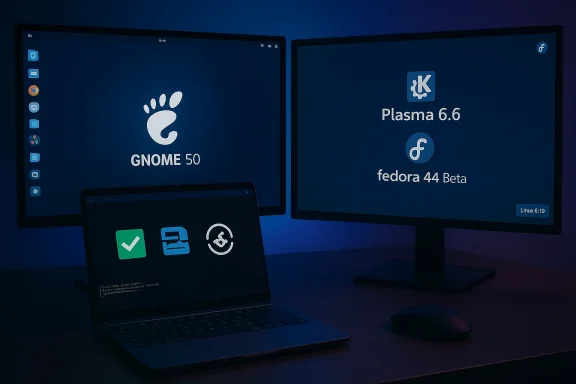
Fedora Linux 44 Beta landed on March 10, 2026, bringing a sweeping desktop refresh and a modernized core stack: GNOME 50, KDE Plasma 6.6 (with the new Plasma Login Manager), and a base built on the Linux 6.19 kernel. The beta is a clear statement of intent from the Fedora community—push Wayland-first desktop stacks, finalize installer and live-media improvements, and harden the developer toolchain and packaging pipeline—while still behaving like what Fedora has always been: a rapid testbed for technologies that often migrate upstream into enterprise distributions.
Fedora has long positioned itself as both a leading-edge desktop distribution for enthusiasts and the upstream proving ground for Red Hat Enterprise Linux. The Fedora 44 cycle embraces that dual role: shipping cutting-edge desktop environments and modern packaging and build practices while also pursuing reproducibility and streamlined CI.
The Beta release was announced on March 10, 2026, and acts as the community testing milestone ahead of a scheduled final release around April 14, 2026. This Beta compiles the changes that Fedora maintainers and contributors deemed ready for broad community testing, and it’s intended for QA, bug hunters, developers, and curious users who want to exercise the new stack before general availability.
What this means practically:
Other notable Plasma 6.6 features include:
Why this matters:
Key installer changes:
Other important developer and packaging changes:
Fedora often acts as a technological proving ground for Red Hat. Stable work in F44—particularly regarding systemd, the GNU toolchain, and kernel hardening—can make its way into enterprise channels in subsequent cycles. For operators tracking upstream changes, the Beta is a chance to identify migration risks ahead of enterprise adoption cycles.
A measured takeaway: Fedora 44 Beta is ambitious in scope and sensible in intent. The project is balancing forward motion across multiple fronts—desktop UX, packaging, and build reproducibility—without trying to rush any single component to the finish line.
If you value having the latest desktop features and are comfortable troubleshooting or filing bug reports, the Beta is an excellent way to help shape the final release. If you rely on a stable machine for daily work—particularly with proprietary drivers or specialized hardware—hold off on upgrading main systems until after the final release and early patching. Either way, Fedora 44’s Beta is an important milestone: it signals how the Linux desktop and developer tooling are evolving and provides the community with a concrete set of changes to validate before the mid-April final ship date.
Source: TechPowerUp Fedora 44 Beta Goes Live With Updated Gnome and KDE Desktops and Linux 6.19 Kernel | TechPowerUp}
 Background
Fedora has long positioned itself as both a leading-edge desktop distribution for enthusiasts and the upstream proving ground for Red Hat Enterprise Linux. The Fedora 44 cycle embraces that dual role: shipping cutting-edge desktop environments and modern packaging and build practices while also pursuing reproducibility and streamlined CI.The Beta release was announced on March 10, 2026, and acts as the community testing milestone ahead of a scheduled final release around April 14, 2026. This Beta compiles the changes that Fedora maintainers and contributors deemed ready for broad community testing, and it’s intended for QA, bug hunters, developers, and curious users who want to exercise the new stack before general availability.
What’s new at a glance
- GNOME 50 becomes the default GNOME stack in Workstation editions.
- KDE Plasma 6.6 ships in KDE spins, with Plasma Login Manager (PLM) replacing SDDM by default.
- Fedora 44 Beta uses the Linux 6.19 kernel series.
- Installer and live-image improvements: automatic DTB selection for aarch64 EFI (better Windows-on-ARM experience), reduced installer-created network profiles, and a unified KDE post-install setup.
- Desktop spins update: Budgie 10.10 migrates to Wayland; Games Lab moves to KDE Plasma to leverage Wayland gaming improvements.
- Developer and packaging updates: newer GNU toolchain, push for reproducible builds, Packit integration for dist-git CI, and updated defaults for multiple language runtimes and server packages.
Desktop refresh: GNOME 50 and KDE Plasma 6.6
GNOME 50: Wayland-first, polished shell, and platform advances
GNOME 50 is significant not only for visual refinements but for cementing the platform’s migration toward Wayland-centric behavior. The GNOME stack in Fedora 44 Beta brings the latest Mutter and GNOME Shell work that improves frame timing, display handling, and support for high-refresh and high-DPI monitors. Accessibility and input improvements—part of GNOME’s ongoing program—continue to land, and GTK platform libraries are receiving updates that will benefit GNOME apps and third-party GTK applications.What this means practically:
- A smoother Wayland session and a smaller gap between Wayland and legacy X11 workflows.
- Improved fractional scaling, better multi-monitor behavior, and more consistent session handling.
- Continued reliance on XWayland for compatibility with older X11-only applications, meaning X apps will likely keep working, but they’ll be running under a compatibility layer rather than a native X11 session.
KDE Plasma 6.6: PLM, setup flows, and Wayland improvements
KDE’s Plasma 6.6 arrives in Fedora with several user-facing and packaging-level changes. Perhaps the most visible is Fedora’s decision to adopt the Plasma Login Manager (PLM) as the default display/login manager for KDE spins, replacing the long-time SDDM default. PLM aims to be more integrated with modern Plasma, offer smoother handoff into Wayland sessions, and reduce duplication between installer and post-install setup.Other notable Plasma 6.6 features include:
- Updated global themes and visual polish.
- Enhanced screenshot tool capabilities (text recognition in Spectacle).
- Improved on-screen keyboard and other accessibility niceties.
- Features to better handle ambient light sensors and network onboarding (QR code scanning for Wi‑Fi, etc.).
Kernel and hardware support: Linux 6.19
Fedora 44 Beta is built around the Linux 6.19 kernel series. The 6.19 tree brings incremental but meaningful updates: newer drivers, improved power management across platforms, updated SoC and board support (important for aarch64), and ongoing improvements to performance and scalability.Why this matters:
- Fresh kernel releases broaden hardware support and often include upstream fixes for specific laptop/desktop peripherals.
- For gamers and GPU users, kernel updates can help but also introduce regressions—this is especially relevant when proprietary GPU drivers are involved.
- For aarch64 users and Windows-on-ARM testers, the kernel packages in F44 include a prebuilt kernel image variant with automatic DTB selection, simplifying live-boot on certain ARM laptops.
Installer and live-image modernization
One of the less glamorous but extremely practical improvements in Fedora 44 Beta is the installer and live image updates.Key installer changes:
- Anaconda will no longer create default network profiles for every detected NIC. Only devices configured during installation will have profiles. This reduces post-install footprint and solves persistent reconfiguration problems that historically made networking brittle for some users.
- KDE spins gain a unified post-install Plasma Setup experience, with redundant Anaconda steps disabled where they overlap.
- Live image modernization includes better automatic DTB selection for aarch64 EFI images, aimed at making live USBs boot out of the box on many Windows-on-ARM laptops.
Packaging, reproducible builds, and developer toolchain
Fedora 44 continues a multi-release effort to make package builds reproducible. The F44 Beta claims a reproducibility target of 90% on the way to a project goal of 99% for the final release. This work touches the build infrastructure and requires package maintainers to address remaining sources of nondeterminism.Other important developer and packaging changes:
- GNU Toolchain updates (compiler, glibc, binutils, gdb) land in F44 to keep the distribution close to upstream improvements and to provide a modern toolchain for developers and packagers.
- Packit is being promoted as the default dist-git CI, streamlining how source-to-package workflows are validated in Fedora infrastructure.
- Language and runtime updates: Go (Golang 1.26), Django 6.x availability, MariaDB default switching to 11.8, and other packages updated to more recent upstream releases.
Wayland and gaming: Budgie, Games Lab, and the Wayland stack
Gaming on Linux and Wayland support receive deliberate attention in F44 Beta. Notable items:- Games Lab has been reworked to deliver a higher-quality gaming and game-development experience and now uses KDE Plasma to take advantage of the latest Wayland stack for gaming.
- Budgie 10.10 migrates from X11 to Wayland, signaling continued momentum for Wayland adoption across non-GNOME desktops.
- Fedora’s Wayland improvements and modern Mesa stack (updated Mesa packages are present in the F44 pipeline) benefit gamers using open-source drivers, and also provide better capture/streaming behavior in Wayland sessions when supported by toolchain components.
Risks, regressions, and community testing realities
Fedora’s Beta is deliberately a place to find problems before the final release, and several risk areas deserve emphasis:- Kernel regressions: New kernel series occasionally introduce regressions that impact sleep/resume, graphics, or specific devices. Keep fallback kernels and test devices before committing the upgrade on production hardware.
- Proprietary GPU drivers: Historically, NVIDIA’s closed-source drivers can lag Wayland or kernel changes. Users with proprietary drivers should be prepared to boot older kernels or use XWayland fallbacks.
- New login manager (PLM): PLM is promising, but any replacement of a display/login manager can break edge-case setups (multi-seat, KDE on top of nonstandard compositor setups). Early bug reports exist and will be triaged during the Beta window.
- Budgie Wayland maturity: Budgie’s migration to Wayland is a meaningful step, but Wayland parity for niche applets and extensions can lag; testers should validate their workflows.
- Live media and aarch64 DTB selection: Automatic DTB selection is meant to improve things for Windows-on-ARM hardware, but any automatic hardware-detection mechanism can misidentify rare boards. Testers with uncommon devices should verify the behavior and report mismatches.
Upgrade paths, rollback, and testing tips
If you want to try the Beta, a cautious plan reduces the chance of a painful outcome. For traditional Fedora Workstation and KDE spins:- Back up your data. Full disk or at least /home snapshots are recommended.
- Keep older kernels installed so you can boot a known-good kernel from the boot menu.
- Consider using a virtual machine for a first pass.
- If you run Silverblue or an OSTree-based image, use the rebase workflow and pin deployments to simplify rollback.
- Check branches:
sudo ostree remote refs fedora - Rebase to Fedora 44:
sudo rpm-ostree rebase fedora:fedora/44/x86_64/silverblue - If you want to keep a fallback deployment:
sudo ostree admin pin 0 - Reboot to the new deployment, and if necessary, unpin:
sudo ostree admin pin --unpin 2
- Use the recommended DNF system-upgrade workflow, or wait for the final release if you prefer maximum stability.
- Be prepared to boot into the older kernel if a regression appears.
Security, reproducibility, and enterprise implications
Fedora’s emphasis on reproducible builds and CI modernization has broader consequences beyond desktop features. Reproducible package builds make it simpler to audit that a binary corresponds exactly to the published source—an important property for supply-chain security. Integrating Packit as a default CI mechanism helps make package updates faster and more consistent, which benefits developers and downstream enterprise consumers.Fedora often acts as a technological proving ground for Red Hat. Stable work in F44—particularly regarding systemd, the GNU toolchain, and kernel hardening—can make its way into enterprise channels in subsequent cycles. For operators tracking upstream changes, the Beta is a chance to identify migration risks ahead of enterprise adoption cycles.
Community reception and early signals
Early community commentary reflects a mix of excitement and caution. Many users applaud Fedora’s adoption of PLM and the Wayland-first push; others caution that the Beta will surface issues for those with proprietary drivers or unique hardware configurations. Test-day reports and blocker-bug trackers show active QA activity—exactly what a Beta is meant to produce.A measured takeaway: Fedora 44 Beta is ambitious in scope and sensible in intent. The project is balancing forward motion across multiple fronts—desktop UX, packaging, and build reproducibility—without trying to rush any single component to the finish line.
Final analysis: strengths and where testers should focus
Strengths- Modern desktop stacks: GNOME 50 and Plasma 6.6 are substantial visual and usability upgrades that align Fedora with the latest upstream desktop work.
- Wayland-first momentum: Improvements across GNOME, KDE, Budgie, and the Wayland stack push the ecosystem forward and implement modern display, input, and screen-capture behavior.
- Installer and live-image practicality: Fixes to network-profile behavior and improved aarch64 live support reduce real-world installation friction.
- Developer-facing improvements: GNU toolchain updates, Packit CI adoption, and reproducible builds benefit maintainers, auditors, and developers.
- Hardware regressions remain possible with a new kernel and major desktop changes—especially for proprietary drivers and exotic hardware.
- New components like PLM bring the usual teething problems for stateful pieces like login/display managers.
- Wayland transitions can disrupt workflows that rely on legacy X11 behavior or obscure input-method integrations.
- GPU and gaming stacks (both open and proprietary drivers).
- Multi-monitor and HiDPI workflows, especially with fractional scaling and variable refresh rates.
- Login and session handoff (PLM behavior, SDDM fallback cases).
- Live USB boot behavior on aarch64/Windows-on-ARM hardware.
- Reproducibility issues surfaced by package builds.
Conclusion
Fedora 44 Beta is a well-rounded, ambitious preview that continues Fedora’s role as a proving ground: new desktop versions, a modern kernel, installer and live-media polish, and developer-focused infrastructure improvements. It asks the community to test hard—especially around GPU handling, login/session flows, and Wayland edge cases—and it offers useful developer tooling and packaging progress in return.If you value having the latest desktop features and are comfortable troubleshooting or filing bug reports, the Beta is an excellent way to help shape the final release. If you rely on a stable machine for daily work—particularly with proprietary drivers or specialized hardware—hold off on upgrading main systems until after the final release and early patching. Either way, Fedora 44’s Beta is an important milestone: it signals how the Linux desktop and developer tooling are evolving and provides the community with a concrete set of changes to validate before the mid-April final ship date.
Source: TechPowerUp Fedora 44 Beta Goes Live With Updated Gnome and KDE Desktops and Linux 6.19 Kernel | TechPowerUp}
