

Windows 10 users should treat a resurfacing adware family called FileTour as more than an annoyance: it can silently weaponize your browser, steal CPU cycles to mine cryptocurrency, and persist across reboots in ways that make detection and removal tricky.
FileTour is not a traditional one-off virus but a packaged adware/downloader that has been observed distributing a range of unwanted programs — from aggressive adware and browser extensions to in‑browser crypto‑miners and, in some cases, more dangerous payloads such as credential‑stealing tools. Security reporting from independent analysts shows FileTour commonly arrives bundled with pirated or cracked software, installs persistent autoruns and scheduled tasks, and uses the victim’s browser as the execution engine for cryptomining scripts. FileTour’s activity matters now because cryptojacking and stealthy browser‑based miners remain a fast, low‑risk monetization path for attackers: they extract value with minimal infrastructure and can persist unnoticed on machines that aren’t actively monitored. That landscape is complicated by the larger Windows security context — Windows 10 devices approaching end‑of‑support or running with lax update practices are inherently more exposed to bundled installers and older‑toolchain abuses. Community incident threads and advisories continue to stress patching, endpoint hygiene, and network segmentation as primary defenses.
The practical takeaway is straightforward: treat unexpected high CPU as an incident, inspect process command lines (especially for headless Chrome flags), remove the entire autorun/scheduled‑task chain, and harden systems against bundled installers. While headlines may attribute nationality or actor labels to this campaign, removal and prevention rely on proven operational steps — good patching, disciplined software sourcing, and layered detection — rather than chasing geopolitical tags.
Source: Telegrafi Windows 10 faces the virus that makes your device unusable
 Background
FileTour is not a traditional one-off virus but a packaged adware/downloader that has been observed distributing a range of unwanted programs — from aggressive adware and browser extensions to in‑browser crypto‑miners and, in some cases, more dangerous payloads such as credential‑stealing tools. Security reporting from independent analysts shows FileTour commonly arrives bundled with pirated or cracked software, installs persistent autoruns and scheduled tasks, and uses the victim’s browser as the execution engine for cryptomining scripts. FileTour’s activity matters now because cryptojacking and stealthy browser‑based miners remain a fast, low‑risk monetization path for attackers: they extract value with minimal infrastructure and can persist unnoticed on machines that aren’t actively monitored. That landscape is complicated by the larger Windows security context — Windows 10 devices approaching end‑of‑support or running with lax update practices are inherently more exposed to bundled installers and older‑toolchain abuses. Community incident threads and advisories continue to stress patching, endpoint hygiene, and network segmentation as primary defenses.What FileTour does (technical overview)
How the infection is typically delivered
- FileTour is most often delivered as a downloader or installer distributed via cracked software, torrents, or misleading installers.
- Once executed, the downloader fetches more components from attacker‑controlled URLs and installs multiple PUPs (potentially unwanted programs), browser extensions, and mining scripts.
Persistence mechanisms
- The bundle commonly creates autorun entries and scheduled tasks to launch on user logon and at periodic intervals.
- Some samples write small batch files or extra executables (different names have been observed such as autoplay.exe, softup.exe and others) and register them under Run keys, Services, or Task Scheduler to regain foothold after cleaning attempts. Anti‑malware classification feeds list many FileTour variants and related filenames.
The invisible Chrome miner trick
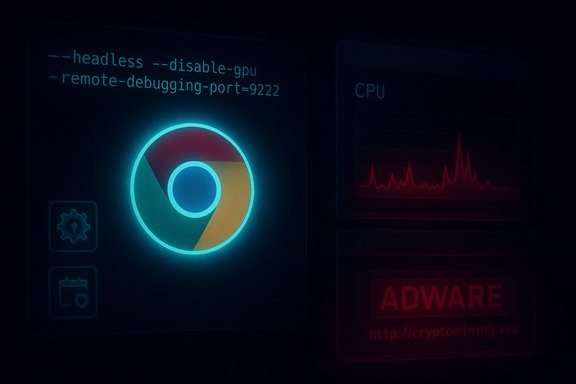
- One of the more stealthy behaviors reported is the launcher creating a headless Chrome instance that connects to an in‑browser miner page (reported examples use CoinCube / Coin‑Hive style scripts). The process uses Chrome’s headless flags so no visible browser window appears on the desktop, yet CPU usage spikes dramatically while mining runs. BleepingComputer's analysis captured the exact command line pattern used in the wild, where Chrome is launched with flags such as
--headless --disable-gpu --remote-debugging-port=9222and a direct URL to the mining page. This makes the miner invisible to casual inspection of the desktop while still being visible in Task Manager aschrome.exe.
What’s being mined
- Most in‑browser miners tied to these campaigns historically targeted Monero (XMR) because its CPU‑friendly algorithm and privacy features made it suitable for cryptojacking operations. Note that the original, widely used library CoinHive shut down in March 2019, but many copycat services and bespoke scripts have filled the gap; attackers now use alternative in‑browser mining providers or self‑hosted miners.
Why FileTour is dangerous — strengths and risks
Not just performance loss
- The immediate symptom — severe CPU utilization (reports cite up to ~80% of CPU on affected hosts) — can make a machine effectively unusable for interactive tasks, thermally stress components, reduce battery life, and increase fan noise.
- Beyond performance, the downloader nature of FileTour means it can cascade into other threats: additional adware, browser hijackers, trojans, or remote‑access backdoors can be fetched and installed, expanding attacker capabilities on the infected host.
Stealth and persistence
- Launching a browser in headless mode and leaving no visible window is a low‑effort way to hide illicit mining. Because the visible UI is gone, average users may believe their machine is idle even while the miner consumes most CPU cycles.
- FileTour’s bundling and autorun habits make it resistant to casual removal; unless all components and scheduled tasks are removed, the downloader can reconstitute payloads. Anti‑malware tools flag many of the executable names used by FileTour families, but detection variability remains across vendors.
Attribution caveats
- Many news outlets and aggregation sites have described FileTour as “Russian” because the bundle often installs Russian‑language PUPs and historically served Russian markets; some related families (e.g., Stantinko) have a long regional history. That operational footprint is a useful indicator but does not by itself prove state sponsorship or a specific country actor. Attributing malware origin solely on installer language or target geography can be misleading; treat national labels in headlines as contextual rather than conclusive.
How to detect FileTour and similar invisible miners
- Open Task Manager and sort by CPU usage. If a process like chrome.exe is consuming large CPU when you have no visible Chrome windows, investigate its command line and parent process. The Task Manager (Details → Right‑click → Select Columns → Command Line) can show how Chrome was launched. If you see headless flags, treat it as suspicious.
- Use Chrome’s own Task Manager (Shift+Esc inside Chrome) to inspect tabs and extensions, but note a headless instance won’t present a normal UI. Rely on Windows Task Manager and process explorers for hidden instances.
- Check for unusual scheduled tasks: run
schtasks /query /fo LIST /vin an elevated command prompt. Look for tasks with names that appear generic, reference autoplay/softup/guiformat, or launch Chrome directly. - Inspect autorun locations:
- Registry Run keys: HKCU\Software\Microsoft\Windows\CurrentVersion\Run and HKLM\Software\Microsoft\Windows\CurrentVersion\Run.
- Services and drivers (use
sc queryandautoruns.exefrom Sysinternals). - Startup folder and scheduled tasks.
- Examine installed browsers and extensions: remove unknown extensions (especially those with ambiguous permissions), and look for unusual new programs in Programs & Features.
- Network indicators: inspect active network connections for long‑running sessions to odd domains. Headless Chrome mining often connects to a single page that serves the mining script; blocking that domain stops the miner while you remediate. Use
netstat -bor a firewall to observe connections. - Use multiple scanners. FileTour components may be classified under many detection names; cross‑verify with Malwarebytes, Microsoft Defender Offline, ESET, Sophos, or specialized adware removal tools. Aggregated threat lists show FileTour variants under many engine names.
Step‑by‑step removal and cleanup (practical guide)
- Disconnect from the network (unplug Ethernet or disable Wi‑Fi) to stop exfiltration and mining traffic.
- Create a full backup of critical personal files (do not keep system images that may reintroduce infection).
- Reboot into Safe Mode with Networking (or Safe Mode without networking for the initial cleanup if you hit problems).
- Run reputable antimalware tools in this order:
- Microsoft Defender Offline (bootable) scan.
- Malwarebytes Anti‑Malware full scan.
- AdwCleaner (for adware and PUPs).
- A second‑opinion scan (e.g., ESET Online Scanner, Sophos Home).
- Use Autoruns (Sysinternals) to inspect and disable suspicious Run entries, scheduled tasks, and services. Delete entries after verifying they are malicious and not system critical.
- Inspect Task Scheduler and delete tasks that launch Chrome or unknown executables at logon.
- Remove or reset any unwanted browser extensions, and reset browser settings to default. If you suspect Chrome was launched headless, uninstall Chrome and reinstall from official installer after cleanup.
- Check for leftover files in Program Files and AppData (look for names referenced by scanners: e.g., autoplay.exe, softup.exe, guiformat.exe and similar); delete when safe.
- Change online passwords (use a clean device) for accounts accessed from the infected machine.
- If you find evidence of a backdoor or credential theft, consider a full OS reinstall (clean image) — FileTour’s downloader nature raises the risk that second‑stage malware was installed.
Hardening and prevention
- Avoid pirated software and cracked installers — they remain the primary distribution vector for FileTour and similar bundles.
- Keep Windows and drivers updated; use Microsoft Defender or a reputable third‑party endpoint protection solution with real‑time behavior detection.
- Use content blockers and miner blocklists (for example, blocklists such as CoinBlockerLists in your network‑level filtering or browser adblocker) to prevent in‑browser miners from executing. These lists are not perfect but reduce exposure to known mining domains and scripts.
- Use least‑privilege principles: run daily activities from a standard user account, not an administrative account.
- Restrict outgoing connections from endpoints in managed environments and block known mining domains at the firewall; for home users, consider using router‑level DNS filtering to block malicious domains.
- Monitor resource usage proactively — set alerts for sustained high CPU usage on endpoints so cryptojacking spikes are detected quickly.
Critical analysis — what’s notable and what to be cautious about
- Strength of the FileTour technique: using a legitimate browser binary (Chrome) with headless flags is clever because it hides UI-based detection and uses a trusted binary to do the work. This lowers the chance of simple filename‑based signature detection flagging the activity while still showing up as CPU consumption in process lists. BleepingComputer’s hands‑on capture of the command line is a clear demonstration of this technique’s real‑world use.
- Why detection can be inconsistent: FileTour is a bundle, not a single fixed binary. Variants install different executables and use different domain infrastructure over time. That polymorphic / modular behavior means single‑vendor detection can lag, so multi‑layered defenses (behavioral analysis + scheduled task/autorun hardening + network blocking) are required. Anti‑malware feeds show many names for FileTour components across engines, which supports this variability claim.
- Attribution and narrative risk: many headlines call FileTour a “Russian virus.” While there is historical evidence the FileTour bundle is heavily used by installers targeting Russian users and frequently installs Russian‑language components, direct attribution of author nationality or state affiliation is often speculative without detailed infrastructure or intelligence disclosure. Public reporting should be read as operational context, not conclusive attribution. Treat statements naming a nationality as contextual reporting unless accompanied by rigorous intelligence.
- The changing miner ecosystem: CoinHive’s shutdown in 2019 removed one major supplier of in‑browser miners, but the technique — run a JavaScript miner inside a page and monetize visitors’ CPU — remains alive via alternative services and bespoke scripts. That means mitigation strategies centered on blocking only CoinHive are insufficient; robust adblocking, domain filtering, and endpoint monitoring remain necessary.
Quick incident checklist (for admins and power users)
- Isolate the machine from the network immediately.
- Check Task Manager for unexpected chrome.exe instances with high CPU; inspect command line.
- Run authoritative anti‑malware tools in Safe Mode and apply full scans.
- Use Autoruns to remove Run keys and scheduled tasks that relaunch components.
- Reinstall browsers and change credentials from a clean device.
- Block mining domains at the network edge and update adblock/mining blocklists across users.
- Document indicators (filenames, command lines, domains) and scan other endpoints for the same artifacts.
Conclusion
FileTour is a textbook example of how adware has evolved from nuisance‑ware into a multi‑stage monetization ecosystem that can include invisible cryptomining and secondary payloads. The technique of launching a legitimate browser in headless mode to run JavaScript miners is especially insidious because it blends into normal system processes and requires deliberate investigation to uncover. Users and administrators must combine endpoint cleaning tools, manual autorun and scheduled‑task hygiene, and network‑level defenses to stop it.The practical takeaway is straightforward: treat unexpected high CPU as an incident, inspect process command lines (especially for headless Chrome flags), remove the entire autorun/scheduled‑task chain, and harden systems against bundled installers. While headlines may attribute nationality or actor labels to this campaign, removal and prevention rely on proven operational steps — good patching, disciplined software sourcing, and layered detection — rather than chasing geopolitical tags.
Source: Telegrafi Windows 10 faces the virus that makes your device unusable
