

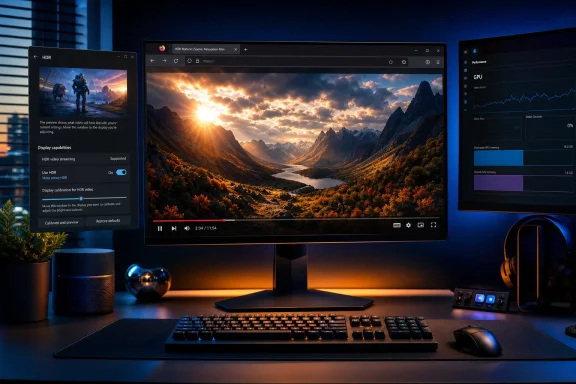
Firefox 153 closes one of the most conspicuous feature gaps on Windows by adding native High Dynamic Range (HDR) video playback—a capability Chrome and Microsoft Edge users have enjoyed for years. The update gives Firefox users with compatible hardware a route to properly render HDR video on services such as YouTube, rather than flattening it into standard dynamic range or relying on inconsistent workarounds.
The change is significant not because HDR is new to Windows, but because browser support has become an increasingly visible part of the desktop HDR experience. A premium monitor, OLED laptop panel, or HDR television can offer impressive contrast, brightness, and color volume, yet the benefits disappear when the browser cannot deliver HDR content correctly. For Firefox users, that mismatch has been a long-running frustration.
Firefox 153, first offered to the Release channel on July 21, 2026, finally addresses the issue in the stable browser. It is a welcome improvement for Windows enthusiasts, media consumers, and Firefox loyalists—but it is not a complete HDR implementation across the entire web platform. There are hardware restrictions, display-mode requirements, codec caveats, and several rendering limitations that make this a meaningful first step rather than the end of Firefox’s HDR journey.
The headline feature is straightforward: Firefox can now play HDR video on Windows when the necessary conditions are met. Instead of treating HDR clips as ordinary SDR video, the browser can use an HDR-aware rendering path designed for displays operating in Windows HDR mode.
That means compatible HDR content can preserve qualities that SDR cannot represent fully, including:
Firefox’s new capability is enabled by default in supported configurations. There is no requirement to hunt through
However, Windows HDR must be enabled before Firefox can take advantage of the feature. The browser does not independently switch a display into HDR mode simply because an HDR video starts playing.
High Dynamic Range (HDR) expands the available range. In a well-mastered HDR video, a bright sunlit cloud can retain texture instead of becoming a flat white patch. A night scene can hold detail in dark areas without forcing the entire picture to look washed out. Fire, neon, reflections, and bright skies can appear more convincing when the display and playback chain handle them correctly.
This does not mean every HDR video automatically looks better. Poorly mastered footage, weak “HDR-ready” displays, inappropriate calibration, and aggressive processing can all undermine the experience. Still, on a quality HDR screen, the advantage can be dramatic.
Chrome and Edge established HDR video support in the Chromium ecosystem years ago. Since Edge is based on Chromium and closely integrated with Windows technologies, it has been a common choice for HDR streaming on Windows. Firefox users could still watch the same material, but they were often left with SDR playback or results that did not reflect the creator’s HDR master.
Firefox 153 changes that equation. It does not make Firefox the most advanced HDR browser in every scenario, but it makes it far more viable for modern HDR video consumption on Windows.
Firefox has supported HDR video on macOS for some time, but Windows presented different technical constraints. Mozilla began exposing experimental HDR video playback in Firefox Nightly builds early in 2026, gathering feedback across varied displays, GPUs, drivers, codecs, and multi-monitor setups before reaching the stable release channel.
That gradual approach matters. Windows PCs are far less homogeneous than a tightly controlled hardware ecosystem. Firefox must work across desktops, laptops, integrated graphics, discrete GPUs, hybrid graphics designs, external displays, docking stations, televisions, differing cable standards, and a huge range of display firmware.
Firefox’s current Windows HDR implementation uses a specialized composition approach for video. HDR video needs an HDR-capable color space and higher-precision pixel format than conventional SDR rendering. That makes it necessary to use a desktop compositor overlay rather than relying solely on Firefox’s usual general-purpose rendering route.
This also explains why the feature arrives with caveats. The browser can support ordinary HDR video playback while still lacking universal HDR support for every visual element a web page may contain.
The current work does not turn Firefox into a fully HDR-native environment for:
Mozilla has indicated that broader HDR support remains work in progress. That is understandable, but it also means Firefox is still behind the wider web-platform HDR ambitions that enthusiasts may expect from a next-generation browser.
This distinction is central to Firefox 153. A system may be capable of streaming HDR video in certain Windows scenarios while still not exposing the full HDR mode Firefox currently requires.
That can be confusing because Windows may show a display as suitable for HDR video, leading users to assume Firefox HDR should work. But a system that supports only the restricted streaming mode is not equivalent to a display operating in full system-wide HDR mode.
This is not necessarily a fault with the monitor. Many laptop designs make compromises around battery life, panel characteristics, GPU routing, or display certification. But it is a real limitation for a release marketed around HDR video support.
For Windows users shopping for a new display, the takeaway is clear: do not treat any “HDR” label as interchangeable. A display that supports full HDR use in Windows will be more versatile than one limited to selective HDR video streaming.
This is a classic Windows laptop complication. Many notebooks use hybrid graphics designs where the integrated GPU controls the display output even when an NVIDIA GPU handles demanding workloads. That arrangement can complicate advanced video overlays, HDR composition, hardware decoding, and color-space handoffs.
Potential trouble spots include:
This is especially relevant for HEVC, also known as H.265. On Windows, HEVC playback may require the separately installed HEVC Video Extensions package. Without it, some HDR streams may not decode as intended, depending on the media service, hardware, and delivery format involved.
That is why an HDR video may appear in Chrome or Edge but not in Firefox, even after Firefox 153 is installed. The problem may be the site’s content-delivery decision rather than Firefox’s core HDR rendering capability.
Tone mapping is often described as a way to adapt HDR content to a display with lower brightness capability. That description is useful, but it understates the complexity. Proper tone mapping determines how HDR highlights, midtones, and color detail are translated to fit the real-world limits of a particular screen.
Without sophisticated display-aware tone mapping, a video may look:
Firefox 153 brings HDR video to the table, but it is not yet the final word on HDR accuracy. Users who are extremely sensitive to calibrated video reproduction may still prefer to compare playback across browsers and dedicated media applications.
For instance, the browser may have more difficulty maintaining the preferred HDR path if a site applies elaborate effects such as:
This is one reason full HDR web support remains a larger engineering project. A browser must eventually reconcile HDR content not only with video playback, but with the broader compositing, graphics, and visual-effects systems that define modern web pages.
The PDF improvements are particularly welcome. Users can merge PDF files by dragging an additional document into the PDF sidebar, and can add images as new pages through Firefox’s PDF editor. These changes continue Mozilla’s effort to make the browser a more self-contained productivity tool.
Local Network Access restrictions are also enabled by default. Websites must request permission before connecting to devices on the local network or to applications and services on the PC. For users with smart-home devices, network storage, development tools, printers, or local web dashboards, this is a meaningful security boundary.
These non-HDR changes should not be overlooked. The best browser updates improve capability without sacrificing trust, and Firefox 153 makes progress in both directions.
Firefox 153 resolves the most visible gap: it can now deliver HDR video playback on supported Windows setups. That alone removes a major reason for HDR display owners to switch browsers when they wanted to watch compatible video content.
However, Chrome and Edge still benefit from Chromium’s longer history with HDR-related development on Windows. Edge also has close ties to Windows media technologies and Microsoft’s display stack. Firefox’s current implementation has clear limits around tone mapping, hardware compatibility, HDR streaming-only laptop displays, complex rendering scenarios, and broader HDR web content.
The arrival of HDR video playback means Firefox users no longer have to accept SDR as the default outcome when viewing HDR-capable online media. With a suitable display, enabled Windows HDR mode, compatible GPU path, and supported content source, Firefox can finally deliver the brighter highlights, deeper contrast, and richer color that HDR was meant to provide.
At the same time, the release deserves a measured verdict. Firefox has gained HDR video playback, not universal HDR web rendering. The current support is substantial enough to improve real-world viewing, yet constrained enough that enthusiasts should expect variation across displays, codecs, websites, and laptop hardware.
That balance does not diminish the achievement. It makes Firefox 153 an important turning point: Mozilla has moved from being conspicuously behind on a major Windows display feature to having a credible HDR video foundation. The next challenge is turning that foundation into a broader, more accurate, and more consistent HDR experience across the modern web.
The change is significant not because HDR is new to Windows, but because browser support has become an increasingly visible part of the desktop HDR experience. A premium monitor, OLED laptop panel, or HDR television can offer impressive contrast, brightness, and color volume, yet the benefits disappear when the browser cannot deliver HDR content correctly. For Firefox users, that mismatch has been a long-running frustration.
Firefox 153, first offered to the Release channel on July 21, 2026, finally addresses the issue in the stable browser. It is a welcome improvement for Windows enthusiasts, media consumers, and Firefox loyalists—but it is not a complete HDR implementation across the entire web platform. There are hardware restrictions, display-mode requirements, codec caveats, and several rendering limitations that make this a meaningful first step rather than the end of Firefox’s HDR journey.
 Overview: What Firefox 153 Adds
The headline feature is straightforward: Firefox can now play HDR video on Windows when the necessary conditions are met. Instead of treating HDR clips as ordinary SDR video, the browser can use an HDR-aware rendering path designed for displays operating in Windows HDR mode.That means compatible HDR content can preserve qualities that SDR cannot represent fully, including:
- Brighter specular highlights, such as sunlight reflecting off water or metallic surfaces
- More shadow detail in dim scenes
- Wider, more saturated colors without the same degree of clipping
- Smoother tonal transitions in challenging gradients
- A more convincing sense of depth in films, nature footage, game trailers, and high-quality creator videos
Firefox’s new capability is enabled by default in supported configurations. There is no requirement to hunt through
about:config, turn on a hidden browser flag, or install an experimental build. That is an important distinction: Firefox 153 moves HDR video from a long-running request into the stable, mainstream Windows browser experience.However, Windows HDR must be enabled before Firefox can take advantage of the feature. The browser does not independently switch a display into HDR mode simply because an HDR video starts playing.
Why HDR Video Matters on Windows
HDR has become a familiar term in PC gaming and television, but it is still routinely misunderstood. It is not merely a marketing label for a brighter panel or a more colorful image. Proper HDR combines a compatible source, codec, browser or application, GPU pipeline, connection, operating system configuration, and display.HDR is more than increased brightness
Standard Dynamic Range (SDR) content is usually produced around a much narrower brightness and color range. It remains perfectly usable, and well-mastered SDR can look excellent, but it has hard limits. Bright highlights often need to be compressed, shadows can lose detail, and color saturation has less room to breathe.High Dynamic Range (HDR) expands the available range. In a well-mastered HDR video, a bright sunlit cloud can retain texture instead of becoming a flat white patch. A night scene can hold detail in dark areas without forcing the entire picture to look washed out. Fire, neon, reflections, and bright skies can appear more convincing when the display and playback chain handle them correctly.
This does not mean every HDR video automatically looks better. Poorly mastered footage, weak “HDR-ready” displays, inappropriate calibration, and aggressive processing can all undermine the experience. Still, on a quality HDR screen, the advantage can be dramatic.
Browsers have become central to HDR media playback
Streaming video no longer lives exclusively in dedicated desktop applications. YouTube, video-hosting platforms, social networks, online learning providers, and media libraries are accessed through a web browser. For many Windows users, browser HDR support determines whether expensive display hardware delivers its intended value.Chrome and Edge established HDR video support in the Chromium ecosystem years ago. Since Edge is based on Chromium and closely integrated with Windows technologies, it has been a common choice for HDR streaming on Windows. Firefox users could still watch the same material, but they were often left with SDR playback or results that did not reflect the creator’s HDR master.
Firefox 153 changes that equation. It does not make Firefox the most advanced HDR browser in every scenario, but it makes it far more viable for modern HDR video consumption on Windows.
The Long Road to Firefox HDR on Windows
Mozilla’s HDR work has been more complicated than simply enabling a switch in the browser interface. HDR video places demanding requirements on rendering, color management, GPU composition, media decoding, and the interaction between Firefox’s engine and the Windows desktop compositor.Firefox has supported HDR video on macOS for some time, but Windows presented different technical constraints. Mozilla began exposing experimental HDR video playback in Firefox Nightly builds early in 2026, gathering feedback across varied displays, GPUs, drivers, codecs, and multi-monitor setups before reaching the stable release channel.
That gradual approach matters. Windows PCs are far less homogeneous than a tightly controlled hardware ecosystem. Firefox must work across desktops, laptops, integrated graphics, discrete GPUs, hybrid graphics designs, external displays, docking stations, televisions, differing cable standards, and a huge range of display firmware.
HDR requires a different rendering path
Traditional browser rendering is optimized for SDR web content, which generally relies on familiar sRGB color handling. HDR video cannot simply be dropped into that pipeline without losing its intended color and luminance information.Firefox’s current Windows HDR implementation uses a specialized composition approach for video. HDR video needs an HDR-capable color space and higher-precision pixel format than conventional SDR rendering. That makes it necessary to use a desktop compositor overlay rather than relying solely on Firefox’s usual general-purpose rendering route.
This also explains why the feature arrives with caveats. The browser can support ordinary HDR video playback while still lacking universal HDR support for every visual element a web page may contain.
A foundation rather than a universal HDR web stack
Firefox 153 focuses on HDR video, including protected video where the content, codec, DRM path, GPU, and display configuration cooperate. It does not mean every browser feature is now HDR-aware.The current work does not turn Firefox into a fully HDR-native environment for:
- Static HDR images
- HDR web graphics
- Canvas 2D content
- WebGL rendering
- WebGPU rendering
- Every complex CSS effect applied around a video element
Mozilla has indicated that broader HDR support remains work in progress. That is understandable, but it also means Firefox is still behind the wider web-platform HDR ambitions that enthusiasts may expect from a next-generation browser.
How to Enable HDR Video in Firefox 153
The good news is that Firefox itself does not need a separate visible HDR setting. The important configuration lives in Windows.Basic setup steps
- Update Firefox to version 153 or later.
Firefox’s release notes identify HDR video playback as a new Windows feature in version 153. - Confirm the display supports HDR.
This may be a built-in laptop display, desktop monitor, television, or projector. HDR support should be checked in the display manufacturer’s documentation and Windows display settings. - Enable HDR in Windows.
Open Settings > System > Display, choose the relevant display if multiple monitors are connected, and turn on HDR. - Use an HDR-capable browser window on the correct display.
On a multi-monitor setup, ensure the Firefox window is actually placed on the HDR-enabled screen. - Open an HDR video from a service that delivers HDR to Firefox.
YouTube is a natural test case, though format availability can vary between videos and services. - Refresh the page after changing HDR state or moving displays.
Some websites determine browser display capabilities when the page loads. If HDR was enabled after the video page opened, a refresh may be necessary.
Check the Windows display capability page
Windows provides useful HDR status information in Settings > System > Display > HDR. The exact options vary by hardware, but this is where users can see whether the display supports HDR, HDR video streaming, or a broader HDR mode for games, apps, and video.This distinction is central to Firefox 153. A system may be capable of streaming HDR video in certain Windows scenarios while still not exposing the full HDR mode Firefox currently requires.
The Key Limitation: “HDR Video Streaming” Is Not Enough
Firefox 153 does not support every display that Windows labels as HDR-capable. Mozilla specifically notes that laptop panels offering only “HDR video streaming” are not currently supported.That can be confusing because Windows may show a display as suitable for HDR video, leading users to assume Firefox HDR should work. But a system that supports only the restricted streaming mode is not equivalent to a display operating in full system-wide HDR mode.
What this means in practice
If Windows allows the main HDR toggle to be enabled for the display, Firefox is in a better position to activate HDR video playback. If Windows exposes only an HDR streaming capability without the general HDR mode, Firefox 153 may continue to play the video in SDR.This is not necessarily a fault with the monitor. Many laptop designs make compromises around battery life, panel characteristics, GPU routing, or display certification. But it is a real limitation for a release marketed around HDR video support.
For Windows users shopping for a new display, the takeaway is clear: do not treat any “HDR” label as interchangeable. A display that supports full HDR use in Windows will be more versatile than one limited to selective HDR video streaming.
GPU Compatibility and Hybrid Laptop Concerns
The most complete official release notes focus on the display mode requirement, but Mozilla’s earlier development documentation was more specific about supported graphics configurations. The implementation was initially aimed at HDR displays connected through AMD and NVIDIA GPUs, with particular caution around hybrid systems that combine Intel integrated graphics with NVIDIA discrete graphics.This is a classic Windows laptop complication. Many notebooks use hybrid graphics designs where the integrated GPU controls the display output even when an NVIDIA GPU handles demanding workloads. That arrangement can complicate advanced video overlays, HDR composition, hardware decoding, and color-space handoffs.
Why laptop HDR remains more complicated than desktop HDR
A desktop PC with a modern discrete GPU connected directly to an HDR monitor is usually the cleanest scenario. A laptop can be less predictable because its internal display, integrated GPU, discrete GPU, power profile, firmware, driver stack, and external display routing may all affect the final result.Potential trouble spots include:
- Intel-plus-NVIDIA hybrid graphics configurations
- Older GPU drivers
- External displays attached through docks or adapters
- HDMI limitations at a given resolution and refresh rate
- Power-saving modes that disable HDR on battery
- Mirrored displays rather than extended desktop mode
- Display firmware with incomplete HDR behavior
Codec Support Still Matters
HDR is not a codec. It is a set of visual characteristics that must be carried by a particular video format and decoded correctly. A browser can understand HDR rendering while still being unable to decode every HDR video stream a site chooses to provide.This is especially relevant for HEVC, also known as H.265. On Windows, HEVC playback may require the separately installed HEVC Video Extensions package. Without it, some HDR streams may not decode as intended, depending on the media service, hardware, and delivery format involved.
Common HDR video formats
Different services may deliver HDR video using different codecs and profiles, including:- VP9, commonly associated with YouTube HDR delivery
- AV1, an increasingly important modern video codec
- HEVC/H.265, widely used in premium streaming and device ecosystems
- HDR formats based on PQ or HLG transfer functions
That is why an HDR video may appear in Chrome or Edge but not in Firefox, even after Firefox 153 is installed. The problem may be the site’s content-delivery decision rather than Firefox’s core HDR rendering capability.
Tone Mapping Is the Most Important Missing Piece
One of the most notable limitations is the absence of fully developed display-aware tone mapping in the current implementation.Tone mapping is often described as a way to adapt HDR content to a display with lower brightness capability. That description is useful, but it understates the complexity. Proper tone mapping determines how HDR highlights, midtones, and color detail are translated to fit the real-world limits of a particular screen.
Why tone mapping matters
Not all HDR displays are equal. An entry-level HDR monitor may technically accept an HDR signal but offer modest peak brightness and limited local dimming. A high-end OLED or Mini-LED display can present much more of the HDR master’s intended range.Without sophisticated display-aware tone mapping, a video may look:
- Too bright compared with competing browsers
- Less balanced in bright scenes
- Less consistent across displays with different HDR capability
- More prone to clipped highlight detail
- Different from what the content creator intended
Firefox 153 brings HDR video to the table, but it is not yet the final word on HDR accuracy. Users who are extremely sensitive to calibrated video reproduction may still prefer to compare playback across browsers and dedicated media applications.
Complex Web Design Can Affect HDR Video Rendering
The current architecture also creates an unusual web-design caveat. Firefox’s HDR video path works best when the video can be placed into a compositor overlay. Complex visual effects around the video can make that harder.For instance, the browser may have more difficulty maintaining the preferred HDR path if a site applies elaborate effects such as:
- Rounded clipping masks
- Blur filters
- Advanced CSS compositing
- Heavy animation around the video frame
- Unusual transformations
- Nested visual layers that require additional rendering passes
This is one reason full HDR web support remains a larger engineering project. A browser must eventually reconcile HDR content not only with video playback, but with the broader compositing, graphics, and visual-effects systems that define modern web pages.
Firefox 153’s Broader Windows Value
The HDR addition is the headline attraction for display enthusiasts, but Firefox 153 also arrives with other useful changes. The release broadens the browser’s practical appeal with PDF editing enhancements, a built-in color-picker quick action, improved video-overlay controls, local network access protections, and stronger controls over extension access to local files.The PDF improvements are particularly welcome. Users can merge PDF files by dragging an additional document into the PDF sidebar, and can add images as new pages through Firefox’s PDF editor. These changes continue Mozilla’s effort to make the browser a more self-contained productivity tool.
Security and privacy improvements are not secondary
Firefox 153 also changes how extensions access local files. Extensions no longer receive that access by default; users must grant it through a dedicated permission. This is a sensible privacy and security improvement, especially for a browser that positions user control as a core differentiator.Local Network Access restrictions are also enabled by default. Websites must request permission before connecting to devices on the local network or to applications and services on the PC. For users with smart-home devices, network storage, development tools, printers, or local web dashboards, this is a meaningful security boundary.
These non-HDR changes should not be overlooked. The best browser updates improve capability without sacrificing trust, and Firefox 153 makes progress in both directions.
Is Firefox Now Equal to Chrome and Edge for HDR?
The answer is not completely—but it is far closer than before.Firefox 153 resolves the most visible gap: it can now deliver HDR video playback on supported Windows setups. That alone removes a major reason for HDR display owners to switch browsers when they wanted to watch compatible video content.
However, Chrome and Edge still benefit from Chromium’s longer history with HDR-related development on Windows. Edge also has close ties to Windows media technologies and Microsoft’s display stack. Firefox’s current implementation has clear limits around tone mapping, hardware compatibility, HDR streaming-only laptop displays, complex rendering scenarios, and broader HDR web content.
Firefox’s strengths
- Native HDR video playback has reached the stable Windows release.
- No hidden browser flags are required in supported setups.
- Firefox can finally take advantage of a properly configured HDR display for compatible video.
- Mozilla has built a technical base for further HDR work.
- The release maintains Firefox’s emphasis on privacy, permissions, and user control.
Firefox’s risks and unfinished work
- Not all HDR-capable laptops qualify.
- Hybrid GPU configurations may remain problematic.
- Some content services may not deliver HDR streams to Firefox.
- HEVC content can depend on separately installed Windows codec support.
- Phone-recorded HDR videos in certain orientations may be misidentified as SDR.
- Display-aware tone mapping is still incomplete.
- HDR support does not yet extend comprehensively to images, Canvas 2D, WebGL, or WebGPU.
- HDR video may appear brighter than intended on some displays.
The Bottom Line for Windows HDR Users
Firefox 153’s HDR video support is overdue, but it is absolutely worth celebrating. It fixes a years-long Windows browser limitation that became more conspicuous as HDR monitors, OLED laptops, Mini-LED displays, and HDR-capable televisions became mainstream PC accessories.The arrival of HDR video playback means Firefox users no longer have to accept SDR as the default outcome when viewing HDR-capable online media. With a suitable display, enabled Windows HDR mode, compatible GPU path, and supported content source, Firefox can finally deliver the brighter highlights, deeper contrast, and richer color that HDR was meant to provide.
At the same time, the release deserves a measured verdict. Firefox has gained HDR video playback, not universal HDR web rendering. The current support is substantial enough to improve real-world viewing, yet constrained enough that enthusiasts should expect variation across displays, codecs, websites, and laptop hardware.
That balance does not diminish the achievement. It makes Firefox 153 an important turning point: Mozilla has moved from being conspicuously behind on a major Windows display feature to having a credible HDR video foundation. The next challenge is turning that foundation into a broader, more accurate, and more consistent HDR experience across the modern web.
References
- Primary source: Neowin
Published: 2026-07-22T06:46:01+00:00
Firefox finally gets highly requested Windows 11 feature Chrome, Edge has had for many years | Neowin
Mozilla has finally added a highly requested feature on Windows 11 and 10 that Chrome and Edge have supported for many years, bringing parity. www.neowin.net
- Related coverage: mozillagfx.wordpress.com
Experimental High Dynamic Range video playback on Windows in Firefox Nightly 148 – Mozilla Gfx Team Blog
Modern computer displays have gained more colorful capabilities in recent years with High Dynamic Range (HDR) being a headline feature. These displays can show vibrant shades of red, purple and gre…mozillagfx.wordpress.com - Related coverage: windowsforum.com
Firefox 153 Adds HDR Video on Windows July 21, 2026 | Windows Forum
Mozilla is preparing HDR video playback for Firefox on Windows, closing a long-standing gap with the macOS version. The feature is present in Firefox 153...windowsforum.com