

Firefox’s arrival at native HDR video playback on Windows is a meaningful milestone, but reports that frame the capability as a brand-new Firefox 153 feature require an important correction: Mozilla’s HDR work began landing in the Firefox 151 and Firefox 152 development cycle, while Firefox 153 is the current release where Windows users are more likely to encounter the feature—and its early limitations—in the wild.
For years, Firefox on Windows occupied an awkward position in the modern streaming landscape. It could play high-resolution video, support hardware acceleration, and handle many of the codecs used by major video services, yet it lagged Chromium-based rivals in one conspicuous area: reliable High Dynamic Range video playback.
That gap matters because HDR is not simply another checkbox in a technical specification. Proper HDR video can preserve brighter highlights, deeper shadow detail, and a wider range of colors than conventional Standard Dynamic Range, or SDR, playback. On an appropriate display, a sunset retains detail in the clouds rather than becoming a flat white patch; neon signage can appear more intense without crushing nearby dark areas; color-graded footage gains the depth intended by its creator.
Mozilla’s work on HDR playback for Windows changes the calculus for Firefox users. The browser is now moving beyond basic HDR awareness and into a more practical pipeline that can deliver HDR video through Windows’ media and graphics stack. The implementation is especially relevant for Windows 11 PCs, modern Windows 10 systems, HDR-capable external monitors, premium laptops, and desktop systems equipped with contemporary AMD, Intel, NVIDIA, or Qualcomm graphics hardware.
However, the rollout should not be mistaken for an effortless “HDR everywhere” moment. Firefox’s HDR path is still dependent on display hardware, graphics drivers, Windows configuration, codec availability, video-hosting decisions, DRM behavior, and the quality of the display itself. It is a major step forward, but it is not a magic fix for every washed-out video, every HDR badge, or every underpowered laptop panel marketed with vague HDR terminology.
The key formats in this discussion are:
Firefox has long been capable of playing many video formats, including H.264, VP9, AV1, and—in limited Windows scenarios—HEVC or H.265. Yet decoding an HDR-capable stream is not the same as rendering HDR correctly. A browser must preserve the relevant color information, communicate it to the operating system and graphics driver, and present it on an HDR-capable display without incorrectly converting the image into SDR.
That rendering path is where Firefox’s work becomes significant. The browser is no longer merely treating HDR as an exotic file-format edge case. It is building the plumbing needed for HDR video to travel from a streaming service through the Windows media pipeline to an HDR display with less loss of color and luminance information.
A browser may also have the ability to decode a stream but still fall back to a non-HDR presentation path. In that case, the video may look better or different from a conventional SDR stream, but it may not be displaying its full intended luminance range.
The practical test is not simply whether a menu offers an HDR resolution option. The meaningful question is whether Firefox, Windows, the graphics driver, and the display are all operating together in a genuine HDR mode.
That distinction matters for Windows users trying to troubleshoot what they see on screen. If HDR playback is available in Firefox 153, it is not necessarily because Firefox 153 introduced every underlying media component from scratch. Rather, Firefox 153 inherits and continues the work that began in earlier releases, alongside additional fixes, refinements, and newly discovered regressions.
This is typical of browser multimedia development. Features of this kind rarely arrive as a single, self-contained switch. They generally progress through several stages:
Incorrectly presenting HDR as a feature unique to Firefox 153 can also create false expectations around patch releases. There is no reliable basis for claiming that a specific Firefox 153 point update will add a dedicated HDR diagnostics panel, a universal tone-mapping toggle, or a guaranteed fix for every display issue unless Mozilla formally documents those changes.
For Windows enthusiasts, the responsible approach is to treat Firefox HDR as a fast-evolving feature set rather than a finished appliance feature.
Some inexpensive monitors and laptops advertise phrases such as HDR video streaming, HDR-ready, or HDR effect. These labels do not necessarily indicate that the panel has sufficient brightness, contrast, local dimming, color gamut, or signal handling to show HDR content convincingly.
A better HDR experience generally depends on several factors:
The basic setup process remains straightforward:
HEVC is a particular complication on Windows. While some systems include the relevant capability through their hardware or manufacturer image, other installations may require additional codec support. This is especially relevant for users who perform clean Windows installations, use stripped-down images, or run editions that omit certain media components.
Windows N and KN editions can add another layer of friction because they may lack media features present in standard consumer editions. If video playback is missing, low-resolution, black, or unreliable, the issue may be broader than HDR and may involve absent Windows media components.
For Windows users, PQ is likely to be the more predictable HDR format in Firefox’s early implementation. Mozilla’s development work indicates that PQ processing is broadly supported across modern GPU environments, although real-world results still depend on driver quality and display behavior.
PQ is common in premium streaming and professionally mastered video. It can produce striking highlight detail when viewed on a display with the brightness and contrast to support it.
Mozilla’s Windows HDR work has identified a particularly important caveat: some Intel graphics drivers may not offer the necessary HLG conversion behavior. In those cases, Firefox may need to fall back to a non-HDR presentation path or preserve a wider color gamut without delivering the full HDR effect.
This creates a practical divide:
This is exactly why broad claims that HDR “works on all Windows PCs” should be treated skeptically.
A movie may have been graded on a professional reference monitor with far greater peak luminance than a typical consumer HDR display. The playback system must decide what to do with values the consumer panel cannot reproduce directly.
Done well, tone mapping can preserve highlight detail, maintain color saturation, and avoid crushing shadows. Done poorly, it can result in:
Mozilla’s work has expanded the handling of HDR metadata for multiple video containers and codecs. That is important because an HDR stream without correctly conveyed metadata may still play, but the output can look flat, clipped, or inaccurate.
Protected video introduces another challenge. DRM streaming paths often use separate media-engine logic from ordinary web video, and a browser can support HDR for one service or format while producing imperfect results for another. This is one reason users should avoid assuming that a successful HDR demo video guarantees identical behavior on every subscription streaming service.
For professional environments, this reinforces a familiar rule: keep Firefox updated. HDR work is moving quickly, and point releases may carry important fixes even when their changelogs appear modest.
Most users with standard hardware acceleration enabled will never see such a problem. Still, users who disable GPU acceleration, rely on remote desktop environments, use unusual graphics settings, or run unsupported driver versions should expect a higher chance of incompatibility.
An HDR laptop from one manufacturer may behave dramatically differently from an HDR desktop monitor connected through DisplayPort, HDMI, a docking station, or an AV receiver. Firmware, cable bandwidth, refresh-rate settings, GPU switching, color-depth options, and display-side tone mapping can all affect the final result.
In practical terms, Firefox HDR playback may be excellent on one Windows 11 machine and merely acceptable—or unavailable—on another system with a similar-looking spec sheet.
That matters for users who prefer Firefox for its interface, privacy posture, extensions, container tabs, enterprise controls, or independent browser engine. High-quality media playback is a baseline expectation for a modern desktop browser, and HDR support reduces one of Firefox’s most visible feature gaps.
For creators and media professionals, the benefits are more nuanced. Firefox HDR playback can improve review workflows when a video is shared through a supported online platform and viewed on properly configured hardware. It can make browser-based approvals more useful, especially for teams comparing a final edit on HDR-capable displays.
But it should not be confused with a fully color-managed professional mastering environment. A browser window is not a substitute for calibrated reference hardware, dedicated grading software, controlled ambient lighting, or validated delivery tools.
Chrome and Microsoft Edge have enjoyed an advantage in Windows multimedia partly because they benefit from extensive integration work around Chromium and Windows graphics infrastructure. Firefox must achieve comparable outcomes through Mozilla’s own browser engine, rendering pipeline, and media integration work.
That makes this feature more than a visual upgrade. It is a statement that Firefox remains committed to competing on the technical expectations of modern Windows users.
The browser is no longer asking users to choose between a privacy-focused, non-Chromium alternative and a credible HDR streaming experience. It is attempting to offer both, even if the implementation remains under active refinement.
The potential upside is substantial. On a properly configured Windows 10 or Windows 11 system with a capable display and current graphics drivers, Firefox can now participate meaningfully in HDR web video playback rather than forcing a blanket SDR compromise.
The limitations are equally real. HDR behavior remains sensitive to GPU vendor support, PQ versus HLG content, codec availability, DRM pathways, tone mapping, display quality, and early-release bugs. Windows users should expect steady improvement rather than universal perfection.
Even with those caveats, Firefox’s move into HDR-capable playback is a long-overdue and welcome advance. It strengthens Firefox as a viable Windows browser for entertainment, creative review, and high-fidelity web media—without requiring users to abandon the browser ecosystem’s most important independent alternative.
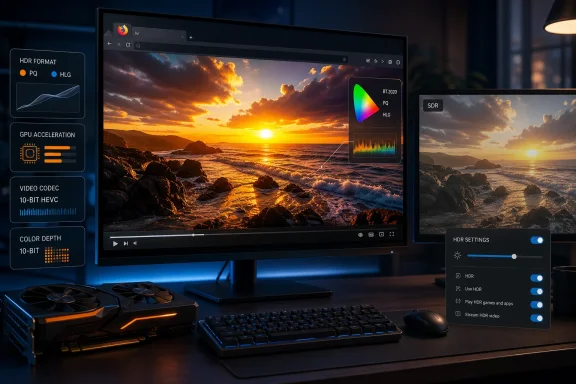 Overview: Firefox Finally Enters the HDR Video Era on Windows
For years, Firefox on Windows occupied an awkward position in the modern streaming landscape. It could play high-resolution video, support hardware acceleration, and handle many of the codecs used by major video services, yet it lagged Chromium-based rivals in one conspicuous area: reliable High Dynamic Range video playback.That gap matters because HDR is not simply another checkbox in a technical specification. Proper HDR video can preserve brighter highlights, deeper shadow detail, and a wider range of colors than conventional Standard Dynamic Range, or SDR, playback. On an appropriate display, a sunset retains detail in the clouds rather than becoming a flat white patch; neon signage can appear more intense without crushing nearby dark areas; color-graded footage gains the depth intended by its creator.
Mozilla’s work on HDR playback for Windows changes the calculus for Firefox users. The browser is now moving beyond basic HDR awareness and into a more practical pipeline that can deliver HDR video through Windows’ media and graphics stack. The implementation is especially relevant for Windows 11 PCs, modern Windows 10 systems, HDR-capable external monitors, premium laptops, and desktop systems equipped with contemporary AMD, Intel, NVIDIA, or Qualcomm graphics hardware.
However, the rollout should not be mistaken for an effortless “HDR everywhere” moment. Firefox’s HDR path is still dependent on display hardware, graphics drivers, Windows configuration, codec availability, video-hosting decisions, DRM behavior, and the quality of the display itself. It is a major step forward, but it is not a magic fix for every washed-out video, every HDR badge, or every underpowered laptop panel marketed with vague HDR terminology.
What Firefox’s Windows HDR Support Actually Changes
At a high level, Firefox is adding the ability to recognize and pass through HDR video information in ways that better align with the Windows HDR rendering environment. The browser’s Windows media path can now work with HDR video streams that use the color spaces and transfer functions increasingly common across professional and consumer video production.The key formats in this discussion are:
- BT.2100 PQ, often associated with HDR10-style playback
- BT.2100 HLG, or Hybrid Log-Gamma
- Wide-color video using the BT.2020 color primaries
- HDR metadata describing mastering displays and brightness characteristics
- Hardware-assisted video decoding and presentation through Windows media components
Firefox has long been capable of playing many video formats, including H.264, VP9, AV1, and—in limited Windows scenarios—HEVC or H.265. Yet decoding an HDR-capable stream is not the same as rendering HDR correctly. A browser must preserve the relevant color information, communicate it to the operating system and graphics driver, and present it on an HDR-capable display without incorrectly converting the image into SDR.
That rendering path is where Firefox’s work becomes significant. The browser is no longer merely treating HDR as an exotic file-format edge case. It is building the plumbing needed for HDR video to travel from a streaming service through the Windows media pipeline to an HDR display with less loss of color and luminance information.
The difference between HDR playback and an HDR badge
Users should be cautious about interpreting every “HDR” indicator in a video player as proof of a complete HDR experience. Streaming platforms can expose HDR versions of a video based on device capability, browser reports, available codecs, account tier, DRM implementation, and regional availability.A browser may also have the ability to decode a stream but still fall back to a non-HDR presentation path. In that case, the video may look better or different from a conventional SDR stream, but it may not be displaying its full intended luminance range.
The practical test is not simply whether a menu offers an HDR resolution option. The meaningful question is whether Firefox, Windows, the graphics driver, and the display are all operating together in a genuine HDR mode.
Why the Firefox 153 Narrative Needs Context
Firefox 153 is a real and current release, but the assertion that HDR video playback first arrived exclusively with that version oversimplifies Mozilla’s release history. Development records show that the core Windows HDR playback effort was tracked for Firefox 151 and then Firefox 152.That distinction matters for Windows users trying to troubleshoot what they see on screen. If HDR playback is available in Firefox 153, it is not necessarily because Firefox 153 introduced every underlying media component from scratch. Rather, Firefox 153 inherits and continues the work that began in earlier releases, alongside additional fixes, refinements, and newly discovered regressions.
This is typical of browser multimedia development. Features of this kind rarely arrive as a single, self-contained switch. They generally progress through several stages:
- Color-space recognition is added to the video pipeline.
- HDR metadata begins traveling correctly through media components.
- Hardware decoding and video overlays are tested across GPU vendors.
- Fallback behavior is introduced for drivers that cannot properly process a given HDR transfer function.
- DRM and protected-media paths receive separate compatibility work.
- Bug fixes address unusual color, memory, performance, or playback failures found after wider deployment.
Why version accuracy matters
Version numbers may sound like a minor editorial detail, but they affect real troubleshooting advice. A user on Firefox 152, for example, may already have portions of the underlying HDR support. A user on Firefox 153 may encounter a different issue introduced by newer code, a changed driver interaction, or a site-specific protected-video path.Incorrectly presenting HDR as a feature unique to Firefox 153 can also create false expectations around patch releases. There is no reliable basis for claiming that a specific Firefox 153 point update will add a dedicated HDR diagnostics panel, a universal tone-mapping toggle, or a guaranteed fix for every display issue unless Mozilla formally documents those changes.
For Windows enthusiasts, the responsible approach is to treat Firefox HDR as a fast-evolving feature set rather than a finished appliance feature.
The Windows Requirements Behind Good HDR Playback
Firefox cannot create HDR output on its own. The browser sits inside a broader Windows display chain, and any weak link can reduce the experience to SDR, introduce incorrect colors, or prevent a service from offering its best stream.A true HDR display is essential
The first requirement is a display that supports real HDR output. This seems obvious, yet HDR branding in the PC market remains inconsistent.Some inexpensive monitors and laptops advertise phrases such as HDR video streaming, HDR-ready, or HDR effect. These labels do not necessarily indicate that the panel has sufficient brightness, contrast, local dimming, color gamut, or signal handling to show HDR content convincingly.
A better HDR experience generally depends on several factors:
- A panel capable of accepting and operating in an HDR signal mode
- Adequate peak brightness
- Strong contrast performance
- Wide color gamut coverage
- Reliable tone mapping
- A graphics connection with sufficient bandwidth
- Proper Windows HDR configuration
- A current graphics driver
Windows HDR must be enabled
Firefox’s HDR playback is designed to work with Windows’ HDR environment. If HDR is disabled in Windows display settings, the operating system generally has no reason to expose an HDR presentation path to applications.The basic setup process remains straightforward:
- Open Settings in Windows.
- Navigate to System and then Display.
- Select the HDR-capable display if multiple monitors are attached.
- Enable Use HDR.
- Confirm that the correct resolution and refresh rate are active.
- Update the graphics driver if the HDR option is missing or unstable.
- Restart Firefox after changing HDR settings when testing playback.
Codec support still matters
Video services do not deliver the same codec to every browser and system. Some use VP9 or AV1 for HDR delivery; others rely on HEVC in particular protected-content configurations. The stream Firefox receives may depend on the platform’s media capabilities, the graphics hardware, and whether Windows has the necessary codec support.HEVC is a particular complication on Windows. While some systems include the relevant capability through their hardware or manufacturer image, other installations may require additional codec support. This is especially relevant for users who perform clean Windows installations, use stripped-down images, or run editions that omit certain media components.
Windows N and KN editions can add another layer of friction because they may lack media features present in standard consumer editions. If video playback is missing, low-resolution, black, or unreliable, the issue may be broader than HDR and may involve absent Windows media components.
BT.2100 PQ and HLG: Similar Goals, Different Challenges
Two HDR approaches dominate the current Firefox discussion: PQ and HLG.PQ: the familiar HDR10-style path
Perceptual Quantizer, usually abbreviated to PQ, is widely associated with HDR10 video. It is designed around an absolute brightness model and works well when a display and playback chain understand the content’s mastering characteristics.For Windows users, PQ is likely to be the more predictable HDR format in Firefox’s early implementation. Mozilla’s development work indicates that PQ processing is broadly supported across modern GPU environments, although real-world results still depend on driver quality and display behavior.
PQ is common in premium streaming and professionally mastered video. It can produce striking highlight detail when viewed on a display with the brightness and contrast to support it.
HLG: a more complicated compatibility story
Hybrid Log-Gamma, or HLG, was designed with broadcast compatibility in mind. It can be more forgiving in workflows where the same source may need to work across HDR and SDR displays, but hardware and driver behavior can complicate implementation.Mozilla’s Windows HDR work has identified a particularly important caveat: some Intel graphics drivers may not offer the necessary HLG conversion behavior. In those cases, Firefox may need to fall back to a non-HDR presentation path or preserve a wider color gamut without delivering the full HDR effect.
This creates a practical divide:
- AMD and NVIDIA systems may provide more complete HLG behavior in many scenarios.
- Intel integrated and discrete graphics systems may require fallback handling for HLG video.
- Other GPU architectures may have varying support depending on drivers and Windows integration.
This is exactly why broad claims that HDR “works on all Windows PCs” should be treated skeptically.
Tone Mapping Is the Hard Part Nobody Sees
HDR rendering is not solely a question of passing bright pixels to a display. It also requires sensible tone mapping: the process of adapting video mastered for one brightness range to the capabilities of a particular screen.A movie may have been graded on a professional reference monitor with far greater peak luminance than a typical consumer HDR display. The playback system must decide what to do with values the consumer panel cannot reproduce directly.
Done well, tone mapping can preserve highlight detail, maintain color saturation, and avoid crushing shadows. Done poorly, it can result in:
- Blown-out whites
- Gray-looking black levels
- Muted color
- Overly aggressive saturation
- Lost detail in clouds, lamps, reflections, or snow
- A video image that looks noticeably different between browsers
HDR metadata improves the odds—but not every path is equal
HDR metadata can include information about the display used to master a video and the brightness characteristics of the content. When available and correctly passed through the media stack, this information can help a playback chain make more intelligent decisions.Mozilla’s work has expanded the handling of HDR metadata for multiple video containers and codecs. That is important because an HDR stream without correctly conveyed metadata may still play, but the output can look flat, clipped, or inaccurate.
Protected video introduces another challenge. DRM streaming paths often use separate media-engine logic from ordinary web video, and a browser can support HDR for one service or format while producing imperfect results for another. This is one reason users should avoid assuming that a successful HDR demo video guarantees identical behavior on every subscription streaming service.
Firefox HDR Bugs and Early-Rollout Risks
The story is encouraging, but Firefox’s HDR rollout is not free of risk. Mozilla’s bug tracking already reflects the kind of issues that tend to surface once a sophisticated graphics feature reaches more diverse PC hardware.Memory and stability concerns
An HDR-related memory leak has been identified in the Firefox 153 timeframe. A memory leak does not automatically mean that every HDR video session will be unstable, but it is an important warning sign for users who leave multiple streams open for long periods, run Firefox continuously, or work on systems with limited RAM.For professional environments, this reinforces a familiar rule: keep Firefox updated. HDR work is moving quickly, and point releases may carry important fixes even when their changelogs appear modest.
Incorrect colors and software-rendering failures
Firefox’s graphics stack has also seen reports involving extreme color errors under uncommon configurations, including software WebRender paths. Magenta-and-white or severely distorted video is not a normal HDR outcome; it is a sign that a color conversion or rendering route has failed.Most users with standard hardware acceleration enabled will never see such a problem. Still, users who disable GPU acceleration, rely on remote desktop environments, use unusual graphics settings, or run unsupported driver versions should expect a higher chance of incompatibility.
Display and driver fragmentation
The largest risk is not a single Firefox bug but the fragmented nature of PC displays.An HDR laptop from one manufacturer may behave dramatically differently from an HDR desktop monitor connected through DisplayPort, HDMI, a docking station, or an AV receiver. Firmware, cable bandwidth, refresh-rate settings, GPU switching, color-depth options, and display-side tone mapping can all affect the final result.
In practical terms, Firefox HDR playback may be excellent on one Windows 11 machine and merely acceptable—or unavailable—on another system with a similar-looking spec sheet.
What Windows Users Can Expect in Day-to-Day Use
For ordinary viewing, the biggest benefit is simple: Firefox users no longer have to treat a Chromium browser as the automatic choice when they want the best chance of HDR web video on Windows.That matters for users who prefer Firefox for its interface, privacy posture, extensions, container tabs, enterprise controls, or independent browser engine. High-quality media playback is a baseline expectation for a modern desktop browser, and HDR support reduces one of Firefox’s most visible feature gaps.
For creators and media professionals, the benefits are more nuanced. Firefox HDR playback can improve review workflows when a video is shared through a supported online platform and viewed on properly configured hardware. It can make browser-based approvals more useful, especially for teams comparing a final edit on HDR-capable displays.
But it should not be confused with a fully color-managed professional mastering environment. A browser window is not a substitute for calibrated reference hardware, dedicated grading software, controlled ambient lighting, or validated delivery tools.
A practical Firefox HDR checklist
Before judging Firefox’s HDR performance, Windows users should verify the essentials:- Install the latest stable Firefox update.
- Enable HDR in Windows for the active display.
- Confirm that the display is genuinely HDR-capable.
- Use a recent graphics driver from the GPU vendor or PC manufacturer.
- Keep hardware acceleration enabled in Firefox unless troubleshooting requires otherwise.
- Test more than one HDR-capable streaming source.
- Check whether a video is PQ, HLG, VP9, AV1, or HEVC-based when diagnosing inconsistent results.
- Test the same content in another modern browser only as a comparison point, not as proof that Firefox is defective.
- Avoid relying on screenshots alone, since screenshots may not accurately represent how HDR output appears on the physical display.
A Significant Win for Browser Choice
Firefox’s HDR progress is strategically important beyond picture quality. The web works best when essential capabilities are not confined to a single browser engine or a narrow group of platform vendors.Chrome and Microsoft Edge have enjoyed an advantage in Windows multimedia partly because they benefit from extensive integration work around Chromium and Windows graphics infrastructure. Firefox must achieve comparable outcomes through Mozilla’s own browser engine, rendering pipeline, and media integration work.
That makes this feature more than a visual upgrade. It is a statement that Firefox remains committed to competing on the technical expectations of modern Windows users.
The browser is no longer asking users to choose between a privacy-focused, non-Chromium alternative and a credible HDR streaming experience. It is attempting to offer both, even if the implementation remains under active refinement.
The Bottom Line
Firefox 153 should be viewed as part of Mozilla’s continuing HDR video rollout on Windows, not as the isolated origin of the feature. The foundational work appeared across the Firefox 151 and Firefox 152 cycle, while Firefox 153 brings the technology into a newer public release environment where more users can test it on real hardware.The potential upside is substantial. On a properly configured Windows 10 or Windows 11 system with a capable display and current graphics drivers, Firefox can now participate meaningfully in HDR web video playback rather than forcing a blanket SDR compromise.
The limitations are equally real. HDR behavior remains sensitive to GPU vendor support, PQ versus HLG content, codec availability, DRM pathways, tone mapping, display quality, and early-release bugs. Windows users should expect steady improvement rather than universal perfection.
Even with those caveats, Firefox’s move into HDR-capable playback is a long-overdue and welcome advance. It strengthens Firefox as a viable Windows browser for entertainment, creative review, and high-fidelity web media—without requiring users to abandon the browser ecosystem’s most important independent alternative.
References
- Primary source: streamlinefeed.co.ke
Published: 2026-07-23T07:35:37+00:00
Mozilla Shakes Up Windows Media With Firefox 153 HDR Playback | Streamline
Mozilla brings native High Dynamic Range (HDR) video playback to Firefox 153 on Windows, closing a critical gap for global content creators.streamlinefeed.co.ke - Independent coverage: tech-ish.com
Published: 2026-07-23T07:35:37+00:00
Firefox 153 finally brings HDR video playback to Windows users - tech-ish
Mozilla's Firefox 153 update now supports HDR video playback on Windows 10 and 11, bringing brighter highlights, richer colors, and improved contrast to supported content like YouTube.tech-ish.com - Official source: support.mozilla.org
- Official source: developer.mozilla.org
Firefox 153 release notes for developers (Stable) - Mozilla | MDN
This article provides information about the changes in Firefox 153 that affect developers. Firefox 153 was released on July 21, 2026.developer.mozilla.org
- Official source: mozilla.org
- Official source: ftp.mozilla.org