

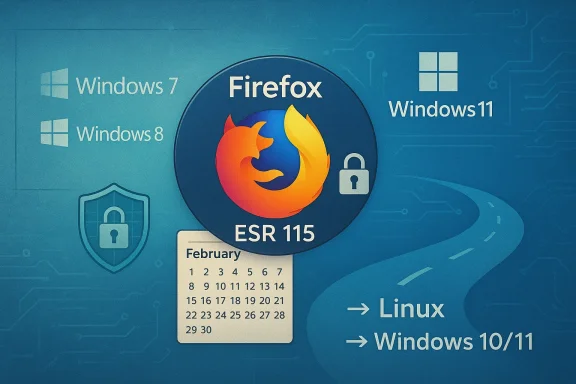
Mozilla’s decision to stop providing security updates for Firefox on Windows 7, Windows 8 and Windows 8.1 marks the end of the browser’s long-running role as the last major line of defense for users still running those older Microsoft platforms. The practical result: Firefox 115 (the Extended Support Release branch) is the final Firefox build that will receive security patches for those systems, and Mozilla has scheduled the ESR maintenance window to close at the end of February 2026.
For several years after Microsoft declared Windows 7 and Windows 8.1 out of support, Mozilla kept a safety net in place for users who could not or would not upgrade. Rather than continuing feature releases for legacy systems, Mozilla consolidated fixes into an Extended Support Release (ESR) branch — Firefox 115 ESR — and backported critical security fixes to keep browsing safer on unsupported Windows versions. That program was originally slated to taper off in 2024 but was extended multiple times in response to user demand and practical considerations. The most recent Mozilla communication confirmed another extension of ESR 115 maintenance that runs into early 2026 before the project steps away from legacy Windows entirely.
At the same time, Firefox’s mainstream development has continued to advance on modern platforms. The stable release channel moved past version 115 long ago and, by early 2026, the release stream had progressed into the 140s — with Firefox 147 appearing as the regular stable channel release earlier this year. That divergence means legacy users were effectively placed on a security‑only branch for compatibility reasons, rather than kept on feature parity with modern Firefox.
This is more than academic for certain groups:
For small businesses, the economic impact is real — budgeting for hardware refresh or migration projects will be necessary. But ignoring the problem is the costlier choice: a data breach, service outage or regulatory fine will have far greater consequences than planned upgrades.
The broader lesson is that software lifecycle alignment matters. Browsers, operating systems and critical drivers are interdependent; when one participant in that stack goes EOL, the safety of the whole stack declines. Vendors and administrators must plan for coordinated transitions, not just piecemeal updates.
Immediate recommendations:
Source: Bangkok Post Firefox ends support for Windows 7 and 8
 Background
For several years after Microsoft declared Windows 7 and Windows 8.1 out of support, Mozilla kept a safety net in place for users who could not or would not upgrade. Rather than continuing feature releases for legacy systems, Mozilla consolidated fixes into an Extended Support Release (ESR) branch — Firefox 115 ESR — and backported critical security fixes to keep browsing safer on unsupported Windows versions. That program was originally slated to taper off in 2024 but was extended multiple times in response to user demand and practical considerations. The most recent Mozilla communication confirmed another extension of ESR 115 maintenance that runs into early 2026 before the project steps away from legacy Windows entirely.At the same time, Firefox’s mainstream development has continued to advance on modern platforms. The stable release channel moved past version 115 long ago and, by early 2026, the release stream had progressed into the 140s — with Firefox 147 appearing as the regular stable channel release earlier this year. That divergence means legacy users were effectively placed on a security‑only branch for compatibility reasons, rather than kept on feature parity with modern Firefox.
What Mozilla announced — the short version
- Firefox 115 ESR is the last Firefox version to support Windows 7, Windows 8 and Windows 8.1.
- Mozilla will deliver security updates to that ESR branch only through the end of February 2026; afterward, Firefox will no longer receive updates on those Windows releases.
- Mozilla’s public blog and release calendar describe the extensions and re-evaluations that preceded this final cutoff. The project emphasized that maintaining modern browser security on unsupported operating systems is resource‑intensive and increasingly risky.
Why this matters now
Many users and organizations have been using Firefox as their last supported mainstream browser on legacy Windows devices — a stopgap that reduced the immediate risk of browsing with an unsupported OS. With ESR 115 reaching end of updates, that last mainstream vendor patch stream disappears. Running an unpatched browser on an already-unsupported operating system considerably widens the attack surface: browser exploits, certificate and protocol changes, and new web‑platform features that assume modern OS security primitives will all create compatibility or security failures over time.This is more than academic for certain groups:
- Home users clinging to older laptops, often because of hardware limitations or cost, now face a sharply reduced set of safe browsing options.
- Small businesses and public sector entities with legacy appliances or bespoke line‑of‑business software could find upgrades disruptive, expensive or technically challenging.
- Embedded or kiosk devices that run bespoke Windows 7/8.x images may have been relying on Firefox ESR maintenance as part of their overall security posture.
Timeline recap and the nuance around dates
Mozilla’s public messaging and the ESR release calendar create a precise — but nuanced — timeline.- Firefox 115 released to the general channel in July 2023 and was designated as the last mainline version supporting older Windows builds.
- Mozilla created the ESR 115 branch to backport security fixes and extended its support window multiple times to give users additional transition time.
- The most recent extensions moved ESR 115 maintenance into early 2026, with official support guidance pointing to the end of February 2026 as the point after which no further security fixes will be offered. Mozilla’s project blog and release calendar described the extension and reiterated that the project would re‑evaluate in February 2026.
The support landscape: You're not alone (or you were — until now)
By the time Mozilla began offering ESR coverage, most other major browser vendors had already exited legacy Windows.- Google Chrome’s last compatible release for Windows 7/8.x was Chrome 109; Chrome moved Windows 7/8 support into EOL in early 2023.
- Microsoft Edge likewise stopped advancing on those older OS releases around the same timeframe; Edge 109 was the last fully supported version for Windows 7 and 8.1 before the product required Windows 10 or higher.
Practical risks and technical reality
Even when a browser receives security patches, running it on an EOL Windows release is not a full mitigation. Here’s why:- The browser runs atop an unsupported OS kernel and driver model; a patched browser cannot fix kernel vulnerabilities, unpatched device drivers, or outdated system services that attackers can exploit.
- Modern web features increasingly expect operating system primitives — for example, secure enclave operations, guaranteed sandboxing behaviors, or up‑to‑date cryptographic libraries. Unsupported OSes lack those guarantees.
- Over time, certificate and TLS ecosystem changes (root certificate rotations, protocol deprecations) will cause compatibility problems and may break secure access to certain sites or web services.
- Vendors eventually stop testing modern web applications against older browser/OS combinations, increasing the chance of site breakage or data corruption.
Who should worry most (and why)
- Home users who rely on an older laptop or desktop for everyday browsing, banking, email and remote work: their exposure rises quickly once the ESR stops receiving fixes.
- Small organizations with limited IT staff that operate older machines because “they still work” and because of application compatibility constraints (legacy accounting, medical record systems, industrial control interfaces).
- Public sector and regulated entities that may be subject to compliance obligations requiring up‑to‑date software for data protection and auditability.
- Kiosk, digital signage and embedded system owners who cannot easily swap hardware or upgrade in place.
Migration choices — pros, cons and stepwise guidance
If you are affected, you have three pragmatic paths forward: upgrade Windows, switch OS to Linux, or isolate legacy systems while moving user browsing off them. Each option has tradeoffs.Option A — Upgrade to Windows 10 or Windows 11
Pros:- Restores full support for modern browsers (Firefox >= 128 ESR/release, Chrome, Edge).
- Keeps user environment familiar and compatible with Windows-only applications.
- Hardware limitations: some older machines do not meet Windows 11 requirements (TPM 2.0, CPU generations), and even Windows 10 may be problematic if drivers are missing.
- Time and labor: OS reinstallation, software revalidation, and data migration can be disruptive.
- Inventory affected machines and capture current hardware specs.
- Use Microsoft’s compatibility tools to check Windows 11 eligibility. If not eligible, validate Windows 10 compatibility.
- Back up user data (OneDrive or external drive) and create an image of critical machines for rollback.
- Test the upgrade on a representative machine, validate line-of-business apps, printers, peripherals and performance.
- Roll out upgrades in phases, prioritizing high‑risk devices first.
Option B — Migrate to a Linux distribution
Pros:- Many lightweight Linux distributions can revive decade‑old hardware.
- Long‑term support releases (LTS) and community backing can provide a secure, modern browsing environment with Firefox maintained by the distro or upstream Mozilla packaging.
- Lower-cost path for devices that won’t run Windows 10/11.
- Application compatibility: Windows-only apps will require virtualization or replacement.
- User retraining and potential management overhead.
- Evaluate distros designed for older hardware (Linux Mint, Ubuntu LTS, Debian, Fedora’s lighter spins).
- Test peripherals and required applications; leverage Wine or virtualization for legacy Windows software when necessary.
- Create a staged migration plan that includes user education and ongoing support.
Option C — Isolate and compensate (short term only)
Pros:- Minimizes immediate costs and disruption.
- Buys time to plan full migration.
- Ultimately, this is a temporary mitigation — risk grows as exploits emerge.
- Confine browsing to a modern, supported environment. For example:
- Use a separate upgraded PC or Chromebook for internet access.
- Create a modern virtual machine (VM) on the legacy device and perform browsing inside the VM using an up-to-date browser/OS image.
- Harden the legacy endpoint:
- Disable unnecessary services, remove legacy plugins and limit user privileges.
- Run up‑to‑date endpoint protection and network filtering (block known malicious domains at gateway).
- Use browser privacy/sandboxing extensions judiciously and enable strict content blocking.
- Use a secure remote desktop or application streaming service to provide browsing from a supported host, rather than from the local legacy system.
Enterprise checklist — an actionable migration playbook
- Conduct a full inventory: all endpoints, OS versions, browser versions and installed apps. Flag those running Windows 7/8/8.1 and Firefox 115 ESR.
- Classify: group devices by upgradeability, business criticality, and compliance risk.
- Identify blockers: particular devices that host legacy apps, drivers or specialized hardware.
- Decide migration paths per group: upgrade, switch to Linux, or isolate/compensate.
- Test: pick pilot devices and validate app compatibility and service continuity.
- Schedule and communicate: stagger upgrades, give users clear instructions and support windows.
- Implement network protections during the transition: web proxies, content filtering, and strong endpoint protections.
- Retire and document: officially decommission legacy images; maintain a written record for compliance and audit purposes.
Technical tips for end users and admins
- Confirm which Firefox build you’re running: ESR installations on legacy Windows should show Firefox 115.x in the “About Firefox” dialog. Keep automatic updates enabled for ESR while patches are still available.
- If you decide to keep a legacy machine temporarily, avoid logins to high‑value services (banking, work email) from that machine where possible.
- Consider a modern, low‑cost device solely for browsing. Chromebooks, inexpensive Windows 10/11‑capable laptops or repurposed desktops can act as safe browsing hosts.
- For kiosks and embedded use, consider converting the machine to a locked‑down Linux image that runs a Chromium or Firefox kiosk with updated security patches.
- Maintain a single‑source list of devices that remain on legacy OSes and treat them as high‑risk assets requiring extra monitoring.
Regulatory, compliance and long‑tail consequences
Organizations in regulated sectors should treat this moment as a compliance trigger. An unsupported OS combined with an unsupported browser can conflict with obligations to maintain security controls, perform vulnerability management and protect personal data. Legal and audit teams should be looped into remediation timelines; insurers may also view prolonged reliance on EOL systems unfavorably.For small businesses, the economic impact is real — budgeting for hardware refresh or migration projects will be necessary. But ignoring the problem is the costlier choice: a data breach, service outage or regulatory fine will have far greater consequences than planned upgrades.
Why Mozilla acted (and what it tells us about modern software lifecycles)
Mozilla’s public reasoning is pragmatic. Maintaining browser security on EOL operating systems requires extra engineering work and testing cycles to ensure patches backport cleanly — tasks that compete for finite resources with feature development and security work for current platforms. As the underlying operating systems stop receiving vendor security updates, the cost‑to‑benefit calculus shifts: browser patches can only do so much. Mozilla chose to provide a generous runway for legacy users and then end that runway when continued maintenance became untenable.The broader lesson is that software lifecycle alignment matters. Browsers, operating systems and critical drivers are interdependent; when one participant in that stack goes EOL, the safety of the whole stack declines. Vendors and administrators must plan for coordinated transitions, not just piecemeal updates.
Final assessment and recommendation
The end of Firefox updates for Windows 7/8/8.1 via ESR 115 is a decisive end to the era in which major browser vendors tolerated legacy Windows indefinitely. From a security perspective, the risk profile for continued use of those platforms has now shifted from “mitigated but imperfect” to “unacceptable for long‑term use” unless compensating controls are adopted.Immediate recommendations:
- Treat February 28, 2026 as the pragmatic cutoff date and plan migrations beforehand. Do not rely on a last‑minute extension.
- Prioritize high‑risk and business‑critical machines for upgrade or isolation.
- Evaluate Linux as a viable upgrade path for older hardware that can’t meet Windows requirements.
- Use virtual machines, separate browsing hosts or modern devices as interim steps while migrations proceed.
- Enterprises should create a documented remediation plan and update compliance and risk registers accordingly.
Source: Bangkok Post Firefox ends support for Windows 7 and 8
