

Fitbit users who saw error code 500, failed logins, or sync errors on Wednesday, July 15 were caught in a service-side outage rather than a fault with their tracker, phone, or local network. Google’s Health Status Dashboard recorded a 6-hour, 40-minute outage affecting device sync and pairing, which has since been marked resolved.
Reports began early that morning, with Downdetector logging a spike in complaints about server connections and account access. As first reported by the Asbury Park Press, users were commonly met with a Fitbit error 500 message when attempting to sign in. That code normally means the service handling the request encountered an internal failure; it is not a Bluetooth pairing error or a diagnostic code indicating damaged hardware.
The disruption went beyond a single Fitbit model. Google confirmed that the incident affected syncing functionality across Google Health users, a group that now includes Fitbit and Pixel Watch owners. Users reported being unable to load health summaries, fetch new sleep data, complete device pairing, or push fresh activity data from a tracker into the app.
9to5Google reported that the outage interrupted sync for Fitbit and Pixel Watch devices, while Android Authority said Google had fixed the issue by the afternoon of July 15. The official dashboard’s incident history now lists the event as a completed service outage.
That distinction matters for troubleshooting. A Fitbit can continue recording much of its activity locally while cloud sync is unavailable, but the app may not show up-to-date dashboards, scores, or account data until service returns. Features depending on the server side—such as cloud-backed summaries and some connected integrations—can also fail even when the wearable itself appears normal.
Users still seeing problems after the service restoration should:
For most affected users, error 500 should now be resolved by retrying the sync rather than replacing or resetting their Fitbit.
Reports began early that morning, with Downdetector logging a spike in complaints about server connections and account access. As first reported by the Asbury Park Press, users were commonly met with a Fitbit error 500 message when attempting to sign in. That code normally means the service handling the request encountered an internal failure; it is not a Bluetooth pairing error or a diagnostic code indicating damaged hardware.
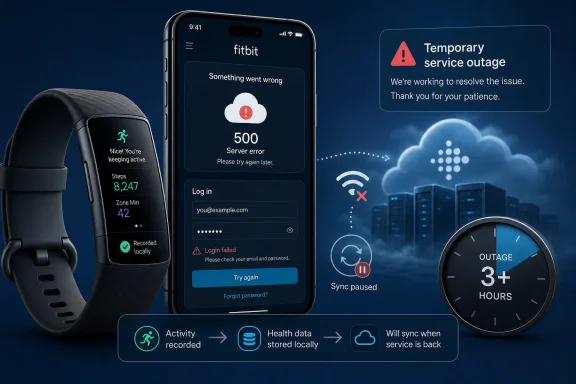 Sync, login, and health data affected
The disruption went beyond a single Fitbit model. Google confirmed that the incident affected syncing functionality across Google Health users, a group that now includes Fitbit and Pixel Watch owners. Users reported being unable to load health summaries, fetch new sleep data, complete device pairing, or push fresh activity data from a tracker into the app.9to5Google reported that the outage interrupted sync for Fitbit and Pixel Watch devices, while Android Authority said Google had fixed the issue by the afternoon of July 15. The official dashboard’s incident history now lists the event as a completed service outage.
That distinction matters for troubleshooting. A Fitbit can continue recording much of its activity locally while cloud sync is unavailable, but the app may not show up-to-date dashboards, scores, or account data until service returns. Features depending on the server side—such as cloud-backed summaries and some connected integrations—can also fail even when the wearable itself appears normal.
Do not reset a tracker for a 500 error
A 500 response is generated after the app or device reaches Fitbit’s service infrastructure. Rebooting a phone or tracker may be worthwhile only after Google has declared the incident over and a normal sync still fails. During a confirmed outage, removing the device, factory-resetting it, clearing app data, or creating a replacement account is more likely to add unnecessary setup work than solve anything.Users still seeing problems after the service restoration should:
- Check that the Google Health/Fitbit app is updated and sign in with the same Google account used before the outage.
- Restart the phone and tracker, then attempt a manual sync.
- Avoid unpairing or factory-resetting the tracker unless routine syncing remains broken after those steps.
- Review Google’s Health Status Dashboard before treating another server error as a device failure.
For most affected users, error 500 should now be resolved by retrying the sync rather than replacing or resetting their Fitbit.
References
- Primary source: aol.com
Published: 2026-07-15T13:56:13+00:00
Fitbit error 500. Why are users getting Fitbit error code 500 - AOL
Fitbit users are reporting server and login issues Wednesday morning according to outage tracker Downdetector.www.aol.com - Related coverage: community.fitbit.com
- Related coverage: techradar.com
Fitbit may have fixed its major outage, but some users are still reporting problems | TechRadar
Last week's Fitbit's outage was the latest in a series of issueswww.techradar.com - Official source: 9to5google.com
Google Health has fixed the outage that broke sync for Fitbit & Pixel Watch owners [U]
A widespread outage on July 15 has broken device sync for “all” Google Health users. Update 7/16: Google has fixed...9to5google.com
