

Google Chrome remains the default for millions of Windows and Android users, but the browser’s ubiquitous presence doesn’t mean it’s the best fit for every workflow; over the last few years a group of focused rivals has closed the feature gap and in many cases surpassed Chrome on privacy, tab management, mobile ergonomics, and built‑in productivity tools — here are five practical alternatives you should consider for both PC and mobile, why they matter, and how to switch safely.
Chrome’s dominance on Android and its deep integration with Google services make it the obvious default on many devices, but that same scale invites feature bloat, heavier memory usage on constrained devices, and limited niche tooling for power users. Alternative browsers now differentiate along clear axes: tab and session management (Vivaldi), built‑in networking/privacy tools (Opera, Brave), AI and productivity integration (Microsoft Edge with Copilot), and extension parity on mobile (Firefox). These choices aren’t theoretical; each alternative delivers concrete tradeoffs that matter in daily browsing, streaming, research, and cross‑device workflows.
This feature aims to be a practical, verifiable guide to choosing a Chrome replacement for PC and mobile: it cross‑checks vendor claims (official feature pages and audits) with independent coverage and community experience, highlights strengths, and flags the technical caveats you should test before committing.
Source: Новини Live What is the best alternative to Google Chrome on Android? The 5 best browsers
 Background
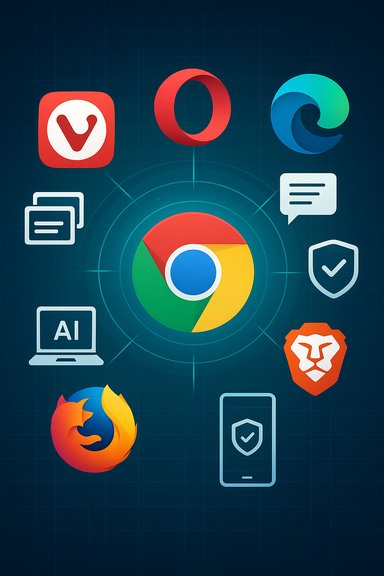
Chrome’s dominance on Android and its deep integration with Google services make it the obvious default on many devices, but that same scale invites feature bloat, heavier memory usage on constrained devices, and limited niche tooling for power users. Alternative browsers now differentiate along clear axes: tab and session management (Vivaldi), built‑in networking/privacy tools (Opera, Brave), AI and productivity integration (Microsoft Edge with Copilot), and extension parity on mobile (Firefox). These choices aren’t theoretical; each alternative delivers concrete tradeoffs that matter in daily browsing, streaming, research, and cross‑device workflows.Quick summary of the five browsers covered
- Vivaldi — power‑user features: advanced tab stacks, built‑in notes with end‑to‑end sync, full‑page capture, and deep customization. Great for research and heavy tab workflows.
- Opera — convenience bundle: free built‑in VPN for browser traffic, My Flow (cross‑device sharing), snapshot and compression/data‑saving tools. Practical for travelers and users on public Wi‑Fi.
- Microsoft Edge — productivity and AI: deep Windows/365 integration, Copilot AI summarization and PDF workflows, Read Aloud with high‑quality voices, and Drop for easy phone↔PC file transfer. Ideal for Microsoft ecosystem users.
- Mozilla Firefox — extension power and privacy: mobile support for curated, desktop‑grade add‑ons (e.g., Dark Reader), strong tracking protections, and a privacy‑first trust model. Best for users who need add‑on parity and configurability.
- Brave — privacy‑first with anti‑tracking and media conveniences: Shields for default ad/tracker/fingerprinting protection, and background/playlist playback features for continuous media listening. Good when privacy-by-default and media playback matter.
Vivaldi — the power user’s Chrome alternative
What Vivaldi brings to the table
Vivaldi targets users who want their browser to act like a productivity environment rather than a single-purpose app. The Android and desktop builds include tab stacks, tab tiling, and the rare two‑row or nested tab layouts on mobile that reproduce desktop session ergonomics. Vivaldi also integrates Notes (with end‑to‑end encrypted sync) and a built‑in Page Capture/screenshot tool that can grab full pages without a separate app. These features let you research, clip, and continue work across devices without juggling extensions.Strengths
- Desktop‑grade session management on mobile — excellent for research, multi‑tab workflows, and complex projects.
- Integrated tools like notes and captures reduce reliance on third‑party apps and extensions.
- Customizable UI — move controls, change themes, and define gestures to match your workflow.
Risks and trade‑offs
- Feature density means more code paths and potentially higher memory use on low‑end devices; test on your phone before making it daily.
- Because Vivaldi is a Chromium fork, you still rely on the Chromium security patch cadence; check update frequency if you’re security‑sensitive.
Who should pick Vivaldi
Researchers, students, and power users who juggle dozens of tabs and want a browser that behaves like a multi‑window workspace.Opera — convenience, built in
Key features
Opera packages several features many users add via third‑party apps: a free built‑in VPN (browser‑level), My Flow for quick cross‑device link/file sharing, an integrated snapshot tool, split screen, and built‑in ad/track blocking. My Flow is a private, encrypted channel for sending links, notes, and small files between your phone and desktop without an account besides the browser pairing QR flow.Verification and caveats
- Opera’s free VPN protects only browser traffic, not system‑wide connections; that limitation is longstanding and reiterated in official and independent reporting. If you need whole‑device VPN protection, use a dedicated system VPN or Opera’s paid VPN Pro which expands scope and server choice.
- Opera published an independent audit stating its free browser VPN does not log browsing activity (Management Assertion and audit disclosure). Audits help, but for high‑security use cases rely on a third‑party audited provider and read the audit scope carefully.
Strengths
- Convenience — built‑in privacy and sharing tools without extra installs.
- Lower friction for travelers and public Wi‑Fi users who want simple privacy protections.
Risks and trade‑offs
- Limited VPN scope (browser only) for the free option; logging claims are auditor‑backed but users with strong threat models should still prefer independently audited, system‑wide solutions.
- Opera’s large feature set can complicate compliance in enterprise environments; confirm corporate policy before relying on browser VPN features.
Microsoft Edge — AI, Windows integration, and practical productivity
Why Edge is no longer “just Internet Explorer”
Edge moved to Chromium years ago and has reshaped itself around productivity, Microsoft 365 integration, and AI augmentation through Copilot. Recent Edge features include Copilot Vision and Copilot‑assisted summarization of webpages and PDFs, a Read Aloud mode using neural voices, and a Drop sidebar to share files and notes between devices signed into the same Microsoft account. These changes have turned Edge into a tool for knowledge workers who need fast summarization and multi‑device continuity.Strengths
- Copilot and PDF/Article summarization — saves time reading long material and can extract highlights and Q&A from documents.
- Tie‑ins with Microsoft 365 make Edge a logical choice for Office‑centric workflows.
- Drop offers simple, OneDrive‑backed transfer of photos and notes between phone and PC without separate apps.
Privacy and governance caveats
- Many Copilot features involve cloud AI models; enterprises and privacy‑conscious users must understand what page context is sent to Microsoft and whether responses are logged or used to improve models. Pilot and create governance policies before broad deployment.
Who should pick Edge
Users deeply embedded in the Microsoft ecosystem who value AI‑assisted summarization, built‑in reading tools, and frictionless device continuity.Mozilla Firefox — extension support and principled privacy
What stands out about Firefox
Firefox remains one of the few mobile browsers that supports desktop‑grade extensions on Android (Dark Reader is an example), giving users the ability to apply real extension‑level changes to mobile browsing. Firefox also enforces strong tracking protection modes and emphasizes a privacy‑first trust model backed by Mozilla’s mission. These characteristics make Firefox the top choice when extensions or strict privacy defaults matter.Strengths
- Extension parity for certain curated add‑ons on Android that dramatically change browsing behavior.
- Strong anti‑tracking by default and a vendor with clear privacy commitments.
Risks and trade‑offs
- Mobile extension support is not identical to desktop — some add‑ons are unavailable or pared down. Test critical add‑ons (e.g., Dark Reader) before switching.
- Firefox’s resource use and rendering model differ from Chromium; some sites or DRM workflows may behave differently. Confirm Widevine/streaming compatibility if you rely on subscription video services.
Brave — privacy defaults and media playback
Core proposition
Brave’s default posture is aggressive privacy: Brave Shields block trackers, cross‑site cookies, and fingerprinting attempts out of the box. Brave also offers features that directly address media consumption habits on mobile, like Playlist and background play that let audio continue when the screen is locked. For many users, Brave delivers immediate privacy gains without configuration.Strengths
- Privacy by default — low setup friction for stronger tracking protections.
- Background/playlist playback — useful for listening to web audio without a separate app (though site behaviors like YouTube changes can affect reliability).
Risks and caveats
- Anti‑fingerprinting is an arms race. Brave’s measures make tracking harder but aren’t a silver bullet. Sites that require device signals (maps, games, editing tools) may break and require toggles to disable protections.
- Background play reliability can be impacted by site changes (YouTube behavior, app updates) — community reports show intermittent issues that have required updates or workarounds; expect occasional breakage in edge cases.
DRM, extensions, and streaming — what to check before switching
Switching browsers is easy for casual browsing but can break workflows that depend on:- Widevine or proprietary DRM (Netflix, Disney+, Prime Video)
- Specific extensions (password managers, ad‑hoc productivity add‑ons)
- Enterprise web apps with strict browser compatibility
- Test DRM playback on the platforms you use (log into Netflix/Prime/Disney+).
- Confirm your essential extensions have equivalents or are supported (Firefox for Dark Reader, Vivaldi/Brave support Chrome Web Store extensions).
- Verify update cadence and security patching for Chromium forks (ensure upstream Chromium fixes are being absorbed promptly).
Practical migration steps (PC and Android)
- Install the candidate browser and keep Chrome as a fallback.
- Import bookmarks, saved passwords, and cookies via the browser’s import tools.
- Test critical websites (banking, streaming, corporate apps).
- Confirm extension or add‑on availability; if missing, evaluate a hybrid approach (e.g., Vivaldi for work, Brave for media).
- Review privacy and update settings: enable auto‑update, toggle telemetry off if desired, and check VPN scope (browser vs system).
Enterprise considerations and governance
- AI features: Copilot and other in‑browser AI assistants can leak page context to cloud models; organizations should pilot, document data flows, and set policies restricting use on sensitive sites.
- Patch cadence: Chromium forks (Vivaldi, Opera, Brave) rely on upstream Chromium security patches; enterprises should track vendor release notes and include browsers in vulnerability management.
- VPN claims: Browser‑integrated VPNs frequently protect only browser traffic — document limitations and require system VPNs for corporate device protection.
Side‑by‑side quick comparison (practical takeaways)
- Choose Vivaldi for advanced tab management, integrated note taking, and a desktop‑like mobile experience.
- Choose Opera if you want plug‑and‑play features like a built‑in VPN and cross‑device My Flow sharing. Verify whether free VPN scope meets your needs.
- Choose Edge for Copilot‑powered summarization, PDF AI workflows, and frictionless Windows/365 integrations. Review AI data governance before use.
- Choose Firefox if you rely on mobile extensions like Dark Reader and prefer a vendor with a privacy mission. Test add‑on compatibility on Android.
- Choose Brave for immediate privacy protections and convenient background/playlist playback for media consumption. Expect occasional site‑specific quirks.
Strengths and potential risks — a critical assessment
Strengths across these alternatives:- Targeted feature differentiation solves real pain points Chrome leaves untouched. Examples include tab stacks (Vivaldi), browser VPN (Opera), and in‑browser AI (Edge). These deliver measurable productivity and privacy improvements for specific user groups.
- Security patch lag: Chromium forks must ingest upstream fixes quickly; mitigate by choosing browsers with transparent release cadences and enabling auto‑updates.
- DRM and streaming issues: Privacy‑hardened builds sometimes limit proprietary codecs/Widevine; test streaming services before switching permanently.
- Trusted VPN assumptions: Built‑in browser VPNs often cover only browser traffic and differ in logging practices; for strong threat models use audited, system‑wide VPNs. Opera’s audit helps for its free VPN, but independent verification and scope checks remain prudent.
- AI governance: Cloud‑backed AI features can leak sensitive content; enterprises should restrict Copilot use on confidential sites and monitor data flows.
- Some AI features and their exact data‑handling practises are under active development and limited testing; when vendors claim “on‑device” or “privacy‑preserving” AI, validate the current implementation and any opt‑out controls before relying on the feature for sensitive work. If a claim is ambiguous, treat it as potentially changing and flag it for re‑evaluation in vendor advisories.
Final verdict — pick by priority, not popularity
Chrome’s convenience and compatibility aren’t in dispute, but you should choose a browser based on how you use the web:- If your day is research, notes, and complex tab workflows — Vivaldi will likely be the most transformative change.
- If you want “one less app” and a quick safety net on public Wi‑Fi, Opera gives immediate value with My Flow and a browser VPN (browser‑only for free) — but read the audit and scope.
- If you live in Microsoft 365 and want practical AI helpers to summarize PDFs and articles, Edge is the pragmatic choice — just lock down AI sharing for sensitive material.
- If extension parity and privacy policy matter most, Firefox remains the most consistent, principled alternative.
- If you want solid privacy defaults and convenient media playback, Brave offers immediate gains — watch for occasional site‑specific media behavior.
This feature aims to be a practical, verifiable guide to choosing a Chrome replacement for PC and mobile: it cross‑checks vendor claims (official feature pages and audits) with independent coverage and community experience, highlights strengths, and flags the technical caveats you should test before committing.
Source: Новини Live What is the best alternative to Google Chrome on Android? The 5 best browsers
