

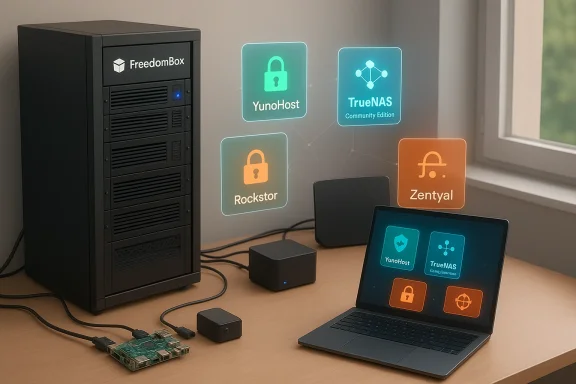
If you’re ready to stop surrendering your documents, calendars, and chat history to distant data centers and start running those services where you control the power button, the network, and the backups, five modern Linux-based server projects give you that option today — and they’re all usable without paying for a public cloud subscription.
Self-hosting has matured past the “assemble-a-LAMP-stack-and-cross-your-fingers” era. Today’s home- and small‑business server distributions are curated, prepackaged appliances designed to make running your own SaaS, storage, and even Windows‑style directory services achievable by a technically confident enthusiast or small IT team. The common promise: reclaim privacy, reduce long‑term subscription costs, avoid vendor lock‑in, and regain control over software updates and data sovereignty.
These distributions fall into three pragmatic categories:
If your priority is privacy plus a manageable administration surface, start with FreedomBox or a YunoHost trial VM. If your priority is hardcore storage integrity, build a TrueNAS testbed and learn ZFS tooling before migrating petabytes of data. Either way, the era when only giant providers could offer modern, reliable self‑hosted services is over: the open‑source ecosystem now offers practical, free alternatives for homes and small businesses willing to trade a bit of time and attention for control and sovereignty.
Source: nsprvojvodine.org.rs 5 Linux servers that let you ditch the public cloud and reclaim your privacy - for free - Nezavisni sindikat prosvetnih radnika Vojvodine -
 Background / Overview
Self-hosting has matured past the “assemble-a-LAMP-stack-and-cross-your-fingers” era. Today’s home- and small‑business server distributions are curated, prepackaged appliances designed to make running your own SaaS, storage, and even Windows‑style directory services achievable by a technically confident enthusiast or small IT team. The common promise: reclaim privacy, reduce long‑term subscription costs, avoid vendor lock‑in, and regain control over software updates and data sovereignty.These distributions fall into three pragmatic categories:
- Privacy‑first self‑hosting stacks (run your own messaging, VPN, and web apps).
- Storage‑first NAS appliances (robust data integrity, snapshots, and container support).
- Windows‑replacement server suites (native Active Directory compatibility and Group Policy control).
FreedomBox — the privacy‑first appliance
FreedomBox began as a project to make privacy‑centric self‑hosting accessible to non‑experts. Today it’s packaged as a Debian “blend” and provides a web GUI (Plinth) that lets you install and manage a curated catalog of privacy tools without editing dozens of configuration files.What FreedomBox gives you
- Privacy‑first apps: Nextcloud for file sync and collaboration, XMPP (ejabberd) and Matrix/Synapse for chat, Mumble for voice, Janus for video bridging, plus lightweight web engines and wiki software.
- Built‑in VPN and anonymity tools: OpenVPN and WireGuard servers, Tor relay/proxy support, and optional Shadowsocks/Privoxy clients for censorship circumvention and layered privacy.
- Automatic package updates: The appliance model is opinionated about updates and can push security patches for installed containers and packages on an automated schedule.
- Hardware flexibility: Designed to run on low‑power ARM boards (Raspberry Pi models), older Intel hardware, or a virtual machine — perfect for a closet server or a quiet box on your home LAN.
Why FreedomBox matters
FreedomBox is explicitly built to minimize your exposure to third‑party services. If your top priorities are message privacy, localized file storage, and running a tiny set of services reliably from home, FreedomBox’s curated approach reduces the surface area: fewer moving parts, fewer unexpected dependencies, and an emphasis on protocols and software that are practical to self‑host.Caveats and realistic expectations
- FreedomBox aims for accessibility, but self‑hosting still demands some technical know‑how: router port forwarding, understanding DNS (dynamic DNS if you lack a static IP), and basic troubleshooting.
- Running a full Nextcloud instance or a production‑grade Matrix server at scale requires more CPU, RAM, and network bandwidth than a Raspberry Pi provides.
- If your goal is absolute anonymity for high‑risk activities, remember that controlling the endpoint server does not magically remove all metadata concerns; network‑level adversaries and legal processes can still be vectors to consider.
YunoHost — “make self‑hosting boring” for apps
If FreedomBox is curated for privacy, YunoHost is curated for convenience. Think of it as a Debian wrapper that installs and manages a broad catalog of web applications through a consistent admin portal and a single sign‑on layer.Core strengths
- App catalog: One‑click installs for Nextcloud, Jitsi Meet, GitLab, OnlyOffice, Mastodon, Jellyfin and many more. Community‑maintained packages are tested and published in a centralized catalog.
- Integrated web stack and SSO: Nginx serves as the reverse proxy and SSOwat provides single‑sign‑on across installed apps, simplifying user management.
- Complete mail stack: Postfix + Dovecot + Rspamd + DKIM configured out of the box for those who want to host email.
- Security essentials: Let’s Encrypt certificate integration and Fail2ban for automated protection against brute‑force attacks.
Best use cases
- Small teams that want a selection of collaborative SaaS tools without hiring a system admin.
- Single‑server setups where the goal is to offer multiple, authenticated apps behind one domain and one portal.
- Hobbyists who want a rich app catalog and are willing to accept community‑maintained packaging.
Practical limits and gotchas
- Not a scalable data center platform: YunoHost is not designed for hundreds of simultaneous users. It’s ideal for families, small workgroups, or single‑server projects, not enterprise service hosting.
- Email is hard: While YunoHost installs a full mail stack, operating a reliable public‑facing mail server is one of the trickiest self‑hosting tasks: you’ll still need a proper domain, DNS records (MX, SPF, DKIM, DMARC), and to manage IP reputation and blacklists.
- Maintenance burden: Although YunoHost automates installs, app updates, and cert renewals, you are responsible for monitoring logs, applying system updates, and troubleshooting app integration issues.
TrueNAS Community Edition — OpenZFS at the center of your storage strategy
If your primary problem is data integrity, archival storage, or running virtual machines and containers alongside resilient file storage, TrueNAS Community Edition (the community branch of the TrueNAS family) is the go‑to solution. It brings the industry‑proven OpenZFS filesystem to commodity hardware with an appliance‑grade UI.Why ZFS matters
ZFS provides end‑to‑end checksums, bit‑rot detection and repair, snapshots, clones, and robust RAID‑like redundancy modes. For media collections, VM images, or databases where silent corruption is unacceptable, ZFS is a huge win.Notable features
- OpenZFS: Built‑in checksums, snapshots, replication, and deduplication capabilities.
- Container and VM support: The Linux‑based TrueNAS variants support Docker/Kubernetes style containerization and KVM virtual machines.
- Appliance lineage: TrueNAS CE is the same code base used in iXsystems’ paid appliances; the community edition gives you the same core software without the enterprise licensing.
- Scale options: Community edition covers single‑node NAS use cases very well; enterprise appliances add HA features and vendor support if you outgrow single‑node deployments.
Real costs and tradeoffs
- Hardware matters: ZFS is memory‑hungry for certain workloads (ZFS recommendations often start at 8–16GB RAM and grow with pool size and dedup settings). ECC RAM is strongly recommended in serious deployments to avoid silent memory errors that can compromise ZFS integrity.
- Complexity for newcomers: Designing ZFS vdev layouts and understanding how to expand pools safely takes time and study. Mistakes are expensive — both in terms of data and time.
- Appliance price spectrum: If you choose a vendor appliance for turnkey reliability (instead of building your own TrueNAS server), hardware and support are not free; vendor appliances can cost thousands to tens of thousands of dollars depending on capacity and features.
Rockstor — a BTRFS‑centric NAS with lightweight app support
Rockstor takes a different filesystem philosophy: BTRFS. It’s a modern Linux copy‑on‑write filesystem with snapshots, compression, and built‑in RAID functionality, packaged with a web UI and a Docker‑based plugin system called “Rock‑ons.”What Rockstor brings to the table
- BTRFS features: Snapshots, send/receive incremental replication, transparent compression, and online volume management.
- Rock‑ons: Containerized applications (Plex, Nextcloud, backup tools) that you can deploy from the UI.
- ARM and Raspberry Pi support: Rockstor supports both x86_64 and ARM architectures, making it practical on lower‑power hardware than ZFS‑heavy boxes.
- Live capacity scaling and cloning: Add or remove disks with minimal downtime and clone shares or snapshots quickly.
Where Rockstor fits best
- Home media servers, small office shared storage, and users who want NAS features without the heavier hardware requirements of ZFS.
- Projects that benefit from ARM compatibility (a low‑power secondary backup box, for instance).
- Teams that prefer a Linux native stack rather than a BSD heritage.
Limitations and cautions
- BTRFS maturity: BTRFS has matured a lot, but some advanced features and extreme production workloads still see more conservative deployments on OpenZFS.
- Channel model: Rockstor offers a free community edition, but production‑grade “stable channel” updates and some services may be behind a small subscription or donation model in order to fund maintenance; expect to weigh convenience against cost.
- Ecosystem size: Rockstor’s community and commercial ecosystem are smaller than TrueNAS, so commercial support options are limited compared with bigger vendors.
Zentyal — the closest thing to a Windows Server replacement
If your environment is Windows‑centric and you need native Active Directory interoperability, Group Policy management, and Windows client domain join without Microsoft licensing hassles, Zentyal is built for that scenario. Historically packaged as an Ubuntu‑based Small Business Server, Zentyal wraps directory services, mail, gateway, and network services in an admin interface familiar to Windows admins.Key capabilities
- LDAP/Samba‑based Active Directory compatibility: Domain joins, authentication, and Group Policy-like controls for Windows clients.
- Directory and mail: Integrated directory, mail services (including ActiveSync support in past releases), and gateway features.
- Network services: DNS, DHCP, VPN (OpenVPN, IPSec/L2TP), firewall/IDS modules for small office gateway duties.
Who should consider Zentyal
- SMBs with Windows clients and existing Group Policy expectations who want to remove Microsoft Server license costs while retaining similar management workflows.
- Admins who value a GUI management layer and don’t want to script Samba4, Kerberos, and LDAP integrations from scratch.
What to watch out for
- Project cadence and support: Zentyal’s commercial and community packaging, release cadence, and supported versions can vary. If you need long‑term vendor guarantees, a paid support subscription or a vendor appliance may be necessary.
- Compatibility reality: Full, 100% parity with Microsoft Active Directory is a moving target. For many SMBs Zentyal is a practical substitute; for some enterprise features (especially advanced Microsoft ecosystem integrations), a Windows Server may still be required.
- Migration complexity: Moving an existing Windows domain to Samba‑based AD services requires careful planning; trusts and migrations need testing before production cutover.
Security, privacy, and operational realities — the hard tradeoffs
Running your own services brings freedom — and predictable responsibilities. Below are the most important operational categories to understand before you unplug your cloud subscriptions.1. Network exposure and perimeter security
- If you expose any service to the public internet (webmail, Nextcloud, Matrix bridges), you must manage TLS certificates, firewall rules, rate limiting, and intrusion detection. Tools like Let’s Encrypt and Fail2ban reduce friction, but they don’t replace active monitoring.
- Many residential ISPs block port 25 (SMTP) and sometimes other ports. Expect to handle relay services or SMTP relays if you want reliable email delivery.
2. Backups and replication
- Self‑hosting does not mean “single copy.” Implement a backup policy: on‑site plus off‑site copies, automated snapshots, and periodic restore tests. ZFS/BTRFS snapshots are great — but they are not a substitute for external backups.
- TrueNAS and Rockstor support replication features; use them to replicate critical datasets to a remote site or cloud storage as a safety net.
3. Hardware reliability and redundancy
- For storage integrity choose ECC memory for ZFS deployments and enterprise‑grade drives for long‑term archival. Consumer drives are fine for many home use cases, but understand the reliability tradeoffs.
- Consider UPS (battery backup) to protect against corruption during unexpected power loss.
4. Updates and patching
- The appliance model helps by bundling curated updates, but you control when and how those updates are applied. Plan a maintenance window, test updates in a VM when possible, and monitor upstream security advisories.
5. Legal and compliance considerations
- If you host user data (employees, customers), be aware of applicable data protection rules in your jurisdiction. Self‑hosting does not absolve you from legal responsibilities for data breaches or lawful access requests.
Migration and interoperability: practical tips
- Inventory what you use in your current cloud stack: file sizes, mailboxes, number of users, shared calendars, and any third‑party integrations.
- Start with a small pilot — run Nextcloud for a family or a small team while keeping the primary production environment unchanged.
- Use DNS subdomains and reverse proxies to route and secure multiple services under the same public address.
- For email migrations, prefer staged transitions and an SMTP relay for outbound mail while you warm up your IP reputation.
- If moving a Windows domain, test Samba/Kerberos interactions and GPO application on a non‑critical OU before wide deployment.
When self‑host — and when to keep the cloud
Self‑hosting is a great fit when you:- Want control of sensitive data and can invest a few hours per week in maintenance.
- Need a predictable, one‑time capital outlay instead of recurring per‑user SaaS fees.
- Prefer open‑source stacks and have modest concurrency and uptime SLAs.
- Require enterprise‑grade 99.99% uptime and don’t have a resilient network design or multi‑site failover.
- Don’t have capacity for regular patching, security monitoring, or incident response.
- Need deep integrations with proprietary SaaS ecosystems where migration cost is prohibitive.
Bottom line and recommendations
- For the privacy‑minded individual or family that wants a small set of self‑hosted services with minimal fuss, FreedomBox is the cleanest starting point: a curated, Debian‑based appliance that pushes privacy‑enhancing defaults and supports small hardware like the Raspberry Pi.
- If you want a broader application offering with a polished portal and straightforward app installs, YunoHost is likely your best fit; it democratizes self‑hosting by making installs and SSO simple.
- For heavy storage needs, VM images, or data where integrity is paramount, TrueNAS Community Edition (OpenZFS) gives industry‑grade features — be ready to invest in robust hardware and to learn ZFS fundamentals.
- Rockstor is the lighter‑weight alternative if you want a BTRFS NAS and lower hardware thresholds, especially for ARM deployments.
- If you’re replacing a Windows Server in a small business with many Windows clients, Zentyal remains the most direct path to AD‑style management without Microsoft licensing — but verify current versioning, support options, and test compatibility before you commit.
If your priority is privacy plus a manageable administration surface, start with FreedomBox or a YunoHost trial VM. If your priority is hardcore storage integrity, build a TrueNAS testbed and learn ZFS tooling before migrating petabytes of data. Either way, the era when only giant providers could offer modern, reliable self‑hosted services is over: the open‑source ecosystem now offers practical, free alternatives for homes and small businesses willing to trade a bit of time and attention for control and sovereignty.
Source: nsprvojvodine.org.rs 5 Linux servers that let you ditch the public cloud and reclaim your privacy - for free - Nezavisni sindikat prosvetnih radnika Vojvodine -
