

FlyOobe’s developer has issued an urgent security alert after an unofficial, official-looking website began offering downloads of the popular Windows 11 requirements bypass tool — a move that exposes desperate Windows 10 users to the classic supply‑chain trap of tampered installers and potential malware at the moment they are most likely to take risky shortcuts.
Microsoft ended mainstream support for Windows 10 on October 14, 2025, creating a sudden spike in demand for ways to move aging PCs onto a still‑supported platform. The company’s official guidance points users toward Windows 11 or the Consumer Extended Security Updates (ESU) program as short‑term alternatives, but many systems are blocked by Windows 11’s hardware baseline — TPM 2.0, UEFI Secure Boot, and certain CPU feature checks. That gap has fueled interest in community tools that automate known workarounds. FlyOOBE (originally Flyby11, now commonly written Flyoobe) is one such project: an open‑source utility that bundles compatibility bypass options with Out‑Of‑Box Experience (OOBE) customization and debloat features to make Windows 11 installs simpler on unsupported hardware. It’s popular with refurbishers, technicians and enthusiasts for extending device life and producing clean installs quickly.
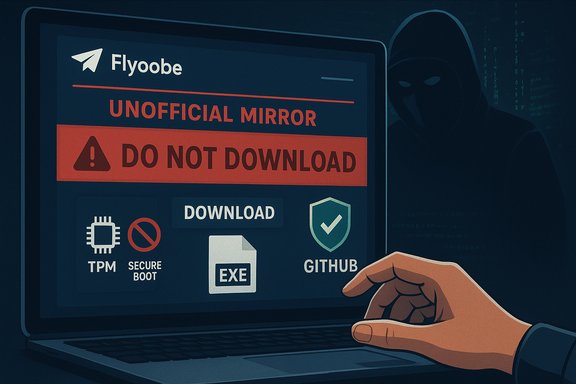
What changed this week is not the tool’s functionality but the distribution channel: an impersonating domain, operating as an “unofficial mirror,” began presenting itself as an alternative download source. The Flyoobe maintainer added a blunt SECURITY ALERT to the official GitHub releases, telling users: “DO NOT DOWNLOAD FROM FlyOOBE - FlyOOBE — this is an unofficial mirror and may host tampered or malicious builds. It has NO affiliation with me or this project’s official pages.” That public warning is now the canonical guidance from the project owner.
Community projects can take further steps to reduce risk:
Source: Windows Central A popular Windows 11 requirement bypass tool has a dangerous copycat targeting desperate users — Flyoobe dev responds
 Background
Microsoft ended mainstream support for Windows 10 on October 14, 2025, creating a sudden spike in demand for ways to move aging PCs onto a still‑supported platform. The company’s official guidance points users toward Windows 11 or the Consumer Extended Security Updates (ESU) program as short‑term alternatives, but many systems are blocked by Windows 11’s hardware baseline — TPM 2.0, UEFI Secure Boot, and certain CPU feature checks. That gap has fueled interest in community tools that automate known workarounds. FlyOOBE (originally Flyby11, now commonly written Flyoobe) is one such project: an open‑source utility that bundles compatibility bypass options with Out‑Of‑Box Experience (OOBE) customization and debloat features to make Windows 11 installs simpler on unsupported hardware. It’s popular with refurbishers, technicians and enthusiasts for extending device life and producing clean installs quickly.What changed this week is not the tool’s functionality but the distribution channel: an impersonating domain, operating as an “unofficial mirror,” began presenting itself as an alternative download source. The Flyoobe maintainer added a blunt SECURITY ALERT to the official GitHub releases, telling users: “DO NOT DOWNLOAD FROM FlyOOBE - FlyOOBE — this is an unofficial mirror and may host tampered or malicious builds. It has NO affiliation with me or this project’s official pages.” That public warning is now the canonical guidance from the project owner.
What Flyoobe actually does — the technical context
Understanding why a tampered copy is so dangerous requires a quick technical summary of Flyoobe’s legitimate capabilities.- Flyoobe automates installer‑time configuration and registry flags (LabConfig‑style edits) and, in some flows, leverages alternate setup routing (historically the Server variant of setup) to bypass TPM, Secure Boot and certain CPU checks during installation. It does not add missing CPU instructions or magically change firmware; it instead automates legal, observable installer behaviors to bypass preflight checks.
- The project bundles OOBE customization and scripted extensions (PowerShell scripts) that run during first boot to remove built‑in apps, suppress AI surfaces like Copilot, set account defaults (local vs Microsoft), and install additional utilities. This makes the tool attractive as a one‑stop installer + debloat kit.
- The tool’s own documentation and community testing repeatedly caution users about hardware limitations that cannot be bypassed — notably CPU instruction checks such as POPCNT or SSE4.2 used by more recent Windows 11 builds. If the CPU lacks required instructions, the install may fail or the device may become unstable.
The impersonation: how the copycat works and why it’s effective
Attackers — or opportunistic domain operators — follow a predictable playbook when users are under pressure:- They register a domain that is a near match to the project name, build a landing page that mimics the official product copy, and offer a prominent “download” button.
- They publish an FAQ and reassuring language claiming the downloads are “safe,” then sometimes wrap or replace the expected asset with a modified ZIP/EXE that contains adware, credential stealers, or more sophisticated implants.
- Urgency matters: users facing an OS end‑of‑life deadline are more likely to click a promising “one‑click solution” instead of following cautious verification steps.
Why this is a particularly high‑risk moment
Several concurrent factors raise the stakes:- Windows 10’s end of support on October 14, 2025 has pushed millions of users to seek migration options immediately. Microsoft’s support documentation and public messaging emphasize the upgrade to Windows 11 or ESU enrollment; the urgency creates a favorable environment for impersonators.
- Flyoobe’s legitimate functionality requires elevated execution context and can run scripts during first boot — exactly the privileges attackers want for persistent compromise. A tampered installer run during OOBE can install services, replace system files, or harvest credentials with little initial suspicion.
- Community tools that modify installer behavior are sometimes flagged by antivirus engines as Potentially Unwanted Applications (PUAs) or Patcher heuristics; that complicates trust signals and can cause both false positives and confusing alerts for non‑technical users. Flagging itself is not evidence of maliciousness, but it reduces the implicit trust many users place in a downloaded binary.
Confirmed facts and independent verification
Key claims verified across independent sources:- Windows 10 reached end of support on October 14, 2025 — Microsoft’s lifecycle pages and support guidance confirm the date and the ESU option for consumers.
- The Flyoobe developer has posted a SECURITY ALERT telling users not to download from the flyoobe.net mirror and to use GitHub Releases as the canonical source. This advisory is replicated in multiple community reports and tech outlets.
- Independent coverage (Tom’s Hardware, aggregator writeups and community forums) has flagged the impersonating domain and urged users to download only from the official GitHub page; several community threads reproduce the developer’s warning and expand on safe practices.
Practical, step‑by‑step guidance: how to stay safe
If you or your team are considering Flyoobe or any community bypass tool, follow a conservative verification and execution sequence. These steps prioritize provenance, testing and recovery.- Download only from canonical sources: use the project’s official GitHub Releases page (the Flyoobe developer explicitly cites GitHub as the only trustworthy distribution channel).
- Verify cryptographic integrity:
- Prefer signed releases or PGP/GPG signatures if the developer publishes them.
- If a SHA‑256 or SHA‑512 checksum is published, compute the file hash locally (PowerShell: Get-FileHash -Algorithm SHA256 .\filename.exe) and confirm it matches the published value.
- Scan the binary on multiple AV engines (upload to a multi‑engine scanner or use vendor portals) before executing it on sensitive hardware.
- Test the entire workflow in a virtual machine or on a sacrificial test device. Confirm that the install process behaves as expected and that no unusual outbound network connections or services appear after first boot.
- Review any extension scripts: if Flyoobe offers PowerShell extensions or third‑party profiles, inspect the scripts before execution or avoid them entirely on initial runs.
- Maintain a verified full disk image backup and create a recovery USB prior to upgrade. Ensure you can restore to the pre‑install state quickly if something goes wrong.
- Consider offline installation: where practical, disconnect the target device from the network during the install and first boot — this reduces the chance of immediate command‑and‑control callbacks if the binary is malicious.
- Prefer building from source if you have the capability: the most secure path is compiling a tool yourself from the publicly available source code and confirming the build artifacts. Open‑source transparency makes this possible; many users and small labs will find it practical.
- If your hardware supports it, enable TPM/UEFI Secure Boot in firmware and use Microsoft’s official upgrade path.
- If you cannot upgrade, evaluate the ESU program or migration to a supported Linux distribution or ChromeOS Flex as viable stopgaps. These options avoid the need to run third‑party bypass installers.
Critical analysis — strengths, blind spots and potential enterprise impact
Strengths- Flyoobe delivers pragmatic value: it reduces e‑waste and lets otherwise capable hardware continue serving users, while also offering a reproducible, debloated setup that saves time for refurbishers and small IT teams. The tool’s integration of ISO handling, bypass, and OOBE customization is a genuine productivity win.
- Open‑source distribution on GitHub gives users a chance to audit code and confirm behaviors; this transparency is a meaningful advantage versus opaque binary rehosts.
- Update entitlement and security: Microsoft’s policy is clear — unsupported installs are not guaranteed future updates. Many community‑bypassed systems still receive monthly patches today, but that’s conditional and could change if Microsoft hardens enforcement in future feature releases. Treat update continuity as provisional.
- Privilege and scripting risk: Flyoobe’s scriptable extensions are powerful but are also the most obvious attack surface if an attacker controls the binary or supplies malicious scripts. Running third‑party or unsigned scripts during OOBE is inherently risky.
- Supply‑chain exposure: The impersonation incident demonstrates how easy it is for attackers to weaponize trust in community tooling. Historically, high‑profile projects have seen lookalike download pages and paid search ads delivering malicious repackaged installers instead of the real software. Flyoobe’s popularity makes it a logical target.
- Avoid using Flyoobe or similar bypass tools on corporate endpoints without a formal security review. These tools may void vendor warranties or violate compliance requirements and could introduce persistent compromises into managed networks. If a device is critical, prefer hardware replacement or vendor‑supported ESU programs rather than community bypasses.
The broader lesson: provenance matters more than convenience
This incident is a textbook example of why provenance and distribution controls matter for software, particularly for small community projects that perform privileged actions. The Flyoobe developer did the right thing by centralizing the warning on GitHub and calling out the mirror explicitly; users and technical editors should treat that advisory as the authoritative source until independent technical analyses prove otherwise.Community projects can take further steps to reduce risk:
- Publish checksums and cryptographic signatures with every release.
- Provide a signed release‑channel (code signing / timestamped certificates) so browsers and AV products can more reliably attribute legitimate builds.
- Encourage reproducible builds or provide a documented build process enabling advanced users to compile from source easily.
- Maintain a short “how to verify” section prominently on the release page describing checksums, signature verification and trusted mirrors.
Quick reference: what to do now
- If you have not yet downloaded Flyoobe: do not visit or download from flyoobe.net; use the official GitHub Releases only and follow the verification checklist above.
- If you already ran a download from an unofficial mirror and you are concerned: disconnect the device from networks, preserve a forensic image if sensitive credentials were used, scan with multiple AV vendors, and consider a full clean reinstall from known‑good media. Report the mirror to the project maintainer and the registrar/host abuse channels so takedown steps can begin.
- For organizations: prioritize migration planning to supported hardware, or use ESU where appropriate and supported by policy rather than relying on community bypass tools for production endpoints.
Conclusion
The Flyoobe impersonation story is a clear, practical reminder that software supply‑chain risk is not an abstract problem confined to large vendors — it affects small community projects and individual users every bit as much. The timing, with Windows 10’s end of support driving urgent upgrade demand, makes the impersonation particularly dangerous. The Flyoobe developer’s public security alert is the right immediate response: centralize downloads on a verifiable channel (GitHub Releases), publish checksums and signatures, and tell users to test and verify before execution. For users juggling the pressure of an unsupported OS and the temptation of a “quick fix,” the safest course is methodical verification: don’t let convenience become the vector that converts a hardware upgrade into a security incident.Source: Windows Central A popular Windows 11 requirement bypass tool has a dangerous copycat targeting desperate users — Flyoobe dev responds
