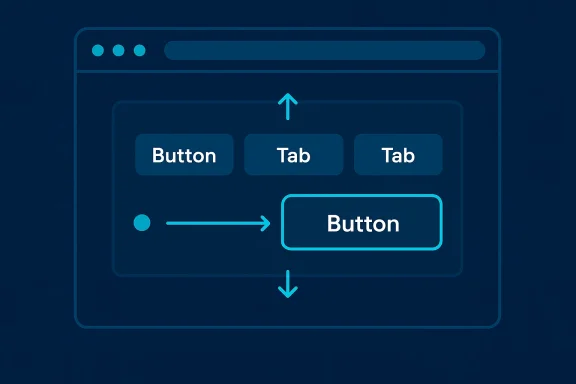
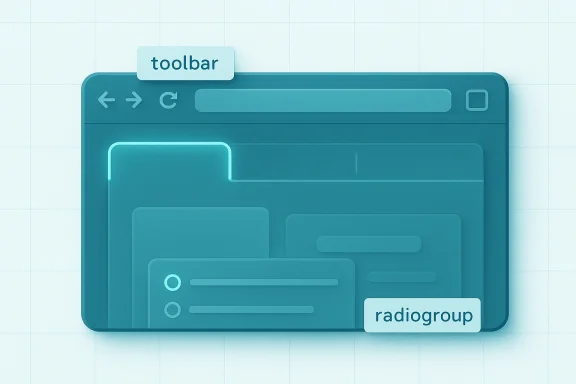
Microsoft has opened a preview of a new browser-level tool that promises to make keyboard navigation for complex UI widgets dramatically easier for web developers — and, crucially, for users who depend on keyboard-only interaction.
For more than a decade web accessibility guidance has made one thing clear: every interactive control must be reachable and operable via the keyboard. The Web Content Accessibility Guidelines (WCAG) require keyboard operability as a baseline, and the WAI-ARIA Authoring Practices Guide documents common patterns such as roving tabindex and arrow-key navigation for composite widgets like toolbars, tablists, menus and listboxes. Yet implementing those patterns correctly is time-consuming and error-prone, and today many sites still fall short.
Enter
This article explains what
What is
<div focusgroup="toolbar" aria-label="Text formatting">
<button type="button">Bold</button>
<button type="button">Italic</button>
<button type="button">Underline</button>
</div>
When a browser implements
How to test the feature, as provided by the vendor documentation:
if ('focusgroup' in HTMLElement.prototype) {
// use focusgroup
} else {
// fall back to manual roving tabindex
}
The
Potential accessibility benefits:
Benefits developers can expect:
Standards, testing, and interop: where
Important interop considerations:
That matters for two reasons. First, it raises the baseline accessibility of the web by moving a fragile, hand-coded behavior into the platform. Second, it reduces the amount of code teams must ship and maintain, which — if teams actually remove redundant library code — should shave download and parse times for users.
But the work is not done. Interop, testing, and conscientious adoption are the steps that follow a platform primitive’s introduction. For teams that care about keyboard users and legal compliance,
If you build composite, interactive widgets, you should try
Source: theregister.com New Microsoft tool eases creation of accessible websites
 Background
For more than a decade web accessibility guidance has made one thing clear: every interactive control must be reachable and operable via the keyboard. The Web Content Accessibility Guidelines (WCAG) require keyboard operability as a baseline, and the WAI-ARIA Authoring Practices Guide documents common patterns such as roving tabindex and arrow-key navigation for composite widgets like toolbars, tablists, menus and listboxes. Yet implementing those patterns correctly is time-consuming and error-prone, and today many sites still fall short.Enter
focusgroup: a proposed HTML attribute and browser feature originally prototyped by Microsoft, refined in the Open UI community group, and now available for early testing in Chromium-based browsers. Rather than shipping JavaScript libraries or hand-rolling complex focus-management code, authors can opt into declarative, spec-driven keyboard navigation semantics simply by adding an attribute to a container element. Microsoft and Google have published previews and developer guidance, and the implementation is available in Edge and Chromium builds behind experimental flags or as part of origin-trial testing.This article explains what
focusgroup does, why browsers and standards groups backed its creation, how developers can try it today, what accessibility and legal implications to watch for, and the practical risks and caveats teams must consider before adopting it in production.What is focusgroup and how does it work?
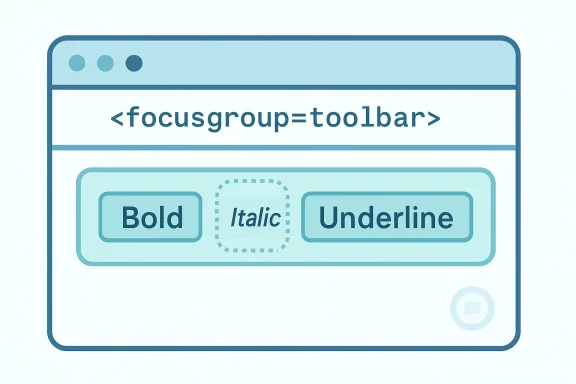
focusgroup is an attribute that turns a DOM subtree into a declaratively-managed focusable widget. In its simplest form, a toolbar that previously required roving tabindex JavaScript can be authored like this:<div focusgroup="toolbar" aria-label="Text formatting">
<button type="button">Bold</button>
<button type="button">Italic</button>
<button type="button">Underline</button>
</div>
When a browser implements
focusgroup, it provides several behaviors automatically:- Arrow-key navigation across items, with directionality that respects writing mode and right-to-left layouts.
- A single sequential Tab stop for the entire group (the browser collapses the group's items into one Tab stop).
- Memory of the last-focused item so that when a user Tabs back into the group focus returns to the item they last used.
- Role inference: when generic elements are used, the browser can infer ARIA roles for container and children consistent with the chosen widget behavior (for example,
tablist→tab). - Shadow DOM support and deep discovery, so web components do not break the behavior.
wrap for wrap-around navigation, inline and block for axis restrictions, grid for 2-D navigation, and no-memory to disable last-focused item restoration. The attribute is intentionally declarative: the platform implements the keyboard semantics so authors don’t have to write and ship boilerplate focus-management code.Why the web needs this
There are three overlapping reasons this feature matters right now.- Accessibility is still inconsistently implemented. Despite long-standing guidance, many sites either omit keyboard focus management or get it wrong. The Web Almanac measurements show that adoption of
tabindexpatterns is uneven across the web, and many sites fail to provide robust focus behavior or visible focus indicators. The result is a fractured experience for keyboard and assistive-technology users. - Implementing roving
tabindexis complex and duplicated work. ARIA authoring guidance spells out the recommended behavior for many widget types, but that logic — handling arrow keys, skipping disabled elements, restoring memory, dealing with dynamic DOM changes and RTL — is cumbersome. Frameworks and component libraries each implement their own variants, producing duplicated code and diverging behavior across sites. - Performance and maintainability matter. When every UI framework ships roving-focus logic, every page loads more JavaScript and teams must maintain that code. A browser-provided primitive reduces duplicate code, can be more thoroughly tested at the platform level, and therefore can be both leaner and more consistent.
What the platforms are shipping now
Multiple vendor threads converged in early 2026. Microsoft published an Edge blog post announcingfocusgroup availability for early testing in Edge, emphasizing the goal of simplifying accessibility for developers and users. Google’s Chrome for Developers blog published a developer-focused request for feedback and explained how to enable the feature locally or via an origin trial. The Open UI community group hosts detailed explainers that describe the attribute tokens, behavior mappings, and examples for nested and shadow DOM scenarios.How to test the feature, as provided by the vendor documentation:
- Enable experimental web platform features in the browser flags page (or launch with the platform feature flag).
- Or register and test via an origin trial if you want to try the feature on a public site with real users.
- Use interactive demos the vendors provide to exercise toolbar, tablist, menu, and other patterns.
if ('focusgroup' in HTMLElement.prototype) {
// use focusgroup
} else {
// fall back to manual roving tabindex
}
The
focusgroup implementation has also been accompanied by web-platform-tests updates and testcases, underlining that vendors are building WPT coverage to improve interoperable behavior.Developer experience: adoption and migration
Adoptingfocusgroup generally reduces code surface and makes patterns more declarative. The migration story for typical UI components looks like:- Identify a composite widget that currently uses roving
tabindexor complex keyboard handlers (e.g., a toolbar, tablist, menubar). - Replace manual roving logic with the
focusgroupattribute and set any needed modifiers (for examplewraporinline). - Retain only application-unique logic: selection state, toggling
aria-pressed, opening submenus, or activation handlers. - Test across assistive technology and browser configurations; keep a JS fallback for browsers that do not yet support the feature.
- Role inference is handy, but teams should still explicitly set ARIA roles if a component’s semantics are nonstandard or ambiguous. Don’t rely on inference for complex or unusual widgets.
- The
focusgroupbehavior consumes arrow keys for navigation except where native controls need them (e.g., textareas, inputs). In key-conflict scenarios arrow keys continue to operate for the control and Tab provides an escape mechanism. - For web-components authors,
focusgroupis shadow-DOM aware and supports opting out inside shadow trees when necessary. - Feature detection and graceful degradation are essential until
focusgroupis widely supported.
Accessibility impact — the promise and the caveats
The promise is clear: remove a common source of bugs and inconsistent keyboard UX by making a tested, spec-driven behavior part of the platform.Potential accessibility benefits:
- More consistent keyboard navigation across sites — users gain predictable arrow-key behavior in toolbars, menus, and tablists.
- Fewer broken tab orders because browsers manage the “single Tab stop” pattern for grouped widgets.
- Less shipped JavaScript for client-side focus management, which can lower CPU and network cost and reduce timing issues that can affect assistive technologies.
- Better adherence to ARIA Authoring Practices because the behavior codifies patterns the APG recommends.
focusgroup also raises several important caveats and risks:- Role inference is not a substitute for correct semantics. Browsers may infer roles for generic elements, but if the UX intentionally diverges from standard widget patterns (for example, a toolbar that contains interactive widgets that don’t match toolbar semantics), inference can create misleading accessibility trees. Authors must confirm accessible names and roles remain accurate.
- Complex composite widgets that intermix native interactive controls and custom elements require careful testing. Inputs, editable regions, and specialized controls that use arrow keys internally can create conflict; while the spec provides escape mechanisms, real-world behavior needs manual verification.
- Legal and compliance teams should not treat
focusgroupas an automatic remediation for accessibility obligations. It helps mitigate a class of implementation errors, but it does not replace full accessibility testing, including screen reader testing, keyboard-only testing, and manual WCAG conformance evaluation. Where accessibility is a legal requirement, organizations should document the testing strategy and fallback plans. - Cross-browser parity is still a work in progress. The feature is experimental; other engine vendors will need time to adopt the attribute and align on implementation details. Expect API shape and behavior to evolve during the trial phases.
focusgroup is a valuable platform-level tool — but it is not a silver bullet. Developers must adopt it thoughtfully and maintain a testing regimen that includes multiple assistive technologies and devices.Performance and maintenance benefits
One of the arguments vendors make is thatfocusgroup reduces duplicated JavaScript across sites. When a single browser-provided primitive replaces hundreds of lines of roving-focus code, payload size and cognitive overhead fall.Benefits developers can expect:
- Smaller client bundles when UI libraries stop shipping roving-focus logic per component.
- Fewer cross-library inconsistencies when multiple components on the same page implement slightly different focus strategies.
- Better maintainability because focus logic will be maintained at the platform level and tested across thousands of pages and testcases.
Standards, testing, and interop: where focusgroup sits
focusgroup originated as a Microsoft idea and was iterated inside community groups including Open UI. The proposal has been discussed in Blink/Chromium channels and accompanied by explainer documentation and web-platform-tests updates. The WAI-ARIA Authoring Practices remain the canonical reference for widget behaviors; focusgroup intentionally follows ARIA patterns rather than inventing new ones.Important interop considerations:
- The Open UI explainer defines tokens, default behaviors, and edge-case handling. This explainer is the working reference for implementers and authors.
- Chromium vendors have landed prototype implementations and WPT coverage; testcases are being added to ensure behavior matches expectations.
- Other rendering engines and browsers will need to implement the attribute to achieve broad cross-browser compatibility. The timeline for such adoption is uncertain and depends on vendor priorities and spec stability.
Community reaction and practical feedback points
The browser vendor documentation explicitly solicits developer feedback. Early community feedback themes are predictable and constructive:- Requests for broader grid and 2-D navigation semantics, and clarity on how to handle irregular grids.
- Concerns about role inference creating subtle inconsistencies with hand-authored ARIA roles.
- Requests for improved diagnostic tooling so devs can visualize focus groups and tab order.
- Requests for integration with testing frameworks and accessibility linters to detect misuse.
Concrete recommendations for teams
If your team builds complex keyboard-interactive widgets, take these practical steps:- Experiment locally:
- Enable the feature behind the experimental flag or participate in an origin trial to run real-world tests.
- Audit existing widgets:
- Identify components that implement roving
tabindexlogic and prioritize those for migration. - Build a testing matrix:
- Test with keyboard-only navigation, multiple screen readers, and in RTL locales. Validate both arrow-key navigation and Tab/Shift+Tab behavior.
- Keep fallbacks:
- Implement feature detection and keep manual roving focus logic as a fallback until you achieve confidence in cross-browser behavior.
- Explicit roles where semantics matter:
- Avoid depending purely on role inference for complex or nonstandard widgets; set ARIA roles and accessible names intentionally.
- Integrate with CI:
- Add automated tests (WPT where possible, plus accessibility linters and end-to-end keyboard tests) to detect regressions during migration.
- Measure and document:
- Record the performance and bundle-size effects of removing JS focus-management code to justify broader migration across your UI library.
Risks and unanswered questions
Adoption offocusgroup raises some unresolved items teams should monitor:- Spec evolution: the API shape may change during the trial period; authors should expect to update code if tokens or behaviors shift.
- Long-tail assistive technology behavior: some screen readers and ATs interpret accessibility trees differently; broad real-user testing will reveal integration gaps.
- Legal compliance expectations: some jurisdictions require repeatable test evidence. Using
focusgrouphelps compliance but does not replace rigorous audits and documentation. - Browser rollout timing: cross-engine support is the key to treating
focusgroupas a standard authoring tool rather than a progressive enhancement.
focusgroup will drastically reduce accessibility bugs with no developer effort — treat them as promising but not guaranteed. The feature reduces the burden of correct implementation, but authors still carry responsibility for correct semantics and testing.The big picture: an incremental platform win
focusgroup represents a logical next step in the evolution of the browser as a toolkit for accessible UI primitives. By offering a declarative attribute that codifies arrow-key behavior, last-focused memory, axis restrictions and role inference, browser vendors aim to standardize widely-accepted ARIA practices and eliminate duplicated developer effort.That matters for two reasons. First, it raises the baseline accessibility of the web by moving a fragile, hand-coded behavior into the platform. Second, it reduces the amount of code teams must ship and maintain, which — if teams actually remove redundant library code — should shave download and parse times for users.
But the work is not done. Interop, testing, and conscientious adoption are the steps that follow a platform primitive’s introduction. For teams that care about keyboard users and legal compliance,
focusgroup is a valuable tool to add to the toolbox. For accessibility testers and advocates it is an opportunity to shape the final shape of the feature through real-world feedback.Conclusion
focusgroup is a pragmatic, standards-minded response to a persistent developer pain point: roving tabindex and arrow-key navigation. It cleverly shifts well-understood ARIA authoring patterns from application code into the browser, promising cleaner code, more consistent keyboard UX, and fewer accessibility regressions — provided teams adopt it carefully.If you build composite, interactive widgets, you should try
focusgroup now under the experimental flag or origin trial, run comprehensive accessibility tests, and prepare to migrate thoughtfully. The feature will not replace the need for manual accessibility work, but it can significantly lower the barrier to building keyboard-first experiences — and that is a win for developers and users alike.Source: theregister.com New Microsoft tool eases creation of accessible websites