

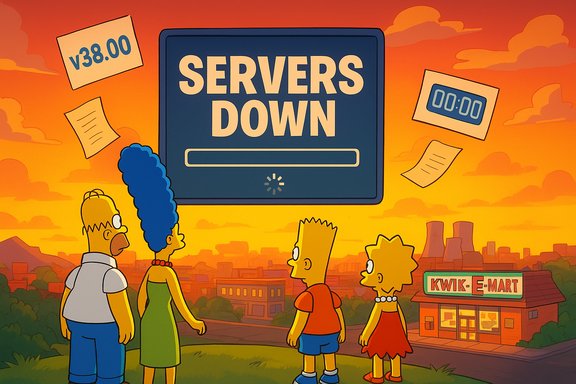
Epic Games took Fortnite offline for scheduled maintenance following the “Welcome, Our Alien Overlords” live event as part of the v38.00 update — the Fortnite x The Simpsons crossover — leaving players worldwide asking “Is Fortnite server down?” and “When will it be back online?”
The downtime coincides with one of Fortnite’s biggest licensed crossovers: Fortnite x The Simpsons. Epic has used a live event to close out the current map cycle and immediately push a major content update that replaces the usual island with a cel‑shaded, Springfield‑themed experience. That update (commonly referred to as v38.00) is intended to introduce a Springfield map, Simpsons‑themed Battle Pass rewards, and character skins for Homer, Marge, Bart, Lisa and other familiar faces. Coverage across multiple outlets confirmed the maintenance window and high‑profile nature of the release. This article breaks down what went wrong, why servers are offline, who is affected, how Epic communicates status, what to expect from the update, and practical steps players can take while waiting. Key claims have been cross‑checked with independent media reports and community updates; any detail that remains unclear from official channels is flagged with caution.
The Fortnite servers were intentionally taken offline for scheduled maintenance tied to the v38.00 release and the Simpsons crossover; the maintenance window began shortly after the in‑game “Welcome, Our Alien Overlords” event and was announced to run for several hours while Epic rolled Springfield out globally. Monitor Epic’s official channels and the public status page for the definitive “back online” confirmation; until then, expect staggered regional restores, possible queueing, and a small chance of immediate hotfixes once the new content lands.
Source: Windows Report Fortnite Server Status: Why Is It down & When Will It Be Back Online
 Background
The downtime coincides with one of Fortnite’s biggest licensed crossovers: Fortnite x The Simpsons. Epic has used a live event to close out the current map cycle and immediately push a major content update that replaces the usual island with a cel‑shaded, Springfield‑themed experience. That update (commonly referred to as v38.00) is intended to introduce a Springfield map, Simpsons‑themed Battle Pass rewards, and character skins for Homer, Marge, Bart, Lisa and other familiar faces. Coverage across multiple outlets confirmed the maintenance window and high‑profile nature of the release. This article breaks down what went wrong, why servers are offline, who is affected, how Epic communicates status, what to expect from the update, and practical steps players can take while waiting. Key claims have been cross‑checked with independent media reports and community updates; any detail that remains unclear from official channels is flagged with caution.What happened: why the Fortnite servers are down
Epic scheduled the downtime to start immediately after the in‑game event finished. According to official scheduling announced ahead of the event, the downtime began around 11:30 AM ET (3:30 PM UTC / 8:30 AM PT) on November 1, when Epic took services offline to deploy v38.00 globally. The anticipated deployment window for that rollout was roughly five hours, but Epic warned the time could vary depending on the update process and regional rollout timing. Why take servers offline now? Combining a one‑time live event with a same‑day season or mini‑season rollout is logistically complex. The event acts as both a story beat and a trigger: once the event concludes, backend systems need to apply map changes, push new assets to content delivery networks, and rotate matchmaking and matchmaking playlists to new content. To avoid partial content states (players on mixed maps, inconsistent cosmetics or mismatched matchmaking rules), Epic usually takes matchmaking, login, and game servers offline until the new build is fully deployed across global regions. This is standard practice for major Fortnite updates and licensed crossovers.Platforms and scope: who’s affected
The outage affects the full Fortnite ecosystem — all major platforms and storefront builds were expected to go offline during the maintenance window, including:- PC (Epic Games Launcher)
- Console builds (PlayStation 5, Xbox Series X|S, Nintendo Switch)
- Android storefront builds
- Cloud and platform sign‑in systems (Epic account services and matchmaking)
What’s in v38.00: The Simpsons content and gameplay changes
Fortnite’s v38.00 update is designed as a themed mini‑season centered on Springfield. The major elements reported in pre‑release coverage and early patch summaries include:- A Springfield‑style map (or a major Springfield area grafted onto the island) with cel‑shaded visuals and cartoon stylings meant to mimic The Simpsons’ animation.
- A Simpsons Battle Pass with unlockable skins and cosmetic items based on Homer, Marge, Bart, Lisa, and supporting characters.
- New themed loot, weapons re‑skins, and limited‑time items that reference Simpsons episodes and gags.
- Sidekick or AI features and random in‑match events that tie into Simpsons lore and add emergent, scripted moments within matches.
- Special limited‑time playlists and an event timer that governs episode‑style happenings in the live map.
Timeline: when the servers went down and when they might come back
Epic’s communicated timeline for this change was:- Live event launch at 11:00 AM ET (doors open earlier in some regions).
- Downtime scheduled shortly after the event, starting approximately 11:30 AM ET (3:30 PM UTC).
- An estimated maintenance window of about five hours for global rollout (this puts a rough ETA for global restoration in the late afternoon to early evening UTC window, but times vary by region).
How Epic communicates status and how to check if servers are back
Epic provides several official and community channels to monitor progress:- Fortnite Status (official X/Twitter account): Epic’s @FortniteStatus account posts scheduled maintenance notices, live updates, and final “services restored” confirmations. For live events and large updates, this is the fastest official public channel.
- Epic Games Public Status Page (status.epicgames.com): The definitive region‑by‑region listing for services (login, matchmaking, game servers). It shows real‑time operational indicators and any active incidents. Community guides and multiple news outlets point readers here for confirmations.
- In‑game notifications and launcher messages: If you can open the Epic Games Launcher or Fortnite client before matchmaking is re‑enabled, the client will often show maintenance screens or redirect players to status updates.
- Community channels (Reddit, Discord, streamers): These provide early signals when players regain access, but they are not authoritative.
Common post‑downtime problems and how to handle them
Even after Epic marks services as operational, individual players may encounter issues. Here are practical troubleshooting steps that have solved the most frequent post‑update problems:- Restart the client or console to ensure the new assets are loaded.
- If prompted, download any mandatory post‑release patches (clients may need a small hotfix after the main update).
- Clear local cache/log files if you see persistent asset or animation errors (platform‑specific instructions vary).
- If login fails, verify that Epic account services are showing operational on the status page; if they are, the issue may be your platform (PlayStation Network or Xbox Live outages), not Epic.
- Wait and avoid repeated forced logins; excessive rapid retries can trigger rate‑limit errors during a high‑traffic roll‑out.
- If you purchased items or advanced Battle Pass progress and see discrepancies, document the issue and reach out to Epic Support because compensatory actions are handled case‑by‑case after major outages.
Player reaction and the risk of launch‑day instability
Combining a high‑profile live event with a same‑day major update drives peak concurrency and the risk of launch‑day instability. Community posts from large Fortnite subreddits documented queue errors, long load times, and intermittent matchmaking even before the scheduled downtime — a predictable consequence of millions of players funneling into a single live event and then surging to download the new season’s assets. Epic has occasionally faced longer outages or post‑deploy hotfixes after similar launches in the past. Notable risks for this deployment include:- High concurrency spikes causing delayed or staggered region rollouts.
- CDN propagation delays for large cosmetic assets, which can cause missing textures or client errors until caches fully populate.
- Third‑party platform issues (PlayStation Network/Xbox Live) that are outside Epic’s control but affect player access.
- Unintended gameplay bugs introduced by the map changes or new mechanics that require emergency hotfixes and additional short downtime.
What to do while the servers are down
- Keep an eye on the official Fortnite Status account and Epic’s status page for real‑time updates.
- Use the downtime to review patch‑readiness: update your client pre‑downloads (where supported) and ensure storage space is available to avoid long post‑launch downloads.
- Watch streamers and content creators who will likely be showing early access to Springfield as regions come online — a good way to learn new meta changes and cosmetic unlock strategies.
- Avoid repetitive login attempts; they won’t shorten Epic’s maintenance work and can generate client‑side errors.
Final analysis: strengths, weaknesses, and the long view
Strengths- Epic’s method of tying a theatrical live event to a direct season launch keeps excitement high and creates a shared cultural moment; it’s a marketing and player‑engagement strength that drives attention and retention. The Simpsons crossover demonstrates how Fortnite continues to innovate with cross‑brand storytelling.
- Consolidating major asset pushes in a single downtime reduces the likelihood of fragmented content states where players might see inconsistent map or cosmetic availability.
- Official status channels and prior announcements give players predictable expectations and transparent signals during the maintenance window.
- Launching a live event immediately followed by a global update concentrates risk: the same momentum that drives hype also drives server load and CDN strain, increasing the chance of overruns, queueing, and patch‑related bugs.
- Communication remains a challenge in the first minutes after a global slammed‑login. Even with official updates, players often rely on community signals that can be noisy or inaccurate.
- The speed of content pushes leaves narrow windows for last‑minute validation, increasing the probability of immediate post‑launch hotfixes.
- Epic’s approach — high‑profile events + immediate content deployments — has been repeatable and effective from a user‑engagement standpoint, but it requires robust backend orchestration and failover capacity. Over time, Epic will likely continue to refine deployment cadence and the way assets are staged to minimize player disruption while preserving the spectacle of same‑day launches.
Quick checklist: how to verify status and what to expect next
- Check @FortniteStatus on X for the official “servers restored” message.
- Verify services at status.epicgames.com for region‑by‑region indicators.
- Expect a rolling re‑enablement across regions — some players may get access before others.
- If you experience errors after services return: restart, apply any hotfixes, and avoid repeated login retries.
The Fortnite servers were intentionally taken offline for scheduled maintenance tied to the v38.00 release and the Simpsons crossover; the maintenance window began shortly after the in‑game “Welcome, Our Alien Overlords” event and was announced to run for several hours while Epic rolled Springfield out globally. Monitor Epic’s official channels and the public status page for the definitive “back online” confirmation; until then, expect staggered regional restores, possible queueing, and a small chance of immediate hotfixes once the new content lands.
Source: Windows Report Fortnite Server Status: Why Is It down & When Will It Be Back Online
