

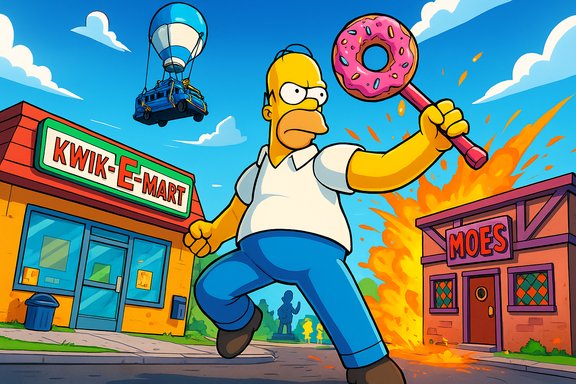
Fortnite is currently offline for scheduled maintenance as Epic Games deploys the v38.10 update — the Simpsons-themed mid‑season drop — and matchmaking, login, and game services have been disabled while servers receive the new build.
Background
Epic Games follows a long-established pattern for major content drops: a live event or timed trigger is used to end the previous map cycle, then services enter a scheduled maintenance window while the new map, assets, and rule changes are rolled out globally. This most recent downtime is part of that cadence and accompanies the v38.10 release tied to a Simpsons crossover, which brings Springfield‑themed content and cosmetic drops. The company’s public status service lists the maintenance window and the services affected; for v38.10 Epic posted a scheduled maintenance window beginning at 09:00 UTC with an estimated return at 10:30 UTC. That 90‑minute window is a typical target for Epic when the update size is moderate and CDN propagation is expected to be straightforward.What happened and why servers are down
When a major themed release like the Simpsons crossover goes live, Epic needs to ensure the client and server states are consistent worldwide. That requires:- Taking matchmaking and login services offline to prevent players from entering matches during the transition.
- Pushing a new server build and configuration that changes map geometry, playlist rules, spawn tables, and scripted events.
- Publishing large cosmetic assets (skins, emotes, textures) to content delivery networks (CDNs) so clients can download them as needed.
Why Epic takes matchmaking offline
Putting matchmaking and login behind a short downtime prevents split states where some players would see the “old” island while others are on the new Springfield map, and it avoids asset mismatch errors. It’s an operational tradeoff: a coordinated global window causes short, predictable disruption rather than prolonged, inconsistent behavior across regions.Timeline: How long will servers be down and when will they be back online?
Epic’s published ETA for this maintenance was 09:00–10:30 UTC for the v38.10 window, which translates to:- 09:00–10:30 UTC
- 05:00–06:30 EDT (US Eastern)
- 02:00–03:30 PDT (US Pacific)
- The official ETA is authoritative, but real‑world rollouts often use a staggered, region‑by‑region enablement method, so some players may regain access earlier than others.
- If Epic uncovers a post‑deploy issue (missing assets, broken mechanics, platform store propagation problems), they may issue hotfixes that temporarily extend the outage or require short reboots of services.
- Once Epic marks services as operational on their status page and posts a confirmation on the Fortnite Status account, matchmaking and logins generally resume for all regions within minutes.
What v38.10 (The Simpsons) brings — confirmed and reported elements
Multiple outlets and community reports indicate the v38.* releases are centered on The Simpsons crossover. The most commonly reported and most likely elements are:- A Springfield‑themed map area or cel‑shaded visual overlay grafted onto the island.
- New Battle Pass cosmetics featuring Homer, Marge, Bart, Lisa, and supporting characters.
- Simpsons‑inspired skins, emotes, and environmental set dressing (e.g., Kwik‑E‑Mart, Moe’s Tavern).
- Themed limited playlists and timed in‑match events referencing the show’s gags.
Platforms, compatibility and expected downloads
Epic’s maintenance and rollout affect all storefront and platform builds simultaneously when a global update is being deployed. The rollout for v38.10 was reported and expected to include:- PC (Epic Games Launcher)
- PlayStation 5 and PlayStation 4
- Xbox Series X|S and Xbox One
- Nintendo Switch and emergent Switch 2 builds
- Android storefront and sideloaded builds where applicable
- Free up disk space if console or PC storage is near capacity — large seasonal builds and cached cosmetic sets can push storage demands unexpectedly.
- On PC, ensure the Epic Games Launcher is updated to avoid launcher‑side blocks when the patch becomes available.
- On mobile/Android, confirm you have the correct storefront (Epic, Samsung, or alternate) and enough free space for the update.
How Epic communicates status — where to watch for authoritative updates
Epic’s official channels are the only authoritative sources for real‑time status:- The Epic Games Public Status page shows region‑level indicators for services such as Login, Matchmaking, and Game Servers and listed the v38.10 maintenance window.
- The Fortnite Status social feed (FortniteStatus) posts scheduled maintenance notices and the “services restored” confirmation. Community channels sometimes report successful logins before Epic posts the official “we’re back,” but the official channels are the final word.
- The Epic Games Launcher and in‑game maintenance screens sometimes include short messages about maintenance and redirect to the status page.
Technical analysis: what can go wrong and why downtimes overrun
Large, high‑profile launches carry multiple technical risks that can extend downtime beyond the estimated window:- Concurrency spikes and authentication queues. Millions of players trying to redownload assets or re‑authenticate simultaneously can create backlogs at identity or matchmaking services.
- CDN propagation delays. Large cosmetic and map assets must be seeded across many CDN edge locations. If edge caches lag or regional POPs miss critical objects, players can experience missing textures or client errors until caches refresh.
- Third‑party platform dependencies. PlayStation Network, Xbox Live, or mobile storefront delays are outside Epic’s control but can block players even after Epic’s servers are operational.
- Unanticipated gameplay regressions. New map scripting or asset interactions can cause functional bugs that require immediate hotfixes — sometimes forcing short repeat maintenance windows.
What to do while servers are down — practical, platform‑specific steps
Use the maintenance window productively and prepare for a swift return:- Verify Epic’s public status page and FortniteStatus feed for the official “services restored” message rather than relying on individual success reports.
- Free up storage on consoles and PC so any post‑maintenance client downloads complete quickly.
- Restart your console/PC and update the Epic Games Launcher before matchmaking is re‑enabled. This reduces the chance of launcher conflicts once the patch drops.
- If you’re on mobile, ensure you’re using the correct storefront and have automatic updates enabled where safe.
- Watch reputable streamers or verified creator channels for early looks at the new map and meta changes once regions begin going live — they’re useful for learning quickly, but treat streamer reports as anecdotal until Epic posts patch notes.
Troubleshooting after servers return
Even after Epic marks services operational, players can see transient issues. These are the most effective, standard steps:- Restart the client or console to ensure new assets are loaded.
- Apply any mandatory post‑deploy patch the launcher or store prompts for.
- Clear local cache or verify files on PC if you see missing textures or corrupted asset errors (platform‑specific steps apply).
- If login fails after status shows “Operational,” check platform services (PSN/Xbox Live) to rule out their outages.
- Avoid repeated forced login attempts in a short interval — rate limiting designed to protect services can block excessive retries during high‑traffic rollouts.
- If you see missing purchases or Battle Pass progress anomalies, document timestamps and open a support ticket with Epic; they’ll typically investigate and make case‑by‑case restorations when necessary.
Strengths and weaknesses of Epic’s deployment approach
Strengths:- Epic’s model creates shared cultural moments that drive engagement, viewer counts, and in‑game microtransactions. A simultaneous live event plus update creates immediate community momentum.
- Consolidated rollouts reduce the risk of inconsistent content states across regions once the global deployment completes.
- Epic’s public status systems and social feeds provide transparent, timely signposts for players.
- High concurrency on launch day concentrates risk — CDN, authentication, and platform storefront bottlenecks can magnify into multi‑hour user disruptions.
- External platform dependencies (Sony, Microsoft, Google) can undermine a perfectly executed Epic rollout if a third party has propagation or authentication problems.
- The pressure to maintain marketing timelines for licensed crossovers can favor launching on schedule over delaying for additional validation, which sometimes leads to immediate post‑launch hotfixes.
Final verdict and practical takeaways
Fortnite’s downtime for the v38.10 Simpsons drop is planned and expected — Epic targeted a 09:00–10:30 UTC maintenance window and disabled matchmaking beforehand to prepare for the update. The outage is part of Epic’s established live‑event + immediate content deployment playbook, which prioritizes spectacle and a synchronized global launch at the cost of a short, predictable outage. For players: treat the official Epic status page and the FortniteStatus feed as the primary sources of truth, free up device storage, update launchers and machines in advance where possible, and be ready to download a small post‑maintenance patch. If the downtime stretches past the ETA, remain patient; extended outages usually indicate Epic is addressing a rollout problem and will return services once it’s safe for global play.Epic is expected to publish full patch notes shortly after services come back online — those notes will confirm the final item lists, bug fixes, and any balance changes that accompany the Simpsons crossover. Until then, community reports and early streamer coverage provide useful previews but should be treated as provisional.
Epic’s approach keeps Fortnite at the center of pop‑culture moments, but it also concentrates technical risk during rollout windows; the company has the operational experience to manage these events, and its public status channels provide quick, verifiable signals for players waiting to jump back in.
Source: Windows Report Is Fortnite Server Down Right Now? When Will It Be Back Online?
