

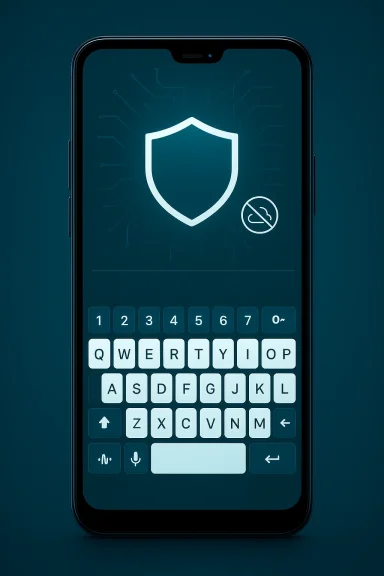
Fewer things on a phone feel as intimate — and as quietly invasive — as the keyboard under your thumbs, which is why a new generation of privacy‑first Android input methods is suddenly interesting: FUTO Keyboard promises a modern typing experience with everything running on your device, including speech recognition, predictive text, and autocorrect — no network required. (keyboard.futo.org)
Android ships with capable first‑party keyboards (Google’s Gboard, Samsung Keyboard) and a crowded third‑party market dominated by Gboard and Microsoft SwiftKey. Both mainstream options trade convenience for cloud‑assisted intelligence: large language or speech models and telemetry on remote servers help drive predictive typing and voice accuracy, but they also mean your keystrokes and spoken words may be processed — and logged — off‑device. For users who care about privacy, that tradeoff has long been the central annoyance of mobile text input. (keyboard.futo.org)
FUTO arrives as a response to that problem: an input method designed from the ground up to be offline‑first. The project integrates an on‑device speech‑to‑text pipeline (based on Whisper ecosystem tooling and mobile‑friendly conversions), local prediction models, configurable dictionaries, and an interface focused on practical typing features like a top number row and cursor arrow keys. The team distributes the keyboard through standard Android channels (Google Play, F‑Droid, direct APK), and provides a separate voice‑input component for users who want only the speech engine. The project is explicit about being alpha software — you should expect rough edges even as the core promise (no network connections) is central to its design. (keyboard.futo.org)
Why this matters: cloud speech engines are excellent, but they send raw audio or derived features to servers and expose metadata. FUTO’s offline pipeline keeps audio and transcription local, which reduces leak risk and removes a major privacy vector. Independent testers and community reporters have confirmed practical voice accuracy that is impressive for an entirely on‑device system — especially when you opt for larger downloadable models — though performance varies by phone hardware.
On licensing, there’s nuance. The code is publicly available in project repositories, but the project has used a non‑standard “Other” or source‑available license for some components rather than an unqualified FOSS license — a decision that has prompted community discussion. If you intend to redistribute or fork the project, read the repo license files carefully; the project’s maintainers document their licensing choices in the public repo and in community channels. (gitlab.futo.org)
There are tradeoffs. The cloud model benefits from enormous training data, continual updates, and low latency on commodity devices; on‑device models must be smaller, occasionally slower, and require user management for model downloads and updates. FUTO’s design accepts those constraints and exposes them as choices to the user, which is, on balance, a healthier position for privacy‑first tooling. (docs.keyboard.futo.org)
That said, it is not yet a polished, one‑click replacement for every user. If you depend on flawless swipe typing and the fastest autocorrect improvements — or if you deploy keyboards in conservative enterprise fleets — wait for later stable releases and perform device compatibility testing. The project’s licensing nuance also means that organizations with strict FOSS requirements should audit the repo license before embedding FUTO into managed images. (github.com)
Source: MakeUseOf This keyboard app finally made typing on Android feel... good
 Background
Android ships with capable first‑party keyboards (Google’s Gboard, Samsung Keyboard) and a crowded third‑party market dominated by Gboard and Microsoft SwiftKey. Both mainstream options trade convenience for cloud‑assisted intelligence: large language or speech models and telemetry on remote servers help drive predictive typing and voice accuracy, but they also mean your keystrokes and spoken words may be processed — and logged — off‑device. For users who care about privacy, that tradeoff has long been the central annoyance of mobile text input. (keyboard.futo.org)FUTO arrives as a response to that problem: an input method designed from the ground up to be offline‑first. The project integrates an on‑device speech‑to‑text pipeline (based on Whisper ecosystem tooling and mobile‑friendly conversions), local prediction models, configurable dictionaries, and an interface focused on practical typing features like a top number row and cursor arrow keys. The team distributes the keyboard through standard Android channels (Google Play, F‑Droid, direct APK), and provides a separate voice‑input component for users who want only the speech engine. The project is explicit about being alpha software — you should expect rough edges even as the core promise (no network connections) is central to its design. (keyboard.futo.org)
What FUTO actually does — a feature deep dive
Offline voice typing (Whisper‑compatible, on device)
FUTO’s most headline‑worthy claim is that voice‑to‑text works completely offline. The voice input component uses Whisper‑style models converted to mobile formats (ggml/whisper.cpp derivatives and fine‑tuned variants) so the heavy lifting happens on your phone rather than in the cloud. You can choose smaller, faster models for mid‑range phones or download larger models for better accuracy on powerful devices; the app exposes model management so users control the storage and performance tradeoffs. The official documentation and FAQ walk through where to obtain models and how to convert or finetune them if you want to invest in improvements. (docs.keyboard.futo.org)Why this matters: cloud speech engines are excellent, but they send raw audio or derived features to servers and expose metadata. FUTO’s offline pipeline keeps audio and transcription local, which reduces leak risk and removes a major privacy vector. Independent testers and community reporters have confirmed practical voice accuracy that is impressive for an entirely on‑device system — especially when you opt for larger downloadable models — though performance varies by phone hardware.
Predictive text, autocorrect, and typing feel
FUTO approaches prediction and correction using on‑device models and dictionaries. That means:- Autocorrect and word suggestions are computed locally, and you can opt between a simple English model and a multilingual transformer model.
- The keyboard learns from your typing on the device, and you can manage the personal dictionary inside the app.
- There are ergonomic layout choices many power typists want: a dedicated top number row, navigation arrow keys, and configurable keyboard height. These are small UX choices that dramatically affect editing speed compared with stock mobile keyboards that hide numbers behind symbol layers. (github.com)
Storage, models, and app size
One tradeoff for local speech and transformer‑based prediction is storage and compute. The core keyboard can be installed as a relatively compact APK, but voice models and optional transformer models increase disk usage substantially. The voice input APKs hover in the low‑hundreds of megabytes when you include larger Whisper‑derived models; FUTO’s documentation points users to a model downloads page and explains that larger models are more accurate but slower and heavier on RAM and CPU. That’s a deliberate design choice — the app gives users the option to pick the model that fits their device.Distribution, price and licensing
FUTO is available through the Google Play Store, F‑Droid, and as a direct APK. The project asks for a one‑time payment to remove in‑app payment prompts or to support the team; in the Play Store ecosystem the special “Payment for FUTO Keyboard” app has been listed at around $11.99 in some markets, while the keyboard works fully without paying (the payment removes nags and supports the team). The project’s website frames payments as voluntary contributions to keep the app ad‑free and sustainably developed. Be aware: the exact amount and the presence of a payment‑app can differ by region and store. (keyboard.futo.org)On licensing, there’s nuance. The code is publicly available in project repositories, but the project has used a non‑standard “Other” or source‑available license for some components rather than an unqualified FOSS license — a decision that has prompted community discussion. If you intend to redistribute or fork the project, read the repo license files carefully; the project’s maintainers document their licensing choices in the public repo and in community channels. (gitlab.futo.org)
Verified technical claims and how they check out
- Everything runs offline: FUTO’s website and documentation repeatedly assert that no input, telemetry, or speech data leaves the device by default, and the team has removed permissions that caused community concern about network metadata. The release notes explicitly describe removing the “Access network state” permission and state that model downloads are optional, under user control. These are verifiable statements in the project’s documentation and release history. (keyboard.futo.org)
- Voice input is Whisper‑derived and importable: The FAQ and troubleshooting docs point to a workflow that uses Whisper finetuning tooling (the project’s whisper‑acft repo and conversion scripts) and instruct users how to import converted ggml models. Community mirrors, model posts on Hugging Face, and multiple independent writeups corroborate this technical approach. That means the “Whisper family” ecosystem is central to the voice engine’s architecture. (docs.keyboard.futo.org)
- Predictive text relies on on‑device transformer/dictionary choices: The docs make clear you can enable or disable transformer‑style models and opt for a basic dictionary model. The release notes discuss the design tradeoffs (battery, speed, and the decision to remove finetuning features that caused instability). That’s consistent across the project’s GitHub and docs. (github.com)
- App maturity and alpha status: The official website and download pages repeatedly call FUTO “alpha.” Expect bugs, missing features, and intermittent instability. If you need rock‑solid production typing reliability today, that’s an important caveat. (keyboard.futo.org)
Strengths — where FUTO shines
- Real privacy: On‑device processing for both typing and speech removes a common risk vector for mobile input. For users de‑googling their phones or avoiding cloud ASR, this is the clearest practical advantage. (keyboard.futo.org)
- Practical keyboard features: The dedicated number row, navigation arrows, and configurable key actions are quality‑of‑life wins that many power users miss in mainstream keyboards. These features reduce friction during editing and feel like thoughtful product design rather than privacy compromises. (github.com)
- Control over performance vs accuracy: By letting users choose model sizes, FUTO acknowledges real hardware variation across Android devices. You can pick the tradeoff that works for you instead of being forced into a cloud model that is fast but non‑private. (docs.keyboard.futo.org)
- Interoperability: The voice input app can be used with other keyboards that support the Android voice IME APIs, enabling conservative adoption paths (install the voice IME, keep your existing keyboard).
- Active, public development: The project maintains release notes and community channels, and the repository shows active contributions; development is transparent about feature decisions and regressions. (github.com)
Risks, limitations and what to watch for
- Alpha instability: The app is labeled alpha and the project warns of bugs and crashes. Alpha status is not uncommon for ambitious apps, but it should temper expectations — production users or those reliant on flawless swipe typing may find rough edges. (keyboard.futo.org)
- Resource use (battery & storage): Large voice models consume storage and CPU during inference. On older phones, speech recognition can lag and be battery‑intensive; you may need to select smaller models or accept slower performance for better accuracy. The docs emphasize this tradeoff. (docs.keyboard.futo.org)
- Autocorrect & swipe parity: Community testing shows the autocorrect and swipe engine still trails the multi‑year datasets that power Gboard and SwiftKey. That means occasional over‑ or under‑corrections and less reliable long‑word swipe recognition until the model adapts or the developers refine swipe algorithms. Expect an initial learning curve. (github.com)
- Licensing ambiguity (source‑available vs FOSS): While code is publicly visible, some components use non‑standard license terms. If you need a fully permissive FOSS license for redistribution or formal audits, read the repository license files carefully. Community debate has arisen about the project’s licensing phrasing and the payment model; the team documents their stance, but the nuance matters for integrators. (gitlab.futo.org)
- Edge cases & compatibility: Some apps and OEM skins implement input APIs idiosyncratically. The project has made engineering changes (like avoiding the Android composing API in some languages) to mitigate duplication and compatibility bugs, but you may still encounter flaky behavior in specific app/ROM combinations. The release notes and issue tracker are active and explicit about ongoing fixes. (github.com)
Practical guidance for users and IT pros
If you’re considering FUTO as a daily driver, here’s a practical checklist and step plan.- Evaluate hardware: Identify your phone model and CPU architecture; prefer devices with at least mid‑range performance if you intend to use heavier speech models.
- Try the keyboard first, unpaid: Install the keyboard and configure it as an alternative IME. Use the built‑in smaller voice model (or skip voice initially) to test typing responsiveness.
- If voice matters, test models: Download the smallest voice model first and try dictation in your typical environments. If accuracy is insufficient and your device is powerful enough, test a larger model and monitor battery and responsiveness.
- Configure privacy and dictionary settings: Turn on/off transformer models based on performance, disable any online sync options (the project defaults offline), and curate your personal dictionary rather than relying on automatic imports.
- Keep a recovery plan: If you rely on enterprise apps or critical workflows, make sure you can switch back to a production‑grade keyboard quickly if you encounter compatibility issues.
How FUTO fits into the broader mobile privacy landscape
FUTO is part of a clear trend: users and developers are re‑asserting control over sensitive on‑device signals (keystrokes, voice), and open‑tooling (Whisper derivatives, ggml, whisper.cpp) has made on‑device ASR feasible at phone scale. This movement is both technical and cultural — it’s a pushback to the default assumption that large‑scale accuracy requires cloud processing and centralized data collection.There are tradeoffs. The cloud model benefits from enormous training data, continual updates, and low latency on commodity devices; on‑device models must be smaller, occasionally slower, and require user management for model downloads and updates. FUTO’s design accepts those constraints and exposes them as choices to the user, which is, on balance, a healthier position for privacy‑first tooling. (docs.keyboard.futo.org)
Alternatives and when to choose them
- Pick Gboard or SwiftKey if: you want the sharpest out‑of‑the‑box swipe accuracy, cloud‑assisted contextual predictions, and worry less about server‑side processing.
- Pick FUTO if: local speech transcription, on‑device suggestions, and avoiding sending keystrokes/audio to corporate servers are your priorities — and you accept the alpha/maturation tradeoffs.
- Consider other privacy keyboards (FlorisBoard, HeliBoard, OpenBoard) if you want smaller, clearly licensed FOSS projects with different feature sets; some prioritize minimalism and permissive licensing over integrated offline ASR. When comparing, check license type, model integration, and whether voice input is an official, supported feature or an experiment.
Final assessment: who should (and shouldn’t) install FUTO today
FUTO’s core promise — a modern, capable keyboard that truly keeps your typing and voice local — is real and technically verifiable: the project documents the offline voice models, has removed network permission controversies, and publishes an explicit alpha‑status roadmap. For privacy‑first adopters who are willing to trade some polish for control, FUTO is one of the most compelling Android keyboard projects available. (keyboard.futo.org)That said, it is not yet a polished, one‑click replacement for every user. If you depend on flawless swipe typing and the fastest autocorrect improvements — or if you deploy keyboards in conservative enterprise fleets — wait for later stable releases and perform device compatibility testing. The project’s licensing nuance also means that organizations with strict FOSS requirements should audit the repo license before embedding FUTO into managed images. (github.com)
Quick reference: what to know in 90 seconds
- FUTO is an offline‑first Android keyboard with integrated on‑device voice input; data and audio are processed locally. (keyboard.futo.org)
- Voice recognition is based on Whisper‑style models converted for mobile; you can download models of varying sizes to balance accuracy and performance. (docs.keyboard.futo.org)
- The keyboard adds practical features missing from many mainstream keyboards: a top number row, arrow keys, clipboard history, and configurable actions. (github.com)
- It’s actively developed but in alpha; expect bugs and occasional instability. (keyboard.futo.org)
- Licensing is source‑available with nuances; read the repository license if redistribution or legal clarity is required. (gitlab.futo.org)
Conclusion
FUTO Keyboard is the most meaningful attempt in recent memory to reconcile modern typing expectations with strong on‑device privacy. It doesn’t pretend to beat Gboard or SwiftKey at the scale they operate — instead, it promises something rarer: the same familiar features with tangible privacy guarantees. For privacy advocates, degooglers, and anyone who wants their voice and keystrokes to stay on the handset, FUTO is worth a careful trial. If you decide to switch, plan for a short adjustment period while the keyboard learns your idiosyncrasies and pick voice models appropriate to your device’s capabilities. The result is a keyboard that finally makes typing on Android feel good — for users who value control as much as convenience. (keyboard.futo.org)Source: MakeUseOf This keyboard app finally made typing on Android feel... good
