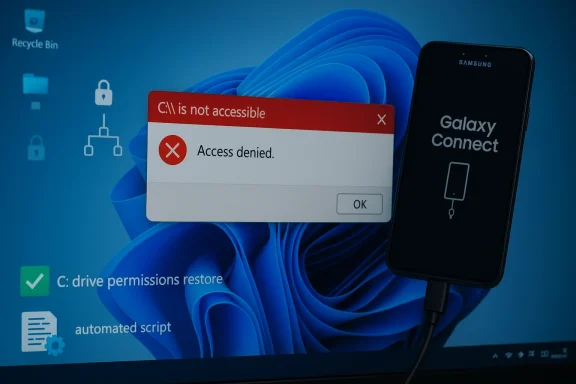
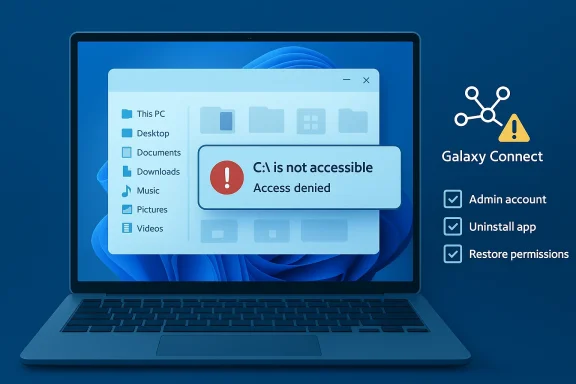
Microsoft and Samsung have confirmed that a buggy version of the Samsung Galaxy Connect application distributed through the Microsoft Store caused a subset of Samsung Galaxy Book 4 and desktop systems running Windows 11 to report the frightening error “C:\ is not accessible – Access denied,” effectively locking users out of their system drive and breaking everyday workflows. dting widespread failures in early March 2026, when machines showed an “Access denied” message for the C: system volume and many standard apps stopped launching. Early troubleshooting pointed at recent servicing activity — March’s Patch Tuesday rollup shipped on March 10, 2026 — but Microsoft and Samsung’s joint investigation concluded the immediate cause was not the Microsoft cumulative update itself, but a problem tied to Samsung’s Galaxy Connect application.
Microsoft’s public guidance states the operations — opening files, launching applications (including Office and browsers), or attempting administrative tasks such as elevating privileges or uninstalling updates — and that, in affected cases, standard recovery actions can fail due to permission failures. To stop new installs, Microsoft temporarily removed the Samsung Galaxy Connect app from the Microsoft Store while Samsung republished a previous (stable) version.
Microsoft framed the incident as a joint investigation with Samsung that identified the Samsung Galaxy Connect application as the root cause for the specific “C:\ is not accessible – Access denied” symptom cluster. Microsoft emphasized that the timing around March’s Patch Tuesday was coincidental in the sense that the Windows update itself was not the direct cause. Microsoft temporarily removed the app from the Microsoft Store and said it is collaborating with Samsung on fixes, while directing affected users to Samsung’s support channels for device-specific recovery guidance.
Samsung’s actions — republishing a prior stable version — indicate the OEM accepted at least a functional regression in the version distributed via the Store; however, the companies proviblicly about the specific internal defect or the mechanism by which the app altered system permissions on the C: volume. That lack of low-level technical detail leaves room for speculation about the precise failure mode.
Possible mechanisms:
Before you act: if your device is affected, do not perform destructive operations (such as repartitioning or immediate full-disk formatting) until you have exhausted non-destructive recovery attempts. If you cannot access the C: drive but can still boot to the OS or to recovery tools, follow these steps in order.
--ft Store distribution matters
This incident raises deeper questions about the risk model for vendor-supplied system utilities distributed through platform app stores.
Until a formal root-cause analysis is released, enterprises should treat privileged vendor-supplied store apps as a potential risk vector, implement tighter controls around automatic updates for such apps on managed endpoints, and insist on transparent post‑incident reporting from OEMs and platform vendors alike. The technical community should push for clearer platform-levevte from taking down core OS functionality — because in a world where an app can revoke access to C:\, the concept of "safe" OS extensions needs urgent reinforcement.
Source: theregister.com Microsoft blames Samsung for C:\ drive problems
Microsoft’s public guidance states the operations — opening files, launching applications (including Office and browsers), or attempting administrative tasks such as elevating privileges or uninstalling updates — and that, in affected cases, standard recovery actions can fail due to permission failures. To stop new installs, Microsoft temporarily removed the Samsung Galaxy Connect app from the Microsoft Store while Samsung republished a previous (stable) version.
 What happened, in practical terms
- Affected models were concentrated amod desktop SKUs — notably Galaxy Book 4 variants and several DM/NP desktop and notebook models — running Windows 11 versions 24H2 and 25H2. Reports across community forums and vendor channels clustered on the same hardware lines.
- Symptoms were dramatic and immediate: attempts to open the C: root in File Explorer returned “Access dions failed to launch, elevation requests (UAC) could fail, and in some scenarios uninstalling updates or collecting diagnostic logs was impossible because the operating system itself returned permission failures.
- Microsoft and Samsung’s coordinated response was to pull the offending app from the Microsoft Store to prevent further msung republished a previously stable build to halt recurrence for systems that had not yet been affected. For systems already impacted, Microsoft cautioned that recovery options remain limited and referred device owners to Samsung’s support channels for device-specific assistance.
Why this is a high-severity problem
The C: drive is typically the system volume where Windows and user applications live; losing access ables a Windows installation without necessarily damaging data. That makes this incident high-impact for several reasons:- Immediate loss of productivity: Outlook, Microsoft Office, browsers, and utilities become unavailable when access to the system volume is denied.
- Administrative paralysis: If UAC elevation, event log collection, or update uninstallation fail, IT teams have fewer remediation options.
- Risk of data loss: While no large-scale data corruption was publicly confirmed at the time of reporting, inability to use standard recovery tools raises the risk that poorly executed recovery attempts could lead to data loss.
- Supply-chain trust erosion: The app was delivered via the Microsoft Store — the trusted distribution channel many users assume is safe — which amplifies questions about vetting and post‑publish monitoring of OEM-supplied utilities.
Microsoft framed the incident as a joint investigation with Samsung that identified the Samsung Galaxy Connect application as the root cause for the specific “C:\ is not accessible – Access denied” symptom cluster. Microsoft emphasized that the timing around March’s Patch Tuesday was coincidental in the sense that the Windows update itself was not the direct cause. Microsoft temporarily removed the app from the Microsoft Store and said it is collaborating with Samsung on fixes, while directing affected users to Samsung’s support channels for device-specific recovery guidance.
Samsung’s actions — republishing a prior stable version — indicate the OEM accepted at least a functional regression in the version distributed via the Store; however, the companies proviblicly about the specific internal defect or the mechanism by which the app altered system permissions on the C: volume. That lack of low-level technical detail leaves room for speculation about the precise failure mode.
How a third-party app can cause C: access problems (technical possibilities)
It’s important to distinguish what is known from what is plausible. Microsoft and Samsung attribute the problem to the Galher vendor published a detailed root-cause technical breakdown at the time of these reports. The following is a technical survey of plausible mechanisms — not confirmed facts — that would explain how an application could trigger “Access denied” on C:. Treat these as diagnostic hypotheses until Microsoft or Samsung publish a formal post‑mortem.Possible mechanisms:
- The app modifies the NTFS ACL (Access Control Lists) on the C:\ root or key system folders, either via system calls (SetNamedSecurityInfo, SetFileSecurity) or shell utilities (icacls), and those modifications remove required permissions from built-in accounts like SYSTEM or Administrators. Such a change would instantly cause “Access denied” behavior for many operations.
- The app installs or modifies a file system filter driver that inadvertently alters access semantics or fails to enumerate ACLs properly during access checks.
- The app manipulates mount points (repointing C:\ to another mount or to a folder junction) or interferes with volume mount manager behavior so that the OS believes the volume is not the expected system volume.
- The app interacts with security or encryption layers (e.g., OEM-managed “secure folder” features) and leaves the system in a state where standard accounts can’t access files. Conflicts with device encryption/BitLocker or OEM-provided encryption wrappers could produce similar symptoms.
- The app writes to critical registry keys governing user capability consent or the Capability Access Manager, causing system services to enforce stricter, erroneous denials across the OS.
- A poorly implemented service running as Local System could corrupt the Master File Table (MFT) or create file handle contention, causing NTFS to fail access checks; this would more likely result in filesystem errors rather than a straightforward “Access denied” message.
Recovery: what affected users and IT admins can (and should not) do
Microsoft and Samsung both warned that recovery options for already-impacted devices are limited. That said, IT professionals and power users can follow attempt recovery while minimizing the risk of irreversible data loss.Before you act: if your device is affected, do not perform destructive operations (such as repartitioning or immediate full-disk formatting) until you have exhausted non-destructive recovery attempts. If you cannot access the C: drive but can still boot to the OS or to recovery tools, follow these steps in order.
- Document symptoms and capture logs if possible:
- If any elevated command prompt or PowerShell session can be opened, run basic diagnostics (whoami, icacls C:\, dir C
 and record outputs. Even a screenshot with errors can be valuable when working with support.
 - Boot to Windows Recovery Environment (WinRE) or Safe Mode:
- If Safe Mode is available, test whether C: becomes accessible there. Safe Mode reduces the number of drivers and third‑party services loaded; if the problem disappears in Safe Mode, a third‑party component is likely the culprit.
- Use System Restore or uninstall recent app updates:
- If you can access WinRE, try “Uninstall latest quality update” or use System Restore to revert to a pre‑incident point. This may not always work if permission checks are blocking the operation.
- Remove the offending app (if possible):
- If Galaxy Connect appears in Apps & Features and can be uninstalled, remove it. If you cannot uninstall from the running OS, try WinRE → Command Prompt to remove the app package or the installed service CL repair cautiously:
- Senior admins can try restoring ACLs using icacls or secedit to reset system permissions to defaults, but this is a high-risk operation. Always back up the system state or create disk images before changing ACLs across the system volume.
- Boot from external recovery media for forensic steps:
- If the OS cannot be repaired from inside, boot from trustworthy external media (Windows PE, Linux live USB) and mount the disk as a data volume. This approach lets you copy critical files out before attempting in-place repairs. Do not run automated repair tools that format partitions without explicit inspection.
- Engage Samsung support and, if necessary, scheduled service:
- Microsoft directed users to Samsung’s support channels for device‑specific assistance because OEMs often include recovery images or dedicated repair steps for their models. Samsung republished a stable Galaxy Connect build to prevent new installs, but systems already affected may require repairs that only Samsung’s service teams can provide.
--ft Store distribution matters
This incident raises deeper questions about the risk model for vendor-supplied system utilities distributed through platform app stores.
- Many users assume apps published in the Microsoft Store are vetted against severe failure modes. When an OEM-updated app distributed via the Store causes system-level damage or blocks access to OS resources, it undermines that trust.
- OEM utilities often run with elevated privileges or install background services and drivers to integrate hardware features. That privilege model increases potential impact when an update contains a regression.
- The Store’s automatic update behavior means problematic builds can propagate quickly — particularly on consumer machines where users do not routinely block app updates — accelerating the scope of the incident. Microsoft’s immediate removal of the app from the Store is the correct containment step, but it is reactive and does not fix already-affected endpoints.
Vendor responsibility and the supply-chain angle
The Samsung-Microsoft exchange illustrates a broader supply-chain reality: OS veooperate on app-level quality and distribution policies. Key responsibilities include:- OEMs must exercise rigorous QA on utilities that modify system state, especially those granted elevated privileges or drivers.
- Platform providers must ensure pre-publish checks include scenarios that verify ACL integrity and guardrails against code that can change system volume ACLs or mount behavior.
- Both parties should have accelerated rollback paths and telemetry to detect and automatically halt distribution of builds that trigger high-severity failures on real devices.
Strengths and weaknesses of the response so far
Strengths- Microsoft and Samsung acted quickly to prevent further installs by removing the app from the Store and republishing a previous build. That mitigating step likely stopped new infections and prevented the issue from becoming exponentially worse. een a platform vendor and an OEM was transparent at a high level — Microsoft publicly acknowledged the investigation and directed users to Samsung for device-specific recovery help, rather than leaving users guessing.
- Lack of a clear technical disclosure leaves admins and security professionavel artifacts needed to validate claims or construct robust mitigations. The absence of a published root-cause report increases uncertainty and the potential for repeat incidents.
- Recovery options are constrained and, for many users, rely on vendor support channels or potentially data-destructive steps. That’s an operational risk for consumers and enterprises alike.
- The incident highlights a systemic weak point in relying on Store-distributed OEM utilities with elevated privileges; automatic updating increases blast radius and reduces IT control in unmanaged environments.
Practical recommendations (short-term and strategic)
For affected end users- Contact Samsung support immediately and document all symd any recent app updates. Preserve logs and screenshots.
- If possible, boot to WinRE and remove recent app updates or restore the system to an earlier restore point.
- If data is critical, prioritize mounting the drive in an external environment and copying files before aggressive repair attempts.
- Block automatic updates for Store apps on managed Samsung devices until vendors publish detailed guidance.
- Isolate affected endpoints from sensitive networks and preserve disk images for forensic review.
- Consider applying application whitelisting or endpoint controls that prevent OEM utilities from modifying ACLs on system volumes.
- Publish a formal root-cause analysis that explains the exact sequence of operations and the code path that produced the ACL/permission failure.
- Harden Store vetting and runtime telemetry for privileged OEM apps; add automated checks for suspicious system-volume ACL changes after app installs.
- Provide a documented rollback mechanism for OEM apps that can be invoked by the platform provider in emergencies to remotely restore a safe prior state when a published app causes systemic harm.
What to watch for next
- A formal, technical post‑mortem from Samsung or Microsoft that explains whether the Galaxy Connect app changed ACLs, installed a faulty driver, or invoked another mechanism will be essential to close the investigative loop.
- If similar incidents appear on other OEMs’ Store apps, that would indicate systemic vetting or runtime-monitoring gaps in the Store pipeline.
- Enterprise management tooling vendors (MDM, EDR) are likely to release detection signatures or mitigation guidance — watch for those and apply vendor-recommended patches or policies promptly.
Final assessment
This incident is a painful reminder that even trusted distribution channels are not immune to high-impact regressions when OEM utilities run at system privilege and interact with low-level platform APIs. Microsoft and Samsung took the immediate, necessary containment step by halting distribution and rolling back to a previous app version, but the user impact on already-affected devices — notably administrative impotence and blocked access to the system volume — remains a serious problem for which robust, actionable recovery guidance is still limited.Until a formal root-cause analysis is released, enterprises should treat privileged vendor-supplied store apps as a potential risk vector, implement tighter controls around automatic updates for such apps on managed endpoints, and insist on transparent post‑incident reporting from OEMs and platform vendors alike. The technical community should push for clearer platform-levevte from taking down core OS functionality — because in a world where an app can revoke access to C:\, the concept of "safe" OS extensions needs urgent reinforcement.
Source: theregister.com Microsoft blames Samsung for C:\ drive problems