

Garmin users are about to get a far more conversational — and potentially controversial — way to interrogate their fitness and health history: community-built connectors are bringing Garmin Connect data into the same AI chat environments that already power assistants like ChatGPT and Claude, letting you ask natural-language questions about sleep, training load, HRV, VO2 Max and more without digging through charts or exports.
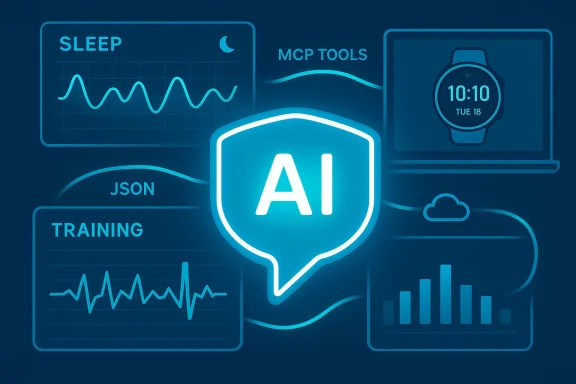
The last 12–18 months have seen a rapid shift from dashboards and static charts toward conversational access to personal data. Companies and independent developers alike are exposing wearable and medical data to large language model (LLM) agents using a common interoperability layer called the Model Context Protocol (MCP). That protocol makes it practical to stand up a small server that advertises a set of tools (APIs) your AI assistant can call to retrieve structured, contextualized data from services like Garmin Connect.
What’s new today is not that people can extract Garmin data — but that a family of projects and apps are packaging those extractions as MCP servers and desktop/mobile clients that let modern AI assistants answer questions such as “How well did I sleep last week?” or “Is my training load trending up or down?” The result is a conversational front end for your Garmin data that can summarize, trend, and even provide recovery suggestions, using either cloud LLMs (ChatGPT, Claude, Gemini, etc.) or local models running on your own machine.
This article maps the current landscape, explains how the connectors work, evaluates the clear benefits for athletes and health-conscious users, and — critically — lays out the security, privacy, and safety risks you must consider before handing an AI your biometric history. Where claims or numbers in early coverage appear imprecise, I flag them and explain how to verify them yourself.
That potential, however, comes with real tradeoffs. If you value privacy, run connectors locally with local models. If you rely on cloud-hosted convenience, vet the operator, rotate tokens regularly, and treat model output as guidance, not clinical advice.
The ecosystem is moving fast: open MCP standards make building connectors easy, and multiple community projects already let you chat with your Garmin data. Use the capability to make better decisions, but be mindful about where the data flows and who controls the connector. If you follow the best practices listed here — minimal privileges, local models where possible, and a cautious stance on medical claims — conversational Garmin analytics can be a powerful, safe addition to your training toolbox.
Conclusion: conversational access to Garmin data via MCP-based connectors is now practical and increasingly polished. It elevates wearable analytics from charts to chat — but it also requires new operational discipline. If you’re excited to try it, favor local deployments or audited projects, understand exactly which tools a connector exposes, and keep a security-first mindset while you let an AI interpret your most personal biometric signals.
Source: Digital Trends You will soon be able to talk extensively about your Garmin health data with an AI
 Background / Overview
The last 12–18 months have seen a rapid shift from dashboards and static charts toward conversational access to personal data. Companies and independent developers alike are exposing wearable and medical data to large language model (LLM) agents using a common interoperability layer called the Model Context Protocol (MCP). That protocol makes it practical to stand up a small server that advertises a set of tools (APIs) your AI assistant can call to retrieve structured, contextualized data from services like Garmin Connect.What’s new today is not that people can extract Garmin data — but that a family of projects and apps are packaging those extractions as MCP servers and desktop/mobile clients that let modern AI assistants answer questions such as “How well did I sleep last week?” or “Is my training load trending up or down?” The result is a conversational front end for your Garmin data that can summarize, trend, and even provide recovery suggestions, using either cloud LLMs (ChatGPT, Claude, Gemini, etc.) or local models running on your own machine.
This article maps the current landscape, explains how the connectors work, evaluates the clear benefits for athletes and health-conscious users, and — critically — lays out the security, privacy, and safety risks you must consider before handing an AI your biometric history. Where claims or numbers in early coverage appear imprecise, I flag them and explain how to verify them yourself.
How these Garmin-to-AI connectors actually work
MCP in a nutshell
The Model Context Protocol (MCP) is an open standard that defines how an AI client (a chat assistant or agent) discovers and calls external “tools” presented by an MCP server. Put simply:- An MCP server advertises a set of named tools and their input/output schemas.
- An MCP-aware AI client discovers those tools and can call them dynamically as part of a conversation.
- Each tool call returns structured JSON data the model can use to generate a natural-language response.
Two implementation patterns you’ll see
- Local desktop client approach (client-side):
- A Windows/macOS app logs into your Garmin Connect account on your device or pulls data that’s been synced to your PC.
- The app runs a local MCP server (or an adapter) that exposes tools to a locally running LLM or to cloud-based assistants you authorize.
- Advantage: data can remain on your machine; you can use local models to keep everything private.
- Cloud-hosted MCP server (server-side):
- You deploy an MCP server to a cloud host (or use a hosted instance) and supply credentials or tokens that allow it to fetch your Garmin Connect data.
- The server then exposes a private tokenized URL that AI apps use to call your tools.
- Advantage: convenient, works across devices and mobile clients; disadvantage: your Garmin credentials and the health payload transit or reside on a third-party server unless you control it.
What data is typically exposed
Connector implementations vary, but the functional categories are consistent. A representative MCP-based Garmin connector will expose tools for:- Daily overviews and multi-metric summaries (sleep + activity + recovery)
- Sleep analytics (stages, duration, sleep score, epoch data)
- Heart-rate / HRV time series and summary statistics (resting HR, max HR)
- Training & activity details (per-workout splits, tempo, power/pace, elevation)
- Training volume and trend analysis (weekly/monthly aggregations, sport-specific breakdowns)
- Body metrics (weight / body composition) and wellness metrics (stress, body battery)
Why this matters — from convenience to coaching
There are three practical benefits that make these connectors appealing right away:- Natural-language access: Instead of hunting through multiple tabs, you ask “Did my sleep score improve after I cut caffeine?” and get a tailored, cross-metric answer that cites the right time window and metrics.
- Contextual trend detection: LLMs can synthesize weeks or months of data into human-readable trends, spotting upward or downward trajectories and flagging anomalies such as abrupt HR spikes or sudden drops in training load.
- Actionable suggestions: Paired with recovery and training-load metrics, an AI can suggest when to rest, alter intensity, or adjust nutrition — effectively acting as a conversation-driven coach or data analyst.
The current landscape: official features vs. third-party solutions
- Garmin itself has been moving toward AI-driven features in its official ecosystem (premium “Connect+” features and Active Intelligence style insights are examples). Those are curated by Garmin and remain under the company’s control.
- Independently developed connectors (open-source MCP servers and desktop apps) are being built and published by community developers and small teams. These are not official Garmin products, but they tap the same Garmin Connect data you already own.
- Cloud AI vendors are embracing MCP or MCP-compatible connectors, which means a single MCP server can work with multiple AI platforms if the apps support MCP or the vendor’s app SDK.
Security and privacy: the tradeoffs and real risks
Conversational access to health data is powerful — and that power brings risks that deserve careful attention.Major risks to understand
- Data exposure: Cloud-hosted MCP servers may store or transmit your Garmin credentials or tokenized data. If those servers are compromised, your biometric history can leak.
- Unexpected sharing: An MCP server could log calls or forward data to third parties (analytics, crash reporters, or model APIs) unless the project explicitly avoids such behavior.
- Prompt injection & tool misuse: Because MCP lets models call tools, cleverly crafted inputs can trick the server into returning or executing unintended data. Some MCP server implementations have previously contained bugs that allowed broader attacks when chained with other tools.
- Remote-code-execution (RCE) vectors: Security researchers have demonstrated that poorly written MCP servers — especially ones that expose auxiliary “tool” capabilities like file I/O — can be chained to escalate to more severe vulnerabilities.
- Regulatory and medical risk: Automated health advice has limits. Advisors should not treat model-generated diagnostic claims as medical consultation. Misinterpreted metrics could lead users to make unsafe training or health decisions.
What to look for when choosing a connector
- Does the project publish a clear security & privacy policy (and is it enforced)? Look for an explicit privacy.md and a statement that the server does not log or transmit data to third parties.
- Is the MCP server open-source and actively maintained? Active maintenance, issue triage, and an engaged community reduce the risk of lurking vulnerabilities.
- Can you run the connector locally, and/or can you choose a local LLM provider (e.g., Ollama)? Local-only operation dramatically reduces exposure.
- Does the connector use secure credential handling best practices? Environment variables, .env files kept out of version control, and not hardcoding credentials in config are minimum requirements.
- If the service is cloud-hosted, who runs it, and how are tokens handled? Prefer services where you control the token and can revoke it.
Practical setup: how a technically comfortable user might connect Garmin -> AI
- Choose your connector:
- Option A: Install a local desktop app that supports Garmin (for example, a community desktop app that offers an “Ollama/local model” option).
- Option B: Deploy a self-hosted MCP server (Node.js/TypeScript or Python implementations exist) on a VPS or home server.
- Secure credentials:
- Use environment variables or a .env file that is gitignored.
- Do not commit API keys, Garmin usernames, or passwords to any public repo.
- Configure MCP client:
- Register the MCP server with your AI client (Claude Desktop, ChatGPT Apps where MCP is supported, or other MCP-compatible clients).
- Provide the local path or the private tokenized URL the MCP server returns.
- Select the model:
- For maximum privacy, choose a local model (Ollama or similar).
- If using cloud LLMs, understand the vendor’s retention and training policies.
- Test with safe queries:
- Start with non-sensitive queries — "Show my last 3 running activities" — until you confirm behavior and logging.
- Monitor and revoke:
- If you ever suspect misuse, delete tokens and rotate credentials. For cloud-hosted servers, terminate the instance and revoke any stored tokens.
Best-practice mitigations — how to reduce risk
- Prefer local-only operation for sensitive data. Running both the MCP server and the LLM locally means your biometric data never leaves your machine.
- Use short-lived tokens and the principle of least privilege. Don’t hand over credentials with global access if the server supports scoped tokens.
- Audit the server’s code or choose projects with independent security reviews. Avoid servers that bundle third-party telemetry or closed-source binaries with no transparency.
- Treat AI suggestions as advisory, not authoritative. If the model suggests a health action or diagnosis, consult a qualified professional before making changes.
- Keep software up to date. MCP and connector code are new enough that security fixes are frequent; patching matters.
Who should use these connectors — and who should not
- Good candidates:
- Experienced athletes and coaches who want fast, conversational access to training analytics.
- Power users comfortable with self-hosting or willing to review code and control tokens.
- Users who pair local models with local servers and prioritize privacy.
- Poor candidates:
- Casual users who will rely on cloud-hosted, third-party MCP endpoints without understanding token management.
- People seeking medical diagnosis or treatment plans from an AI; LLMs are not substitutes for clinicians.
- Users who cannot or will not manage credentials and revocation — you need basic ops hygiene to use third-party connectors safely.
The vendor context: why big companies are moving in
There are two drivers pushing vendors and developers toward conversational wearable analytics:- User demand: People are already conversing with assistants for everyday queries; wearables produce rich data that’s ripe for conversational summarization.
- Platform advantage: Companies that can combine clinical sources, EHRs, and wearables into a trustworthy assistant position themselves for enterprise and consumer health markets. Microsoft’s Copilot Health and similar initiatives by big tech are explicit examples.
Technical and safety questions still open (and how to verify them)
- Exact feature counts and tool lists: many articles quote numbers like “16 tools in five categories.” That’s a reasonable headline summarization for some connectors, but the precise count differs by implementation. If you need a definitive list, inspect the connector’s MCP "tools" manifest or its README where the available tools are enumerated.
- Who can see your data: whether data leaves your machine depends on deployment choices. If using a cloud-hosted MCP server you don’t control, assume the data passes through or is stored there unless the operator explicitly states otherwise.
- Security posture: MCP is new and powerful; researchers have already found and reported vulnerabilities in some MCP server codebases. Before deploying anything publicly, look for security advisories, CVEs, or community audits for the specific MCP project you plan to use.
Practical examples of conversational queries (what to expect)
- “Summarize my last 7 days of sleep and tell me whether my recovery is trending up.”
- “List my five longest runs in the last 90 days and show average pace and heart-rate zones.”
- “Based on my last three high-intensity workouts and current HRV, should I plan a rest day before Sunday?”
- “Show weekly training volume for cycling vs. running for the last three months.”
Final verdict: useful — but proceed deliberately
Bringing Garmin Connect into conversational AI environments is a big usability win. It turns raw logs into human-centered explanations and gives athletes a convenient way to explore trends and unusual patterns.That potential, however, comes with real tradeoffs. If you value privacy, run connectors locally with local models. If you rely on cloud-hosted convenience, vet the operator, rotate tokens regularly, and treat model output as guidance, not clinical advice.
The ecosystem is moving fast: open MCP standards make building connectors easy, and multiple community projects already let you chat with your Garmin data. Use the capability to make better decisions, but be mindful about where the data flows and who controls the connector. If you follow the best practices listed here — minimal privileges, local models where possible, and a cautious stance on medical claims — conversational Garmin analytics can be a powerful, safe addition to your training toolbox.
Conclusion: conversational access to Garmin data via MCP-based connectors is now practical and increasingly polished. It elevates wearable analytics from charts to chat — but it also requires new operational discipline. If you’re excited to try it, favor local deployments or audited projects, understand exactly which tools a connector exposes, and keep a security-first mindset while you let an AI interpret your most personal biometric signals.
Source: Digital Trends You will soon be able to talk extensively about your Garmin health data with an AI
