

CNX Software’s June 22, 2026 Windows 11 Pro testing of the GEEKOM A7 2026 Edition found a compact AMD Ryzen 5 7545U mini PC with strong CPU, storage, USB4, 2.5GbE, and Wi-Fi 6 throughput, but weaker graphics performance, poor 8K60 playback, and intermittent wireless instability. That is the kind of verdict that matters more than another synthetic benchmark chart. The A7 2026 Edition is not a bad machine; it is a well-equipped one whose compromises are concentrated exactly where small PCs most often pretend they have none. For Windows users and small-office buyers, the story is less “Ryzen mini PC is fast” than “configuration choices still decide whether fast silicon feels premium.”
The GEEKOM A7 2026 Edition arrives as the sort of mini PC spec sheet that has become almost routine in 2026: Windows 11 Pro, AMD Ryzen silicon, USB4, 2.5GbE, Wi-Fi 6E, dual HDMI, and enough ports to make a laptop dock feel redundant. CNX Software’s second review installment moves past the unboxing and teardown to the question buyers actually care about: does the thing behave like a dependable Windows desktop?
On paper, the AMD Ryzen 5 7545U is a sensible heart for a mid-range mini PC. It is a 6-core, 12-thread mobile processor with a 3.2 GHz base clock, boost headroom, Radeon 740M integrated graphics, and an official configurable TDP range that makes it a natural fit for machines smaller than many external hard drives. In CNX Software’s test unit, HWiNFO reported the chip running with 35W PL1 and 40W PL2 limits, above the processor’s nominal 28W default TDP and its usual 15–30W configurable range.
That extra platform power helps explain why the A7 2026 Edition looks surprisingly competent in CPU-heavy work. It also sharpens the central caveat of the review: GEEKOM ships this configuration with a single 16GB DDR5-4800 SO-DIMM, leaving the second slot empty. For a desktop tower, that would be an annoyance. For an integrated-GPU mini PC, it becomes a design choice with visible consequences.
The Radeon 740M does not have its own dedicated VRAM. It feeds from system memory, which means bandwidth is not an abstraction; it is part of graphics performance, video decode behavior, and general responsiveness under mixed load. CNX Software’s testing repeatedly points back to that one-stick configuration as the likely reason the machine underperforms in 3D graphics and stumbles badly on 8K 60 FPS YouTube playback.
This is where the A7 2026 Edition becomes interesting. It is not a cheap no-name box failing at the basics. It is a credible Windows 11 Pro system whose biggest weakness appears to come from a bill-of-materials decision that enthusiasts can identify in seconds and ordinary buyers may never notice until a workload exposes it.
That matters because mini PCs often live or die by driver polish. A spec sheet can promise high-speed ports and modern radios, but Windows has to enumerate them correctly, attach the right drivers, and keep them stable through sleep, reboot, high I/O, and peripheral churn. CNX Software’s feature testing suggests that most of the A7’s platform stack is intact.
The USB testing is especially strong. The front USB-A ports delivered around 896–897 MB/s reads and 1,016 MB/s writes using an external NVMe enclosure. The rear USB 3.2 Gen 2 Type-A and Type-C ports were a little faster on reads, at roughly 967 MB/s, while maintaining around 1,004–1,005 MB/s writes. The lone USB 2.0 port behaved like USB 2.0, posting 43 MB/s reads and 36 MB/s writes.
The real prize is the USB4 port. CNX Software measured 3,159 MB/s reads and 2,760 MB/s writes through the USB4 connection, a result that moves the A7 beyond “office cube with HDMI” and into dockable workstation-lite territory. The same port also worked with a Khadas Mind Graphics 2 eGPU, lifting 3DMark Fire Strike to 24,879 points, far beyond the integrated GPU’s result.
That eGPU test should not be oversold. CNX Software notes the score remained below what the same graphics hardware achieved through Khadas’ faster proprietary Mind interface. But the practical conclusion is still useful: the A7’s USB4 implementation is not ornamental. It can move storage quickly and connect to external graphics hardware in a way that gives the system a second life beyond its integrated Radeon limits.
Display output is similarly ambitious. The A7 2026 Edition supports up to four independent displays via two HDMI 2.0 ports, the USB4 port, and the USB 3.2 Type-C port with DisplayPort Alt Mode. CNX Software successfully connected four screens at once, which gives this little machine a plausible role in dashboards, control rooms, multi-monitor office setups, or a home lab bench where screen count matters more than GPU muscle.
Cinebench R23 tells the same story from a CPU angle. The A7 2026 Edition reached 1,724 points in single-core and 9,578 in multi-core. For a six-core mobile-derived chip in a tiny enclosure, that is a credible result, particularly because CNX Software recorded no thermal throttling during the Cinebench run.
PassMark PerformanceTest 11 produced a broader score of 3,686, with CPU Mark at 19,144 and Disk Mark at a striking 31,665. CrystalDiskMark backed up the storage result with 5,430 MB/s sequential reads and 3,281 MB/s sequential writes. Whatever else one thinks of this configuration, the storage subsystem is not the bottleneck.
The weakness appears when graphics enter the frame. The A7 2026 Edition scored 2,893 in 3DMark Fire Strike and averaged 29.4 FPS in Unigine Heaven at 1080p. Those scores trail some comparable systems CNX Software tested, including machines with older or competing CPU platforms, and they sit far below the earlier Ryzen 9-based GEEKOM A7 with Radeon 780M graphics.
That comparison is awkward because of the name. The 2026 Edition A7 is not a successor in the intuitive “newer is faster” sense when measured against the prior GEEKOM A7 configuration built around the Ryzen 9 7840HS. CNX Software’s comparison table makes this plain: the older Ryzen 9 A7 posted 7,895 in Fire Strike, 80.7 FPS in Unigine Heaven, 8,058.2 overall in PassMark, and 15,291 in Cinebench multi-core. The 2026 Edition is a smaller-class Ryzen 5 product wearing the same family name.
That does not make the 2026 Edition deceptive by itself, but it does mean buyers need to read the processor line, not the chassis branding. A Ryzen 5 7545U box can be a better value for office and general use than a more expensive performance mini PC. It cannot be treated as a drop-in continuation of a Ryzen 9 HS-class model simply because both say A7.
Against the GEEKOM A5 Pro 2026 Edition, the A7 2026 Edition looks stronger in CPU and productivity work. It beats the A5 Pro in PCMark 10 overall, PCMark Productivity, Digital Content Creation, CPU Mark, Cinebench single-core, and Cinebench multi-core. That is what one would hope to see from a Zen 4-era Ryzen 5 7545U against the older Ryzen 5 7530U platform.
Yet the A5 Pro still edges the A7 2026 Edition in Fire Strike and Unigine Heaven, despite using older Radeon Vega graphics. That is the single-channel memory caveat raising its hand again. Integrated graphics performance is not just about the GPU block; it is also about how quickly that block can drink from system RAM.
Against the Intel-based Beelink EQi13 Pro, the A7 2026 Edition holds up well in CPU-adjacent daily performance but loses in graphics and some aggregate scoring. The Beelink’s Core i5-13500H configuration scored 4,290 in Fire Strike and 45.2 FPS in Unigine Heaven, both above the GEEKOM’s 2,893 and 29.4 FPS. It also led in PassMark overall and Cinebench multi-core.
But the A7 2026 Edition is not embarrassed. It beats the Beelink in PCMark 10 overall and especially in the Productivity subscore, where CNX Software recorded 13,684 for the GEEKOM versus 7,231 for the Beelink. It also undercuts the Beelink on the listed June 18, 2026 Amazon pricing in CNX Software’s table: $599 for the GEEKOM versus $669 for the Beelink.
That is why the review’s implied recommendation is more nuanced than “buy” or “avoid.” If the workload is Windows productivity, light content work, fast storage, multi-monitor output, wired networking, and low idle power, the A7 2026 Edition makes a strong case. If the workload leans on integrated graphics, light gaming, GPU-accelerated creative apps, or high-end video playback, the one-stick RAM configuration becomes a bigger problem.
In Firefox, an 8K 60 FPS video was effectively unwatchable. CNX Software recorded 8,975 dropped frames out of 10,531 over a three-minute test, an 85.22 percent drop rate. Chrome did better but still failed the practical test, dropping 9,384 frames out of 19,659, or 47.73 percent.
The review suspects memory bandwidth, and that suspicion is reasonable. Integrated graphics and video engines can be held back when the memory subsystem is constrained, especially when display output, browser overhead, decoding, compositing, and shared memory allocation all collide. The Task Manager also showed 4.2GB reserved for hardware, mostly the GPU, which leaves the 16GB system looking less roomy than it sounds.
The important point is not that everyone needs 8K60 YouTube. They do not. The important point is that the A7 2026 Edition’s weakest observed behaviors are clustered around memory-sensitive graphics and media workloads. That pattern is more meaningful than any single benchmark score.
For WindowsForum readers, the practical implication is simple: if buying this machine, budget for a second matching SO-DIMM unless the system will only ever do office work, browser work, remote sessions, and media playback below the bleeding edge. Memory upgrades are often treated as optional future-proofing. In this case, dual-channel memory may be the difference between “well-balanced mini PC” and “why does this feel slower than the spec sheet?”
The Wi-Fi 6 result is also excellent if one looks only at throughput. Using a Xiaomi Mi AX6000 router, CNX Software measured 1.37 Gbps download and 1.09 Gbps upload over 5 GHz Wi-Fi 6. Those are the kinds of figures that make wireless feel less like a compromise and more like a legitimate primary connection for a desktop.
But throughput is not the same thing as reliability. CNX Software reports that the MediaTek MT7922 driver would sometimes stop working, requiring a reboot. The issue apparently happened often at first, persisted after rolling back the Wi-Fi driver as GEEKOM recommended, and improved only after the reviewer opened the mini PC, removed the Wi-Fi module, and reinstalled it.
That sequence changes the buying calculus. A fast wireless adapter that occasionally disappears is worse than a slower one that behaves. For a living-room PC, it is irritating. For a small office, kiosk, remote workstation, or unattended home lab machine, it is a support ticket waiting to happen.
The review is careful not to overgeneralize. CNX Software notes that the MT7922 module has appeared in other GEEKOM mini PCs without the same trouble in earlier reviews, and the problem may be specific to the sample. It also says the issue became less frequent after reseating the module, though it still appeared from time to time.
That uncertainty is exactly why the Wi-Fi issue matters. If the root cause were clearly a bad driver, a bad module, or a loose connection, the recommendation would be straightforward. Instead, buyers are left with a probabilistic risk: the A7 2026 Edition may be perfectly stable for many users, but the tested unit crossed the line from benchmark curiosity into practical concern.
Those are high temperatures in the intuitive desktop sense, but not surprising for a compact mobile-platform PC running near or above its nominal power envelope. The more important result is sustained behavior. If the machine can complete CPU and combined CPU/GPU loads without throttling flags, the cooling system is doing its basic job.
Noise is the trade-off. CNX Software measured the room at 36.6–37.1 dBA when quiet, the A7 at 39.0–39.5 dBA during idle and light work, and 47.0–53.4 dBA during 3DMark Fire Strike with the sound meter placed 5 cm from the top of the mini PC. That is a very close measurement distance, so it should not be read as a normal seated-at-desk experience, but it does reveal the character of the cooling system.
At idle, the A7 is barely audible. Under heavy load, it is not. That is acceptable for a mini PC built around a 35W sustained platform limit, but it also argues against pretending these boxes are silent desktop replacements under all conditions. Small fans can move enough air, but they rarely do so with the acoustic grace of larger desktop cooling.
Power consumption is one of the review’s strongest points. CNX Software measured 0.9W when off, 4.2–6.8W at idle, 15.0–17.2W during 4K60 YouTube playback in Firefox, 45–46.5W during the first few seconds of a Cinebench R23 multi-core run, and about 37W during longer Cinebench runs. For a Windows 11 Pro PC with this much I/O, those idle and media numbers are attractive.
This is where the A7 2026 Edition looks most like a modern desktop should. It can idle low, play 4K video efficiently, and still surge into desktop-class responsiveness when a workload demands it. The fan is the audible price of that flexibility, but the thermal data suggests GEEKOM did not simply cram a mobile CPU into a pretty shell and hope for the best.
But Windows 11 Pro also raises expectations. A Pro machine should not merely boot; it should behave predictably. It should wake reliably, keep network adapters alive, survive driver updates, and not require the owner to reseat a Wi-Fi module to regain confidence in the wireless stack.
That is the tension running through CNX Software’s review. The A7 2026 Edition has many traits of a polished Windows appliance. Its ports work. Its USB4 port is genuinely useful. Its 2.5GbE is fast. Its storage is strong. Its CPU performance is good. Its thermals are controlled. Its display support is unusually broad for the size.
Yet two configuration-level choices keep pulling it back into enthusiast territory. The first is single-channel memory in a machine whose graphics performance needs bandwidth. The second is wireless behavior that may require troubleshooting beyond what a normal office buyer should tolerate. Both are solvable in theory; neither should be invisible in a purchasing decision.
The most charitable reading is that GEEKOM has built a compact Windows platform with a strong motherboard and I/O layout, then shipped a mainstream configuration that leaves performance on the table. The less charitable reading is that the company is relying on buyers to see “16GB DDR5” and not ask whether that 16GB arrives as one module or two.
For Windows enthusiasts, that gap is an upgrade opportunity. For IT buyers, it is a standardization concern. A fleet of small PCs should not require memory-channel audits and Wi-Fi confidence tests before deployment, especially when the machines are being considered precisely because they promise low-touch convenience.
CNX Software calls the 2026 Edition a downgrade from the earlier GEEKOM A7, and that is the blunt but fair way to put it. The older Ryzen 9 system had more CPU cores, a stronger Radeon 780M iGPU, more memory in the tested configuration, and dramatically better graphics scores. The 2026 Edition is not competing with that machine on raw performance.
That does not automatically make it worse as a product. A smaller, cheaper, more efficient Ryzen 5 model can be the smarter buy for a user who wants a compact Windows desktop and has no interest in gaming or GPU-heavy work. The issue is that the branding does not communicate that distinction clearly enough on its own.
This is a broader mini PC market problem. Vendors increasingly sell families, editions, and refreshes rather than clean generational ladders. “2026 Edition” sounds newer, and newer still carries an implied performance promise for many buyers. But in this case, newer means a different class of chip and a different balance of strengths.
The correct comparison is not A7 versus A7 by name. It is Ryzen 5 7545U with Radeon 740M, single-channel DDR5, and 500GB SSD versus the exact workload one intends to run. That is less elegant than a product slogan, but it is how buyers avoid disappointment.
In an integrated graphics system, that framing is incomplete. The empty slot is not just future expansion; it is absent bandwidth. It can mean lower frame rates, weaker benchmark results, and more stress during high-resolution media playback. CNX Software’s suspicion that single-channel memory contributed to poor 8K60 playback is not a fringe enthusiast complaint; it is a reminder that platform balance matters.
The same logic applies to the 4.2GB hardware-reserved memory figure observed in Task Manager. Once the GPU reserves its share, the user does not really have a full 16GB available to Windows applications in the way a discrete-GPU desktop might. That may not matter for office work, but it matters when browsers, creative apps, virtual machines, and background services pile up.
The fix is not complicated. A second SO-DIMM could improve memory bandwidth and may improve the graphics and video edge cases that held the A7 back. But user-installed upgrades have their own friction: matching modules, opening the case, warranty comfort, and the simple fact that many buyers will never do it.
This is where GEEKOM could make the machine easier to recommend. A dual-channel 16GB configuration, using two 8GB modules, would likely serve many buyers better than one 16GB module if graphics performance and media smoothness are priorities. A dual-channel 32GB configuration would be better still for power users. Capacity matters, but on this class of PC, memory topology matters too.
For general users, the machine’s virtues are obvious. It is small, efficient, fast enough for serious everyday work, strong on storage, rich in ports, and able to drive multiple displays. For small offices, the 2.5GbE result and Windows 11 Pro license make it more credible than many bargain boxes.
For enthusiasts, the calculus is different. The USB4 port opens the door to fast external storage, docks, and even eGPU experiments. The empty SO-DIMM slot is an upgrade path. The thermals suggest the CPU can sustain useful performance without immediately collapsing into throttling. This is a box one can tinker with and improve.
For IT administrators, the Wi-Fi report is the red flag. A wired deployment may never care. A wireless-first office should care immediately. Even if the issue is sample-specific, it is the sort of instability that turns a cheap, neat endpoint into a support nuisance.
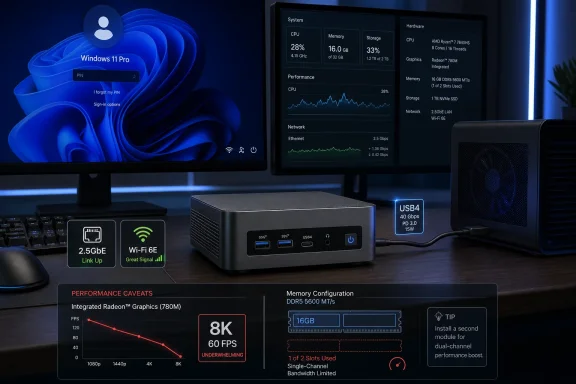 GEEKOM Sells a Small Box, but the Memory Channel Tells the Story
The GEEKOM A7 2026 Edition arrives as the sort of mini PC spec sheet that has become almost routine in 2026: Windows 11 Pro, AMD Ryzen silicon, USB4, 2.5GbE, Wi-Fi 6E, dual HDMI, and enough ports to make a laptop dock feel redundant. CNX Software’s second review installment moves past the unboxing and teardown to the question buyers actually care about: does the thing behave like a dependable Windows desktop?On paper, the AMD Ryzen 5 7545U is a sensible heart for a mid-range mini PC. It is a 6-core, 12-thread mobile processor with a 3.2 GHz base clock, boost headroom, Radeon 740M integrated graphics, and an official configurable TDP range that makes it a natural fit for machines smaller than many external hard drives. In CNX Software’s test unit, HWiNFO reported the chip running with 35W PL1 and 40W PL2 limits, above the processor’s nominal 28W default TDP and its usual 15–30W configurable range.
That extra platform power helps explain why the A7 2026 Edition looks surprisingly competent in CPU-heavy work. It also sharpens the central caveat of the review: GEEKOM ships this configuration with a single 16GB DDR5-4800 SO-DIMM, leaving the second slot empty. For a desktop tower, that would be an annoyance. For an integrated-GPU mini PC, it becomes a design choice with visible consequences.
The Radeon 740M does not have its own dedicated VRAM. It feeds from system memory, which means bandwidth is not an abstraction; it is part of graphics performance, video decode behavior, and general responsiveness under mixed load. CNX Software’s testing repeatedly points back to that one-stick configuration as the likely reason the machine underperforms in 3D graphics and stumbles badly on 8K 60 FPS YouTube playback.
This is where the A7 2026 Edition becomes interesting. It is not a cheap no-name box failing at the basics. It is a credible Windows 11 Pro system whose biggest weakness appears to come from a bill-of-materials decision that enthusiasts can identify in seconds and ordinary buyers may never notice until a workload exposes it.
Windows 11 Pro Finds the Hardware, and the Hardware Mostly Shows Up
The software baseline is reassuring. CNX Software found Windows 11 Pro 25H2 preinstalled, with the System About page identifying the machine as a GEEKOM A7 with Ryzen 5 7545U, 16GB RAM, and roughly 466GB usable storage from the 500GB SSD. Device Manager showed the expected Bluetooth, MediaTek MT7922 Wi-Fi 6E, and Realtek 2.5GbE hardware.That matters because mini PCs often live or die by driver polish. A spec sheet can promise high-speed ports and modern radios, but Windows has to enumerate them correctly, attach the right drivers, and keep them stable through sleep, reboot, high I/O, and peripheral churn. CNX Software’s feature testing suggests that most of the A7’s platform stack is intact.
The USB testing is especially strong. The front USB-A ports delivered around 896–897 MB/s reads and 1,016 MB/s writes using an external NVMe enclosure. The rear USB 3.2 Gen 2 Type-A and Type-C ports were a little faster on reads, at roughly 967 MB/s, while maintaining around 1,004–1,005 MB/s writes. The lone USB 2.0 port behaved like USB 2.0, posting 43 MB/s reads and 36 MB/s writes.
The real prize is the USB4 port. CNX Software measured 3,159 MB/s reads and 2,760 MB/s writes through the USB4 connection, a result that moves the A7 beyond “office cube with HDMI” and into dockable workstation-lite territory. The same port also worked with a Khadas Mind Graphics 2 eGPU, lifting 3DMark Fire Strike to 24,879 points, far beyond the integrated GPU’s result.
That eGPU test should not be oversold. CNX Software notes the score remained below what the same graphics hardware achieved through Khadas’ faster proprietary Mind interface. But the practical conclusion is still useful: the A7’s USB4 implementation is not ornamental. It can move storage quickly and connect to external graphics hardware in a way that gives the system a second life beyond its integrated Radeon limits.
Display output is similarly ambitious. The A7 2026 Edition supports up to four independent displays via two HDMI 2.0 ports, the USB4 port, and the USB 3.2 Type-C port with DisplayPort Alt Mode. CNX Software successfully connected four screens at once, which gives this little machine a plausible role in dashboards, control rooms, multi-monitor office setups, or a home lab bench where screen count matters more than GPU muscle.
The Ryzen 5 7545U Looks Better as a CPU Than as a Gaming Pitch
The benchmark numbers make the A7 2026 Edition look like a strong everyday Windows machine with a graphics ceiling. In PCMark 10, the system scored 6,503 overall, with 9,179 in Essentials, 13,684 in Productivity, and 5,944 in Digital Content Creation. Those are not gaming-PC numbers, but they are healthy figures for the kind of small Windows box that will spend most of its life in browsers, Office apps, remote admin tools, coding environments, and light media work.Cinebench R23 tells the same story from a CPU angle. The A7 2026 Edition reached 1,724 points in single-core and 9,578 in multi-core. For a six-core mobile-derived chip in a tiny enclosure, that is a credible result, particularly because CNX Software recorded no thermal throttling during the Cinebench run.
PassMark PerformanceTest 11 produced a broader score of 3,686, with CPU Mark at 19,144 and Disk Mark at a striking 31,665. CrystalDiskMark backed up the storage result with 5,430 MB/s sequential reads and 3,281 MB/s sequential writes. Whatever else one thinks of this configuration, the storage subsystem is not the bottleneck.
The weakness appears when graphics enter the frame. The A7 2026 Edition scored 2,893 in 3DMark Fire Strike and averaged 29.4 FPS in Unigine Heaven at 1080p. Those scores trail some comparable systems CNX Software tested, including machines with older or competing CPU platforms, and they sit far below the earlier Ryzen 9-based GEEKOM A7 with Radeon 780M graphics.
That comparison is awkward because of the name. The 2026 Edition A7 is not a successor in the intuitive “newer is faster” sense when measured against the prior GEEKOM A7 configuration built around the Ryzen 9 7840HS. CNX Software’s comparison table makes this plain: the older Ryzen 9 A7 posted 7,895 in Fire Strike, 80.7 FPS in Unigine Heaven, 8,058.2 overall in PassMark, and 15,291 in Cinebench multi-core. The 2026 Edition is a smaller-class Ryzen 5 product wearing the same family name.
That does not make the 2026 Edition deceptive by itself, but it does mean buyers need to read the processor line, not the chassis branding. A Ryzen 5 7545U box can be a better value for office and general use than a more expensive performance mini PC. It cannot be treated as a drop-in continuation of a Ryzen 9 HS-class model simply because both say A7.
The Benchmark Table Rewards the Buyer Who Knows Their Workload
CNX Software compared the A7 2026 Edition against the GEEKOM A5 Pro 2026 Edition with Ryzen 5 7530U, the earlier GEEKOM A7 with Ryzen 9 7840HS, and the Beelink EQi13 Pro with Intel Core i5-13500H. The result is less a leaderboard than a buying lesson. The A7 2026 Edition is neither the fastest nor the weakest; it is the system whose value depends most heavily on whether CPU, I/O, and efficiency matter more than integrated graphics.Against the GEEKOM A5 Pro 2026 Edition, the A7 2026 Edition looks stronger in CPU and productivity work. It beats the A5 Pro in PCMark 10 overall, PCMark Productivity, Digital Content Creation, CPU Mark, Cinebench single-core, and Cinebench multi-core. That is what one would hope to see from a Zen 4-era Ryzen 5 7545U against the older Ryzen 5 7530U platform.
Yet the A5 Pro still edges the A7 2026 Edition in Fire Strike and Unigine Heaven, despite using older Radeon Vega graphics. That is the single-channel memory caveat raising its hand again. Integrated graphics performance is not just about the GPU block; it is also about how quickly that block can drink from system RAM.
Against the Intel-based Beelink EQi13 Pro, the A7 2026 Edition holds up well in CPU-adjacent daily performance but loses in graphics and some aggregate scoring. The Beelink’s Core i5-13500H configuration scored 4,290 in Fire Strike and 45.2 FPS in Unigine Heaven, both above the GEEKOM’s 2,893 and 29.4 FPS. It also led in PassMark overall and Cinebench multi-core.
But the A7 2026 Edition is not embarrassed. It beats the Beelink in PCMark 10 overall and especially in the Productivity subscore, where CNX Software recorded 13,684 for the GEEKOM versus 7,231 for the Beelink. It also undercuts the Beelink on the listed June 18, 2026 Amazon pricing in CNX Software’s table: $599 for the GEEKOM versus $669 for the Beelink.
That is why the review’s implied recommendation is more nuanced than “buy” or “avoid.” If the workload is Windows productivity, light content work, fast storage, multi-monitor output, wired networking, and low idle power, the A7 2026 Edition makes a strong case. If the workload leans on integrated graphics, light gaming, GPU-accelerated creative apps, or high-end video playback, the one-stick RAM configuration becomes a bigger problem.
8K YouTube Is the Stress Test Masquerading as Entertainment
The A7 2026 Edition handled YouTube playback smoothly up to 4K 60 FPS and 8K 30 FPS in CNX Software’s testing. That is already more than enough for most real-world Windows desktops, especially since 8K displays and 8K streaming workflows remain niche. But the failure at 8K 60 FPS is still instructive because it exposes the margins of the platform.In Firefox, an 8K 60 FPS video was effectively unwatchable. CNX Software recorded 8,975 dropped frames out of 10,531 over a three-minute test, an 85.22 percent drop rate. Chrome did better but still failed the practical test, dropping 9,384 frames out of 19,659, or 47.73 percent.
The review suspects memory bandwidth, and that suspicion is reasonable. Integrated graphics and video engines can be held back when the memory subsystem is constrained, especially when display output, browser overhead, decoding, compositing, and shared memory allocation all collide. The Task Manager also showed 4.2GB reserved for hardware, mostly the GPU, which leaves the 16GB system looking less roomy than it sounds.
The important point is not that everyone needs 8K60 YouTube. They do not. The important point is that the A7 2026 Edition’s weakest observed behaviors are clustered around memory-sensitive graphics and media workloads. That pattern is more meaningful than any single benchmark score.
For WindowsForum readers, the practical implication is simple: if buying this machine, budget for a second matching SO-DIMM unless the system will only ever do office work, browser work, remote sessions, and media playback below the bleeding edge. Memory upgrades are often treated as optional future-proofing. In this case, dual-channel memory may be the difference between “well-balanced mini PC” and “why does this feel slower than the spec sheet?”
The Network Stack Is Fast Until Trust Becomes the Benchmark
The wired networking result is excellent. CNX Software measured 2.37 Gbps in both directions over the Realtek 2.5GbE controller using iperf3. That is essentially what a healthy 2.5GbE link should deliver after overhead, and it gives the A7 2026 Edition real utility as a compact workstation, NAS-adjacent client, lab node, or small-office desktop moving large files across a modern LAN.The Wi-Fi 6 result is also excellent if one looks only at throughput. Using a Xiaomi Mi AX6000 router, CNX Software measured 1.37 Gbps download and 1.09 Gbps upload over 5 GHz Wi-Fi 6. Those are the kinds of figures that make wireless feel less like a compromise and more like a legitimate primary connection for a desktop.
But throughput is not the same thing as reliability. CNX Software reports that the MediaTek MT7922 driver would sometimes stop working, requiring a reboot. The issue apparently happened often at first, persisted after rolling back the Wi-Fi driver as GEEKOM recommended, and improved only after the reviewer opened the mini PC, removed the Wi-Fi module, and reinstalled it.
That sequence changes the buying calculus. A fast wireless adapter that occasionally disappears is worse than a slower one that behaves. For a living-room PC, it is irritating. For a small office, kiosk, remote workstation, or unattended home lab machine, it is a support ticket waiting to happen.
The review is careful not to overgeneralize. CNX Software notes that the MT7922 module has appeared in other GEEKOM mini PCs without the same trouble in earlier reviews, and the problem may be specific to the sample. It also says the issue became less frequent after reseating the module, though it still appeared from time to time.
That uncertainty is exactly why the Wi-Fi issue matters. If the root cause were clearly a bad driver, a bad module, or a loose connection, the recommendation would be straightforward. Instead, buyers are left with a probabilistic risk: the A7 2026 Edition may be perfectly stable for many users, but the tested unit crossed the line from benchmark curiosity into practical concern.
Cooling Holds the Line, but the Fan Makes Its Case Under Load
Thermals are often where mini PCs reveal whether they are serious machines or spec-sheet theater. CNX Software’s results are broadly positive. During a 3DMark Fire Strike load, the A7 2026 Edition reached a maximum CPU temperature of 88.8°C, with no CPU thermal throttling reported. During Cinebench R23 multi-core, it reached 90.2°C, again without reported throttling.Those are high temperatures in the intuitive desktop sense, but not surprising for a compact mobile-platform PC running near or above its nominal power envelope. The more important result is sustained behavior. If the machine can complete CPU and combined CPU/GPU loads without throttling flags, the cooling system is doing its basic job.
Noise is the trade-off. CNX Software measured the room at 36.6–37.1 dBA when quiet, the A7 at 39.0–39.5 dBA during idle and light work, and 47.0–53.4 dBA during 3DMark Fire Strike with the sound meter placed 5 cm from the top of the mini PC. That is a very close measurement distance, so it should not be read as a normal seated-at-desk experience, but it does reveal the character of the cooling system.
At idle, the A7 is barely audible. Under heavy load, it is not. That is acceptable for a mini PC built around a 35W sustained platform limit, but it also argues against pretending these boxes are silent desktop replacements under all conditions. Small fans can move enough air, but they rarely do so with the acoustic grace of larger desktop cooling.
Power consumption is one of the review’s strongest points. CNX Software measured 0.9W when off, 4.2–6.8W at idle, 15.0–17.2W during 4K60 YouTube playback in Firefox, 45–46.5W during the first few seconds of a Cinebench R23 multi-core run, and about 37W during longer Cinebench runs. For a Windows 11 Pro PC with this much I/O, those idle and media numbers are attractive.
This is where the A7 2026 Edition looks most like a modern desktop should. It can idle low, play 4K video efficiently, and still surge into desktop-class responsiveness when a workload demands it. The fan is the audible price of that flexibility, but the thermal data suggests GEEKOM did not simply cram a mobile CPU into a pretty shell and hope for the best.
Windows 11 Pro Is a Selling Point, Not the Whole Product
Preinstalled Windows 11 Pro gives the A7 2026 Edition a different posture from the hobbyist mini PCs that arrive barebones or with questionable licensing. For small businesses, consultants, and home lab users who want BitLocker, Remote Desktop hosting, domain join, Hyper-V, policy controls, and a familiar deployment story, Windows 11 Pro is not decoration. It is part of the SKU.But Windows 11 Pro also raises expectations. A Pro machine should not merely boot; it should behave predictably. It should wake reliably, keep network adapters alive, survive driver updates, and not require the owner to reseat a Wi-Fi module to regain confidence in the wireless stack.
That is the tension running through CNX Software’s review. The A7 2026 Edition has many traits of a polished Windows appliance. Its ports work. Its USB4 port is genuinely useful. Its 2.5GbE is fast. Its storage is strong. Its CPU performance is good. Its thermals are controlled. Its display support is unusually broad for the size.
Yet two configuration-level choices keep pulling it back into enthusiast territory. The first is single-channel memory in a machine whose graphics performance needs bandwidth. The second is wireless behavior that may require troubleshooting beyond what a normal office buyer should tolerate. Both are solvable in theory; neither should be invisible in a purchasing decision.
The most charitable reading is that GEEKOM has built a compact Windows platform with a strong motherboard and I/O layout, then shipped a mainstream configuration that leaves performance on the table. The less charitable reading is that the company is relying on buyers to see “16GB DDR5” and not ask whether that 16GB arrives as one module or two.
For Windows enthusiasts, that gap is an upgrade opportunity. For IT buyers, it is a standardization concern. A fleet of small PCs should not require memory-channel audits and Wi-Fi confidence tests before deployment, especially when the machines are being considered precisely because they promise low-touch convenience.
The A7 Name Now Carries More Ambiguity Than Performance
Product names in the mini PC market are becoming less useful. The same chassis family can span very different CPUs, thermal envelopes, memory configurations, and graphics capabilities. The GEEKOM A7 2026 Edition illustrates the problem neatly because it shares the A7 name with a substantially faster earlier Ryzen 9 7840HS model.CNX Software calls the 2026 Edition a downgrade from the earlier GEEKOM A7, and that is the blunt but fair way to put it. The older Ryzen 9 system had more CPU cores, a stronger Radeon 780M iGPU, more memory in the tested configuration, and dramatically better graphics scores. The 2026 Edition is not competing with that machine on raw performance.
That does not automatically make it worse as a product. A smaller, cheaper, more efficient Ryzen 5 model can be the smarter buy for a user who wants a compact Windows desktop and has no interest in gaming or GPU-heavy work. The issue is that the branding does not communicate that distinction clearly enough on its own.
This is a broader mini PC market problem. Vendors increasingly sell families, editions, and refreshes rather than clean generational ladders. “2026 Edition” sounds newer, and newer still carries an implied performance promise for many buyers. But in this case, newer means a different class of chip and a different balance of strengths.
The correct comparison is not A7 versus A7 by name. It is Ryzen 5 7545U with Radeon 740M, single-channel DDR5, and 500GB SSD versus the exact workload one intends to run. That is less elegant than a product slogan, but it is how buyers avoid disappointment.
The Small PC Buyer Should Stop Treating RAM as an Afterthought
The review’s most teachable moment is not the Wi-Fi glitch, serious though it is. It is the way one SO-DIMM shapes the machine’s identity. Single-channel memory is the kind of compromise that often hides behind capacity marketing: 16GB sounds adequate, DDR5 sounds modern, and an empty slot sounds like upgrade flexibility.In an integrated graphics system, that framing is incomplete. The empty slot is not just future expansion; it is absent bandwidth. It can mean lower frame rates, weaker benchmark results, and more stress during high-resolution media playback. CNX Software’s suspicion that single-channel memory contributed to poor 8K60 playback is not a fringe enthusiast complaint; it is a reminder that platform balance matters.
The same logic applies to the 4.2GB hardware-reserved memory figure observed in Task Manager. Once the GPU reserves its share, the user does not really have a full 16GB available to Windows applications in the way a discrete-GPU desktop might. That may not matter for office work, but it matters when browsers, creative apps, virtual machines, and background services pile up.
The fix is not complicated. A second SO-DIMM could improve memory bandwidth and may improve the graphics and video edge cases that held the A7 back. But user-installed upgrades have their own friction: matching modules, opening the case, warranty comfort, and the simple fact that many buyers will never do it.
This is where GEEKOM could make the machine easier to recommend. A dual-channel 16GB configuration, using two 8GB modules, would likely serve many buyers better than one 16GB module if graphics performance and media smoothness are priorities. A dual-channel 32GB configuration would be better still for power users. Capacity matters, but on this class of PC, memory topology matters too.
The Verdict Is Written in the Ports, the Fan Curve, and the Missing SO-DIMM
The A7 2026 Edition is easiest to understand as a capable Windows 11 Pro mini PC that nails much of the platform work and then asks the buyer to accept two caveats. One caveat is probably configurable: the single-channel memory. The other is harder to price: intermittent Wi-Fi reliability on the tested sample. Together they keep a strong review from becoming an uncomplicated recommendation.For general users, the machine’s virtues are obvious. It is small, efficient, fast enough for serious everyday work, strong on storage, rich in ports, and able to drive multiple displays. For small offices, the 2.5GbE result and Windows 11 Pro license make it more credible than many bargain boxes.
For enthusiasts, the calculus is different. The USB4 port opens the door to fast external storage, docks, and even eGPU experiments. The empty SO-DIMM slot is an upgrade path. The thermals suggest the CPU can sustain useful performance without immediately collapsing into throttling. This is a box one can tinker with and improve.
For IT administrators, the Wi-Fi report is the red flag. A wired deployment may never care. A wireless-first office should care immediately. Even if the issue is sample-specific, it is the sort of instability that turns a cheap, neat endpoint into a support nuisance.
The Mini PC Passes the Desk Test, but Not Every Edge Case
The most concrete lessons from CNX Software’s Windows testing are not hidden in the benchmark charts; they are in the mismatch between the A7’s strengths and its configuration compromises.- The GEEKOM A7 2026 Edition delivers strong Windows 11 Pro performance for everyday productivity, light creation work, fast storage access, and multi-monitor use.
- The Ryzen 5 7545U performs well as a CPU in this enclosure, with no reported thermal throttling during CNX Software’s Cinebench R23 and 3DMark stress testing.
- The single 16GB DDR5 SO-DIMM likely limits the Radeon 740M integrated graphics and may contribute to the machine’s poor 8K 60 FPS YouTube playback.
- The USB4 port is genuinely useful, delivering high external NVMe speeds and functioning with an external GPU in testing.
- The 2.5GbE and Wi-Fi 6 throughput results are excellent, but the intermittent MediaTek MT7922 Wi-Fi failure makes wireless reliability the review’s largest unresolved concern.
- The A7 2026 Edition should not be assumed to outperform earlier A7-branded Ryzen 9 systems simply because it is newer.
References
- Primary source: CNX Software
Published: Mon, 22 Jun 2026 07:39:28 GMT
GEEKOM A7 2026 Edition Review - Part 2: AMD Ryzen 5 7545U Mini PC tested with Windows 11 Pro - CNX Software
We have already checked out the GEEKOM A7 2026 Edition mini PC's hardware with an unboxing and a teardown in the first part of the review, before quicklywww.cnx-software.com - Related coverage: notebookcheck.net
AMD Ryzen 5 7545U Processor - Benchmarks and Specs - Notebookcheck Tech
Benchmarks, information, and specifications for the AMD Ryzen 5 7545U www.notebookcheck.net
- Related coverage: notebookcheck.com
AMD Ryzen 5 7545U Prozessor - Benchmarks und Specs - Notebookcheck Tech
Informationen und Benchmarks der AMD Ryzen 5 7545U CPU www.notebookcheck.com
- Related coverage: geekom.jp
GEEKOM A7 ミニPC Ryzen 5 7545U搭載|強力冷却でサクサク快適
GEEKOM A7は、AMD Ryzen 5 7545U搭載の2026新登場ミニPC。AMD Radeon 740Mのグラフィックス性能で、人気のオンラインゲームも快適。USB 3.2やType-Cなど計6つのインターフェースを備え、多彩なタスクに対応。独自の冷却システムで、高負荷時も安定した動作を支えます。 geekom.jp
- Related coverage: techspot.com
AMD Ryzen 5 7545U and Ryzen 3 7440U mobile processors launched with Zen 4c cores | TechSpot
As for the new chips, both feature a hybrid core architecture and include a combination of Zen 4 and Zen 4c cores. The more high-end one is...www.techspot.com - Related coverage: bestbuy.com
- Related coverage: geekom.it
GEEKOM A7 2026 Edition Mini PC con AMD Ryzen™ 5 7535HS
Scopri il GEEKOM A7 2026 Edition Mini PC con processori AMD Ryzen™ 5 7535HS. Compatto, potente e ideale per prestazioni elevate.www.geekom.it
- Related coverage: amd.com
- Related coverage: geekom.fr
GEEKOM A7 Mini PC AMD Ryzen 9 7940HS ou Ryzen 7 7840HS
Découvrez la puissance avec AMD Ryzen™ 9 7940HS et Radeon™ 780M, jusqu’à 64 Go DDR5, SSD 2 To, design minimaliste époustouflant.www.geekom.fr
- Related coverage: hmc-tech.com
- Related coverage: geekompc.com
Power Up with the GEEKOM A7 Mini PC | Ryzen 7000 Series Inside
Discover the GEEKOM A7 Mini PC, featuring the powerful AMD Ryzen 7000 Series. Compact, sleek, and perfect for gaming, multitasking, and creative work. Get yours today!www.geekompc.com
- Related coverage: cnx-software.ru
GEEKOM A7 2026 Edition (AMD Ryzen 5 7545U) обзор мини-ПК – Часть 1: технические характеристики, распаковка, разборка и первый запуск — CNXSoft- новости Android-приставок и встраиваемых систем
GEEKOM предоставил нам образец для обзора мини-ПК A7 2026 Edition, работающего на 4.9 ГГц шестиядерном/12-поточном процессоре AMD Ryzen 5 7545U в паре с 16 ГБ DDR5 SO-DIMM памяти и 500 ГБ NVMe SSD.…cnx-software.ru
