

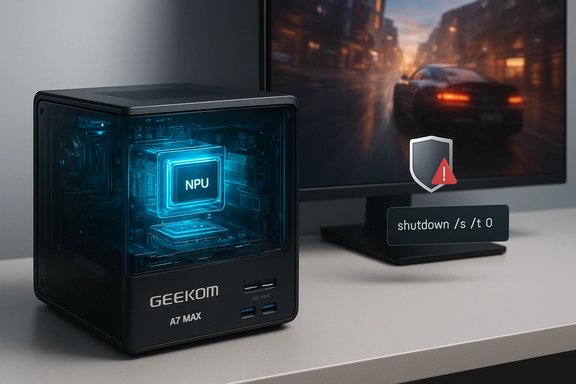
The last week delivered a striking contrast for PC enthusiasts: on one hand, hardware makers keep squeezing more capability into ever-smaller boxes — exemplified by the buzz around GEEKOM’s latest “Max” mini‑PC — and on the other, a routine Windows cumulative update exposed a fragile seam in power‑state handling that left some systems unable to shut down or hibernate. Together these stories underline a simple truth for Windows users and IT teams: silicon and marketing claims can promise spectacular on‑device features, but real‑world value depends just as much on mature software, driver stacks, and reliable servicing. This article unpacks the GEEKOM conversation, explains the January 2026 Windows update regression and its interim fixes, and offers a practical playbook for buyers, admins, and power users who want performance without surprise.
Mini‑PCs and handheld-style Windows devices have aggressively evolved over the past two years. Vendors are packing laptop‑class APUs, modern I/O (USB4/40 Gbps), and on‑package NPUs into compact chassis that can serve as small desktops, living‑room gaming boxes, or Copilot+‑capable AI workstations. These developments matter because Microsoft’s Copilot+ guidance and many local inference workloads treat an NPU with multi‑dozen TOPS throughput as the practical minimum for on‑device features; manufacturers respond by advertising TOPS numbers and stacked CPU/GPU/NPU designs to appeal to both gamers and productivity users. Wtill an operational risk in some contexts. The January 2026 cumulative update introduced a known‑issue that caused some Secure Launch–enabled devices to restart rather than fully power off or enter hibernation — a behavior Microsoft acknowledged and documented with an interim workaround. The impact is narrow in scope but significant for enterprise fleets and devices where predictable power behavior matters.
In short: the potential is real, but so are the caveats. Extracting the best from modern mini PCs requires sensible skepticism of headline metrics, careful thermal and driver management, and a conservative approach to system updates until Microsoft and vendors finish closing the loop on integration and reliability.
Source: Neowin https://www.neowin.net/reviews/geek...nbAqXJcW90dtG40BE_aem_vb8DSGci0zT7kI9qKXU5vg]
 Background / Overview
Mini‑PCs and handheld-style Windows devices have aggressively evolved over the past two years. Vendors are packing laptop‑class APUs, modern I/O (USB4/40 Gbps), and on‑package NPUs into compact chassis that can serve as small desktops, living‑room gaming boxes, or Copilot+‑capable AI workstations. These developments matter because Microsoft’s Copilot+ guidance and many local inference workloads treat an NPU with multi‑dozen TOPS throughput as the practical minimum for on‑device features; manufacturers respond by advertising TOPS numbers and stacked CPU/GPU/NPU designs to appeal to both gamers and productivity users. Wtill an operational risk in some contexts. The January 2026 cumulative update introduced a known‑issue that caused some Secure Launch–enabled devices to restart rather than fully power off or enter hibernation — a behavior Microsoft acknowledged and documented with an interim workaround. The impact is narrow in scope but significant for enterprise fleets and devices where predictable power behavior matters. What Neowin’s GEEKOM A7 Max headline really signals
Neowin’s recent piece framed the GEEKOM A7 Max as “an oxymoron of untapped gaming potential,” a provocative shorthand for a familiar pattern: vendors deliver impressive silicon and I/O in compact PCs, yet packaging, thermals, driver support, and OS behavior limit how much of that potential surface‑level numbers actually unlock for end users.What the A7/A‑series family brings (verified patterns)
Across recent hands‑on coverage and editorial testing, the new generation of GEEKOM mini PCs (A‑series family) share a handful of consistent features that matter in practice:- Laptop‑class AMD Ryzen APUs or Ryzen AI variants that deliver strong single‑thread and multi‑thread CPU performance.
- Modern integrated GPUs that are capable at 1080p and competitive in esports and many mainstream titles, but still constrained compared with discrete GPUs for sustained AAA settings.
- Inclusion of an NPU or AI‑accelerator on some Max/AI SKUs, with vendor TOPS claims positioning these systems for Copilot+ and local LLM inference.
- Generous I/O for the form factor: USB4/40 Gbps ports, HDMI/DP alt modes, Wi‑Fi 6E/7, and multi‑Gig Ethernet on many SKUs.
- User‑accessible NVMe storage t a practical advantage for upgradeable mini PCs.
The “oxymoron” in practice: hardware promise vs. practical gaming
The phrase “untapped gaming potential” captures two complementary observations:- Hardware heads can often outpace the software and system integration that extract predictable gaming performance from that hardware. Driver maturity, power‑management profiles, and firmware updates materially affect sustained frame‑rates and micro‑stutter behavior.
- Integrated GPUs (even modern RDNA‑3.x or RDNA‑3.5‑class iGPUs) and thermal limits in small chassis mean that while bursty or esports gaming looks very good, multi‑hour AAA sessions often require compromises — FSR/upscaling, lower native settings, or external GPU solutions for higher sustained frame rates.
Technical reality check: TOPS, NPUs, and what they actually buy you
Vendors now routinely advertise shipping an NPU and headline TOPS figures. Those figures are an important trendline — they mean devices are architected to accelerate quantized model inference — but they must be interpreted carefully.Key points about TOPS and NPUs
- TOPS is a throughput indicator, not a latency or usability guarantee. It measures raw operations per second under ideal conditions; real model performance depends on the runtime (Windows vs Linux), quantization format (4‑bit/8‑bit), memory bandwidth, and model conversion toolchain.
- Windows support for NPUs is improving but uneven. Many early inference toolchains and runtime optimizations were developed first on Linux. On Windows, Copilot+ integration is a driver for on‑device experiences, but for hobbyist LLM workflows (Ollama, LM Studio, llama.cpp) Linux still often delivers smoother, faster tooling.
- For practical local LLM use, memory and NVMe behavior matter as much as TOPS. Quantized 7B–13B models can be very usable on 32–64 GB setups with NPU acceleration; larger models will hit memory ceilings and require offloading or cloud fallback.
What this means for gamers vs. AIprioritize 1080p, high‑refresh competitive play will find modern iGPUs and CPU combos adequate for many titles, especially with FSR or temporal upscalers.
- AI hobbyists and productivity users get credible on‑device Copilot+ experiences on NPU‑equipped machines — but actual latency and feature availability are tied to Windows build rollouts and vendor runtime support. Treat TOPS as a capability signal, not a guarantee.
The January 2026 Windows update regression: facts, scope, and the stopgap
On January 13, 2026, Microsoft shipped cumulative servicing that introduced a known issue: on some Windows 11 systems with System Guard Secure Launch enabled, shutdown and hibernation requests could result in a restart rather than a clean power‑off or hibernate state. Microsoft documented the problem and provided interim guidance to guarantee shutdowns while engineering works on a permanent fix.What the bug looks like (user symptoms)
- Selecting Shut down or Hibernate results in the device restarting and returning to the sign‑in screen instead of powering off.
- Hibernation may be unavailable entirely for affected machines; Microsoft explicitly said there was no workaround for hibernation at the time of the advisory.
- The regression is narrow in scope: primarily Windows 11 23H2 Enterprise and IoT SKUs with Secure Launch enabled, not broadly affecting Home/Pro consumer devices.
Microsoft’s interim workaround (the one everyone should know)
To force a reliable shutdown while the vendor prepares a corrective update, Microsoft recommended running a direct shutdown command:- Open Start, type cmd, and open Command Prompt with appropriate privileges.
- Run:
shutdown /s /t 0
Enterprise mitigations and operational guidance
For IT managers and admins operating managed fleets:- Delay or block the January cumulative on sensitive fleets until Microsoft issues the corrective servicing. Use WSUS, SCCM/Intune feature update deferral policies, or block via update rings for affected device groups.
- Apply Known Issue Rollbacks (KIRs) where available for the related AVD authentication issues and monitor Microsoft Release Health for updates and KIR coverage.
- Communicate clearly to end users on affected devices: recommend manual shutdown when necessary and stress the need to save work to avoid data loss if hibernation fails.
Why the regression matters beyond inconvenience
The failure to honor a power intent has real operational consequences: overnight battery drain on laptops, broken maintenance windows expecting deterministic shutdowns, and failures in scripted imaging or staging workflows. In tightly managed environments, a narrow bug can cascade into notable downtime or workload disruption. Forbes and Windows community reporting highlighted these operational risks and the need for prompt vendor remediation.Cross‑cutting analysis: how hardware innovation and servicing risk intes — compact hardware promising NPUs and the Windows shutdown regression — converge on a shared lesson: hardware capability alone is insufficient if the supporting and driver ecosystems are not as robust.
Strengths to celebrate
- Rapid hardware progress: mini PCs now include laptop‑grade APUs, modern iGPUs, USB4 connectivity, an Copilot+ within reach for ordinary desktops and compact systems. Those are real gains for privacy, latency, and offline productivity.
- Practical expandability in some designs: SO‑DIMM slots and multiple latest mini PCs more future‑proof than many earlier generations.
- Windows remains a viable platform for both gaming and local AI; the Copilot+ roadmap and vendor hardware choices are converging to delive features.
Risks and caveats
- Marketing metrics (TOPS) can mislead: TOPS tells you about theoretical NPU throughput, not end‑user feature parity. Demand real model latency numbers for your target workflows.
- Thermals and sustained performance: compact chassis impose thermal limits — expect throttling under long AAA gaming runs or multi‑hour model training/inference without external cooling or eGPU offloads.
- Servicing regressions remain a real operational hazard: as the January 2026 incident shows, a cumulative update can introduce regression that affects critical power‑state behavior. That risk is magnified in enterprise environments using hardened features like Secure Launch.
Practical recommendations — for buyers, gamers, and IT admins
Below are actionable steps tailored to each audience so you can benefit from cutting‑edge hardware without getting burned by software regressions.For prospective buyers of mini PCs (gamers or AI hobbyists)
- Confirm the exact SKU before purchase — check whether RAM is SO‑DIMM (upgradeable) or soldered.
- Treat TOPS as directional. Ask for hands‑on model latency numbers or independent inference tests for the frameworks you care about (PyTorch, ONNX, Ollama).
- If gaming is a primary use, expect to tune graphics settings and consider whether an eGPU or a hybrid laptop/tower arrangement better suits sustained AAA needs.
- Back up a system image before experimenting Linux runtimes — this preserves warranty and helps return to a known good state.
For gamers who want the best experience from a compact box
- Use upscaling (FSR, XeSS) to balance resolution and frame rate.
- Monitor thermals and set performance profiles (balanced vs. high performance) based on session length.
- Keep GPU and chipset/firmware drivers updated, but stagger updates if you rely on the system for important tasks; prefer a short testing window before applying major OS cumulative updates.
For IT administrators and enterprise users
- Hold, test, and stage: block or defer the January 2026 cumulative on sensitive Secure Launch fleets until Microsoft publishes a corrective update.
- Use Known Issue Rollbacks (KIRs) and Release Health advisories to guide remediation for both shutdown and Azure Virtual Desktop authentication regressions.
- Educate end users on the emergency shutdown command (shutdown /s /t 0) and the lack of a hibernation workaround, while stressing file‑save discipline until fixes ship.
A short troubleshooting checklist (desktop and admins)
- Before applying a cumulative update to a production fleet: snapshot, test a pilot group, review Microsoft Release Health notes.
- If a machine restarts instead of shutting down: run Command Prompt as admin and execute shutdown /s /t 0 to ensure a power‑off.
- If hibernation fails and you need battery safety: avoid leaving laptops unattended and encourage users to plug in or shut down manually until a patch is available.
- For long‑running GPU/AI workloads on mini PCs: monitor clock stability and fan curves; offload where possible or schedule jobs for cooled, full‑size workstations when sustained throughput matters.
Conclusion
The GEEKOM conversation and the January Windows servicing regression together tell a clear story: the hardware side of the Windows ecosystem is advancing quickly — NPUs, USB4, and laptop‑class APUs in compact bodies are enabling new on‑device AI and capable gaming experiences — but the end‑to‑end user experience is only as strong as the software, driver stacks, and servicing reliability that bind it together. Buyers should reward concrete, independently verified performance (real model runs, repeated gaming tests) and prefer upgradeable designs when possible. Admins should treat Patch Tuesday as an operational event: stage, pilot, and be prepared with temporary workarounds and rollback plans when a narrow but impactful regression emerges.In short: the potential is real, but so are the caveats. Extracting the best from modern mini PCs requires sensible skepticism of headline metrics, careful thermal and driver management, and a conservative approach to system updates until Microsoft and vendors finish closing the loop on integration and reliability.
Source: Neowin https://www.neowin.net/reviews/geek...nbAqXJcW90dtG40BE_aem_vb8DSGci0zT7kI9qKXU5vg]
