

Microsoft’s shutdown bug is no longer a narrow oddity hiding in enterprise telemetry — it’s a demonstrable, multi‑stage reliability failure that touched a surprising range of Windows configurations and forced emergency patches, workarounds, and hard operational choices for IT teams and power users alike.
In mid‑January 2026 a routine Patch Tuesday cumulative update (published January 13) introduced a regression that, on certain systems, caused Shutdown and Hibernate actions to behave like Restart. The symptom was simple but damaging: users selected Shut down, the screen went dark and fans might keep spinning, then the machine returned to the sign‑in screen or rebooted. Laptops sometimes drained overnight; automation and maintenance windows failed; help desks were swamped. Microsoft acknowledged the issue and shipped an out‑of‑band (OOB) remedial update days later, but the problem proved more complex and persistent than initial briefings suggested.
Why it matters: deterministic power‑state behavior is a core expectation for desktops, laptops, kiosks, and managed fleets. When an OS regressively converts shutdown intents into restarts, you risk drained batteries, failed update windows, broken imaging scripts, and — in extreme cases — lost unsaved work. The bug also exposed the fragile coupling between modern security h servicing orchestration.
However, field reports and community threads quickly showed that the OOB package did not universally fix every observed case. Some administrators reported persistent failures after installing KB5077797; Microsoft acknowledged that VSM‑related shutdown failures would be addressed in a future update and continued to refine KB messaging. These follow‑on observations are important: an initial emergency patch can address the primary regression surface but still leave edge cases — particularly when multiple virtualization features (Secure Launch and VSM) and varied firmware implementations are involved.
Independent press and tech outlets corroborated Microsoft’s timeline and the content of the OOB updates while also documenting the wider operational fallout and subsequent corrective KBs for cloud apps and Outlook/OneDrive regressions that followed later OOB work. In short, Microsoft used multiple OOB waves to isolate and address related regressions introduced during the January servicing horizon.
Acknowledgment: This article synthesizes vendor advisories, community telemetry, and independent reporting to provide a practical, verifiable guide. Where community reports indicated incomplete remediation after initial OOB patches, those observations are flagged as field reports and should be validated against vendor updates in your environment.
Source: PCWorld The 'Windows won't shut down' bug is even worse than we thought
 Background / Overview
In mid‑January 2026 a routine Patch Tuesday cumulative update (published January 13) introduced a regression that, on certain systems, caused Shutdown and Hibernate actions to behave like Restart. The symptom was simple but damaging: users selected Shut down, the screen went dark and fans might keep spinning, then the machine returned to the sign‑in screen or rebooted. Laptops sometimes drained overnight; automation and maintenance windows failed; help desks were swamped. Microsoft acknowledged the issue and shipped an out‑of‑band (OOB) remedial update days later, but the problem proved more complex and persistent than initial briefings suggested.Why it matters: deterministic power‑state behavior is a core expectation for desktops, laptops, kiosks, and managed fleets. When an OS regressively converts shutdown intents into restarts, you risk drained batteries, failed update windows, broken imaging scripts, and — in extreme cases — lost unsaved work. The bug also exposed the fragile coupling between modern security h servicing orchestration.
What Microsoft says (the official timeline and scope)
- Patch released: January 13, 2026 — cumulative security rollup (e.g., KB5073455 for Windows 11 23H2). This is the package that customers and telemetry first on.
- Emergency patch: January 17, 2026 — out‑of‑band cumulative update KB5077797 for Windows 11 version 23H2 (OS Build 22631.6494). The KB explicitly lists a fix for devices with Secure Launch that were restarting instead of shutting down or entering hibernation.
- Follow‑on updates: Microsoft continued to revise OOB notes and add a separate known issue entry later in January noting that some devices with Virtual Secure Mode (VSM) enabled might fail to shut down or hibernate; that entry clarified the broader configuration surface and that additional remediation was planned.
The technical anatomy — how Secure Launch and servicing orchestration collided
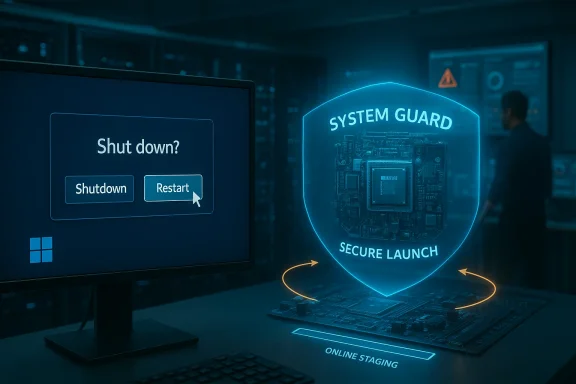
At the heart of the failure are two things that normally improve platform security and reliability, but which interact in subtle ways:- System Guard Secure Launch — a virtualization‑based early‑boot hardening feature that establishes a measured, protected boot environment and a Dynamic Root of Trust for Measurement (DRTM). Secure Launch changes early‑boot semantics and inserts a virtualization boundary into the platform.
- Modern Windows servicing orchestration — cumulative updates and servicing‑stack updates (SSUs) use a multi‑phas→ staging (online) → offline commit (during shutdown/boot) → finalize. To complete offline commits correctly, the servicing stack must preserve the user’s final power intent (shutdown vs. restart vs. hibernate) across state transitions. When that intent is lost or misapplied, the safer fallback can be to reboot instead of powering off.
Who and nuance
- Primary exposure: Windows 11, version 23H2 — particularly Enterprise and IoT SKUs where System Guard Secure Launch is commonly enabled by policy or image design. Community telemetry and Microsoft’s KB pages have repeatedly highlighted that managed images bore the brunt.
- Broader exposure: Microsoft later flagged Virtual Secure Mode (VSM) as implicated in shures across additional servicing branches (a known issue added to the OOB KB text at the end of January). That widened the practical surface to include some Windows 10 branches and LTSC/ESU channels where VSM is used. Administrators running Windows 10 22H2 or LTSC images should thereford devices potentially affected.
- Consumer/Home systems: Less likely to be affected by default because Secure Launch and VSM are not typically enabled on standard consumer images. However, any device where those features were manually y OEM/firmware) could reproduce the issue.
What Microsoft shipped — and why the story didn’t end there
Microsoft released KB5077797 (OOB) on January 17, 2026, and its changelog explicitly states that it fixes the Secure Launch restart‑on‑shutdown/hibernate regression. That package bundles a Servicing Stack Update (SSU) and an LCU and was published as the immediate remediation for affected Windows 11 23H2 devices.However, field reports and community threads quickly showed that the OOB package did not universally fix every observed case. Some administrators reported persistent failures after installing KB5077797; Microsoft acknowledged that VSM‑related shutdown failures would be addressed in a future update and continued to refine KB messaging. These follow‑on observations are important: an initial emergency patch can address the primary regression surface but still leave edge cases — particularly when multiple virtualization features (Secure Launch and VSM) and varied firmware implementations are involved.
Independent press and tech outlets corroborated Microsoft’s timeline and the content of the OOB updates while also documenting the wider operational fallout and subsequent corrective KBs for cloud apps and Outlook/OneDrive regressions that followed later OOB work. In short, Microsoft used multiple OOB waves to isolate and address related regressions introduced during the January servicing horizon.
How to check whether your device is exposed (quick, verifiable steps)
If you manage devices or own a Windows PC and want to know whether you might be affected, verify these items in order:- Check update presence:
- Settings → Windows Update → Update history and look for the January 13, 2026 cumulative update (KB5073455 on affected 23H2 machines).
- Or run in an elevated Command Prompt:
DISM /online /get-packages | findstr 5073455. - Verify Secure Launch / VSM / VBS status:
- Run System Information: press Win+R → type msinfo32 → under System Summary review the rows labeled Virtualization‑based Security Services Running and Virtualization‑based Security Services Configured. If Secure Launch or System Guard appears as running/configured, the feature is active. Microsoft documents this exact verification method.
- For scripted checks, read the registry key (read‑only): HKEY_LOCAL_MACHINE\SYSTEM\CurrentControlSet\Control\DeviceGuard\Scenarios\SystemGuard\Enabled — value 1 indicates System Guard is configured. Use caution when handling the registry.
- PowerShell alternative: run Get‑CimInstance -ClassName Win32_DeviceGuard -Namespace root\Microsoft\Windows\DeviceGuard to inspect VBS/VSM state. Microsoft documents this Win32_DeviceGuard WMI class for automation.
- Reproduce safely:
- On a non‑critical, fully saved test machine that matches your fleet’s configuration, choose Start → Power → Shut down. If the device restarts or returns to the sign‑in screen rather than powering off, it reproduces the vendor‑described symptom. Save work first.
Immediate mitigations and recommended operational playbook
Short‑term workarounds and actions you can take now:- Apply Microsoft’s OOB updates: Ensure devices receive KB5077797 (and any subsequent OOB packages Microsoft publishes for other servicing branches). For many systems with Secure Launch, the OOB update will resolve the most common cases. Validate post‑install.
- Ued‑shutdown command as an emergency workaround:
- Open an elevated Command Prompt (Run as Administrator).
- Run: shutdown /s /t 0
This forces an immediate, orderly shutdown and is the vendor‑documented interim measure where the Start‑menu UI action misbehaves. Note: this does not restore hibernation behavior in cases where hibernate was impacted. - Inventory exposure:
- Run msinfo32 or use Win32_DeviceGuard queries to identify devices with Secure Launch / VSM enabled and annotate their update status. Prioritize these systems for targeted testing and accelerated OOB deployment.
- Avoid removing security updates as a first resort:
- Uninstalling LCUs that touch the SSU can be non‑trivial (combined SSU+LCU packages may prevent simple uninstall). Microsoft’s KB notes and SSU packaging mean rollback is not always feasible; plan rollbacks carefully and escalate to vendor support if required.
- Communicate with users:
- Inform affected users to save work frequently, and provide the forced‑shutdown command and steps to run it if they encounter the symptom. Remind laptop users to connect to power overnight if they need to leave devices powered.
- Expand pilot rings to include secure‑boot/VBS/Secure Launch configurations. Test updates across representative OEM firmware variants and IoT/Enterprise images, not just consumer desktop images.
- Maintain runbooks for OOB deployment and rollback when servicing stack changes are bundled. Include steps for SSCCM import of OOB packages. Community threads show WSUS/SCCM importing of OOB packages was an early friction point.
- Build a telemetry and CANARY strategy for power‑state validations (automated test that issues shutdown/hibernate and verifies power state) prior to broad rollout. This is a cheap, high‑value test for any patch wave that touches servicing or boot code.
Critical analysis — strengths, risks, and the operational lesson
What went right- Microsoft detected the problem quickly (telemetry + community signals) and shipped an out‑of‑band cumulative update within days — a pragmatic emergency response that reduced exposure for many devices. The vendor’s public KB entries were reasonably clear about the affected configurations and interim workaround.
- The incident demonstrates that telemetry plus active community reporting still matters. Without real‑world signals, configuration‑dependent regressions like this can linger much longer.
- The bug highlights a systemic testing gap: security hardening features such as Secure Launch and VSM materially change boot and shutdown semantics. Many OEM firmware permutations and enterprise image customizations were apparently not included at adequate scale in the pre‑release validation matrix, producing brittle interactions with servicing orchestration.l risk for any platform shipping low‑level hardening features.
- The packaging of SSU together with LCU in the OOB package complicates rollback and increases the stakes of emergency updates. When SSUs are bundled, uninstall semantics change and administrutious when considering rollback as a mitigation.
- Microsoft’s initial OOB did not instantly resolve every community‑reported case; anecdotal evidence from administrators shows persistent shutdown failures in edge conditio077797. While Microsoft later documented VSM as an outstanding concern to be remedied, those lingering cases underline the difficulty of eliminating every failure mode in a highly fragmented hardware ecosystem. Treat reports of "OOB doesn't fix my systems" as credible signals pending vendor closure, not as noise.
- This wave of fixes and follow‑on OOBs (and their own side effects) eroded confidence for some admins and raised the cost of emergency patching. Press coverage and community threads documented the cascading nature of fixes (OOBs for RDP, then OOBs for cloud‑app regressions like Outlook/OneDrive), showing how rapid remediation can itself create regression risk.
- Treat Patch Tuesday as an operational event, not a checkbox. Expand pilot rings, include hardened‑boot configurations, automate basic power‑state tests pre‑ and post‑deployment, and maintain robust OOB deployment and rollback playbooks. The right balance is security + availability — not one at the expense of the other.
Practical Q&A — quick answers for readers
- Q: Does the bug damage hardware?
A: No evidence indicates direct hardware damage. The real harms are operational: battery drain, failed maintenance, lost unsaved work, and staff Q: Is my personal laptop likely affected?
A: Most consumer Home/Pro laptops are less likely to be affected by default, because Secure Launch and VSM are typically not enabled on stock consumer images. If you or protections (or your laptop is a Secure Core PC), you should check. - Q: Will running shutdown /s /t 0 permanently fix things?
A: No — that command is an interim workaround that forces an immediate shutdown. It does not address the root orchestration problem, and it does not restore hibernation where hibernate is impacted. Apply Microsoft’s OOB patches and monitor vendor advisories. - Q: Should I disable Secure Launch or VSM?
A: Disabling these security features reduces exposure to this particular regression but also reduces your security posture against firmware/boot‑time attacks. Do not disable Secure Launch/VSM broadly without a risk assessment and approval process. For isolated troubleshooting on test machines, disabling for verification may be reasonable, but it’s not a universal mitigation for production fleets. Treat this as a trade‑off between availability and security.
Final verdict — what readers should do now
- Inventory — immediately check which devices in your environment have Secure Launch or VSM enabled and whether they have the January updates installed. Use msinfo32 and the Win32_DeviceGuard query for automation.
- Patch — deploy Microsoft’s OOB packages (KB5077797 for 23H2 and the companion OOBs for other branches) to affected systems, validate behavior, and monitor Microsoft’s Release Health for updates about outstanding VSM work.
- Workaround — instruct users to use shutdown /s /t 0 as a temporary measure if the Start menu shutdown fails, and discourage reliance on hibernation until Microsoft confirms the VSM remediation.
- Learn & adjust — update pilot and QA procedures to include Secure Launch / VSM configurations and automated power‑state tests before broad rollouts. Update runbooks for SSU+LCU packaging and emergency deployment.
Acknowledgment: This article synthesizes vendor advisories, community telemetry, and independent reporting to provide a practical, verifiable guide. Where community reports indicated incomplete remediation after initial OOB patches, those observations are flagged as field reports and should be validated against vendor updates in your environment.
Source: PCWorld The 'Windows won't shut down' bug is even worse than we thought
