Microsoft’s January Patch Tuesday brought a familiar trade‑off: a broad security rollup that closed dozens of vulnerabilities — and, for a narrowly defined set of systems, an unexpected regression that prevents shutdown and hibernation from completing as intended. The bug, tied to the Windows 11 cumulative update KB5073455 and devices configured with System Guard Secure Launch, caused affected PCs to restart instead of powering off; Microsoft documented the behaviour, issued an emergency workaround, and followed with an out‑of‑band remedial update the following week.
January’s security rollup for Windows 11 (distributed on January 13, 2026) included servicing stack and cumulative fixes intended to improve platform security and reliability. One of those fixes — published as KB5073455 for Windows 11, version 23H2 (OS Build 22631.6491) — was accompanied by a vendor‑acknowledged known issue: on devices where System Guard Secure Launch is enabled, issuing a Shutdown or Hibernate request may instead cause the system to restart. Microsoft’s Release Health and KB notes described the symptom and provided a single, manual workaround to force a true shutdown. Independent outlets and community telemetry confirmed the behaviour soon after the rollout, and Microsoft published an out‑of‑band update (KB5077797) on January 17, 2026 that specifically addresses the shutdown/hibernation regression among other fixes in the shipping wave. This article summarizes the verified facts, explains the technical anatomy behind the regression, gives practical detection and mitigation steps for home users and IT teams, and draws broader lessons about patch management and low‑level security features.
Secure Launch inserts additional virtualization boundaries and early‑boot measurement steps into that flow. In some configurations the January servicing changes caused the orchestration to misinterpret or fail to preserve the final power intent, so the system defaulted to a restart path to complete offline commits. Restarting is a safer default for the servicing stack when it believes a reboot is required to complete component swaps, but it’s the wrong behaviour when a user deliberately chose to power the device off. This is the class of race/sequence/regression Microsoft described.
For administrators, the practical imperative is twofold: (1) maintain fast, accurate inventory and pilot testing that accounts for Secure Launch/VBS configurations; and (2) adopt layered mitigations (KIR, targeted OOB deployment, script-level shutdown fallbacks) rather than blunt uninstalls. For users and small teams, the immediate path is clear: save work, use the documented shutdown command when necessary, and install the vendor’s remedial update once it has been validated for your devices. The incident should be treated as a practical reminder: as the Windows platform hardens against increasingly sophisticated firmware threats, testing, validation, and OEM collaboration must scale alongside — or else everyday behaviours like powering off a laptop risk becoming high‑priority escalations.
Source: filmogaz.com https://www.filmogaz.com/104878]
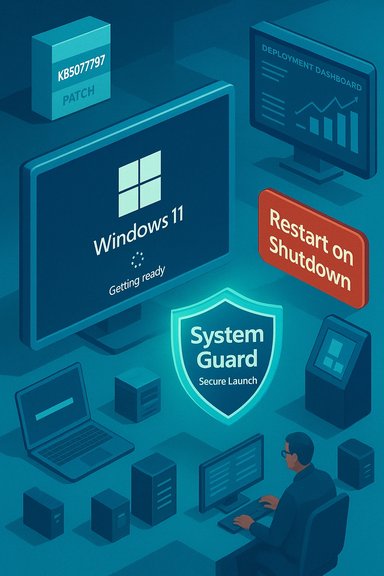 Background / Overview
January’s security rollup for Windows 11 (distributed on January 13, 2026) included servicing stack and cumulative fixes intended to improve platform security and reliability. One of those fixes — published as KB5073455 for Windows 11, version 23H2 (OS Build 22631.6491) — was accompanied by a vendor‑acknowledged known issue: on devices where System Guard Secure Launch is enabled, issuing a Shutdown or Hibernate request may instead cause the system to restart. Microsoft’s Release Health and KB notes described the symptom and provided a single, manual workaround to force a true shutdown. Independent outlets and community telemetry confirmed the behaviour soon after the rollout, and Microsoft published an out‑of‑band update (KB5077797) on January 17, 2026 that specifically addresses the shutdown/hibernation regression among other fixes in the shipping wave. This article summarizes the verified facts, explains the technical anatomy behind the regression, gives practical detection and mitigation steps for home users and IT teams, and draws broader lessons about patch management and low‑level security features.What happened — the verifiable facts
- The cumulative update in question is KB5073455, released on January 13, 2026, for Windows 11 version 23H2.
- Symptom: on devices with System Guard Secure Launch enabled, a normal shutdown or attempt to hibernate can result in an immediate restart rather than powering off or entering hibernation. Microsoft explicitly documented this as a known issue.
- Interim workaround (vendor documented): run the command shutdown /s /t 0 from an elevated Command Prompt to force a shutdown. Microsoft also warned that there was no workaround for hibernation at the time of the advisory.
- Remediation: Microsoft shipped an out‑of‑band cumulative update (KB5077797) on January 17, 2026 that includes a fix for the Secure Launch restart-on-shutdown regression. Administrators were advised to validate and deploy the OOB package in their environments.
Technical anatomy — why shutdown can become a restart
What is System Guard Secure Launch?
System Guard Secure Launch is a virtualization‑based, early‑boot hardening feature that establishes a measured, trusted environment during platform initialization. It uses Dynamic Root of Trust for Measurement (DRTM) techniques, TPM measurements, and virtualization boundaries to protect firmware and pre‑OS code from tampering. Secure Launch alters the early boot and runtime boundary compared with a conventional boot flow, and it is commonly enforced on Enterprise and IoT images where firmware‑level protection is a compliance or security requirement.Servicing orchestration and “final power intent”
Modern cumulative updates are not simple file swaps: they are multi‑phase operations that may stage components while Windows is running and then perform offline commits during shutdown or the next boot. The servicing orchestration must preserve the user’s final power intent — whether to shutdown, restart, or hibernate — across staging and offline commit phases.Secure Launch inserts additional virtualization boundaries and early‑boot measurement steps into that flow. In some configurations the January servicing changes caused the orchestration to misinterpret or fail to preserve the final power intent, so the system defaulted to a restart path to complete offline commits. Restarting is a safer default for the servicing stack when it believes a reboot is required to complete component swaps, but it’s the wrong behaviour when a user deliberately chose to power the device off. This is the class of race/sequence/regression Microsoft described.
Why the bug is narrowly scoped
The regression is configuration‑dependent — it requires:- Windows 11, version 23H2 with the January 13 cumulative update installed (KB5073455), and
- System Guard Secure Launch actually enabled and running on the device.
Who’s affected — scope and impact
- Primary impact: Enterprise and IoT editions of Windows 11, version 23H2, with Secure Launch enabled. Consumer Home and Pro machines are unlikely to be affected unless Secure Launch was deliberately enabled.
- Real‑world consequences:
- Laptops that should hibernate overnight instead reboot and remain powered, increasing battery drain and the risk of data loss for unsaved work.
- Automation and imaging processes that depend on deterministic shutdown semantics can fail or produce inconsistent states.
- Kiosks, point‑of‑sale devices, medical gear, and industrial IoT units running strict power workflows may suffer service interruptions or data consistency issues when a restart occurs unexpectedly.
How to detect whether a device is exposed
Administrators should run lightweight, vendor‑aligned checks before taking action.- Confirm the installed package:
- Settings → Windows Update → Update history → look for KB5073455 (installed on/after January 13, 2026), or run:
DISM /online /get-packages | findstr 5073455(elevated Command Prompt).- Verify the Windows edition and build:
- Win+R →
winver→ check for Windows 11 23H2 and a build near 22631.6491. - Check Secure Launch / System Guard status:
- Run
msinfo32.exe(System Information) and inspect: - Virtualization‑based Security Services Configured
- Virtualization‑based Security Services Running
- If System Guard / Secure Launch appears as configured and running, the device is likely vulnerable to the regression. Microsoft documentation lists msinfo32 as the recommended verification method.
- Optional registry check (for scripted inventory):
- Read (do not edit) the key:
HKEY_LOCAL_MACHINE\SYSTEM\CurrentControlSet\Control\DeviceGuard\Scenarios\SystemGuard\Enabled- A value of
1indicates System Guard has been configured; the msinfo32 check establishes whether the feature is actively running. Use this only for automation and with caution. - Reproduce on a non‑critical device:
- With KB5073455 installed and Secure Launch active, attempt a Shut down (from the Start menu) and observe whether the system restarts rather than powering off. If it does, the device matches the vendor‑reported symptom.
Immediate mitigation and remediation steps
For end users (single PCs / small office)
- If you see the restart‑on‑shutdown behaviour, save your work, then run the manual shutdown command to force a power‑off:
- Open Start → type cmd, right‑click Command Prompt, select Run as administrator.
- Enter:
shutdown /s /t 0
This instructs Windows to perform an immediate, orderly shutdown. Note that this is a manual workaround, not a fix; hibernation is still unreliable until a patch is applied. - Alternatively, if you prefer not to run the command each time and you are comfortable modifying configurations, consider temporarily disabling Secure Launch — only where policy and risk appetite allow — and then reboot. Disabling Secure Launch may require firmware and OS configuration changes and should be treated cautiously because it reduces early‑boot protections.
For IT administrators and fleet operators
- Inventory and triage:
- Identify devices that have KB5073455 installed and that show Secure Launch as configured/running (msinfo32, registry query, or MDM reports). Prioritize laptops, kiosks, IoT units, and automation servers.
- Gate deployments:
- Hold broader LCU deployment in untested rings until you validate OOB patches or vendor guidance on representative hardware/firmware combinations. Use a pilot ring that mirrors production diversity.
- Apply Microsoft’s out‑of‑band update:
- Microsoft published KB5077797 on January 17, 2026 as an OOB package that includes a fix for the restart-on-shutdown regression. Test and deploy the OOB to affected rings promptly.
- If you cannot deploy the OOB immediately:
- Use the manual shutdown command as an interim for affected endpoints.
- For scripted automation and imaging, update scripts to use explicit forced shutdown commands or to avoid hibernation until remediation is in place.
- Avoid blunt rollbacks where possible:
- Do not wholesale uninstall security rollups unless absolutely necessary; removing an LCU removes security fixes. Where available, use Known Issue Rollback (KIR) artifacts to surgically disable problematic changes (see AVD guidance below).
- Communicate:
- Inform users and helpdesk staff about the symptom and the manual shutdown workaround. Provide concise instructions for forcing shutdown and for saving work to mitigate data loss from failed hibernation.
The concurrent AVD / Windows 365 regression and KIR lessons
The January servicing wave also produced a separate client‑side regression affecting Azure Virtual Desktop (AVD) and Windows 365 connections: certain Windows App clients failed at credential prompts, producing authentication errors and preventing AVD/Cloud PC sessions from launching. Microsoft’s mitigation for managed fleets was a Known Issue Rollback (KIR) that can be deployed via Group Policy/MDM to disable only the problematic change without uninstalling the entire LCU. Administrators were advised to use the Web client or classic Remote Desktop client as temporary workarounds while KIR artifacts were deployed. KIR is an important operational tool because it lets IT teams surgically revert a single behavioural change while preserving other security fixes. The AVD episode highlighted the value of KIR and the importance of having deployment paths prepared for targeted rollbacks.Strengths and what Microsoft got right
- Microsoft documented the known issue publicly, provided an explicit workaround to force shutdown, and followed up with an out‑of‑band fix within a matter of days. That sequence — acknowledge, advise, remediate — is a practical incident response pattern for widely distributed operating system updates.
- The vendor’s use of Known Issue Rollback for the AVD regression offered a surgical mitigation that preserved the security posture of managed fleets while restoring availability for mission‑critical remote work users. That is a mature mechanism for handling single‑change regressions in large enterprises.
- Public documentation (Release Health / KB pages) and telemetry‑driven detection allowed the problem to be triaged and prioritized quickly. Third‑party reporting and community channels helped confirm real‑world impact.
Risks, weaknesses, and operational lessons
- The regression underscores the fragility of interactions between low‑level firmware, virtualization‑based security, and the servicing stack. As System Guard features are enforced earlier in the boot path, automatic update orchestration must reflect a broader set of hardware and firmware states, which increases testing surface complexity.
- In environments that enforce aggressive, rapid rollout of LCUs, a narrowly scoped regression can produce a disproportionate operational hit — especially when the affected feature (Secure Launch) is common in compliance‑driven fleets like kiosks, POS systems, or regulated devices.
- The manual workaround (shutdown /s /t 0) is clumsy and cannot restore hibernation semantics; that leaves devices vulnerable to battery drain and unattended failure modes until a corrective patch is applied. Relying on a sequence of manual mitigations is error prone at scale.
- Testing coverage across OEM firmware permutations remains a persistent challenge. Variations in UEFI implementations, driver stacks, and vendor firmware behavior create a combinatorial explosion of test cases that is difficult to exhaustively validate before a monthly rollup. The event emphasizes the need for tighter OEM coordination and broader representative testing in pre‑release rings.
Recommended action checklist (concise)
- For all admins:
- Inventory devices for KB5073455 presence and Secure Launch status (msinfo32, registry, MDM reports).
- Apply KB5077797 (out‑of‑band) to affected rings after validating on pilot hardware.
- If AVD/Windows 365 clients fail, apply the provided KIR Group Policy artifacts and restart endpoints rather than uninstalling the LCU.
- Update automation scripts to use
shutdown /s /t 0as a temporary deterministic shutdown where required, and avoid hibernation on affected devices until remediation is confirmed. - For power users:
- Save work frequently. If shutdown behaves incorrectly, run
shutdown /s /t 0from an elevated CMD window. Do not rely on hibernate on the affected patch level. - For procurement/security teams:
- Revisit acceptance testing for firmware‑hardened devices and expand pre‑deployment test matrices to include update commit and shutdown/hibernate transitions under Secure Launch configurations.
- Coordinate with OEMs to confirm firmware behaviour and update readiness before broad production rollouts.
Broader takeaways for Windows patch management
- Security and reliability are no longer orthogonal: updates that strengthen firmware/boot protections can change the expected orchestration of servicing and power transitions. Testing and deployment strategies must evolve accordingly.
- Feature parity across diverse OEM firmware cannot be assumed. Representative pilot rings and quick rollback or surgical mitigation mechanisms (KIR) are indispensable for enterprise stability.
- Visibility into endpoint configuration (Secure Launch enabled, VBS state, TPM, UEFI settings) is now a core requirement for responsible patching programs — not an optional telemetry add‑on.
- Communication matters: clear, concise guidance and a documented workaround reduce helpdesk churn and lost productivity while engineering delivers a fix.
Closing analysis
The January 2026 Windows servicing window illustrated a recurring reality of modern platform engineering: tightening security boundaries (System Guard Secure Launch) raises the bar against firmware attacks but also exposes subtle orchestration problems in the servicing stack. Microsoft acted within reasonable operational norms — publishing a known‑issue advisory, offering a manual workaround, providing KIR for an unrelated AVD regression, and shipping an out‑of‑band corrective update within days — but the episode highlights that enterprise patch management must now be deeply hardware‑aware.For administrators, the practical imperative is twofold: (1) maintain fast, accurate inventory and pilot testing that accounts for Secure Launch/VBS configurations; and (2) adopt layered mitigations (KIR, targeted OOB deployment, script-level shutdown fallbacks) rather than blunt uninstalls. For users and small teams, the immediate path is clear: save work, use the documented shutdown command when necessary, and install the vendor’s remedial update once it has been validated for your devices. The incident should be treated as a practical reminder: as the Windows platform hardens against increasingly sophisticated firmware threats, testing, validation, and OEM collaboration must scale alongside — or else everyday behaviours like powering off a laptop risk becoming high‑priority escalations.
Source: filmogaz.com https://www.filmogaz.com/104878]