• Thread Author
Microsoft’s January Patch Tuesday brought a familiar trade‑off: a broad security rollup that closed dozens of vulnerabilities — and, for a narrowly defined set of systems, an unexpected regression that prevents shutdown and hibernation from completing as intended. The bug, tied to the Windows 11 cumulative update KB5073455 and devices configured with System Guard Secure Launch, caused affected PCs to restart instead of powering off; Microsoft documented the behaviour, issued an emergency workaround, and followed with an out‑of‑band remedial update the following week.

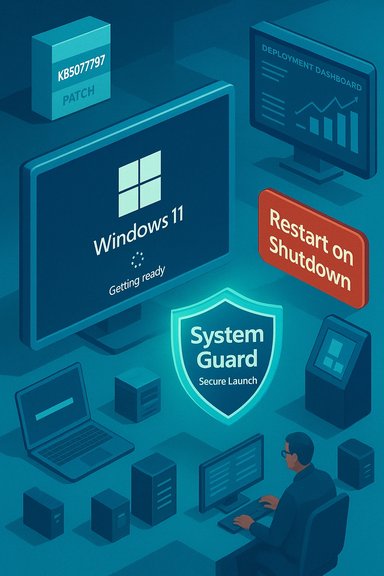
Windows 11 setup scene with patch box, deployment dashboard, restart-on-shutdown prompt and System Guard shield.Background / Overview​

January’s security rollup for Windows 11 (distributed on January 13, 2026) included servicing stack and cumulative fixes intended to improve platform security and reliability. One of those fixes — published as KB5073455 for Windows 11, version 23H2 (OS Build 22631.6491) — was accompanied by a vendor‑acknowledged known issue: on devices where System Guard Secure Launch is enabled, issuing a Shutdown or Hibernate request may instead cause the system to restart. Microsoft’s Release Health and KB notes described the symptom and provided a single, manual workaround to force a true shutdown. Independent outlets and community telemetry confirmed the behaviour soon after the rollout, and Microsoft published an out‑of‑band update (KB5077797) on January 17, 2026 that specifically addresses the shutdown/hibernation regression among other fixes in the shipping wave. This article summarizes the verified facts, explains the technical anatomy behind the regression, gives practical detection and mitigation steps for home users and IT teams, and draws broader lessons about patch management and low‑level security features.

What happened — the verifiable facts​

  • The cumulative update in question is KB5073455, released on January 13, 2026, for Windows 11 version 23H2.
  • Symptom: on devices with System Guard Secure Launch enabled, a normal shutdown or attempt to hibernate can result in an immediate restart rather than powering off or entering hibernation. Microsoft explicitly documented this as a known issue.
  • Interim workaround (vendor documented): run the command shutdown /s /t 0 from an elevated Command Prompt to force a shutdown. Microsoft also warned that there was no workaround for hibernation at the time of the advisory.
  • Remediation: Microsoft shipped an out‑of‑band cumulative update (KB5077797) on January 17, 2026 that includes a fix for the Secure Launch restart-on-shutdown regression. Administrators were advised to validate and deploy the OOB package in their environments.
These points are corroborated by multiple third‑party reports and community threads that reproduced the symptom and tracked vendor advisories.

Technical anatomy — why shutdown can become a restart​

What is System Guard Secure Launch?​

System Guard Secure Launch is a virtualization‑based, early‑boot hardening feature that establishes a measured, trusted environment during platform initialization. It uses Dynamic Root of Trust for Measurement (DRTM) techniques, TPM measurements, and virtualization boundaries to protect firmware and pre‑OS code from tampering. Secure Launch alters the early boot and runtime boundary compared with a conventional boot flow, and it is commonly enforced on Enterprise and IoT images where firmware‑level protection is a compliance or security requirement.

Servicing orchestration and “final power intent”​

Modern cumulative updates are not simple file swaps: they are multi‑phase operations that may stage components while Windows is running and then perform offline commits during shutdown or the next boot. The servicing orchestration must preserve the user’s final power intent — whether to shutdown, restart, or hibernate — across staging and offline commit phases.
Secure Launch inserts additional virtualization boundaries and early‑boot measurement steps into that flow. In some configurations the January servicing changes caused the orchestration to misinterpret or fail to preserve the final power intent, so the system defaulted to a restart path to complete offline commits. Restarting is a safer default for the servicing stack when it believes a reboot is required to complete component swaps, but it’s the wrong behaviour when a user deliberately chose to power the device off. This is the class of race/sequence/regression Microsoft described.

Why the bug is narrowly scoped​

The regression is configuration‑dependent — it requires:
  • Windows 11, version 23H2 with the January 13 cumulative update installed (KB5073455), and
  • System Guard Secure Launch actually enabled and running on the device.
Because Secure Launch is usually enforced on Enterprise or IoT SKUs and is seldom enabled by default on consumer Home/Pro devices, the operational exposure concentrates in managed fleets, kiosks, and specialized devices. That explains the uneven hit‑rate across the Windows install base.

Who’s affected — scope and impact​

  • Primary impact: Enterprise and IoT editions of Windows 11, version 23H2, with Secure Launch enabled. Consumer Home and Pro machines are unlikely to be affected unless Secure Launch was deliberately enabled.
  • Real‑world consequences:
  • Laptops that should hibernate overnight instead reboot and remain powered, increasing battery drain and the risk of data loss for unsaved work.
  • Automation and imaging processes that depend on deterministic shutdown semantics can fail or produce inconsistent states.
  • Kiosks, point‑of‑sale devices, medical gear, and industrial IoT units running strict power workflows may suffer service interruptions or data consistency issues when a restart occurs unexpectedly.
Multiple industry reports and community threads documented the symptom across vendors and device classes, reinforcing Microsoft’s advisory.

How to detect whether a device is exposed​

Administrators should run lightweight, vendor‑aligned checks before taking action.
  • Confirm the installed package:
  • Settings → Windows Update → Update history → look for KB5073455 (installed on/after January 13, 2026), or run:
  • DISM /online /get-packages | findstr 5073455 (elevated Command Prompt).
  • Verify the Windows edition and build:
  • Win+R → winver → check for Windows 11 23H2 and a build near 22631.6491.
  • Check Secure Launch / System Guard status:
  • Run msinfo32.exe (System Information) and inspect:
  • Virtualization‑based Security Services Configured
  • Virtualization‑based Security Services Running
  • If System Guard / Secure Launch appears as configured and running, the device is likely vulnerable to the regression. Microsoft documentation lists msinfo32 as the recommended verification method.
  • Optional registry check (for scripted inventory):
  • Read (do not edit) the key:
  • HKEY_LOCAL_MACHINE\SYSTEM\CurrentControlSet\Control\DeviceGuard\Scenarios\SystemGuard\Enabled
  • A value of 1 indicates System Guard has been configured; the msinfo32 check establishes whether the feature is actively running. Use this only for automation and with caution.
  • Reproduce on a non‑critical device:
  • With KB5073455 installed and Secure Launch active, attempt a Shut down (from the Start menu) and observe whether the system restarts rather than powering off. If it does, the device matches the vendor‑reported symptom.

Immediate mitigation and remediation steps​

For end users (single PCs / small office)​

  • If you see the restart‑on‑shutdown behaviour, save your work, then run the manual shutdown command to force a power‑off:
  • Open Start → type cmd, right‑click Command Prompt, select Run as administrator.
  • Enter: shutdown /s /t 0
    This instructs Windows to perform an immediate, orderly shutdown. Note that this is a manual workaround, not a fix; hibernation is still unreliable until a patch is applied.
  • Alternatively, if you prefer not to run the command each time and you are comfortable modifying configurations, consider temporarily disabling Secure Launch — only where policy and risk appetite allow — and then reboot. Disabling Secure Launch may require firmware and OS configuration changes and should be treated cautiously because it reduces early‑boot protections.

For IT administrators and fleet operators​

  • Inventory and triage:
  • Identify devices that have KB5073455 installed and that show Secure Launch as configured/running (msinfo32, registry query, or MDM reports). Prioritize laptops, kiosks, IoT units, and automation servers.
  • Gate deployments:
  • Hold broader LCU deployment in untested rings until you validate OOB patches or vendor guidance on representative hardware/firmware combinations. Use a pilot ring that mirrors production diversity.
  • Apply Microsoft’s out‑of‑band update:
  • Microsoft published KB5077797 on January 17, 2026 as an OOB package that includes a fix for the restart-on-shutdown regression. Test and deploy the OOB to affected rings promptly.
  • If you cannot deploy the OOB immediately:
  • Use the manual shutdown command as an interim for affected endpoints.
  • For scripted automation and imaging, update scripts to use explicit forced shutdown commands or to avoid hibernation until remediation is in place.
  • Avoid blunt rollbacks where possible:
  • Do not wholesale uninstall security rollups unless absolutely necessary; removing an LCU removes security fixes. Where available, use Known Issue Rollback (KIR) artifacts to surgically disable problematic changes (see AVD guidance below).
  • Communicate:
  • Inform users and helpdesk staff about the symptom and the manual shutdown workaround. Provide concise instructions for forcing shutdown and for saving work to mitigate data loss from failed hibernation.

The concurrent AVD / Windows 365 regression and KIR lessons​

The January servicing wave also produced a separate client‑side regression affecting Azure Virtual Desktop (AVD) and Windows 365 connections: certain Windows App clients failed at credential prompts, producing authentication errors and preventing AVD/Cloud PC sessions from launching. Microsoft’s mitigation for managed fleets was a Known Issue Rollback (KIR) that can be deployed via Group Policy/MDM to disable only the problematic change without uninstalling the entire LCU. Administrators were advised to use the Web client or classic Remote Desktop client as temporary workarounds while KIR artifacts were deployed. KIR is an important operational tool because it lets IT teams surgically revert a single behavioural change while preserving other security fixes. The AVD episode highlighted the value of KIR and the importance of having deployment paths prepared for targeted rollbacks.

Strengths and what Microsoft got right​

  • Microsoft documented the known issue publicly, provided an explicit workaround to force shutdown, and followed up with an out‑of‑band fix within a matter of days. That sequence — acknowledge, advise, remediate — is a practical incident response pattern for widely distributed operating system updates.
  • The vendor’s use of Known Issue Rollback for the AVD regression offered a surgical mitigation that preserved the security posture of managed fleets while restoring availability for mission‑critical remote work users. That is a mature mechanism for handling single‑change regressions in large enterprises.
  • Public documentation (Release Health / KB pages) and telemetry‑driven detection allowed the problem to be triaged and prioritized quickly. Third‑party reporting and community channels helped confirm real‑world impact.

Risks, weaknesses, and operational lessons​

  • The regression underscores the fragility of interactions between low‑level firmware, virtualization‑based security, and the servicing stack. As System Guard features are enforced earlier in the boot path, automatic update orchestration must reflect a broader set of hardware and firmware states, which increases testing surface complexity.
  • In environments that enforce aggressive, rapid rollout of LCUs, a narrowly scoped regression can produce a disproportionate operational hit — especially when the affected feature (Secure Launch) is common in compliance‑driven fleets like kiosks, POS systems, or regulated devices.
  • The manual workaround (shutdown /s /t 0) is clumsy and cannot restore hibernation semantics; that leaves devices vulnerable to battery drain and unattended failure modes until a corrective patch is applied. Relying on a sequence of manual mitigations is error prone at scale.
  • Testing coverage across OEM firmware permutations remains a persistent challenge. Variations in UEFI implementations, driver stacks, and vendor firmware behavior create a combinatorial explosion of test cases that is difficult to exhaustively validate before a monthly rollup. The event emphasizes the need for tighter OEM coordination and broader representative testing in pre‑release rings.

Recommended action checklist (concise)​

  • For all admins:
  • Inventory devices for KB5073455 presence and Secure Launch status (msinfo32, registry, MDM reports).
  • Apply KB5077797 (out‑of‑band) to affected rings after validating on pilot hardware.
  • If AVD/Windows 365 clients fail, apply the provided KIR Group Policy artifacts and restart endpoints rather than uninstalling the LCU.
  • Update automation scripts to use shutdown /s /t 0 as a temporary deterministic shutdown where required, and avoid hibernation on affected devices until remediation is confirmed.
  • For power users:
  • Save work frequently. If shutdown behaves incorrectly, run shutdown /s /t 0 from an elevated CMD window. Do not rely on hibernate on the affected patch level.
  • For procurement/security teams:
  • Revisit acceptance testing for firmware‑hardened devices and expand pre‑deployment test matrices to include update commit and shutdown/hibernate transitions under Secure Launch configurations.
  • Coordinate with OEMs to confirm firmware behaviour and update readiness before broad production rollouts.

Broader takeaways for Windows patch management​

  • Security and reliability are no longer orthogonal: updates that strengthen firmware/boot protections can change the expected orchestration of servicing and power transitions. Testing and deployment strategies must evolve accordingly.
  • Feature parity across diverse OEM firmware cannot be assumed. Representative pilot rings and quick rollback or surgical mitigation mechanisms (KIR) are indispensable for enterprise stability.
  • Visibility into endpoint configuration (Secure Launch enabled, VBS state, TPM, UEFI settings) is now a core requirement for responsible patching programs — not an optional telemetry add‑on.
  • Communication matters: clear, concise guidance and a documented workaround reduce helpdesk churn and lost productivity while engineering delivers a fix.

Closing analysis​

The January 2026 Windows servicing window illustrated a recurring reality of modern platform engineering: tightening security boundaries (System Guard Secure Launch) raises the bar against firmware attacks but also exposes subtle orchestration problems in the servicing stack. Microsoft acted within reasonable operational norms — publishing a known‑issue advisory, offering a manual workaround, providing KIR for an unrelated AVD regression, and shipping an out‑of‑band corrective update within days — but the episode highlights that enterprise patch management must now be deeply hardware‑aware.
For administrators, the practical imperative is twofold: (1) maintain fast, accurate inventory and pilot testing that accounts for Secure Launch/VBS configurations; and (2) adopt layered mitigations (KIR, targeted OOB deployment, script-level shutdown fallbacks) rather than blunt uninstalls. For users and small teams, the immediate path is clear: save work, use the documented shutdown command when necessary, and install the vendor’s remedial update once it has been validated for your devices. The incident should be treated as a practical reminder: as the Windows platform hardens against increasingly sophisticated firmware threats, testing, validation, and OEM collaboration must scale alongside — or else everyday behaviours like powering off a laptop risk becoming high‑priority escalations.
Source: filmogaz.com https://www.filmogaz.com/104878]
 

Microsoft has pushed an emergency, out‑of‑band fix after a January cumulative update for Windows 11 caused some systems configured with System Guard Secure Launch to restart instead of shutting down or entering hibernation, an issue Microsoft has acknowledged and patched with a remedial package published on January 17, 2026.

A programmer at a laptop in a server room, with a glowing Windows logo and a 'Secure Launch' shield.Background​

The problem traces to the January 13, 2026 cumulative security update for Windows 11, version 23H2 — shipped as KB5073455 (OS Build 22631.6491) — which introduced a configuration‑dependent regression. On devices where System Guard Secure Launch (a virtualization‑based early‑boot hardening feature) is enabled, shutdown and hibernate requests could be misinterpreted by the servicing orchestration and result in an immediate restart rather than a clean power‑off or saved hibernation state. Microsoft documented the issue as a kno Health and published a documented interim workaround while engineering prepared a targeted remedy. Within four days Microsoft issued an out‑of‑band (OOB) cumulative update — KB5077797 (OS Build 22631.6494) — that bundles the January security fixes and includes explicit corrections for the Secure Launch restart‑on‑shutdown regression plus related Remote Desktop sign‑in failures reported at the same time. Administrators and users were urged to install the remedial package via Windows Update or the Microsoft Update Catalog and to validate shutdown/hibernation behavior after applying the patch.

What exactly happened: technical anatomy in plain English​

The symptom​

  • Selecting Shut down from the Start menu or invoking Hibernate could cause the device to briefly go dark and then return to the sign‑in screen or reboot, rather than powering off or saving state.
  • In practice this produced battery drain on laptopintenance or imaging tasks, and misbehaving kiosks or IoT devices that expect deterministic power states.

The trigger​

  • The regression required three conditions to coincide: installation of the January cumulative (KB5073455), the device running Windows 11 23H2, and Secure Launch being enabled. The problem was therefore configuration dependent and primarily surfaced on Enterprise, Education, and IoT images where Secure Launch is enforced. Consumer Home and typical Pro images are unlikely to be affected unless Secure Launch was explicitly enabled.

Why Secure Launch matters​

  • *System is part of Windows’ virtualization‑based security (VBS) family and inserts a dynamic root‑of‑trust during early boot to protect firmware and the boot chain against low‑level attacks.
  • Because Secure Launch changes early‑boot semantics and introduces virtualization boundaries, it alters the timing and path assumptions the servicing stack uses during multi‑phase updates that require offline commits during shutdown or reboot. When orchestration logic fails to preserve the user’s final power intent across that boundary, the servicing stack may choose a conservative fallback — a restart — to complete pending commits. That fallback, while safe for update integrity, violated user expectation for a shutdown.

The limits of pt’s public KB notes and Release Health entries describe the symptom and the remedial package, but they do not publish low‑level source code or microdiagnostics of the exact internal path that misinterpreted power intent. The high‑level engineering explanation — an orchestration/regression interaction between the servicing stack and Secure Launch — is credible and consistent with community telemetry, but the precise one‑line root cause reernal and therefore not fully verifiable from public documents. Treat any overly detailed causal claims that go beyond Microsoft’s public descriptions as plausibly accurate engineering inference rather than vendor‑confirmed fact.​


Timeline: what happened and when​

  • January 13, 2026 — Microsoft published the January Patch Tuesday cumulative for Windows 11 23H2 as KB5073455; community reports and telemetry soon surfaced shutdown/hibernate failures on Secure Launch‑enabled systems.
  • January 13–16, 2026 — administrators and users began reporting the symptom; Microsoft added the behavior to Release Health and published interim guidance.
  • January 17, 2026 — Microsoft released an out‑of‑band cumulative update, KB5077797, which explicitly lists the Secure Launch restart‑on‑shutdown regression and Remote Desktop sign‑in fixes as resolved in the package. Microsoft advised deploying the remedial package via Windows Update or enterprise management channels.
This cadence — detection, interim guidance, and an OOB remedial update within four days — reflects a rapid vendor response to an operationally significant regression. Community reporting across outlets and MTAs corroborated the timelerge.

Who was affected and why it mattered​

The regression was narrowly scoped but operationally consequential.
  • Primary exposure: Windows 11, version 23H2 systems where System Guard Secure Launch is enabled, commonly enforced in managed Enterprise, Education, and IoT images.
  • Secondary exposure: any device where Secure Launch was manually enabled or configured by enterprise tooling — including some advanced consumer setups.
  • Operational impact:
  • Battery drain and unexpected reboots for end users relying on Hibernate.
  • Failed overnight maintenance and imaging tasks that require the device to remain powered off.
  • Kiosk, point‑of‑sale, and field IoT devices returning to the sign‑in screen instead of powering down, causing availability and data integrity concerns.
  • Helpdesk churn and user confusion as devices appeared to shut down but restarted immediately.

Microsoft’s interim guidance and the emergency fix​

The emergency workaround​

Microsoft published a manual, documented workaround to force a shutdown while awaiting the patch: open an elevated Command Prompt and run:
  • shutdown /s /t 0
This command instructs Windows to perform an immediate orderly shutdown. Microsoft warned, however, that hibernation remained unreliable and there was no guaranteed workaround for Hibernate until the remedial update was applied. The command is pragmatic but not a universal cure; some edge cases were reported where even the forced shutdown command did not succeed due to the same underlying orchestration limitations.

The remedial package​

On January 17 Microsoft published KB5077797 (OS Build 22631.6494) as an out‑of‑band includes the January 13 security fixes and targeted corrections:
  • Fixed: Remote Desktop sign‑in failures affecting various RDP clients.
  • Fixed: Some devices with Secure Launch enabled restarting instead of shutting dowtion.
Admins and users were advised to install KB5077797 via Windows Update, or manually via the Microsoft Update Catalog, then validattion across representative hardware. Microsoft also provided a servicing stack update in the same package to address update installation reliability.

How to tell if your device is vulnerable (quick checklist)​

  • Confirm OS build and installed updates:
  • Press Win+R, type winver and verify you are on Windows 11, version 23H2 and check Update History for KB5073455 and/or KB5077797. ([support.microsoft.com](January 13, 2026—KB5073455 (OS Build 22631.6491) - Microsoft Support status:
  • Open System Information (msinfo32.exe) and look under System Summary for virtualization/VBS entries or specific System Guard / Secure Launch status flags. Managed inventory tooling can also query Secure Launch centrally.
  • Reproduce carefully:
  • Save work, then select Shut down. If the system restarts instead of powering off, you match the documented symptom. Look for Kernel‑Power events in Event Viewer to trace unexpected transitions.
If you are affected and KB5077797 is not yet installed, apply tharound (shutdown /s /t 0) to safely power off after saving work, then install the remedial package immediately. For hibernation‑dependent workflows, avoid relying on Hibernate until you have validated the fix in your environment.
ployment guidance for administrators
The event is a reminder that security hardening features and servicing orchestration interact in complex ways. For IT teams responsible for fleets, follow a cautious, telemetry‑driven remediation sequence:
  • Inventory exposure
  • Query devices for Windows 11 23H2 and the presence of KB5073455/KB5077797.
  • Deteave System Guard Secure Launch enabled (msinfo32 or management APIs).
  • Pilot the remedial package
  • Approve KB5077797 to a pilot ring that includes representative OEMs, firmware rtop types, and IoT images.
  • Monitor telemetry for 72 hours for residual power‑state anomalies and RDP authentication stability.
  • Broad deployment
  • After successful piloting, proceed with staged rollout using WSUS/ConfigMgr/Intune rings.
  • Communicate the temporary shutdown procedure (shutdown /s /t 0) to helpdesk teams in case users experience symptoms before remediation completes.
  • Avoid risky workarounds
  • Do not disable Secure Launch as a permanent workaround. Microsoft explicitly cautioned against disabling the feature because it reduces platform security and may violate compliance mandates. Use the instead.
  • Validate hibernation
  • Because hibernation behavior depends on firmware, drivers, and the remedial servicing, run explicit hibernation tests on pilot devices — do not assume Hibernate will work simply because shutdown does.
  • strengths, weaknesses, and what this episode reveals

Notable strengths in Microsoft’s response​

  • Rapid detection and targeted remediation: Microsoft moved from initial identification to an out‑of‑band remedial package in roughly four days, a response time that minimized the impact for many deployments.
  • Clear interim guidance: The documented forced shutdown command gave administrators and users an actionable, low‑risk step to manage immediate shutdown needs while a patch was prepared.
  • Use of OOB packages: For regression that touches update servicing or security features, shippiive that includes servicing stack updates is the safest path to restore both reliability and security posture simultaneously.

Underlying weaknesses and risks​

  • Testing coverage gaps: The regression highlights limits in automated validation across the vast diversity of OEM firmware, virtualization configurations, and driver variants in the Windows ecosystem. Secure Launch touches early bntics, making comprehensive pre‑release testing challenging but essential.
  • Configurasions are harder to catch: Features like Secure Launch are more common in managed images than consumer PCs, so some regressions can evad that favours consumer and typical enterprise setups.
  • Operational friction for managed fleets: E that affect shutdown behavior can cause disproportionate operational load in large fleets — drained devices, failed automation, helpdesk tctivity — which increases the real cost of rollouts.

Longer‑term implications​

  • Organizations should treat low‑level security hardening features as both essential and fragile: they provide genuine security benefits, but they also change platform semantics in ways that amplify the importance of real‑world pilot tback/remediation playbooks.
  • Supply chain and firmware diversity won't disappear: vendors, testers, and Microsoft must continue to expand automated coverage and telemetry that exercises early‑boot paths across representative hardware to reduce the chance of similar regressions.
    action checklist (concise)
  • For end users:
  • Check Windows Update → Update history for KB5077797 and install if present.
  • If you experience shutdown failures and ble yet, save work and run: shutdown /s /t 0 from an elevated prompt.
  • Avoid relying on Hibernate until you confirm it works after the remedial package.
  • For IT administrators:
  • Inventory Windows 11 23H2 devices and check Secure Launch enablement via msinfo32 or management tooling.
  • Pilot KB5077797 across representative hardware and firmware variants before broad deployment.
  • Communicate temporary shutdown command to helpdesk and end users; do not recommend disabling Secure Launch as a permanent workaround.

What to watch next​

  • Residual reports: watch for community telemetry indicating residual devices still experiencing restart behavior after applying KB5077797, or for edge cases where the forced shutdown command also fails. If such reports appear, Microsoft may follow up with additional updates or guidance.
  • Known Issue Rollbacks vs OOB patches: Microsoft uses KIR for some regressions but prefers OOB packages for issues that touch security servicing or where a direct fix is less disruptive than a rollback. Understanding when each mechanism is used helps IT plan response strategies.
  • Post‑incident follow‑ups: Microsoft may provide post‑mortem detail or expanded Release Health notes that shed more light on the exact orchestration interactions. Any deeper causal detail published by Microsoft should be treated as authoritative. Until then, keep treating root cause descriptions beyond Microsoft’s public statements as inferences.

Conclusion​

The January 2026 Patch Tuesday rollup exposed a narrow but impactful regression at the intersection of Windows servicing logic and Secure Launch — a feature designed to harden the boot process. Microsoft responded rapidly with documented interim guidance and an out‑of‑band remedial package (KB5077797) that explicitly addresses the restart‑on‑shutdown regression and related Remote Desktop sign‑in failures. Administrators should inventory exposure, pilot the remedial package across representative devices, and avoid disabling Secure Launch as a permanent workaround. The episode is a reminder that platform hardening and servicing orchestration are tightly coupled; organizations that pair prompt patching with representative testing and clear communication will be best placed to sustain both security and availability as Windows evolves.
Source: Computerworld Microsoft rolls out emergency fix for Windows 11
 

Microsoft’s first Windows 11 security rollup of 2026 delivered a routine library of fixes — and, for a narrow but important subset of devices, it broke the most basic user expectation: the ability to shut down cleanly. Within days of Patch Tuesday (January 13, 2026) reports surfaced that some Windows 11 machines were restarting instead of powering off or entering hibernation, and some Remote Desktop sign‑in flows were failing. Microsoft acknowledged the regressions and published an out‑of‑band remedial update (KB5077797 for 23H2 and companion packages for other channels) on January 17 to repair shutdown/hibernate behaviour and Remote Desktop authentication failures.

A computer monitor displays a shield badge reading “SYSTEM GUARD” and “SECURE LAUNCH” with neon security graphics.Background / Overview​

Windows servicing is a complex choreography. Cumulative updates (LCUs) and servicing‑stack updates (SSUs) stage payloads while the OS is running, then perform one or more offline commits during shutdown or the next boot. Those commit phases must preserve the user’s final power intent — shutdown, restart, or hibernate — across several transitions. When hardening features that change early‑boot behaviour are involved, timing and state assumptions become brittle. The January 13, 2026 cumulative update for Windows 11, version 23H2 (KB5073455), included changes to components that interact with early‑boot protections such as System Guard Secure Launch; on certain configurations that produced a restart‑instead‑of‑shutdown behaviour. Microsoft documented the condition and warned that devices with Secure Launch enabled could be affected. At the same time, a different symptom surfaced: credential prompt and sign‑in failures affecting Remote Desktop connections and Cloud PC/AVD scenarios. That regression touched a broader set of servicing branches and clients and was also explicitly addressed by Microsoft’s out‑of‑band (OOB) patches.

What broke — the technical symptoms explained​

Restart when you ask for Shut down (the Secure Launch interaction)​

  • Symptom: On affected Windows 11, version 23H2 systems that have System Guard Secure Launch enabled, choosing Shut down or attempting Hibernate could result in the device immediately restarting rather than powering off or entering hibernation. The screen might briefly go dark, fans or disks could keep spinning, and the machine would return to the sign‑in screen.
  • Root cause (high level): The regression arose at the intersection of servicing orchestration and an early‑boot virtualization boundary. System Guard Secure Launch inserts a virtualization‑based protection in the pre‑OS phase. That changes boot and shutdown semantics. If the servicing stack’s offline commit logic and the Secure Launch path misalign, the system can fall back to a restart to ensure updates commit safely — but this violates the user’s explicit power intent. This class of failure is environment dependent and hard to reproduce in generic labs.
  • Practical consequences: Laptops that should hibernate overnight may stay powered, draining batteries; imaging and provisioning scripts that expect predictable shutdown/hibernate semantics can fail; and administrators relying on scheduled power‑state transitions (for maintenance windows or remote reboots) will see unexpected behaviour. For IoT, kiosk, or enterprise fleets where Secure Launch is frequently enforced, the operational impact can be substantial.

Remote Desktop and Cloud‑PC sign‑in failures​

  • Symptom: Separate from the power‑state issue, multiple Remote Desktop clients (notably the modern Windows App used for Azure Virtual Desktop/Windows 365) experienced credential prompt failures and aborted authentication handshakes, preventing remote sessions from launching for some users. This affected several servicing branches including Windows 11 24H2/25H2 and certain Windows 10 ESU and server channels.
  • Why it matters: Remote Desktop and Cloud PC access are core to hybrid work. When credential flows break, entire teams lose remote access and administrators lose management paths, increasing help‑desk load and risk during incident response. Microsoft treated this as severe enough to include targeted corrections in its OOB releases.

Microsoft’s timeline and response​

  • January 13, 2026 — Microsoft shipped the monthly Patch Tuesday security rollup for multiple Windows servicing branches. For Windows 11, version 23H2 the cumulative update is tracked as KB5073455 (OS Build 22631.6491). Industry and community telemetry quickly reported the restart-on-shutdown symptom and the Remote Desktop credential failures.
  • January 13–16, 2026 — Microsoft logged the incidents as known issues on Release Health and began triage. Temporary guidance (for the shutdown symptom) was to use a manual forced shutdown command as an emergency measure.
  • January 17, 2026 — Microsoft issued out‑of‑band (OOB) cumulative updates to remediate the regressions:
  • KB5077797 — OOB cumulative update for Windows 11, version 23H2 (OS Build 22631.6494). This package explicitly fixes Remote Desktop sign‑in failures and the Secure Launch restart‑on‑shutdown regression.
  • KB5077744 — Companion OOB update for Windows 11 24H2/25H2 addressing Remote Desktop authentication failures.
Microsoft’s OOB packages are cumulative: they include the January 13 security fixes plus targeted corrective code to roll back or repair the specific regressions in the field. Administrators were advised to deploy these OOB updates promptly and validate them across representative hardware.

How to tell if your device is affected (quick checklist)​

  • Confirm your Windows version: press Win+R, type winver, and verify you are on Windows 11, version 23H2 if you suspect the Secure Launch shutdown issue.
  • Check installed updates: open Windows Update → Update history and look for KB5073455 (January 13 LCU) and KB5077797 (January 17 OOB). If KB5073455 is present and KB5077797 is not, you may be exposed.
  • Confirm Secure Launch status: run msinfo32.exe (System Information) and inspect virtualization / System Guard / Secure Launch flags in the System Summary. If Secure Launch is enabled, you are within the configuration subset Microsoft tied to the symptom.
  • Test power behavior: after saving work, use the Start menu Power → Shut down and see whether the machine powers off or immediately returns to the sign‑in screen. If it restarts, the device has exhibited the regression. If immediate shutdown is required as a stopgap, an elevated Command Prompt run of:
  • shutdown /s /t 0
    will force a clean shutdown in many cases; Microsoft lists this as an interim manual workaround. There was no vendor‑supplied workaround for hibernation at the time of the advisory.

Immediate remediation steps for administrators and power users​

  • Install the OOB update: Ensure affected machines receive KB5077797 (23H2) or KB5077744 (24H2/25H2) via Windows Update, WSUS, or the Microsoft Update Catalog. Validate installation on pilot devices before broad rollout.
  • Inventory Secure Launch: Use scripted inventories to find all endpoints with Secure Launch enabled; prioritize these for expedited remediation and targeted user communications. Representative validation across firmware/OEM diversity is critical because the regression interacts with platform firmware.
  • Apply Known Issue Rollback (KIR) where available: when Microsoft offers KIR artifacts for managed fleets, prefer KIR over mass uninstalls, as KIR can surgically restore prior behaviour. Follow Microsoft guidance for KIR deployment.
  • Communication playbook: inform users that they should save work frequently and avoid using Hibernate until patches are applied; provide the shutdown /s /t 0 command as an emergency measure with clear instructions to use it only after saving and closing applications.
  • Post‑patch validation: after installing the OOB package, test shutdown, hibernate, and Remote Desktop sign‑in flows; collect Event Viewer logs from System and Setup channels if anomalies persist. Document the validation checklist for audit and rollback planning.

Why this episode matters — a broader analysis​

  • Security vs. availability trade‑off: January’s cumulative was high‑priority — it fixed over 100 CVEs and included at least one actively exploited vulnerability — but hardening the platform increases test surface and deployment risk. The harder you make the boot chain (with Secure Launch and other VBS features), the more interactions you must validate across firmware, OEM drivers, and diverse fleet topologies. Microsoft had to act quickly to prevent longer‑term reliability fallout while preserving critical security fixes.
  • Update velocity and quality perception: the need for a rapid OOB fix within four days of Patch Tuesday draws attention to testing gaps, or at least to the realities of shipping massive cumulative packages across a heterogeneous hardware ecosystem. Users and IT teams are sensitive to regressions that affect fundamental operations (power state, remote access), and repeated incidents like this can erode confidence in Windows servicing discipline. Independent reporting emphasized that such emergency patches, while necessary, damage public perception of update quality.
  • Complexity of modern endpoints: Enterprise and IoT SKUs, where features like Secure Launch are commonly enforced, require more nuanced validation rings. This incident underlines the importance of including diverse OEM firmware, managed images, and hardened‑boot configurations in Canary and pilot groups — not just consumer hardware — so regressions that affect compliance‑focused environments are found early.

Fact‑checking the broader claims you've likely seen​

Several popular outlets and aggregated articles repeated narrative fragments from the original coverage, but not all ancillary claims in circulation are equally verifiable.
  • Windows 10 end‑of‑support reality: Microsoft officially ended mainstream support for Windows 10 on October 14, 2025. That deadline means Microsoft no longer provides free security updates and feature support for Windows 10; the company suggested upgrade paths and Extended Security Updates for those who need more time. This is a firm, verifiable date.
  • Claims that “millions switched to Windows 7” after Windows 10’s end of support are overstated and inconsistent with primary market‑share trackers. Independent tracker snapshots show legacy Windows 7 usage remains a small fraction of the market (single‑digit percentages in most datasets), not the large migration some headlines suggested. Treat sensational claims about a mass exodus to Windows 7 as unverified unless anchored to credible, primary market‑share data.
  • Reports that Google will ship a unified Android/ChromeOS desktop platform are grounded in public statements from Google and partners: Google has publicly discussed merging Android and ChromeOS efforts into a common foundation and integrating Gemini/AI capabilities into desktop devices. Qualcomm executives have praised internal demos. That initiative is real and may change competitive dynamics over time, but it is not an immediate replacement for Windows on the Enterprise desktop — it is a long‑range strategic pressure rather than a near‑term collapse of Microsoft’s desktop franchise. Distinguish between confirmed product roadmaps and breathless “Windows‑will‑be‑dead‑this‑year” headlines.

Recommended checklist for home users and IT teams (practical, prioritized)​

  • Confirm whether your device is on Windows 11 23H2 and whether KB5073455 or KB5077797 are installed.
  • If your device shows the restart‑on‑shutdown behaviour and KB5077797 is not present, apply the OOB update immediately via Windows Update or the Microsoft Update Catalog and validate.
  • On affected devices, use shutdown /s /t 0 as an emergency shutdown step after saving work; avoid relying on Hibernate until the fix is confirmed.
  • For administrators: inventory Secure Launch and VBS‑enabled devices, stage the OOB package in pilot rings that represent firmware diversity, and maintain logs/telemetry to speed triage if anomalies persist.
  • Recheck Remote Desktop flows after patching; for persistent sigk to browser‑based Web clients or the classic Remote Desktop client while confirming remediation.

Risk assessment and what to watch next​

  • Residual risk: Out‑of‑band patches reduce immediate operational risk, but they are not a substitute for improved n. Organizations should assume that future servicing cycles may produce configuration‑specific regressions and maintain runbooks, rollback plans, and representative pilot fleets.
  • Reputational risk: Repeated emergency fixes erode trust in update pipelines. Microsoft must balance rapid patching for security with the reality that aggressive hardening features increase validation complexity. Expect vendor guidance to emphasize pilot rings, telemetry, and KIR use for managed deployments.
  • Competitive pressure: Google’s work to unify Android and ChromeOS into a desktop‑capable platform is real and may accelerate competition in the Chromebook and low‑cost PC space. This is strategically relevant to Microsoft but will not alter the Enterprise Windows foothold overnight. Enterprise choices will continue to be driven by app compatibility, management tooling, and security posture as much as by the underlying OS.

Final assessment​

January’s Patch Tuesday exemplified a recurring tension in modern platform engineering: the need to ship security fixes fast versus the reality that greater platform hardening expands the surface for subtle regressions. Microsoft’s response — acknowledging the regressions and shipping targeted OOB updates (KB5077797 and related packages) four days after the initial rollup — was appropriate and reduced the window of exposure for affected devices. Still, the episode is a clear reminder for administrators to harden their update governance: include hardened‑boot configurations and diverse OEM firmware in pilot rings, maintain robust rollback and logging procedures, and treat rapid patch cycles as an operational discipline, not merely a software distribution problem. For end users, the immediate actions are simple and practical: verify your update state, apply any outstanding OOB package, and avoid hibernation on suspect devices until you confirm the fix. For IT teams, the incident should be a prompt to review pilot coverage and remediation playbooks so the next emergency patch is handled with less disruption.
Conclusion: the January 2026 Windows 11 servicing wave was an operational bump, not an existential crisis — but it underlines an increasingly important truth: as operating systems harden, quality assurance and representative validation must scale accordingly, or otherwise even the simplest things — like turning a PC off — can become headline problems.

Source: GB News First Windows 11 update of the year has BROKEN some PCs, stopping them from shutting down
 

Microsoft pushed an emergency, out‑of‑band update after its January Patch Tuesday rollup caused a surprising power‑state regression on a narrow subset of Windows 11 devices: some systems running Windows 11, version 23H2 with System Guard Secure Launch enabled were restarting instead of shutting down (and in some cases failing to hibernate), and Microsoft issued a targeted fix — KB5077797 — to restore normal power behavior and address related Remote Desktop sign‑in problems.

Technician applies an emergency Windows patch to servers in a data center.Background​

The problem traces to Microsoft’s regular January Patch Tuesday rollup released on January 13, 2026. That cumulative update for Windows 11, version 23H2 is tracked as KB5073455 (OS Build 22631.6491), and it introduced a configuration‑dependent regression that manifested in environments where Secure Launch is in use. Within days, Microsoft acknowledged the issue and published interim guidance; a remediation package — KB5077797 — was shipped as an out‑of‑band cumulative update on January 17, 2026 to resolve the regression.
This incident highlights the tension between increasingly aggressive platform hardening (Secure Launch, virtualization‑based security) and the complexity of modern servicing flows that finalize updates across shutdown / reboot boundaries. The regression was narrow in scope but high in operational impact where it occurred: managed fleets, kiosks, IoT appliances, and enterprise laptops relying on deterministic shutdown or hibernation behavior were most affected.

What went wrong — technical anatomy​

How update servicing and power state intent normally work​

When Windows applies a cumulative update, the process is multi‑phase: files are staged while the OS is running, and final, offline commits often occur across a reboot or shutdown. The servicing orchestrator must persist the user’s final power intent (shutdown vs restart vs hibernate) across those phases so the device resumes the expected state after commits complete.
Secure Launch — part of the broader virtualization‑based security (VBS) family and implemented to harden the early boot path using Dynamic Root of Trust for Measurement (DRTM) — inserts a virtualization boundary into the early bootstrap. That boundary changes timing, state transitions, and assumptions the servicing stack relies on to reconcile offline commits with requested power states. When those assumptions diverge because servicing logic or timing changed, the orchestrator can conservatively fall back to a restart to guarantee update integrity rather than honor the user’s requested shutdown or hibernate. Microsoft characterized the January regression as precisely this kind of orchestration/regression interaction.

Why Secure Launch mattered​

  • Secure Launch protects the pre‑OS environment and is commonly enabled in enterprise and specialized images, including Enterprise, Education, and IoT SKUs.
  • Because it alters early‑boot semantics, Secure Launch changes how the servicing stack must persist or reconstitute state after the offline update commit.
  • In the January case, the servicing orchestration apparently failed to preserve the final power intent across the Secure Launch boundary in some firmware/driver combinations, producing the restart‑instead‑of‑shutdown symptom.
Microsoft did not publish a micro‑level root cause (e.g., an identified race condition in a specific driver or exact servicing code path) at the time of the advisory; the vendor publicly described the regression at a higher, orchestration level. Where vendor statements remain high‑level, treat deeper causal assertions as provisional until Microsoft releases a formal engineering post or patch analysis.

Timeline — concise chronology​

  • January 13, 2026 — Microsoft released the January Patch Tuesday cumulative updates (including KB5073455 for Windows 11, 23H2).
  • January 13–16, 2026 — Administrators and community telemetry reported devices that would restart instead of powering off or fail to hibernate; Remote Desktop authentication failures also surfaced for some servicing branches. Microsoft documented these as known issues.
  • January 16, 2026 — Microsoft published interim guidance and a documented manual workaround to force shutdowns.
  • January 17, 2026 — Microsoft released out‑of‑band remedial packages, prominently KB5077797 for Windows 11, 23H2 (OS Build 22631.6494), which corrected the shutdown / hibernate regression for Secure Launch‑enabled systems and addressed related Remote Desktop sign‑in issues.
This rapid cycle — detection, interim mitigation, and OOB remediation inside roughly four days — demonstrates a focused vendor response but also underscores operational fragility in a diverse hardware and configuration landscape.

Symptoms and scope — who was affected​

The observable symptoms were straightforward but disruptive:
  • Selecting Shut down resulted in a brief black screen followed by a return to the sign‑in screen or immediate reboot rather than a full power‑off.
  • Attempts to Hibernate sometimes failed entirely; Microsoft noted there was no supported workaround for hibernation before the OOB fix.
Scope and likely impact:
  • Primary exposure: Windows 11, version 23H2 devices with System Guard Secure Launch enabled — typically Enterprise, Education, and IoT images where Secure Launch is enforced.
  • Secondary impact: A separate Remote Desktop/Cloud PC authentication regression affected additional servicing branches (24H2/25H2 and some server/Windows 10 ESU lines) and required companion OOB fixes.
  • Consumer Home/Pro devices without Secure Launch enabled were far less likely to be affected unless Secure Launch was explicitly turned on.
Administrators should treat this as a configuration‑dependent issue: the presence of KB5073455 plus an enabled Secure Launch is the common trigger set observed in reports.

The emergency fix — KB5077797 and distribution notes​

Microsoft’s out‑of‑band patch for Windows 11, version 23H2 — KB5077797 — was published on January 17, 2026. The remedial package combined servicing‑stack updates (SSU) and the Latest Cumulative Update (LCU) and explicitly listed fixes to restore expected shutdown and hibernation behavior on Secure Launch devices, alongside corrections for Remote Desktop sign‑in failures. Administrators were advised to acquire the OOB package from their normal update channels (Windows Update, Microsoft Update Catalog, WSUS, and enterprise management tools) and to validate behavior in pilot rings before broad deployment.
Important distribution details:
  • The OOB fix was targeted and not automatically pushed to every device via Windows Update in all environments; some tenants needed to download and install the package manually from the Microsoft Update Catalog or push it via their management stack.
  • Microsoft’s guidance: if a device is not experiencing the shutdown or restart problem, there is no urgent need to install the OOB package immediately; prioritize remediation for symptomatic systems and high‑risk fleets.

Interim workaround and mitigation​

While engineering prepared the OOB fix, Microsoft documented a simple, deterministic workaround for affected systems:
  • Open an elevated Command Prompt (Run as administrator) and run:
    shutdown /s /t 0
This command forces an immediate, orderly shutdown and served as the recommended emergency mitigation. Administrators were warned that this workaround did not guarantee hibernation would work and that users should save work frequently if they relied on hibernate.
Practical notes about the workaround:
  • It is a pragmatic stopgap for forcing power‑off; it may not succeed in every edge case where the orchestration failure is severe.
  • There was no documented workaround for the hibernation failure before the remedial update, so avoid depending on Hibernate on at‑risk machines until patched.

Step‑by‑step guidance for administrators​

  • Inventory exposure:
  • Use Update History (Settings → Windows Update → Update history) or your endpoint management tools to find devices with KB5073455 installed.
  • Identify which endpoints have System Guard Secure Launch enabled (msinfo32, Device Guard telemetry, or managed inventory tools).
  • Pilot the patch:
  • Obtain KB5077797 from the Microsoft Update Catalog or your management channels and apply it to a representative pilot ring that includes Secure Launch‑enabled devices.
  • Verify shutdown, hibernate, and Remote Desktop sign‑in behavior post‑install.
  • Deploy in stages:
  • After successful testing, roll the OOB update to broader test rings and then production, monitoring telemetry and Event Viewer (System and Setup channels) for anomalies.
  • Communicate and script:
  • Share the emergency shutdown command with helpdesk staff and affected users as a temporary mitigation.
  • Avoid disabling Secure Launch as a permanent measure — that degrades security posture and may violate compliance. Prefer the remedial update and staged rollouts.

Critical analysis — strengths and risks of Microsoft’s response​

Notable strengths​

  • Rapid response: Microsoft moved from detection to an OOB remediation inside roughly four days, which is a fast timeframe for a vendor managing a global platform with complex servicing surfaces. That speed limited longer‑term disruptions for many enterprises.
  • Targeted fix: The remedial package was surgical, addressing the Secure Launch‑linked regression and Remote Desktop authentication failures without forcing a wide, indiscriminate rollback that could expose systems to security risk.
  • Clear interim guidance: Microsoft published pragmatic interim mitigations and Release Health advisories that helped administrators triage affected devices.

Potential risks and shortcomings​

  • Testing blind spots: The incident underlines persistent gaps in pre‑release test coverage for hardened boot features and unusual firmware/driver permutations. Environments using Secure Launch are less common in consumer testing rings, which likely contributed to the narrow slip‑through.
  • Communication nuance: Because the issue was configuration‑dependent, some administrators initially struggled to triage root cause — distinguishing between a universal bug and a Secure Launch interaction. The top‑level advisory was helpful, but later granular post‑mortem details (root‑cause code paths) were limited at the time of the fix. Where vendor guidance is high‑level, IT teams must invest extra diagnostic effort.
  • Update friction: The OOB fix was not auto‑pushed to all environments in some cases; that required manual retrieval and deployment pipelines for certain organizations, increasing operational overhead for urgent remediation.

Operational lessons and recommendations​

  • Maintain representative pilot rings that explicitly include hardened‑boot, Secure Launch, and VBS‑enabled devices. Testing must mirror production diversity to catch configuration‑dependent regressions early.
  • Automate inventorying of Secure Launch and related VBS features via endpoint management tools so you can rapidly target remediation where it matters most.
  • Keep remediation playbooks and emergency procedures current:
  • Document the emergency shutdown command (shutdown /s /t 0) for first‑line responders.
  • Prepare staged deployment plans for OOB packages and rollbacks.
  • Resist the urge to disable security features as a long‑term fix. Disabling Secure Launch reduces protection against firmware and boot‑level attacks; prefer vendor remedial updates and staged validation.

Verification and post‑patch checks​

After applying KB5077797 (or the appropriate remedial package for your servicing branch), validate:
  • Shutdown behavior: Execute orderly shutdowns from the Start menu and command line, confirm the device powers off and does not restart.
  • Hibernation: Test Hibernate explicitly where applicable; note Microsoft warned hibernation behavior varied by firmware and drivers and required validation.
  • Remote Desktop sign‑in: Confirm that RDP, Azure Virtual Desktop, and Windows 365 Cloud PC sign‑ins succeed without repeated credential prompts if those were part of the affected surface.
  • Event logs: Inspect Event Viewer (System and Setup channels) for servicing, update, or power‑management errors and retain logs for forensic follow‑up if symptoms persist.
If you cannot install the OOB fix immediately, apply the emergency shutdown command where needed and schedule a prioritized patch window for remediation.

Broader implications for Windows servicing strategy​

This episode is a practical reminder that as Microsoft hardens Windows with advanced features like Secure Launch, the surface area for configuration‑dependent interactions grows. The cost of platform hardening is increased testing complexity across firmware, drivers, and management pipelines. Organizations must balance security posture with robust validation and staged rollouts to avoid availability‑critical surprises.
For Microsoft, the incident demonstrates the value of fast OOB remediation and clear Release Health communication. For IT teams, it emphasizes investment in telemetry, representative pilot devices, and disciplined update governance.

Conclusion​

The January Patch Tuesday rollup introduced a narrowly scoped but disruptive regression in Windows 11, version 23H2 that caused some Secure Launch‑enabled systems to restart instead of shutting down and impaired hibernation for some devices. Microsoft acknowledged the issue, published interim mitigation guidance (shutdown /s /t 0), and released an out‑of‑band remedial package, KB5077797, on January 17, 2026, to restore expected power‑state and Remote Desktop behavior. Administrators should inventory Secure Launch exposure, pilot the OOB patch in representative rings, verify shutdown/hibernate and RDP workflows post‑install, and treat this incident as a prompt to tighten pre‑release validation for hardened‑boot configurations.
Caveat: Microsoft’s public advisories at the time described the regression at an orchestration level and did not publish deep micro‑diagnostics identifying a single driver or exact code path; treat any more specific causal claims as provisional until Microsoft releases a detailed engineering post‑mortem.

Source: Techlusive Windows 11 January update causes shutdown problems, emergency fix rolled out
 

Microsoft has issued an out‑of‑band fix after a January update left a small subset of Windows 11 systems unable to shut down or enter hibernation — affected machines would restart instead of powering off — and the remedial package, KB5077797, is now available from Microsoft (and the Microsoft Update Catalog) to restore normal shutdown and Remote Desktop sign‑in behavior.

Blue cybersecurity illustration with a shield, patch card, and 'FIX APPLIED' label.Background / Overview​

The issue traces to Microsoft’s regular January Patch Tuesday rollup for Windows 11, released on January 13, 2026 as KB5073455 (Windows 11, version 23H2). Within hours and days of that rollout, administrators and community telemetry reported two separate, high‑impact regressions: an intermittent Remote Desktop sign‑in failure and a Power & Battery regression where machines with System Guard Secure Launch enabled would restart when asked to shut down or hibernate. Microsoft acknowledged the problem and released an out‑of‑band corrective update on January 17, 2026KB5077797 — that explicitly addresses both issues. This is a narrowly scoped but operationally consequential regression: it depends on a specific configuration (Windows 11 23H2 + Secure Launch) and the presence of the January cumulative update. That confined scope limited the overall blast radius, but for affected fleets and devices the impact was material (unexpected restarts, broken hibernation, overnight battery drain, and broken maintenance automation). Independent outlets and community threads reproduced the symptom and documented Microsoft’s interim guidance and final fix.

What exactly broke​

The symptoms in plain language​

  • Selecting Shut down or attempting Hibernate on certain Windows 11 PCs caused the system to return to the sign‑in screen or reboot instead of powering off.
  • On some laptops the device remained on and drained battery overnight; on unattended desktops the system could keep running and generate heat, noise, or power‑consumption problems.
  • The behavior could look like a normal shutdown sequence (display off, fans slowing), then the machine would unexpectedly restart. Hibernation attempts were reported as unreliable with no reliable workaround at the time.

The technical trigger​

  • The regression was tied to interaction between Windows servicing orchestration (the multi‑phase process that stages and commits update files) and virtualization‑based early‑boot hardening, System Guard Secure Launch.
  • When a cumulative update needs an offline commit during shutdown/reboot, the servicing stack must preserve the user’s final power intent (shutdown vs restart vs hibernate). On some Secure Launch configurations the servicing orchestration failed to carry that intent across the Secure Launch boundary; as a conservative fallback the system restarted instead of powering off. This is an orchestration/sequence timing regression rather than a single driver bug.

Who was affected (scope and scale)​

  • Affected OS: Windows 11, version 23H2 with the January 13, 2026 cumulative update (KB5073455) installed.
  • Required configuration: *System Guard S — a virtualization‑based early boot protection commonly enforced on Enterprise, Education, and IoT images.
  • SKUs: Primarily Enterprise and IoT images; consumer Home and Pro installs are far less likely to be affected because they rarely ship with Secure Launch enforced by default.
Important caveat: public reporting and vendor notes indicate the condition was narrow, but Microsoft did not publish precise device counts, and community telemetry varied by OEM and configuration. Any claim about the absolute number of affected devices should be treated as approximate until Microsoft or major OEMs publish exact telemetry. That uncertainty is why inventorying your estate is essential before assuming you’re unaffected.

Microsoft’s official response and timeline​

  • January 13, 2026 — Microsoft shipped the January Patch Tuesday cumulative updates. The Windows 11 23H2 LCU from that wave is KB5073455.
  • January 13–16, 2026 — Reports of Remote Desktop credential failures and restart‑on‑shutdown for Secure Launch systems emerged; Microsoft documented the issues in Release Health and advised mitigation steps.
  • January 17, 2026 — Microsoft published the out‑of‑band cumulative update KB5077797 (OS Build 22631.6494) for Windows 11 23H2. The OOB package bundles the January security fixes and includes targeted corrections that resolve Remote Desktop sign‑in failures and the Secure Launch restart‑on‑shutdown regression. The update is available via Windows Update and the Microsoft Update Catalog.
Microsoft’s patch notes explicitly list both fixes in KB5077797; the company marked the OOB package as the corrective action and reported the remedial package at publication.

How to tell whether your PC is vulnerable (quick checklist)​

Follow these steps to determine exposure before applying changes enterprise‑wide:
  • Check Windows version and installed updates:
  • Press Win+R, type winver, and confirm you are on Windows 11, version 23H2.
  • In Settings → Windows Update → Update history, verify whether KB5073455 (the January 13 LCU) and/or KB5077797 are present. Alternatively run in an elevated Command Prompt:
  • DISM /online /get-packages | findstr 5073455
  • Determine Secure Launch status:
  • Run msinfo32.exe (System Information) and review the Virtualization‑based Security fields and any System Guard / Secure Launch entries under System Summary.
  • If Secure Launch is listed as running or enabled, the device is in the high‑exposure group.
  • Reproduce safely (in a lab or non‑critical device):
  • Save work and attempt a normal Shut down and then Hibernate if used. If the device restarts instead of powering off, it reproduces the symptom.
  • Inspect Event Viewer for Kernel‑Power events noting unexpected power transitions.
If the device is affected and KB50777an to apply the remedial update as described below.

How to fix it: installing KB5077797 (practical steps)​

If Windows Update has not yet delivered the out‑of‑band package to your device, you can install KB5077797 manually from the Microsoft Update Catalog. Follow this sequence:
  • Confirm the correct servicing branch:
  • This package is for Windows 11, version 23H2 (OS Build 22631.6494). Do not install 23H2 packages on 24H2/25H2 devices.
  • Preferred path — Windows Update:
  • Open Settings → Windows Update and check for updates. Microsoft often pushes OOB packages via Windows Update first for affected devices.
  • Manual path — Microsoft Update Catalog:
  • If Windows Update hasn’t delivered KB5077797, download the correct architecture package (x64 or Arm64) from the Microsoft Update Catalog and run the installer. The update is cumulative and includes the latest servicing stack components where needed.
  • Reboot and verify:
  • After installing the package, reboot if prompted and then test Shut down and Hibernate. Confirm the presence of KB5077797 in Update history and verify normal shutdown behavior.
  • For enterprise deployments:
  • Stage KB5077797 in a pilot ring that reflects your diverse OEM firmware, laptop vs desktop variants, and Secure Launch configurations.
  • Use WSUS, Configuration Manager, Intune, or your preferred management tooling to approve and roll out the OOB package in controlled waves. Validate shutdown/hibernate and Remote Desktop behavior before broad deployment.
Note: Microsoft explicitly cautions against disabling Secure Launch as a workaround. Turning off Secure Launch reduces platform security and may violate compliance requirements; the recommended approach is to apply the remedial update rather than weaken protections.

Emergency workaround (when you need a shutdown now)​

Microsoft documented a single pragmatic interim measure to force a true shutdown while awaiting the fix:
  • Open an elevated Command Prompt (Run as Administratoror) and execute:
  • shutdown /s /t 0
This instructs Windows to perform an immediate, orderly shutdown and is safer than holding the power button because it lets services and file systems close cleanly. However, reports indicate this may not be universally reliable in all edge cases, and Microsoft warned there was no workaround for hibernation at the time of the advisory. Use this workaround only as a temporary mitigation and apply KB5077797 when available.

Enterprise guidance and operational checklist​

For IT teams managing fleets, this incident underscores a few practical actions:
  • Inventory and prioritize:
  • Identify devices running Windows 11 23H2 and those with Secure Launch enabled.
  • Prioritize mobile devices, kiosks, and remote endpoints where unintended restarts create the most operational pain (batintenance windows).
  • Pilot and validate:
  • Test KB5077797 in a representative pilot ring (covering major OEMs and firmware revisions) before wide deployment.
  • Validate both shutdown and hibernate behaviors across the pilot devices; don’t assume the fix is universal without verification.
  • Communication:
  • Inform help‑desk staff of the documented interim command and update KB articles accordingly.
  • Instruct users not to disable Secure Launch; provide the remedial timeline and reassure them that Microsoft’s OOB package addresses the issue without degrading security.
  • Avoid uninstalling the January LCU as first resort:
  • Uninstalling KB5073455 removes security fixes. Prefer installing KB5077797 unless a thorough risk assessment justifies rollback in exceptional cases.

Critical analysis — what Microsoft did well, and what the incident reveals​

Strengths in Microsoft’s response​

  • Rapid mediation: Microsoft documented the regression in Release Health and shipped a targeted out‑of‑band fix (KB5077797) within days of the initial reports. That quick patching reduced the incident window for affected devices.
  • Clear interim guidance: Microsoft provided a safe, explicit command‑line workaround (shutdown /s /t 0) to at least allow orderly shutdowns until the fix landed.
  • Targeted packaging: The OOB update is cumulative and includes servicing stack updates where necessary, which helps reduce installation failures during remediation.

Weaknesses and risks exposed​

  • Test matrix complexity: Features like System Guard Secure Launch expand the pre‑release testing surface significantly. Firmware diversity across OEMs, coupled with virtualization‑based protections, makes subtle orchestration regressions easy to miss in standard testing cycles. This incident highlights gaps in test coverage for security‑hardened configurations.
  • Operational friction for admins: Configuration‑dependent regressions force admins into reactive triage: they must inventory fleets, apply emergency procedures, stage OOB packages, and monitor for remaining anomalies — all under time pressure.
  • Perception of reliability: Repeated high‑visibility update regressions erode trust. A string of problematic updates (from minor UI glitches to functional regressions) increases helpdesk load and may influence how quickly organizations defer or fast‑track future Windows servicing waves. Independent outlets flagged that out‑of‑band fixes are becoming more frequent, and that’s a reputational risk for the platform.

Unverifiable or uncertain elements​

  • Exact prevalence: Microsoft’s public notes and community telemetry point to a narrow exposure, but the vendor did not publish a precise count of affected devices. Any estimate of affected machine volumes remains approx is released. Treat prevalence claims as estimates unless Microsoft releases exact numbers.

Recommendations — immediate and medium‑term​

  • For power users and single‑PC owners:
  • Check WinVer and Update history for KB5073455 and KB5077797.
  • If affected and KB5077797 is not installed, download the correct x64/Arm64 package from the Microsoft Update Catalog or wait for Windows Update if you prefer the managed path. Validate shutdown/hibernate after installing.
  • For IT teams and administrators:
  • Inventory: Identify systems running 23H2 and where Secure Launch is enabled.
  • Pilot: Stage KB5077797 across representative hardware, validate shutdown/hibernate and RDP flows.
  • Rollout: Approve and deploy via WSUS/ConfigMgr/Intune in progressive rings.
  • Communication: Update runbooks with the shutdown workaround and notify help‑desk staff.
  • Testing posture: Expand pre‑deployment testing to include Secure Launch and other virtualization‑based protection permutations.
  • Long term:
  • Vendors and customers should collaborate on broader pre‑production test matrices. OEM firmware variants and virtualization‑based security configurations must be included in test rings to reduce the risk of configuration‑dependent regressions.

Final verdict​

This episode is a textbook example of the trade‑offs introduced by modern platform hardening: better security increases complexity, and complexity raises the chance of rare, configuration‑specific regressions. Microsoft handled the incident responsibly once reports surfaced — documenting the problem, providing a safe interim workaround, and shipping an out‑of‑band cumulative fix within days. That said, the recurrence of high‑profile update regressions in recent months magnifies the need for better pre‑deployment testing across virtualization‑based security states and closer OEM collaboration.
Practically speaking, the fix is available now: verifying your machine’s status (WinVer, msinfo32, Update history), installing KB5077797 (or letting Windows Update do it), and validating shutdown/hibernate behavior will restore normal operation for affected devices. Enterprises should pilot the OOB package carefully and avoid weakening security posture by disabling Secure Launch as a workaround.
The most important immediate actions are simple and pragmatic: check whether your devices run Windows 11 23H2 with Secure Launch enabled, confirm whether KB5077797 is installed, and apply the out‑of‑band update if necessary — that will return shutdown/hibernation and RDP sign‑in behavior to normal without sacrificing the protections Secure Launch provides.

Source: XDA Windows 11's latest bug won't let you shut down your PC, but there's a fix
 

Back
Top