

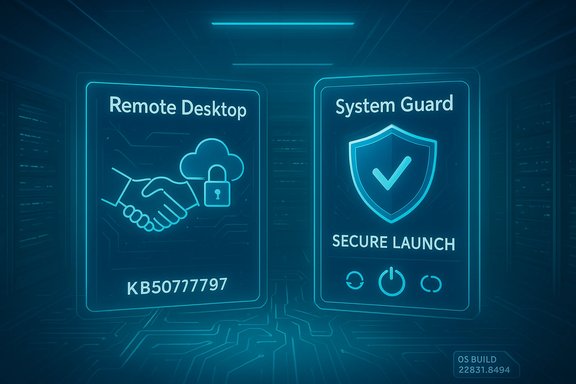
Microsoft released an out‑of‑band (OOB) cumulative update for Windows 11, version 23H2 — KB5077797 (OS Build 22631.6494) — on January 17, 2026 to address two high‑impact regressions introduced by the January 13, 2026 cumulative update (KB5073455): Remote Desktop sign‑in failures and a Secure Launch–related shutdown/hibernation regression that caused affected systems to restart instead of powering off. rosoft.
The January 13, 2026 Patch Tuesday rollup consolidated a large set of security fixes and quality improvements across multiple Windows 11 servicing lines. That package for Windows 11, version 23H2 shipped as KB5073455 and included the latest servicing stack (SSU) components and a number of quality fixes intended to prepare devices for upcoming platform changes — notably a phased Secure Boot certificate rollout. Shortly after deployment, Microsoft and community telemetry identified two separate regressions: (1) authentication/credential‑prompt failures affecting some Remote Desktop clients (notably the Windows App client used with Azure Virtual Desktop and Cloud PCs) and (2) a configuration‑dependent power state regression where devices with **System Guard Secure Laustart instead of shutting down or entering hibernation.
Both issues were documented by Microsoft as known problems in the January rollup, and Microsoft prepared a rapid, targeted OOB update to remediate affected behaviors on Windows 11, version 23H2. The OOB package — KB5077797 — is cumulative (it includes the January 13 securitycorrective changes described below.
The Remote Desktop sign‑in problems were a separate client‑side regression within the same servicing window and impacted the Windows App client’s credential prompt flow for Azure Virtual Desktop / Windows 365 Cloud PCs. Microsoft had previously offered a Known Issue Rollback (KIR) for managedically disable the offending change while leaving the rest of the cumulative update in place; the OOB update complements that approach by returning the client flow to normal for affected endpoints.
Because the failure manifests at the intersection of firmware, drivers, and the update engine, it can be intermittent and environment‑dependent. That explains the seemingly inconsistent field reports and underscores why administrators must test on representative hardware rather than rely solely on vendor advisories.
Source: Microsoft Support January 17, 2026—KB5077797 (OS Build 22631.6494) Out-of-band - Microsoft Support
 Background
The January 13, 2026 Patch Tuesday rollup consolidated a large set of security fixes and quality improvements across multiple Windows 11 servicing lines. That package for Windows 11, version 23H2 shipped as KB5073455 and included the latest servicing stack (SSU) components and a number of quality fixes intended to prepare devices for upcoming platform changes — notably a phased Secure Boot certificate rollout. Shortly after deployment, Microsoft and community telemetry identified two separate regressions: (1) authentication/credential‑prompt failures affecting some Remote Desktop clients (notably the Windows App client used with Azure Virtual Desktop and Cloud PCs) and (2) a configuration‑dependent power state regression where devices with **System Guard Secure Laustart instead of shutting down or entering hibernation.Both issues were documented by Microsoft as known problems in the January rollup, and Microsoft prepared a rapid, targeted OOB update to remediate affected behaviors on Windows 11, version 23H2. The OOB package — KB5077797 — is cumulative (it includes the January 13 securitycorrective changes described below.
What KB5077797 delivers
Headline fixes (load‑bearing items)
- Remote Desktop sign‑in failures fixed. Some users experienced authentication failures when connecting via Remote Desktop applications such as the Windows App client; KB5077797 contains a targeted fix that restores thandshake flow.
- Power & Battery (Secure Launch) behavior fixed. Devices that, with System Guard Secure Launch enabled, restarted instead of shutting down or entering hibernation after KB5073455 should now observe normal shutdown and hibernate behavior after applying KB5077797. This resolves the configuration‑dependent restart‑on‑shutdown symptom MicrosoPackaging and servicing stack
- KB5077797 is delivered as a combined update (LCU + SSU context) and is cumulative, meaning devices that already installed earlier January updates will only download and apply the new changes contained in the OOB package. The Microsoft Update Catalog lists KB5077797 for Windows 11, version 23H2 (x64) with an approximate package size matching the monthly cumulative family for 23H2.
- The servicing stack update referenced with the January servicing family is KB5071963 (SSU), version 22621.6265, and continuing SSU maintenance ensures the update installation chain operates reliably for follow‑on patches. Administrators should confirm SSU application as part of their validation process.
Why this OOB was necessary (technical context)
Modern Windows servicing is multi‑phase: files are staged while the OS runs, offline commits occur during shutdown/boot to replace in‑use binaries, and final commits sometimes require coordinated state transitions. Virtualization‑based security features — particularly System Guard Secure Launch — change early boot boundaries and timing assumptions, so small changes to offline servicing orchestration can inadvertently flip the preserved power intent (shutdown vs restart vs hib3d such a mismatch on a subset of Secure Launch configurations, producing the restart‑on‑shutdown behavior; KB5077797 contains the corrective sequencing changes to restore proper intent preservation in those scenarios.The Remote Desktop sign‑in problems were a separate client‑side regression within the same servicing window and impacted the Windows App client’s credential prompt flow for Azure Virtual Desktop / Windows 365 Cloud PCs. Microsoft had previously offered a Known Issue Rollback (KIR) for managedically disable the offending change while leaving the rest of the cumulative update in place; the OOB update complements that approach by returning the client flow to normal for affected endpoints.
Verified technical facts and cross‑checks
- The original January cumulative for Windows 11, version 23H2 (KB5073455) and its known issues (including the Secure Launch shutdown regression) were published on Microsoft’s support pages. Confirmations on servicing-stack composition (SSU KB5071963) and the known issue wording are available in Microsoft’s January KB material.
- The Microsoft Update Catalog shows a January 17, 2026 listing for a cumulative update for Windows 11, version 23H2 labeled KB5077797, matching the OOB release pattern for remedial fixes between scheduled Patch Tuesdays. The catalog entry confirms this OOB update’s availability and approximate binace.microsoft.
- Community and independent reporting, corroborated by aggregated forum telemetry, tracked the two regressions and documented field symptoms, vendor guidance (emergency shutdown command), and mitigations prior to the OOB release. KB5077797’s fixes were developed in response to those field signals.
Immediate operational guidance for users and administratto identify exposure
- Confirm your Windows version and build: press Win+R → type winver → Enter. Look for Windows 11, version 23H2 and an OS build in the 22631.* family.
- Check installed KBs: open an elevated PowerShell or Command Prompt and run:
- DISM /online /get-packages | findstr 5073455
This reveals whether the January 13 package (KB5073455) is present. - Verify Secure Launch statue/IoT images: open System Information (msinfo32.exe) and inspect “Virtualization‑based Security Services Running / Configured” or check the registry key at HKEY_LOCAL_MACHINE\SYSTEM\CurrentControlSet\Control\DeviceGuard\Scenarios\SystemGuard\Enabled (value 1 = enabled). Devices must have Secure Launch enabled for the shutdown regression to appear.
Emergency workaround (documented by Microsoft)
- To force a clean shutdown while the regression existed, run: shutdown /s /t 0
This immediate shutdown command performwn and is the recommended interim action until remedial updates arrive; it reduces the risk of file corruption versus a hard power cut. Note that Microsoft stated there was no workaround for hibernation while the regression was present, so avoid relying on hibernate on affecte7797 or later fixes are validated.
Deployment checklist for IT teams
- Pilot KB5077797 in a representative ring that includes devices with Secure Launch enabled, AVD / Cloud PC users, and typical OEM hardware found in your estate. Confirm both shutdown/hibernate behavior and Remote Desktop connection flow.
- Validate that the servicing stack (SSU KB5071963) is present and correct on test devices; mismatched SSU/LCU seqallation problems.
- Use telemetry to identify any residual regressions after applying the OOB update. If you manage AVD fleets, consider KIR options for targeted rollbacks of the AVD‑specific change if you need surgical control independent of the full cumulative package.
- Communicate a short, clear instruction to end‑users: save work frequently, use the shutdown command when a true power‑off is required, and defer reliance on hibernation until idated.
Risk assessment — strengths and potential pitfalls
Strengths
- KB5077797 is a focused response to two practical and operationally painful regressions: loss of AVD connectivity and unpredictable shutdown behavior. Fixing these quickly reduces helpdesk load and prevents overnight battery drain on travel laptops, imaging failures in deployment labs, and blocked remote workers.
- The OOB approach (a cumulative remedial package between scheduled Patch Tuesdays) preserves the rest of the January security hardening while delivering immediate remediation — a balanced tactic for urgent reliability fixes without discarding security protections the monthly roll.update.microsoft.
Potential risks and open questions
- Servicing stack and offline commit sequencing are delicate; SSU/LCU interactions sometimes produce collateral regressions on edge hardware orers/firmware behave outside test matrices. Administrators should not assume the OOB removes all downstream risk: validate your own imaging and maintenance workflows.
- Hibernation had no workaround while the issue persisted; although KB5077797 addresses the shutdown/hibernate regression broadly, certain firmware/driver permutations could still produce unexpected behavior on some OEM models. Treat ce until confirmed in your fleet.
- The January servicing family also included changes related to Secure Boot certificate rotation and removal of legacy modem drivers — both of which carry separate operational implications (certificate rollouts require firmware/OEMremovals can break very old hardware). These items remain part of your broader update planning and are not solved by the OOB’s immediate fixes.
Recommended rollout plan (practical, step‑by‑step)dentify Windows 11, version 23H2 devices and note which have Secure Launch enabled and which use AVD/Windows 365 connections. Use msinfo32 and package inventory commands described abploy KB5077797 to a small pilot ring that includes representative OEM models and AVD users. Validate shutdown/hypervisor behavior, AVD sign‑in flows, and hibernate tests where applicable.
- Scale
- If pilot telemetry is clean, expand deployment to broader production rings on a staged schedule (pilot → broad → production). Continue to monitor for helpdesk spikes.
- Contingency
- If you need to revert the LCU, document the DISM/Remove‑Package command for the cumulative package; note that the SSU component cannot be removed once installed. Preserve images and recovery media as part of rollback planning.
- Long‑term
- Continue to track Secure Boot certificate rollout readiness and coordinate with OEM firmware updates to ensure devices will accept the new 2023 CA replacements before older certificates begin expiring in mid‑2026. Inventory legacy hardware that could be impacted by driver removals and plan remediation or hardware refresh where necessary.
Deep dive: Secure Launch, servicing orchestration and why this happens
System Guard Secure Launch adds an early virtualization boundary to the boot chain to attest firmware and pre‑kernel components. That boundary alters timing and state expectations during offline servicing commits. When the update engine stages changes that require final offline commits, the OS must preserve the user’s final power intent across those steps. On some Secure Launch configurations, a servicing sequencing or timing regression can cause the final inted as a restart instead of a shutdown or hibernate. The January 13 change produced exactly that class of failure; KB5077797 modifies the servicing orchestration to respect the final power intent on affected configurations. This is a subtle, non‑functional interaction (not a security weakening) but it has high operationalnistic power behavior matters — imaging labs, patch windows, kiosk/IoT devices and laptops relying on hibernate to conserve battery.Because the failure manifests at the intersection of firmware, drivers, and the update engine, it can be intermittent and environment‑dependent. That explains the seemingly inconsistent field reports and underscores why administrators must test on representative hardware rather than rely solely on vendor advisories.
Conclusion
KB5077797 (OS Build 22631.6494), published January 17, 2026, is a surgical out‑of‑band cumulative update for Windows 11, version 23H2 that restores normal Remote Desktop authentication flows and corrects a Secure Launch–related restart‑on‑shutdown regression introduced by the January 13 cumulative update. The OOB package preserves the security fixes from the January rollup while addressing these urgent reliability issues, and Microsoft’s combined SSU + LCU approach ensures the servicing chain reme updates. Administrators should validate KB5077797 in a pilot ring, confirm SSU presence, and continue to monitor Secure Boot certificate rollout and legacy driver removals as part of a broader update strategy. The fix reduces immediate operational pain, but the underlying lesson remains: complex platform hardening and multi‑phase servicing require disciplined testing and telemetry‑backed rollouts to avoid edge‑case regressions.Source: Microsoft Support January 17, 2026—KB5077797 (OS Build 22631.6494) Out-of-band - Microsoft Support
