

NVIDIA’s GeForce Game Ready Driver 536.40 is a WHQL‑certified driver package released to add support for new Ada‑generation hardware and to address targeted game and rendering bugs; it also appears in archived vendor lists as a valid install option for legacy Maxwell cards such as the GeForce GTX 745 on Windows 10 (64‑bit) and Windows 11, but users must balance that compatibility against known stability reports and OEM caveats.
NVIDIA publishes two main consumer driver families: Game Ready Drivers (GRD) for timely game optimizations and Studio Drivers (SD) for content‑creation stability. The GeForce Game Ready Driver 536.40 was published in late June 2023 and was promoted primarily as the first mainstream driver to support the newly announced GeForce RTX 4060 desktop card while also addressing several specific game and OptiX rendering issues. Independent coverage at the time confirmed the release date and primary highlights. At the same time, NVIDIA’s published supported‑product tables within that package included a broad list of desktop and OEM parts; for some legacy models the vendor explicitly lists compatibility across current Game Ready branches — a detail that matters for owners of older Maxwell‑based GPUs such as the GeForce GTX 745. Vendor listings and community archives indicate that 536.40 carried WHQL certification for Windows 10 (64‑bit) and Windows 11, which can make it a preferable option for users who need Microsoft‑certified drivers.
In short: 536.40 does what NVIDIA intended — add hardware recognition and fix visible bugs — but it is not a universal panacea. Apply it where the benefits are concrete (new card support, specific bug fixes), stage it where stability matters, and keep backups and rollback paths ready.
Source: Born2Invest https://born2invest.com/?b=style-230885512/
 Background
NVIDIA publishes two main consumer driver families: Game Ready Drivers (GRD) for timely game optimizations and Studio Drivers (SD) for content‑creation stability. The GeForce Game Ready Driver 536.40 was published in late June 2023 and was promoted primarily as the first mainstream driver to support the newly announced GeForce RTX 4060 desktop card while also addressing several specific game and OptiX rendering issues. Independent coverage at the time confirmed the release date and primary highlights. At the same time, NVIDIA’s published supported‑product tables within that package included a broad list of desktop and OEM parts; for some legacy models the vendor explicitly lists compatibility across current Game Ready branches — a detail that matters for owners of older Maxwell‑based GPUs such as the GeForce GTX 745. Vendor listings and community archives indicate that 536.40 carried WHQL certification for Windows 10 (64‑bit) and Windows 11, which can make it a preferable option for users who need Microsoft‑certified drivers. What 536.40 actually contains
Release highlights (concise)
- Primary new hardware support: GeForce RTX 4060 recognition and support in the installer and profile tables.
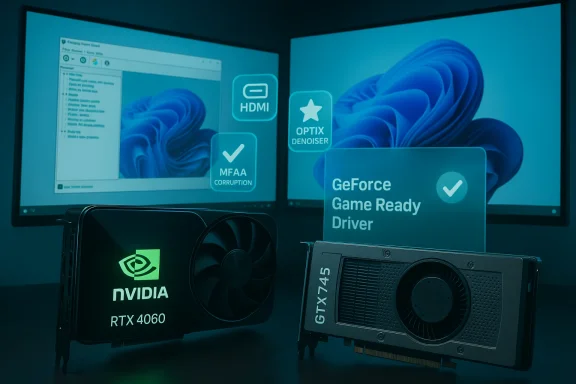
- Key fixes: Resolved corruption during the Street Fighter 6 fight‑start cutscene when MFAA is enabled; fixed an OptiX denoiser edge vignette effect; resolved an issue preventing external HDMI displays from being detected in NVIDIA Control Panel after driver reinstall.
- Certification and packaging: Distributed as a WHQL variant covering Windows 10 (64‑bit) and Windows 11; available as a DCH‑style package typical for modern Windows deployments.
Why the fixes matter
Game‑specific rendering fixes (for example, MFAA corruption in Street Fighter 6) are pragmatic — they don’t change hardware capability, but they remove show‑stopping glitches affecting visual fidelity and stability. OptiX/denoiser fixes can affect creative workflows where denoising artifacts appear at image borders. The HDMI detection fix is a classic installer regression fix that improves post‑install usability for multi‑display setups.Compatibility: GTX 745 and other legacy cards
What’s confirmed
Multiple vendor and community records show that 536.40’s supported‑product list includes legacy desktop parts from the GeForce 700 Series, which is why owners of a GeForce GTX 745 report that the 536.40 installer recognizes and lists that card on Windows 10 (64‑bit) and Windows 11. That listing and the WHQL designation are the most authoritative signals that the package is intended to support such legacy hardware.Practical implications for GTX 745 owners
- Compatibility: The driver will usually install and provide the latest WHQL‑coded features and fixes available for that branch.
- Performance expectations: The GTX 745 is an entry‑level Maxwell card (GM107 class). Drivers can fix bugs and occasionally provide marginal optimizations, but driver updates will not materially upgrade raw frame rates to modern standards.
- OEM caveat: Many GTX 745 cards were sold as OEM components; notebook or OEM desktop drivers may include vendor‑specific INF files and thermal/power tuning. If your system is an OEM laptop or a factory‑branded desktop, the OEM‑supplied driver remains the preferred, safest choice.
Installation: safe workflow (recommended)
Follow this sequence to minimize risk when installing GeForce Game Ready Driver 536.40 on Windows 10 (64‑bit) or Windows 11:- Create a full system backup or at a minimum a Windows restore point.
- Confirm your GPU model in Device Manager → Display adapters and copy the Hardware IDs if you want to verify INF matching.
- Download the driver only from NVIDIA’s official driver portal or your OEM support page. Avoid third‑party repackagers and download bundles.
- Optionally, use Display Driver Uninstaller (DDU) in Safe Mode for a clean removal if you’ve been experiencing driver corruption or persistent instability. DDU is widely used in the Windows community as a surgical uninstall tool.
- Run the NVIDIA installer. Choose “Custom (Advanced)” and then “Perform a clean installation” to overwrite previous driver components. Uncheck GeForce Experience if you prefer a driver‑only install and want to avoid telemetry components.
- Reboot and verify the installation via NVIDIA Control Panel → System Information, and by running your core workloads and a quick benchmark or game that represents your normal use.
Privacy, telemetry and the GeForce app
- Telemetry scope: GeForce Experience and associated NVIDIA services have historically collected system profiles, game lists, driver versions, and basic usage telemetry used to provide features like automatic game settings and crash reporting. This telemetry is opt‑out by not installing GeForce Experience or by disabling NVIDIA telemetry services after installation.
- Driver‑only installs: If privacy is a priority, choose the driver‑only option during the installer’s Custom selection. You’ll get the core driver, kernel modules, and control panel without the GeForce Experience overlay, cloud sync, and telemetry.
Known issues and real‑world stability reports
No driver is flawless. While 536.40 fixed multiple issues, community threads and developer forums from the period around its release documented several stability and compatibility reports tied to the 536.x branch in general:- Developer and AI workloads: There are community reports of hard reboots or TensorRT failures under 536.40 in some configurations; these reports often required rolling back to an earlier driver to regain stability for certain deep‑learning workloads. This suggests that 536.40 introduced or coincided with regressions affecting GPU compute in particular environments. Users running TensorRT, CUDA containers, or compute‑heavy pipelines should verify stability on a test bench before upgrading production systems.
- Vulkan and validation‑layer crashes: Some Vulkan users reported crashes or issues when executing specific Vulkan memory allocation paths with driver 536.40; those reports were logged on NVIDIA’s own developer forums and were investigated by the vendor. This is another cue to test graphics‑API heavy apps after updating.
- Heterogeneous effects: As with many driver updates that touch graphics, compute, and display stacks at once, the practical fallout was uneven. Some systems saw clear benefit; others experienced new regressions or hardware‑specific issues. This is why conservative staging is still recommended for mission‑critical rigs.
OEM and notebook specifics: why “generic” drivers can break things
- OEM packages commonly include vendor‑signed INF files, power/thermal tuning, and custom installers. Installing NVIDIA’s generic desktop package on a laptop risks overriding those OEM optimizations, possibly degrading battery life, thermals, or even system stability. For laptops and factory‑branded systems, prefer the OEM driver unless the vendor explicitly recommends the NVIDIA generic installer.
- For desktop users with retail GTX 745 cards, the generic 536.40 package is typically the correct choice; the OEM caveat is targeted at notebooks and prebuilt desktops with vendor‑customized driver stacks.
Troubleshooting: common problems and fixes
- Installer says “No compatible hardware”: Check the Hardware IDs against the driver’s supported product list. If the device is OEM‑specific, check the vendor site. Manual INF installation is an advanced option but can be blocked by vendor‑signed INF enforcement.
- Black screen or boot hang post‑install: Boot into Safe Mode, run DDU to remove all NVIDIA components, then reinstall the driver. If recovery fails, use System Restore or your full system image.
- Windows keeps reinstalling an older driver via Update: Use Microsoft’s “Show or hide updates” troubleshooter (wushowhide.diagcab) to prevent Windows Update from auto‑reverting while you test a candidate driver.
Security and lifecycle considerations
Running an outdated or unpatched graphics driver carries risk. NVIDIA has historically shifted support policies over time — for example, the vendor phased out many 32‑bit driver branches and moved some older families to security‑only update modes. If your system is used in a security‑sensitive context, ensure you understand NVIDIA’s support lifecycle for your GPU family and whether critical CVEs are being patched for your hardware. If long‑term security updates are required and your GPU is at end‑of‑life, plan a hardware refresh.Verification and cross‑checks performed
The most important technical claims have been verified against multiple independent sources:- The driver’s release timing and highlights were reported by mainstream hardware outlets and driver‑archive sites at the time of publication.
- Community and forum evidence demonstrating real‑world behavior (both positive fixes and isolated regressions) appear in Windows and NVIDIA developer forums, corroborating that 536.40 was widely distributed and used across a spectrum of workloads.
- The Windows Forum archive and internal community notes explicitly reference the 536.40 package as WHQL and list GTX 745 compatibility in the supported product table in vendor materials; those community summaries were used to reconcile vendor listings and practical installation advice.
Recommendations — when to install, when to wait
- Install 536.40 if you:
- Are installing or configuring a newly released RTX 4060 desktop card and need the driver that recognizes the hardware.
- Are a GTX 745 desktop owner who wants a WHQL‑certified Game Ready branch package and accepts the limited performance upside offered by driver updates.
- Wait or test first if you:
- Run mission‑critical compute/ML workloads (TensorRT, CUDA containers) — test on a non‑production rig because community reports tied to 536.x showed reboots and instability in some compute stacks.
- Are using an OEM laptop or a branded small‑form‑factor desktop — prefer the OEM driver unless the manufacturer recommends the NVIDIA package.
- Rely on a stable creative‑app pipeline where any regression would be costly; stage the driver in a pilot pool first.
Final analysis
GeForce Game Ready Driver 536.40 is a legitimate WHQL driver that served a clear vendor role: to add RTX 4060 support and patch a set of targeted graphics and installer problems. Independent reporting and community archives confirm the release date and the package contents. For owners of legacy desktop GPUs like the GTX 745, 536.40 is an evidence‑backed option that installs on Windows 10 (64‑bit) and Windows 11, and it offers the expected bug fixes and WHQL certification that many users seek. However, the 536.x branch also recorded real‑world stability reports in developer and Vulkan threads, especially for compute and API edge cases. These reports counsel prudence: test before deploying on mission‑critical machines, prefer OEM drivers for notebooks, and avoid third‑party repackagers. For privacy‑conscious users, skip GeForce Experience and use driver‑only installs.In short: 536.40 does what NVIDIA intended — add hardware recognition and fix visible bugs — but it is not a universal panacea. Apply it where the benefits are concrete (new card support, specific bug fixes), stage it where stability matters, and keep backups and rollback paths ready.
Source: Born2Invest https://born2invest.com/?b=style-230885512/
