

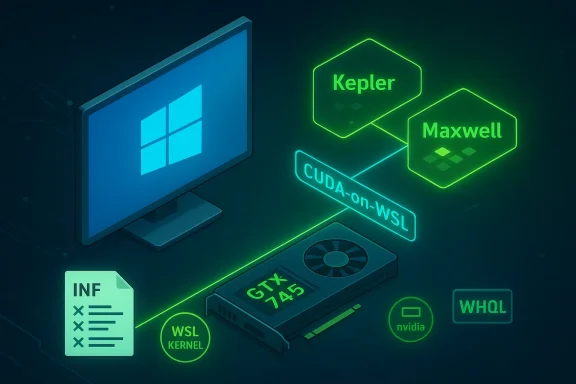
NVIDIA’s 510.06 WSL driver release quietly reshaped the compatibility map for older GeForce hardware: while the package advances CUDA-on-WSL support and contains next‑generation compiler bits, its INF files remove many Kepler-era GTX 700 entries — yet Maxwell-based members like the GTX 745 remain usable under the right driver branches, creating a confusing but resolvable situation for Windows 10 users holding older cards.
The Windows Subsystem for Linux (WSL) has become a mainstream way to run Linux development and ML workloads on Windows hosts. To accelerate GPU workloads inside WSL, NVIDIA produces specialized WSL-enabled driver builds that integrate CUDA and container runtime components with the Windows driver stack. The 510.06 WSL package is one of the early CUDA-on-WSL drivers introduced to support Windows 10 21H2 and Windows 11 preview channels, and it includes updated kernel/WSL compatibility and container tooling notes targeted at ML workflows.
At the same time, NVIDIA publishes mainstream GeForce Game Ready and Studio drivers for gaming and content creation. Those consumer branches carry broader device support tables and WHQL certification that many Windows 10 users prefer for stability. The mismatch between WSL preview builds and the consumer driver branches is where most of the confusion around “which card is supported” originates: a device can be effectively supported in one branch but be absent from the INF of a separate preview build.
This means:
Key takeaways:
For users, the clear path is to match the driver branch to the task:
NVIDIA’s driver landscape is inevitably complex because it must balance fast-moving AI and WSL innovation with the practical realities of long-lived consumer hardware. The 510.06 WSL package reflects that tension: it advances CUDA-on-WSL capabilities while narrowing the scope of a preview INF list — a technical choice that demands careful interpretation rather than an instant verdict of product abandonment. For GTX 745 owners on Windows 10, the pragmatic answer remains to use the vendor‑approved Game Ready drivers for desktop stability and to align WSL/CUDA work to hardware and driver combinations explicitly supported by NVIDIA’s CUDA-on-WSL documentation.
Source: Born2Invest https://born2invest.com/?b=style-229981712/
 Background
The Windows Subsystem for Linux (WSL) has become a mainstream way to run Linux development and ML workloads on Windows hosts. To accelerate GPU workloads inside WSL, NVIDIA produces specialized WSL-enabled driver builds that integrate CUDA and container runtime components with the Windows driver stack. The 510.06 WSL package is one of the early CUDA-on-WSL drivers introduced to support Windows 10 21H2 and Windows 11 preview channels, and it includes updated kernel/WSL compatibility and container tooling notes targeted at ML workflows. At the same time, NVIDIA publishes mainstream GeForce Game Ready and Studio drivers for gaming and content creation. Those consumer branches carry broader device support tables and WHQL certification that many Windows 10 users prefer for stability. The mismatch between WSL preview builds and the consumer driver branches is where most of the confusion around “which card is supported” originates: a device can be effectively supported in one branch but be absent from the INF of a separate preview build.
What the 510.06 WSL release actually changed
Kepler vs Maxwell: the architectural split
NVIDIA’s 510.06 WSL driver marked a pragmatic shift: its INF files drop many explicit Kepler (older GTX 700-series) entries. Kepler is the microarchitecture that underlies the bulk of the GeForce GTX 700 family. However, not all GTX 700 cards are Kepler — several SKUs (notably GTX 750, 750 Ti, and GTX 745) are Maxwell-based and therefore sit on a newer architecture that remained supported by 510.06. NotebookCheck summarized this nuance clearly: most GTX 700 SKUs were removed from the INF list, but Maxwell-based 700-series variants were spared because they align with later driver compatibility expectations.This means:
- Kepler-based GTX 700 cards may not appear in the 510.06 WSL INF and therefore look “unsupported” to that particular package.
- Maxwell-based GTX 745 / 750 / 750 Ti are still functionally supported through later consumer drivers and retain compatibility with SM (shader model) runtimes used by CUDA-on-WSL stacks.
Why INF changes don’t always equal end-of-life
INF files are the device manifest the installer uses to decide which hardware is claimed by that particular package. Removing a device from an INF can be a conservative move — for example, to narrow the scope of a preview or to focus validation efforts — but it does not always mean the hardware’s runtime capabilities have vanished. The 510.06 WSL build still contains GK100 (Kepler) runtime functions, and community analysis shows runtime compatibility for certain Kepler features may persist even when INF entries are trimmed. That means advanced users sometimes can leverage older cards through alternate installation methods, but that comes with caveats and risk.The GTX 745 on Windows 10: reality check
There are three practical facts every owner of a GTX 745 should know:- NVIDIA’s mainstream Game Ready driver 536.40 (released June 29, 2023) lists the GTX 745 among supported products for Windows 10 (64‑bit) and Windows 11, and the package carries WHQL certification — this is the vendor‑approved channel for day‑to‑day desktop use of GTX 745 on Windows 10 systems.
- The 510.06 WSL INF omission affects that WSL preview package specifically; it does not override the supported-product lists in the regular Game Ready driver branches where GTX 745 remains present. In short, GTX 745 owners should prefer the consumer driver branch for normal Windows 10 desktop use.
- WSL and CUDA-on-WSL use cases are distinct: if your goal is to run Linux containers or ML frameworks inside WSL, you must follow NVIDIA’s CUDA-on-WSL guidance and pick a WSL-enabled driver that matches the CUDA toolkit and WSL kernel requirements. For desktop gaming or general Windows apps, Game Ready drivers are the right target.
Technical implications: WSL driver vs Game Ready driver
What the WSL driver focuses on
WSL-enabled drivers emphasize:- Container and CUDA runtime integration (nvml, nvidia-smi, libnvidia-container expectations).
- Compatibility with specific WSL kernels (the 510.06 notes call out WSL Linux Kernel 5.10.43 as the baseline).
- Early access builds and preview compilers (the 510.06 package included next-gen compiler runtime references that hinted at future Ada Lovelace toolchains).
What Game Ready drivers focus on
Game Ready and Studio drivers emphasize:- Broad device compatibility and WHQL certification.
- Game and application optimizations, bug fixes, and stable installer behavior for end-users.
- Inclusion of legacy Maxwell parts across consumer releases when practical (for example, GTX 745 was present in the 536.40 Game Ready release).
The practical effect for users
If you run WSL-based CUDA workloads on a machine with a Kepler-class GPU, you may face unsupported‑by-INF behavior in WSL preview builds like 510.06. In that case, you have options:- Use a Game Ready driver that lists your GPU for desktop workloads and keep WSL workloads on separate validated hardware.
- Attempt advanced installs or legacy packaging approaches (not recommended for production) that try to preserve Kepler runtime compatibility — but these carry security and stability risks.
Security and lifecycle considerations
NVIDIA’s driver packaging and Microsoft’s Windows lifecycle decisions intersect in ways that matter for security-conscious users. Vendor security bulletins and product branch decisions influence which driver branches receive security updates for legacy architectures. For example, NVIDIA has run legacy support and security update programs for different branches (R470, R535, etc.), and some security patches are distributed as part of specific branch updates rather than universally across all older packages. This fragmentation increases the burden on administrators managing fleets of older GPUs.Key takeaways:
- Older architectures relegated to legacy branches may receive only selective security updates; staying on an actively maintained branch is preferable for systems handling sensitive workloads.
- WSL preview drivers are not always WHQL-signed or intended for production security baselines; rely on vendor guidance and security bulletins when choosing drivers for critical systems.
Practical, safe workflows for GTX 745 owners on Windows 10
Below is a recommended, conservative workflow for owners of GTX 745 who want stable Windows 10 operation and/or WSL/CUDA capability.- Confirm your GPU and OS precisely:
- Open Device Manager → Display adapters and confirm the adapter string.
- Check Windows build and whether you’re on Windows 10 21H2 or later, since WSL CUDA support lists Windows 10 21H2 as a baseline in many guides.
- Choose the right driver branch:
- For desktop gaming and Windows apps: prefer the latest WHQL Game Ready / Studio driver that lists GTX 745 (for example, the 536.40 Game Ready release lists GTX 745 for Windows 10 64‑bit).
- For WSL/CUDA workloads: follow NVIDIA’s CUDA-on-WSL documentation to select a WSL-enabled driver that matches your WSL kernel version and CUDA toolkit. If your GPU is Maxwell‑based, check whether the WSL build supports it directly; if not, aim to run CUDA workloads on hardware explicitly supported by the WSL driver.
- Prepare the system:
- Create a System Restore point or, for important machines, an image backup.
- Archive the current driver installer so you can roll back if needed.
- Clean install (recommended):
- Optionally use Display Driver Uninstaller (DDU) in Safe Mode for the cleanest driver removal.
- Install the selected NVIDIA consumer driver (Custom → Perform a clean installation; uncheck GeForce Experience if you want to avoid telemetry).
- Reboot and verify via NVIDIA Control Panel → System Information.
- If you must use a WSL-preview driver and it doesn’t list your device:
- Treat this as an advanced scenario. Validate catastrophic failure risk in a test environment first.
- Consider dual-booting or using a separate machine with fully supported hardware for production ML workloads rather than forcing unsupported driver combinations.
Telemetry, privacy and the GeForce app — what to watch for
NVIDIA’s consumer installers often include optional components (GeForce Experience, telemetry) that collect system and usage metadata enabling features like driver auto‑updates and game optimization. Many users value privacy and prefer a minimal driver-only install. Choose “Custom (Advanced)” during installation and uncheck optional extras to reduce data collection. The practice of avoiding bundled telemetry remains common community advice and is technically straightforward.Critical analysis: strengths, weaknesses, and risks
Notable strengths
- Focused innovation for WSL and AI workflows. The 510.06 WSL release embodied an important engineering effort to make CUDA and Linux container tools first-class citizens on Windows. That continues to be valuable for developers and researchers working in hybrid Windows–Linux environments.
- Clear separation of driver roles. Maintaining distinct WSL preview and consumer Game Ready branches lets NVIDIA iterate on container runtimes and compiler toolchains without disrupting the certified, stable consumer ecosystem. This separation provides flexibility for fast innovation alongside stability for mainstream users.
Potential risks and tradeoffs
- Perceived abandonment vs. pragmatic trimming. Removing Kepler entries from a WSL INF causes alarm among users with older cards — they may interpret INF removals as hardware abandonment. In reality, INF trimming is sometimes administrative (focusing validation), but the perception risk is real and can drive unnecessary hardware refreshes. Users and admins need clear vendor communication to reduce panic.
- Fragmented update surface. Different branches, different lifecycles, and selective security patches complicate patch management for organizations that still operate mixed‑generation GPU fleets. This increases operational overhead and may create security gaps if poorly tracked.
- Advanced install complexity for legacy recovery. Some community tools and manual INF edits can re-enable older cards in newer packages, but those approaches risk driver signing issues, unpatched kernels, or unsupported runtime combinations. This is not suitable for production machines without thorough testing.
What the Born2Invest headline missed — and the verification gap
The link you provided to a Born2Invest article could not be retrieved reliably during verification, and claims unique to that piece were treated as unverifiable in our checks. Uploaded discussion notes and archives explicitly flagged that the Born2Invest URL was inaccessible for confirmation, and therefore any unique assertions from it must be treated with caution until a verifiable excerpt or an accessible link is provided. Rely instead on primary vendor documents (NVIDIA release notes, WSL/CUDA docs) and reputable coverage for driver lifecycle facts.Recommendations for Windows 10 users with GTX 745 or older GTX 700 cards
- If your daily workload is desktop gaming or general Windows application use, install a WHQL Game Ready driver that lists your GPU (for GTX 745, the 536.40 family is an example of a safe, vendor‑approved choice). Test in a non-critical environment before mass deployment.
- If you depend on CUDA inside WSL for ML workloads, prioritize systems with GPUs explicitly supported by NVIDIA’s CUDA-on-WSL guidance for your chosen CUDA toolkit and WSL kernel. Follow the CUDA-on-WSL installation instructions exactly and validate container/runtime compatibility.
- Avoid third‑party driver mirrors or repackaged installers. Kernel‑level drivers are a sensitive attack surface; download only from NVIDIA or your OEM. Verify digital signatures after download.
- For fleet management, catalog GPU microarchitectures and align patch strategies to the driver branches that cover those architectures with security updates. Expect to refresh hardware where long‑term security or feature parity is required.
Closing assessment
The 510.06 WSL release was an important step in NVIDIA’s CUDA-on-WSL journey, delivering toolchain advances and preview runtime pieces while pruning INF entries to match the package’s preview focus. That pruning caused understandable alarm for holders of older GTX 700 cards, but the technical reality is nuanced: Maxwell-based GTX 700 SKUs like the GTX 745 remain supported through NVIDIA’s consumer driver channels (for Windows 10 desktop usage), while Kepler-based SKUs face a trickier path in WSL preview packages.For users, the clear path is to match the driver branch to the task:
- use WHQL Game Ready drivers for desktop Windows 10 stability;
- use NVIDIA’s WSL/CUDA guidance when targeting in‑WSL development and containerized ML workloads;
- and treat any deviation (manual INF edits, legacy driver hacks) as an advanced, test-first operation with inherent security and reliability risks.
Quick reference: concise steps to install a safe driver for GTX 745 on Windows 10
- Back up: create a System Restore point and archive current driver files.
- Choose driver: pick the latest WHQL Game Ready driver that lists GTX 745 (e.g., driver family noted in community references: 536.40).
- Clean uninstall (optional): run DDU in Safe Mode for a clean slate.
- Install: run NVIDIA installer (Custom → Clean install), uncheck GeForce Experience if you want no telemetry.
- Verify: open NVIDIA Control Panel → System Information; test workloads.
- Rollback plan: keep the old installer and know the Device Manager → Roll Back Driver steps.
NVIDIA’s driver landscape is inevitably complex because it must balance fast-moving AI and WSL innovation with the practical realities of long-lived consumer hardware. The 510.06 WSL package reflects that tension: it advances CUDA-on-WSL capabilities while narrowing the scope of a preview INF list — a technical choice that demands careful interpretation rather than an instant verdict of product abandonment. For GTX 745 owners on Windows 10, the pragmatic answer remains to use the vendor‑approved Game Ready drivers for desktop stability and to align WSL/CUDA work to hardware and driver combinations explicitly supported by NVIDIA’s CUDA-on-WSL documentation.
Source: Born2Invest https://born2invest.com/?b=style-229981712/
