

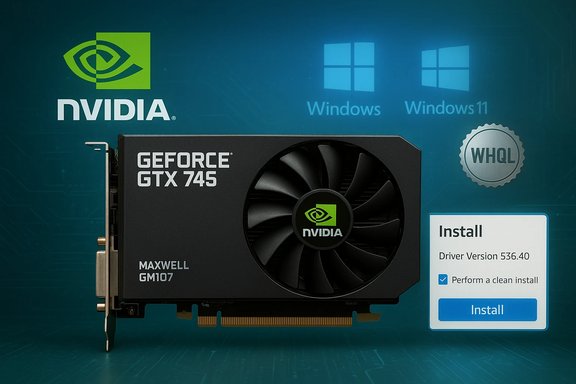
NVIDIA’s June 29, 2023 GeForce Game Ready Driver 536.40 is a fully WHQL‑certified package that explicitly lists the GeForce GTX 745 among its supported GeForce 700‑series cards for Windows 10 (64‑bit) and Windows 11 systems, making it a legitimate, vendor‑approved option for owners of that card who need an up‑to‑date driver.
The GeForce GTX 745 is an OEM card built on NVIDIA’s Maxwell (GM107) silicon. It shipped as a low‑power, single‑slot option with a 55 W TDP, 384 CUDA cores, and memory configurations up to 4 GB (DDR3 in most OEM designs). It’s compact, intended for systems where low power and small size matter more than raw gaming throughput. Official NVIDIA specifications and independent GPU databases document the GTX 745’s architecture and hardware profile. NVIDIA distributes drivers in two primary consumer branches: Game Ready Drivers (for game optimizations and day‑one game support) and Studio Drivers (for application stability in creative workflows). Game Ready Driver 536.40 is a Game Ready build released to add support for new hardware (the RTX 4060) and to resolve targeted game and general bugs — the same release explicitly lists the GTX 745 in the supported products table for Windows 10 64‑bit and Windows 11.
Source: Born2Invest https://born2invest.com/?b=style-237959512/
 Background
The GeForce GTX 745 is an OEM card built on NVIDIA’s Maxwell (GM107) silicon. It shipped as a low‑power, single‑slot option with a 55 W TDP, 384 CUDA cores, and memory configurations up to 4 GB (DDR3 in most OEM designs). It’s compact, intended for systems where low power and small size matter more than raw gaming throughput. Official NVIDIA specifications and independent GPU databases document the GTX 745’s architecture and hardware profile. NVIDIA distributes drivers in two primary consumer branches: Game Ready Drivers (for game optimizations and day‑one game support) and Studio Drivers (for application stability in creative workflows). Game Ready Driver 536.40 is a Game Ready build released to add support for new hardware (the RTX 4060) and to resolve targeted game and general bugs — the same release explicitly lists the GTX 745 in the supported products table for Windows 10 64‑bit and Windows 11. What 536.40 Means for GTX 745 Owners
Clear compatibility — vendor confirmation
- Official support: NVIDIA’s 536.40 release page lists the GeForce GTX 745 under the GeForce 700 Series supported products for the Windows 10 (64‑bit) / Windows 11 build of the driver, which is the most authoritative confirmation that the driver will install and is intended to work with the card.
- WHQL certified: The 536.40 package is WHQL‑certified, which means it carries Microsoft certification for that build — a useful reassurance for system stability in many production environments.
Practical implications
- Day‑to‑day users with a GTX 745 on Windows 10 (64‑bit) or Windows 11 can install the 536.40 Game Ready driver from NVIDIA and expect the card to be recognized and to function with the latest fixes included in that release.
- Performance expectations remain modest: the GTX 745 is a low‑end Maxwell part; drivers can improve compatibility, fix bugs, and occasionally bring marginal performance tweaks, but they will not transform the card into a modern‑generation performer. Independent hardware databases and reviews document realistic performance baselines.
Where to Download Safely — trusted channels and why they matter
Always prioritize these official sources:- NVIDIA’s official driver download pages (regional pages and the master download portal) — the authoritative package and release notes live here. The 536.40 package and its release notes are available through NVIDIA’s driver portal.
- Your PC or laptop OEM support page — for notebook systems or branded desktops, OEM‑supplied drivers may include model‑specific INF patches, power/thermal tuning, and vendor signing. If you have a laptop that shipped with a GTX 745‑class GPU (rare, but possible in OEM variants), prefer the OEM driver unless you have a strong reason to use NVIDIA’s generic installer. Community guidance strongly recommends the OEM route for laptops.
- Drivers are kernel‑level software. Repackaged installers can alter INFs, inject unwanted software, or break driver signing. Community experience and vendor guidance consistently emphasize downloading from NVIDIA or the OEM.
What’s in 536.40 (high level)
- Primary highlight: Adds support for GeForce RTX 4060 hardware and fixes several targeted gaming and general bugs (for example, a Street Fighter 6 MFAA corruption fix noted in the release notes).
- Supported OS: Windows 10 (64‑bit) and Windows 11.
- Package type: DCH / WHQL variants are available depending on distribution channel; the release page and PDF provide the full change log and the supported product list.
Step‑by‑step: How to install 536.40 for GTX 745 (recommended, safe workflow)
This process balances safety, reproducibility, and rollback readiness.- Back up your system or create a Windows restore point before making driver changes.
- Confirm your GPU model and Windows version:
- Open Device Manager → Display adapters → confirm the exact adapter string (and, if needed, get the Hardware IDs from Properties → Details).
- Download the correct installer from NVIDIA’s official download page (select Product Type: GeForce, Product Series: GeForce 700 Series, Product: GeForce GTX 745; pick Windows 10 64‑bit or Windows 11 as appropriate). The official package for 536.40 is available on NVIDIA’s servers.
- (Optional but recommended) Perform a clean uninstall:
- Use Display Driver Uninstaller (DDU) in Safe Mode for the cleanest slate if you have experienced driver corruption or frequent instability — DDU is the community standard for a surgical driver removal. Download it from the official Guru3D thread and follow the Safe Mode clean procedure.
- Run the NVIDIA installer:
- Choose “Custom (Advanced)” when prompted.
- Select “Perform a clean installation” to reset driver settings and overwrite previous versions.
- Uncheck optional components you do not want (for instance, GeForce Experience if you prefer manual installs and minimized telemetry).
- Reboot and verify install:
- Open NVIDIA Control Panel → System Information to confirm the driver version and the GPU is detected.
- If issues appear, roll back:
- Use Device Manager → Display adapter → Properties → Driver tab → Roll Back Driver (if available) or manually reinstall the previous driver binary you archived. NVIDIA documents the rollback steps and the manual uninstall procedure.
- If NVIDIA installer reports “not compatible,” double‑check the INF hardware ID vs the driver package supported product list.
- If display flicker, color banding, or other visual regressions occur, try a DDU clean reinstall followed by a fresh install of the supported package.
- Preserve older driver installers in a folder — Windows’ rollback feature is limited; having a local copy of a previous installer speeds recovery.
Telemetry, privacy and the GeForce app: what to watch for
- What’s collected: GeForce Experience and related NVIDIA app components historically collect system and usage telemetry (hardware profile, driver version, game list, basic usage metrics). This telemetry enables features such as automatic game settings suggestions and crash reporting, but it is a data flow some users find intrusive. Independent technical articles and analysis have documented the scope of data sent by the app and the telemetry container processes.
- Can you avoid it? Yes — you can choose to not install GeForce Experience (select custom install and uncheck it) and use the standalone NVIDIA driver. For deeper removal of telemetry components already installed, community‑tested approaches include disabling or uninstalling NVIDIA telemetry services and scheduled tasks, or using a clean DDU removal followed by a driver‑only install. Official NVIDIA Omniverse and enterprise components often document telemetry opt‑out steps; however, behavior differs between consumer GeForce Experience and specialized enterprise/Omniverse tooling.
- Practical guidance: If privacy is important, avoid installing GeForce Experience, disable the telemetry container services, and confirm network endpoints via firewall rules if you want an added layer of control. Community reporting indicates that some telemetry features historically installed by default, so always review install options carefully.
OEM and laptop caveat — why “generic” drivers can break things on notebooks
- OEM tuning matters: Laptop vendors often ship customized NVIDIA packages that include vendor‑signed INFs and power/thermal tuning. Installing NVIDIA’s generic desktop package on a notebook can remove those OEM adjustments, causing instability, battery, or thermal differences. For that reason, OEM pages are the preferred source for notebooks unless the vendor explicitly recommends the NVIDIA generic package. Community and technical guidance reiterate OEM-first policies for notebooks.
- Desktop users: Generic NVIDIA packages are the correct choice for desktop GTX 745 cards; OEM caveats apply mainly to laptops and branded small‑form‑factor builds.
Common problems, fixes, and when to escalate
- Problem: Installer refuses to run or says the GPU is not supported.
- Fix: Confirm the GPU hardware ID against the driver’s Supported Products table on NVIDIA’s release page; if the device is OEM‑specific, check the vendor.
- Problem: Visual corruption or crashes after installing a new driver.
- Fix: Use DDU to fully remove prior driver remnants and perform a clean install of the 536.40 package; if the issue persists, roll back to the previous driver or try the NVIDIA Studio branch if the problem is in creative apps.
- Problem: You’re concerned about privacy and background telemetry.
- Fix: Install driver‑only packages (uncheck GeForce Experience), disable NVIDIA telemetry services, and consult NVIDIA’s privacy/telemetry documentation and community guides for precise disabling steps.
The security and lifecycle angle — how long will drivers keep supporting older cards?
NVIDIA runs legacy support programs for older GPU families and has explicitly documented which series move to legacy drivers and when critical security updates will or won’t be delivered. While Maxwell (GM107) parts like the GTX 745 remained on mainstream Game Ready branches during 2023, vendors sometimes narrow the scope of active development for older architectures over time. For mission‑critical systems, treat driver updates as part of your patch validation cycle and plan hardware refreshes if long‑term security or feature parity matters. Community and vendor guidance recommend staging driver updates (test bench first) for production rigs.Cross‑checks and verification performed
- NVIDIA’s official release page for GeForce Game Ready Driver 536.40 confirms the release date (June 29, 2023), WHQL status, Windows 10 64‑bit / Windows 11 compatibility, and lists the GeForce GTX 745 in the supported products table. This is the main, authoritative confirmation of compatibility.
- Independent hardware databases (TechPowerUp GPU Database and similar) confirm the GTX 745’s Maxwell (GM107) architecture, core counts, TDP and other hardware details — useful context for expected performance.
- Community and technical guides (driver rollback, DDU usage, facts about telemetry) were cross‑referenced against NVIDIA support documentation and high‑quality community tools (DDU / Guru3D, Microsoft Device Manager guidance) to ensure recommended procedures are practical and safe.
- The Born2Invest link included by the original prompt could not be reliably retrieved in the verification pass; therefore any unique claims from that specific URL were treated as unverifiable and not used as authoritative evidence in this article. Treat statements attributed to that link with caution until an accessible, verifiable URL or quoted excerpt is supplied.
Strengths, benefits and value for readers
- Vendor‑approved compatibility: NVIDIA’s explicit listing of GTX 745 in the 536.40 supported products removes ambiguity — the driver is an approved release for that card on Windows 10 (64‑bit) and Windows 11.
- WHQL certification: Adds a layer of trust for users who favor Microsoft‑certified drivers for production rigs.
- Improved stability and bug fixes: Even for older cards, newer drivers can resolve system‑level bugs and compatibility issues, particularly with evolving Windows builds and newer software stacks.
Risks, limitations and tradeoffs
- Limited performance upside: Expect bug fixes and minor optimizations — but not dramatic performance gains; GTX 745’s hardware ceiling remains the limiting factor.
- Telemetry concerns: GeForce Experience and the NVIDIA telemetry components can collect hardware and usage data by default; privacy‑minded users should avoid installing those extras or take steps to disable telemetry services.
- OEM mismatch on notebooks: Installing a generic NVIDIA package on laptops may override OEM tuning, and the result can be suboptimal thermals, battery life, or even driver incompatibility. Prefer OEM packages for notebook systems.
- Repackagers and mirrors: Using third‑party download mirrors risks repackaged, altered installers; always verify checksums and prefer NVIDIA or the OEM.
Recommended quick checklist for GTX 745 owners who want 536.40
- Confirm you have a desktop GTX 745 (not a vendor‑branded notebook part).
- Create a restore point and archive your current driver installer.
- Download 536.40 from NVIDIA’s official driver page.
- Optionally use DDU in Safe Mode if you’ve experienced prior driver corruption.
- Install with Custom → Perform a clean installation; uncheck GeForce Experience if you don’t want the app or its telemetry.
- Test your most common workloads/games; if you encounter regression, roll back or reinstall the prior driver.
Final analysis and conclusion
The bottom line is straightforward and actionable: NVIDIA’s GeForce Game Ready Driver 536.40 is a legitimate WHQL package that explicitly supports the GeForce GTX 745 on Windows 10 (64‑bit) and Windows 11. For GTX 745 desktop owners, installing 536.40 from NVIDIA is an appropriate path to receive the fixes and compatibility improvements in that release. However, realistic expectations are crucial: the GTX 745 remains an entry‑level Maxwell card and drivers will not radically alter its performance envelope. Prioritize official downloads (NVIDIA or OEM), use clean installs or DDU for problem systems, and be mindful of telemetry options in NVIDIA’s apps if privacy is a concern. If any unique claims from the Born2Invest link are important to you, note that the original file reference could not be reliably retrieved during verification and should be treated as unverified until an accessible, authoritative excerpt is available.Source: Born2Invest https://born2invest.com/?b=style-237959512/
