

Microsoft’s consumer AI chief Mustafa Suleyman openly acknowledged that Google’s new Gemini 3 “can do things that Copilot can’t do,” a rare public concession in a fiercely competitive AI landscape that crystallizes a practical truth: different assistant models are optimized for different classes of tasks, and ecosystem integration often matters more than raw model bragging rights.
Over the last several months the AI assistant market has shifted from benchmark-focused headlines to hands‑on, workflow-oriented comparisons that matter to everyday users and IT teams. Google’s Gemini 3 was launched as a major multimodal upgrade emphasizing long-context reasoning, agentic workflows, and deeper multimodality; Microsoft has been doubling down on Copilot as a ubiquitous, productivity-first assistant embedded across Windows, Microsoft 365, Edge and other surfaces. These parallel pushes explain why Suleyman’s remark — that Gemini excels in areas where Copilot does not, and vice versa — landed as more than diplomatic candor; it was a practical acknowledgement of complementary strengths in an increasingly plural AI ecosystem.
Key Gemini 3 design points:
Copilot’s practical strengths:
Examples from such tests:
Caveat: such public statements are meaningful but need operational backing. Independent validation, transparent audit trails, and third‑party verification will be the functional tests of whether such promises are more than rhetoric.
Yet the race to agentic, multimodal assistants is also a risk vector. The technical improvements that make Gemini 3 and Copilot more capable also enlarge the attack surface for data leakage, indirect prompt injection, and destructive workflows. The sharp lesson for Windows users and IT teams is that the future of productivity will be powered by smart models — but it will also require the same rigour, controls and operational discipline system administrators already apply to other privileged automation systems.
In short: treat assistants as powerful tools, not oracles; pick the right assistant for the right task; and demand governance and audits before handing agents operational privileges. The competitive landscape — with Gemini 3 and Copilot each pushing different product priorities — should ultimately benefit users, provided the technical promise is matched by enterprise discipline and independent verification.
Source: TechRadar https://www.techradar.com/ai-platfo...ts-gemini-can-do-things-that-copilot-cant-do/
 Background
Over the last several months the AI assistant market has shifted from benchmark-focused headlines to hands‑on, workflow-oriented comparisons that matter to everyday users and IT teams. Google’s Gemini 3 was launched as a major multimodal upgrade emphasizing long-context reasoning, agentic workflows, and deeper multimodality; Microsoft has been doubling down on Copilot as a ubiquitous, productivity-first assistant embedded across Windows, Microsoft 365, Edge and other surfaces. These parallel pushes explain why Suleyman’s remark — that Gemini excels in areas where Copilot does not, and vice versa — landed as more than diplomatic candor; it was a practical acknowledgement of complementary strengths in an increasingly plural AI ecosystem.Why the moment matters
This exchange is important for three reasons. First, it moves the conversation away from “which model is best” as a single number and toward which model is best for which job. Second, it exposes the tradeoffs between raw multimodal reasoning and deep tenant or OS integration. Third, it surfaces governance and safety choices as product differentiators — Microsoft is pitching Copilot as a grounded, auditable assistant that won’t run wild, while Google emphasizes web-aware, agentic capabilities that can stitch multiple data and web services into creative outputs.What Suleyman said — and what he meant
Mustafa Suleyman’s short public line — “Gemini 3 can do things that Copilot can’t do” — comes from a Bloomberg interview and was echoed in coverage across outlets. He quickly balanced the remark by noting Copilot’s own strengths, especially its visual, screen‑aware features and deep Microsoft integration. Suleyman framed Microsoft’s goal as building what he calls humanist superintelligence — capable systems that remain under human control and that Microsoft would stop developing if they showed signs of “running away.”- Plain meaning: a leader admitting competitor strengths reduces marketing spin and gives users practical clarity.
- Product inference: Microsoft is positioning Copilot as a more grounded, utility-first assistant; Google is positioning Gemini 3 as a more creative, web-attuned and multimodal powerhouse.
The technical split: Gemini 3 vs Copilot
Gemini 3: multimodality, Deep Think, and agentic design
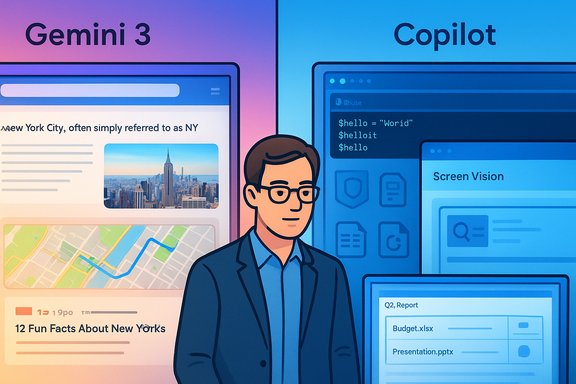
Google’s Gemini 3 release emphasizes three practical capabilities: unified multimodality, extended context windows, and a higher‑fidelity reasoning mode called Deep Think (gated behind higher tiers early on). In product form, Gemini 3 is distributed across Search’s AI Mode, the standalone Gemini app, Vertex/AI Studio and developer tooling such as the agent‑first Antigravity IDE. These platforms let Gemini call maps, hand off to live web links, process images and video in the same session, and orchestrate multi‑step agentic workflows. Many of these claims come from Google’s launch materials and contemporaneous hands‑on reporting; they are strong indicators of design intent, though independent, reproducible tests for some metrics (for example, the million‑token context window on top tiers) remain to be fully validated in public lab studies.Key Gemini 3 design points:
- Native multimodal reasoning across text, images, audio and video.
- Deep Think: a higher‑latency, higher‑fidelity reasoning mode for complex problems.
- Tight integration with Google Maps/Search for web‑grounding on routing and location tasks.
- Agentic tooling (Antigravity) that can plan, propose and generate verifiable artifacts.
Copilot: tenant grounding, Copilot Vision, and GPT‑5 routing
Microsoft’s Copilot strategy centers on being the assistant that’s already embedded in your workflows: Windows, Microsoft 365, Edge and enterprise connectors (Microsoft Graph, OneDrive, Outlook). Copilot’s strengths are tenant awareness, automation for Windows/PowerShell, and screen‑aware vision (Copilot Vision) that can analyze what’s on your display and act on it. Microsoft has also integrated GPT‑5 into Copilot products and uses model routing to select faster or deeper reasoning modes depending on the task. That routing is a product-level configuration intended to make Copilot behave reliably while still being capable of complex reasoning when needed.Copilot’s practical strengths:
- Screen and document vision that can extract tables, convert screenshots into editable artifacts, and provide step‑by‑step visual guidance.
- Tenant‑aware access to Microsoft 365 content (with governance and connector controls).
- Automation and scripting assistance that understands Windows idioms (PowerShell, File Explorer tasks).
- Model routing and deeper reasoning via integrated GPT‑5 variants.
Hands‑on evidence: where each wins
A range of hands‑on, head‑to‑head tests run by reviewers and research journalists show a consistent pattern: Gemini 3 tends to win consumer, web‑grounded and creative tasks (itinerary planning, map‑aware outputs, infographics), while Copilot decisively wins domain‑specific automation tasks, particularly those requiring Windows knowledge or PowerShell scripting. In one widely circulated seven‑task evaluation, Gemini won four tasks, Copilot won one decisively, and two were ties — reflecting the task-fit principle rather than absolute dominance.Examples from such tests:
- Itinerary and map tasks: Gemini provided workable, map‑linked routing with fewer follow‑ups.
- Infographic generation: Gemini produced a quicker, more usable creative pass.
- PowerShell automation: Copilot produced robust scripts with prompts, undo strategies and error handling that the review found safer for production use.
Strengths, risks, and governance implications
Strengths to celebrate
- Ecosystem fit trumps raw scores. Gemini’s integration with Search and Maps makes it immediately more useful for web‑centric tasks; Copilot’s OS and M365 embedding make it more effective for Windows‑centric productivity and automation.
- Modularity and routing help balance speed vs. depth. Both vendors route to faster or deeper reasoning modes depending on the ask, which improves interactivity without sacrificing capability when you need it.
- Agentic tooling is real and productive. Gemini’s Antigravity and Microsoft’s Copilot Actions show agentic workflows are now deployable in developer and enterprise contexts, not just research demos. These tools can accelerate complex assignments across code, docs and web resources.
Real operational risks
- Hallucinations remain a battle. Independent analyses have shown assistants still produce factual errors at scale in some contexts (e.g., news summarization); persistent verification is required. Vendor benchmark wins don’t eliminate real‑world hallucination modes.
- Agentic escalation and indirect prompt injection. When agents can call APIs, edit files and run commands, the attack surface increases: embedded images, PDFs or web content can carry hidden instructions that steer model behavior (indirect prompt injection), potentially causing data leakage or destructive actions. Enterprises must treat agents like privileged automation with identity, least‑privilege and audit trails.
- Data governance and training exposure. Differences in subscription tiers and contractual guarantees about prompt data use matter. Enterprises should choose plans that offer non‑training guarantees and clear data residency controls when handling regulated data.
- Platform lock‑in and operational dependence. Productivity gains flow from deep integration; that same tight coupling increases switching costs and can create vendor dependence for mission‑critical workflows. Design for portability where possible.
Practical guidance for Windows users and IT teams
For individual Windows power users
- Use Gemini for: web research, travel planning, map‑linked outputs, quick concept art and multimodal ideation.
- Use Copilot for: Windows automation, PowerShell assistance, direct Office integration (Outlook, Excel, Word) and screen‑aware visual tasks like extracting tables from PDFs.
For IT and enterprise teams
- Treat agents as production software:
- Maintain version control, CI/CD for agent flows, telemetry and audit logs.
- Prioritize grounding:
- Require connectors that respect least privilege and opt for non‑training enterprise tiers where available.
- Sandbox automation:
- Never run generator-authored scripts in production without code review, test harnesses, and an undo plan.
- Validate critical outputs:
- Insist on evidence, clickable sources, or reproducible proofs for high‑risk decisions (legal, medical, financial).
Governance checklist (minimum viable controls)
- Identity and entitlements for agents
- Non‑training contractual guarantees where needed
- Audit trails and human‑in‑the‑loop checkpoints for destructive actions
- Red‑teaming and prompt‑injection testing
The politics of messaging: “humanist superintelligence” and public promises
Suleyman’s public framing of humanist superintelligence and his pledge that Microsoft “would walk away” if a system had the potential to run away are rare examples of explicit safety commitments at the executive level. Framing the goal as domain‑specific, auditable, and constrained signals Microsoft’s attempt to balance capability building with societal safeguards. That posture is strategically important because it shapes product defaults (opt‑in memory, persona gating) and informs enterprise procurement conversations. But the pledge is a policy posture, not a technical guarantee — trust will be earned through governance artifacts, audits, and verifiable external review.Caveat: such public statements are meaningful but need operational backing. Independent validation, transparent audit trails, and third‑party verification will be the functional tests of whether such promises are more than rhetoric.
What remains unverifiable right now (and should be treated cautiously)
- Exact internal performance numbers, routing heuristics and latency deltas claimed by vendors are often derived from internal tests and marketing materials; independent benchmark replication is necessary to treat them as settled facts. Flagged.
- Claims about million‑token context windows for top‑tier Gemini variants are vendor‑promoted and promising but require open reproducible testing for mission‑critical use. Treat as provisionally true until verified.
- Timelines for “medical superintelligence.” Microsoft has described “line of sight” to domain breakthroughs in medical reasoning, but operational clinical deployment requires prospective validation, regulatory approval, and peer review. Any near‑term timeline is aspirational until independent clinical evidence appears. Flagged as speculative.
The pragmatic verdict for readers
- The headline admission that Gemini 3 "can do things Copilot can’t" should be read as a constructive reality check for consumers and IT leaders: no single assistant will optimally solve every problem.
- Adopt a contextual pluralism strategy: keep both tools available, and route tasks to the assistant that fits the job — Gemini for web and multimodal creativity; Copilot for Windows automation and tenant‑aware productivity.
- Prioritize governance, sandboxing and human oversight over any one vendor’s feature promise. Agentic gains are real, but they come with real operational responsibilities.
Final analysis: competition that benefits users — if done responsibly
Suleyman’s candid concession marks a shift from combative marketing to more nuanced comparisons that help users choose tools on merits, not slogans. That shift should be welcomed: it forces vendors to compete on practical utility, integration, and governance rather than unverifiable speed claims or theatrical demos. When competition is rooted in useful specialization — and when enterprise customers insist on accountability, auditability and safe defaults — the market can deliver assistants that genuinely improve workflows without sacrificing safety.Yet the race to agentic, multimodal assistants is also a risk vector. The technical improvements that make Gemini 3 and Copilot more capable also enlarge the attack surface for data leakage, indirect prompt injection, and destructive workflows. The sharp lesson for Windows users and IT teams is that the future of productivity will be powered by smart models — but it will also require the same rigour, controls and operational discipline system administrators already apply to other privileged automation systems.
In short: treat assistants as powerful tools, not oracles; pick the right assistant for the right task; and demand governance and audits before handing agents operational privileges. The competitive landscape — with Gemini 3 and Copilot each pushing different product priorities — should ultimately benefit users, provided the technical promise is matched by enterprise discipline and independent verification.
Source: TechRadar https://www.techradar.com/ai-platfo...ts-gemini-can-do-things-that-copilot-cant-do/
