

Google’s move to fold Gemini directly into Google Workspace is not a feature tweak — it is an operational shift that treats AI as a permanent, collaborative presence inside Docs, Sheets, Slides, Drive, Gmail and Meet. What was once an optional “assistant” is being repositioned as a working co‑author and workflow partner: from the new “Help me create” experience in Google Docs that scaffolds entire documents, to agentic tooling that can surface context from Gmail, Chat and Drive and act across applications. This is a strategic inflection point for workplace software and for how organisations will manage knowledge, IP and risk in the years ahead. ([workspaceupdates.g//workspaceupdates.googleblog.com/2024/12/help-me-create-in-google-docs.html)
Key facets:
Source: Il Sole 24 ORE Google brings Gemini into Workspace: AI becomes the new office colleague
 Background
From add‑on assistant to embedded co‑worker
Google’s trajectory toward deeply embedding AI in productivity apps has accelerated over the last two years. What started as experimental features and side‑panel helpers (Bard, Duet AI add‑ons) has been consolidated under the Gemini brand and product family, then productized for business as Gemini Enterprise and related Workspace capabilities. Google documented the first major Docs integration called Help me create in December 2024, and later announcements expanded Gemini’s reach across meetings, video creation, no‑code agents, and governance tooling. These changes are part of a larger product strategy to make AI the connective layer inside the applications people use every day.Why this matters now
Workspace is not a niche product: Google reports billions of users across consumer accounts and millions of paid Workspace seats. When an AI model becomes a first‑class collaborator inside such a platform it doesn’t just alter UI — it changes workflows, vendor lock‑in dynamics, and enterprise risk calculations. The implications reach IT procurement, security and compliance, creative work patterns, and even labour economics as document drafting, research and presentation creation become automatable to different degrees. Independent reporting and industry analysis framed Gemini Enterprise as Google’s answer to Microsoft Copilot and OpenAI’s enterprise offerings, and pricing moves made clear this is an enterprise play with direct competitive consequences.What’s new — the product changes that redefine the blank page
Google Docs: “Help me create” as scaffolding, not just completion
The most visible example of this shift is Help me create in Google Docs. Instead of starting from a blank page and prompting an assistant piece by piece, a user can now describe the target deliverable and have Gemini generate a long‑form, styled document as a first draft. The feature can pull content from your Drive, include inline images and tables, and produce cover pages and formatting choices automatically. It is designed to give users a robust starting point—a co‑authored draft—that the team can iterate on. Google’s release notes specify that the feature is supported on pageless docs, initially English only, and requires admins to enable smart features and personalization.Key facets:
- Gemini will scan contextual sources inside Workspace (Drive, Gmail, Chat) to ground the output in corporate material when permitted.
- The output is a structured document with sections, images, tables, and suggested styles — not a single paragraph of textersonalization and data access are allowed for organizational users.
Sheets, Slides and Drive: automation meets context
The Docs experience is only the most concrete example. Google has been rolling Gemini features into:- Sheets for automation, formula generation, and data summarisation that understand sheet context.
- Slides and Gemini Canvas tools that can generate presentation decks from prompts or export from generated content.
- Drive search and “Deep Research” features that let Gemini surface relevant files and syntheses across an organisation’s corpus.
Workspace Studio and no‑code agents
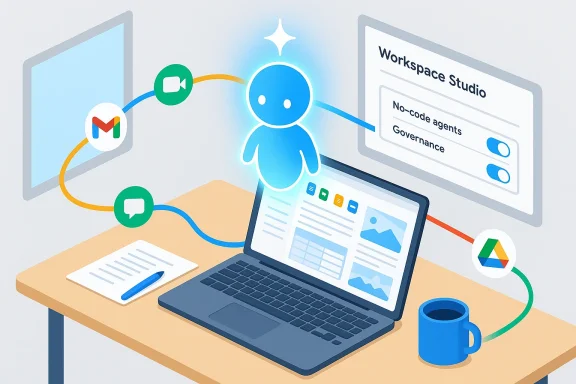
Beyond co‑authoring, Google has introduced what it calls Workspace Studio — a no‑code agent workbench aimed at making agents first‑class assets in the enterprise. Admins and non‑technical users can assemble agents that perform multi‑step tasks across Gmail, Drive, Docs, Meet and Chat, with governance overlays for auditing and access. This pushes the change beyond drafting into automation: agents can gather, summarise, notify and even enact simple processes on behalf of teams. Google has positioned this as generally available and as powered by updated Gemini models in recent product drops.How Google describes the change — goals and constraints
The stated product goals
Google frames Gemini in Workspace as:- A way to turn passive tools into collaborative environments where AI assists continuously.
- A productivity multiplier that saves time on drafting, research and video/presentation creation.
- A platform that companies can enable at scale, with administrative controls for personalization and data use.
Policy and admin controls (what Google says)
Google’s rollout notes emphasise the need to enable smart features and personalization in the Admin console for users to access the full suite. They also differentiate between editions and add‑ons — with Gemini Business, Gemini Enterprise and other bundles determining availability — and they call out rollout windows for rapid and scheduled release domains. Those controls are the first line of defence for IT teams seeking to balance utility against data exposure.Practical benefits for knowledge workers
Faster first drafts, less context switching
For many knowledge work tasks the most time‑consuming step is creating an initial structure and gathering scattered references. Gemini’s co‑authoring model turns that into a near‑instant process:- Time savings on setup and research.
- Fewer context switches between inbox, drive and document editor.
- Rapid prototype generation for presentations, proposals and briefs.
Democratizing complex tasks
No‑code agents and intuitive prompts lower the bar for non‑technical staff to automate workflows and produce polished outputs. Marketing teams, product managers and HR can use standardized templates combined with Gemini’s drafting to produce consistent, repeatable deliverables faster.Better multimodal content creation
By integrating with image generation, Google Vids (video), and Slides automation, Gemini lets teams generate multimedia content that produces a document draft — turning an idea into a deck, video and written brief without jumping through multiple tools. This improves speed and maintains narrative consistency across deliverables.Technical and organisational risks — the new responsibilities
1) Data leakage and over‑broad access
When Gemini searches Gmail, Drive and Chat to ground a draft, it raises two immediate concerns:- Scope creep: agents could surface or use private or archived content that should remain siloed.
- Accidental exposure: generative output could inadvertently reproduce sensitive fragments or PII.
Admins must therefore use the new personalization settings and access controls aggressively and audit agent behavior regularly. Google provides admin toggles, but those are only as effective as policies and enforcement.
2) Hallucination and provenance
Generative models remain prone to inventing facts or misattributing content. When Gemini composes a “co‑authored” document that cites or paraphrases internal documents, organisations need provenance controls: clear auditing of which files were used as sources, and a human verification step before sensitive outputs are finalised. Google’s documentation emphasises grounding in Drive files, but the responsibility to verify facts rests with users and governance processes. Independent coverage highlights that enterprises should treat generated drafts as srtified deliverables.3) Legal and IP ambiguity
When an AI ingests internal and external material to generate a document, questions arise about intellectual property ownership, licensing of generated images or text, and whether the AI’s output can inadvertently reproduce copyrighted material. Legal teams will need new clauses in content policies, and procurement must ensure licence terms from the AI vendor are compatible with company needs. Observers note the enterprise AI productisation also necessitates clarified vendor contracts and indemnities.4) Governance and auditability for agents
No‑code agents that can act across apps become operational assets. That means:- Change management for agent templates and connectors.
- Centralised logging and the ability to revoke or quarantine agents.
- Idenege access control for agent service accounts.
5) Workforce impact and change management
Automation will change job tasks. For workers whose role is heavy on drafting, isual design, Gemini can drastically reduce time spent on routine work. Organisations must plan reskilling pathways and clear guidelines for when to rely on AI vs. human judgement to avoid eroding quality or accountability. Analysts have compared this to past platform shifts: the tool changes job content even when it increases overall productivity.Implementation checklist for IT and security teams
- Review and adjust Admin console settings for smart features and personalization to define permitted scopes for Gemini access.
- Inventory which Workspace editions (Business, Enterprise) or add‑ons are active; map feature availability to license entitlements and pricing impacts.
- Define data‑access policies for AI age labels agents can read, whether personal inboxes are excluded, and retention/archival rules for agent logs.
- Establish verification workflows: every AI‑assisted document that will be published externally or used for decisions must have a named human reviewer and provenance record.
- Create an AgentOps register: name, owner, purpose, connectors, and last audited date for every deployed agent. Use centralised audit logs to trace outcomes.
Governance, compliance and regulatory lens
Privacy and data protection
Under privacy frameworks (e.g., GDPR‑style regimes), organisations must be mindful when AI ingests personal data from emails and documents. Consent, minimisation and purpose‑limitation principles apply: enabling a document generator is not a carte blanche to process all user mail or files without legal basis. Admins should consult privacy officers to align Workspace settings and internal AI policies. Independent coverage and vendor guidance recommend default‑off policies for sensitive scopes and explicit consent models where required.Audit trails and records
Regulated industries require immutable audit trails for decisions. When agents summarise or prepare reports used for compliancng, the provenance of each statement must be retrievable. This requires logging which documents were read, prompts issued, and which model versions produced the output. Google’s enterprise products include governance features, but integrating those logs into SIEM and compliance workflows is a mandatory next step.Vendor risk and contractual protections
Procurement should insist on:- Clear model‑use policies and IP terms.
- Clarifications about training data, retention and the ability to opt out of model‑training use where possible.
- Dedicated enterprise SLAs for availability and model behavior recourse.
Real‑world scenarios: how teams are likely to use Gemini inside Workspace
Product launch kit
A product manager asks Gemini to “create a product launch roadmap.” Gemini scans product specs in Drive, past launch postmortems in Gmail threads and team chat notes, and generates:- A structured roadmap document with milestones.
- A slide deck outline exported to Slides.
- A task checklist in Sheets that can be assigned to team members.
Legal‑safe contract first drafts
Legal teams can use agents to generate first draft NDAs or standard agreements from templates, pulling clauses from the firm’s precedents. The draft saves time, but legal must confirm clauses meet context‑specific obligations and that the agent did not splice in inappropriate prior content. Versioned source lists and human approval remain essential.Marketing campaigns and multimedia
Marketing can brief Gemini to “create an event promo”: a doc with campaign copy, a Slides deck, and a short promo video generated in Google Vids with synthesized voiceovers. The team gets a cross‑channel package quickly; legal and brand reviews ensure compliance with trademark and asset licences.Measuring success — KPIs and guardrails
- Time-to‑first‑draft: track red spent creating first drafts for recurring deliverables.
- Revision rate: measure how much human editing AI drafts require; high revision rates may indicate hallucination or misaligned prompts.
- Incidents of data leakage: monitor and report any misuse or accidental exposure tied to agent activity.
- Agent utilisation and ROI: quantify tasks automated and hours saved against licensing and implementation costs.
- Compliance checks passed: number of AI‑generated artefacts that clear legal and compliance review without major edits.
Strengths and strategic opportunities
- Speed and scale: Gemini inside Workspace can compress weeks of drafting and assembly work into hours, especially for repeatable document types.
- Integrated multimodal output: unified generation of doc, slide and video content reduces fragmentation and preserves narrative consistency.
- Lowered automation barrier: no‑code agents enable more teams to automate work without heavy engineering investment.
- Competitive positioning: by embedding Gemini across Workspace, Google makes the AI utility an integrated part of the platform experience, strengthening product stickiness.
Weaknesses and unresolved questions
- Model transparency and provenance remain imperfect. Built‑in provenance and source‑attribution features help, but organisations cannot yet treat AI outputs as authoritative without human verification.
- Pricing and change‑management costs. While some Gemini add‑ons were removed and capabilities folded into license tiers, overall Workspace pricing has moved, leaving customers to balance feature value against higher subscription costs. Procurement needs to model total cost of ownership, including governance overhead.
- Operational risks from agent proliferation. No‑code agents are powerful but, without central discipline, can create sprawl and security blind spots. Organisations need formal AgentOps capabilities.
Recommendations for CIOs, security leaders and product teams
- Treat the rollout as a platform migration, not a simple feature update. Revisit information architecture, access policies and compliance workflows.
- Pilot in low‑risk domains first (internal reports, marketing drafts) and measure quality before expanding to regulated or customer‑facing materials.
- Invest in provenance, logging and human‑in‑the‑loop verification processes; mandate named reviewers for externally published or decision‑critical outputs.
- Build a register of agents, owners and connectors. Schedule regular audits and revoke or sandbox agents that show risky behavior.
- Update contract language with vendors to ensure IP, training‑data use and incident response obligations are clear and enforceable.
Conclusion
Google’s decision to make Gemini a co‑author inside Workspace marks a pragmatic turning point: productivity software is becoming intelligence‑centred rather than tool‑centred. The potential productivity gains are real and broad — from instantaneous first drafts to cross‑media content generation and no‑code automation — but they come with proportional governance, legal and operational responsibilities. Organisations that move quickly but cautiously, investing in auditability, access controls and AgentOps, will likely capture the efficiency upside while containing the attendant risks. The change is less about replacing people and more about reshaping workflows: the future office will be one where human judgement, editorial responsibility and AI‑assisted scale coexist — provided companies build the policies and controls to make that coexistence safe and sustainable.Source: Il Sole 24 ORE Google brings Gemini into Workspace: AI becomes the new office colleague
