

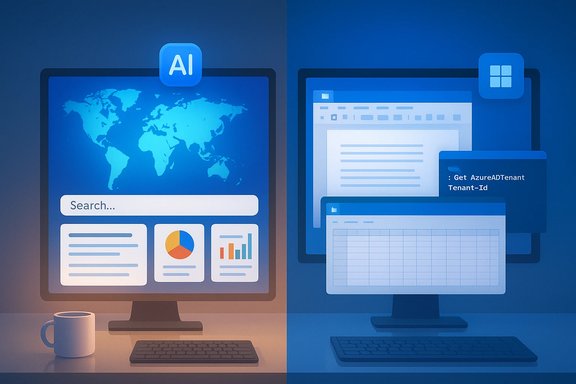
Google’s and Microsoft’s AI assistants have stopped being curiosities and have become furniture in the modern workflow — but they are very different pieces of furniture, designed for distinct rooms and purposes. Google’s Gemini has surged to mass-market scale and prowess in multimodal research and creative tasks, while Microsoft’s Copilot family has doubled down on deep Windows and Microsoft 365 integration and practical automation. The result is a clear, recurring trade-off: Gemini for web‑grounded research, maps, and creative multimodal outputs; Copilot for tenant‑aware productivity, PowerShell and Office automation.
The last 18 months have been a rapid-fire escalation in model releases and product integrations. Google shipped Gemini 3, a model family that pushes larger context windows, improved multimodal reasoning, and a dedicated high‑reasoning tier called Deep Think. Microsoft integrated GPT‑5 across its Copilot products and built a model‑routing system to select faster or deeper variants depending on the task. Those announcements matter because they explain observed behavioural differences between the two assistants: one is optimized around web grounding and multimodal handoffs, the other around tenant grounding and productivity hooks. Both companies have also published scale statistics that shape perception and market momentum. Google has reported that the Gemini app has crossed roughly 650 million monthly active users, a number public company commentary and multiple outlets corroborate. Microsoft reports its family of Copilot assistants surpassing 150 million monthly active users spread across consumer and enterprise Copilot experiences. Those figures help explain why each assistant gets the development and product attention it does, but raw user counts are not the only metric that matters when you choose a tool for work.
Key, recurring examples from head‑to‑head tests:
Source: bgr.com Google Gemini Vs. Copilot - Which AI Chatbot Should You Really Use? - BGR
 Background
The last 18 months have been a rapid-fire escalation in model releases and product integrations. Google shipped Gemini 3, a model family that pushes larger context windows, improved multimodal reasoning, and a dedicated high‑reasoning tier called Deep Think. Microsoft integrated GPT‑5 across its Copilot products and built a model‑routing system to select faster or deeper variants depending on the task. Those announcements matter because they explain observed behavioural differences between the two assistants: one is optimized around web grounding and multimodal handoffs, the other around tenant grounding and productivity hooks. Both companies have also published scale statistics that shape perception and market momentum. Google has reported that the Gemini app has crossed roughly 650 million monthly active users, a number public company commentary and multiple outlets corroborate. Microsoft reports its family of Copilot assistants surpassing 150 million monthly active users spread across consumer and enterprise Copilot experiences. Those figures help explain why each assistant gets the development and product attention it does, but raw user counts are not the only metric that matters when you choose a tool for work. How Gemini and Copilot are positioned today
Google Gemini: reasoning-first, multimodal, web‑native
- Gemini 3 emphasizes multimodal reasoning — mixing text, images, audio and short video — and it leans into Google’s strengths: Search, Maps, and image/video tooling. This enables fast, map‑aware itineraries, image-based edits, and web‑grounded synthesis that funnels back into user workflows. Gemini’s product strategy centers on creating time‑to‑usable assets (infographics, mockups, map links) quickly.
Microsoft Copilot: workplace automation and tenant grounding
- Copilot’s design centers on tenant-aware productivity inside Microsoft 365, Windows and developer tools. By pulling context from Microsoft Graph (mail, calendar, OneDrive, SharePoint) and embedding into Word, Excel, PowerPoint and Visual Studio, Copilot aims to automate repeatable business tasks and produce actionable outputs — e.g., robust PowerShell scripts, spreadsheet automation, or meeting summarization with tenant context and governance. GPT‑5’s integration and the model router are engineered to balance fast replies with deeper reasoning for complex enterprise tasks.
Hands‑on behaviour: what reviewers and testers keep finding
Multiple independent hands‑on tests and community write‑ups converge on a practical pattern: Gemini tends to win on web‑grounded research, mapping and quick creative multimodal outputs, while Copilot wins on Windows‑specific automation, scripting, and deep tenant workflows. Those outcomes reflect product design more than a single model’s innate superiority.Key, recurring examples from head‑to‑head tests:
- Itinerary and map tasks: Gemini typically produces workable, map‑linked itineraries and hands off to Google Maps or returns link pins rather than fabricating geometry; Copilot’s map visualizations in some tests were less reliable.
- Infographic and image generation: Gemini’s multimodal stack produced faster, more usable first passes for editorial graphics; Copilot’s image generation in similar scenarios sometimes produced generic or stylized results that needed more iteration.
- PowerShell and Windows automation: Copilot produced robust PowerShell scripts with prompts, error handling, and undo strategies — a decisive win in practical automation tasks tied to Windows. Gemini, in some hands‑on tests, recommended third‑party utilities and needed more iteration to reach the same reliability.
Model internals and vendor claims — verify before you rely
Both vendors have made public claims that are meaningful but require nuance:- Microsoft’s rollout of GPT‑5 to Copilot products and the use of a routing system to select model variants is documented in Microsoft blogs and corroborated by independent reporting. That integration is a material product fact for Copilot’s reasoning and code outputs.
- Google’s Gemini 3 family and Deep Think tier are vendor announcements that explain Gemini’s improved reasoning and multimodal capacity; availability of the top tiers depends on subscription plans and regional rollouts. Free or entry tiers often route users to lighter variants (Flash/Turbo), while paid Pro/Ultra tiers unlock the highest‑capacity models. Treat blanket statements like “Gemini 3 is free” as overly simplistic until you confirm which model variant a specific user sees.
Multimodal features and vision: what matters for Windows users
Gemini’s native multimodal handling is an advantage for many creative and research workflows:- It accepts text plus images and can generate concept art, infographics, or iterate on edits quickly.
- It integrates with Google Maps and Search to produce web‑linked outputs, which reduces hallucinated geographic claims.
- Copilot Vision and screen‑aware features are built to extract tables from PDFs, summarize email threads, or assist with screen‑level troubleshooting. These are productivity enhancements rather than pure creative tooling. When you need to extract structured data or transform tenant files inside Windows apps, Copilot’s contextual vision is purpose‑built for that environment.
Pricing, tiers and availability — the access reality
Both vendors use tiering to differentiate model variants and features:- Google: free/Flash variants are common, with Pro/AI Pro and AI Ultra/Deep Think tiers gating access to higher‑capacity reasoning models and larger context windows. Pricing and regional availability vary.
- Microsoft: Copilot appears across a spectrum — free Copilot Chat experiences, paid Microsoft 365 Copilot enterprise plans (with tenant guarantees), and consumer bundles. Enterprise plans typically include more governance controls and non‑training contractual options. GPT‑5 access in Copilot is documented as rolling out across the Copilot suite with model routing.
- Free tiers may expose “Flash” or lighter models; paid tiers unlock Pro or Deep Think quality.
- Enterprise customers should explicitly request non‑training and data‑residency clauses for regulated data.
Privacy, governance and compliance — the enterprise checklist
Adopting an assistant is not only a productivity decision; it’s a governance decision:- Data residency and non‑training guarantees matter for regulated industries. Enterprises should require contractual assurances that prompt data is not used for model training unless explicitly permitted.
- Audit trails, identity and least‑privilege for agents: when assistants can run scripts or call APIs, treat agentic workflows as production systems with CI/CD, permissioning, and incident playbooks.
- Hallucinations and downstream risk: never deploy AI outputs (facts, legal summaries, medical advice) without human verification and appropriate sign‑offs. Multiple independent tests still show nontrivial hallucination risk on factual extractions.
- Map the high‑risk workflows and block them from consumer assistants until non‑training enterprise tiers are in place.
- Require sandboxed testing, unit tests and rollback plans for automation scripts generated by AI.
- Maintain a two‑assistant verification flow — one assistant for ideation and one for grounding/verification — to reduce single‑source errors.
Security and safety: real risks when agents get power
When assistants can run scripts, call APIs, or edit files, the attack surface grows:- Indirect prompt injection and malicious embedded content can influence agent behaviour; treat agents as privileged automation with monitoring and identity controls.
- Generated code must be considered a first draft: lint, review, test and sandbox before executing. Copilot often produces usable PowerShell snippets, but those snippets still require human review for edge cases and destructive behaviors.
- Use immutable backups and require manual approval gates for destructive automation.
- Log prompts, outputs and agent actions centrally to enable forensic review.
Picking the right assistant: a practical guide for Windows users
Map the tool to the task; do not rely on a single assistant for everything. A simple decision flow:- Start by listing your top three workflows (e.g., travel research, Office automation, image generation).
- Match each workflow to the assistant’s strengths:
- Use Gemini for: web‑grounded research, map‑aware itineraries, quick infographics and multimodal ideation.
- Use Copilot for: Outlook/Teams/Word/Excel automation, PowerShell scripting, and tenant‑aware workflows with governance.
- Pilot both assistants on representative prompts for one week. Measure: time to usable output, hallucination rate, and governance fit.
- For regulated or sensitive data, use enterprise Copilot plans or negotiated Google Workspace/AI contracts with non‑training commitments.
Strengths, limitations and where to be cautious
Strengths to celebrate:- Gemini: Better web grounding for maps and live results, strong multimodal output and quick creative mockups.
- Copilot: Deep Microsoft 365 integration, tenant context, robust Windows and PowerShell automation, and enterprise governance surfaces. GPT‑5 integration improves reasoning and coding outputs in the Copilot family.
- Hallucinations: both assistants still return confidently wrong facts; always verify critical claims externally.
- Ecosystem lock‑in: productivity wins are often paired with portability costs; migrating flows between ecosystems is nontrivial.
- Subscription gating: the highest‑quality model variants (Deep Think, AI Ultra) may be behind high‑cost tiers in some regions; free tiers expose lighter model variants. Verify entitlement maps for your account before making procurement decisions.
- Precise latency or internal routing heuristics and micro‑benchmarks are vendor‑framed until independent third‑party benchmarks become available. Treat marketing superlatives cautiously and require hands‑on trials for your workload.
Final verdict and practical next steps
For most Windows users the answer is pragmatic pluralism:- Choose Copilot when your priority is automation, tenant integration, and safe deployment inside Microsoft 365 and Windows — especially for PowerShell, Excel automation, or tenant‑grounded document workflows. Ensure you use enterprise plans for sensitive data and non‑training guarantees.
- Choose Gemini when you need fast, web‑grounded research, maps and high‑fidelity multimodal creative drafts — for quick infographics, itinerary planning or image edits that need to respect local context and cultural fidelity. Confirm which model variant you’re actually using (Flash vs Pro vs Deep Think) before expecting top‑tier reasoning.
- Run a one‑week pilot using representative prompts on both assistants.
- Require non‑training enterprise terms for sensitive data.
- Treat all generated code and scripts as drafts; require code review and sandboxed execution.
- Maintain both a research assistant (Gemini) and an execution assistant (Copilot) in your toolbox to hedge risks and exploit strengths.
Source: bgr.com Google Gemini Vs. Copilot - Which AI Chatbot Should You Really Use? - BGR
