

HoYoverse has detailed Genshin Impact Version 7.0 device requirements ahead of the Snezhnaya update expected in August 2026, promising upgraded models, textures, and effects while leaving PC, iOS, PlayStation 5, Xbox Series X|S, and most Android requirements broadly unchanged. The real story is not a sweeping hardware cutoff; it is a targeted warning to older Android GPUs that have reached the edge of what HoYoverse wants to support. For Windows players, the message is unusually calm: a Windows 10 64-bit machine with modest DirectX 11-era graphics remains inside the tent. For IT admins, family device managers, and anyone maintaining shared gaming laptops or Android fleets, the important question is less “can it launch?” than “will it remain stable once the new visual budget arrives?”
Genshin Impact has always lived in a strange hardware middle ground. It is a lavish open-world RPG that runs on phones, consoles, and PCs, but it is also a live-service title that cannot freeze its rendering technology forever without making each new region look trapped in the year the game launched.
Version 7.0 is where that tension becomes visible again. According to HoYoverse details reported by Noisy Pixel, the update introduces upgraded character models, higher-quality environment textures, and enhanced visual effects. ixbt.games describes the same direction more bluntly: graphics quality will be higher because of “improved models for new characters, new environment textures, and visual effects.”
That distinction matters. This is not simply a patch adding a new quest chain or character banner. Version 7.0 is tied to Snezhnaya, the new region, and HoYoverse appears to be using the milestone to move the game’s visual presentation forward without formally abandoning most of its current supported hardware base.
The company’s balancing act is familiar to anyone who has watched long-lived service games age. If a studio never raises visual ambition, the newest areas begin to look conservative next to newer competitors. If it raises requirements too aggressively, it strands the very players who made the game a daily habit on older phones and budget PCs.
This time, the formal requirement table is less dramatic than the anxiety around it. Noisy Pixel reports that supported and recommended specifications for PC, iOS, PlayStation 5, Xbox Series X|S, and most Android devices remain the same. ixbt.games frames the story as another increase in PC and smartphone requirements, but its own listed PC, Android, and iOS requirements broadly match the figures HoYoverse has now put in front of players.
The useful reading is narrower: Version 7.0 raises the visual workload, but the main newly identified danger zone is older Android graphics hardware. That does not mean every affected phone will instantly become useless. It means HoYoverse is warning that some GPUs and SoCs may encounter stability issues because of hardware compatibility limits once the update lands.
That is a conservative PC floor in 2026 terms, and it says quite a bit about HoYoverse’s priorities. The studio is not using Snezhnaya as an excuse to jump to a newer Windows-only rendering baseline, demand a modern GPU feature set, or cut off the older DirectX 11-class machines that still populate households, dorm rooms, and secondary setups.
The minimum CPU remains an Intel Core i5 from the 6th generation or an AMD Ryzen equivalent, paired with 8 GB of RAM. The minimum discrete GPU remains an NVIDIA GeForce GTX 1050 or equivalent, while ixbt.games also lists Intel Iris Xe or equivalent integrated graphics as the minimum integrated graphics option. The recommended PC target is more comfortable but still far from extravagant: Intel Core i7 from the 7th generation or AMD Ryzen 5000 series or better, 16 GB of RAM, and an NVIDIA GeForce GTX 1060 6 GB or better.
That is a wide runway. A GTX 1050 minimum keeps older gaming laptops and low-end desktops alive. A GTX 1060 6 GB recommendation reflects a machine that is old by enthusiast standards but still perfectly plausible in a household where Genshin Impact shares space with schoolwork, browsing, and lighter games.
The practical consequence is that Windows players should not read Version 7.0 as a forced PC upgrade cycle. They should read it as a settings and storage-management moment. Higher-quality textures and effects may not change the stated requirement, but they can still expose weak cooling, marginal VRAM, old drivers, and machines already running near their limit.
That is especially true on laptops. A system that technically meets the minimum requirement can behave very differently depending on whether it is running on wall power, whether its fans are clogged, whether its GPU driver is current, and whether Windows is quietly chewing through background updates. Minimum requirements describe entry, not comfort.
The Windows 10 angle is also notable. With Windows 10 64-bit still listed as the minimum PC OS and Windows 11 64-bit part of the recommended band, HoYoverse is not forcing the Windows platform discussion into an operating-system migration story. For WindowsForum readers, that is the relief: Version 7.0 is not where Genshin Impact becomes a Windows 11-only game.
HoYoverse is not saying every phone with one of these chips will stop launching the game. It is saying the risk profile changes. The affected hardware may be more prone to crashes, instability, rendering problems, or poor behavior under the new visual workload.
The newly identified Android compatibility risk list includes Mali-G52 MP2 and Mali-G57 MP GPUs, UNISOC T606, T610, T612, T616, T618, and T619 SoCs, Imagination BXM GPUs, and devices using MediaTek Dimensity 7020, Dimensity 7025, Dimensity 7025 Ultra, Dimensity 7030, and Dimensity 930. Noisy Pixel also notes previously identified risk devices: MediaTek Helio P35, Helio G36, and Helio G25.
That list is not random. It points toward the messy middle and lower end of the Android ecosystem, where SoC branding, GPU blocks, thermal limits, driver support, and OEM update policies vary wildly. Two phones can look similar on a spec sheet and behave differently under a sustained rendering load because one has better cooling, newer drivers, or a less aggressive memory configuration.
The minimum Android requirement remains 64-bit ARMv8-A architecture, Snapdragon 660 or Helio G88 processor or better, 4 GB of RAM, and Android 10.0 or later. The recommended Android target remains Snapdragon 855, Dimensity 1000, Kirin 980, or newer, with 6 GB of RAM or more and Android 12.0 or later.
That split creates a subtle but important reality for players. Some hardware can remain within the formal minimum spec while still being a poor experience once Snezhnaya’s assets and effects are in play. Minimum support is not a performance guarantee; it is a compatibility floor.
This is where mobile gaming’s long tail becomes a support problem. Android players often keep devices longer than gaming PCs stay relevant, and many budget phones are sold with chipsets that were already conservative at launch. A game like Genshin Impact has to decide whether to keep optimizing around that long tail forever or gradually spend more of its performance budget on the content that keeps the game visually competitive.
Version 7.0 appears to choose the middle path. HoYoverse is keeping the Android minimum unchanged, but it is naming hardware classes where stability may suffer. That is more transparent than a silent degradation, but it still leaves affected users in an uncomfortable gray zone.
The table also exposes why ixbt.games and Noisy Pixel can sound different while describing the same underlying move. ixbt.games emphasizes that Genshin’s developers will “again increase” requirements on PC and smartphones, while Noisy Pixel emphasizes that most supported and recommended specs remain unchanged. The body of the evidence supports the more nuanced interpretation: HoYoverse is previewing a visual increase and compatibility pressure, not announcing a broad PC-class cutoff.
The iOS floor is especially revealing. Support begins with the iPhone 8 Plus and iPhone X, plus select iPads starting with Apple A11 or A12-class hardware depending on device category. The recommended iOS experience begins with the iPhone 12 series or newer, with ixbt.games also listing iPad 9th generation or above, Apple A13 and above, 4 GB of RAM, and iOS 14.0 or later.
Apple’s hardware and software stack gives HoYoverse fewer combinations to worry about than Android. That does not make older iPhones magic, but it does make the support story cleaner. If a player is on a supported iPhone or iPad, the expected behavior is easier for the developer to model than it is across the many Android SoCs now sitting near the edge.
That expectation has a cost. Higher-quality environment textures mean more memory pressure. Improved character models mean more geometry, more animation detail, or more complex rendering paths. Enhanced visual effects can stress GPU fill rate, bandwidth, shader performance, and thermal limits, especially on mobile devices that throttle under sustained load.
The reason the Android warning is plausible is that GPU compatibility is not merely about raw speed. Older or less common graphics blocks can fail in ways that are not solved by lowering the resolution slider. Driver behavior, supported rendering features, memory handling, and vendor-specific quirks all matter.
That is why the mention of Imagination BXM GPUs and specific Mali and UNISOC configurations is more meaningful than a generic “low-end phones may struggle” note. HoYoverse appears to be identifying hardware classes where the issue may be deeper than ordinary performance. A game can be slow on weak hardware; compatibility problems are the category where it can become unstable.
For Windows players, the analogous issues are easier to mitigate. Update the GPU driver, verify DirectX 11 support, reduce texture quality, cap frame rate, and make sure the system is not overheating. On Android, driver updates are often tied to OEM firmware, and many budget devices never receive the kind of graphics-stack maintenance that PC gamers take for granted.
That is the quiet asymmetry in Version 7.0. PC users can often tune their way around a rough patch. Android users on risky hardware may simply be waiting to find out whether their device’s graphics stack can survive the new content.
In practice, minimum means the developer believes the game can run within acceptable boundaries under constrained settings. It does not mean high frame rates, high textures, fast loading, quiet fans, or stable performance during the busiest combat effects in a new region.
The same caveat applies to Android’s 4 GB RAM minimum. Four gigabytes is enough to qualify, but not much room for a modern mobile OS, background processes, thermal throttling, and a large open-world game with upgraded assets. If the player’s phone also sits on one of the newly identified risk GPUs or SoCs, the formal minimum becomes less reassuring.
The recommended targets are the more honest planning guide. On PC, 16 GB of RAM and a GTX 1060 6 GB-class GPU create more breathing room. On Android, Snapdragon 855, Dimensity 1000, Kirin 980, or newer, plus 6 GB of RAM or more, describes a device less likely to choke on the update’s visual ambitions. On iOS, the iPhone 12 series or newer is the more sensible baseline for users who want Version 7.0 to feel like an upgrade rather than an endurance test.
This is not unique to Genshin Impact. Live games often preserve official minimum specs longer than they preserve the quality of the minimum-spec experience. Developers can keep a device eligible while silently shifting the best experience upward through content complexity.
HoYoverse is at least making part of that shift explicit. The named Android risk list gives players a chance to check their hardware before the update arrives. It is not perfect, because many users do not know which GPU block sits inside their phone, but it is better than discovering the problem through repeated crashes after launch.
That assumption is increasingly unsafe. The newly highlighted risk area includes devices associated with Mali-G52 MP2, Mali-G57 MP, Imagination BXM GPUs, multiple UNISOC T-series SoCs, and several MediaTek Dimensity 7000-series or 900-series parts named in Noisy Pixel’s report. Some of those names will appear in affordable phones that look attractive on paper.
The problem is that mobile SoC marketing rarely helps ordinary buyers understand GPU longevity. A phone may advertise a modern-looking chipset, a high-refresh display, and enough storage, while still relying on a graphics configuration that struggles with one of the most demanding mainstream mobile games. Genshin Impact has become a kind of unofficial stress test for this market.
For parents buying a phone for a teenager, or for users replacing an aging handset on a budget, Version 7.0 changes the buying advice. Do not buy solely against the minimum requirement. Buy against the recommended class if Genshin Impact is a priority.
That means looking for Snapdragon 855, Dimensity 1000, Kirin 980, or newer-class performance and at least 6 GB of RAM on Android. It also means being wary of devices whose GPU falls into the newly named risk categories, even if the CPU branding appears newer than the minimum line.
This is where HoYoverse’s warning has value beyond a single patch. It gives the market a signal: the game’s art direction is still moving upward, and the devices that sit just above the minimum may become uncomfortable faster than their spec sheets imply.
Version 7.0 does not require a sweeping Windows hardware audit, but it is a good excuse for a small one. The PC requirements are stable, so the goal is not panic replacement. The goal is identifying machines at the minimum edge before users blame the update, the network, or Windows itself.
Systems with 8 GB of RAM, older Core i5-class CPUs, GTX 1050-class graphics, or integrated graphics should be treated as minimum-tier machines. They may still run the game, but they should not be expected to absorb the new region at high settings. If those systems are also carrying years of driver cruft, thermal dust, and background software, Version 7.0 may be the moment their weakness becomes visible.
For Windows 11 machines, the recommended spec remains straightforward: Windows 11 64-bit is supported in the recommended OS line, alongside Windows 10 64-bit. That makes mixed Windows 10 and Windows 11 environments easier to manage. The game is not forcing an OS split; performance differences are more likely to come from GPU, RAM, cooling, and drivers.
The DirectX 11 requirement is also important. Many older Windows gaming problems are less about the Windows version than about driver quality and graphics feature support. A DirectX 11-era game can still run badly if the GPU driver is stale, corrupted, or using a generic fallback path.
ixbt.games presents the story as another increase in system requirements on PC and smartphones. But its own requirements list does not support the idea of a dramatic new PC floor. It lists Windows 10 64-bit as the PC minimum, Windows 10 64-bit or Windows 11 64-bit as recommended, the same 8 GB and 16 GB RAM split, DirectX 11, GTX 1050 minimum discrete graphics, Intel Iris Xe integrated graphics, and GTX 1060 6 GB recommended graphics.
The disagreement is therefore mostly editorial. One outlet emphasizes continuity with targeted Android risk; the other emphasizes the broader trend of rising expectations. Both can be true if read carefully, but the first is more useful for anyone deciding whether to upgrade a Windows machine.
That difference matters because headlines around system requirements often trigger bad buying decisions. A player with a GTX 1060 6 GB desktop does not need to panic because the words “increase system requirements” appeared in a headline. A player with a budget Android phone using a named risk GPU should pay attention even if the formal minimum still looks unchanged.
The more accurate story is that HoYoverse is spending more visual budget while trying to preserve platform reach. The cost of that compromise lands unevenly. Windows and console players get continuity. iOS players get a clear old-to-new device ladder. Android players get a compatibility warning shaped by the fragmented reality of that ecosystem.
For console players, the hardware question is mostly settled by ownership. If the game is supported on PlayStation 5 or Xbox Series X|S, the developer owns the optimization challenge within that fixed envelope. Users can worry about storage, updates, and display settings, but not whether their GPU vendor combination falls into a risk category.
That fixed target is one reason console versions are often simpler to message. Android has thousands of practical configurations. Windows has fewer but still enough to create edge cases. Console has a handful.
The lack of console drama also makes the Android warning more conspicuous. If Version 7.0 were broadly too heavy for existing hardware, the conversation would be about all platforms. Instead, the warnings cluster where hardware diversity and weaker driver control make compatibility hardest.
HoYoverse is trying to preserve that promise while changing the game underneath it. The company wants Snezhnaya to look better, wants new characters to have improved models, wants environments to carry higher-quality textures, and wants effects to feel more modern. It also wants the enormous existing install base to keep logging in.
That is the essential live-service bargain: evolution without abandonment. Version 7.0 shows how difficult that bargain becomes as the game enters later life. The more ambitious the art team becomes, the more the engineering team has to decide which devices still deserve optimization time.
For Windows players, the bargain remains favorable. Genshin Impact still does not demand a modern high-end PC. It still supports Windows 10 64-bit as the minimum and Windows 11 64-bit as recommended. It still sits on DirectX 11 rather than using a newer API requirement as a gate.
For Android players on older or unusual GPU configurations, the bargain is fraying. HoYoverse is not cutting the rope outright, but it is warning that some strands may not hold. That warning should be taken seriously because compatibility issues are often harder to patch around than simple performance dips.
If you are on a Windows PC that meets or exceeds the recommended spec — Windows 10 64-bit or Windows 11 64-bit, Core i7 7th Gen or Ryzen 5000 series or better, 16 GB RAM, GTX 1060 6 GB or better, DirectX 11 — there is no evidence in the supplied requirements that Snezhnaya requires an upgrade. You may still need to tune settings, but you are inside the recommended envelope.
If you are on the PC minimum — Core i5 6th Gen or Ryzen equivalent, 8 GB RAM, GTX 1050-class graphics — the smarter move is to prepare. Update drivers, clean up background apps, watch thermals, and be ready to lower settings. Do not assume the same settings that felt fine in earlier regions will remain ideal in Version 7.0.
If you are on iOS hardware below the recommended iPhone 12 series or iPad 9th generation class but still above the supported minimum, wait for real-world reports before replacing a device. Apple’s tighter hardware stack may keep older supported devices usable, but the best experience will clearly sit higher up the line.
If you are on Android and your device uses one of the named risk GPUs or SoCs, this is the group that should be most cautious. Back up account access, avoid making hardware promises to yourself or others, and plan for the possibility that Version 7.0 may be unstable even if the game still installs.
HoYoverse is threading a needle that every successful live-service game eventually faces: make the world look new without making the audience feel old. Version 7.0 and Snezhnaya appear to preserve the Windows and console base while shifting more risk onto the fragmented Android edge, and that is probably the least disruptive path available. The next test will come not from the requirement table, but from launch-week reality: whether the upgraded models, textures, and effects feel like a generational step forward, or like the moment minimum-tier devices finally started paying the bill for years of visual ambition.
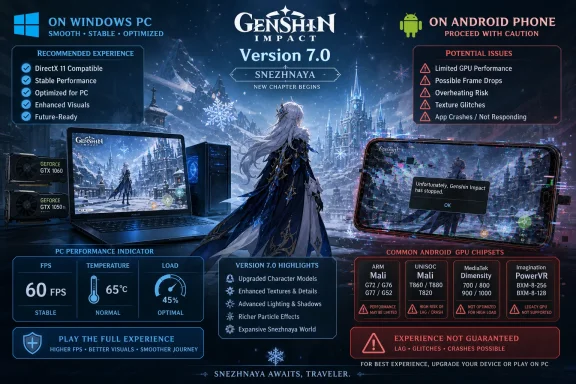 Version 7.0 Is a Visual Upgrade, Not a Universal Hardware Purge
Genshin Impact has always lived in a strange hardware middle ground. It is a lavish open-world RPG that runs on phones, consoles, and PCs, but it is also a live-service title that cannot freeze its rendering technology forever without making each new region look trapped in the year the game launched.Version 7.0 is where that tension becomes visible again. According to HoYoverse details reported by Noisy Pixel, the update introduces upgraded character models, higher-quality environment textures, and enhanced visual effects. ixbt.games describes the same direction more bluntly: graphics quality will be higher because of “improved models for new characters, new environment textures, and visual effects.”
That distinction matters. This is not simply a patch adding a new quest chain or character banner. Version 7.0 is tied to Snezhnaya, the new region, and HoYoverse appears to be using the milestone to move the game’s visual presentation forward without formally abandoning most of its current supported hardware base.
The company’s balancing act is familiar to anyone who has watched long-lived service games age. If a studio never raises visual ambition, the newest areas begin to look conservative next to newer competitors. If it raises requirements too aggressively, it strands the very players who made the game a daily habit on older phones and budget PCs.
This time, the formal requirement table is less dramatic than the anxiety around it. Noisy Pixel reports that supported and recommended specifications for PC, iOS, PlayStation 5, Xbox Series X|S, and most Android devices remain the same. ixbt.games frames the story as another increase in PC and smartphone requirements, but its own listed PC, Android, and iOS requirements broadly match the figures HoYoverse has now put in front of players.
The useful reading is narrower: Version 7.0 raises the visual workload, but the main newly identified danger zone is older Android graphics hardware. That does not mean every affected phone will instantly become useless. It means HoYoverse is warning that some GPUs and SoCs may encounter stability issues because of hardware compatibility limits once the update lands.
The Windows News Is Boring, Which Is Exactly What PC Players Wanted
For Windows users, the most important fact is the absence of a surprise. The minimum PC operating system remains Windows 10 64-bit, while the recommended operating system remains Windows 10 64-bit or Windows 11 64-bit. The DirectX requirement remains DirectX 11.That is a conservative PC floor in 2026 terms, and it says quite a bit about HoYoverse’s priorities. The studio is not using Snezhnaya as an excuse to jump to a newer Windows-only rendering baseline, demand a modern GPU feature set, or cut off the older DirectX 11-class machines that still populate households, dorm rooms, and secondary setups.
The minimum CPU remains an Intel Core i5 from the 6th generation or an AMD Ryzen equivalent, paired with 8 GB of RAM. The minimum discrete GPU remains an NVIDIA GeForce GTX 1050 or equivalent, while ixbt.games also lists Intel Iris Xe or equivalent integrated graphics as the minimum integrated graphics option. The recommended PC target is more comfortable but still far from extravagant: Intel Core i7 from the 7th generation or AMD Ryzen 5000 series or better, 16 GB of RAM, and an NVIDIA GeForce GTX 1060 6 GB or better.
That is a wide runway. A GTX 1050 minimum keeps older gaming laptops and low-end desktops alive. A GTX 1060 6 GB recommendation reflects a machine that is old by enthusiast standards but still perfectly plausible in a household where Genshin Impact shares space with schoolwork, browsing, and lighter games.
The practical consequence is that Windows players should not read Version 7.0 as a forced PC upgrade cycle. They should read it as a settings and storage-management moment. Higher-quality textures and effects may not change the stated requirement, but they can still expose weak cooling, marginal VRAM, old drivers, and machines already running near their limit.
That is especially true on laptops. A system that technically meets the minimum requirement can behave very differently depending on whether it is running on wall power, whether its fans are clogged, whether its GPU driver is current, and whether Windows is quietly chewing through background updates. Minimum requirements describe entry, not comfort.
The Windows 10 angle is also notable. With Windows 10 64-bit still listed as the minimum PC OS and Windows 11 64-bit part of the recommended band, HoYoverse is not forcing the Windows platform discussion into an operating-system migration story. For WindowsForum readers, that is the relief: Version 7.0 is not where Genshin Impact becomes a Windows 11-only game.
Android Is Where the Compatibility Debt Comes Due
The sharpest warning in the new requirements sits on Android, not PC. Noisy Pixel reports that certain GPUs with older graphics may run into stability issues beginning with Version 7.0 because of hardware compatibility limitations. That wording is careful, and players should read it carefully.HoYoverse is not saying every phone with one of these chips will stop launching the game. It is saying the risk profile changes. The affected hardware may be more prone to crashes, instability, rendering problems, or poor behavior under the new visual workload.
The newly identified Android compatibility risk list includes Mali-G52 MP2 and Mali-G57 MP GPUs, UNISOC T606, T610, T612, T616, T618, and T619 SoCs, Imagination BXM GPUs, and devices using MediaTek Dimensity 7020, Dimensity 7025, Dimensity 7025 Ultra, Dimensity 7030, and Dimensity 930. Noisy Pixel also notes previously identified risk devices: MediaTek Helio P35, Helio G36, and Helio G25.
That list is not random. It points toward the messy middle and lower end of the Android ecosystem, where SoC branding, GPU blocks, thermal limits, driver support, and OEM update policies vary wildly. Two phones can look similar on a spec sheet and behave differently under a sustained rendering load because one has better cooling, newer drivers, or a less aggressive memory configuration.
The minimum Android requirement remains 64-bit ARMv8-A architecture, Snapdragon 660 or Helio G88 processor or better, 4 GB of RAM, and Android 10.0 or later. The recommended Android target remains Snapdragon 855, Dimensity 1000, Kirin 980, or newer, with 6 GB of RAM or more and Android 12.0 or later.
That split creates a subtle but important reality for players. Some hardware can remain within the formal minimum spec while still being a poor experience once Snezhnaya’s assets and effects are in play. Minimum support is not a performance guarantee; it is a compatibility floor.
This is where mobile gaming’s long tail becomes a support problem. Android players often keep devices longer than gaming PCs stay relevant, and many budget phones are sold with chipsets that were already conservative at launch. A game like Genshin Impact has to decide whether to keep optimizing around that long tail forever or gradually spend more of its performance budget on the content that keeps the game visually competitive.
Version 7.0 appears to choose the middle path. HoYoverse is keeping the Android minimum unchanged, but it is naming hardware classes where stability may suffer. That is more transparent than a silent degradation, but it still leaves affected users in an uncomfortable gray zone.
The Requirements Matrix Shows a Game Stretching Without Snapping
The clearest way to understand Version 7.0 is to separate platform eligibility from expected experience. PC, iOS, and Android all retain recognizable minimums and recommendations, but only Android receives the expanded compatibility-risk warning.| Platform | Minimum requirement | Recommended requirement | Version 7.0 practical risk |
|---|---|---|---|
| Windows PC | Windows 10 64-bit; Intel Core i5 6th Gen or AMD Ryzen equivalent; 8 GB RAM; NVIDIA GeForce GTX 1050 or equivalent; DirectX 11 | Windows 10 64-bit or Windows 11 64-bit; Intel Core i7 7th Gen or AMD Ryzen 5000 series or better; 16 GB RAM; NVIDIA GeForce GTX 1060 6 GB or better; DirectX 11 | Requirements remain modest, but older laptops may need lower settings, current drivers, and thermal cleanup |
| Android | 64-bit ARMv8-A; Snapdragon 660 or Helio G88 or better; 4 GB RAM; Android 10.0 or later | Snapdragon 855, Dimensity 1000, Kirin 980, or newer; 6 GB RAM or more; Android 12.0 or later | Main warning zone: older GPUs and listed UNISOC, MediaTek, Mali, and Imagination configurations may face stability issues |
| iOS / iPadOS | iPhone 8 Plus, iPhone X, iPad mini 5th generation, iPad Air 3rd generation, or iPad 8th generation and above; A11 on iPhone or A12 on iPad; 3 GB RAM; iOS 14.0 or later | iPhone 12 series or iPad 9th generation and later; Apple A13 or above; 4 GB RAM; iOS 14.0 or later | Supported floor remains older, but recommended experience starts at newer A13-class hardware |
| PlayStation 5 / Xbox Series X|S | Supported platform | Supported platform | No requirement change reported for Version 7.0 |
The iOS floor is especially revealing. Support begins with the iPhone 8 Plus and iPhone X, plus select iPads starting with Apple A11 or A12-class hardware depending on device category. The recommended iOS experience begins with the iPhone 12 series or newer, with ixbt.games also listing iPad 9th generation or above, Apple A13 and above, 4 GB of RAM, and iOS 14.0 or later.
Apple’s hardware and software stack gives HoYoverse fewer combinations to worry about than Android. That does not make older iPhones magic, but it does make the support story cleaner. If a player is on a supported iPhone or iPad, the expected behavior is easier for the developer to model than it is across the many Android SoCs now sitting near the edge.
Snezhnaya Makes the Hardware Question Harder to Ignore
Snezhnaya is not just another patch location. It is a new region, and new regions are where Genshin Impact’s hardware bargain gets renegotiated in public. Players expect new landscapes, new architecture, new enemies, new characters, and new effects that feel meaningfully richer than what came before.That expectation has a cost. Higher-quality environment textures mean more memory pressure. Improved character models mean more geometry, more animation detail, or more complex rendering paths. Enhanced visual effects can stress GPU fill rate, bandwidth, shader performance, and thermal limits, especially on mobile devices that throttle under sustained load.
The reason the Android warning is plausible is that GPU compatibility is not merely about raw speed. Older or less common graphics blocks can fail in ways that are not solved by lowering the resolution slider. Driver behavior, supported rendering features, memory handling, and vendor-specific quirks all matter.
That is why the mention of Imagination BXM GPUs and specific Mali and UNISOC configurations is more meaningful than a generic “low-end phones may struggle” note. HoYoverse appears to be identifying hardware classes where the issue may be deeper than ordinary performance. A game can be slow on weak hardware; compatibility problems are the category where it can become unstable.
For Windows players, the analogous issues are easier to mitigate. Update the GPU driver, verify DirectX 11 support, reduce texture quality, cap frame rate, and make sure the system is not overheating. On Android, driver updates are often tied to OEM firmware, and many budget devices never receive the kind of graphics-stack maintenance that PC gamers take for granted.
That is the quiet asymmetry in Version 7.0. PC users can often tune their way around a rough patch. Android users on risky hardware may simply be waiting to find out whether their device’s graphics stack can survive the new content.
“Minimum” Still Means “Barely Invited”
The formal PC minimum — Windows 10 64-bit, Intel Core i5 6th Gen or AMD Ryzen equivalent, 8 GB RAM, GTX 1050 or equivalent, DirectX 11 — remains friendly. But minimum specifications are often misunderstood because they are written as if they describe a binary state: supported or unsupported.In practice, minimum means the developer believes the game can run within acceptable boundaries under constrained settings. It does not mean high frame rates, high textures, fast loading, quiet fans, or stable performance during the busiest combat effects in a new region.
The same caveat applies to Android’s 4 GB RAM minimum. Four gigabytes is enough to qualify, but not much room for a modern mobile OS, background processes, thermal throttling, and a large open-world game with upgraded assets. If the player’s phone also sits on one of the newly identified risk GPUs or SoCs, the formal minimum becomes less reassuring.
The recommended targets are the more honest planning guide. On PC, 16 GB of RAM and a GTX 1060 6 GB-class GPU create more breathing room. On Android, Snapdragon 855, Dimensity 1000, Kirin 980, or newer, plus 6 GB of RAM or more, describes a device less likely to choke on the update’s visual ambitions. On iOS, the iPhone 12 series or newer is the more sensible baseline for users who want Version 7.0 to feel like an upgrade rather than an endurance test.
This is not unique to Genshin Impact. Live games often preserve official minimum specs longer than they preserve the quality of the minimum-spec experience. Developers can keep a device eligible while silently shifting the best experience upward through content complexity.
HoYoverse is at least making part of that shift explicit. The named Android risk list gives players a chance to check their hardware before the update arrives. It is not perfect, because many users do not know which GPU block sits inside their phone, but it is better than discovering the problem through repeated crashes after launch.
The Android Chip List Is a Warning for Budget Buyers, Not Just Current Players
The immediate audience for HoYoverse’s notice is existing Genshin Impact players. The secondary audience is anyone buying a cheap Android phone in 2026 and assuming “it has enough RAM” is the same as “it will handle Genshin.”That assumption is increasingly unsafe. The newly highlighted risk area includes devices associated with Mali-G52 MP2, Mali-G57 MP, Imagination BXM GPUs, multiple UNISOC T-series SoCs, and several MediaTek Dimensity 7000-series or 900-series parts named in Noisy Pixel’s report. Some of those names will appear in affordable phones that look attractive on paper.
The problem is that mobile SoC marketing rarely helps ordinary buyers understand GPU longevity. A phone may advertise a modern-looking chipset, a high-refresh display, and enough storage, while still relying on a graphics configuration that struggles with one of the most demanding mainstream mobile games. Genshin Impact has become a kind of unofficial stress test for this market.
For parents buying a phone for a teenager, or for users replacing an aging handset on a budget, Version 7.0 changes the buying advice. Do not buy solely against the minimum requirement. Buy against the recommended class if Genshin Impact is a priority.
That means looking for Snapdragon 855, Dimensity 1000, Kirin 980, or newer-class performance and at least 6 GB of RAM on Android. It also means being wary of devices whose GPU falls into the newly named risk categories, even if the CPU branding appears newer than the minimum line.
This is where HoYoverse’s warning has value beyond a single patch. It gives the market a signal: the game’s art direction is still moving upward, and the devices that sit just above the minimum may become uncomfortable faster than their spec sheets imply.
Windows Admins Should Treat This as a Driver and Inventory Exercise
A Genshin Impact requirements update may sound like consumer gaming news, but WindowsForum’s audience knows how often “consumer gaming” becomes a real support issue. Shared family PCs, school laptops, BYOD machines, gaming cafes, small offices with mixed-use devices, and dorm networks all end up running games whether IT wants them to or not.Version 7.0 does not require a sweeping Windows hardware audit, but it is a good excuse for a small one. The PC requirements are stable, so the goal is not panic replacement. The goal is identifying machines at the minimum edge before users blame the update, the network, or Windows itself.
Systems with 8 GB of RAM, older Core i5-class CPUs, GTX 1050-class graphics, or integrated graphics should be treated as minimum-tier machines. They may still run the game, but they should not be expected to absorb the new region at high settings. If those systems are also carrying years of driver cruft, thermal dust, and background software, Version 7.0 may be the moment their weakness becomes visible.
For Windows 11 machines, the recommended spec remains straightforward: Windows 11 64-bit is supported in the recommended OS line, alongside Windows 10 64-bit. That makes mixed Windows 10 and Windows 11 environments easier to manage. The game is not forcing an OS split; performance differences are more likely to come from GPU, RAM, cooling, and drivers.
The DirectX 11 requirement is also important. Many older Windows gaming problems are less about the Windows version than about driver quality and graphics feature support. A DirectX 11-era game can still run badly if the GPU driver is stale, corrupted, or using a generic fallback path.
Action checklist for admins
- Inventory Windows machines that users expect to run Genshin Impact and flag systems at 8 GB RAM, GTX 1050-class graphics, or integrated graphics.
- Confirm that gaming PCs and laptops are on Windows 10 64-bit or Windows 11 64-bit, not an unsupported legacy OS.
- Update GPU drivers before Version 7.0 lands, especially on NVIDIA systems near the GTX 1050 or GTX 1060 class.
- For laptops, test on AC power and check thermal behavior; throttling can look like a game update problem.
- For shared Android devices, check whether the device uses one of the newly identified risk GPUs or SoCs before promising continued stability.
- Advise users on minimum-tier hardware to lower texture quality, effects, and frame-rate targets before troubleshooting deeper.
The Source Coverage Disagrees Mostly in Emphasis
Noisy Pixel’s account is the more precise framing for Windows users: HoYoverse shared device performance requirements, Version 7.0 adds visual enhancements, and most supported platform requirements remain unchanged. The article identifies Android as the primary compatibility risk zone and lists the affected GPU and SoC families.ixbt.games presents the story as another increase in system requirements on PC and smartphones. But its own requirements list does not support the idea of a dramatic new PC floor. It lists Windows 10 64-bit as the PC minimum, Windows 10 64-bit or Windows 11 64-bit as recommended, the same 8 GB and 16 GB RAM split, DirectX 11, GTX 1050 minimum discrete graphics, Intel Iris Xe integrated graphics, and GTX 1060 6 GB recommended graphics.
The disagreement is therefore mostly editorial. One outlet emphasizes continuity with targeted Android risk; the other emphasizes the broader trend of rising expectations. Both can be true if read carefully, but the first is more useful for anyone deciding whether to upgrade a Windows machine.
That difference matters because headlines around system requirements often trigger bad buying decisions. A player with a GTX 1060 6 GB desktop does not need to panic because the words “increase system requirements” appeared in a headline. A player with a budget Android phone using a named risk GPU should pay attention even if the formal minimum still looks unchanged.
The more accurate story is that HoYoverse is spending more visual budget while trying to preserve platform reach. The cost of that compromise lands unevenly. Windows and console players get continuity. iOS players get a clear old-to-new device ladder. Android players get a compatibility warning shaped by the fragmented reality of that ecosystem.
The Console Silence Is Also Part of the Message
PlayStation 5 and Xbox Series X|S appear in Noisy Pixel’s report as platforms whose supported and recommended specifications remain unchanged. That may sound obvious because consoles are fixed hardware, but it reinforces the broader point: Version 7.0 is not a platform reset.For console players, the hardware question is mostly settled by ownership. If the game is supported on PlayStation 5 or Xbox Series X|S, the developer owns the optimization challenge within that fixed envelope. Users can worry about storage, updates, and display settings, but not whether their GPU vendor combination falls into a risk category.
That fixed target is one reason console versions are often simpler to message. Android has thousands of practical configurations. Windows has fewer but still enough to create edge cases. Console has a handful.
The lack of console drama also makes the Android warning more conspicuous. If Version 7.0 were broadly too heavy for existing hardware, the conversation would be about all platforms. Instead, the warnings cluster where hardware diversity and weaker driver control make compatibility hardest.
Genshin’s Hardware Floor Has Become a Trust Contract
The deeper issue is trust. Players invest time, money, and habit into live-service games. When a game remains playable for years on the same device, users come to treat that support as a promise, even when the developer never intended it to be permanent.HoYoverse is trying to preserve that promise while changing the game underneath it. The company wants Snezhnaya to look better, wants new characters to have improved models, wants environments to carry higher-quality textures, and wants effects to feel more modern. It also wants the enormous existing install base to keep logging in.
That is the essential live-service bargain: evolution without abandonment. Version 7.0 shows how difficult that bargain becomes as the game enters later life. The more ambitious the art team becomes, the more the engineering team has to decide which devices still deserve optimization time.
For Windows players, the bargain remains favorable. Genshin Impact still does not demand a modern high-end PC. It still supports Windows 10 64-bit as the minimum and Windows 11 64-bit as recommended. It still sits on DirectX 11 rather than using a newer API requirement as a gate.
For Android players on older or unusual GPU configurations, the bargain is fraying. HoYoverse is not cutting the rope outright, but it is warning that some strands may not hold. That warning should be taken seriously because compatibility issues are often harder to patch around than simple performance dips.
The Upgrade Decision Should Be Based on Experience, Not Anxiety
The worst response to any system-requirement story is panic buying. The second-worst is denial. Version 7.0 calls for neither.If you are on a Windows PC that meets or exceeds the recommended spec — Windows 10 64-bit or Windows 11 64-bit, Core i7 7th Gen or Ryzen 5000 series or better, 16 GB RAM, GTX 1060 6 GB or better, DirectX 11 — there is no evidence in the supplied requirements that Snezhnaya requires an upgrade. You may still need to tune settings, but you are inside the recommended envelope.
If you are on the PC minimum — Core i5 6th Gen or Ryzen equivalent, 8 GB RAM, GTX 1050-class graphics — the smarter move is to prepare. Update drivers, clean up background apps, watch thermals, and be ready to lower settings. Do not assume the same settings that felt fine in earlier regions will remain ideal in Version 7.0.
If you are on iOS hardware below the recommended iPhone 12 series or iPad 9th generation class but still above the supported minimum, wait for real-world reports before replacing a device. Apple’s tighter hardware stack may keep older supported devices usable, but the best experience will clearly sit higher up the line.
If you are on Android and your device uses one of the named risk GPUs or SoCs, this is the group that should be most cautious. Back up account access, avoid making hardware promises to yourself or others, and plan for the possibility that Version 7.0 may be unstable even if the game still installs.
The Practical Reading Before Snezhnaya Arrives
The practical reading is simple: Version 7.0 is a visual ambition update with a targeted Android warning, not a Windows hardware emergency. The important takeaways are concrete enough that players and admins can act before August 2026 rather than troubleshoot in the middle of launch week.- PC minimum remains Windows 10 64-bit, 8 GB RAM, DirectX 11, and GTX 1050-class graphics.
- PC recommended remains Windows 10 64-bit or Windows 11 64-bit, 16 GB RAM, and GTX 1060 6 GB-class graphics.
- Android minimum remains 64-bit ARMv8-A, Snapdragon 660 or Helio G88 or better, 4 GB RAM, and Android 10.0 or later.
- Android risk is concentrated in named Mali, UNISOC, Imagination BXM, MediaTek Dimensity, and older Helio configurations.
- iOS support still reaches back to iPhone 8 Plus and iPhone X, but the recommended line starts at iPhone 12 series or newer.
- Snezhnaya’s upgraded models, textures, and effects may make “supported” feel very different from “comfortable.”
HoYoverse is threading a needle that every successful live-service game eventually faces: make the world look new without making the audience feel old. Version 7.0 and Snezhnaya appear to preserve the Windows and console base while shifting more risk onto the fragmented Android edge, and that is probably the least disruptive path available. The next test will come not from the requirement table, but from launch-week reality: whether the upgraded models, textures, and effects feel like a generational step forward, or like the moment minimum-tier devices finally started paying the bill for years of visual ambition.
References
- Primary source: Noisy Pixel
Published: 2026-07-09T12:28:08.646209
Loading…
noisypixel.net - Independent coverage: ixbt.games
Published: 2026-07-09T11:20:08.642827
Loading…
ixbt.games - Related coverage: support.hoyoverse.com
Loading…
support.hoyoverse.com - Official source: apps.apple.com
Loading…
apps.apple.com - Related coverage: game8.co
System Requirements and Specs | Genshin Impact|Game8
Here are the System Requirements for Genshin Impact on PC, Mobile, and PS4 and PS5. See all the supported iOS and iPadOS versions, how much memory you need to play it, and everything else about it here in this guide!game8.co - Related coverage: pcgamesn.com
Loading…
www.pcgamesn.com
- Related coverage: allthings.how
Loading…
allthings.how