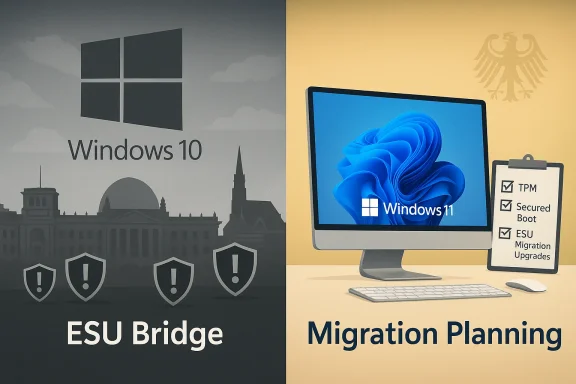
Almost every second Windows PC in Germany still runs Windows 10, even though Microsoft formally ended mainstream support for the platform on October 14, 2025 — a reality that has shifted the migration conversation from “if” to when and raised urgent security and policy questions for consumers, businesses and public institutions alike. The vendor’s one‑year consumer bridge — the Windows 10 Consumer Extended Security Updates (ESU) programme — offers a temporary safety valve through October 13, 2026, but it is narrowly scoped and conditional; enterprises must rely on paid, multi‑year ESU contracts or complete migrations. The scale of devices still on Windows 10, combined with rising vulnerability disclosures and strict hardware gates for Windows 11, means many organizations and households in Germany are now wrestling with real risk, tangible cost choices, and an uncomfortable deadline.
Windows 10 reached its official end of mainstream support on October 14, 2025. Microsoft’s lifecycle documentation and support pages make the change unambiguous: after that date, the ordinary channels for security updates, feature updates and standard technical assistance for mainstream Windows 10 editions stopped unless a device is enrolled in an Extended Security Updates programme or otherwise covered by a commercial support arrangement. Microsoft explicitly recommends upgrading eligible machines to Windows 11, or enrolling in ESU where migration is not immediately possible.
For consumers Microsoft created a time‑boxed consumer ESU pathway that supplies security‑only patches for eligible Windows 10, version 22H2 devices through October 13, 2026. Enrollment options include staying signed in to a Microsoft Account and syncing PC settings (a free path for many users), redeeming Microsoft Rewards points, or a one‑time paid purchase (commonly reported at around $30 USD or local currency equivalent). ESU does not provide feature updates, broader quality fixes, or standard support — it is a bridge, not a long‑term substitute. Enterprises and public bodies have separate commercial ESU options under volume licensing that are priced and contracted differently.
At the same time, market telemetry shows the transition to Windows 11 has accelerated throughout 2025 — and in many places Windows 11 now approaches or exceeds parity with Windows 10. In Germany the migration has been uneven: multiple measurement services and reporting outlets show that Windows 11 made steep gains during 2025 and by late 2025 was close to, or slightly ahead of, Windows 10 in certain market snapshots — but a very large installed base of Windows 10 machines remains in active use. That dual reality — strong growth of Windows 11, plus a long trailing tail of Windows 10 devices — is central to the current security and operational challenge.
The German Federal Office for Information Security (BSI) has been explicit: users of Windows 10 should either upgrade to Windows 11 where eligible or consider switching to alternative platforms (for instance, macOS or Linux distributions) if hardware compatibility and use cases make that more sensible. The BSI framed the guidance in security terms — unsupported OS versions stop receiving vendor patches and therefore increase exposure to exploitation.
Microsoft’s lifecycle decision and the consumer ESU programme provide clarity and a short runway, but the underlying reality remains: there is no safe long‑term option to run an operating system that the vendor no longer patches. For consumers, ESU offers limited breathing room through October 13, 2026; for companies, the calculus is starker — continued operation without paid support is already a risk many cannot accept. The responsible path for most users and institutions in Germany is an orderly migration to a supported operating system (Windows 11 where feasible, or a suitable alternative), combined with immediate compensating security controls for any devices that must remain on Windows 10 for a short period. Institutional guidance from the BSI and vendor lifecycle pages make this plain: planning, prioritisation and action are now the only defensible strategies.
Source: igor´sLAB Almost every second PC in Germany still runs Windows 10 – an operating system at the end of its life cycle. | igor´sLAB
 Background: what happened, and what it means
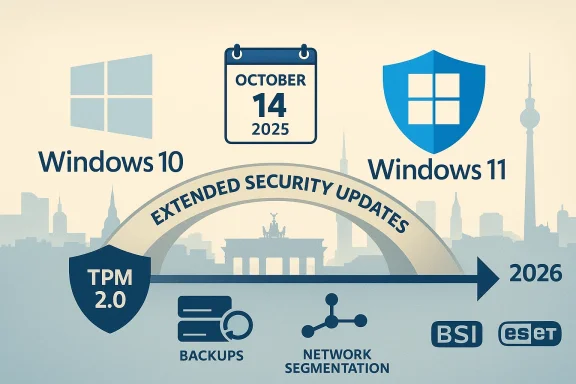
Windows 10 reached its official end of mainstream support on October 14, 2025. Microsoft’s lifecycle documentation and support pages make the change unambiguous: after that date, the ordinary channels for security updates, feature updates and standard technical assistance for mainstream Windows 10 editions stopped unless a device is enrolled in an Extended Security Updates programme or otherwise covered by a commercial support arrangement. Microsoft explicitly recommends upgrading eligible machines to Windows 11, or enrolling in ESU where migration is not immediately possible. For consumers Microsoft created a time‑boxed consumer ESU pathway that supplies security‑only patches for eligible Windows 10, version 22H2 devices through October 13, 2026. Enrollment options include staying signed in to a Microsoft Account and syncing PC settings (a free path for many users), redeeming Microsoft Rewards points, or a one‑time paid purchase (commonly reported at around $30 USD or local currency equivalent). ESU does not provide feature updates, broader quality fixes, or standard support — it is a bridge, not a long‑term substitute. Enterprises and public bodies have separate commercial ESU options under volume licensing that are priced and contracted differently.
At the same time, market telemetry shows the transition to Windows 11 has accelerated throughout 2025 — and in many places Windows 11 now approaches or exceeds parity with Windows 10. In Germany the migration has been uneven: multiple measurement services and reporting outlets show that Windows 11 made steep gains during 2025 and by late 2025 was close to, or slightly ahead of, Windows 10 in certain market snapshots — but a very large installed base of Windows 10 machines remains in active use. That dual reality — strong growth of Windows 11, plus a long trailing tail of Windows 10 devices — is central to the current security and operational challenge.
The German Federal Office for Information Security (BSI) has been explicit: users of Windows 10 should either upgrade to Windows 11 where eligible or consider switching to alternative platforms (for instance, macOS or Linux distributions) if hardware compatibility and use cases make that more sensible. The BSI framed the guidance in security terms — unsupported OS versions stop receiving vendor patches and therefore increase exposure to exploitation.
Snapshot: the numbers that matter
- Microsoft end of mainstream support: October 14, 2025. This is the hard lifecycle cutoff for mainstream Windows 10 servicing.
- Consumer ESU window: security updates through October 13, 2026 for eligible Windows 10 (22H2) devices enrolled in the programme. Enrollment options include a Microsoft Account sync, Rewards redemption or a one‑time purchase.
- Germany market share (late 2025 snapshots): Windows 11 roughly around half of Windows version market share in some StatCounter snapshots for Germany, with Windows 10 still occupying a substantial share that in many months hovered near the 45–55% band depending on dataset and month. In other words, almost every second PC in Germany running Windows 10 is a realistic description for late‑2025/early‑2026 telemetry.
- Installed‑base estimates cited by security vendors: ESET and other analysts pointed to tens of millions of Windows 10 devices in Germany specifically (ESET’s public commentary identified ~32 million Windows 10 machines in Germany in early 2025). These figures underscore the scale of the migration task in that market.
Why the continued Windows 10 tail is a genuine problem
Security risk — unattended vulnerabilities become permanent attack vectors
Unsupported operating systems are attractive targets. After end of mainstream support, newly discovered OS vulnerabilities will not be fixed for unenrolled Windows 10 systems, which makes those machines persistent, easily identifiable holes in corporate and consumer networks. Automated scanning, commodity exploit kits and targeted ransomware gangs all prefer predictable, high‑value targets; an unsupported OS fits that profile. The practical effect: an organization's residual Windows 10 endpoints can become the wedge used to breach broader environments.Operational, legal and insurance exposure
Running out‑of‑support software can trigger compliance violations in regulated sectors (healthcare, finance, critical infrastructure), and insurers increasingly scrutinize patch posture in claims after breaches. Some insurers and auditors treat continued use of unsupported platforms as negligence — raising the possibility of denied claims or regulatory fines if a breach involves an unpatched vulnerability. These are not hypothetical; expert commentary and vendor guidance warned organizations that failing to move off Windows 10 without ESU coverage could entail both security and contractual risk.Economic friction and hardware constraints
Windows 11 imposes stricter hardware requirements (TPM 2.0, certain CPU generations, Secure Boot on by default) that make it impossible for some older devices to upgrade in place. That forces decision‑makers to weigh three levers: buy new hardware, accept an interim paid ESU contract, or migrate workloads to alternative platforms. Each choice carries costs: device refresh budgets, ESU licensing, migration engineering, software compatibility testing, and in some cases retraining users. OEMs have also signaled both the scale of the replacement opportunity and the uneven nature of the installed base; many businesses found themselves budgeting for multi‑year refresh cycles rather than a single overnight update.Privacy and friction: ESU enrollment mechanics
The consumer ESU programme requires certain enrollment mechanics — notably linking an eligible device to a Microsoft Account for the free path or paying for a one‑time ESU license to cover a local account — a change that has stirred privacy and usability concerns among users who prefer to avoid cloud‑linked identities. That friction has non‑trivial adoption consequences: some users resist creating vendor accounts and prefer to keep machines offline or on older software, increasing their risk. Media outlets and technical commentators highlighted this as a political and privacy flashpoint in late 2025.Strengths in Microsoft’s approach — and where it falls short
Notable strengths
- Clear lifecycle dates provided by Microsoft remove ambiguity and enable planning: enterprises and consumers know the deadline and the available options. This transparency helps procurement and security teams schedule staged migrations.
- A time‑boxed consumer ESU programme acknowledges real‑world constraints and gives households and small businesses a limited bridge when hardware replacement is not immediately feasible. The free enrollment path for Microsoft‑account users is an accessible option for many families.
- Continued servicing for some application layers (e.g., Microsoft 365 security updates) for a limited period reduces immediate disruption for productivity apps, while OS‑level updates remain the core responsibility of the ESU or migration path. This helps certain organizations buy a little planning time.
Key weaknesses and risks
- ESU is a temporary band‑aid, not a long‑term solution. It covers only Critical and Important security updates and expires for consumers on October 13, 2026; enterprises must still pay for extended multi‑year contracts or migrate. Relying on ESU beyond the designed window compounds long‑term costs and technical debt.
- Hardware inertia and the TPM/CPU gate for Windows 11 mean many devices cannot be upgraded without replacement. That produces regional and socioeconomic disparities: households and small organizations with older hardware face higher upgrade costs or security exposure.
- Privacy and enrollment mechanics for the consumer ESU (requirement to use a Microsoft Account for the free enrollment path) risk pushing users away from vendor channels or into choices that they view as privacy compromises, which might produce perverse outcomes (e.g., continued use of unsupported software).
What German authorities and security vendors are saying
The BSI (Bundesamt für Sicherheit in der Informationstechnik) explicitly advised users to upgrade to Windows 11 or switch to alternative, still‑supported operating systems — including Linux distributions or macOS — where appropriate, and warned that continued use of Windows 10 after the support cutoff carries “grave security risks.” The BSI also recommended early data backups before any migration. Security vendors such as ESET sounded similar alarms, quantifying the German Windows 10 population and calling the migration a priority for both households and organizations. Those institutional voices frame the migration as a public‑safety and consumer‑protection issue as well as a technical one.Practical guidance: migration and mitigation checklist
The following checklist is written for two audiences — home users and organizations — and prioritizes pragmatic steps that reduce immediate risk while enabling orderly planning.For private users (short to medium term)
- Check compatibility. Run the Windows PC Health Check to see whether your device qualifies for a free upgrade to Windows 11. If it does, plan a scheduled upgrade when you can allocate time for backup and validation.
- Enroll in ESU if you cannot upgrade immediately. If you are eligible and prefer more time, enroll in the consumer ESU (free path via Microsoft Account sync, or a one‑time payment for local accounts) to receive security updates through October 13, 2026. Remember ESU only provides security‑only updates.
- Harden remaining Windows 10 devices. If you must keep a Windows 10 device unpatched (for legacy software, offline use, etc.), isolate it from sensitive networks, disable unnecessary services, and use up‑to‑date browsers and endpoint protection. Consider network-level mitigations (segmentation, firewalls) to reduce exposure.
- Evaluate alternatives. If hardware is incompatible with Windows 11 and replacement is not desired, consider a supported Linux distribution or, for Apple hardware, macOS. Test critical apps for compatibility first. BSI resources and community guides can help with backups and migration steps.
For IT teams and organizations (short to long term)
- Inventory and classification. Immediately produce an accurate inventory of Windows 10 devices (model, age, upgradeability to Windows 11, role and exposure). Prioritize endpoints that handle sensitive data or are internet‑facing.
- Prioritise migration waves. Use risk‑based triage: high‑risk, high‑value, and externally facing systems first; systems with hard compatibility requirements last. Build a phased project plan that includes testing, training, and fallback plans.
- Cost comparison: refresh vs ESU vs alternative platforms. Model the multi‑year cost of commercial ESU (enterprise pricing tiers start at a per‑device rate and rise by year) against the capital expenditure of device refresh and the labor cost of migration. Where possible, negotiate volume licensing or OEM refresh incentives.
- Mitigation while migrating. Implement endpoint detection and response (EDR), network segmentation, strict patching for third‑party software, multi‑factor authentication, and least‑privilege policies to reduce the blast radius of any compromise. Consider reducing internet access for legacy endpoints until they are migrated or protected by ESU.
Critical risks and hard trade‑offs for decision makers
- Deferred migration raises both security and financial risk. Relying on ESU as a long‑term strategy costs money and still leaves a device behind the vendor’s mainstream hardening efforts. For enterprises, ESU pricing escalates across multi‑year contracts — it’s a buffer not a destination.
- Hardware replacement cycles create environmental and supply chain dilemmas. A forced refresh of incompatible devices increases e‑waste and may stress procurement channels; balancing security obligations with sustainability goals is now part of the technology procurement conversation. Advocacy groups and consumer NGOs pointed to these environmental trade‑offs during the transition.
- Policy and privacy friction around enrollment mechanics. The consumer ESU’s Microsoft Account linkage for free enrollment raises privacy concerns and the risk of disenfranchising privacy‑conscious users; that in turn affects uptake and public perception. Policymakers and consumer groups have debated whether vendor account requirements are appropriate for emergency security pathways.
How to decide: a pragmatic rule set
- If a device is internet‑facing, handles sensitive data, or is business‑critical: migrate now (Windows 11 or supported alternative) or ensure commercial ESU plus robust compensating controls.
- If a device is isolated and used for non‑sensitive local tasks: weigh replacement vs reassigning role (e.g., keep as offline kiosk, move to Linux).
- If budgets are constrained: prioritise by exposure and data sensitivity; use ESU as a short, targeted bridge — not a blanket solution.
Conclusion
The persistence of a large Windows 10 footprint in Germany is less about technical immutability and more about a complex mix of cost, hardware compatibility, user preference and migration fatigue. That tail matters: it increases the global attack surface, complicates compliance and insurance postures, and forces organizations and households to choose between device refresh costs, temporary paid support, or platform migration.Microsoft’s lifecycle decision and the consumer ESU programme provide clarity and a short runway, but the underlying reality remains: there is no safe long‑term option to run an operating system that the vendor no longer patches. For consumers, ESU offers limited breathing room through October 13, 2026; for companies, the calculus is starker — continued operation without paid support is already a risk many cannot accept. The responsible path for most users and institutions in Germany is an orderly migration to a supported operating system (Windows 11 where feasible, or a suitable alternative), combined with immediate compensating security controls for any devices that must remain on Windows 10 for a short period. Institutional guidance from the BSI and vendor lifecycle pages make this plain: planning, prioritisation and action are now the only defensible strategies.
Source: igor´sLAB Almost every second PC in Germany still runs Windows 10 – an operating system at the end of its life cycle. | igor´sLAB