

Glow's latest release, version 25.15, lands as a compact, performance-focused refresh that rethinks the app's look, shrinks its footprint dramatically, and adds a novel hardware integrity tool aimed squarely at technicians and anyone who needs rock-solid evidence of component changes.
Glow is a portable system-analysis utility for Windows that collects and presents detailed hardware and software information in a single, searchable interface. The tool is developed by Eray Türkay and distributed as a ZIP archive containing standalone executables for x64 and ARM64 architectures; it targets Windows 10 and Windows 11 (64-bit) and requires .NET Framework 4.8.1 according to the project's documentation. Glow emphasizes privacy-first design—asserting that data remains local—and bundles numerous diagnostic and system-maintenance tools alongside its reporting features. Glow is designed for quick troubleshooting, system inventory, and field diagnostics where installation is undesirable. Its portability and wide feature set have made it popular among repair technicians, IT support staff, and power users who want a concise system snapshot that can be exported as plain text for sharing. The project repository and release notes demonstrate a steady cadence of incremental feature additions and bug fixes, with a notable focus on Windows compatibility and driver-level reporting.
Risks:
Glow 25.15 is a pragmatic update that delivers real-world value to technicians and power users through improved device reporting, a useful hardware identity tool, and tangible size and memory optimizations. The changes are incremental rather than revolutionary, but they address two persistent needs: making the app less resource-hungry and improving the forensic utility of the data it collects. At the same time, users and organizations should weigh the privacy implications of exporting hardware fingerprints and follow best practices (use Privacy Mode, verify downloads, protect exports) before sharing Glow outputs outside trusted channels.
Glow 25.15 continues the project’s path of focused, practical improvements: a cleaner dark theme, tighter resource usage, and expanded device-level telemetry that will make it more useful for technicians and support professionals. The new System Identity Generation Tool is the most noteworthy feature — powerful for device audits, but one that demands cautious handling of exported data. For users who need fast, portable, and detailed system snapshots without an installer, Glow remains one of the more capable and actively maintained options available for Windows.
Source: Neowin Glow 25.15
 Background
Glow is a portable system-analysis utility for Windows that collects and presents detailed hardware and software information in a single, searchable interface. The tool is developed by Eray Türkay and distributed as a ZIP archive containing standalone executables for x64 and ARM64 architectures; it targets Windows 10 and Windows 11 (64-bit) and requires .NET Framework 4.8.1 according to the project's documentation. Glow emphasizes privacy-first design—asserting that data remains local—and bundles numerous diagnostic and system-maintenance tools alongside its reporting features. Glow is designed for quick troubleshooting, system inventory, and field diagnostics where installation is undesirable. Its portability and wide feature set have made it popular among repair technicians, IT support staff, and power users who want a concise system snapshot that can be exported as plain text for sharing. The project repository and release notes demonstrate a steady cadence of incremental feature additions and bug fixes, with a notable focus on Windows compatibility and driver-level reporting. What’s new in Glow 25.15 — at a glance
- Redesigned dark theme for improved readability and a modern visual language.
- Polish language added to the localization roster.
- Program size claimed to be reduced by ~80%, bringing the smallest packaged size to roughly 1.4 MB.
- Memory consumption reportedly reduced by ~45%, with runtime usage noted at ~45–50 MB in typical cases.
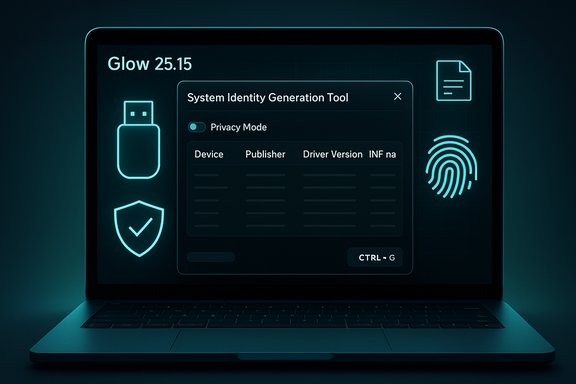
- Introduction of the System Identity Generation Tool — a hardware fingerprinting/reporting utility accessible via CTRL + G that produces a unique device identity and change log for component swaps.
- Extensive USB subsystem overhaul with new fields (Device Publisher, Driver Version/Date, INF file name, Device ID / Hardware ID, GUID) and broader device discovery (keyboards, mice, cameras, microphones).
- Network reporting improvements (driver version/date fields; DHCP first-assignment and renewal timestamps).
- Sound device driver reporting (driver version and date) and an opacity control added to the screen overlay tool.
- Multiple bug fixes targeting dark-theme title bar behavior on Windows 10, update-check errors, OS feature reporting quirks, and cache-cleaner path selection.
Deep dive: major additions and implications
Redesigned dark theme — polish or practical?
Glow’s dark theme has been “redesigned” in this release with an emphasis on a modern yet simple aesthetic. For users who regularly work in low-light environments, a refined dark UI reduces eye strain and improves visual hierarchy when scanning system lists and long tables. The redesign claims to also address previous Windows 10 title-bar color inconsistencies that some users reported. This is primarily a usability refinement, but it’s meaningful for a tool whose core value is rapid visual inspection.System Identity Generation Tool — a technician’s audit log
The standout addition is the System Identity Generation Tool. It generates a unique identity derived from enumerated system components and produces a report that highlights added or removed parts. Glow says the identity updates automatically when hardware changes occur, enabling reliable detection of component swaps — an attractive feature for refurbishment shops, trade-in desks, and service centers that need verifiable device state records. The tool is invoked with the CTRL + G shortcut. Strengths:- Provides a deterministic way to capture a machine's component snapshot for later comparison.
- Useful for evidence during service handovers and warranty inspections.
- The accuracy of any hardware fingerprint depends on which components are included and how the identity is computed; minor differences in driver strings or device IDs can produce noisy diffs.
- The mechanism is effectively a hardware fingerprint; if exported and shared carelessly, those outputs could be abused for device tracking or profiling. Users should treat exported identity reports as sensitive files. These caveats are particularly relevant for consumer privacy and for organizations with compliance obligations.
USB stack rework — more devices, more fields
Glow 25.15 reprograms how it reads USB information, bringing in more connected devices (including human interface devices and capture peripherals) and adding specific metadata fields: publisher (manufacturer), driver version and date, INF file name, device ID, hardware ID, and GUID. These fields are the kinds of details technicians need when diagnosing driver problems or identifying unknown devices in Device Manager. The inclusion of INF file names and driver dates helps tie reported devices back to the driver packages Windows is using. Operational note:- These additional USB fields can assist hardware troubleshooting, but the accuracy can vary depending on manufacturer-provided metadata and how the OS exposes driver information. The practical value will be highest for devices that register clean, standard descriptors and drivers.
Network, sound, and overlay refinements
Network reporting now includes driver version and driver date per network adapter, plus DHCP timing metrics (first-assignment and renewal times). Such metrics can make transient network issues diagnosable by showing when a client requested or renewed an address. Sound devices gain the same driver metadata fields added to USB and network devices, and the screen overlay tool — useful for persistent system status monitoring — now supports opacity adjustments for less intrusive monitoring.Performance & footprint claims — verifying the numbers
Glow 25.15 asserts an approximately 80% reduction in packaged program size down to about 1.4 MB, and a runtime memory usage drop of about 45% to 45–50 MB. The project's release notes explicitly thank a contributor (@lunter2) for these optimizations. Cross-reference and context:- Third-party download hosts and previous release listings have shown larger package sizes in earlier builds; for example, an earlier packaged build (v25.14.1) listed on a software repository measured at ~3.9 MB. This suggests the reported 1.4 MB figure may be tied to a specific packaged variant (e.g., a highly compressed ZIP or stripped executable) or an ARM/x64 architecture difference. Users should expect some variance depending on which executable and packaging they download.
- The stated runtime of ~45–50 MB is plausible for a single-process .NET application when trimmed and run in minimal mode, but actual RAM consumption will vary by OS version, .NET runtime state, other resident services, the number of enumerated devices, and which "tools" are open in the app. Consider the published memory claim as a realistic target rather than an absolute guarantee.
Validation: cross-referencing the claims
Key project facts (portable ZIP, x64/ARM64 builds, .NET requirement, privacy-first claim) are documented in the project's repository README and match the release notes’ descriptions of features and tools. Release metadata and changelog entries for v25.15 are mirrored across release aggregation pages that pull from the repository’s releases. Independent software catalogs reflect earlier package sizes and release history, which helps explain reported size reductions between releases. These multiple sources create a consistent picture of a small, actively maintained portable tool with repeated incremental improvements. Where claims look less verifiable:- Exact runtime memory figures are dependent on test conditions and may not hold across all hardware and Windows configurations. These numbers should be treated as indicative rather than prescriptive.
Security and privacy analysis
Glow positions itself as privacy-first and local-only, which is an important distinction for tools that enumerate hardware IDs, driver INF files, GUIDs, and device identifiers. The software’s export and the new System Identity Generation Tool produce text files that could contain personally identifiable device data. These capabilities are useful but also raise realistic privacy concerns.Risks:
- Exported reports may reveal unique device identifiers, serial numbers, and driver metadata that could be used to track or fingerprint hardware if published.
- Users who upload Glow output to public forums for troubleshooting may inadvertently leak identifiers tied to their machine.
- Portable executables distributed as ZIPs are convenient but raise supply-chain considerations: users should verify checksums and download from the official repository to avoid tampered binaries.
- Use Glow’s Privacy Mode (the project explicitly calls out a privacy mode option) to redact sensitive fields before exporting or sharing.
- Keep exports local or share only necessary excerpts; avoid publishing full identity reports.
- Download releases from the official repository or their canonical release pages and verify signatures (when provided) or checksums included with release notes. The project’s release pages include a warning to extract the ZIP before running, which is important to avoid runtime errors.
Reliability: how accurate will the reports be?
Glow’s ability to deliver accurate device and driver metadata depends on the underlying Windows APIs and how device manufacturers present metadata. The project has repeatedly updated detection logic across releases (for example, improved detection of anti-cheat drivers and expanded Bluetooth/version detection in earlier updates), which demonstrates the author’s efforts to increase accuracy. Still, users should expect occasional discrepancies, particularly with vendor-specific or nonstandard driver packages. Practical tips to improve reliability:- Run Glow with administrator privileges when collecting comprehensive driver and service information; some system-level fields require elevated access.
- Re-run exports before and after any driver updates or hardware changes to create meaningful diffs for the System Identity Generation Tool.
- Cross-check suspicious or unexpected device strings with Device Manager or other system information utilities.
Who benefits most from Glow 25.15?
Glow 25.15 is especially well suited to:- Repair technicians and service centers that need a compact, quick-to-run diagnostic that can be exported as evidence during intake or handoff.
- IT support desks that want a portable troubleshooting tool that runs without installation and surfaces driver metadata and DHCP timing info.
- Enthusiasts and power users who appreciate portable utilities with deep hardware-awareness and privacy options.
- Field technicians who must collect a device snapshot on machines that cannot be modified with installers.
Step-by-step: how a technician might use the System Identity Generation Tool
- Extract the Glow ZIP to a folder on a local, offline workstation to avoid accidental uploads, and run the appropriate executable for the machine’s architecture (x64 or ARM64).
- With administrator privileges, open Glow and press CTRL + G to generate the system identity snapshot. Export the identity report to a local folder.
- Store the exported report in a secure location (preferably on encrypted media) and provide a minimally redacted copy to the customer if required. Use Privacy Mode to hide serials or other sensitive fields if necessary.
- After service or part replacement, run the identity tool again and compare exports to produce a change log highlighting replaced or removed components.
Compatibility, packaging, and distribution notes
Glow remains portable and does not require installation; the vendor is explicit about the need to extract the ZIP before running, since running directly from compressed archives can cause runtime errors. The repository provides both x64 and ARM64 builds; this is particularly useful on modern Windows on ARM devices. Distribution through aggregate software sites and release aggregators is common, but the official repository should be the primary download source to avoid altered packages. Observed packaging discrepancies:- Some third-party mirrors and catalogs have listed larger package sizes for recent versions; the developer’s claim of 1.4 MB likely reflects a particularly optimized variant or a stripped executable. Verify the delivered file size and checksum against the release notes when available.
Strengths, weaknesses, and final assessment
Strengths- Comprehensiveness: Glow exposes a deep set of device and driver fields that many free tools omit. This includes INF file names, driver dates/versions, GUIDs, and DHCP timing — details that accelerate troubleshooting.
- Portability: No install and small footprint make it ideal for field use and ephemeral diagnostics.
- Privacy-aware design: The product explicitly recognizes privacy concerns and offers a Privacy Mode to limit sensitive output.
- Useful new tools: The System Identity Generation Tool is a practical innovation for hardware-tracking workflows.
- Export sensitivity: The same richness that makes Glow useful also increases the risk of leaking device-identifying data if exports are shared without redaction.
- Variable accuracy: Vendor quirks and driver metadata inconsistencies mean some device or driver fields may be incomplete or misleading on certain systems. Glow’s track record of iterative fixes mitigates this, but it’s an inherent limitation of userland enumeration.
- Supply-chain caution: Portable ZIP distribution is convenient but places responsibility on users to verify downloads; downloading only from the official repository reduces risk.
Glow 25.15 is a pragmatic update that delivers real-world value to technicians and power users through improved device reporting, a useful hardware identity tool, and tangible size and memory optimizations. The changes are incremental rather than revolutionary, but they address two persistent needs: making the app less resource-hungry and improving the forensic utility of the data it collects. At the same time, users and organizations should weigh the privacy implications of exporting hardware fingerprints and follow best practices (use Privacy Mode, verify downloads, protect exports) before sharing Glow outputs outside trusted channels.
Practical recommendations
- Always extract the ZIP into a dedicated folder before running Glow to avoid runtime errors.
- Run Glow with administrative privileges when collecting driver and service information to obtain a fuller report.
- Use Privacy Mode for any exports that may be shared externally; redact or truncate serial numbers and unique GUIDs if the data will be posted to public forums.
- Download only from the official repository or canonical release pages and, when available, verify checksums to ensure package integrity.
Glow 25.15 continues the project’s path of focused, practical improvements: a cleaner dark theme, tighter resource usage, and expanded device-level telemetry that will make it more useful for technicians and support professionals. The new System Identity Generation Tool is the most noteworthy feature — powerful for device audits, but one that demands cautious handling of exported data. For users who need fast, portable, and detailed system snapshots without an installer, Glow remains one of the more capable and actively maintained options available for Windows.
Source: Neowin Glow 25.15
